選單...

Audio Note 讓您的雙手解放

載入中...

你絕對需要 Audio Note ——一種高效且毫不費力的輸入方式。

什麼是 Audio Note? 與圖片、脈絡不同,Audio Note 由錄音組成。它可以是任何主題,並可與心智圖中的文字同步,進一步補充對應主題的內容。

User interface design featuring a microphone icon and various app function buttons on a colorful background.Why Audio Note?

輸入效率是製作心智圖的關鍵,尤其是在行動裝置上。靈感總是稍縱即逝,而即時捕捉就是解方。我們在 iOS 版 XMind 中加入了 Audio Note,並大幅提升了輸入效率。之後,Apple 也在 iOS 12 中實作了類似的互動方式。

3 Steps for Audio Note
Audio Note is available on XMind for iOS and XMind: ZEN Desktop.

iOS 版 XMind:

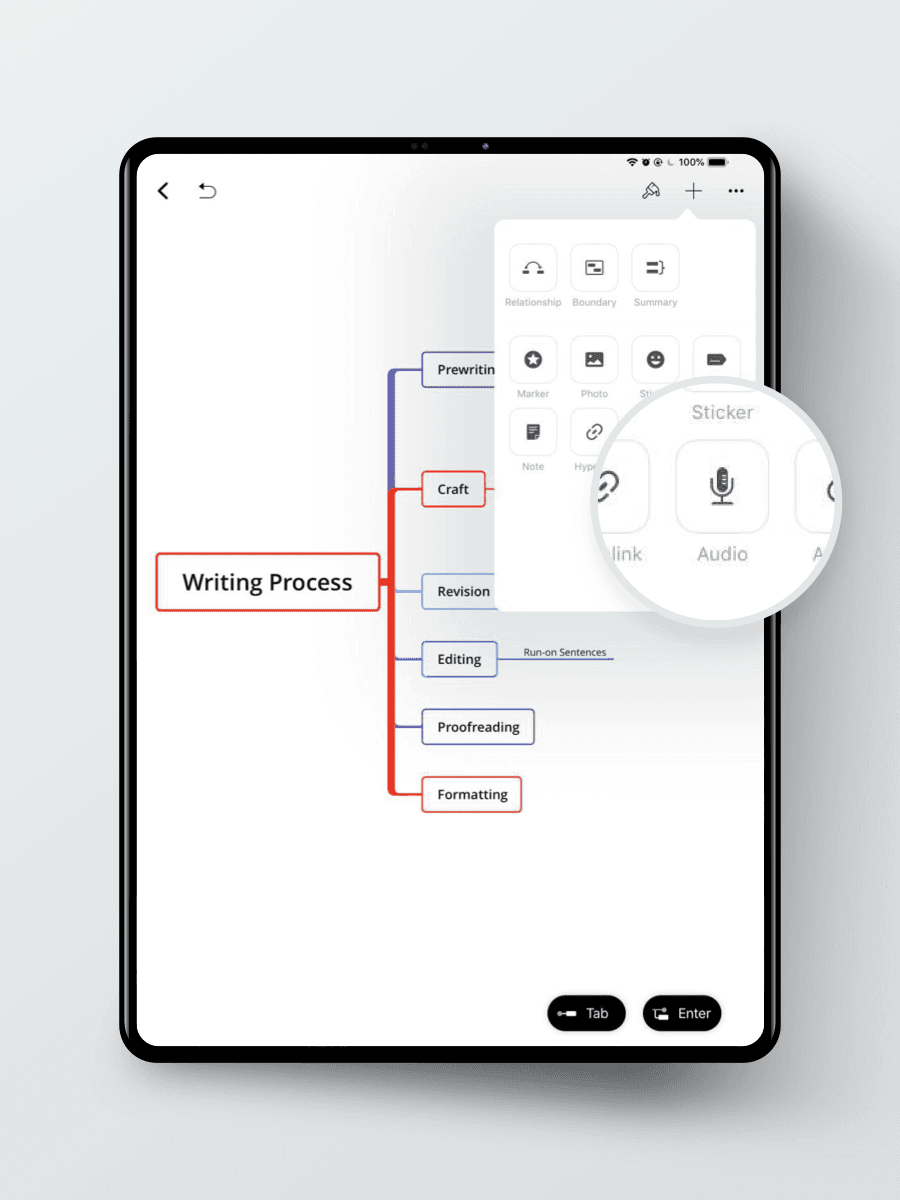
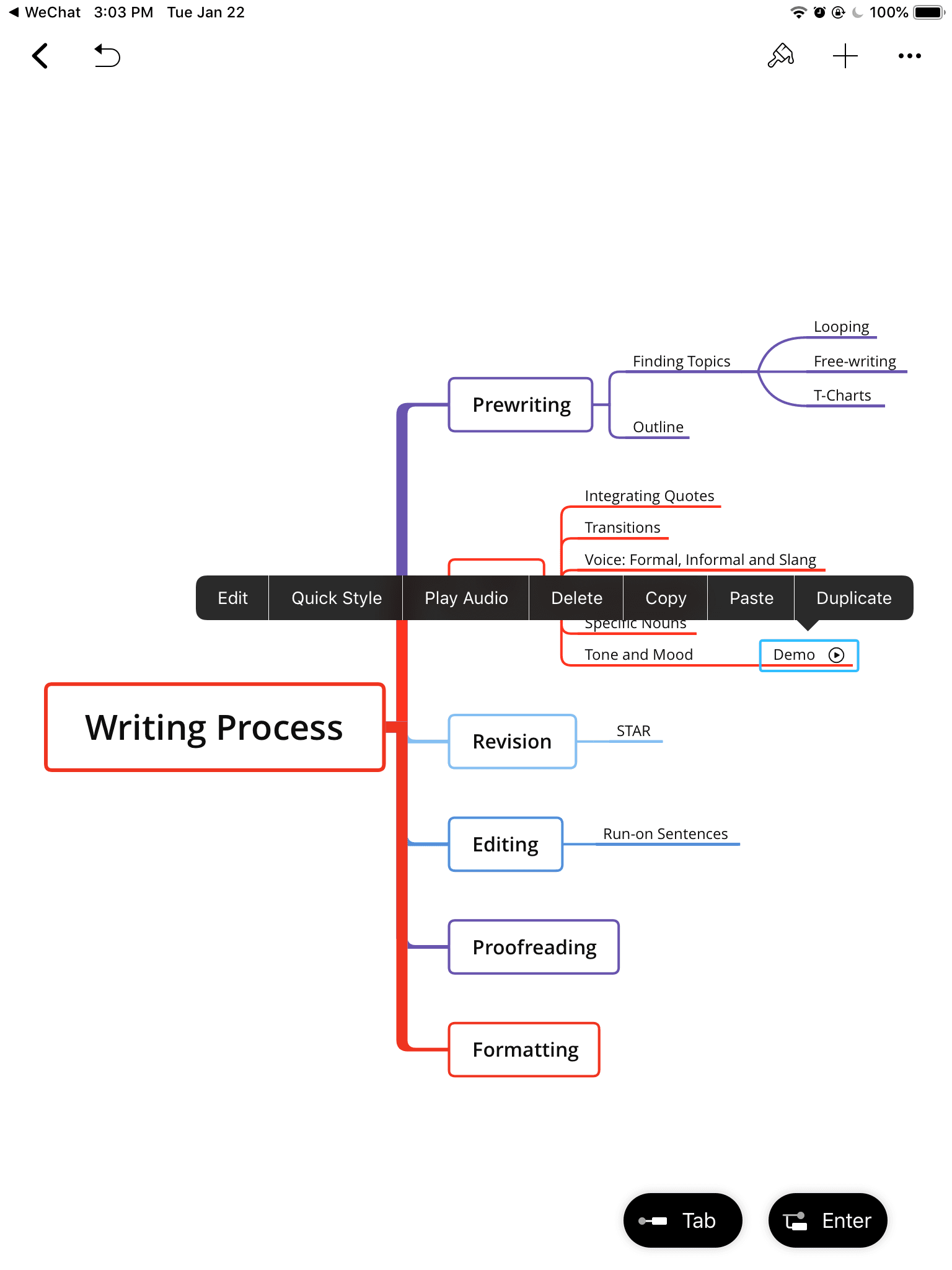
1. 選取主題,點擊右上角的新增圖示

Mind map displaying the writing process with stages: prewriting, craft, revision, editing, proofreading, and formatting.
  1. 點擊 Record 圖示開始錄音

3. 將 Audio Note 命名為一個主題
XMind: ZEN Desktop (Mac/Windows)
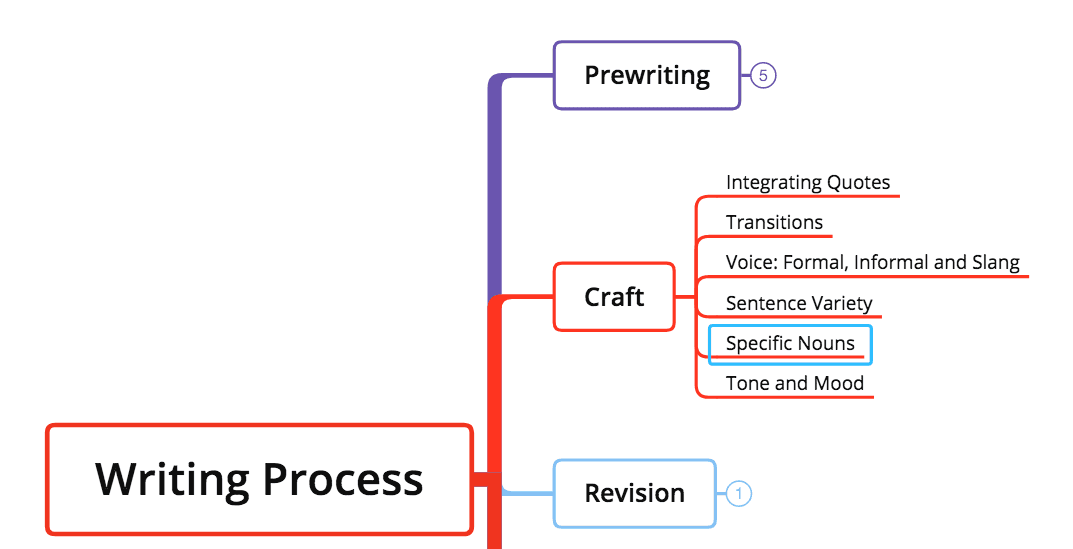
1. Select the TopicMind map illustrating the writing process, covering prewriting, craft elements, and revision techniques.
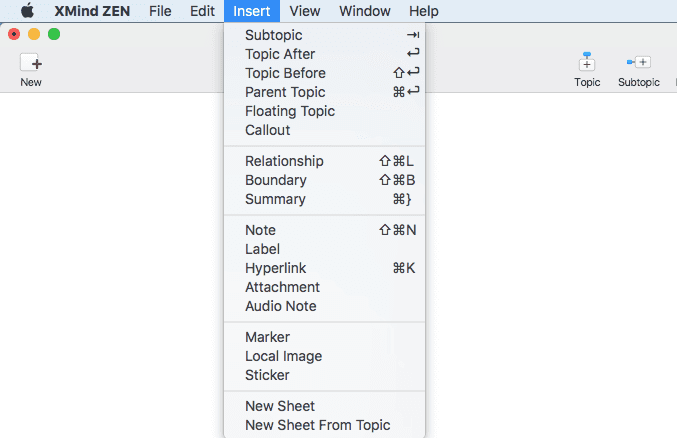
  1. 點擊 Insert Audio Note

Dropdown menu from XMind ZEN software showing various insert options for topics and notes.
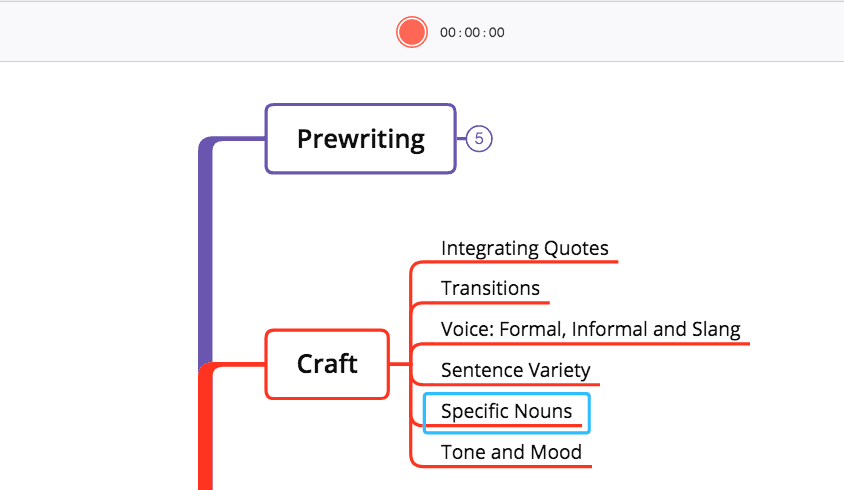
  1. 點擊 Record 圖示開始錄音

Try Audio Note in meeting, lecture or simply at the inspiration knocks the door. Set your hands free and focus on what matters most.
Xmind 標誌 - 心智圖和腦力激盪工具

功能

解決方案

資源

Xmind 標誌 - 心智圖和腦力激盪工具