Xmind introduces the Add Topic button to make mind map editing faster and more convenient.
When you select a topic, you can use the Add Topic button to quickly create a subtopic or sibling topic without using keyboard shortcuts.
How to Enable or Disable the Add Topic Button
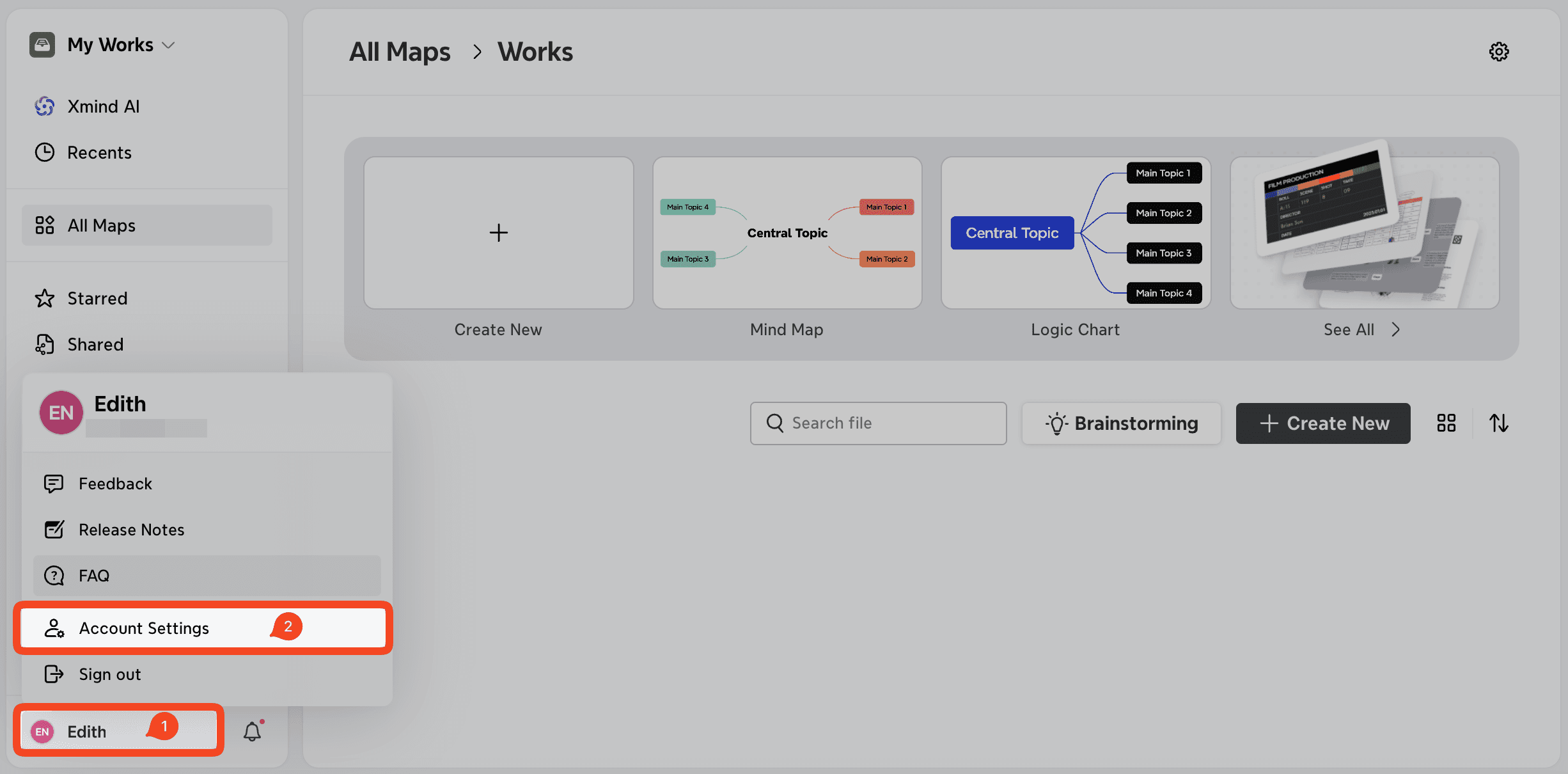
Open the Xmind web app in your browser at app.xmind.com.
Click Account in the bottom-left corner, then select Account Settings.
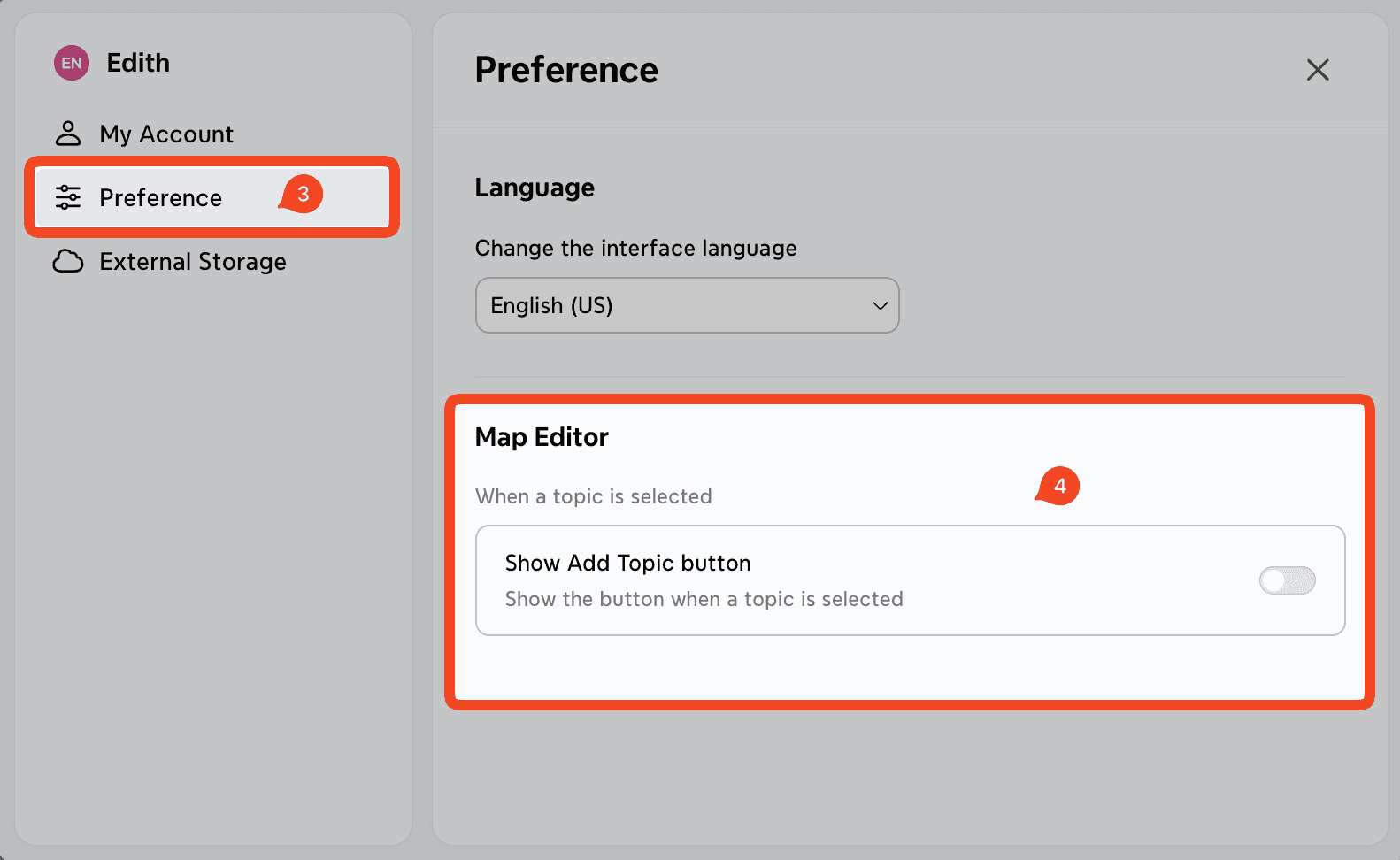
Go to Preference.
Under Map Editor, toggle the Add Topic Button on or off.