一套用於寫作的 Markdown 加 Xmind 工作流程

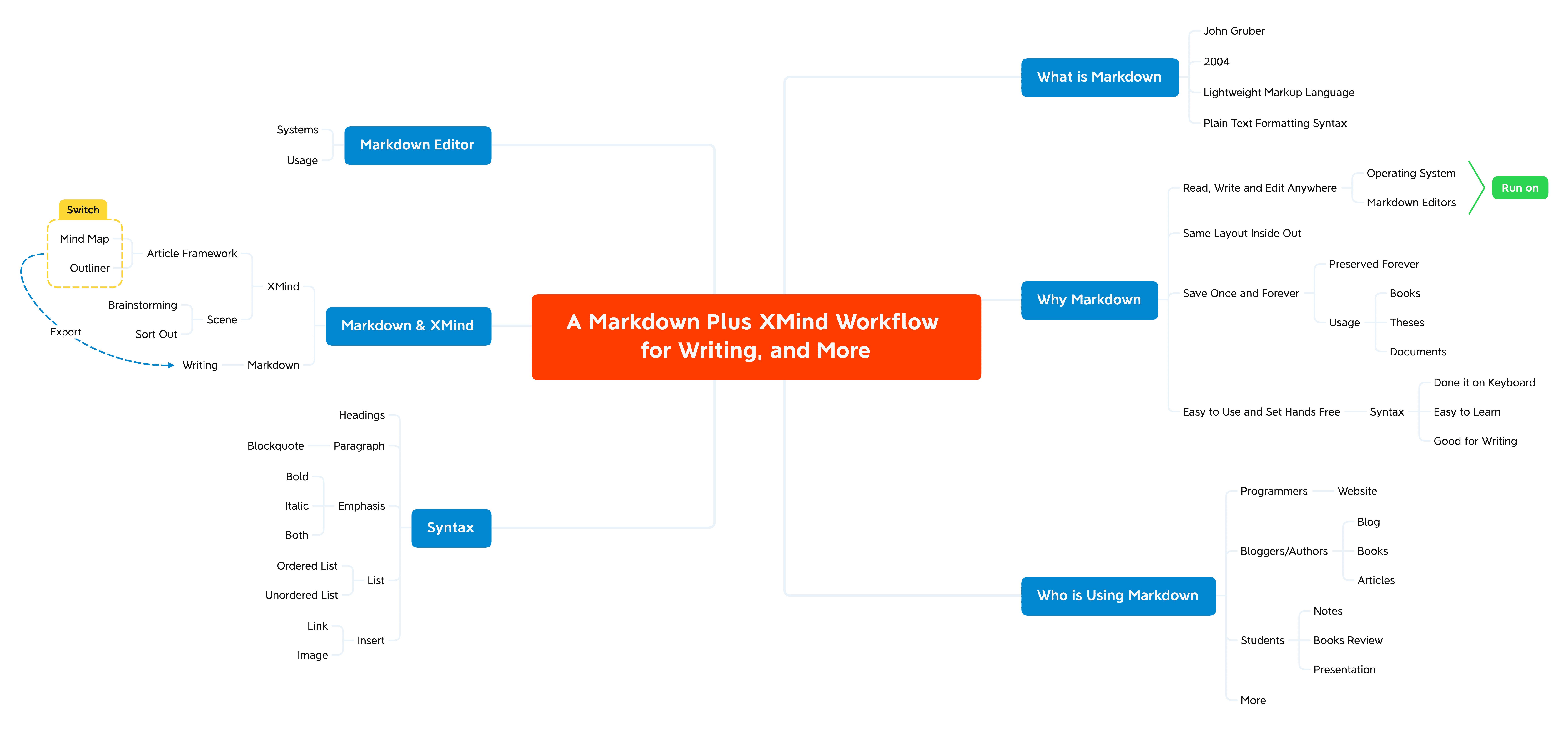
Markdown 被稱為一種輕量級標記語言,使用純文字格式語法。不同於 Word 或 Pages 這類包含排版與字型設定的工具,Markdown 的核心就是純文字。
Xmind 支援 Markdown 整合,讓你可以輕鬆將大綱轉換為結構清晰的文件。若想要更流暢的體驗,歡迎探索我們由 AI 驅動的 Markdown‑to‑Mind‑Map 轉換器:免費 markdown 轉 mind map 工具,可立即將 Markdown 檔案轉為互動式心智圖,幫助你輕鬆將想法視覺化並有條理地整理。
什麼是 Markdown
Markdown 是一種輕量級標記語言,你可以用它為純文字文件加入格式元素。它由 John Gruber 於 2004 年創建,如今已是全球最受歡迎的標記語言之一。
為什麼使用 Markdown
隨時隨地閱讀、撰寫與編輯
你可以在任何作業系統與 Markdown 編輯應用程式中建立 Markdown 格式文字。即使先前的 Markdown 應用程式已解除安裝,你仍可將 Markdown 檔案匯入其他 Markdown 應用程式,並持續編輯。
內外一致的版面
除了可在不同系統與 Markdown 編輯應用程式中運作外,Markdown 也能確保版面一致性。
一次儲存,長久保存
Markdown 格式檔案可長期保存。像是書籍、論文、里程碑文件等檔案,都很適合以 Markdown 格式儲存。
容易上手,操作更自由
Markdown 可幫助你只用鍵盤就能輕鬆撰寫並調整顯示效果。Markdown 語法不需花太久就能學會,而且你幾乎可以用 Markdown 完成所有寫作:筆記、部落格、網站,甚至待辦清單。
誰在使用 Markdown
嗯嗯,這是個大問題。只要你需要處理文字,Markdown 都是很好的選擇。
由於它是為網站設計的,因此有許多程式設計師在使用。對學生來說,Markdown 能讓做筆記更容易。部落客與作者也會用它來撰寫部落格與書籍。若再加上電子郵件、文件與待辦清單,幾乎每個人都能使用 Markdown。
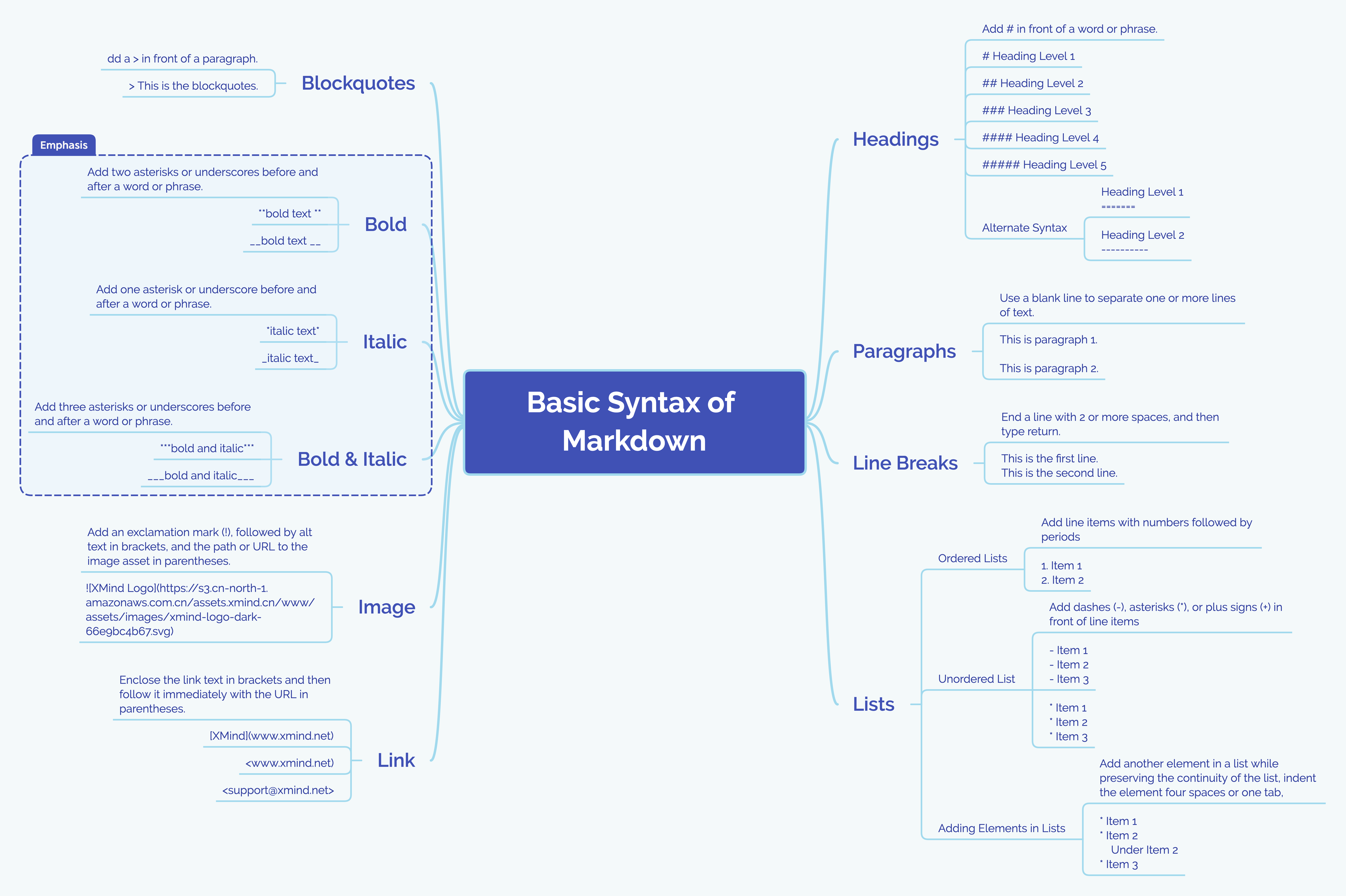
Markdown 基本語法
標題
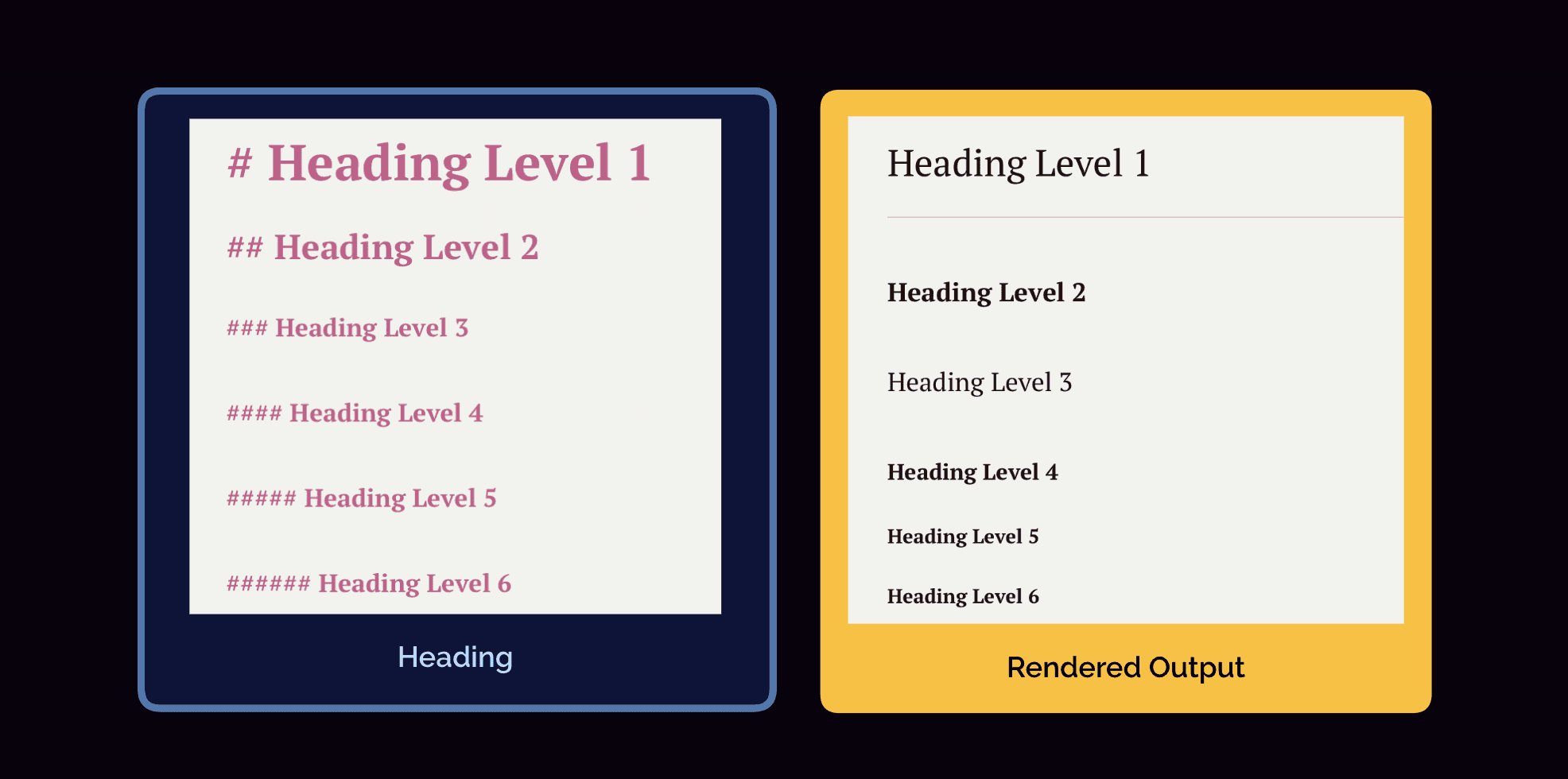
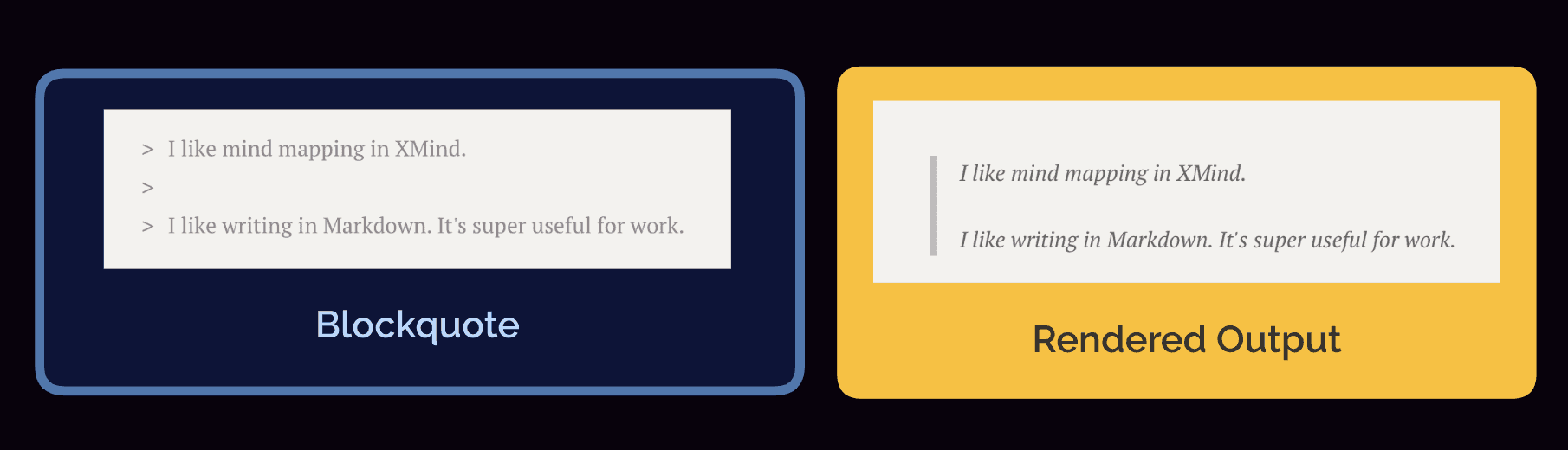
區塊引言
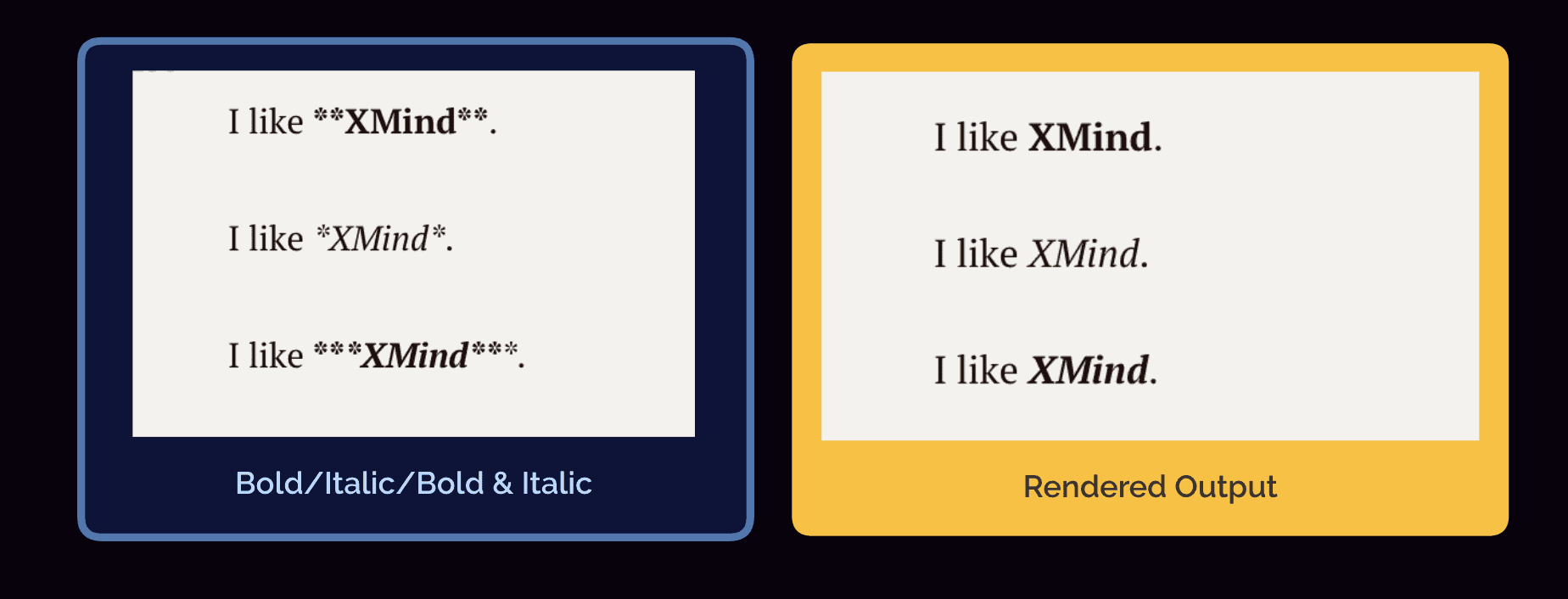
強調
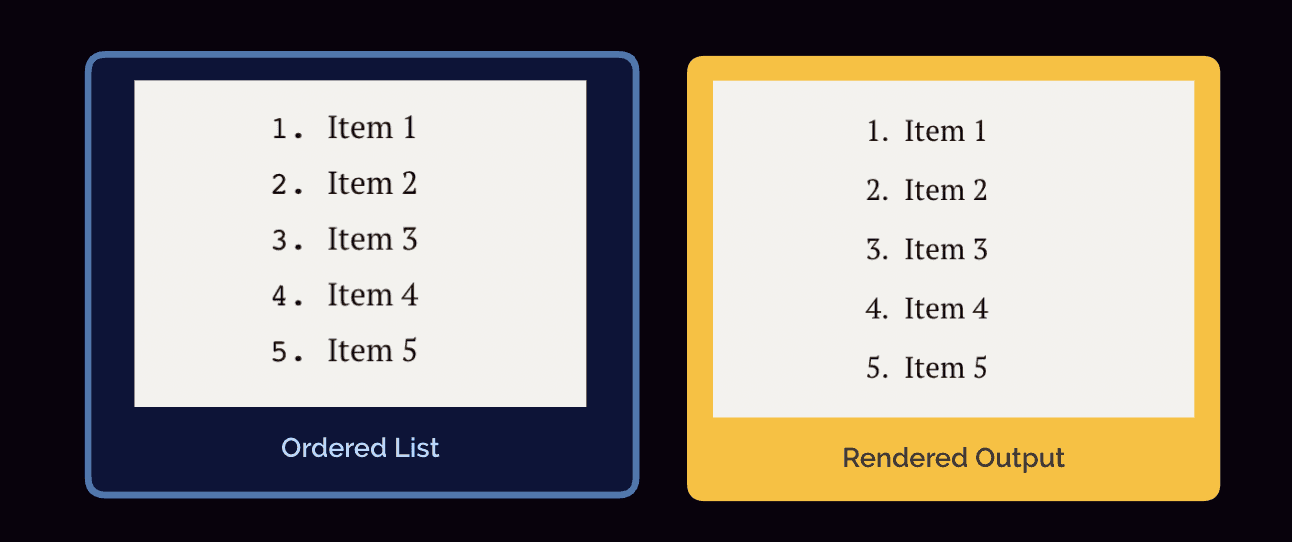
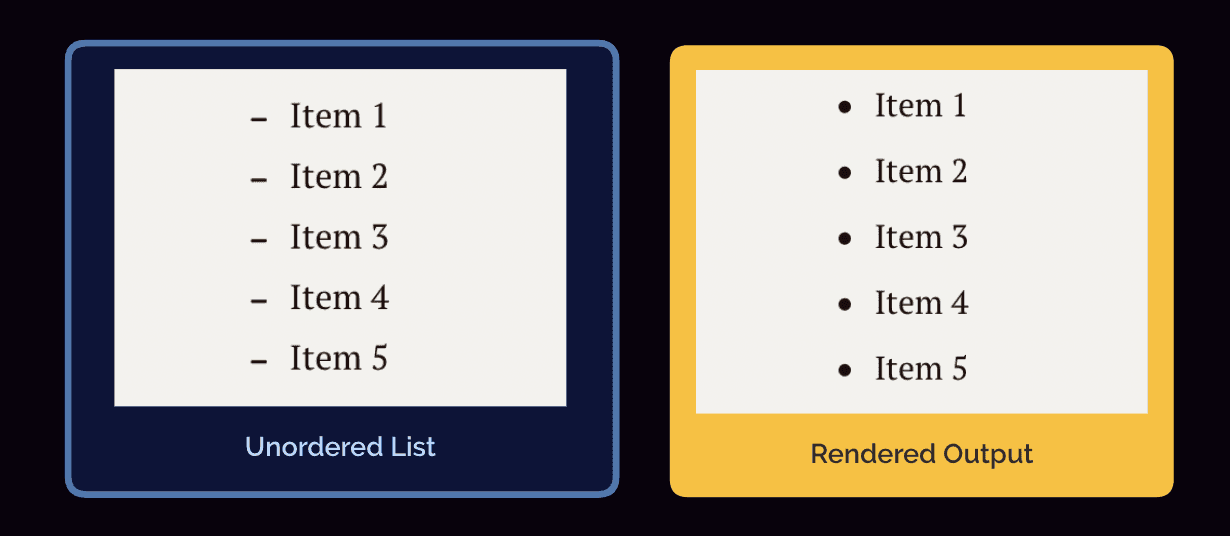
清單
有序清單
無序清單
插入
連結
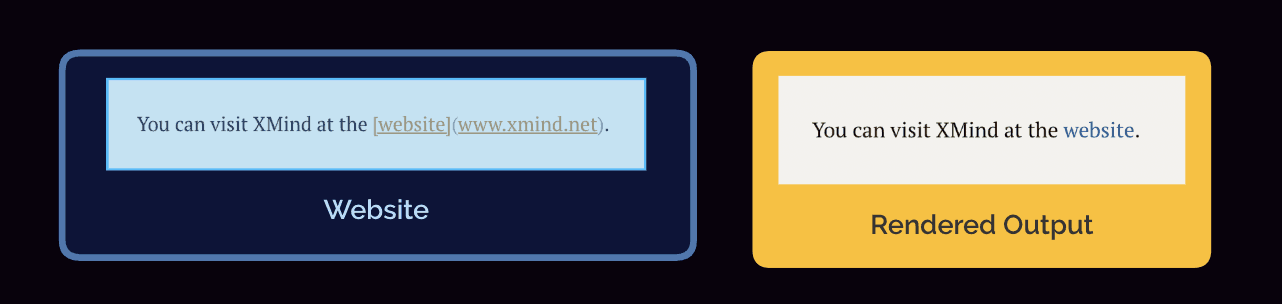
圖片
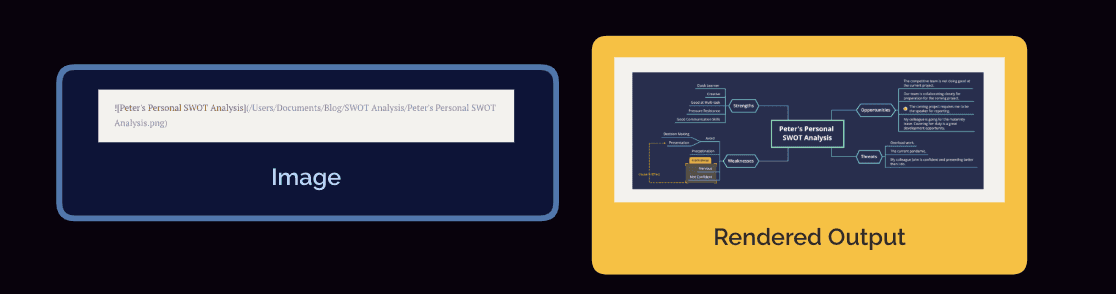
如果你忘記了,我們也準備了這個:
整合 Markdown 與 Xmind
清楚知道你正在寫什麼
開始寫作前,先建立包含核心想法、重點與內容的文章架構,能讓你寫作更順暢。
如果你毫無頭緒,腦力激盪是解決這個問題的方法。先把你想到的各種點子散布在 XMind 的浮動主題中。再根據這張心智圖延伸思考,或嘗試找出它們之間的關聯。在這個過程中,你可能會獲得新的靈感。
如果你想法很多,卻難以釐清彼此關係,XMind 同樣能幫上忙。先寫下核心概念,再用更多想法填入其他主題。透過拖放主題,直到所有關聯都合理為止。你會驚喜地發現,這張心智圖就成了你的架構,並可用來追蹤整個寫作流程。
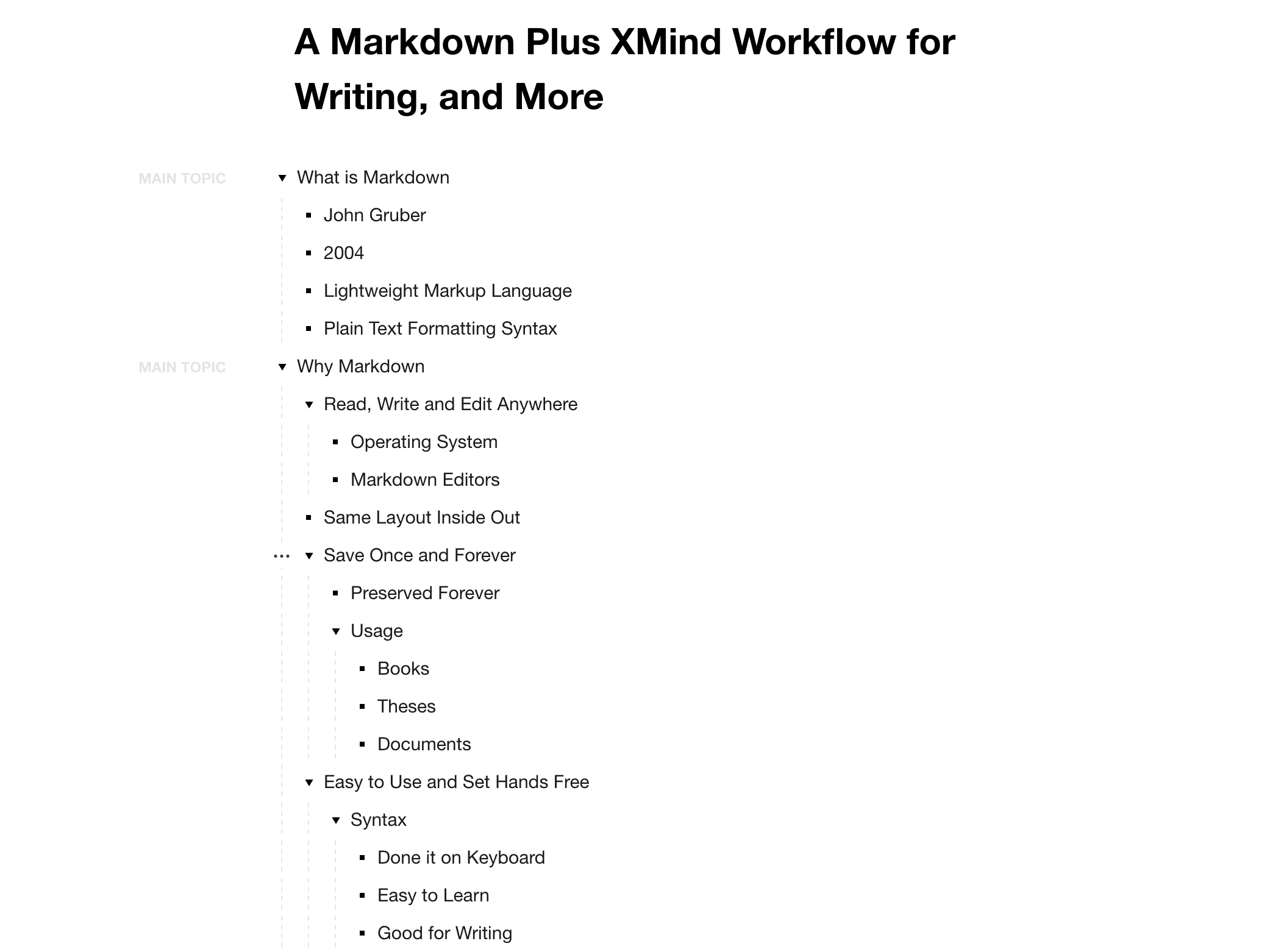
心智圖有助於梳理想法,而在開始寫作前,大綱也是很好的選擇。Outliner 讓你可以用清單方式閱讀心智圖,並且一鍵在心智圖與大綱之間切換。線性視圖能讓你更順暢地推進內容
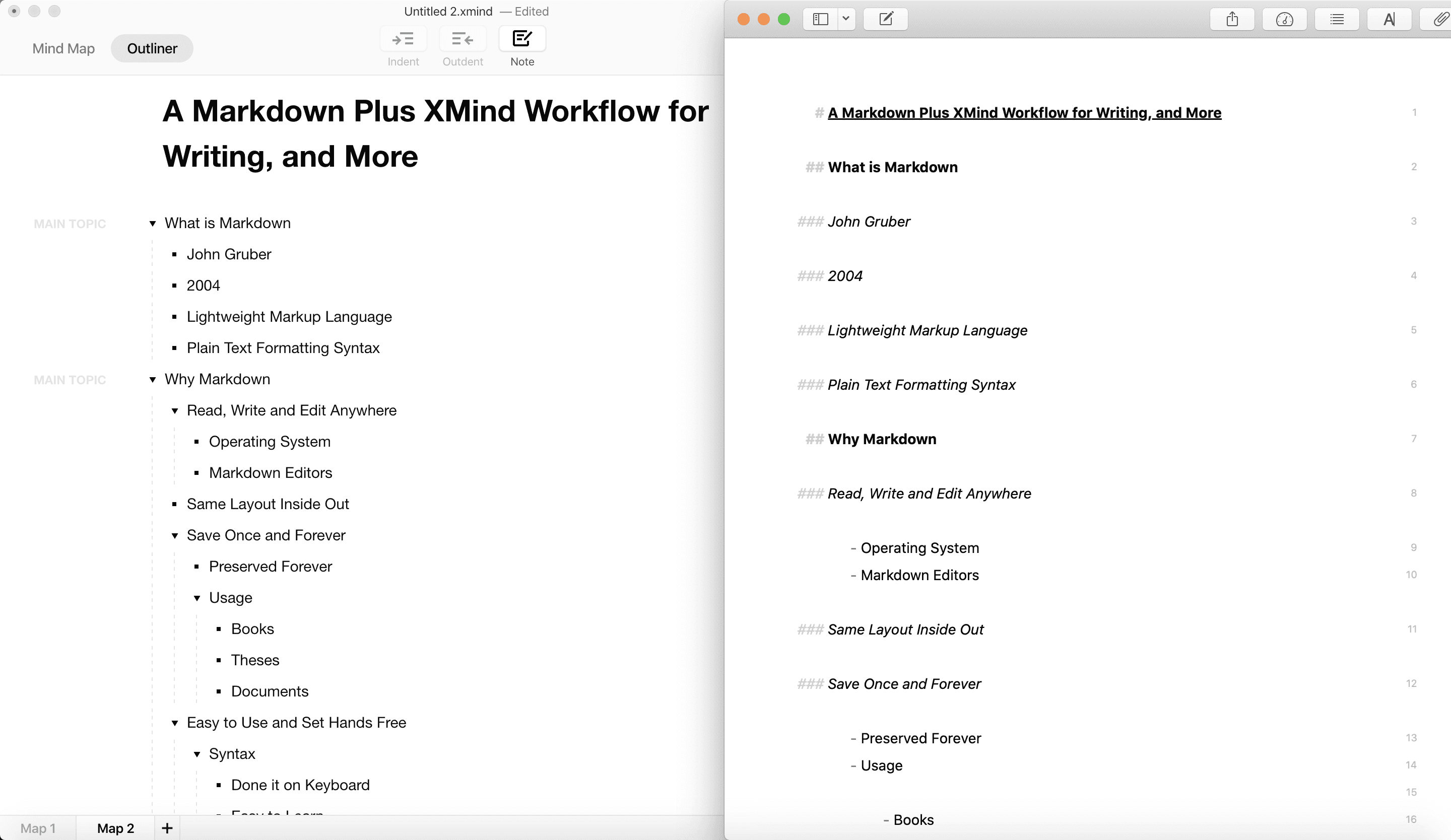
開始使用 Markdown 的時候到了
Xmind 支援 Markdown 匯出。當架構/大綱完成後,你可以將其匯出為 Markdown 格式,並在 Markdown 編輯應用程式中繼續寫作流程。這種無縫的寫作體驗,讓你能毫不費力地持續走在正確軌道上。
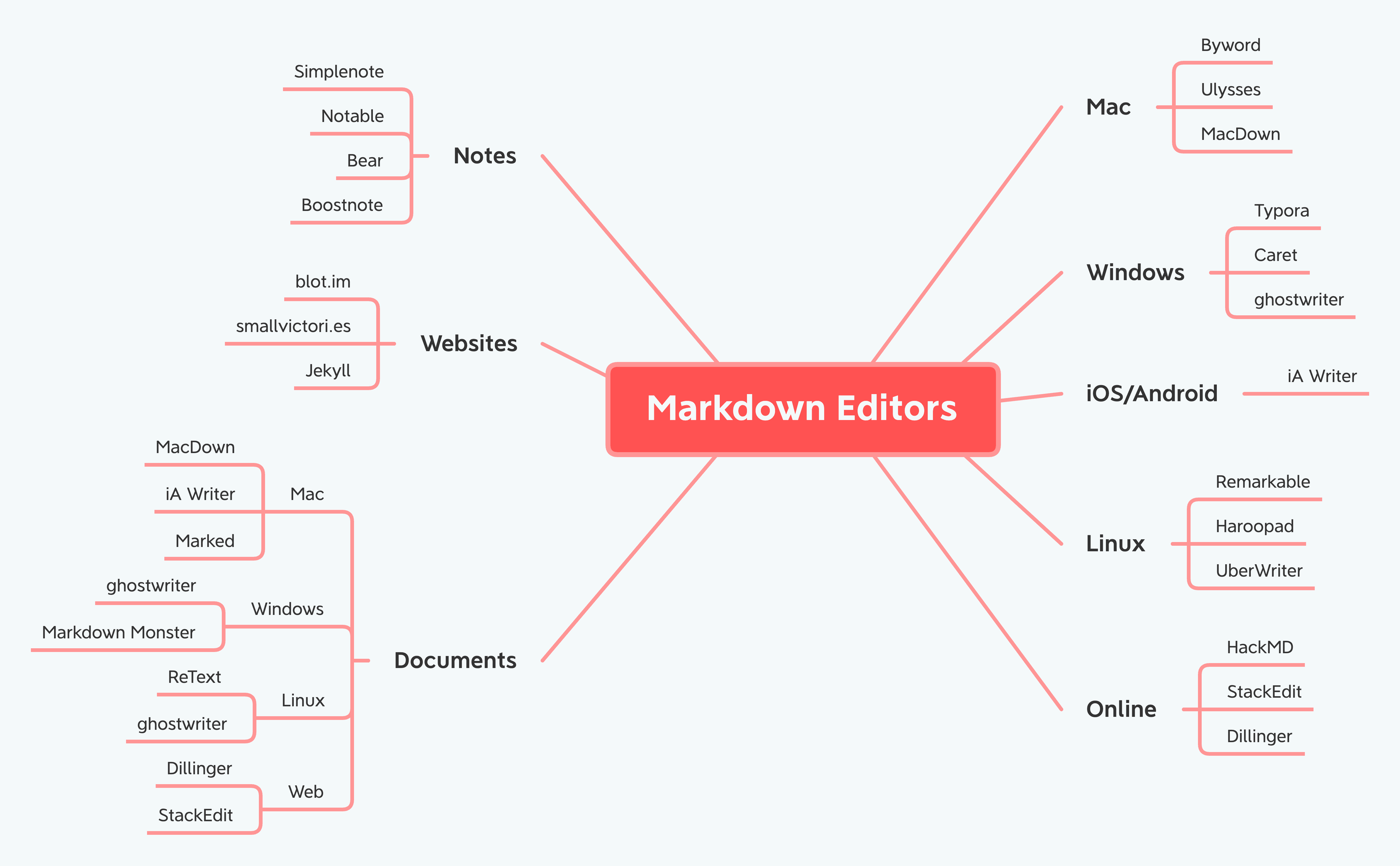
可選的 Markdown 編輯器
超多!Typora、Ulysses、Bear、Visual Studio Code 等等。不同編輯器會針對特定需求發展,你一定能找到適合自己的那一款。從下面選一個吧 :)
參考資料:https://daringfireball.net/projects/markdown/syntax
https://www.markdownguide.org/basic-syntax/#blockquotes-1