6 ClickUp-Alternativen für mehr Fokus im Jahr 2026 erkunden

ClickUp ist bekannt für seinen "All-in-One"-Ansatz, aber das schiere Volumen an Funktionen kann oft zu einer überladenen Benutzeroberfläche und erheblichem "Feature Bloat" führen. Viele Fachleute finden, dass der hohe Grad der Anpassung der Plattform zu einer steilen Lernkurve und Entscheidungsparalyse führt, was es schwierig macht, sich auf die übergeordnete Strategie zu konzentrieren. Zudem können häufige Benachrichtigungen und gelegentliche Leistungseinbußen in großen Arbeitsbereichen den Fluss der intensiven Arbeit stören.
Da Teams nach optimierten Umgebungen suchen, sind verschiedene spezialisierte Alternativen entstanden, die Klarheit, intuitive Logik und robuste Datensicherheit priorisieren. Dieser Leitfaden untersucht hoch bewertete Alternativen, die auf spezifische Bedürfnisse zugeschnitten sind und von visuellen mind maps bis hin zu unternehmensgerechtem Aufgabenmanagement reichen.
Alternative 1—Xmind: beste ClickUp-Alternative für visuelles mind mapping
Xmind ist nicht nur ein Diagrammtool; es ist ein umfassendes Denksystem, das strukturiertes Denken und nahtlose Ausführung erleichtert. Während ClickUp mind mapping als sekundäre "Ansicht" für Aufgaben behandelt, stellt Xmind die Logik Ihrer Ideen in den Mittelpunkt des Erlebnisses.
Warum Xmind als ClickUp-Alternative herausragt
Die Überlegenheit von Xmind liegt in seiner Produktphilosophie: es priorisiert den Denker vor der Aufgabe. ClickUp ist eine Plattform, die für die Verwaltung optimiert ist — sie ist hervorragend im Verfolgen granularer Status, im Verwalten von Fristen und im Hosten von Teamnachrichten in einer lauten Umgebung. Auch wenn es effizient für die Ausführung ist, zwingt diese "All-in-One"-Arbeitsumgebung oft dazu, Ideen in starre Listen zu drücken, bevor sie vollständig ausgeformt sind, was den kreativen Prozess potenziell erstickt.
Xmind hingegen ist für Kognition optimiert und die tiefgehende Arbeit, die für bahnbrechende Strategien erforderlich ist. Es bietet eine ablenkungsfreie Umgebung, die es den Benutzern ermöglicht, das "Warum" und "Wie" eines Projekts räumlich und nicht-linear zu erkunden. Durch den Fokus auf visuelle Logik und mentale Klarheit ermöglicht Xmind Ihnen, die Komplexität eines Projekts zu beherrschen, bevor es jemals zu einer "To-Do"-Aufgabe in einer Datenbank wird. Es behandelt Ihr Gehirn als Motor für Kreativität und nicht nur als Quelle für Dateneingaben und sorgt dafür, dass Ihr geistiges Eigentum mit absolutem Fokus und struktureller Integrität entwickelt wird.
Wichtige Funktionen und Fähigkeiten von Xmind
Generative KI zur kreativen Erweiterung: Xmind AI fungiert als aktiver Kollaborateur, der Leben in aufkeimende Ideen haucht, indem umfassende logische Äste aus einem einzigen Prompt generiert werden. Während andere Werkzeuge KI für administrative Aufgaben wie das Zusammenfassen von Notizen nutzen, nutzt Xmind generative Intelligenz, um Ihre strategischen Horizonte zu erweitern und neue Perspektiven zu erschließen.
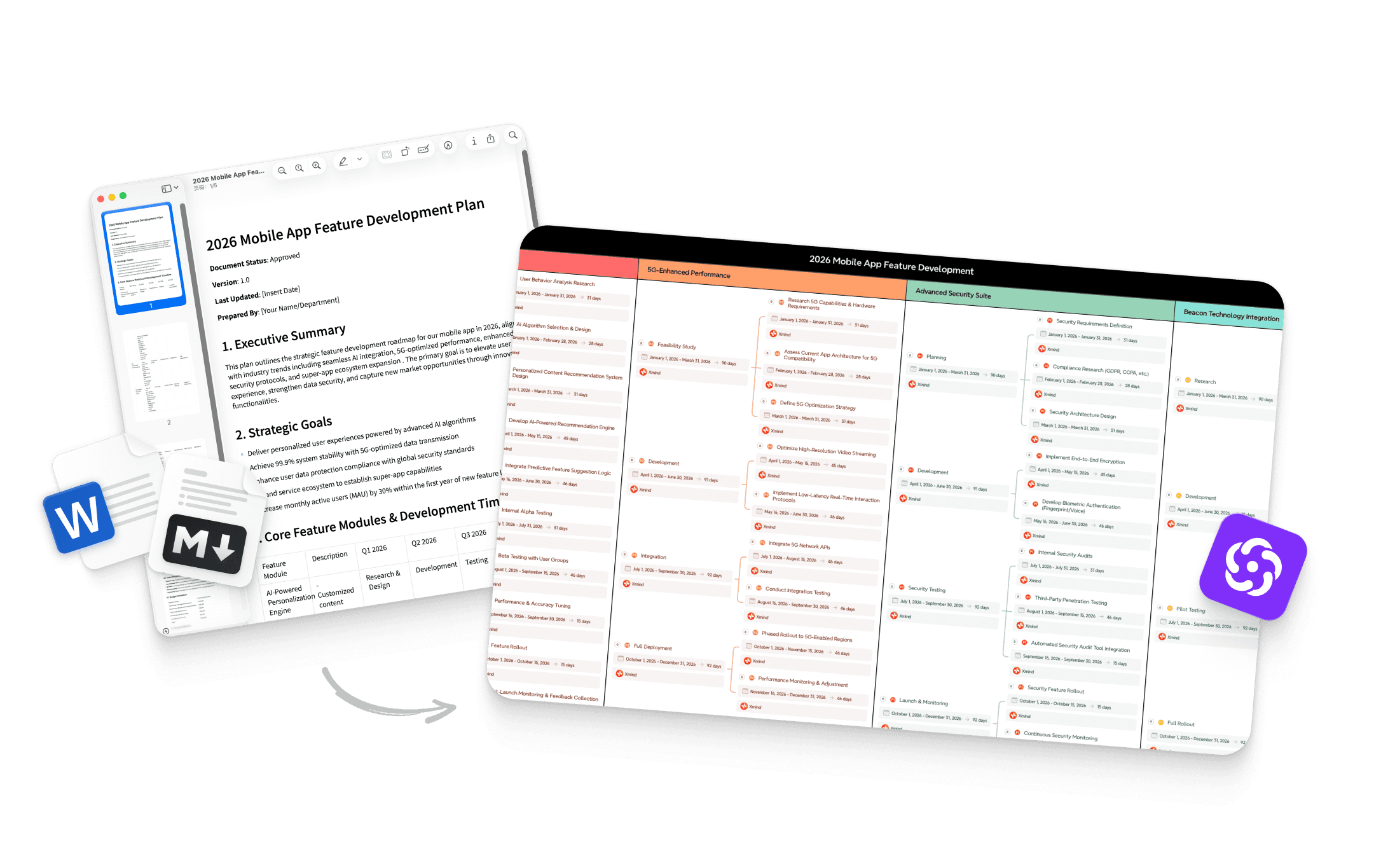
Logische Rahmen für komplexe Daten: Über einfache Blasen und Linien hinaus bietet Xmind spezialisierte Rahmen wie Fischgrätendiagramme, Matrizen und Zeitachsen, um ein hohes Maß an Komplexität zu bewältigen. Seine intelligenten Diagrammverfeinerungs-Fähigkeiten erlauben es Ihnen, diese unterschiedlichen Strukturen innerhalb einer einzigen Leinwand zu kombinieren, wobei das Layout automatisch optimiert wird, um sicherzustellen, dass komplexe Projekte visuell elegant bleiben.
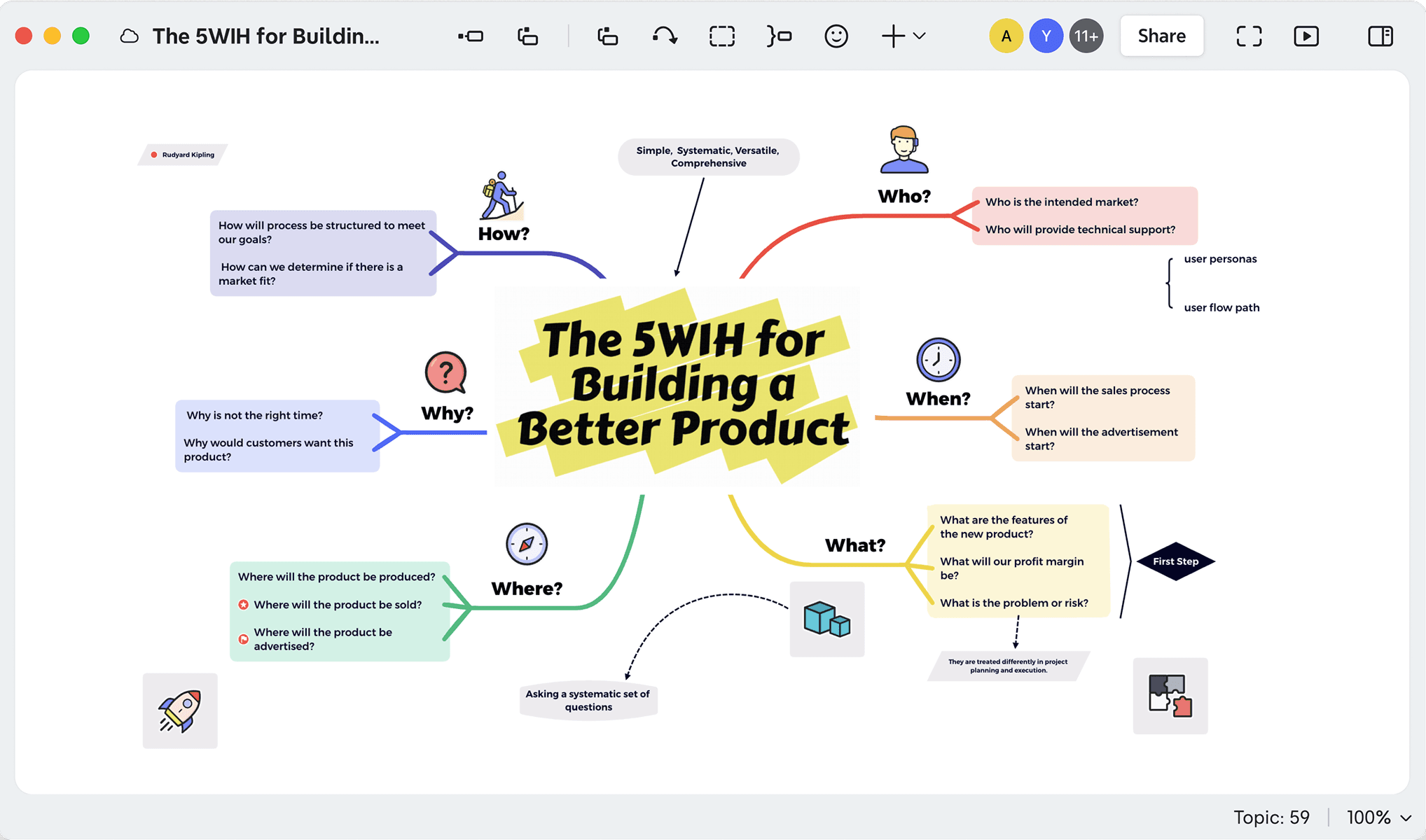
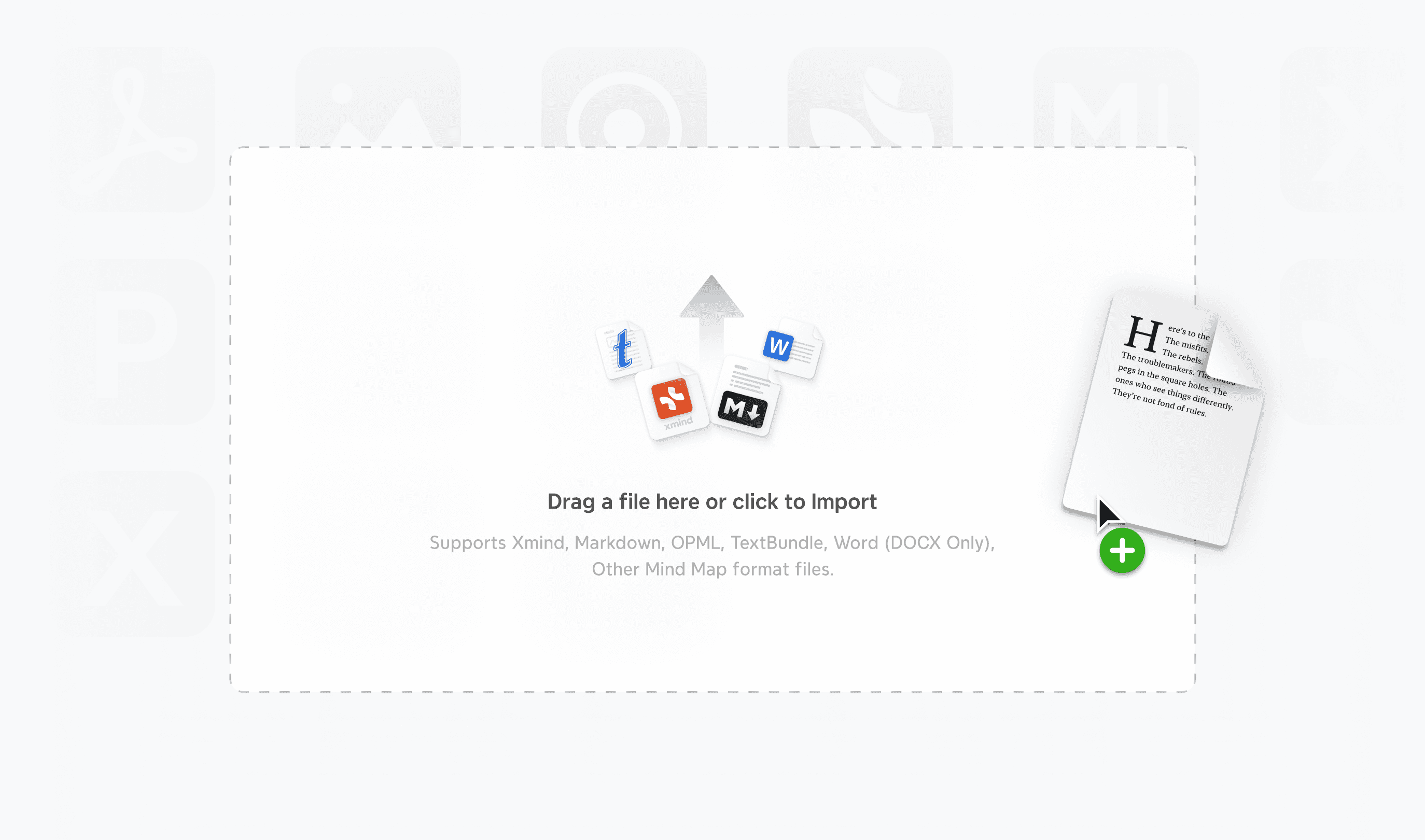
Vielseitiger Output für nahtlose Workflows: Xmind überbrückt die Lücke zwischen roher Inspiration und professioneller Umsetzung, indem es Exportoptionen in hoher Treue wie SVG, Markdown und PowerPoint bietet. Dies stellt sicher, dass Ihre Arbeit niemals in einem proprietären Ökosystem eingeschlossen ist, sodass Sie Ideen in Designwerkzeuge, technische Dokumente oder Führungskräftepräsentationen überführen können.
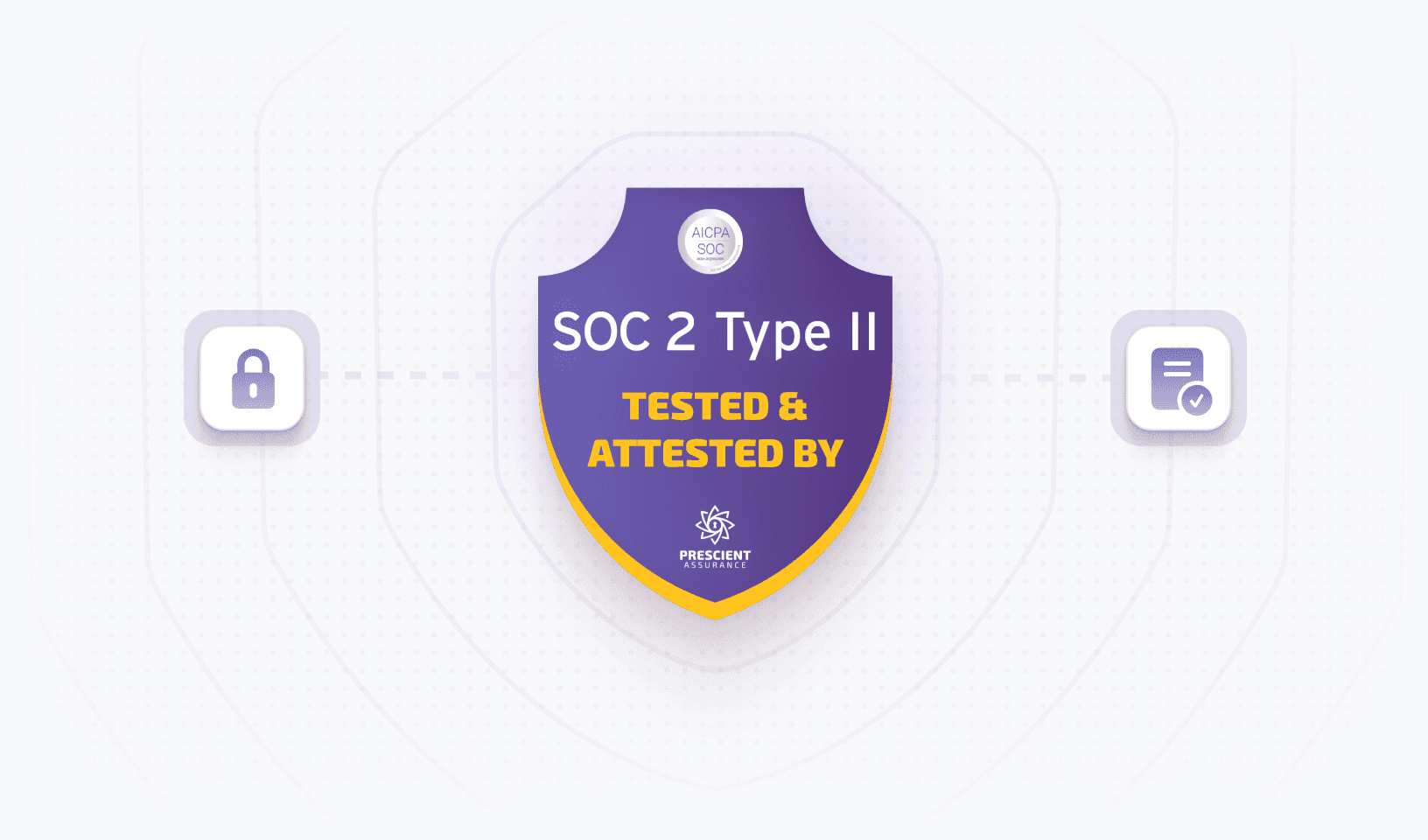
Kompromisslose Sicherheit und Datenhoheit: In einer Ära der obligatorischen Cloud-Nutzung zeichnet sich Xmind durch absolute Privatsphäre dank robuster lokaler Speicheroptionen aus. Dieser Ansatz stellt sicher, dass Ihre sensibelsten Geschäftsstrategien und geistiges Eigentum vollständig unter Ihrer Kontrolle bleiben, geschützt vor den Risiken, die mit zentralisierten Cloud-Servern verbunden sind.
Beste Anwendungsfälle für Xmind
Strategische Planung: Orchestrieren Sie langfristige Unternehmensvisionen, indem Sie die Matrix für Wettbewerbsanalysen und Zeitachsen für mehrjährige Roadmaps nutzen. Diese strukturelle Vielfalt ermöglicht es Führungskräften, zwischen hochrangigen konzeptionellen Zielen und chronologischen Meilensteinen in einer einzigen Datei zu wechseln.
Produktentwicklung: Beschleunigen Sie die Entdeckungsphase, indem Sie KI-Work-Breakdown verwenden, um vage Produktkonzepte in granulare, umsetzbare technische Anforderungen zu zerlegen. Indem das gesamte Produkt hierarchisch visualisiert wird, können Entwicklungsteams Abhängigkeiten und Randfälle identifizieren, die in traditionellen flachen Aufgabenmanagern oft übersehen werden.
Akademisches und professionelles Schreiben: Straffen Sie das Verfassen komplexer Berichte oder Forschungspapiere mithilfe der Gliederungsansicht. Dies erlaubt es den Schreibern, zwischen einer visuellen Karte für strukturelle Logik und einer linearen Textumgebung für die Inhaltserstellung zu wechseln, wodurch sichergestellt wird, dass der Erzählfluss perfekt mit der ursprünglichen strategischen Absicht synchronisiert bleibt.
Kundenpräsentationen und Abstimmung mit Interessengruppen: Erhöhen Sie die Schlagkraft Ihrer Präsentationen, indem Sie den Präsentationsmodus verwenden, um Stakeholder durch die Logik eines Projekts mit filmischen, automatisierten Übergängen zu führen. Dies verwandelt eine statische mind map in ein dynamisches Erzählwerkzeug und hält das Publikum auf den "großen Überblick" fokussiert, ohne dass eine manuelle Folienpräsentation erforderlich ist.
Bereit zu sehen, wie sie sich Funktionsweise für Funktionsweise messen? Vergleichen Sie Xmind mit ClickUp um die richtige Lösung für Ihren Workflow zu entdecken.
Alternative 2—SmartDraw: beste Alternative zu ClickUp für Diagrammierung
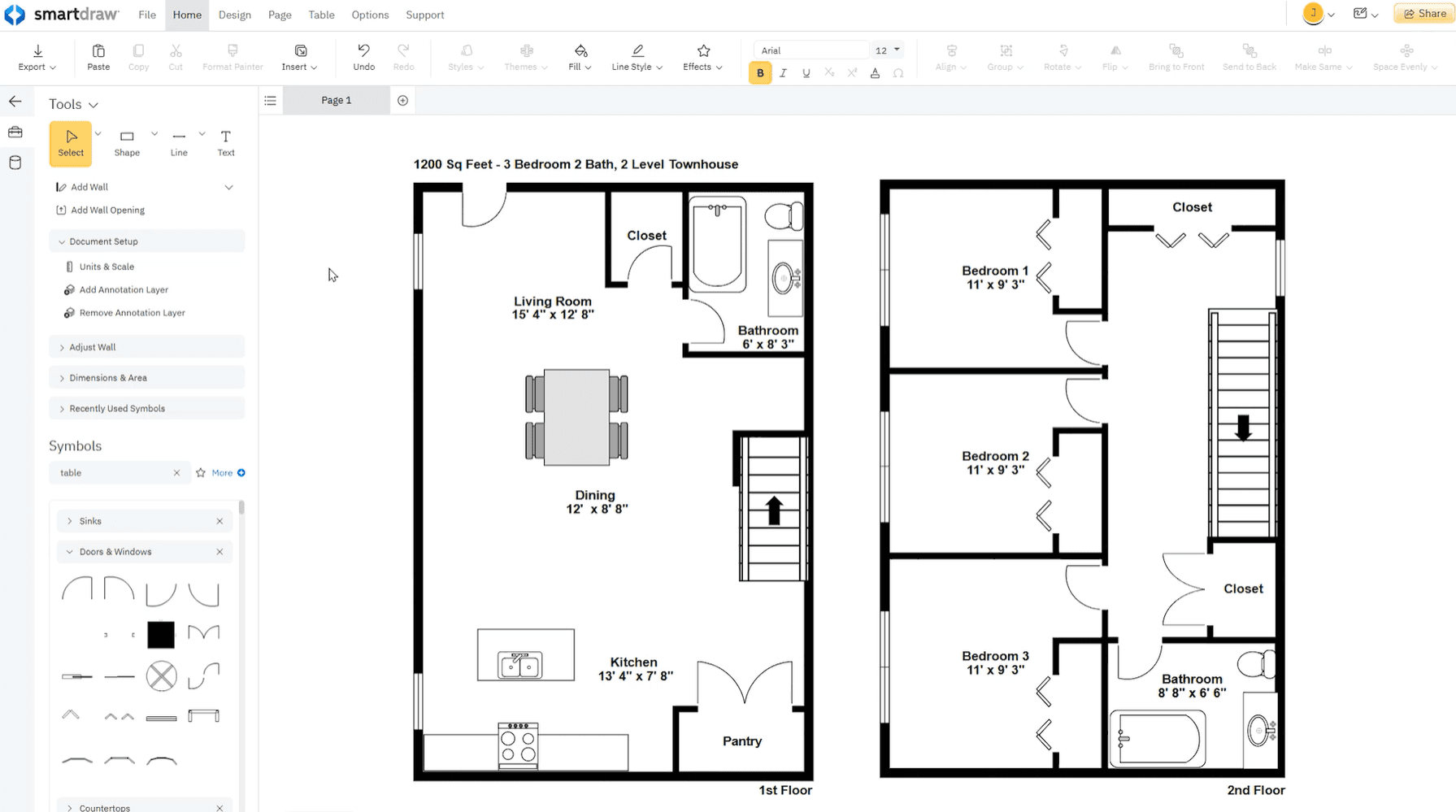
SmartDraw-Überblick und Kernfunktionen
SmartDraw ist eine datengetriebene Diagramm- und Kollaborations-App, die auf Prozessverbesserung, technische Diagrammierung und Raumplanung ausgelegt ist.
Intelligente Formatierungsmotor: Sein Motor passt automatisch Abstände, Ausrichtung und Formen an, während Sie bauen, damit Sie sich auf den Inhalt statt das Layout konzentrieren können.
Riesige Vorlagenbibliothek: Es enthält Tausende von Vorlagen für über 70 Diagrammtypen, einschließlich Flussdiagrammen, Netzplänen und maßstabsgetreuen Architekturentwürfen.
Annotation Layer: SmartDraw bietet eine AutoCAD-ähnliche Annotationsebene, die sich automatisch an Ihre Diagramme anpasst, ideal für technische Projekte.
SmartDraw Vor- und Nachteile
Vorteile
Überlegene Nutzerfreundlichkeit bei der Einrichtung: SmartDraw erzielt signifikant höhere Bewertungen als ClickUp hinsichtlich der Einrichtung (9.4 vs 8.2 auf G2). Seine intuitive Benutzeroberfläche und die umfangreiche Vorlagenbibliothek ermöglichen es Teams, schnell ohne das umfangreiche Training, das für die komplexe Hierarchie von ClickUp oft erforderlich ist, in Betrieb zu gehen.
Robuste automatische Formatierung: Sein intelligenter Motor ist ein wesentlicher Unterschied. Er richtet Formen automatisch aus, verbindet und verteilt sie, während Sie bearbeiten, und erlaubt sogar, dass sich das Diagramm "heilt", wenn Knoten gelöscht werden—Fähigkeiten, die über die von ClickUps manuelleren Whiteboard-Werkzeuge hinausgehen.
Ausgezeichnetes Berechtigungsmanagement: SmartDraw bietet detaillierte Kontrolle über den Benutzerzugang und ist somit eine vertrauenswürdige Wahl für sensible Ingenieur- oder spezialisierte Rekonstruktionsprojekte, bei denen Datensicherheit oberste Priorität hat.
Nachteile
Fehlende autonome Aufgabenausführung: Während ClickUp im Projektmanagement mit fortgeschrittener Automatisierung wie wiederkehrenden Aufgaben und Erinnerungen glänzt, ist SmartDraw in erster Linie ein Visualisierungstool. Es bietet nicht das gleiche "All-in-One"-Workflow-Management, das die tägliche Aufgabenbearbeitung antreibt.
Abo-Modell: Einige Benutzer empfinden die Investition für professionelle Tiers als erheblich, insbesondere da es kein echtes monatliches Abo für Einzelpersonen bietet, was oft ein langfristiges Engagement erfordert.
Begrenzte Designmanipulation: Benutzer haben Frustrationen über eingeschränkte Designflexibilität gemeldet, wie "klobige" UI-Elemente und Symbole, die Schwierigkeiten haben, an bestimmte Punkte in 3D- oder Grundrissdesigns zu schnappen.
Wann man SmartDraw über ClickUp verwenden sollte
Wählen Sie SmartDraw, wenn Ihre Arbeit technische, präzise skalierte Visualisierungen erfordert, die ein Maß an Präzision und Automatisierung erfordern, das ClickUps native Whiteboards nicht erreichen können. Während ClickUp für allgemeine Brainstorming-Zwecke konzipiert ist, fungiert SmartDraw als Brücke zu professionellem CAD und bietet einen datengesteuerten AWS/Azure-Visualizer, der Infrastrukturkarten direkt aus importierten Cloud-Daten automatisch generieren kann. Dies macht es für IT-Architekten unverzichtbar, die VPCs und Sicherheitsgruppen visualisieren müssen, ohne die manuelle Arbeit des Ziehens und Ablegens einzelner Symbole.
Alternative 3—Asana: populäre ClickUp-Alternative für Aufgabenmanagement

Warum Teams Asana als ClickUp-Alternative wählen
Teams wechseln häufig zu Asana aufgrund seiner Benutzerfreundlichkeit und aufgeräumten Oberfläche, die die "Wahlparalyse" vermeidet, die oft durch ClickUps komplexe Benutzeroberfläche verursacht wird. Während ClickUp versucht, eine All-in-One-Suite für alles zu sein, konzentriert sich Asana strikt auf Projektmanagement, beseitigt Funktionsüberladung, um Teams auf Aufgaben klarheit statt auf endlose Anpassung zu konzentrieren.
Neben seinem schlanken Design glänzt Asana darin, die tägliche Arbeit mit strategischen Ergebnissen durch seine Ziele und Portfolios-Funktionen zu verknüpfen. Dies schafft eine "Klarheitspyramide", die in ClickUps fragmentierter Hierarchie oft schwerer zu halten ist. Für Organisationen, die stabile Workflows und schnelles Onboarding schätzen, bietet Asana eine professionelle Umgebung, in der das Tool die Arbeit unterstützt, ohne zur Ablenkung zu werden.
Asana-Schlüsselfunktionen und -vorteile
Asana zeichnet sich durch seine strukturierte Einfachheit aus und konzentriert sich darauf, eine polierte Umgebung bereitzustellen, in der Projektdaten in einer voraussagbaren, hochgeschwindigkeitsfähigen Hierarchie organisiert sind.
Strategische Zielverfolgung: Im Gegensatz zu ClickUps widgetbasierten Dashboards nutzt Asana ein nativer Ziele- und Portfoliosystem, um tägliche Aufgaben direkt mit unternehmensweiten Zielen zu verbinden. Dies schafft eine "Klarheitspyramide", die Führungskräften erlaubt, den Echtzeit-Fortschritt über mehrere Projekte hinweg zu verfolgen, während einzelne Mitarbeiter genau sehen, wie ihre Unteraufgaben die Unternehmensstrategie antreiben.
Intuitive Workflow-Automatisierung: Asana’s Workflow Builder bietet eine visuelle, codefreie Umgebung, die erheblich zugänglicher ist als ClickUps granulares, aber oft komplexes Automatisierungsregeln. Bezahlte Stufen bieten unbegrenzte monatliche Aktionen, die es Teams ermöglichen, anspruchsvolle, mehrstufige Trigger für Aufgabenrouten und Statusupdates ohne einen dedizierten technischen Admin zu bauen.
Verlässliche wiederkehrende Workflows: Die Plattform’s Einrichtung für sich wiederholende Arbeiten ist auf totale Vertrauenswürdigkeit ausgelegt. Wenn eine wiederkehrende Aufgabe abgeschlossen ist, erscheint deren nächste Instanz sofort mit allen Abhängigkeiten intakt. Dies eliminiert das Risiko von "verlorenen Aufgaben", die in komplexeren, stark angepassten Systemen gelegentlich auftreten können, und spart Teams Stunden manueller administrativer Überwachung.
Asana Vor- und Nachteile
Vorteile
Unübertroffene Einfache Adoption: Asana übertrifft ClickUp konsequent in Bezug auf die Onboarding-Geschwindigkeit und Benutzerfreundlichkeit (9,0+ vs. 8,0-Bereich in Branchenbewertungen). Seine Oberfläche ist sauber und geführt, was es selbst Nicht-Technik-Teams ermöglicht, ohne die steile Lernkurve, die erforderlich ist, um ClickUps tief verschachtelte Hierarchie zu meistern, "sofort einsatzbereit" zu sein.
Stabilität im Maßstab: Bekannt für seine schnelle Leistung, behandelt Asana große Mengen an Aufgaben mit minimalem Verzögerung. Während ClickUp-Benutzer häufig von Langsamkeit oder Fehlern in komplexen Ansichten wie Whiteboards berichten, bietet Asana ein durchgängig flüssiges Erlebnis über seine Web- und hoch bewerteten mobilen Anwendungen hinweg.
Nachteile
Funktionsbeschränkungen für Power-User: Durch die Priorisierung der Einfachheit fehlen Asana mehrere "All-in-One"-Funktionen, die in ClickUp integriert sind, wie integrierte Videoaufzeichnung (Loom-Stil), native Dokumentenbearbeitung und fortgeschrittene Whiteboarding.
Preise für wesentliche Funktionen: Während ClickUp ein großzügiges kostenloses Tier mit unbegrenzten Benutzern und benutzerdefinierten Feldern bietet, verschließt Asana viele kritische Projektmanagement-Tools—wie Zeitachsen, benutzerdefinierte Felder und Automatisierungen—hinter seinen höher bepreisten bezahlten Stufen, was es zu einer erheblichen Investition für kleine Teams macht.
Alternative 4—Trello: einfache ClickUp-Konkurrenz für visuelle Boards
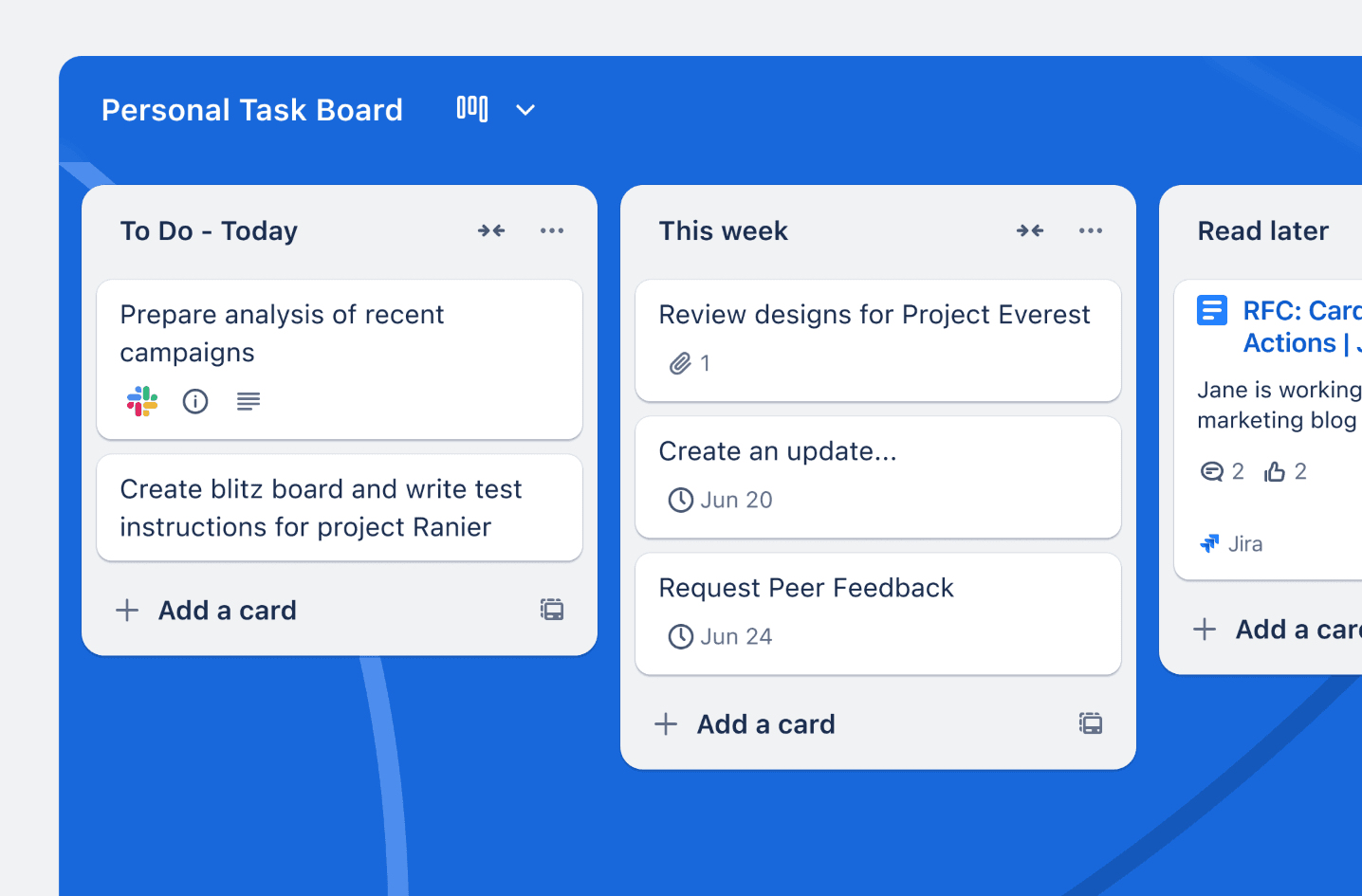
Wichtige Unterschiede zwischen ClickUp und Trello
Trello basiert auf der Philosophie, dass Einfachheit ein Merkmal ist, und priorisiert eine reibungslose, kartenbasierte Benutzeroberfläche, die sich auf Kanban-Methodik spezialisiert. Während ClickUp danach strebt, eine "eine App für alles" zu sein, indem es jedes erdenkliche Werkzeug—in einem einzigen Arbeitsbereich, von Dokumenten und Chat bis zu komplexem Zieltracking—packt, konzentriert sich Trello darauf, ein taktiles und intuitives Board-System bereitzustellen. Dies schafft einen fundamentalen Unterschied: ClickUp ist eine stark dichte Umgebung, die für das Management von mehrschichtigen technischen Workflows mit granularer Kontrolle ausgelegt ist, während Trello eine leichte, agile Lösung bietet, die es Teams ermöglicht, Fortschritte ohne den administrativen Aufwand einer umfassenden Projektmanagement-Plattform zu visualisieren.
Grundlegende Trello-Funktionalität
Das kartenbasierte System: Trellos "Boards, Listen und Karten"-Einrichtung ermöglicht eine sofortige Aufgabenvisualisierung. Im Gegensatz zu ClickUps überfüllten Listenansichten dienen Trello-Karten als taktile Container für Informationen, die Anhänge, Checklisten und Fälligkeitstermine enthalten in einem sauberen, übersichtlichen Format.
Automatisierung für alle (Butler): Trellos integriertes Automatisierungstool, Butler, ist für die Einrichtung in natürlicher Sprache ausgelegt. Es kann wiederkehrende Aktionen—wie das Verschieben einer Karte zu "Erledigt"—automatisch erkennen und Automatisierungen vorschlagen, die Sie mit einem einzigen Klick aktivieren können, während ClickUp's Automatisierungen oft präzisere, technische Konfigurationen erfordern.
Extensibilität mit Power-Ups: Anstatt jede Funktion dem Benutzer aufzuzwingen, verwendet Trello Power-Ups, um sich mit über 200 externen Tools wie Slack, Google Drive und Jira zu integrieren. Dies ermöglicht es Ihnen, Trellos Fähigkeiten nur dort zu "verstärken", wo es notwendig ist, wobei das Kern-Erlebnis leicht und schnell bleibt.
Trello Vor- und Nachteile
Vorteile
Null Lernkurve: Trello übertrifft ClickUp beständig hinsichtlich Benutzerfreundlichkeit und Setup-Geschwindigkeit (9.2 vs. 8.2 auf Branchen-Benchmarks). Es ist der "schnellste" Weg, um von Null zu einem vollständig organisierten Board zu gelangen.
Visuelle Zusammenarbeit im Vordergrund: Die drag-and-drop Oberfläche der Plattform ist äußerst intuitiv und ideal für Teams, die Prozesssichtbarkeit über komplexes Daten-Tracking priorisieren.
Nachteile
Die "Komplexitätsgrenze": Wenn Projekte hunderte von Aufgaben über mehrere Abteilungen hinweg umfassen, können Trello-Karten schwierig zu verwalten werden, ohne erweiterte Berichts- oder Arbeitslastansichten, die oft hinter bezahlten Stufen oder externen Add-ons verschlossen sind.
Begrenzte native Tiefe: Funktionen, die in ClickUp nativ sind—wie Zeiterfassung, integrierte Dokumentenbearbeitung und native Gantt-Diagramme—müssen oft zu Trello über Drittanbieter-Power-Ups hinzugefügt werden, was zu einer fragmentierten Abrechnungs- und Benutzererfahrung führen kann.
Alternative 5—MindManager: Enterprise ClickUp-Alternative für mind mapping
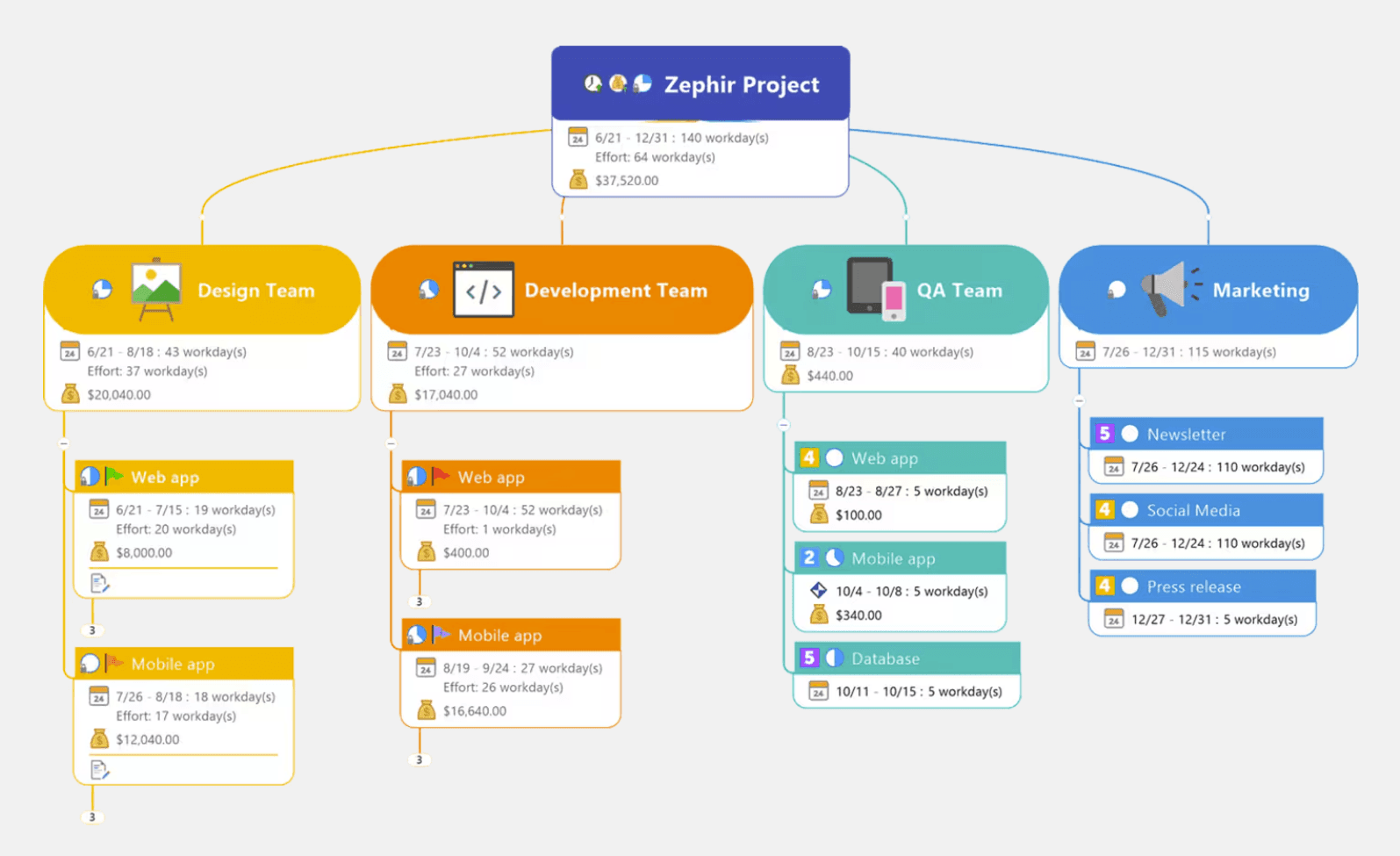
MindManager ist ein mächtiges Enterprise-Tool für Produktivität durch groß angelegte Informationsabbildung. Während ClickUps mind maps hauptsächlich zur Visualisierung bestehender Aufgaben auf einer Leinwand dienen, agiert MindManager als eigenständiges Informationssystem in der Lage, komplexe, datenintensive Projektpläne mit professioneller Strenge zu verwalten.
Kernfunktionen von MindManager
Interaktive und datengetriebene Mapping: MindManager glänzt darin, Ideen, Daten und Dokumente in einer einzigen, interaktiven Ansicht zu organisieren. Im Gegensatz zu einfachen Mapping-Tools ermöglicht es das direkte Anhängen von strukturierten Daten und finanziellen Berechnungen an Themen. Dies macht es zu einer leistungsstarken Wahl für Budgetierung, Ausgabenverfolgung und Ressourcenmanagement, wo Knoten berechnete Werte repräsentieren können, die sich in Echtzeit aktualisieren.
Tiefe Microsoft-Ökosystem-Integration: Entwickelt als "Power Companion" für Microsoft 365 bietet MindManager nahtlose bidirektionale Synchronisation mit Excel, Word, Outlook und SharePoint. Sie können Spreadsheet-Daten in anpassbare Diagramme umwandeln oder Aufgaben direkt an Outlook senden, wodurch sichergestellt wird, dass Ihre strategischen Pläne in die Umsetzung übergehen, ohne manuelle Dateneingabe.
MindManager Vor- und Nachteile
Vorteile
Unübertroffene Datentiefe: Es ist überlegen in Szenarios, in denen ein Map einen komplexen Plan vorantragen muss, Gantt-Ansichten unterstützt und "bedingte Formatierungen" bietet, die die Farben von Themen basierend auf Daten-Triggern ändern.
Enterprise-bereite Vielseitigkeit: Es bietet hochauflösende Exportoptionen und "Linker"-Fähigkeiten, um gemeinsame Dateisysteme in großen Organisationen über Synchronisation zu behalten.
Nachteile
Schwere "Corporate"-Benutzeroberfläche: Die Benutzeroberfläche kann für Benutzer überwältigend wirken, die nur schnelle, leichte Brainstorming benötigen.
Plattformparität-Lücken: Die macOS-Version hinkt historisch gesehen der Windows-Konterpart in Bezug auf fortgeschrittene Datenfunktionen hinterher.
Unterschiede zwischen MindManager und ClickUp
Wählen Sie MindManager, wenn Ihre mind maps sich über ein einfaches Visualisierungstool hinaus zu einem zentralisierten Kommandozentrum für komplexe Projektdaten entwickeln müssen. Während ClickUp hervorragend für betriebliches Tracking ist, ist MindManager für die hochrangige Welt der Enterprise-Planung konzipiert, wo eine Karte als lebendiges Dashboard dienen muss, die Projektbudgets berechnet, Ressourcenkosten verfolgt und weitreichende Ökosysteme verlinkter Dokumentation verwaltet.
Seine wahre Stärke liegt in seiner datengetriebenen Intelligenz. Anstatt nur Knoten über eine Leinwand zu ziehen, können Sie ein dynamisches Informationssystem aufbauen, bei dem Themen automatisch ihre Farbe basierend auf Budgetschwellen oder Fortschrittsprozentsätzen ändern. Dieses Maß an technischer Tiefe ermöglicht es Projektmanagern, Engpässe und finanzielle Risiken lange vor der Ausführungsphase zu identifizieren. Wenn Ihr Arbeitsablauf die Koordination von groß angelegten Initiativen erfordert, die eine tiefe Integration mit Microsoft IT-Standards und die Fähigkeit zur Verarbeitung komplexer Berechnungen innerhalb eines visuellen Rahmens benötigen, bietet MindManager die professionelle Strenge, die ein allgemeistes Werkzeug wie ClickUp nicht replizieren kann.
Alternative 6—Mural: kollaborative ClickUp-Alternative für Teams
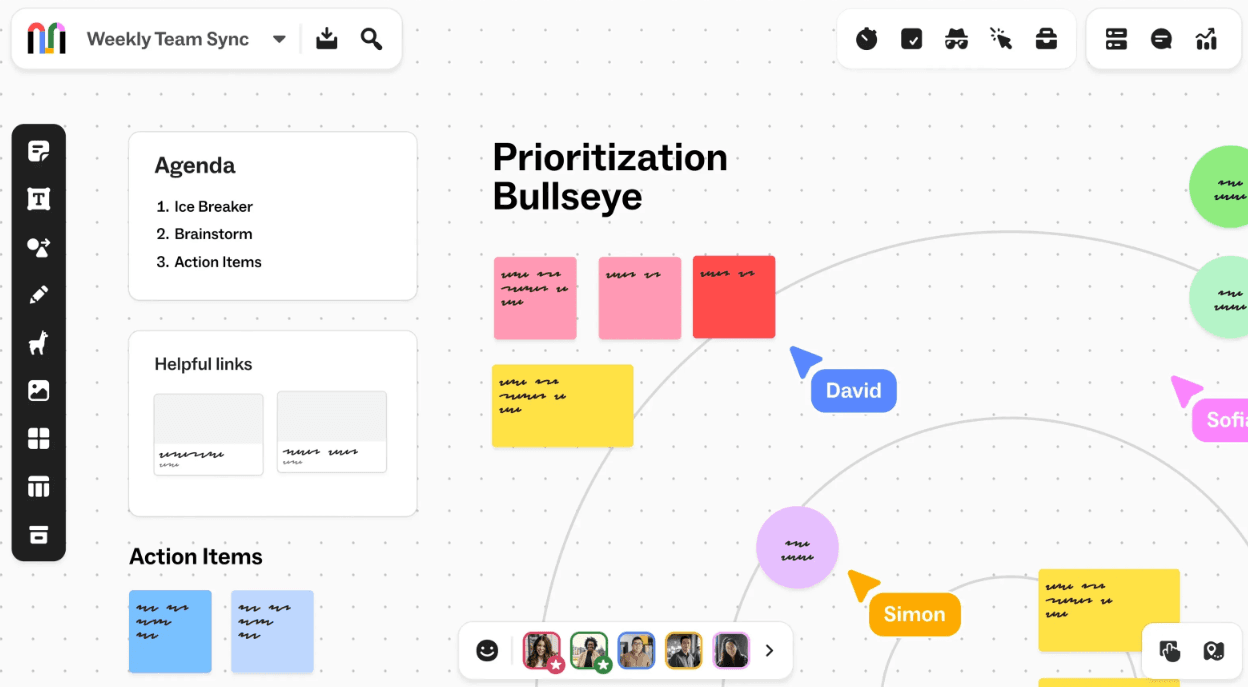
Mural-Funktionen und -Vorteile
Mural ist ein Enterprise-erstes digitales Whiteboard gebaut für strenge Sicherheitsstandards und Vorschriften.
Erweitertes Facilitation-Werkzeugset: Mural bietet "Facilitations-Superkräfte", die ClickUp fehlen, wie privater Modus, um Gruppendenken zu verhindern, anonyme Abstimmung, um Konsens zu erreichen und benutzerdefinierte Timer, um Sessions im Zeitplan zu halten. Diese Werkzeuge sind essenziell für agile Zeremonien, Design-Sprints und strategische Planungssitzungen, bei denen gleichwertige Teilnahme erforderlich ist.
Unendliche und skalierbare Leinwand: Sein flexibler Arbeitsbereich ermöglicht es Teams, Hunderte von Ideen als Klebezettel zu sammeln und dann räumliche Clusterbildung zu verwenden, um Muster zu identifizieren. Mit eingebetteten Frameworks für Kundenreisen und Service-Blueprints hilft Mural, verstreute Gedanken in klare, geordnete Strukturen zu verwandeln.
Mural Vor- und Nachteile
Vorteile
Erstklassige Facilitation und Teamarbeit: Mural ist gebaut für "Workshops", nicht nur Meetings. Es verfügt über spezialisierte "Facilitation-Superkräfte", die ClickUp fehlen, wie privater Modus, um Gruppendenken zu verhindern, indem bis alle beigetragen haben, Klebezettel verborgen werden und anonyme Abstimmung, um schnellen Konsens zu erreichen. Seine Benutzeroberfläche ist auf Echtzeit-Engagement optimiert und macht das digitale Erlebnis so flüssig und greifbar wie ein physisches Whiteboard.
Unternehmensklasse Sicherheit und Compliance: Anders als viele kreative Tools ist Mural für stark regulierte Branchen gebaut, wobei strenge SOC 2 Type 2 und ISO 27001 Zertifizierungen hält. Es wird von 95% der Fortune 100 vertraut und bietet fortgeschrittene administrative Kontrollen wie Single Sign-On (SSO), Datenresidenz und Bring Your Own Key (BYOK) Verschlüsselung, um sicherzustellen, dass sensible strategische Sitzungen sicher und im Einklang mit globalen Standards bleiben.
Nachteile
Begrenzter Ausführungsworkflow: Mural ist ein Ziel für Ideation, aber es fehlt die autonome Aufgabenausführung, die in ClickUp gefunden wird. Es gibt kein natives System für langfristige Projektverfolgung, wiederkehrende Aufgabenautomatisierung oder granulierte Arbeitslastverwaltung; sobald eine Brainstorming-Sitzung endet, bleibt die Ideen oft auf dem Board "eingesperrt", es sei denn, sie werden manuell in ein dediziertes Projektmanagement-Tool übertragen.
Leistungsabfall bei Komplexität: Während es für Standard-Sitzungen zuverlässig ist, kann die Leinwand signifikante Verzögerungen erfahren, wenn mit sehr großen Murals gearbeitet werden, die tausend Verkehrsmittel oder hochauflösende Bilder enthalten. Benutzer haben Bildschirmabstürze und Benutzeroberflächenglitche während massiver Sitzungen mit über 20 gleichzeitigen Teilnehmern gemeldet, die den Fluss von hochriskanten Präsentationen stören können.
Wann Mural besser als ClickUp funktioniert
Mural ist überlegen für strukturierte kollaborative Aktivitäten—wie Design Sprints, Agile-Retrospektiven oder Kundenreisekarten—wo das Ziel ist, eine große Gruppe durch visuelles Storytelling auszurichten. Anders als ClickUps Whiteboards ist Mural für die "divergente" Phase eines Projekts konzipiert und bietet eine spezialisierte Umgebung, um komplexe Benutzeremotionen und Schmerzpunkte in einer nicht-linearen Weise abzubilden.
Durch den Fokus auf Gruppenfacilitation kann Mural Führungskräfte dabei unterstützen, Teams durch Innovationsrahmen zu führen, die laterales Denken erfordern. Es glänzt darin, Co-kreation zwischen remote Abteilungen zu fördern und bietet die kreative Leistung und Gruppendynamik-Tools, die ein rein administrativer Terminplanmanager nicht bieten kann.
Vergleichstabelle
Hauptanwendungsfall | Top-Unterscheidungsmerkmal | Am besten für | |
Xmind | Strukturiertes Denken | Umfassende Logik Engines mit absoluter Offline-Privatsphäre. | Professionals, die komplexes Chaos in logische, umsetzbare Diagramme verwandeln müssen. |
Asana | Ausführungsverfolgung | Strategische Ausrichtung zwischen individuellen Aufgaben und Unternehmenszielen. | Manager, die Verantwortlichkeit und klare Projektfristen priorisieren. |
SmartDraw | Präzisionsplanung | Maßstabsgenaue Architektursymbole und automatische Formatierung. | Technische Felder, die Präzision auf Blueprint-Niveau ohne CAD-Komplexität benötigen. |
Trello | Visuelle Agilität | Eine reibungslose, Kanban-orientierte Oberfläche mit modularen Power-Ups. | Kleine Teams oder Kreative, die einen leichten, null Lernkurven-Workflow benötigen. |
MindManager | Enterprise-Mapping | Datenverknüpften visuellen Dashboards mit fortgeschrittenen Berechnungsmaschinen. | Großorganisationen, die komplexe Projektbudgetierung und tiefe IT-Integration erfordern. |
Mural | Gruppenfacilitation | Spezialwerkzeuge wie privater Modus und Abstimmung für hochgradig spitzener Workshops. | Innovative Teams und agile Trainer, die strukturierte, remote ko-kreations Sessions leiten. |
Fazit
Die Wahl einer ClickUp-Alternative hängt von Ihrer spezifischen Engstelle ab. Ob Sie technische Präzision, optimierte Agilität oder unternehmensweite Stabilität benötigen, das Ziel ist es, administrativen Lärm mit einem Arbeitsablauf zu ersetzen, der tatsächlich Ihre Denkweise unterstützt.
Wenn ClickUps Komplexität Ihren strategischen Fokus einschränkt, kann der Wechsel zu einem kognitions-zentrierten Tool helfen, Logik über Kontrollkästchen zu priorisieren. Indem Sie Ihren mentalen Raum zurückgewinnen, können Sie rohe Inspiration in professionelle, umsetzbare Pläne umwandeln.
Bereit zu vereinfachen? Probieren Sie Xmind um einen kognitions-ersten Ansatz zu erleben, der Ihre Strategie erhebt.