May 13, 2025
Smart Guideline and SSO
Release Summary
We’ve improved alignment, navigation, and AI-powered mapping to help you work faster and more precisely.
On Desktop
Major Updates
Smart Guideline — Easily align topics for a more efficient layout.
Map Search — Quickly find mind maps and easily locate target content.
Improvements
Cloud File Rename — Double‑click to quickly edit cloud file names directly in the editor.
Clickable File Paths — File paths in the editing page are now clickable for fast navigation.
PDF Export — Optimized PDF export effect for improved output quality.
UI & Text — Improved parts of the UI and system copy.
Fixes
Fixed an issue where Smart Guideline could not be enabled after enabling Flexible Floating Topic.
Fixed an issue where cloud files saved locally could not be edited after reloading.
Fixed an issue where the zoom level would automatically increase after switching the canvas.
Fixed an issue where specific font styles did not apply correctly.
Fixed an issue where user‑defined default zoom ratio was not applied.
Fixed an issue where Boundary opacity did not automatically revert to the maximum value.
On Web
Major Updates
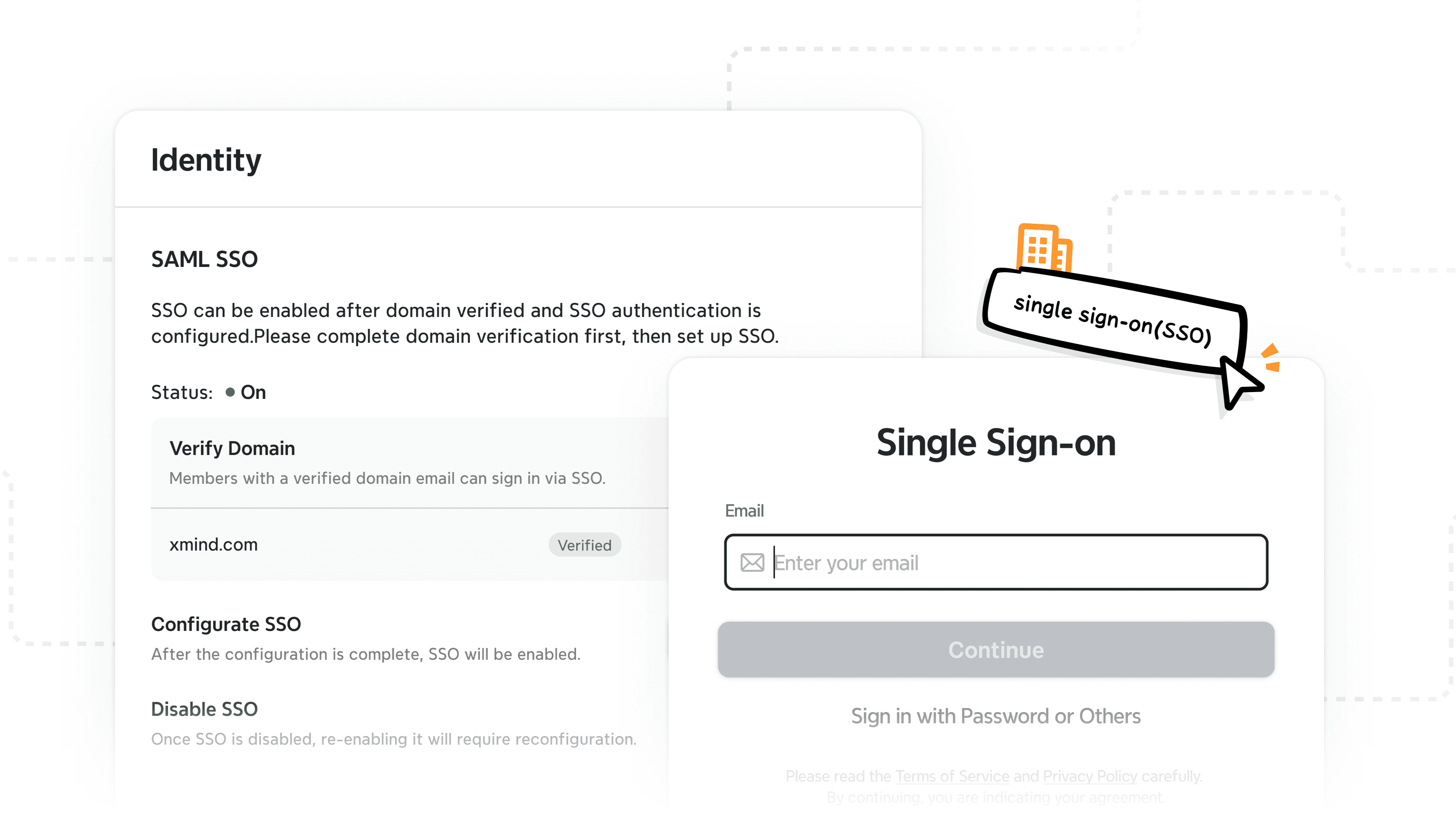
SSO Login — Added Single Sign‑On, allowing team members to log in with organizational accounts securely and efficiently.
Markdown Paste Import — Import supports pasting Markdown content directly without uploading files.
Empty State Animations — Added new empty‑state animations; dialogs now include skeleton screens.
Create with AI Menu Position — Unified display position of the Create with AI menu.
Hyperlink Input — Hyperlink input box now auto‑focuses and supports Tab switching.
Improvements
Smart Guideline Defaults — Optimized the default Smart Guideline behavior and wording.
Copilot Website Parser — Improved parsing for public‑account articles for more stable and complete extraction.
Create with AI Visibility — When Copilot is closed, the Create with AI entry is hidden for consistency.
Explain Language List — Adjusted the position of the language list for smoother interaction.
AI Retry Logic — Map completion now supports Retry while keeping On‑Demand instructions.
Fixes
Fixed Free Trial credit display issue.
Fixed an issue in View mode where the selection box couldn't be deselected.
Fixed missing Free Trial Code prompts.
Fixed missing shortcut key display.
Fixed Pricing page style, color, and overlay issues.
Fixed an issue where editing a Web Link with an empty URL caused errors.
Fixed cross‑Sheet Topic Link focus mismatch.
Release Summary
We’ve improved alignment, navigation, and AI-powered mapping to help you work faster and more precisely.
On Desktop
Major Updates
Smart Guideline — Easily align topics for a more efficient layout.
Map Search — Quickly find mind maps and easily locate target content.
Improvements
Cloud File Rename — Double‑click to quickly edit cloud file names directly in the editor.
Clickable File Paths — File paths in the editing page are now clickable for fast navigation.
PDF Export — Optimized PDF export effect for improved output quality.
UI & Text — Improved parts of the UI and system copy.
Fixes
Fixed an issue where Smart Guideline could not be enabled after enabling Flexible Floating Topic.
Fixed an issue where cloud files saved locally could not be edited after reloading.
Fixed an issue where the zoom level would automatically increase after switching the canvas.
Fixed an issue where specific font styles did not apply correctly.
Fixed an issue where user‑defined default zoom ratio was not applied.
Fixed an issue where Boundary opacity did not automatically revert to the maximum value.
On Web
Major Updates
SSO Login — Added Single Sign‑On, allowing team members to log in with organizational accounts securely and efficiently.
Markdown Paste Import — Import supports pasting Markdown content directly without uploading files.
Empty State Animations — Added new empty‑state animations; dialogs now include skeleton screens.
Create with AI Menu Position — Unified display position of the Create with AI menu.
Hyperlink Input — Hyperlink input box now auto‑focuses and supports Tab switching.
Improvements
Smart Guideline Defaults — Optimized the default Smart Guideline behavior and wording.
Copilot Website Parser — Improved parsing for public‑account articles for more stable and complete extraction.
Create with AI Visibility — When Copilot is closed, the Create with AI entry is hidden for consistency.
Explain Language List — Adjusted the position of the language list for smoother interaction.
AI Retry Logic — Map completion now supports Retry while keeping On‑Demand instructions.
Fixes
Fixed Free Trial credit display issue.
Fixed an issue in View mode where the selection box couldn't be deselected.
Fixed missing Free Trial Code prompts.
Fixed missing shortcut key display.
Fixed Pricing page style, color, and overlay issues.
Fixed an issue where editing a Web Link with an empty URL caused errors.
Fixed cross‑Sheet Topic Link focus mismatch.

