




Doc to Mind Map

Empty space with subtle gradients, creating a light and soft visual ambiance.
Word file icon
Mind map diagram icon
Word file icon
Mind map diagram icon
Word file icon
Mind map diagram icon

Doc to

Mind Map

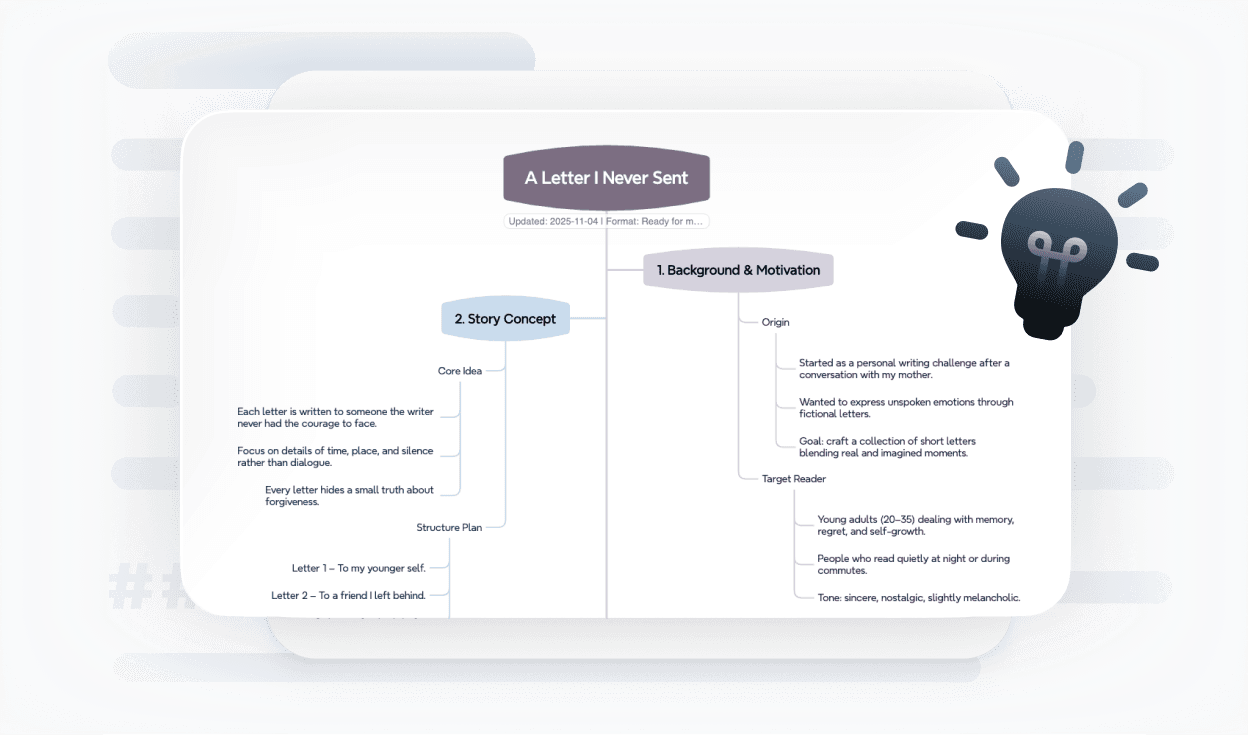
Easily convert doc files into mind maps for study, work, or creative projects that are easier to understand and share.

How to use Doc to Mind Map?

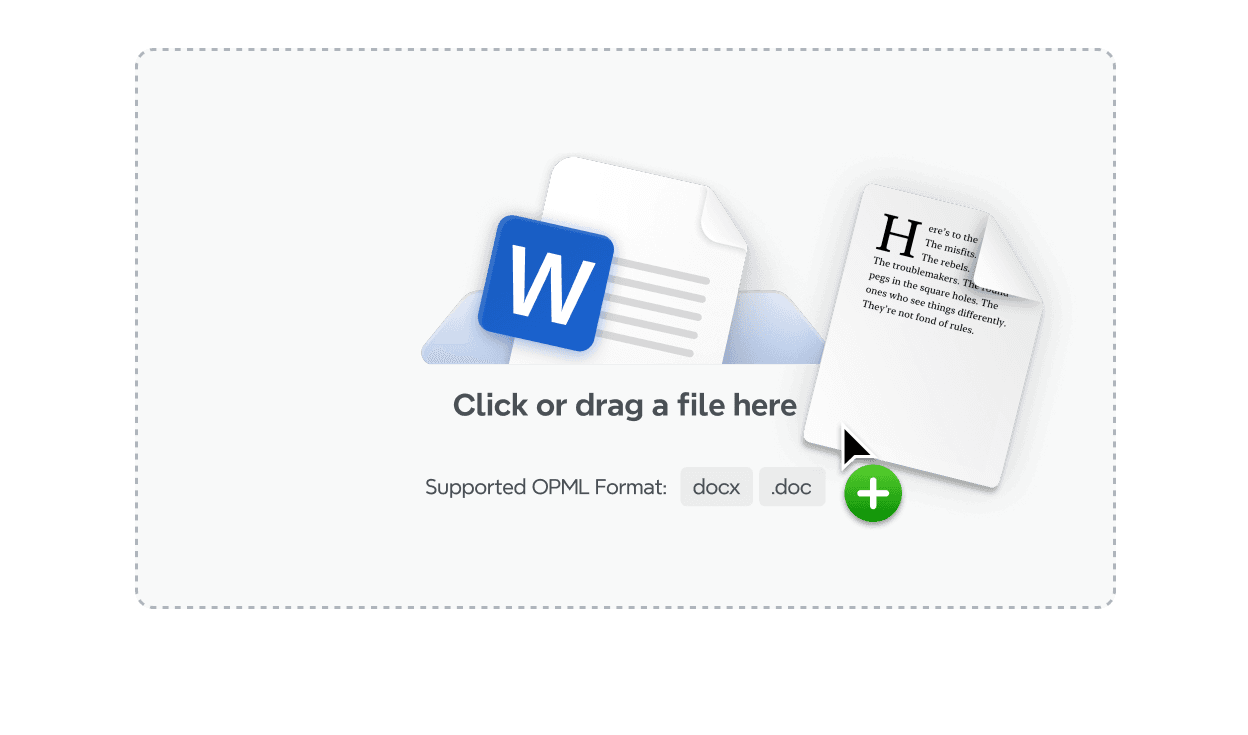
Upload file

Drag and drop your Doc file, or click to upload.

Step 1

Step 1 illustration: uploading a Word or doc file to begin converting it into a mind map

Upload file

Drag and drop your Doc file, or click to upload.

Step 1

Step 1 illustration: uploading a Word or doc file to begin converting it into a mind map

Upload file

Drag and drop your Doc file, or click to upload.

Step 1

Step 1 illustration: uploading a Word or doc file to begin converting it into a mind map

Upload file

Drag and drop your Doc file, or click to upload.

Step 1

Step 1 illustration: uploading a Word or doc file to begin converting it into a mind map

Upload file

Drag and drop your Doc file, or click to upload.

Step 1

Step 1 illustration: uploading a Word or doc file to begin converting it into a mind map

Convert

Transform Word documents effortlessly into visually engaging mind maps that highlight key points within seconds.

Step 2

Step 2 illustration: transforming a Word document into a visual mind map that highlights key points clearly

Convert

Transform Word documents effortlessly into visually engaging mind maps that highlight key points within seconds.

Step 2

Step 2 illustration: transforming a Word document into a visual mind map that highlights key points clearly

Convert

Transform Word documents effortlessly into visually engaging mind maps that highlight key points within seconds.

Step 2

Step 2 illustration: transforming a Word document into a visual mind map that highlights key points clearly

Convert

Transform Word documents effortlessly into visually engaging mind maps that highlight key points within seconds.

Step 2

Step 2 illustration: transforming a Word document into a visual mind map that highlights key points clearly

Convert

Transform Word documents effortlessly into visually engaging mind maps that highlight key points within seconds.

Step 2

Step 2 illustration: transforming a Word document into a visual mind map that highlights key points clearly

Download or share

Export your mind map as PNG, PDF, or share it online with colleagues.

Step 3

Step 3 illustration: downloading or sharing the generated mind map as PNG or PDF for collaboration

Download or share

Export your mind map as PNG, PDF, or share it online with colleagues.

Step 3

Step 3 illustration: downloading or sharing the generated mind map as PNG or PDF for collaboration

Download or share

Export your mind map as PNG, PDF, or share it online with colleagues.

Step 3

Step 3 illustration: downloading or sharing the generated mind map as PNG or PDF for collaboration

Download or share

Export your mind map as PNG, PDF, or share it online with colleagues.

Step 3

Step 3 illustration: downloading or sharing the generated mind map as PNG or PDF for collaboration

Download or share

Export your mind map as PNG, PDF, or share it online with colleagues.

Step 3

Step 3 illustration: downloading or sharing the generated mind map as PNG or PDF for collaboration

Hear from our Xmind family

Hear from our Xmind family

Hear from our Xmind family

Hear from our Xmind family

Hear from our Xmind family

App store icon

4.8/5

App Store rating icon showing 4.8 out of 5 stars for Xmind

App Store

Smiley face icon representing 95 percent user satisfaction rate for Xmind

95%

User satisfaction rate

Globe icon showing over 100 million Xmind users worldwide

100M+

Users worldwide

Free Doc to Mind Map tool

Why convert Doc to Mind Map?
Structured view

Break down multi-section doc files into clear levels and relationships, so key points and supporting details are instantly visible.

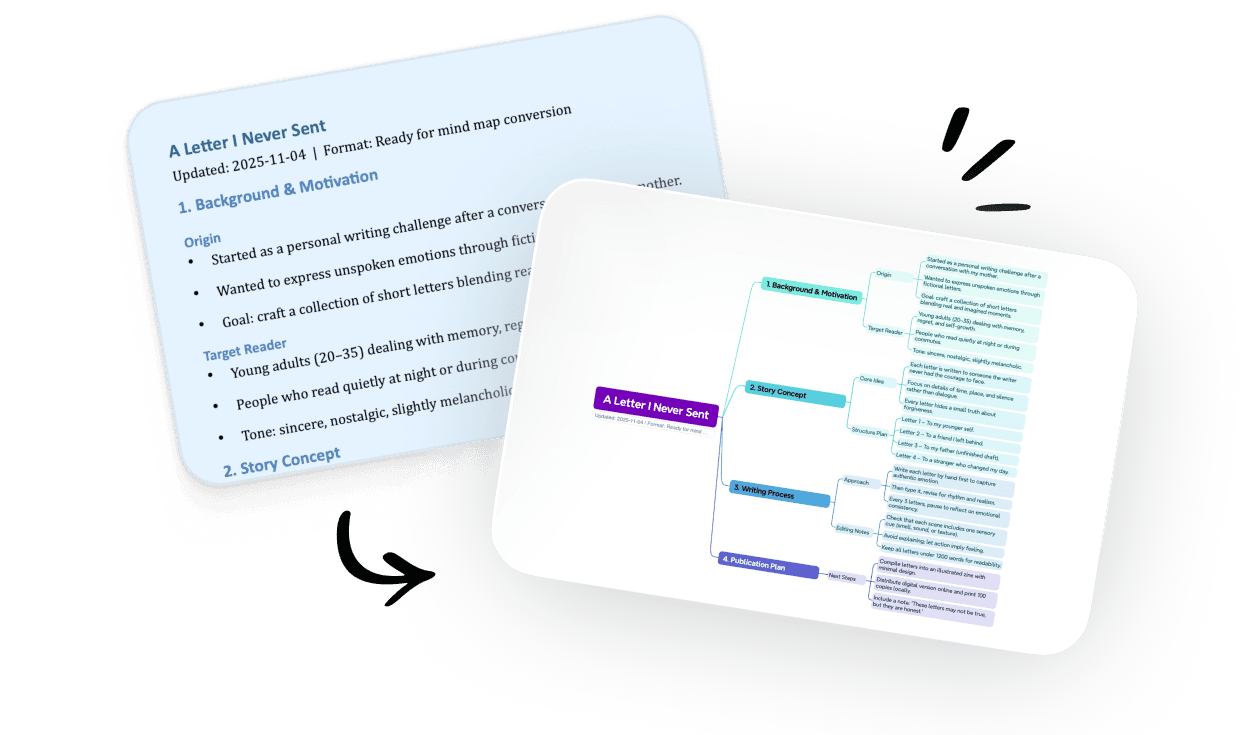
Comparison showing Word document content converted into a structured mind map with clear sections and hierarchy

Structured view

Break down multi-section doc files into clear levels and relationships, so key points and supporting details are instantly visible.

Comparison showing Word document content converted into a structured mind map with clear sections and hierarchy

Structured view

Break down multi-section doc files into clear levels and relationships, so key points and supporting details are instantly visible.

Comparison showing Word document content converted into a structured mind map with clear sections and hierarchy

Structured view

Break down multi-section doc files into clear levels and relationships, so key points and supporting details are instantly visible.

Comparison showing Word document content converted into a structured mind map with clear sections and hierarchy

Structured view

Break down multi-section doc files into clear levels and relationships, so key points and supporting details are instantly visible.

Comparison showing Word document content converted into a structured mind map with clear sections and hierarchy

Faster understanding

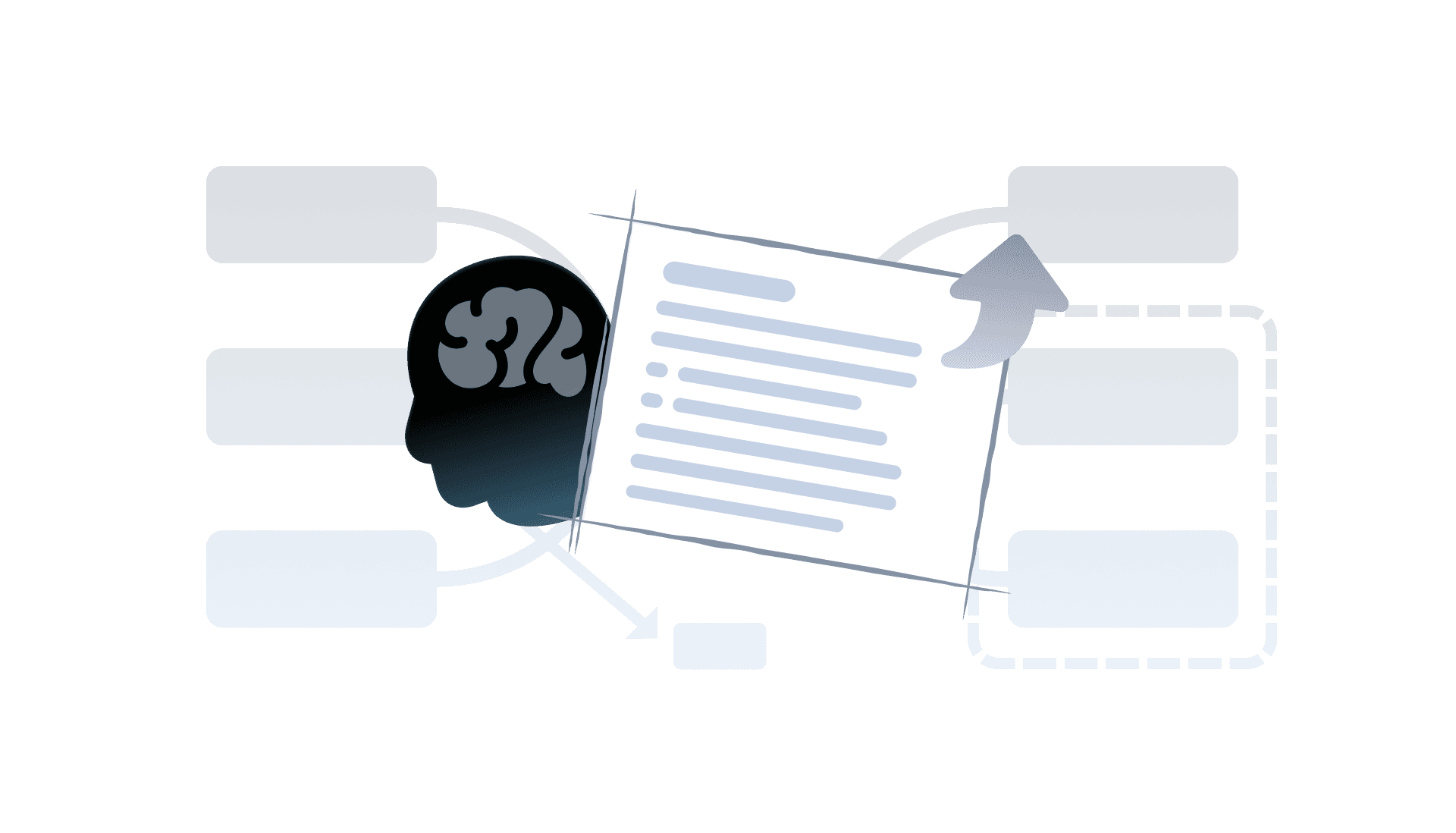
Mind maps turn long Word documents into visuals that make notes and outlines easier to read, review, and recall at a glance.

Illustration showing how mind maps make long Word documents easier to read and understand visually

Faster understanding

Mind maps turn long Word documents into visuals that make notes and outlines easier to read, review, and recall at a glance.

Illustration showing how mind maps make long Word documents easier to read and understand visually

Faster understanding

Mind maps turn long Word documents into visuals that make notes and outlines easier to read, review, and recall at a glance.

Illustration showing how mind maps make long Word documents easier to read and understand visually

Faster understanding

Mind maps turn long Word documents into visuals that make notes and outlines easier to read, review, and recall at a glance.

Illustration showing how mind maps make long Word documents easier to read and understand visually

Faster understanding

Mind maps turn long Word documents into visuals that make notes and outlines easier to read, review, and recall at a glance.

Illustration showing how mind maps make long Word documents easier to read and understand visually

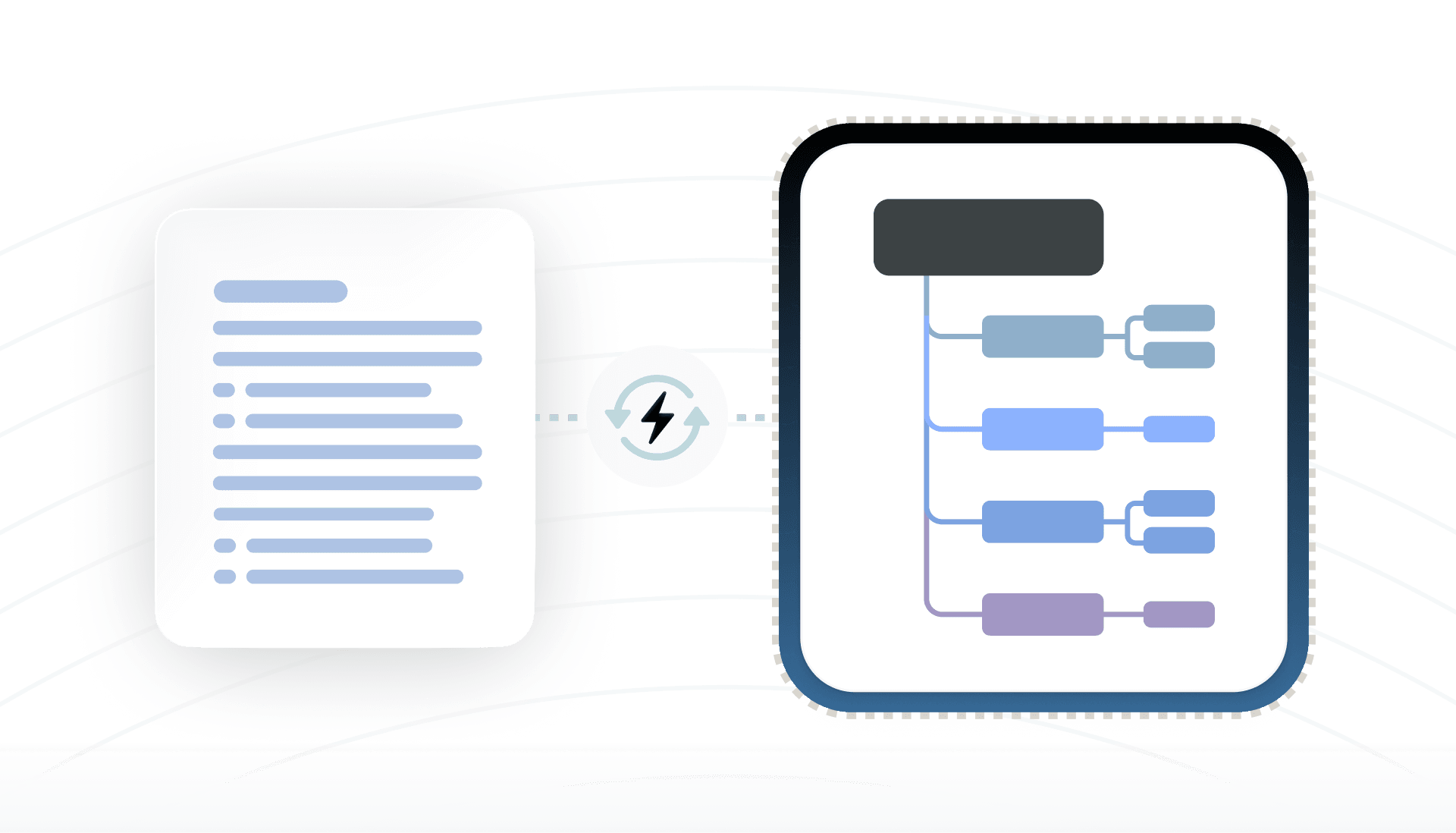
Better organization

Lengthy documents become easier to arrange, refine, and expand when they are displayed as a visual map.

Diagram showing Word document text transformed into an organized visual mind map with connected branches

Better organization

Lengthy documents become easier to arrange, refine, and expand when they are displayed as a visual map.

Diagram showing Word document text transformed into an organized visual mind map with connected branches

Better organization

Lengthy documents become easier to arrange, refine, and expand when they are displayed as a visual map.

Diagram showing Word document text transformed into an organized visual mind map with connected branches

Better organization

Lengthy documents become easier to arrange, refine, and expand when they are displayed as a visual map.

Diagram showing Word document text transformed into an organized visual mind map with connected branches

Better organization

Lengthy documents become easier to arrange, refine, and expand when they are displayed as a visual map.

Diagram showing Word document text transformed into an organized visual mind map with connected branches

Improved productivity

Sharing doc-based mind maps helps classmates or teams review material, align on ideas, and give feedback more effectively.

Sharing a mind map created from a Word document to collaborate with classmates or team members

Improved productivity

Sharing doc-based mind maps helps classmates or teams review material, align on ideas, and give feedback more effectively.

Sharing a mind map created from a Word document to collaborate with classmates or team members

Improved productivity

Sharing doc-based mind maps helps classmates or teams review material, align on ideas, and give feedback more effectively.

Sharing a mind map created from a Word document to collaborate with classmates or team members

Improved productivity

Sharing doc-based mind maps helps classmates or teams review material, align on ideas, and give feedback more effectively.

Sharing a mind map created from a Word document to collaborate with classmates or team members

Improved productivity

Sharing doc-based mind maps helps classmates or teams review material, align on ideas, and give feedback more effectively.

Sharing a mind map created from a Word document to collaborate with classmates or team members

Doc to Mind Map fits various use cases
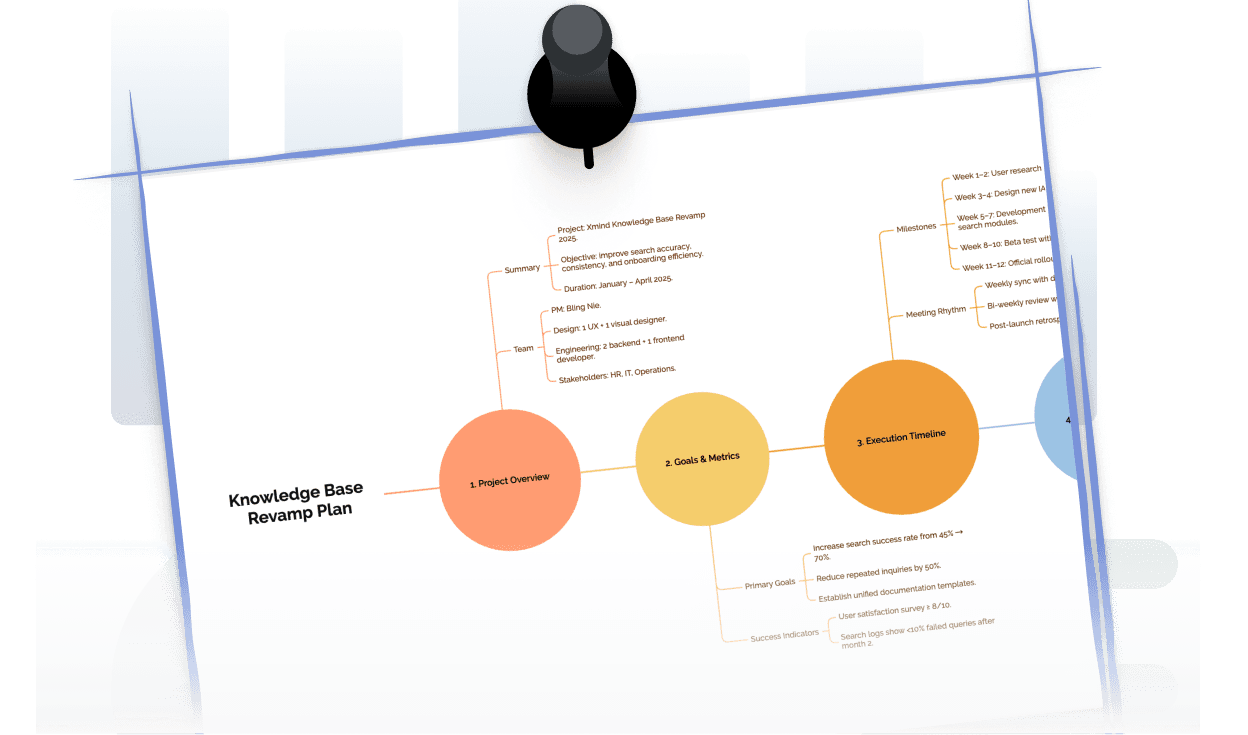
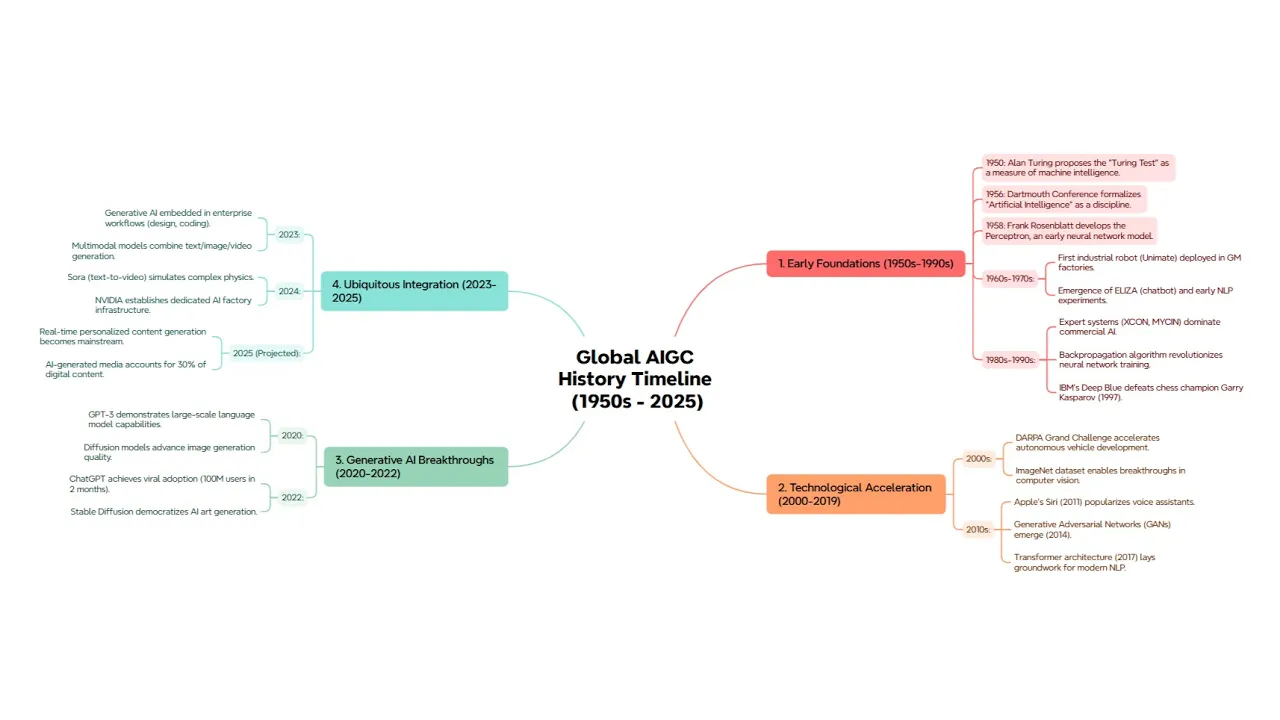
Research & Writing

Organize draft outlines or references as easy-to-follow visual maps.

Example of Word research document converted into a mind map for organizing ideas and references visually

Research & Writing

Organize draft outlines or references as easy-to-follow visual maps.

Example of Word research document converted into a mind map for organizing ideas and references visually

Research & Writing

Organize draft outlines or references as easy-to-follow visual maps.

Example of Word research document converted into a mind map for organizing ideas and references visually

Research & Writing

Organize draft outlines or references as easy-to-follow visual maps.

Example of Word research document converted into a mind map for organizing ideas and references visually

Research & Writing

Organize draft outlines or references as easy-to-follow visual maps.

Example of Word research document converted into a mind map for organizing ideas and references visually

Personal projects

Convert journals, plans, or brainstorming notes into clear visual structures.

Mind map showing how personal plans and journal notes from Word documents can be structured visually

Personal projects

Convert journals, plans, or brainstorming notes into clear visual structures.

Mind map showing how personal plans and journal notes from Word documents can be structured visually

Personal projects

Convert journals, plans, or brainstorming notes into clear visual structures.

Mind map showing how personal plans and journal notes from Word documents can be structured visually

Personal projects

Convert journals, plans, or brainstorming notes into clear visual structures.

Mind map showing how personal plans and journal notes from Word documents can be structured visually

Personal projects

Convert journals, plans, or brainstorming notes into clear visual structures.

Mind map showing how personal plans and journal notes from Word documents can be structured visually

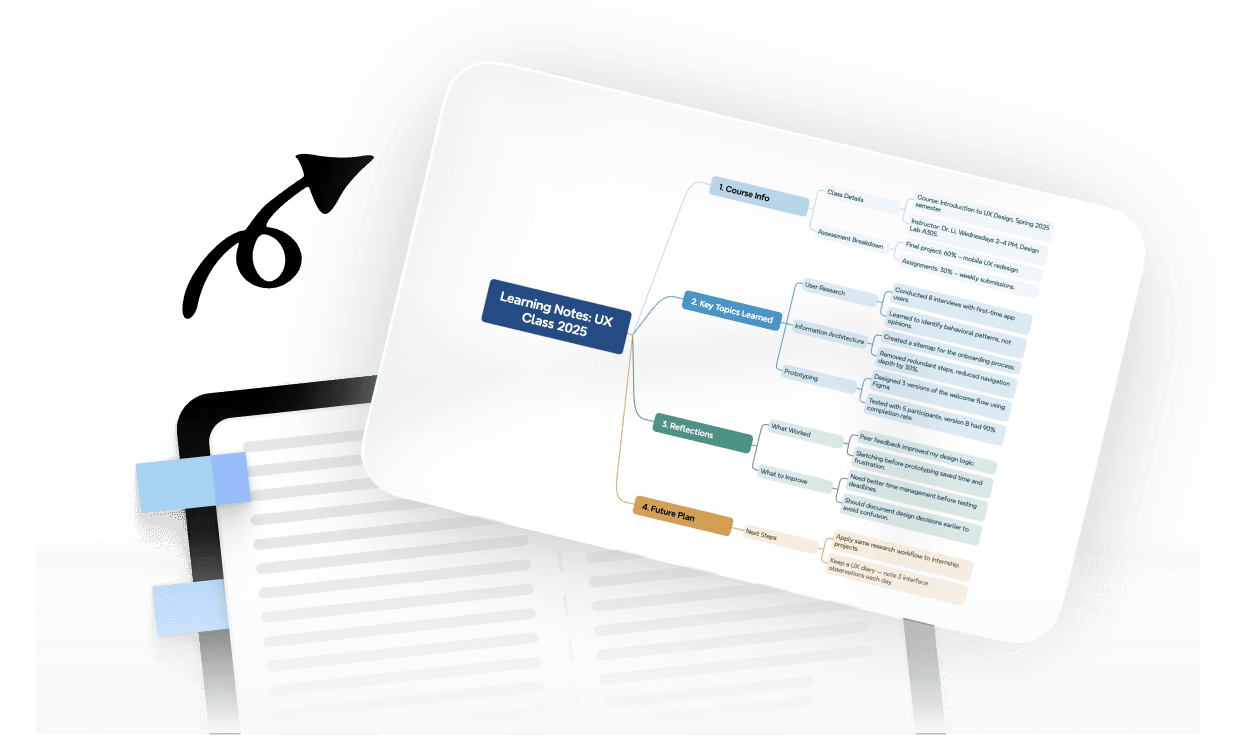
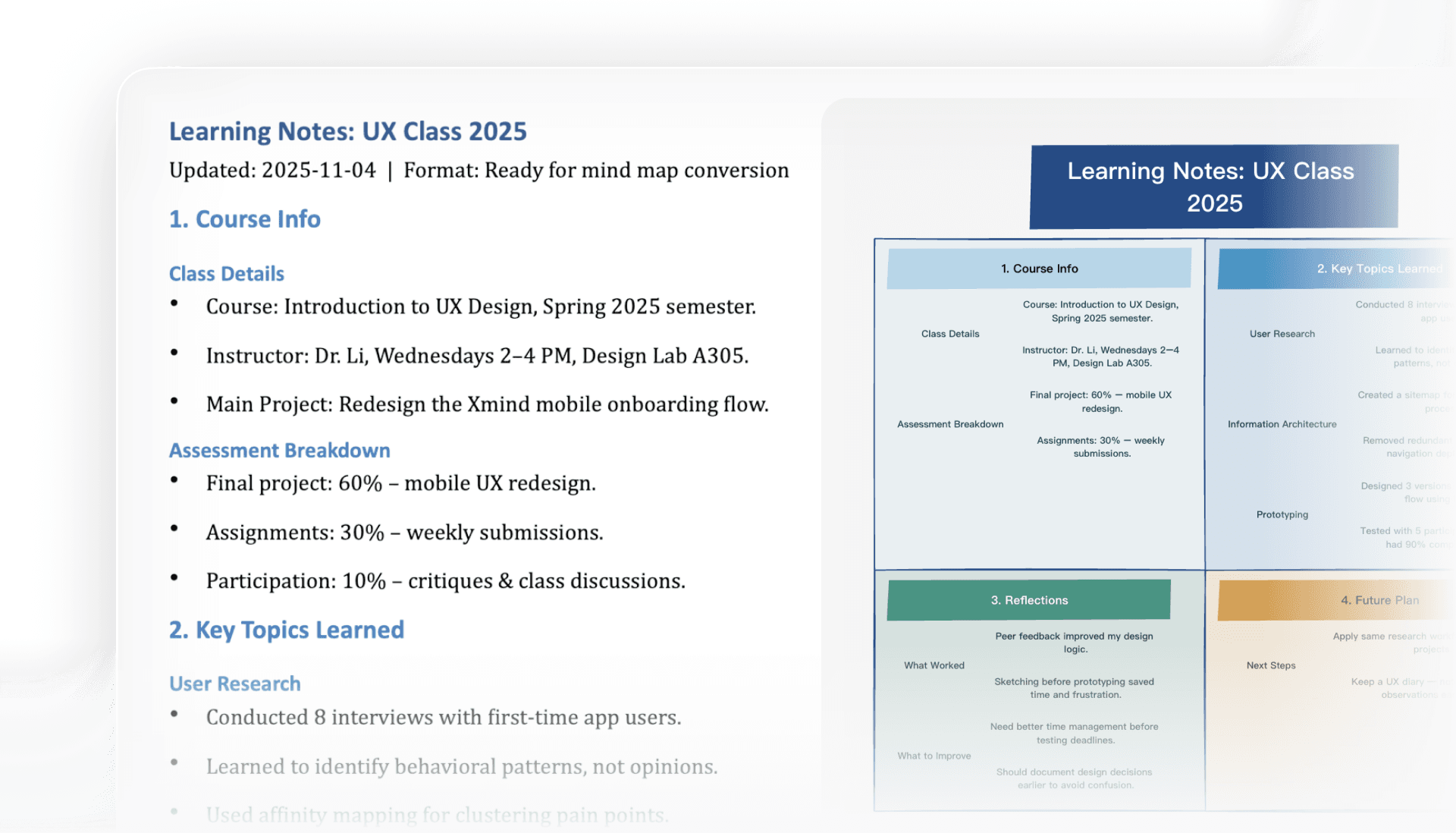
Study notes

Turn classroom notes or summaries into visual study maps.

Word class notes displayed as a visual mind map to help students study and review key points easily

Study notes

Turn classroom notes or summaries into visual study maps.

Word class notes displayed as a visual mind map to help students study and review key points easily

Study notes

Turn classroom notes or summaries into visual study maps.

Word class notes displayed as a visual mind map to help students study and review key points easily

Study notes

Turn classroom notes or summaries into visual study maps.

Word class notes displayed as a visual mind map to help students study and review key points easily

Study notes

Turn classroom notes or summaries into visual study maps.

Word class notes displayed as a visual mind map to help students study and review key points easily

Frequently asked questions

How to create a mind map from a doc file?

You can upload a .doc or .docx file. The tool automatically converts it into a structured mind map, making it easier to understand and organize within seconds.

Is there a file size limit for doc conversions?

Most doc files within normal usage limits work fine. Larger documents may take a little longer to process, but the tool can handle both short notes and long reports effectively.

How do I export the mind map file?

After conversion, you can export the map as an Xmind file, image, or PDF. This makes it easy to share your results or integrate with existing workflows.

Is my data secure?

Yes. All uploads and conversions are handled securely. Your data is neither stored nor shared once the conversion is complete, ensuring privacy and safety.

Is the Doc to Mind Map tool free to use?

Yes. The tool is free and works entirely online. No installation or account is required, allowing you to start creating mind maps from doc files right away.


Frequently asked questions

How to create a mind map from a doc file?

You can upload a .doc or .docx file. The tool automatically converts it into a structured mind map, making it easier to understand and organize within seconds.

Is there a file size limit for doc conversions?

Most doc files within normal usage limits work fine. Larger documents may take a little longer to process, but the tool can handle both short notes and long reports effectively.

How do I export the mind map file?

After conversion, you can export the map as an Xmind file, image, or PDF. This makes it easy to share your results or integrate with existing workflows.

Is my data secure?

Yes. All uploads and conversions are handled securely. Your data is neither stored nor shared once the conversion is complete, ensuring privacy and safety.

Is the Doc to Mind Map tool free to use?

Yes. The tool is free and works entirely online. No installation or account is required, allowing you to start creating mind maps from doc files right away.

Frequently asked questions

How to create a mind map from a doc file?

You can upload a .doc or .docx file. The tool automatically converts it into a structured mind map, making it easier to understand and organize within seconds.

Is there a file size limit for doc conversions?

Most doc files within normal usage limits work fine. Larger documents may take a little longer to process, but the tool can handle both short notes and long reports effectively.

How do I export the mind map file?

After conversion, you can export the map as an Xmind file, image, or PDF. This makes it easy to share your results or integrate with existing workflows.

Is my data secure?

Yes. All uploads and conversions are handled securely. Your data is neither stored nor shared once the conversion is complete, ensuring privacy and safety.

Is the Doc to Mind Map tool free to use?

Yes. The tool is free and works entirely online. No installation or account is required, allowing you to start creating mind maps from doc files right away.

Frequently asked questions

How to create a mind map from a doc file?

You can upload a .doc or .docx file. The tool automatically converts it into a structured mind map, making it easier to understand and organize within seconds.

Is there a file size limit for doc conversions?

Most doc files within normal usage limits work fine. Larger documents may take a little longer to process, but the tool can handle both short notes and long reports effectively.

How do I export the mind map file?

After conversion, you can export the map as an Xmind file, image, or PDF. This makes it easy to share your results or integrate with existing workflows.

Is my data secure?

Yes. All uploads and conversions are handled securely. Your data is neither stored nor shared once the conversion is complete, ensuring privacy and safety.

Is the Doc to Mind Map tool free to use?

Yes. The tool is free and works entirely online. No installation or account is required, allowing you to start creating mind maps from doc files right away.

Frequently asked questions

How to create a mind map from a doc file?

You can upload a .doc or .docx file. The tool automatically converts it into a structured mind map, making it easier to understand and organize within seconds.

Is there a file size limit for doc conversions?

Most doc files within normal usage limits work fine. Larger documents may take a little longer to process, but the tool can handle both short notes and long reports effectively.

How do I export the mind map file?

After conversion, you can export the map as an Xmind file, image, or PDF. This makes it easy to share your results or integrate with existing workflows.

Is my data secure?

Yes. All uploads and conversions are handled securely. Your data is neither stored nor shared once the conversion is complete, ensuring privacy and safety.

Is the Doc to Mind Map tool free to use?

Yes. The tool is free and works entirely online. No installation or account is required, allowing you to start creating mind maps from doc files right away.

Xmind logo

More Than a Doc to Mind Map Tool

Xmind does more than convert doc files into maps, using AI to organize documents and outlines into visuals that enhance learning, planning, and creativity while making ideas easier to share. Easily turn Word documents into visuals.

Xmind logo

More Than a Doc to Mind Map Tool

Xmind does more than convert doc files into maps, using AI to organize documents and outlines into visuals that enhance learning, planning, and creativity while making ideas easier to share. Easily turn Word documents into visuals.

Xmind logo

More Than a Doc to Mind Map Tool

Xmind does more than convert doc files into maps, using AI to organize documents and outlines into visuals that enhance learning, planning, and creativity while making ideas easier to share. Easily turn Word documents into visuals.