
Visualize and align your strategic planning
Visualize and align your strategic
Strategic planning often falls short - not because teams lack ideas, but because they lack structure. Xmind helps you turn loose goals into clear, visual plans that actually move things forward. It’s a simple way to map strategy, share direction, and stay aligned.
Strategic planning often falls short - not because teams lack ideas, but because they lack structure. Xmind helps you turn loose goals into clear, visual plans that actually move things forward. It’s a simple way to map strategy, share direction, and stay aligned.




Visualized strategic planning process
A clear process decides whether a strategic plan valuable or not. Xmind helps you build one your team can understand and follow. From goals to action items, everything lives in one place where everyone can see the path forward.

Visualized strategic planning process
A clear process decides whether a strategic plan valuable or not. Xmind helps you build one your team can understand and follow. From goals to action items, everything lives in one place where everyone can see the path forward.
Visualized strategic planning process
A clear process decides whether a strategic plan valuable or not. Xmind helps you build one your team can understand and follow. From goals to action items, everything lives in one place where everyone can see the path forward.
Turn ideas into actionable to-dos
Xmind gives you the tools to automatically take a high-level goal and turn it into something actionable. Map your strategy visually, add structure as you go, and connect ideas to outcomes - all in one view.

Turn ideas into actionable to-dos
Xmind gives you the tools to automatically take a high-level goal and turn it into something actionable. Map your strategy visually, add structure as you go, and connect ideas to outcomes - all in one view.
Turn ideas into actionable to-dos
Xmind gives you the tools to automatically take a high-level goal and turn it into something actionable. Map your strategy visually, add structure as you go, and connect ideas to outcomes - all in one view.
Align everyone around a clear plan
It’s easier to move forward when everyone’s on the same page. With Xmind, you can invite others into the map, make edits together, and share the full picture - no endless slides or scattered notes needed.

Align everyone around a clear plan
It’s easier to move forward when everyone’s on the same page. With Xmind, you can invite others into the map, make edits together, and share the full picture - no endless slides or scattered notes needed.
Align everyone around a clear plan
It’s easier to move forward when everyone’s on the same page. With Xmind, you can invite others into the map, make edits together, and share the full picture - no endless slides or scattered notes needed.
Speed up planning sessions with AI
Brainstorming takes time. Xmind AI helps you save some of it. It can expand ideas in seconds - so you spend less time formatting and more time thinking.
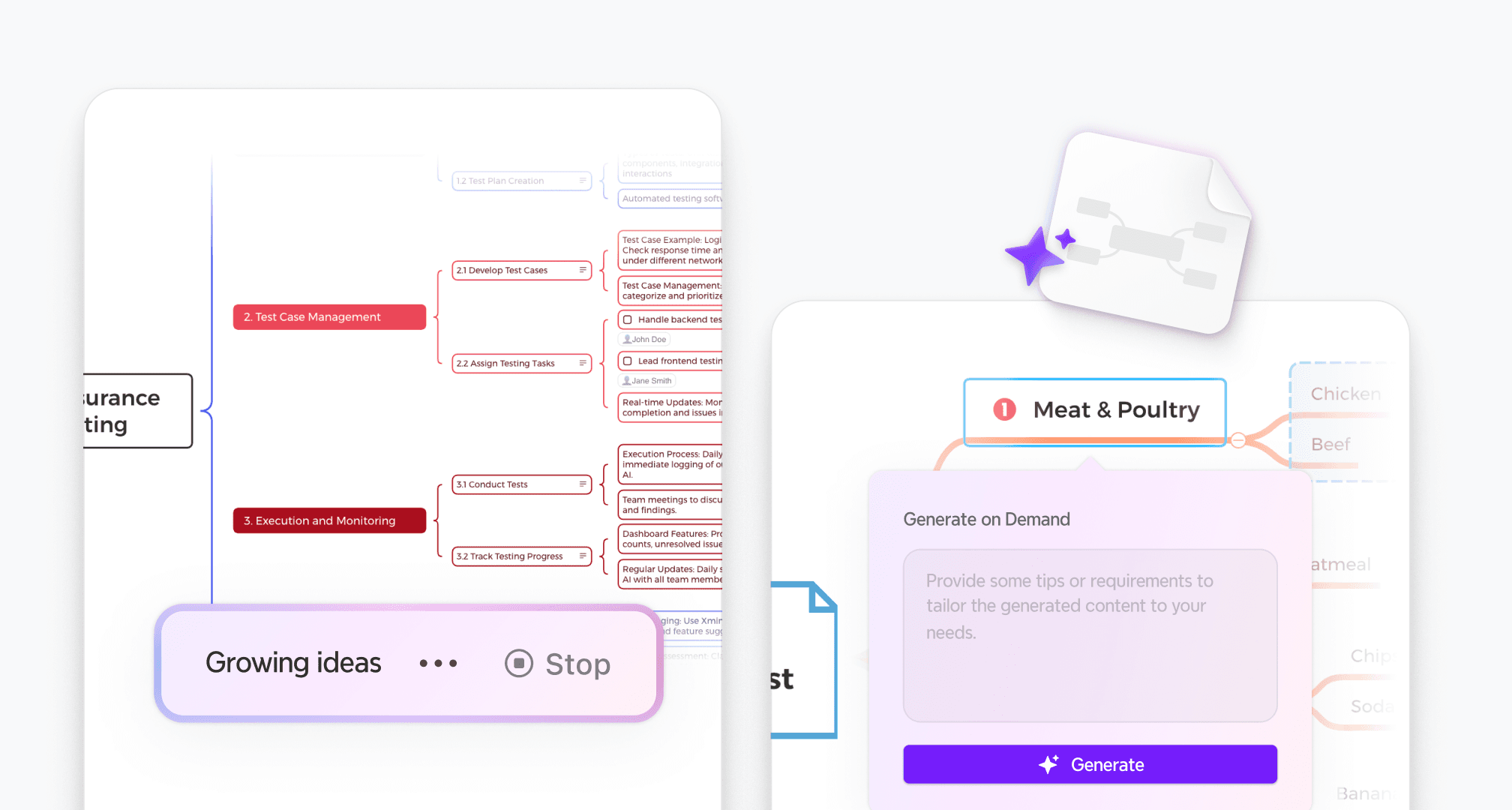
Speed up planning sessions with AI
Brainstorming takes time. Xmind AI helps you save some of it. It can expand ideas in seconds - so you spend less time formatting and more time thinking.
Speed up planning sessions with AI
Brainstorming takes time. Xmind AI helps you save some of it. It can expand ideas in seconds - so you spend less time formatting and more time thinking.
How to build a strategic plan with Xmind
Sign in to Xmind
Create an Xmind account and sign in via desktop or web to access your workspace.
Step 1

Sign in to Xmind
Create an Xmind account and sign in via desktop or web to access your workspace.
Step 1
Start planning with mind maps
Start by creating a blank map or using a template. Expand your team's ideas with AI.
Step 2
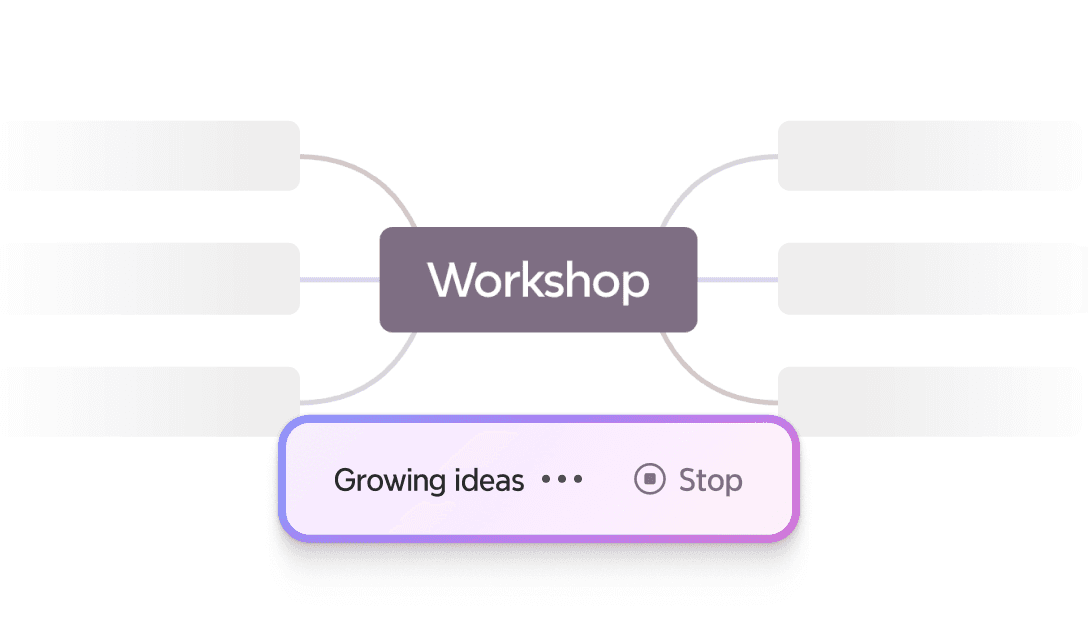
Start planning with mind maps
Start by creating a blank map or using a template. Expand your team's ideas with AI.
Step 2
Make you plan look clearer
Customize your mind maps. Rearrange branches, add colors or icons, and apply a theme that fits your project.
Step 3
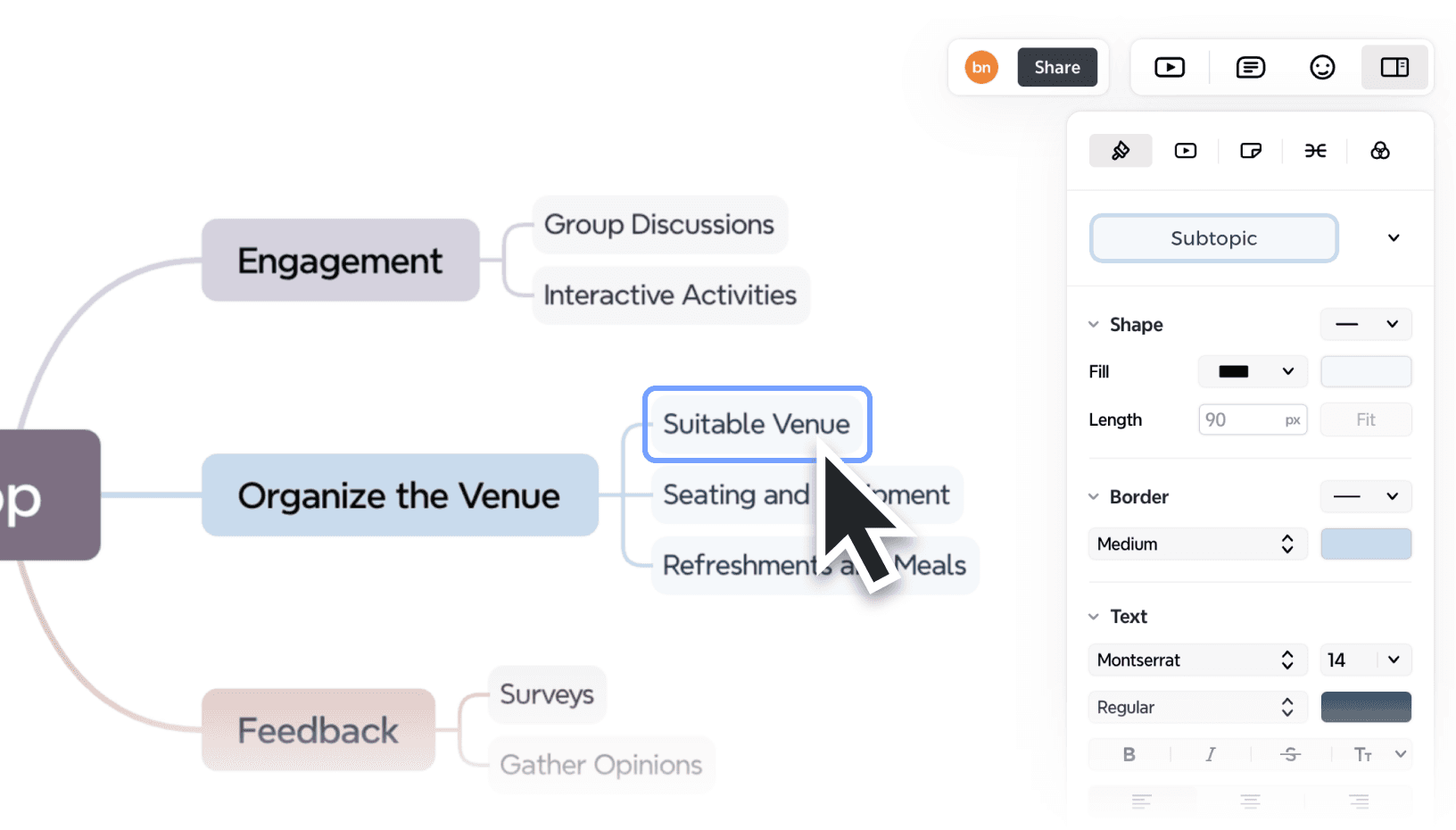
Make you plan look clearer
Customize your mind maps. Rearrange branches, add colors or icons, and apply a theme that fits your project.
Step 3
Invite co-plan and align
Share your files with your teammates. Edit, comment, and build the map together in real time.
Step 4
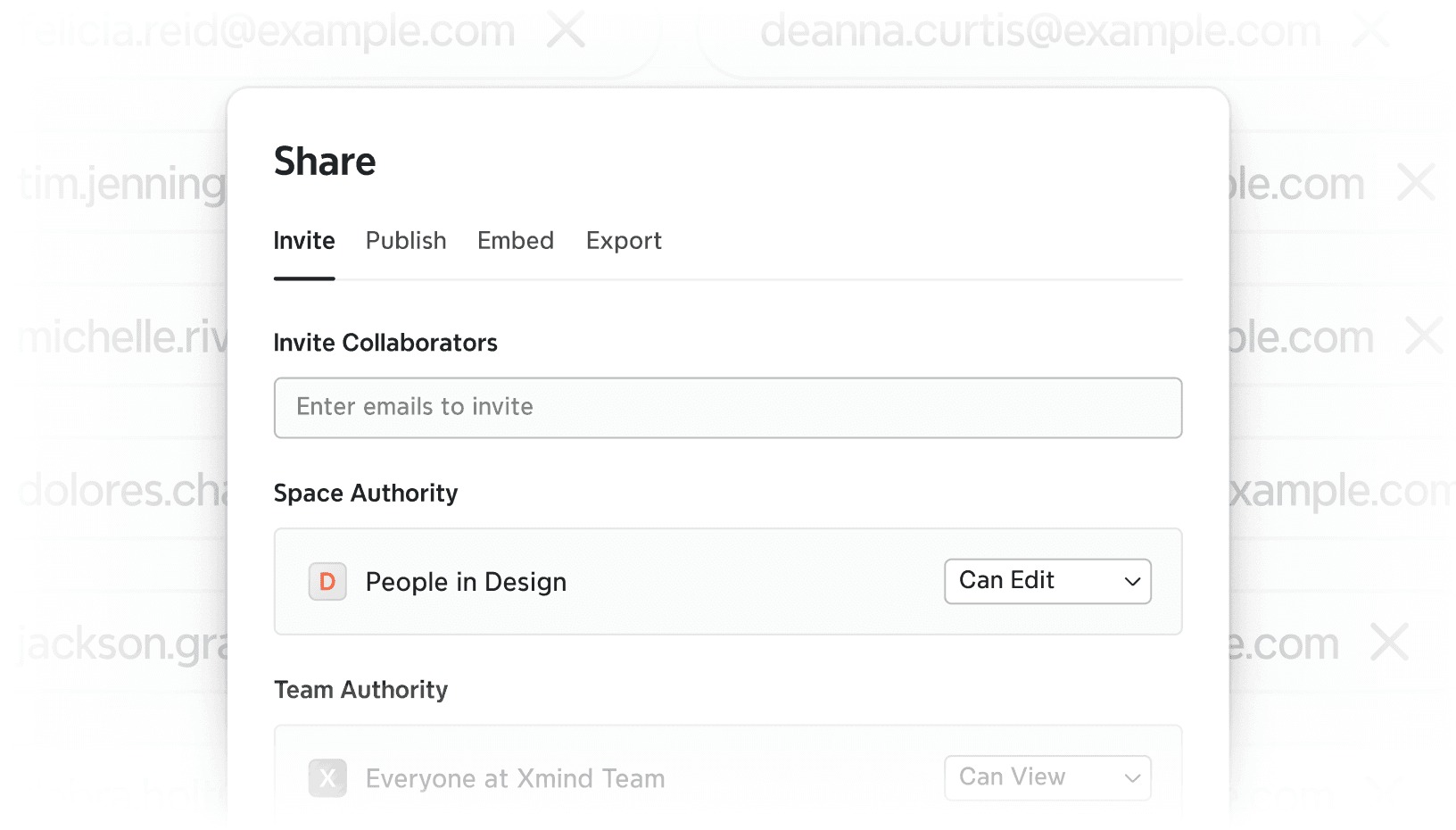
Invite co-plan and align
Share your files with your teammates. Edit, comment, and build the map together in real time.
Step 4
Invite co-plan and align
Share your files with your teammates. Edit, comment, and build the map together in real time.
Step 4
Export and move into action
Export your files as PDF, PNG, or PowerPoint to present, share, or follow up with clarity.
Step 5

Export and move into action
Export your files as PDF, PNG, or PowerPoint to present, share, or follow up with clarity.
Step 5
Who uses Xmind for strategic planning

Business consultants
Quickly create high-impact, client-ready decks with less manual effort.
Business consultants
Quickly create high-impact, client-ready decks with less manual effort.
Business consultants
Quickly create high-impact, client-ready decks with less manual effort.

Cross-functional teams
Turn chaotic ideas into structured business strategies and investor pitches.
Cross-functional teams
Turn chaotic ideas into structured business strategies and investor pitches.
Cross-functional teams
Turn chaotic ideas into structured business strategies and investor pitches.

Founders & Executives
Build strong arguments and creative storylines using visual logic and smart slide generation.
Founders & Executives
Build strong arguments and creative storylines using visual logic and smart slide generation.
Founders & Executives
Build strong arguments and creative storylines using visual logic and smart slide generation.
More tips to enhance strategic planning






Frequently asked questions
What are the 5 C’s of strategic planning?
They are:
• Clarity: Know what you’re aiming for
• Context: Understand the bigger picture
• Choices: Focus on the right priorities
• Capabilities: Know what your team can deliver
• Commitment: Make sure everyone’s behind the plan
What makes Xmind useful for strategic planning?
Xmind helps you visualize your goals, priorities, and initiatives in a single map. This clarity allows teams to align faster, identify dependencies, and stay focused on what matters most. Whether you’re planning quarterly OKRs or long-term growth strategies, Xmind makes it easier to see the big picture and track progress.
Can I use Xmind for cross-team initiatives?
Absolutely. Xmind is built to support collaboration across functions. You can co-create strategy maps, share updates visually, and keep everyone aligned - from marketing and product to leadership—without losing context. It’s an ideal tool for driving unified direction across teams.
Frequently asked questions
What are the 5 C’s of strategic planning?
They are:
• Clarity: Know what you’re aiming for
• Context: Understand the bigger picture
• Choices: Focus on the right priorities
• Capabilities: Know what your team can deliver
• Commitment: Make sure everyone’s behind the plan
What makes Xmind useful for strategic planning?
Xmind helps you visualize your goals, priorities, and initiatives in a single map. This clarity allows teams to align faster, identify dependencies, and stay focused on what matters most. Whether you’re planning quarterly OKRs or long-term growth strategies, Xmind makes it easier to see the big picture and track progress.
Can I use Xmind for cross-team initiatives?
Absolutely. Xmind is built to support collaboration across functions. You can co-create strategy maps, share updates visually, and keep everyone aligned - from marketing and product to leadership—without losing context. It’s an ideal tool for driving unified direction across teams.

Map your business way to success
Xmind helps you structure your business goals, collaborate across teams, and stay aligned. Turn your business strategy into clear, actionable steps for sustainable growth and success.


Map your business way to success
Xmind helps you structure your business goals, collaborate across teams, and stay aligned. Turn your business strategy into clear, actionable steps for sustainable growth and success.

