Top 7 Milanote alternatives for better organization (2026 tested)

hannah

Do you waste too much productivity by constantly switching between apps? Milanote is great for visual organization, but users often outgrow it when they need deeper structure and more powerful integrations.
After testing dozens of options, we’ve selected 7 alternatives that can boost your workflow through AI-assisted structures. Xmind stands out as our top pick—offering a complete system that bridges the gap between creative sparks and professional execution.
Why you might need a Milanote alternative
While Milanote is an excellent tool for visual moodboarding and early-stage brainstorming, many users find it lacks the depth required for long-term project execution. Here are the primary reasons users transition to more robust alternatives:
Difficulty managing complexity: As projects grow, Milanote’s free-form boards can become cluttered and hard to navigate, whereas structured tools provide better hierarchy.
Limited analytical structures: The tool excels at visual fragments but lacks specialized frameworks like Fishbone or Matrix diagrams for deep problem-solving.
Basic workflow integration: Moving ideas from a visual canvas into professional document formats (like Markdown or Office) often requires manual effort.
Manual input fatigue: Without deep AI integration to help expand and organize branches, users must manually arrange every card, which can slow down the creative process.
Xmind—the best Milanote alternative for visual thinkers
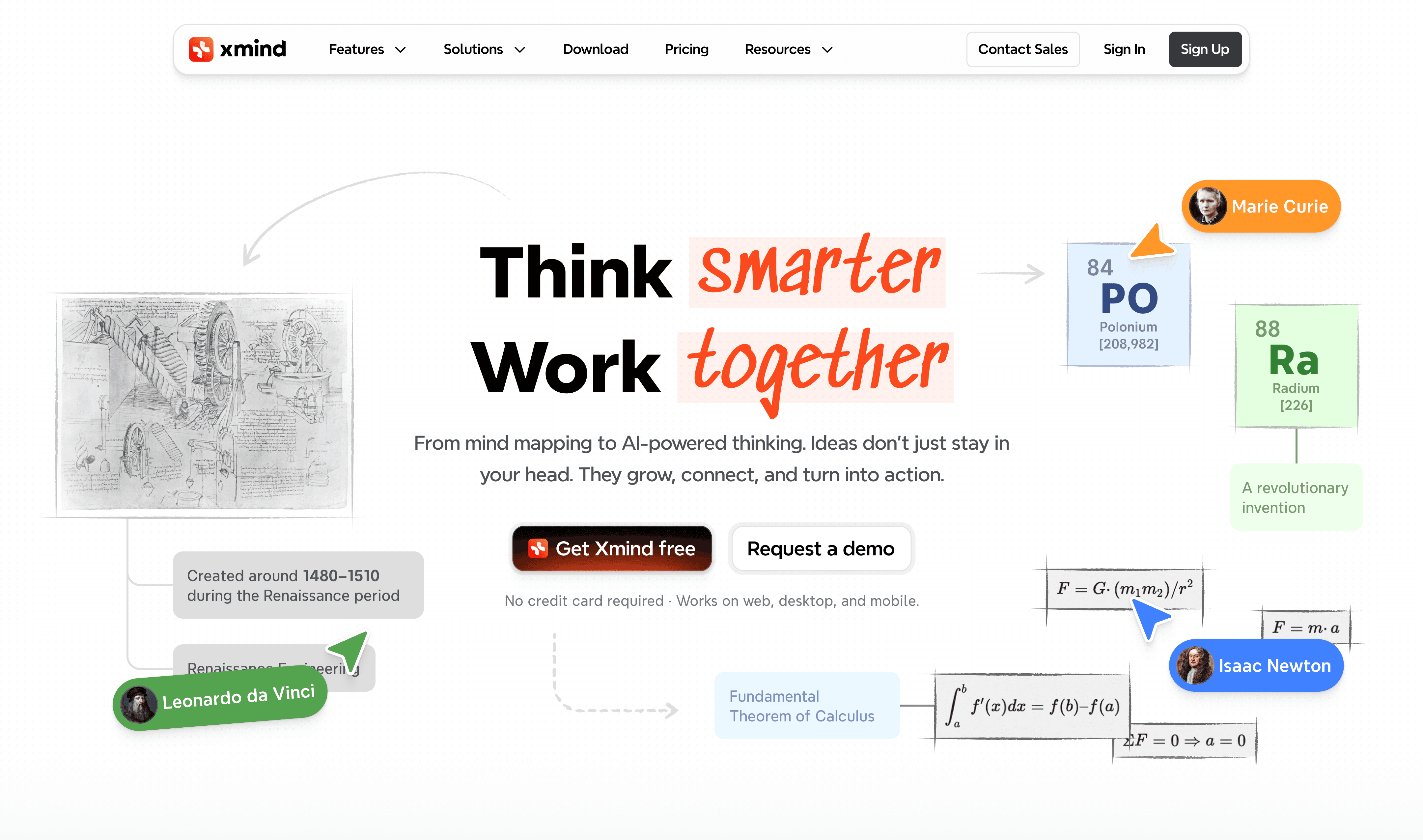
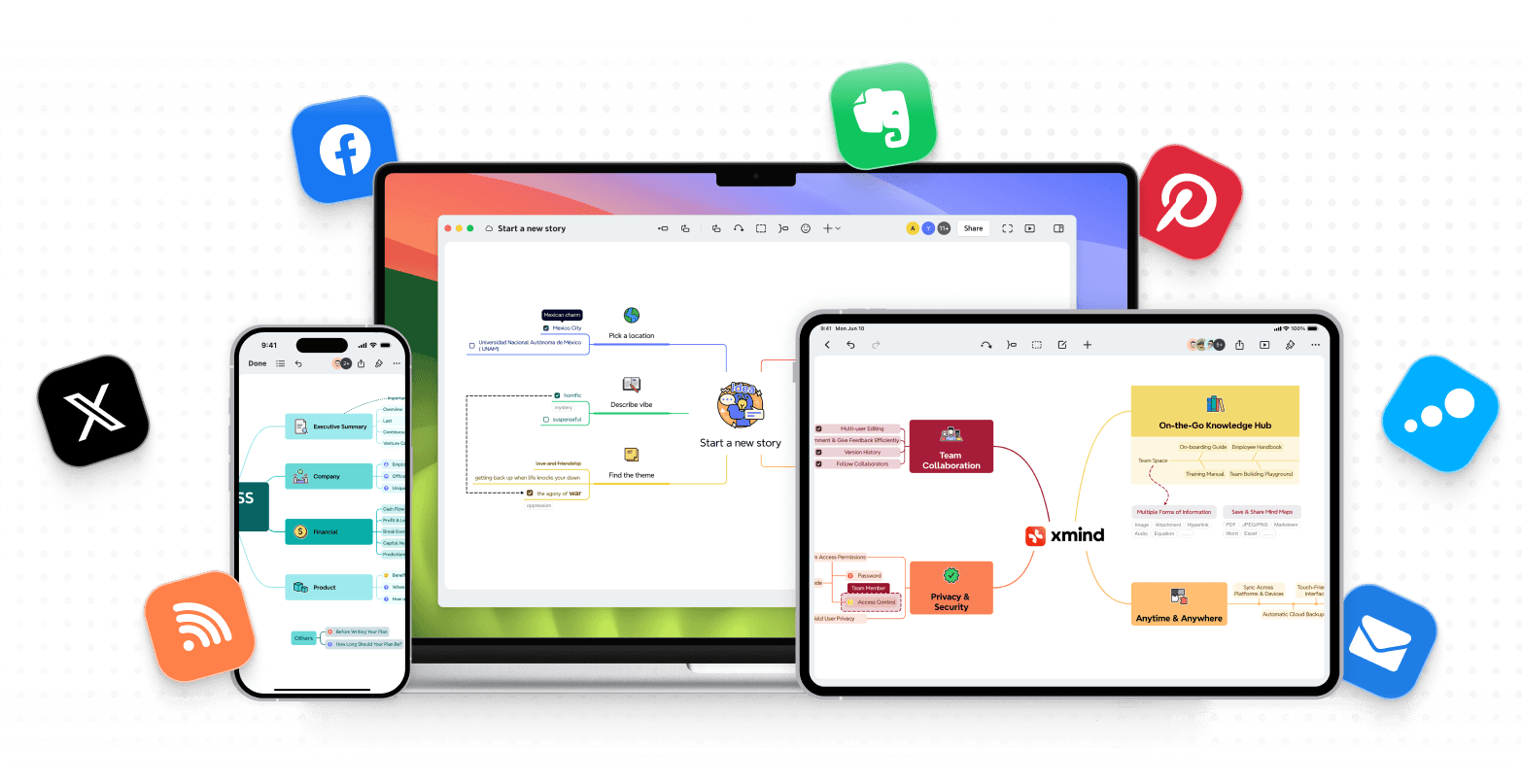
Need a better way to organize your thoughts? Xmind stands out as the best Milanote alternative if you prefer logical organization over freeform canvases. Over the last several years since its launch in 2007, this powerful mind mapping software has grown by a lot. It gives visual thinkers a complete solution to brainstorm, plan, and execute ideas with precision.
Key features that redefine your workflow
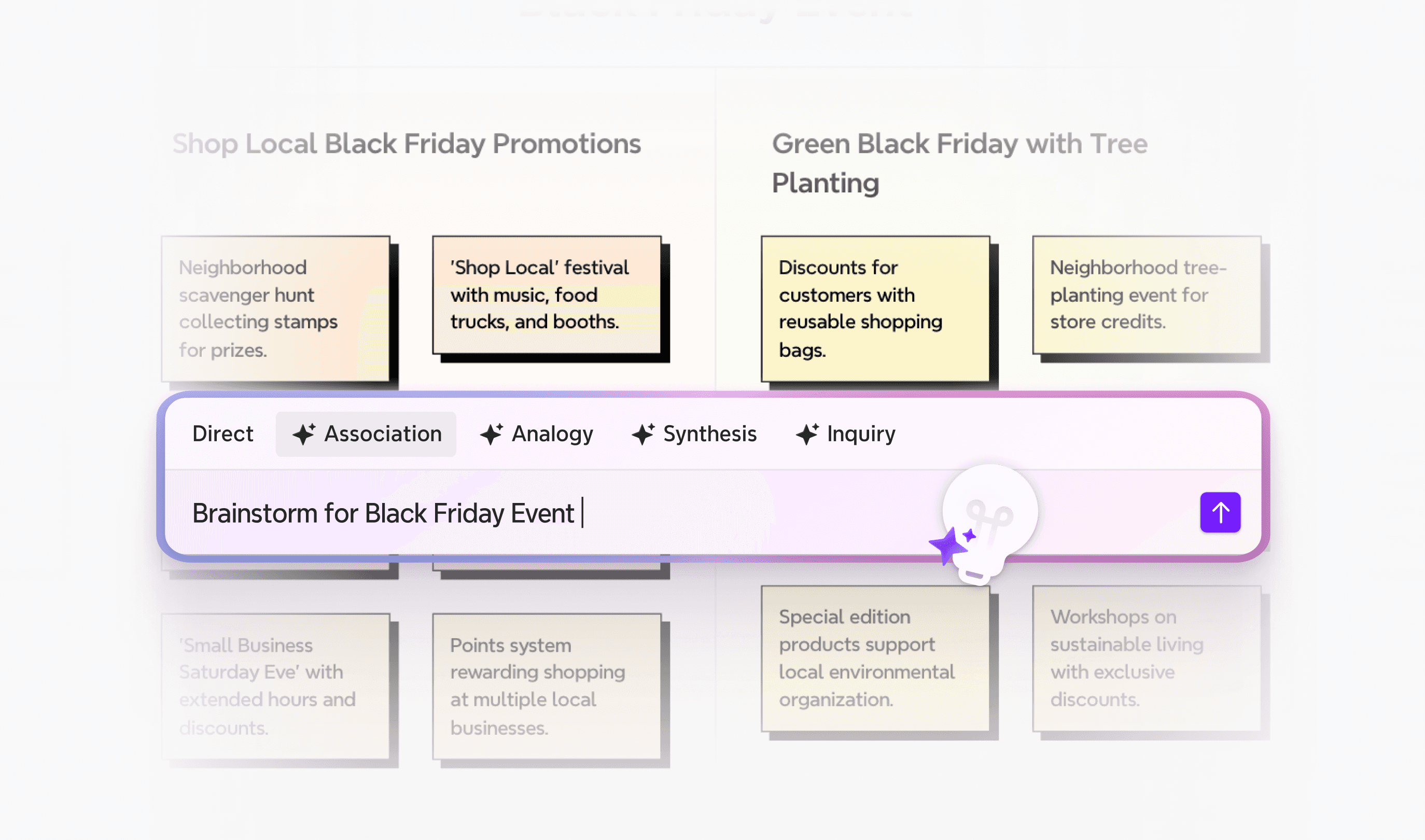
AI-powered creation: Move from a blank page to a full-fledged map in seconds. Xmind’s AI doesn't just draw; it brainstorms with you, generating branches and layouts that spark new insights and save hours of manual work.
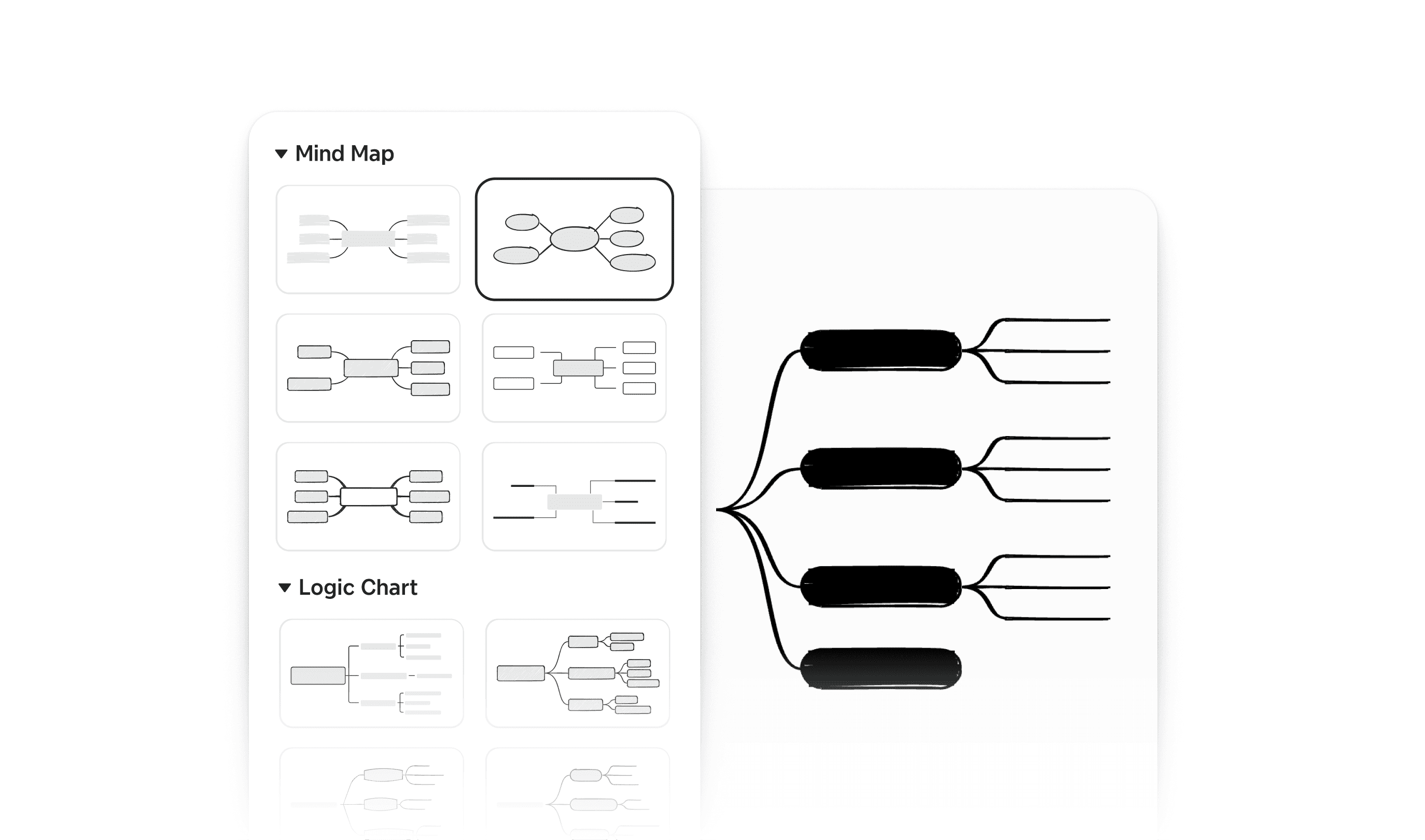
Diverse logical structures: Go beyond simple maps. Xmind offers 9+ professional structures—including Fishbone, Matrix, and Timelines. You can even combine multiple structures within a single map to maintain your logical flow from analysis to conclusion.
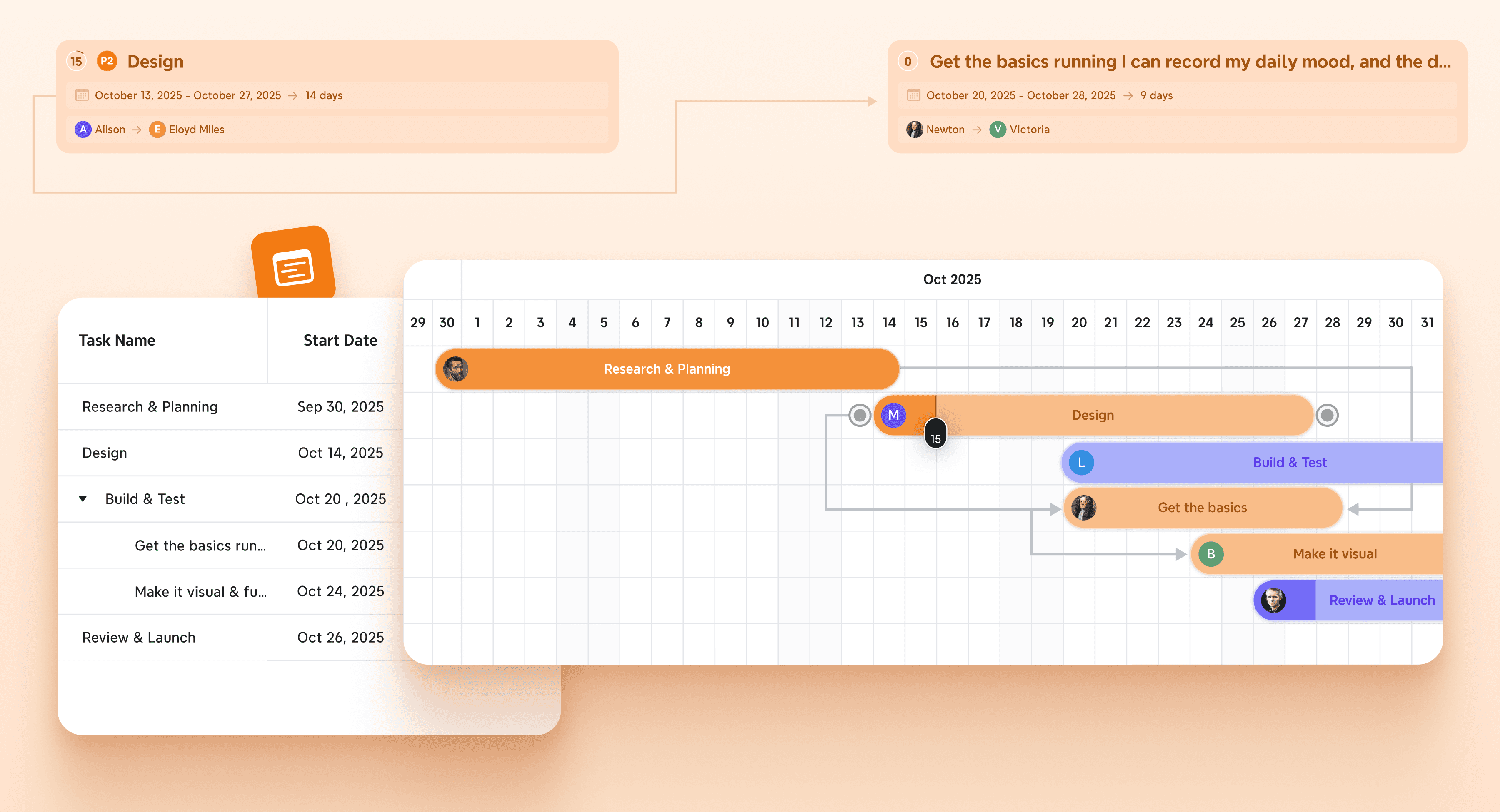
From brainstorm to execution: Transition seamlessly from ideas to action. Turn any topic into a trackable task with priorities and deadlines, then switch to the Gantt view with one click to monitor your project’s critical path.
Seamless cross-platform mobility: Access your ideas anywhere, whether on desktop (Windows, macOS, Linux) or mobile (iOS, Android). With 100% offline support and real-time synchronization, your inspiration is never limited by your internet connection.
When to choose Xmind
Xmind excels when you need structured thinking and visual organization:
Visual problem-solving: Product managers can employ the Fishbone diagram to trace issues back to specific departments. Executives can make use of information in the Matrix for SWOT analyzes and compare strengths against opportunities side-by-side.
Project execution: The software works great for managing complex launches like marketing campaigns or software releases. You can break down projects into smaller tasks, assign owners and deadlines, then switch to Gantt View to see critical paths.
Research synthesis: Researchers working with hundreds of papers or HR teams building SOPs will love Xmind's Tree Table. It organizes dense information into nested, spreadsheet-like structures.
Content structuring: Writers and marketers can beat writer's block with Xmind. The Outline Mode helps you list ideas quickly, then switch to map view to spot logical gaps before exporting directly to Markdown or Word.
Students find Xmind great for managing lecture notes and exam prep since it breaks subjects into parts while showing connections. Business analysts and strategists can tackle complicated issues using SWOT and fishbone diagrams to present findings clearly.
Reasons to switch to Xmind
Xmind sets itself apart from other Milanote alternatives as a structured thinking engine rather than just a drawing tool. Your thoughts stay organized in a logical hierarchy, which works perfectly for professionals who need to organize complex ideas precisely.
The software's focus on the "flow of thought" lets you concentrate on content while it handles structure. This creates a cleaner, distraction-free experience compared to Milanote, especially with Xmind's Zen Mode.
Xmind also has an easy-to-use interface compared to many free Milanote alternatives. You can start organizing ideas as soon as you open the app. While it's simple to use, Xmind offers plenty of advanced features for experienced users.
The software's export versatility adds even more value. Your ideas won't get stuck in your mapping tool - Xmind lets you export to Markdown for writing, Excel for data analysis, or editable PowerPoint/Word files for presentations.
Want to transform how you think and organize visually? Give Xmind a try today and see more differences between Xmind and Milanote.
Miro—a powerhouse for team collaboration
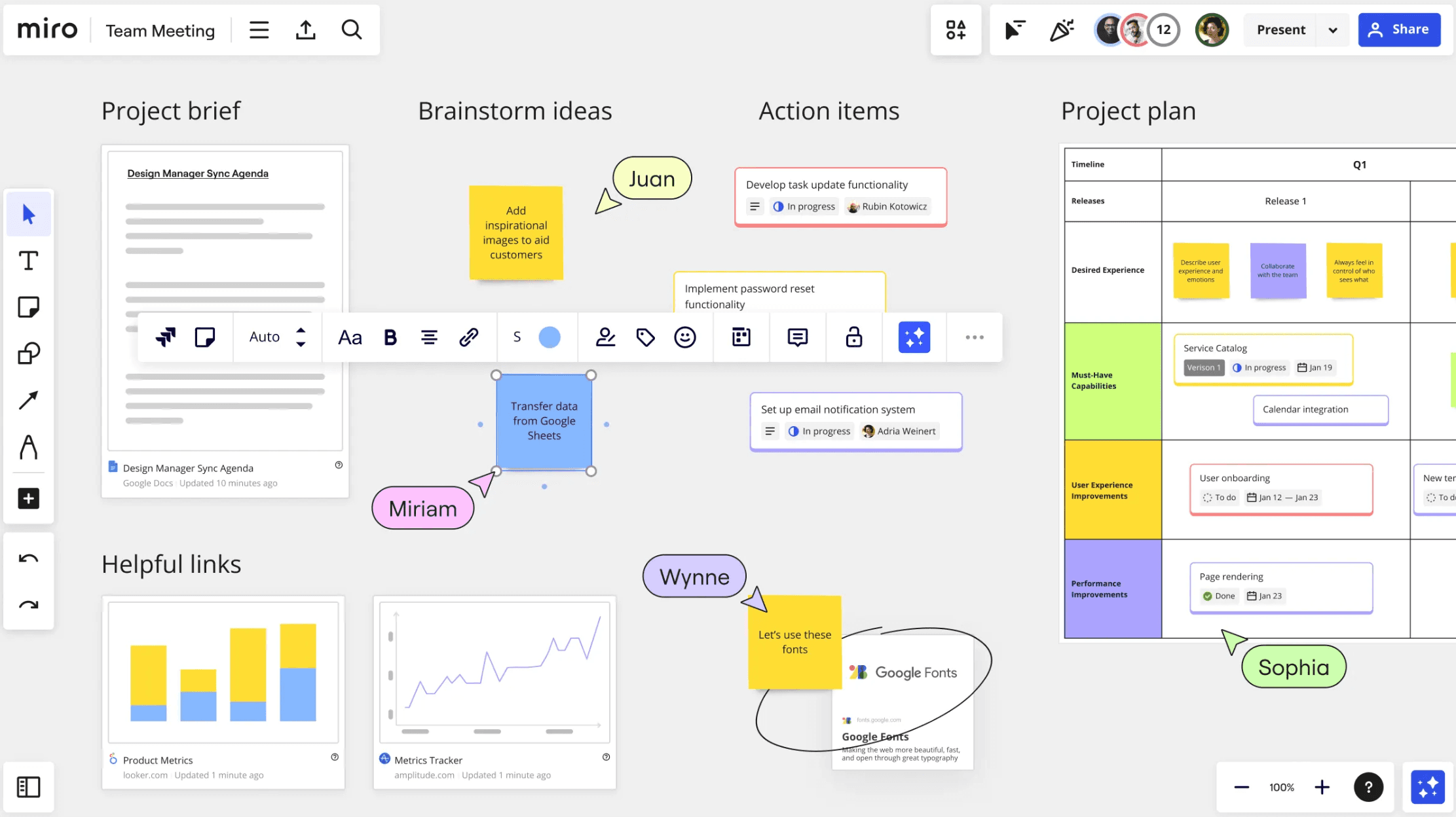
Miro stands out as an exceptional Milanote alternative that changes how remote and distributed teams work together. The platform's robust features and easy-to-use interface make it excel where Milanote falls short. Teams get uninterrupted collaboration and modern integration capabilities they need.
Key features for modern teams
Extensive integration ecosystem: Connect with 130+ tools like Jira and Slack, transforming your whiteboard into a productive command center.
Infinite real-time canvas: See the big picture and track updates instantly, ensuring remote teams stay aligned on even the most complex projects.
Enterprise-grade security: Protect sensitive data with SSO and multi-layered encryption, providing a level of control that standard visual tools often lack.
Interactive meeting tools: Facilitate better sessions with built-in timers, voting, and anonymous feedback to boost team participation.
What makes Miro a top-tier choice
Miro is widely regarded as the gold standard for cross-team collaboration, offering a live environment where dozens of members can build ideas simultaneously on an infinite canvas. Its strength lies in its unrivaled versatility—from a massive library of 1,000+ templates that slash setup time to powerful data import features that turn spreadsheet rows into interactive sticky notes. For remote-first organizations, Miro provides the most natural way to bridge the gap between creative brainstorming and high-level strategy, supported by specialized workshop tools like voting, timers, and "bring everyone to me" focus features.
Considerations before you start
Despite its power, Miro comes with a steeper learning curve than Milanote, which may require some initial practice for new users. As boards grow in complexity, managing overlapping items can become tricky, and some users find that export options don't always preserve the deep hierarchies of structured diagrams. Additionally, extremely large boards can occasionally present performance challenges or export limitations.
ClickUp—a feature-rich Milanote alternative for project management
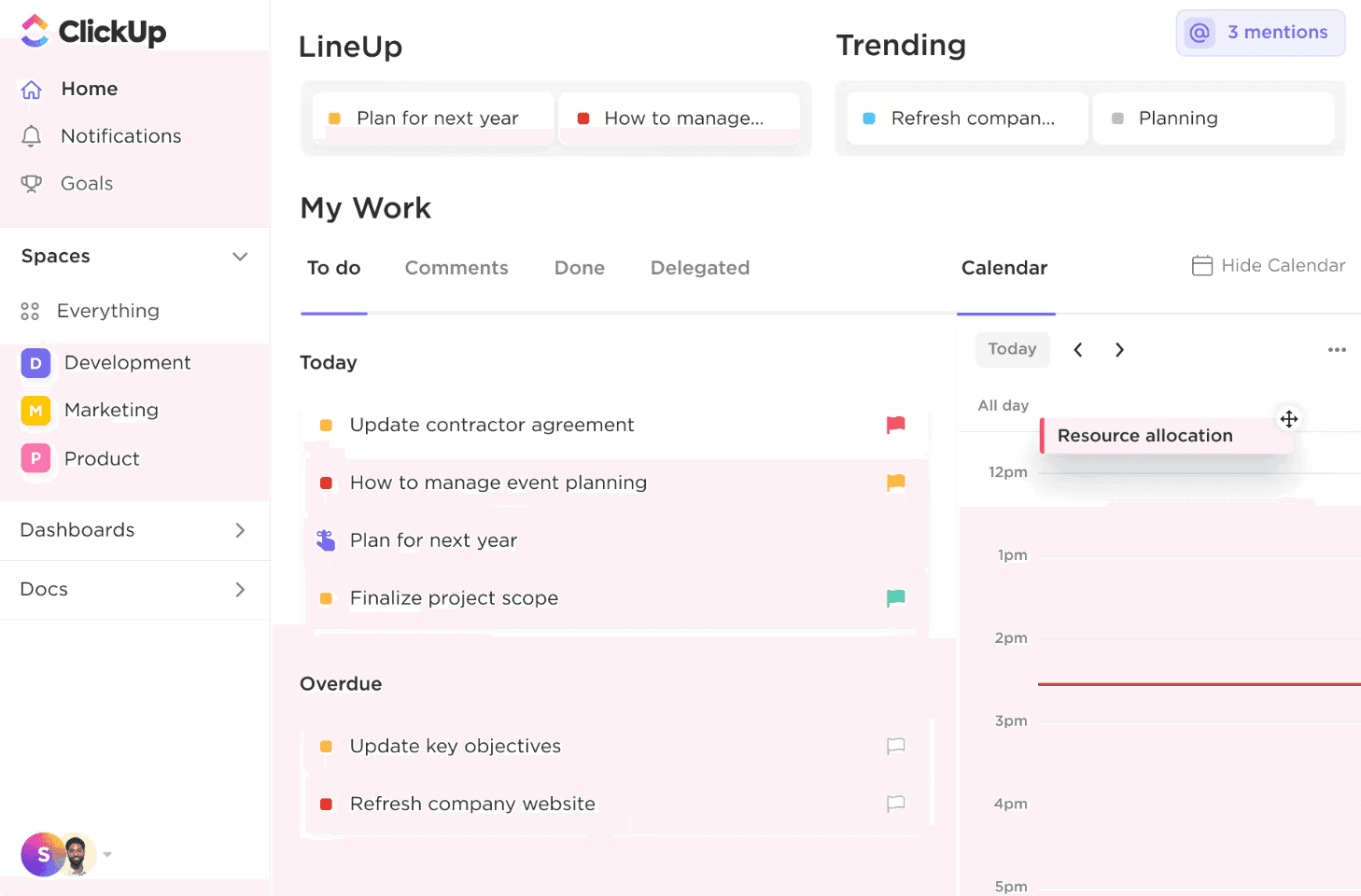
ClickUp emerges as a standout among Milanote alternatives by bringing your entire workflow into a single, scalable platform. Unlike Milanote’s visual-first approach, ClickUp is designed to eliminate app-switching, serving as a centralized project hub that can save teams significant time each year.
Key features for complete project control
Six-level organizational hierarchy: From Workspaces to Subtasks, this scalable system keeps your work visible and structured, allowing for growth without losing clarity.
The Everything view: Act as your own command center by filtering and sorting every task across the entire platform, making it easy to spot bottlenecks at a glance.
15+ dynamic work views: Handle projects from every angle with specialized views, including Gantt for timelines, Workload for resource management, and Whiteboards for collaborative ideation.
Customization and automation: Tailor almost every aspect of your project without coding, and use 50+ automation triggers to eliminate repetitive manual tasks.
Why ClickUp leads in versatility
ClickUp’s primary advantage is its ability to act as an "all-in-one" solution that replaces multiple disconnected apps. It offers robust task management—complete with custom priorities, dependencies, and native time tracking—that Milanote simply isn't built to handle. Beyond just visualizing work, ClickUp allows you to automate entire business processes with 50+ trigger-action combinations. Its unique hierarchy ensures that even the most complex organizations can keep their work structured, while features like in-task proofing and integrated chat transform scattered ideas into a disciplined, professional-grade execution plan.
Potential hurdles to consider
Because ClickUp is so feature-rich, new users often face a steep learning curve compared to the simplicity of Milanote. The interface can feel busy at first, and some users report that the mobile app lacks the full depth of the desktop experience. Additionally, when managing exceptionally complex documents or high-volume tasks, performance can occasionally slow down or require more system resources.
Lucidchart—the standard for intelligent diagramming
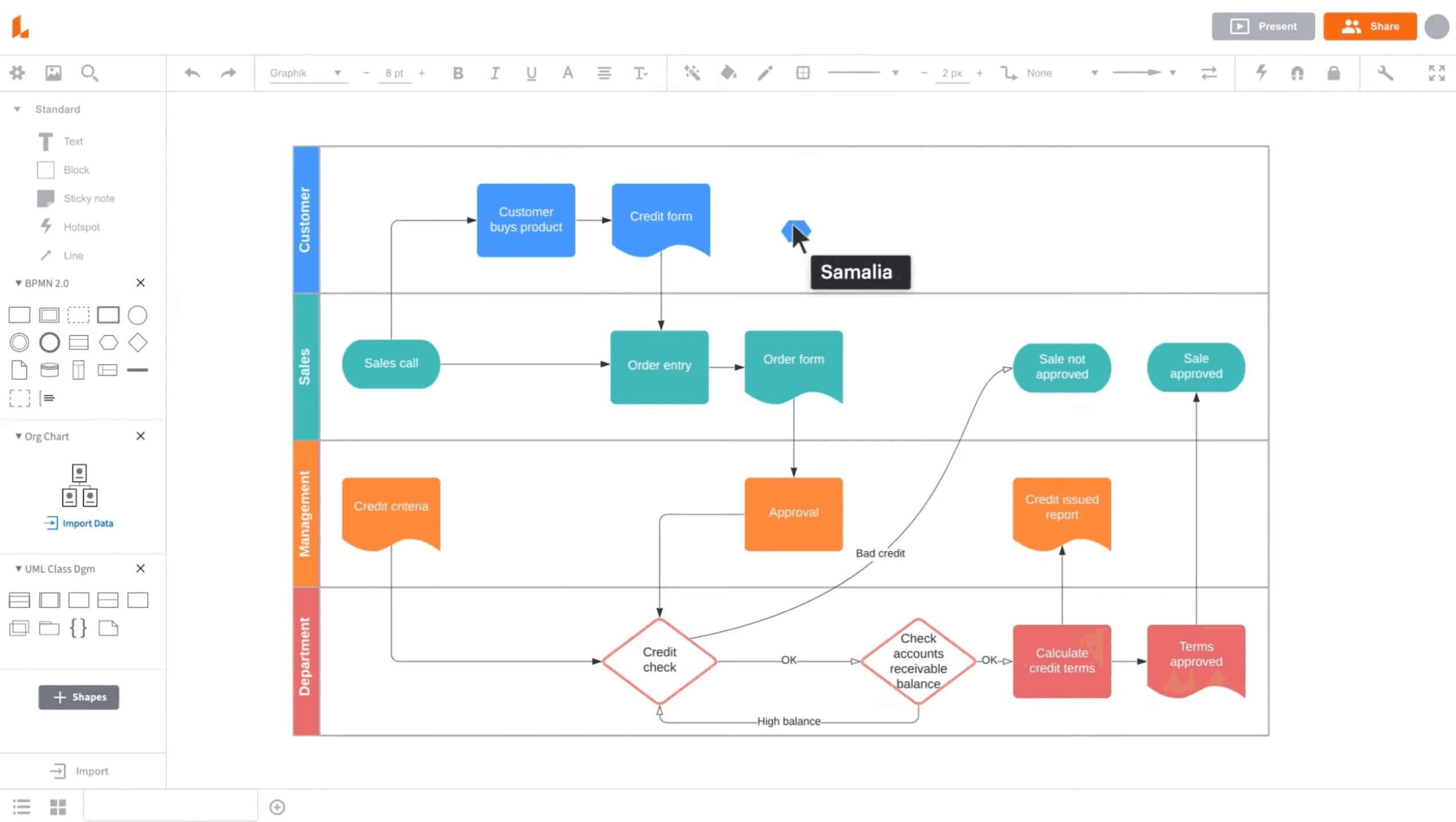
Lucidchart stands out from other Milanote alternatives by prioritizing professional diagramming over general-purpose organization. Since 2010, it has been the go-to solution for visualizing complex processes, technical architectures, and organizational structures with a level of precision that freeform tools can’t match.
Key features for technical clarity
Assisted layout and routing: Use intelligent line routing and canvas spacing handles to prevent overlaps and ensure your diagrams remain clean and professional as they grow.
Data-linked visualization: Beyond simple shapes, Lucidchart allows you to link diagrams to live data sources like Google Sheets or AWS, ensuring your charts update automatically.
Specialized industry frameworks: Access a robust library of technical shapes for UML, ERD, and network architecture—essential for developers and system architects.
Integrated Presentation Builder: Transform intricate diagrams into digestible slide decks instantly, allowing you to walk stakeholders through specific process flows without overwhelming them.
Why Lucidchart excels in professional environments
Lucidchart is the bridge between loose brainstorming and rigid technical documentation. Its strength lies in its intelligent diagramming logic; unlike freeform tools, it understands the relationships between shapes, offering automated line routing and grid snapping that keeps diagrams perfectly aligned. It excels in professional environments where "single source of truth" documents are required—such as AWS/Azure network architecture, UML modeling, or complex ER diagrams. By allowing users to link live data directly to shapes, Lucidchart ensures your charts update in real-time as your business data changes.
Considerations before you start
While powerful, Lucidchart’s free version is quite restrictive regarding document count and shape limits, which may push teams toward paid plans sooner than expected. The interface is optimized for professional diagramming, which can feel intimidating or "stiff" for users looking for a purely creative moodboard. Additionally, since it is a cloud-first platform, performance can occasionally lag on very large, complex files when multiple users are editing at once.
Asana—a task-oriented alternative
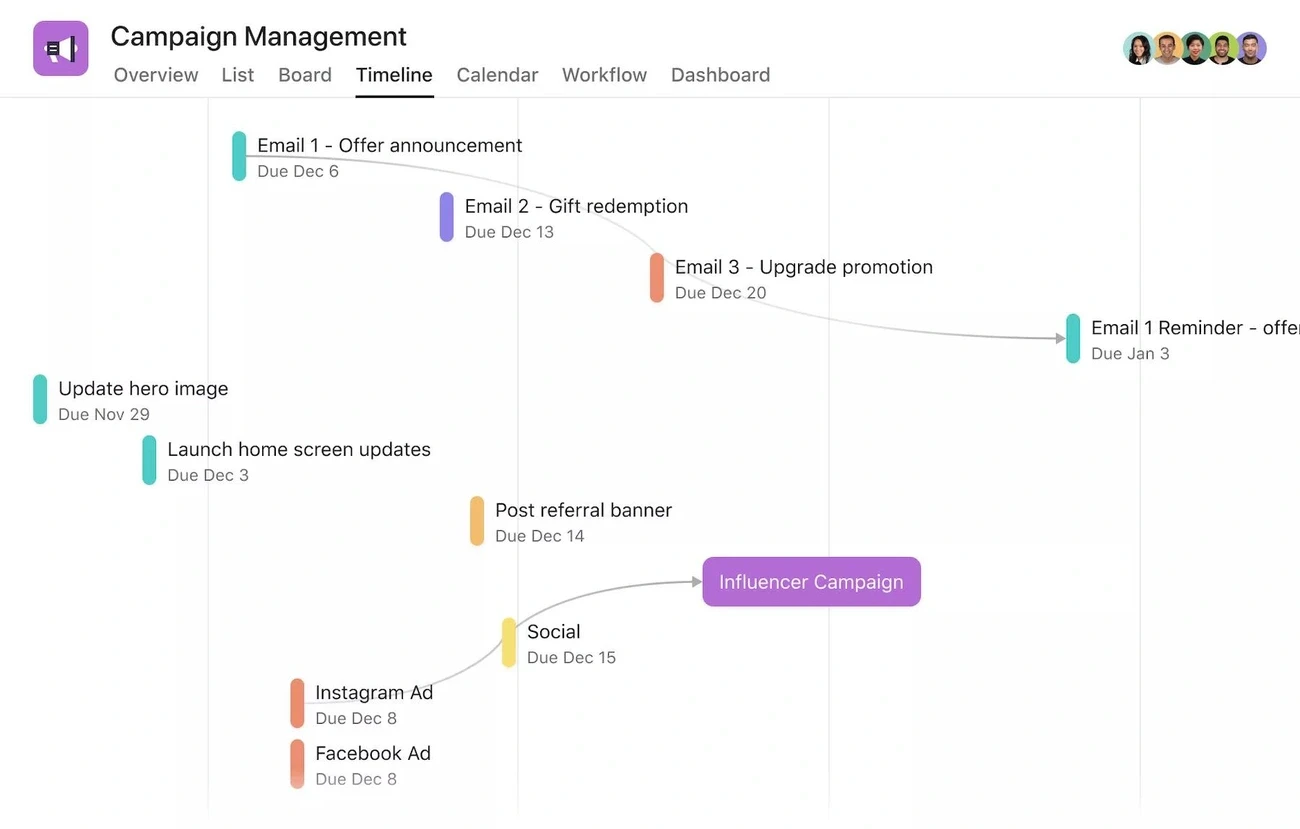
Teams looking to move beyond simple visual organization should consider Asana as a structured Milanote alternative. While Milanote excels at the "thinking" stage, Asana is built for "doing"—creating a centralized hub that replaces scattered spreadsheets and ensures every project has a clear path to completion.
Key features for operational excellence
The Work Graph® data model: Unlike linear tools, Asana’s foundational model maps the relationships between tasks, projects, and people, allowing your operations to scale naturally.
Five-way project visualization: Switch instantly between List, Calendar, Timeline, Gantt, and Kanban views. This flexibility ensures that every team member can work in the layout that best suits their productivity style.
Goal-centric reporting: Link daily tasks directly to company-wide objectives. This alignment ensures that everyone understands the "why" behind their work—a level of strategic depth that visual canvases often lack.
Asana Intelligence (AI): Leverage AI to automate routine workflows, summarize project health, and flag potential bottlenecks before they delay your schedule.
Why Asana is a superior execution tool
Asana’s primary strength lies in its ability to enforce accountability and transparency. By assigning clear owners, due dates, and specific dependencies to every fragment of an idea, it transforms the "creative chaos" of a moodboard into a high-velocity professional workflow. The Work Graph® data model provides a level of strategic depth that visual tools often lack, allowing managers to track project health via automated dashboards and align daily tasks with company-wide goals. With integrated communication features that eliminate endless email chains, Asana ensures that your team stays focused on high-impact work rather than "work about work."
Potential hurdles to consider
For smaller teams or solo creators, Asana’s robust feature set can initially feel like "overkill" compared to Milanote’s lightweight interface. Accessing essential features like Timeline view and custom fields requires a higher-tier subscription, which may be a significant investment for larger organizations. Additionally, while the UI is intuitive, the sheer number of configuration options means new users may need time to find the most efficient setup for their specific needs.
SmartDraw—a professional tool for technical diagramming
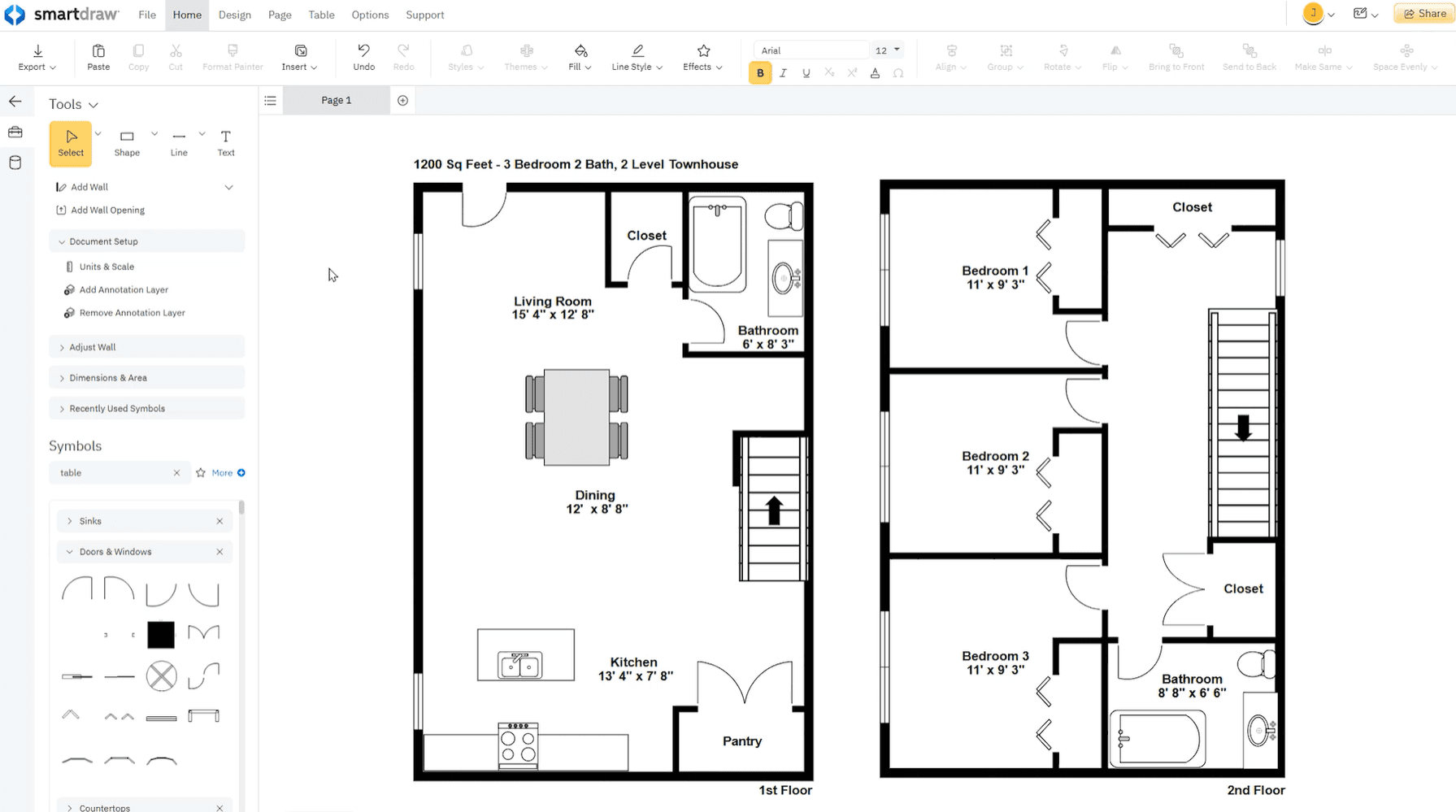
SmartDraw fills the critical gap between Milanote’s creative boards and complex CAD software. It is the ideal Milanote alternative for those who need precise, scale-accurate visual communication—offering the technical depth required to impress clients and stakeholders without the steep learning curve of traditional engineering tools.
Key features for precise visualization
Automated formatting engine: Create professional diagrams in seconds. SmartDraw’s intelligent formatting handles shape alignment and connection as you work, ensuring a polished look without manual micro-adjustments.
Industry-specific symbol libraries: Access 34,000+ specialized symbols and 70+ templates for everything from architectural floor plans and commercial layouts to accident reconstructions and IT infrastructure.
Data-driven diagramming: Turn simple shapes into intelligent objects. You can attach data to symbols to generate manifests, summaries, and documentation, adding a layer of practical utility that goes far beyond visual representation.
PDF and map integration: Save hours of work by importing floor plan PDFs or Google Maps images. You can scale them instantly and draw directly on top, maintaining professional accuracy without redrawing from scratch.
Why SmartDraw excels in technical environments
SmartDraw’s strength lies in its uncommon precision and specialized content. It transforms the "flexible but loose" approach of a creative canvas into a structured, data-enabled workflow with professional-grade output. It is particularly powerful for industries requiring scale-accurate drawings, such as facility management, emergency planning, and engineering. With an automated formatting engine that handles the "heavy lifting" of alignment and a massive library of 34,000+ industry-standard symbols, SmartDraw ensures that your output meets professional compliance and presentation standards without requiring CAD expertise.
Potential hurdles to consider
SmartDraw is a cloud-first platform, meaning it currently lacks offline capabilities—a point where it differs from tools like Xmind. Its pricing model typically favors annual commitments over monthly subscriptions, which may require more upfront planning. Additionally, while it is the gold standard for 2D technical diagrams and flowcharts, it is not intended for 3D modeling or high-end graphic design projects.
MindMeister—an accessible choice for cloud-based brainstorming
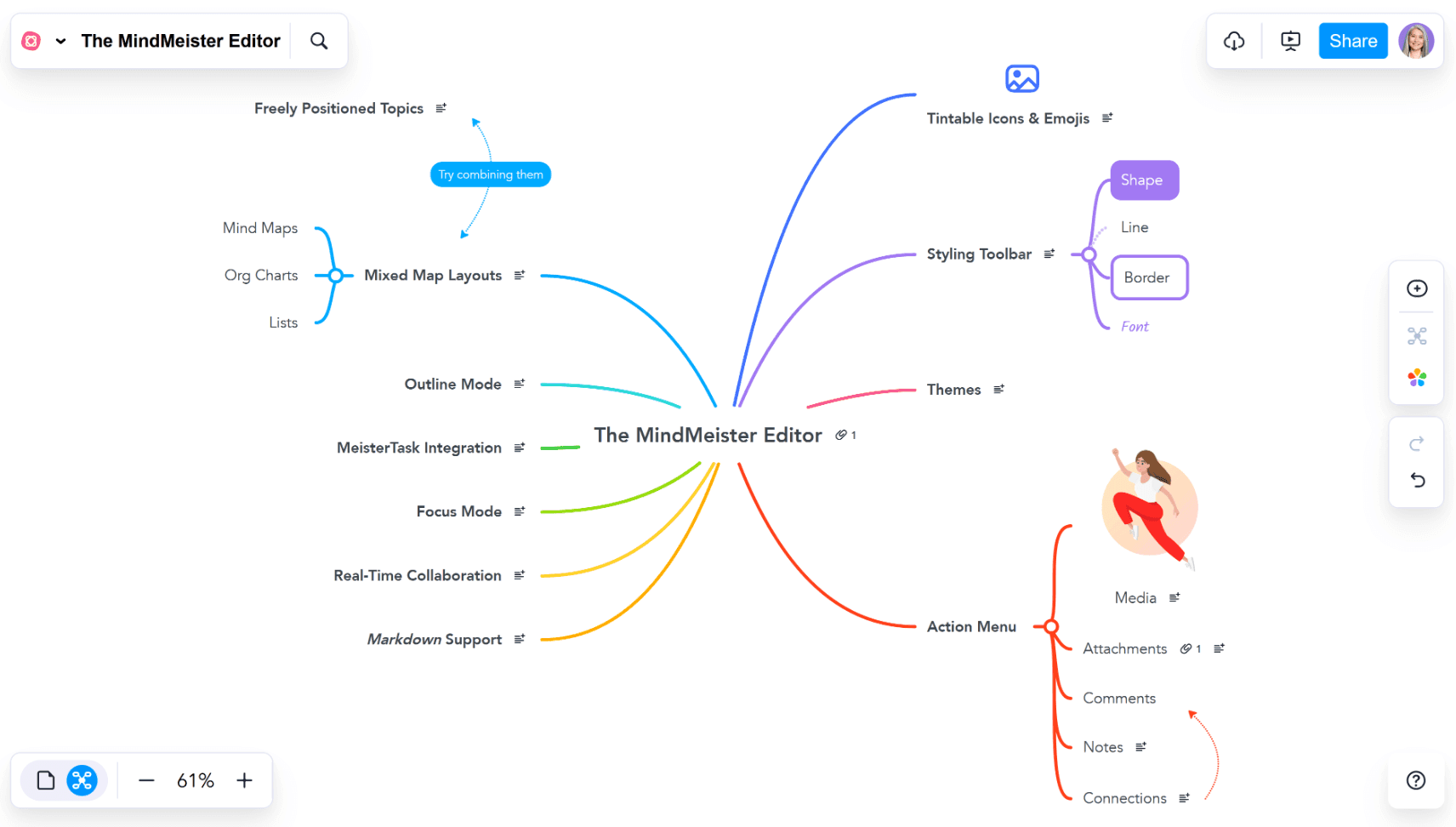
Need a mind mapping tool that’s easy on the budget? MindMeister stands out as a versatile Milanote alternative for those who prioritize web-based accessibility. With over 20 million users, it provides a streamlined environment for visualizing ideas before moving into more robust execution engines like Xmind.
Key features for instant ideation
Seamless real-time collaboration: MindMeister excels in live environments, allowing multiple users to edit and comment on a single map simultaneously—making remote brainstorming sessions feel natural and productive.
Instant Presentation Mode: Skip the separate slide decks. Transform your mind maps into professional presentations with a single click, allowing you to pitch ideas directly from your workspace.
Ready-to-use template library: Kickstart your projects with a diverse range of pre-designed layouts, from project plans to creative storyboards, significantly reducing your initial setup time.
Enterprise-grade data protection: Unlike many lightweight visual tools, MindMeister offers ISO 27001 certification and GDPR compliance, ensuring your intellectual property is hosted in a secure, world-class infrastructure.
Why MindMeister is a great starting point
MindMeister’s primary appeal is its low barrier to entry and cloud-native agility. It bridges the gap between the chaotic nature of note-taking and the structured logic of mind mapping. By focusing on a "flow-first" experience, it allows users to capture ideas at the speed of thought, supported by a world-class browser interface that requires zero installation. Its integration with MeisterTask creates a seamless "ideation-to-task" pipeline, while its ISO 27001 certified security gives teams the peace of mind to collaborate on sensitive intellectual property within a secure, GDPR-compliant German hosting environment.
Potential hurdles to consider
The free version of MindMeister is fairly restrictive, limiting users to only three editable mind maps and basic export options. While the browser-based experience is smooth, offline access is reserved for paid tiers, which may be a limitation for travelers or those with unstable internet. Additionally, users looking for advanced diagramming—like Fishbone or Matrix structures—may find MindMeister’s simpler approach less flexible than Xmind’s comprehensive toolkit.
Comparison table
Main use case | Top differentiator | Best for | |
Xmind | Structured Thinking | Full-spectrum logic engines with total offline privacy. | Professionals who need to turn complex chaos into logical, actionable maps. |
Miro | Team Collaboration | An infinite visual sandbox for real-time team workshops. | Rapid brainstorming and messy, high-energy creative sessions. |
ClickUp | Project Management | A rigid, multi-level task hierarchy that replaces spreadsheets. | Large teams requiring strict project tracking and workflow automation. |
Lucidchart | Technical Diagramming | Precise line routing and data-linked technical frameworks. | Architects and developers building standardized system documentation. |
Asana | Execution Tracking | Strategic alignment between individual tasks and company goals. | Managers who prioritize accountability and clear project deadlines. |
SmartDraw | Precision Planning | Scale-accurate architectural symbols and automated formatting. | Technical fields needing blueprint-level precision without CAD complexity. |
MindMeister | Simple Ideation | A lightweight, browser-first experience for quick concept maps. | Casual users or students needing a fast, cloud-based entry point. |
Conclusion
Your choice of a Milanote alternative depends on your workflow. While Miro and ClickUp excel at team collaboration and project management, Xmind stands out as the top pick for those who need to transform creative sparks into structured clarity. With its AI-powered engine and professional-grade structures, Xmind offers the most balanced system to capture, organize, and execute your ideas with up to 40% more efficiency.