5 Miro alternatives for mind mapping and project planning

hannah

Miro is a versatile visual workspace for workshops, diagramming, and team collaboration. But if you mainly use it to build mind maps, organize a proposal, or plan a project with a small team, you may not need the full breadth of an open-ended whiteboard.
The best Miro alternative depends on the job: Xmind for structured thinking and project planning, Trello for Kanban task tracking, Milanote for creative boards, Asana for complex team execution, and MindMeister for browser-based mind mapping.
This guide compares the five options by the work they are best suited for. If your workflow starts with scattered ideas and ends with a structured plan, try Xmind for free with your next project.
When does a Miro alternative make sense?
A more focused tool may fit better when:
Most of your Miro boards are mind maps, outlines, proposals, or project plans.
You need a clear hierarchy more often than a free-form arrangement.
You want to move from brainstorming to tasks and a timeline in the same workflow.
You work alone or with a small team and want to start without building a board from scratch.
If you run large facilitated workshops, rely on sticky-note voting, or need maximum canvas freedom, Miro may still be the better fit. The goal is not to replace every Miro workflow, but to choose a tool that matches the work you do most often.
Alternative 1: Xmind for structured thinking and project planning
Xmind is a focused Miro alternative for individuals and small teams who use visual tools to think through a problem, organize a proposal, or build a project plan. Its topics follow a clear hierarchy, and different map structures can coexist in one file when parts of a project need different views.
It fits best when you want to move through one continuous workflow: capture ideas, organize them into a mind map, turn relevant topics into tasks, and review the plan on a timeline. If your main need is a large facilitated workshop or a highly free-form collaborative whiteboard, Miro may remain the closer fit.
How Xmind moves ideas into a plan
Here is how Xmind supports the workflow from early ideas to a plan you can use:
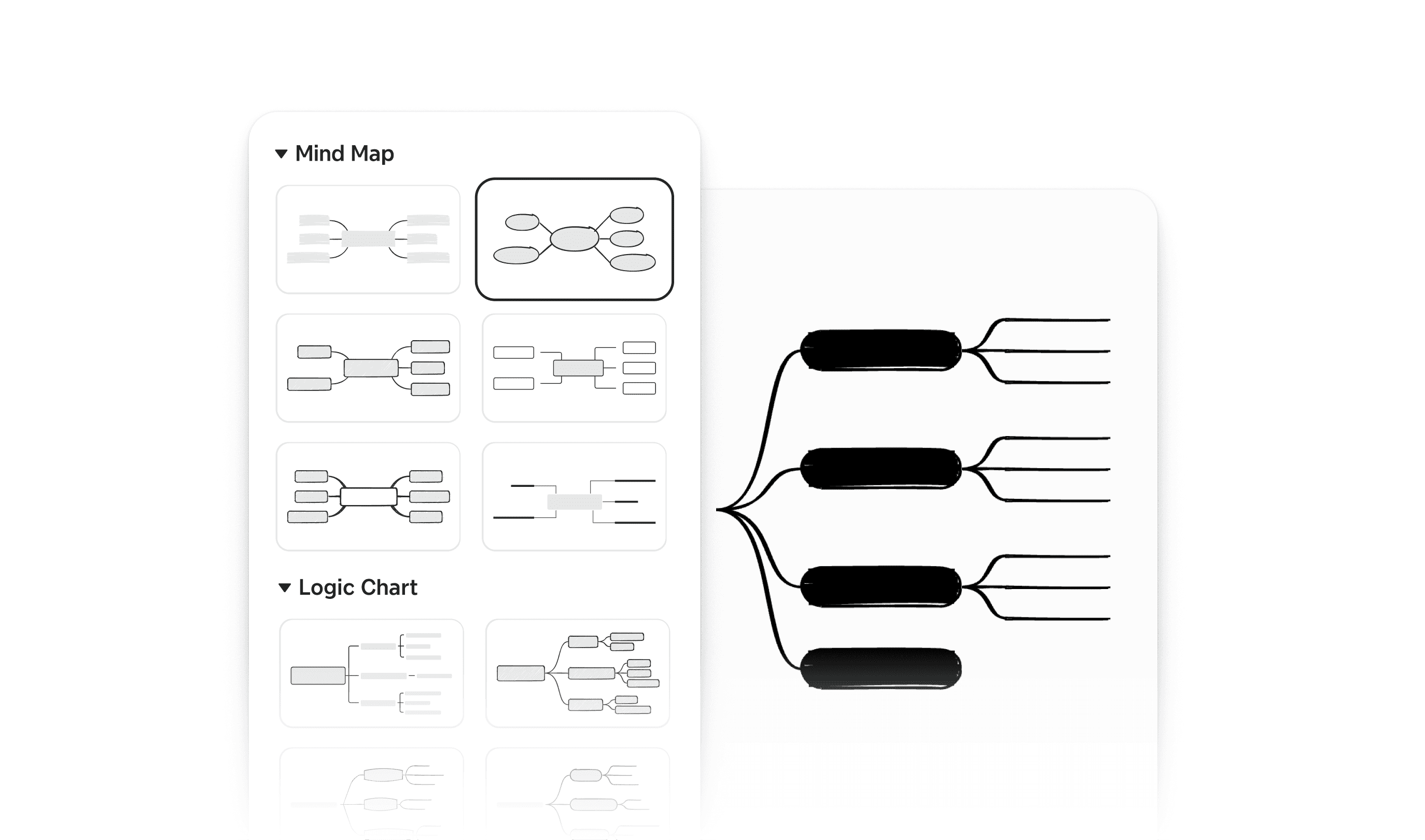
Structure ideas without arranging every object manually
Xmind offers multiple structures for organizing different kinds of information. You can type and let branches align automatically, then combine structures in the same map. Start with a Mind Map for brainstorming, switch one branch to a Fishbone Chart for root-cause analysis, or use a Matrix to compare options without breaking the overall hierarchy.
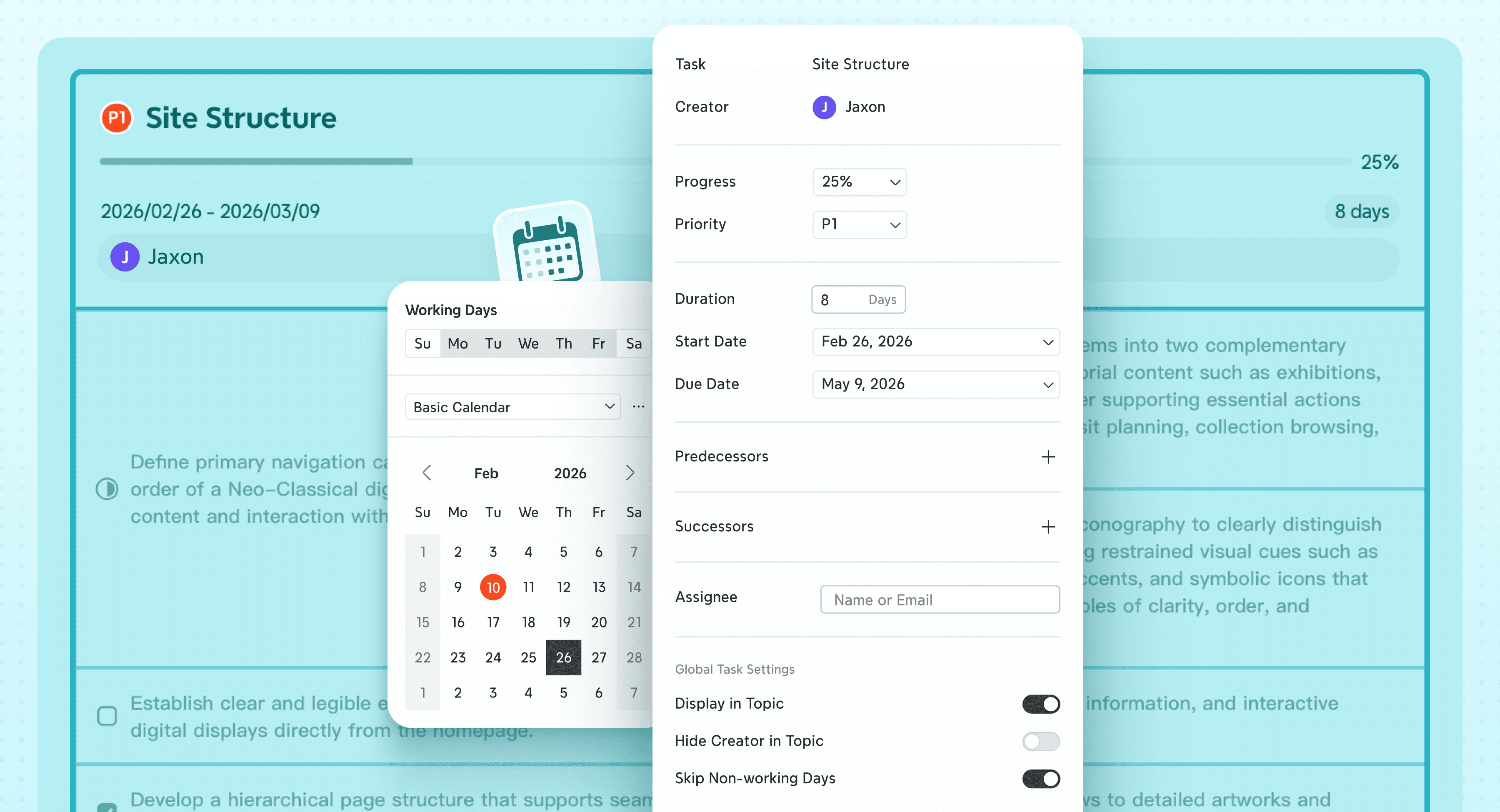
Turn selected topics into project tasks
Turn a topic into a Task and add progress, priority, duration, start and due dates, dependencies, or an assignee. Then open Gantt Chart to review the same work on a timeline; edits stay synchronized with the mind map. Task creation and editable Gantt charts are Premium features, so check the current plan details if project tracking is central to your workflow.
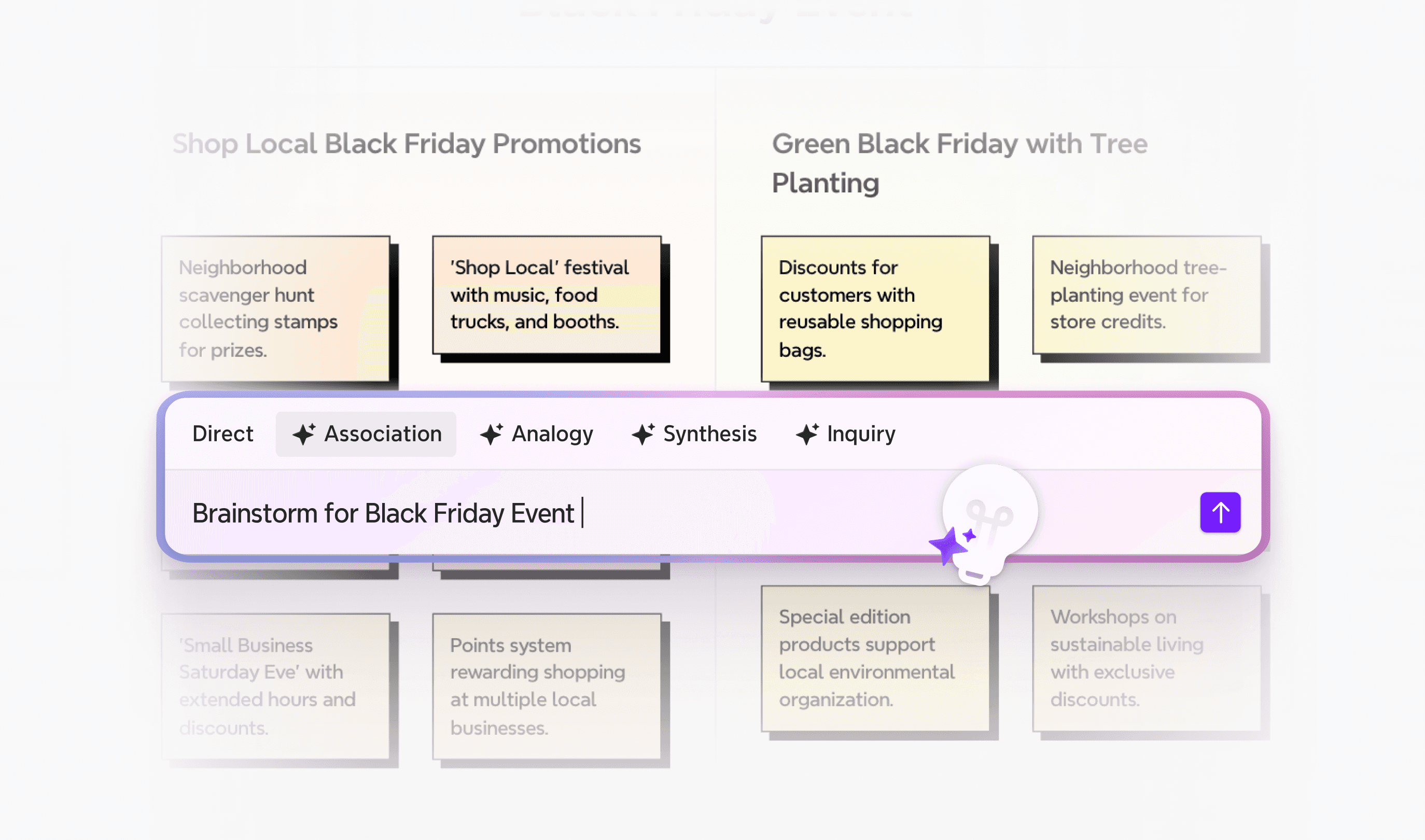
Use Xmind AI to refine the map
Xmind AI can turn a rough idea into a new map, expand selected branches, reorganize an existing structure, work with files and links, or help turn a map into a project plan. Use it when you need a starting structure or want to refine a map without rebuilding it manually.
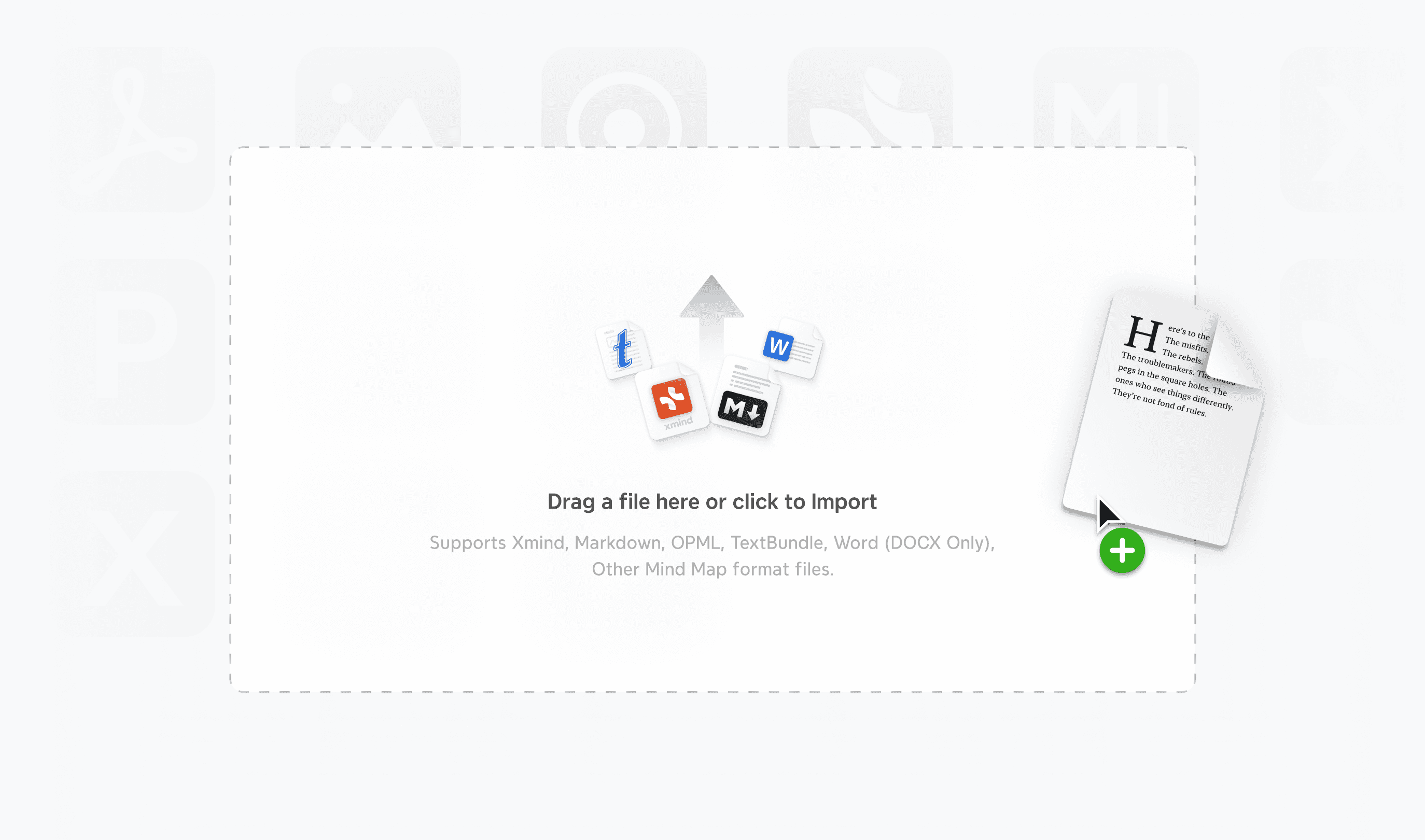
Move ideas between mapping, writing, and presentation
Xmind supports file-based workflows beyond the map. You can bring structured source material into Xmind, refine it visually, and export finished work to formats such as Markdown, PDF, Word, PowerPoint, Excel, SVG, or PNG. Available export formats depend on the platform and plan.
A practical workflow: from scattered ideas to an actionable plan
Imagine that you are planning a product launch with a small team:
Capture the raw ideas. Start with a central topic and add goals, audiences, deliverables, risks, and open questions as branches.
Build a clearer structure. Group repeated ideas, move topics into phases, and use a Matrix or Tree Table where comparison matters.
Identify the work. Turn deliverables into Tasks, then add dates, priorities, dependencies, and assignees.
Review the timeline. Open Gantt Chart to see whether the sequence is realistic and adjust the plan without leaving the map.
Share the outcome. Present the map directly or export the structure for the next stage of the project.
This focused path—idea, structure, and action—is where Xmind can replace the part of Miro that many individuals and small teams actually use.
When Xmind is the better fit
Consider Xmind when:
Most of your visual work is mind mapping, outlining, research synthesis, or project planning.
You want a hierarchy by default but still need structures such as a Fishbone Chart, Matrix, Tree Table, or Timeline.
You need to turn selected topics into Tasks and review the plan in Gantt Chart.
You prefer to save and edit local files in the desktop app.
When Miro may still be the better fit
Stay with Miro when:
You regularly facilitate large workshops with many simultaneous participants.
Sticky notes, voting, drawing, and open-ended spatial arrangement are central to the session.
Your team needs a broad collaborative canvas more than a structured mind-mapping workflow.
For a detailed feature-by-feature view, see the comparison between Xmind and Miro. To test the workflow with less setup, open the Project Management template, replace the sample topics with a current project, and see how quickly you reach a usable plan.
Alternative 2: Trello for Kanban task tracking
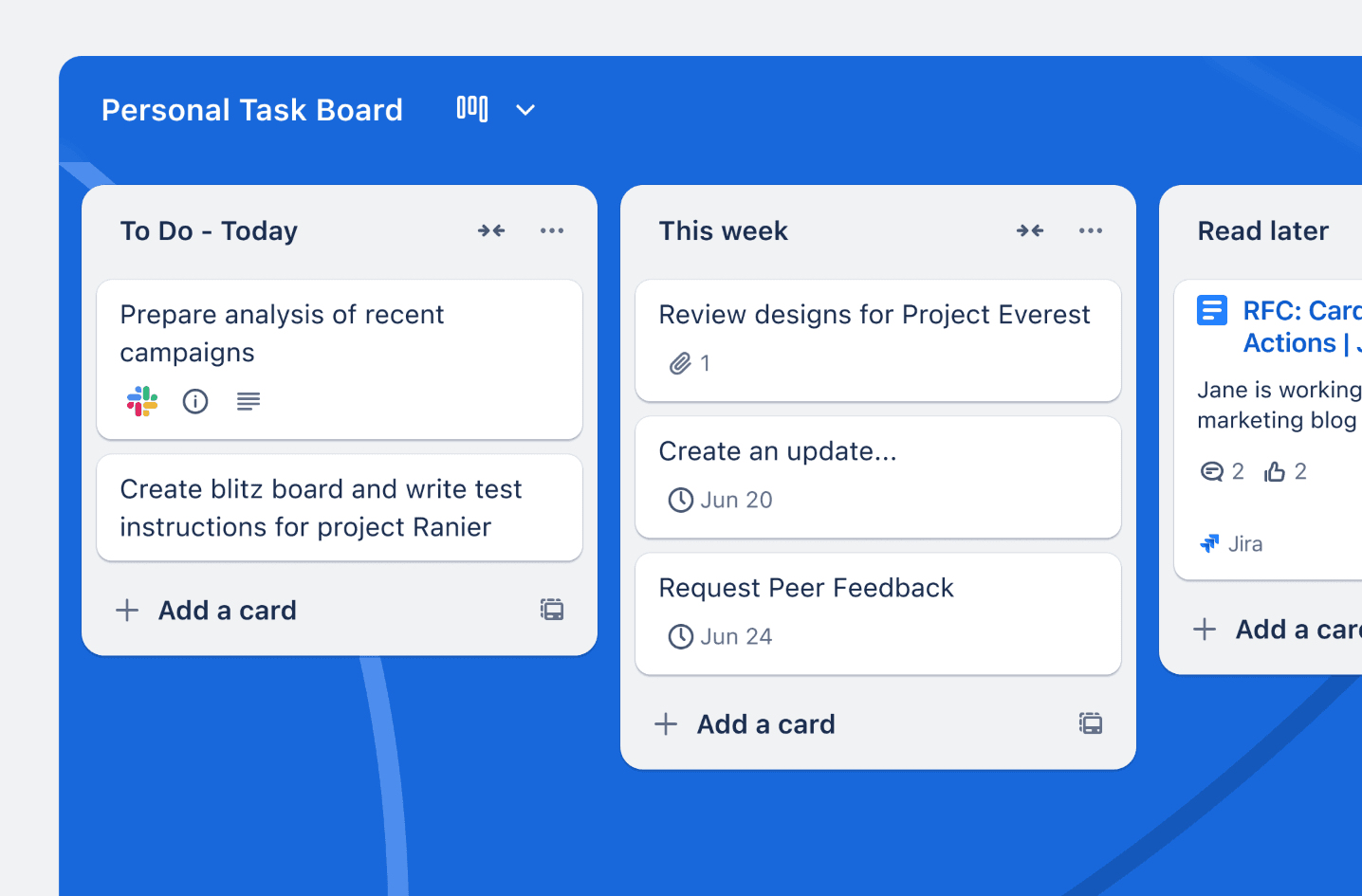
Trello is relevant when you use Miro mainly to track work rather than brainstorm. It is not a like-for-like whiteboard replacement; instead, its boards, lists, and cards give individuals and small teams a clear Kanban workflow for showing what is planned, in progress, or complete.
What Trello does well
Clear status tracking: Move cards across stages so the team can see progress and bottlenecks at a glance.
Useful task details: Cards can hold descriptions, checklists, attachments, assignees, and due dates.
Automation and integrations: Built-in automation can handle repetitive steps, while Power-Ups connect Trello with other work tools.
Additional project views: Paid plans add views such as Calendar, Timeline, Table, and Dashboard when a board alone is not enough.
Main trade-off
Trello replaces the free-form canvas with a fixed Kanban structure. Choose it when the work is already defined and needs tracking. If you still need to explore relationships, build diagrams, or organize complex ideas, use a mind-mapping or whiteboard tool first.
Alternative 3: Milanote for creative boards and moodboards
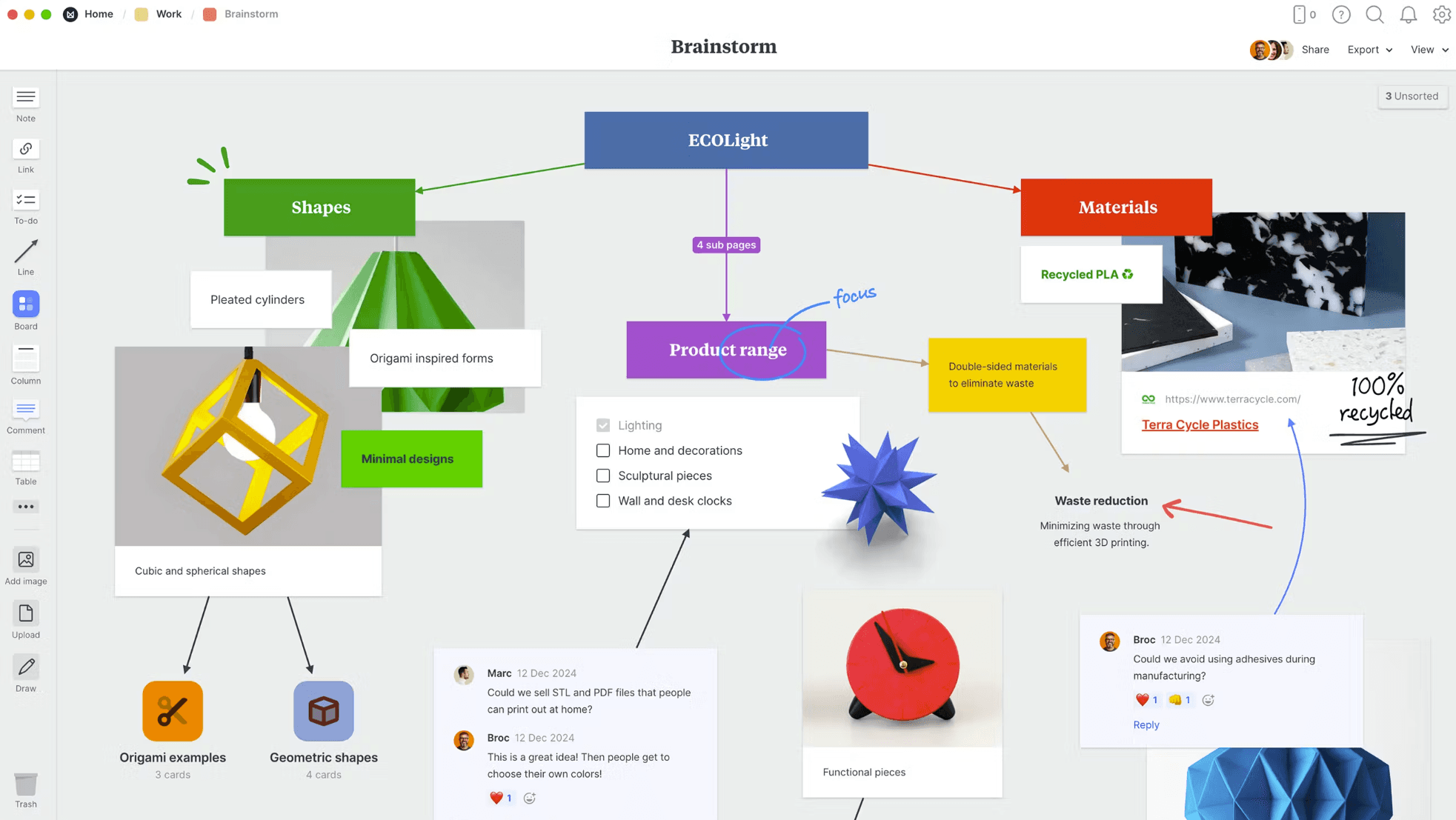
Milanote is a closer fit for people who use Miro as a visual space for inspiration, research, and creative planning. Notes, images, videos, sketches, and links can sit together on a flexible board, making it useful for moodboards, storyboards, campaigns, and other media-rich projects.
What Milanote does well
Mixed-media boards: Collect reference images, notes, videos, links, sketches, and files in one visual workspace.
Creative research: Save ideas and material from the web, then arrange them alongside your own notes.
Flexible project organization: Build custom layouts for moodboards, storyboards, content plans, or design projects.
Client and team collaboration: Invite others to edit, comment on, or view a board.
Main trade-off
Milanote prioritizes flexible creative organization over hierarchical mind mapping and detailed project execution. Choose it when the visual references are central to the work. Choose Xmind when the relationships, logic, and resulting plan matter more than the moodboard.
Alternative 4: Asana for complex project execution
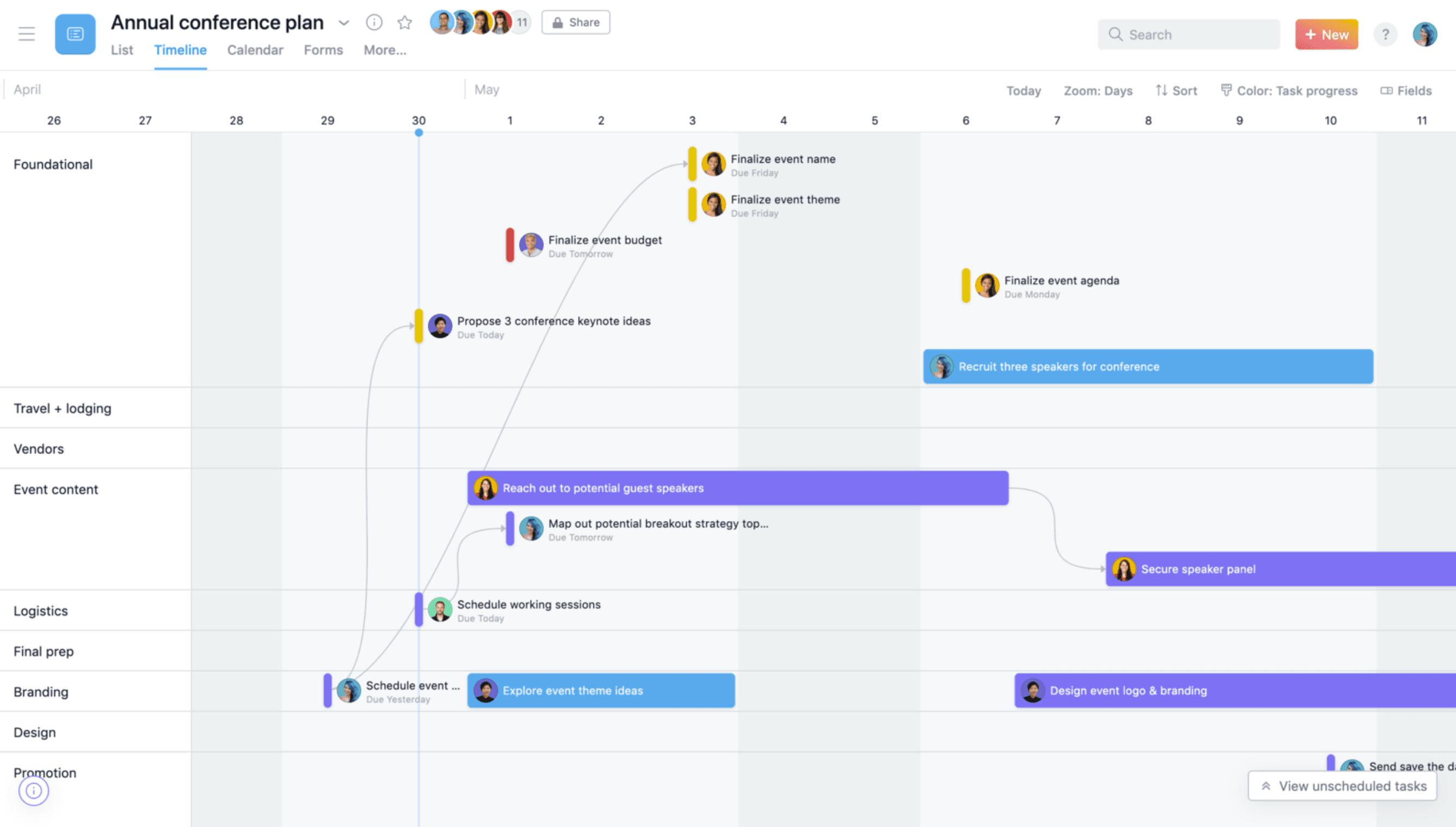
Asana is relevant when the real need is structured team execution rather than visual brainstorming. It organizes work around tasks, owners, due dates, and shared projects, making it better suited to ongoing operational work than an open-ended whiteboard.
What Asana does well
Multiple project views: View work as a list, board, calendar, timeline, or Gantt chart.
Clear ownership: Assign tasks and due dates so the team knows who is responsible for each next step.
Workflow automation: Automate routine assignments, handoffs, and status changes.
Reporting and portfolio visibility: Higher-tier plans help teams monitor progress across projects and workloads.
Main trade-off
Asana is a project management system, not a mind-mapping or free-form whiteboard tool. It can be the right destination once the work is defined, but it adds more setup than most individuals and small teams need for early-stage brainstorming or proposal development.
Alternative 5: MindMeister for browser-based mind mapping
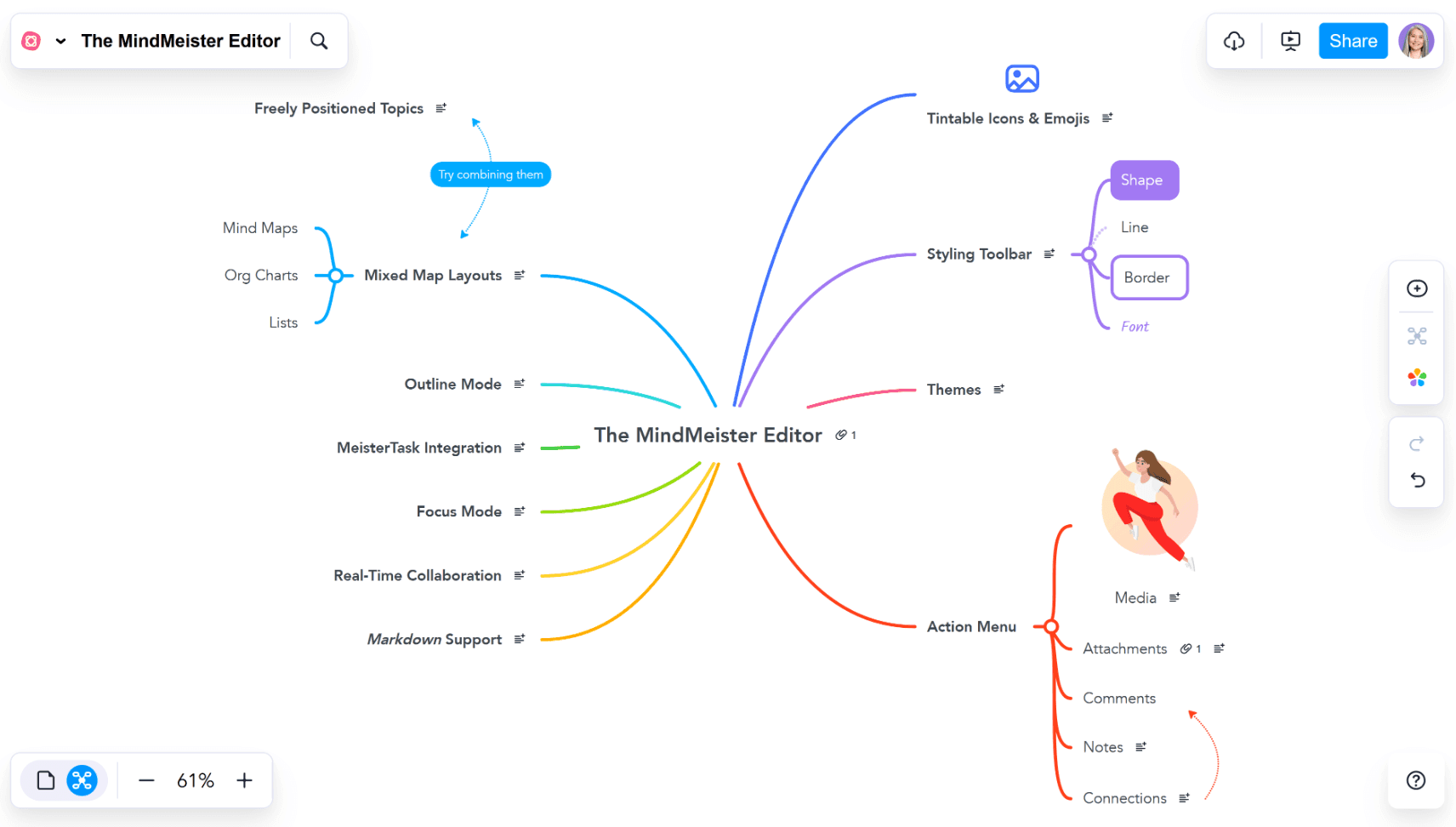
MindMeister suits users who want browser-based mind mapping and real-time collaboration without a broader project management system. It is closer to the mind-mapping part of a Miro workflow than to Miro's full whiteboard range.
What MindMeister does well
Browser-based mind mapping: Start from a blank map or template without installing desktop software.
Real-time collaboration: Invite others by link to edit the same map, comment, and discuss topics.
Presentation and mobile access: Present directly from the map and continue working through its mobile apps.
Free starting point: The free plan currently includes up to three mind maps, templates, presentations, and collaboration.
Main trade-off
MindMeister concentrates on accessible online mind mapping. If you need mixed structures, local-file editing in a desktop app, or a direct path from a map to Tasks and an editable Gantt Chart, Xmind offers a broader structured-planning workflow.
Choose based on the work you need to do
Tool | Best for | Main trade-off |
|---|---|---|
Miro | Open-ended whiteboarding, workshops, and broad visual collaboration | May provide more canvas freedom and setup than focused mind-mapping workflows need |
Xmind | Structured brainstorming, mind mapping, proposals, and project planning | Less suited to large facilitated workshops built around a free-form canvas |
Trello | Kanban task tracking and simple status workflows | No native mind map or open-ended whiteboard |
Milanote | Moodboards, creative research, and media-rich project boards | Less structured for hierarchical thinking and detailed project execution |
Asana | Team project execution, ownership, automation, and reporting | More setup and less visual exploration at the brainstorming stage |
MindMeister | Browser-based collaborative mind mapping | Narrower structured-planning workflow beyond the mind map |
Choose the smallest tool that fits your workflow
A Miro alternative is useful only when it removes friction from the work you actually do. Miro remains a strong choice for broad visual collaboration and facilitated workshops. Trello and Asana are better when task execution is the main job, while Milanote and MindMeister serve more specific creative and mind-mapping needs.
For individuals and small teams who mainly create mind maps, structure proposals, and turn ideas into project plans, Xmind offers a more focused path from brainstorming to action. Test it with one real project before changing the rest of your workflow: start a free map in Xmind and see whether you reach a usable plan with less setup.