Stop just tracking tasks: 5 Asana alternatives to architect your vision before you act

hannah

Asana is one of the strongest platforms for managing work once responsibilities, deadlines, and projects are already defined. It is reliable, structured, and especially effective when execution is the core challenge.
People usually start exploring alternatives when the harder problem happens earlier. Sometimes the work is still messy, the plan is still forming, or the context lives across notes, docs, visual maps, and project systems. In those cases, a different tool can feel more natural.
Why teams are moving beyond Asana
While Asana excels at task tracking, many find it hits a wall when the work requires deep thinking before the first checklist is even created. Common friction points include:
Ideas aren’t tasks yet: Most breakthrough work begins as a fluid spark, not a structured ticket. Asana’s rigid list format often forces premature organization, stifling the creative "mess" necessary for true innovation.
The "forest for the trees" problem: In complex projects, task lists become overwhelming. Teams often lose the overarching strategic logic in a sea of sub-tasks, needing a visual map to see how every moving part connects to the big picture.
Context fragmentation: Strategic context is often buried in separate docs, scattered notes, or Slack threads. Without a centralized visual workspace, the "why" behind a project gets detached from the "what," leading to misaligned execution.
The burden of over-engineering: For many, Asana’s enterprise-grade complexity creates unnecessary friction. A more specialized, intuitive workflow—one that prioritizes mental clarity over administrative overhead—often leads to faster results.
Xmind: When clarity matters before execution
Xmind is the premier alternative for teams whose real bottleneck isn’t coordination, but making sense of the work before it becomes a project plan. It is designed for the "high-cognition" phase where ideas are still fluid and need a solid logical foundation.
Why Xmind stands out
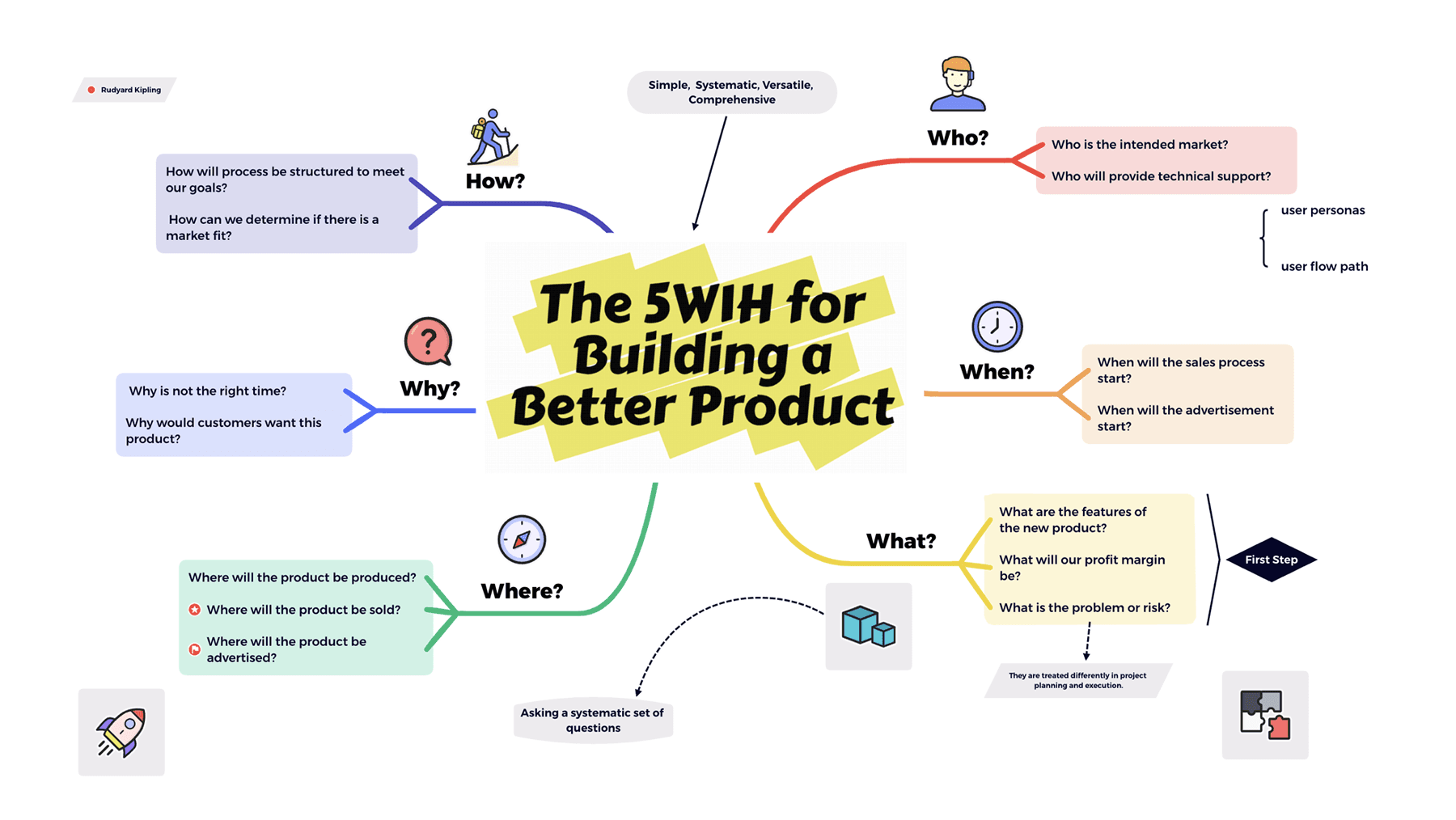
Visual structure as the foundation: Unlike Asana’s flat lists, Xmind’s Mind Maps, Timelines, Matrices, and Fishbone charts allow you to deconstruct complexity and identify dependencies before owners or deadlines are ever assigned.
AI-powered strategic co-pilot: Xmind AI doesn’t just generate text; it acts as a brainstorming partner. It helps expand ideas, branch out into new directions, and refine rough thoughts into a structured, usable framework.
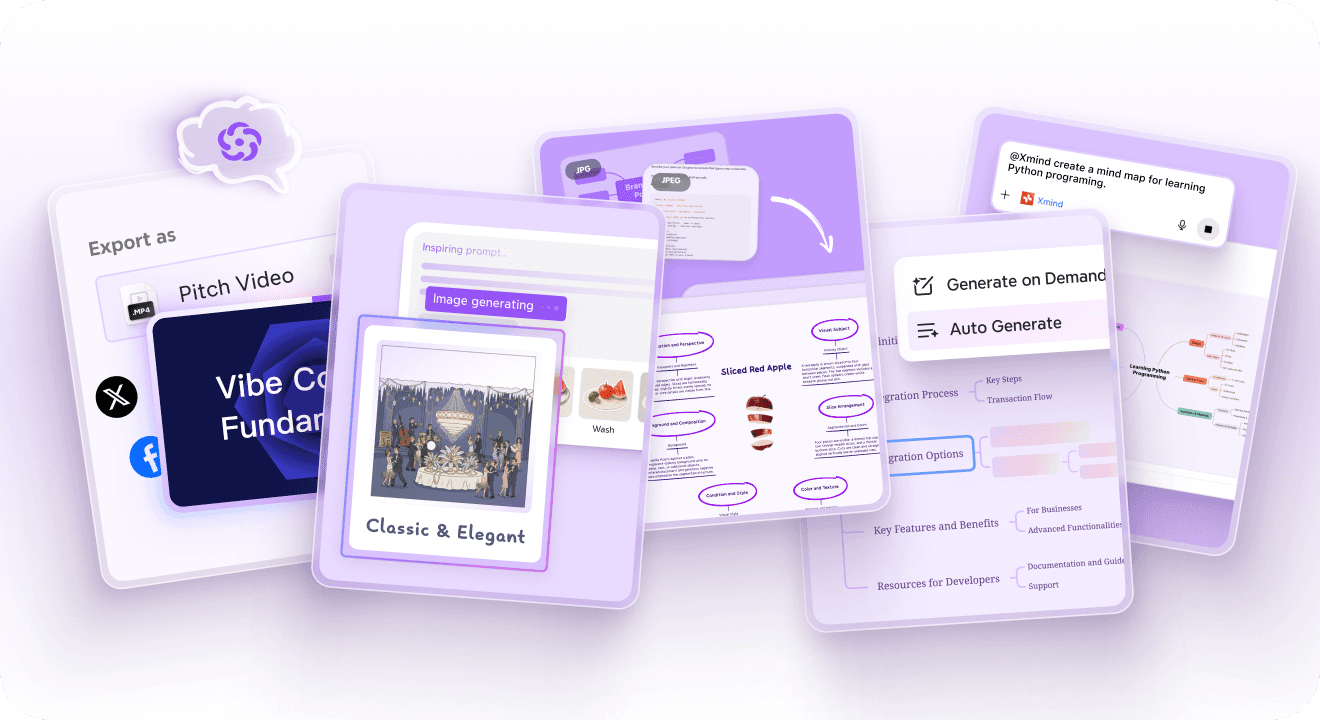
From raw research to actionable maps: You can import scattered notes, research papers, and documents, instantly transforming them into a visual hierarchy. This prevents ideas from being forced into "task" status too early in the process.
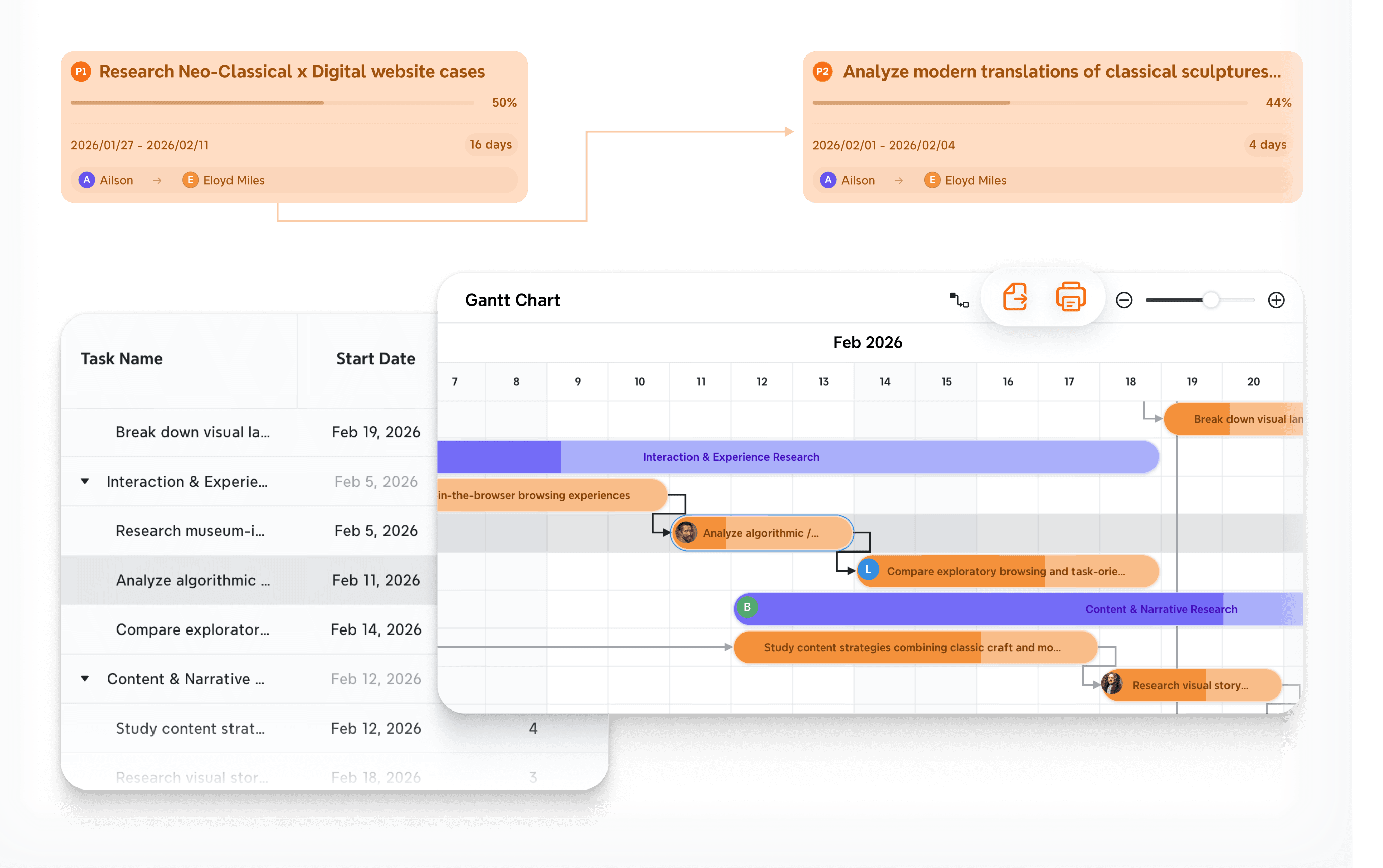
Best-fit Use Cases
New Product Ideation: Use the Mind Map and Matrix structures to map out user pain points, feature sets, and competitive landscapes, ensuring the product logic is sound before moving to development.
Complex Event Planning: Utilize the Timeline and Fishbone structures to identify all logistical requirements and potential risks (Cause-and-Effect), creating a 360-degree view of the event's moving parts.
Strategic Business Roadmapping: Architect long-term goals and quarterly OKRs in a single, expandable view that allows executives to see both high-level vision and granular execution paths simultaneously.
Content & Knowledge Synthesis: For research-heavy projects, use Xmind to cluster information from multiple sources, turning "information overload" into a clear, thematic structure for writing or presentation.
Where it differs from Asana
Asana is built for work that is already defined and ready for tracking. Xmind is built for work that still needs to be discovered, structured, and validated. It bridges the gap between a blank page and a finalized project plan.
Read more: Compare Xmind vs Asana
ClickUp: The "Everything App" for teams outgrowing Asana
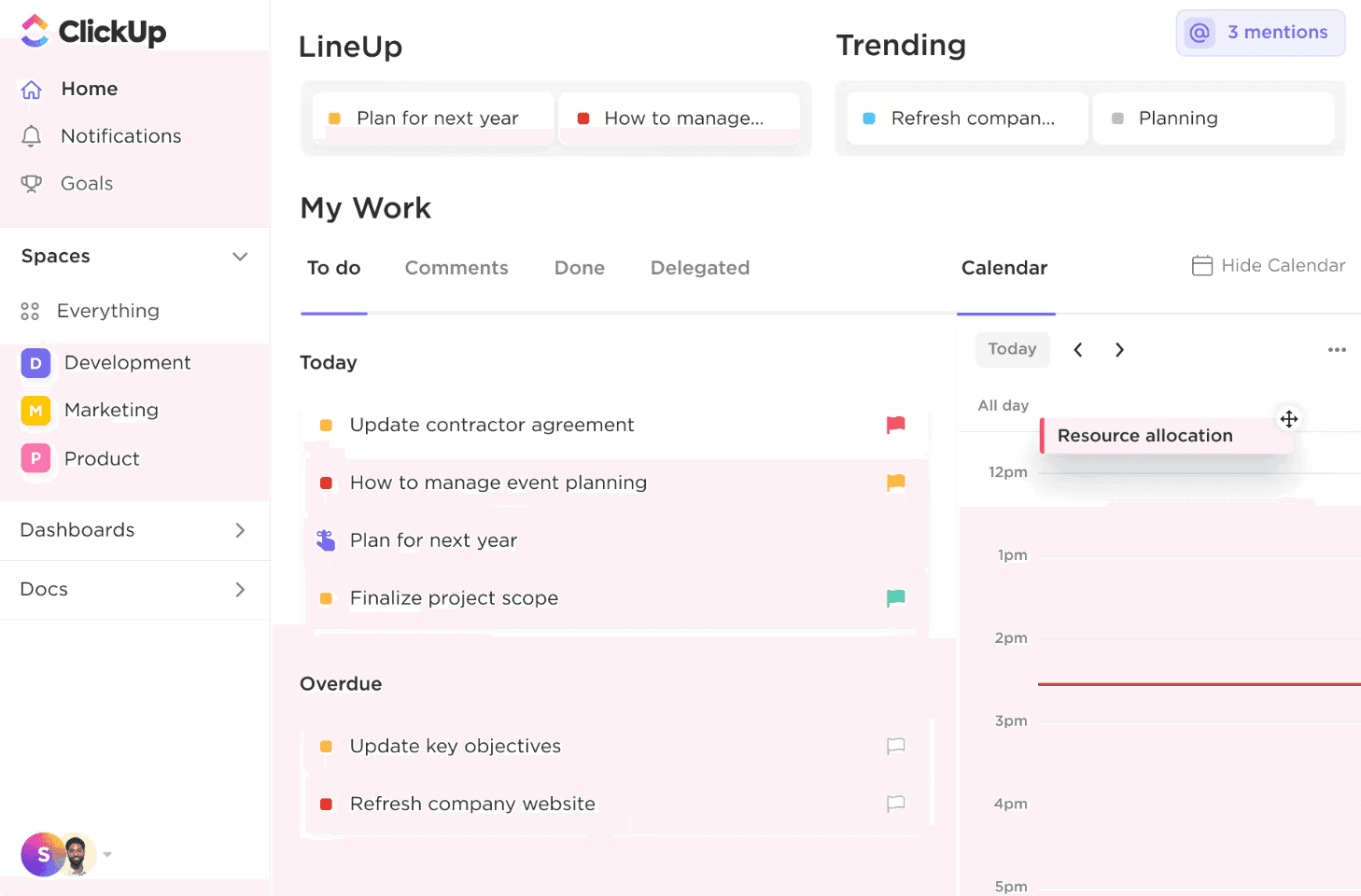
ClickUp isn't just a task manager; it’s a massive, customizable engine designed to replace your entire productivity stack. It appeals to teams that find Asana’s feature set too limiting and are tired of paying for separate tools to manage docs, goals, and resources.
Why it gets shortlisted
Unified Operational Command: ClickUp successfully merges high-level project management with granular daily work. It houses tasks, nested documents, real-time dashboards, and even a native email client in one interface.
Unrivaled View Flexibility: While Asana offers a few standard views, ClickUp provides over 15 ways to visualize data. You can switch from a Gantt chart for timelines to a Workload view for resource management, or a Map view for location-based projects, all using the same underlying data.
Hierarchical Precision: Its unique "Spaces, Folders, and Lists" hierarchy allows large organizations to silo different departments while maintaining a centralized reporting structure that Asana’s flatter project model often struggles to replicate.
The strategic trade-off: customization vs. complexity
ClickUp’s greatest strength—its infinite configurability—is also its biggest risk. Because you can customize everything, teams often spend more time "building the tool" than doing the actual work. It is the ideal choice for operations-heavy teams that need a bespoke system, but it may feel like "overkill" for those seeking a lean, distraction-free environment.
Notion: Where tribal knowledge meets project execution
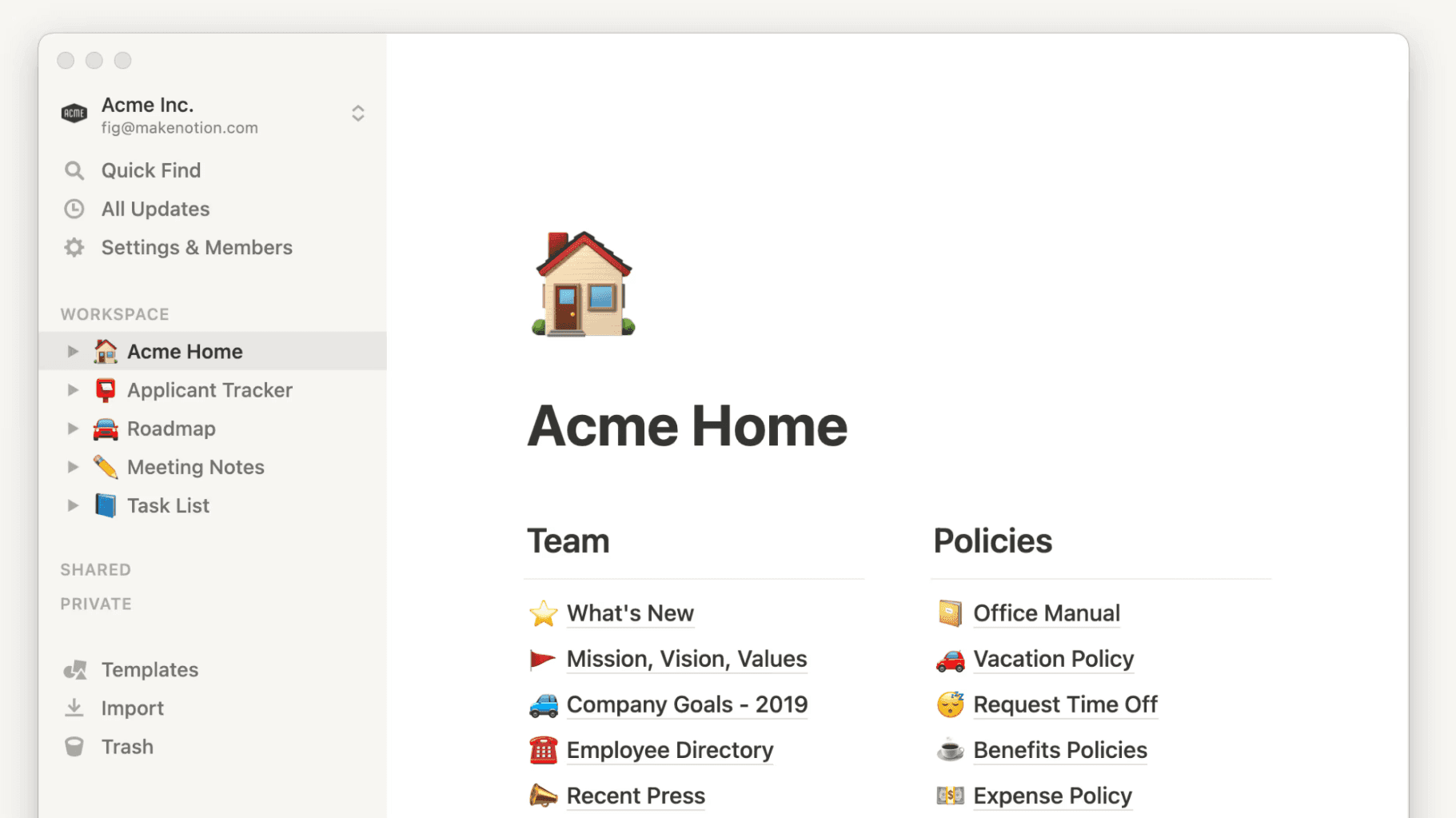
Notion has pioneered the "connected workspace" movement. It is the go-to alternative for knowledge-heavy teams (like Engineering, Product, or Research) where the context of a task—the specs, the meeting notes, the "why"—is just as important as the deadline itself.
Why people switch in this direction
The Death of App-Switching: In Asana, you often link to a Google Doc for context. In Notion, the task is the doc. This seamless integration ensures that every team member has the full strategic background without ever leaving the page.
Database Agility and Relations: Notion allows you to build sophisticated relational databases. You can link a "Task" to a "Client" in a separate CRM database, which is then linked to a "Project Spec" in your wiki. This creates a web of information that mimics how your business actually functions.
AI-Infused Knowledge Management: Notion AI is far ahead of simple task-bots. It can "read" your entire workspace to answer questions like "What was decided in the last Q3 meeting?" or instantly draft a project brief based on scattered bullet points.
The strategic balance: Creative Freedom vs. Process Discipline
Notion is a "blank canvas" tool, which means it lacks the built-in guardrails and notification rigor of Asana. It works best for high-trust, asynchronous teams where documentation is a core part of the culture. If your team needs rigid, automated reminders and a "standardized" way of working, Notion’s flexibility might lead to organizational chaos.
Trello: When your workflow is a journey, not a web
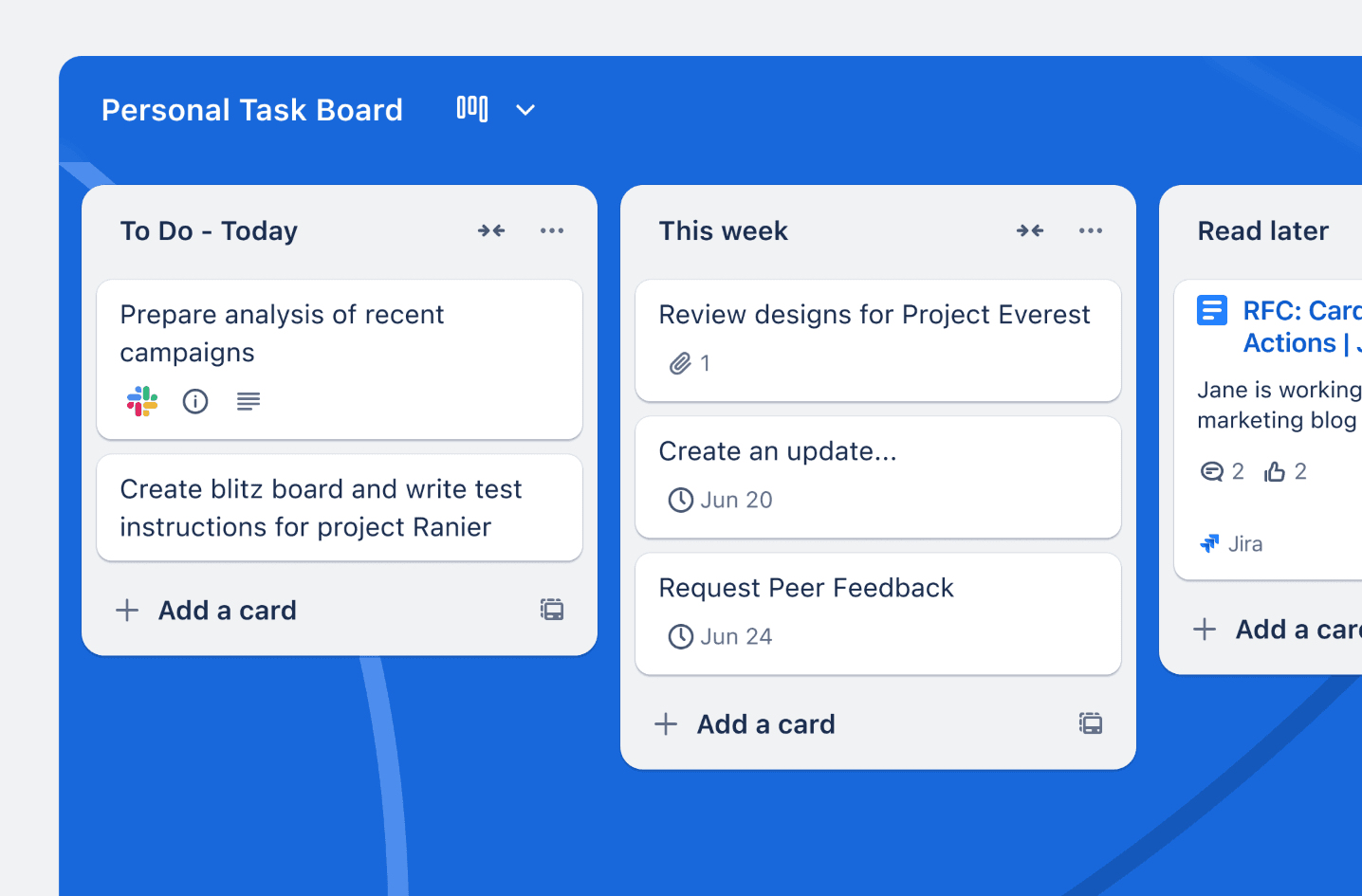
Trello remains the undisputed king of simplicity. While Asana tries to be everything to everyone, Trello focuses on the Kanban method: moving cards across a board. It is the ultimate alternative for teams who find Asana’s UI cluttered and its feature set overwhelming.
Why it still works
Immediate Time-to-Value: Trello is the only tool on this list that requires almost zero training. The "Cards on a Board" metaphor is so intuitive that teams can be fully onboarded and productive in a single afternoon.
Power-Ups and Specialized Extensions: While the core tool is simple, Trello’s "Power-Ups" allow you to plug in specific functionalities—like calendar syncs, voting buttons, or Slack integrations—only when you actually need them. This keeps the interface clean and fast.
Linear Process Excellence: For workflows that follow a clear path (e.g., "To Do" → "In Review" → "Approved" → "Published"), Trello’s visual clarity is unmatched. It prevents the team from over-complicating what should be a straightforward execution pipeline.
The Strategic Balance: Speed vs. Structural Depth
Trello is significantly narrower than Asana. It does not handle complex sub-task dependencies or multi-project resource management well. It is a "get-it-done" tool for teams whose work is already well-defined and simply needs a digital home to track movement.
Miro: The digital war room for visual collaboration
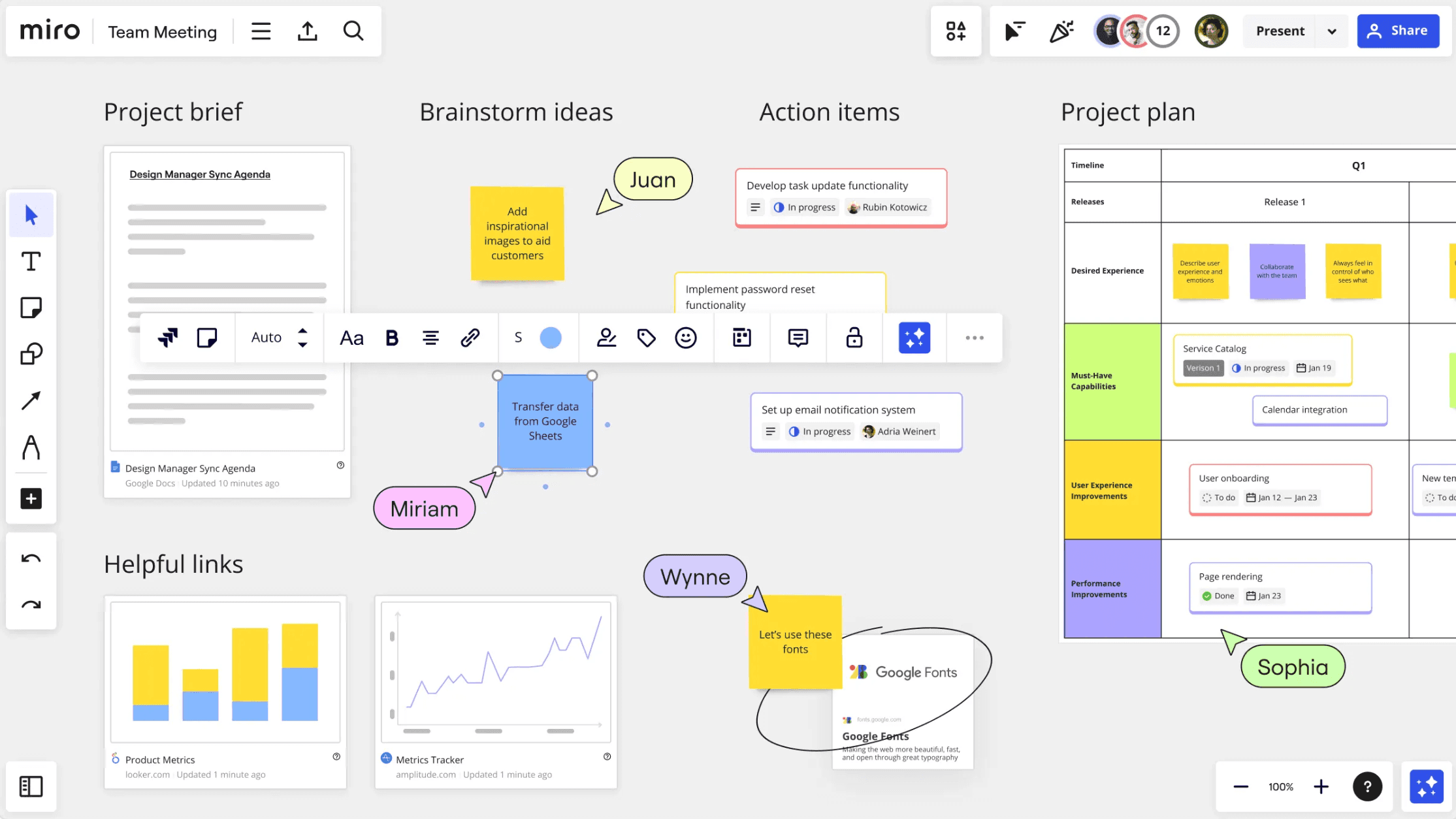
Miro is a fundamental departure from the "list-based" project management of Asana. It is an infinite whiteboard where the goal is alignment, brainstorming, and visual consensus. It is the essential tool for the "ambiguous phase" of any project.
Why it is worth considering
The Infinite Sandbox: Miro allows teams to think spatially. You can map out a user journey, sketch a wireframe, and host a retrospective all on the same canvas. This "freeform" nature is vital for teams that find lists too restrictive for creative problem-solving.
Live, High-Energy Workshops: Miro is designed for real-time interaction. With features like timers, voting, and "follow me" views, it turns boring project meetings into active, collaborative sessions where everyone contributes.
Visual Synthesis of Complexity: Miro’s AI and clustering tools can take hundreds of messy ideas and instantly organize them into logical groups. This helps teams find patterns and reach "Aha!" moments that are often buried in Asana’s vertical lists.
The Strategic Balance: Ideation vs. Accountability
Miro is a "planning" platform, not a "tracking" platform. It is where you go to decide what to do. However, it lacks the robust notification systems and "Done" states of a true task manager. It is best used as a strategic front-end to ensure the team is aligned before the work is exported into a more structured execution tool.
Comparison table
Tool | Positioning | Collaboration style | Structure & organization | AI capability depth | Planning & execution | Best fit |
|---|---|---|---|---|---|---|
Xmind | Structured-thinking platform | Real-time co-editing with visual-first planning | Strong map-native structure for breaking down ambiguity and shaping ideas | Strong for brainstorming, branch expansion, and structured refinement | High when execution should stay tied to the original thinking | Work that needs clarity before tasks are created |
ClickUp | All-in-one work platform | Cross-project collaboration across tasks, docs, and dashboards | Broad and configurable, with many workflow layers | Moderate to strong depending on setup | High for people centralizing work into one system | Operational breadth and customization |
Notion | Connected workspace for docs and projects | Async-friendly collaboration around knowledge and work | Flexible, document- and database-driven structure | Strong for writing, summarization, and workspace support | Moderate to high, especially when work needs rich context | Planning with docs, notes, and shared knowledge |
Trello | Lightweight board-based task management | Simple task collaboration through boards and cards | Light structure, best for straightforward workflows | Moderate, mainly around work organization | Moderate, strongest once work is clearly defined | Simpler execution tracking |
Miro | Collaborative visual workspace | Canvas-first planning and alignment | Flexible and highly visual | Strong for collaboration-heavy ideation workflows | Moderate, especially in workshops and planning sessions | Visual alignment before execution |
Conclusion
Asana remains an excellent choice when coordination, ownership, and delivery are the main priorities. It is especially strong once work is already defined.
But when the challenge is still shaping the work itself, alternatives can feel more natural. For many workflows, Xmind is the strongest place to start because it helps turn uncertainty into structure before execution takes over.