The best 5 Trello alternatives for users that need more than task boards

hannah

Trello remains one of the easiest ways to manage work visually. Its board-and-card model is intuitive, fast to adopt, and still effective for teams that want a lightweight way to track tasks. For many workflows, that simplicity is exactly the appeal.
The reason teams start looking at alternatives is usually not that Trello stops working. It is that the work becomes more complex than a board can comfortably express. Once teams need stronger planning logic, deeper visual structure, broader documentation, or more formal coordination, alternatives start to look more useful.
Why looking for alternatives to Trello
Trello is excellent when work is already defined and ready to track. Alternatives become more relevant when teams need more support before or beyond that stage.
Common reasons include:
Better support for early-stage thinking: Boards are useful for execution, but less natural for exploring ideas and dependencies before work is clearly scoped.
More visual structure: Some teams need maps, diagrams, or richer planning views instead of lists of cards.
A stronger bridge between ideation and execution: Teams often want tasks, relationships, and timelines connected more tightly to the original thinking.
A workflow better suited to a specific team: Product, design, strategy, and operations teams often need something different from a general-purpose task board.
Xmind: For teams that demand structured clarity before tracking tasks
Xmind stands as the premier Trello alternative when a team’s primary challenge isn't moving cards, but defining the mission. While Trello assumes the path is already clear, Xmind is where the path is built. It empowers teams to dissect complexity, map out intricate relationships, and architect a robust strategic plan long before the first task is assigned to a board.
Why Xmind is a strong alternative
Multidimensional Visual Frameworks: Beyond simple lists, Xmind offers specialized structures like Fishbone (Cause-and-Effect), Matrix, and Logic Charts. These allow teams to stress-test ideas and resolve ambiguity from multiple angles, ensuring no blind spots remain before execution begins.
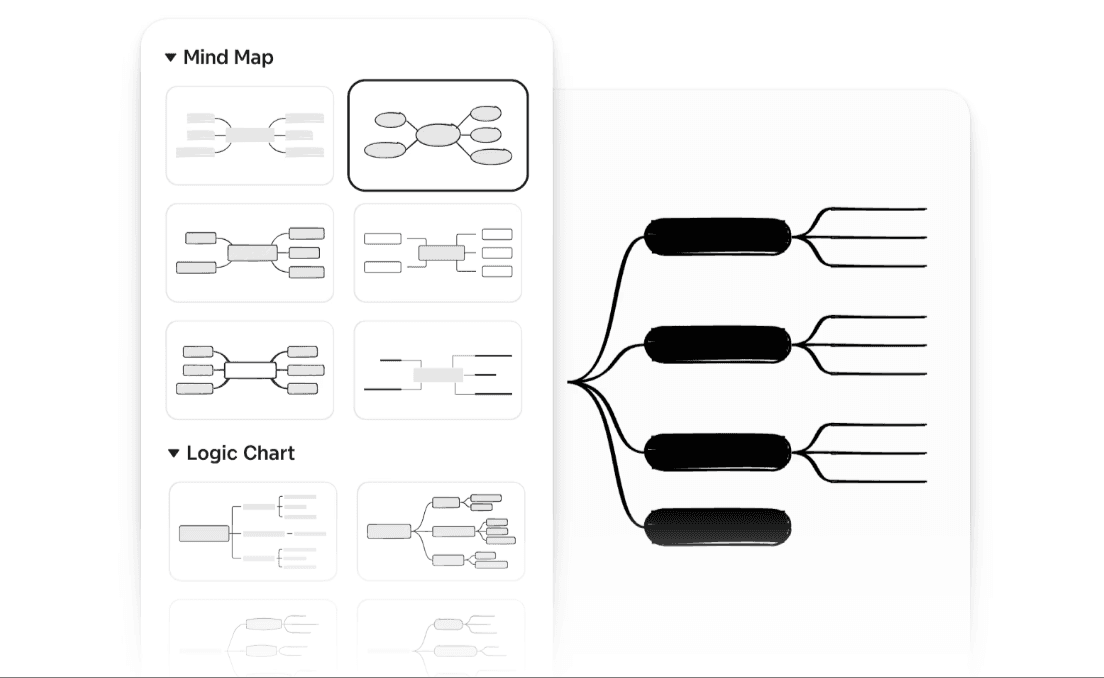
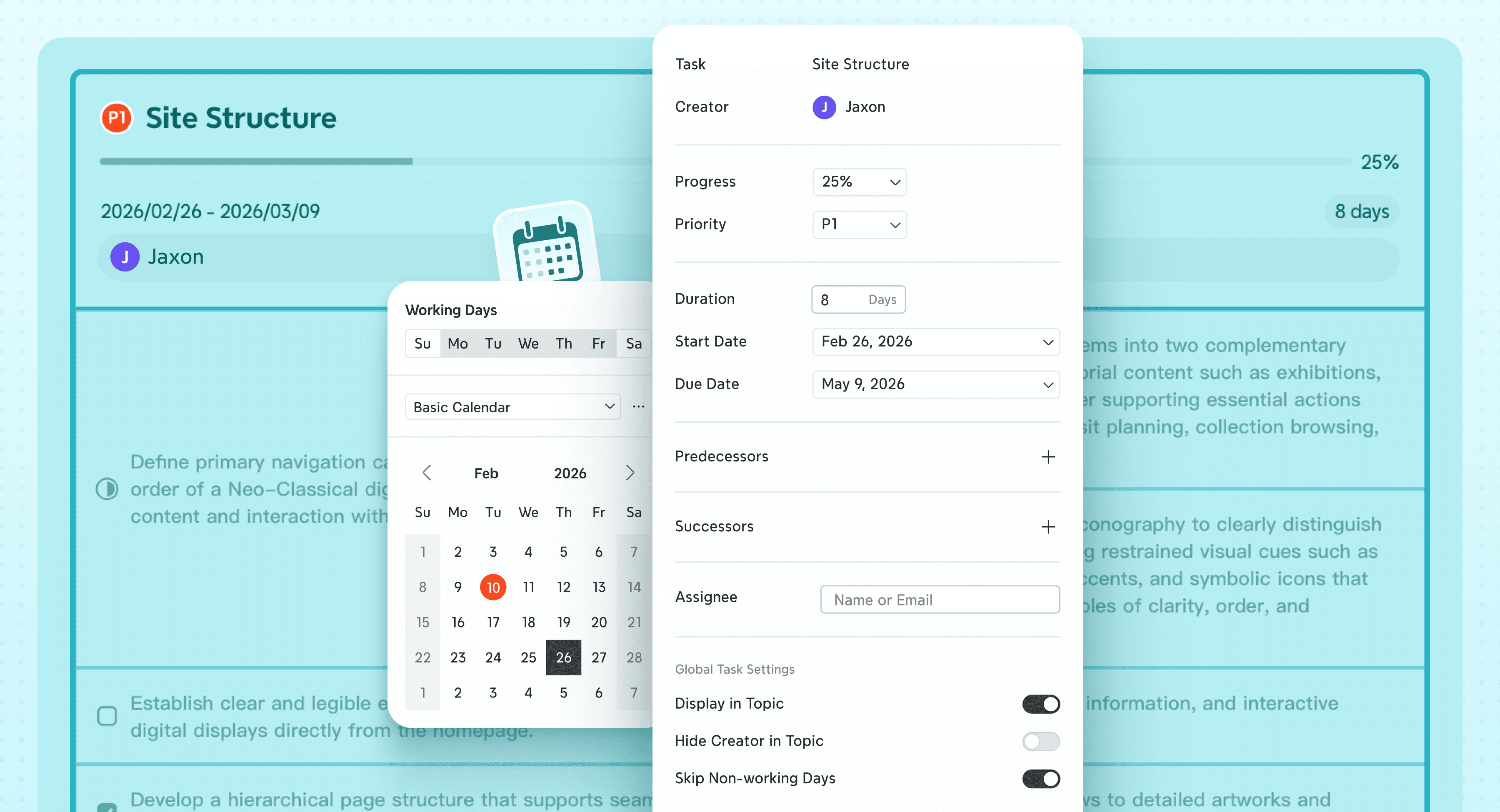
Seamless Idea-to-Plan Continuity: Unlike static sketches, Xmind’s Gantt Chart and Task management features stay dynamically linked to the mind map. This creates a single source of truth, allowing teams to transition from wide-scale exploration to precise sequencing without the friction of rebuilding data in a separate tool.
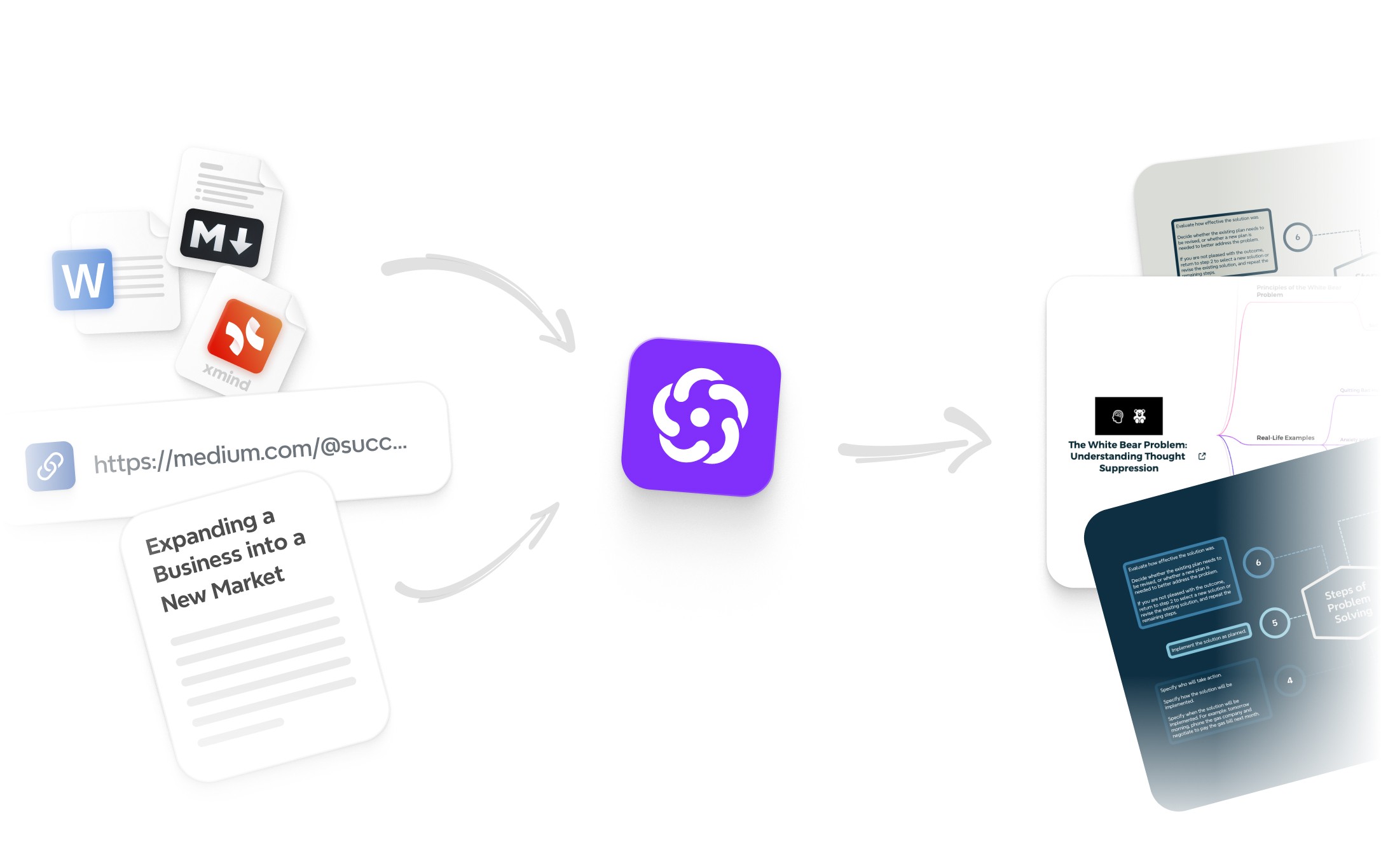
AI Support: Xmind AI doesn't just capture text; it acts as a strategic co-pilot. It helps teams expand condensed thoughts, categorize massive amounts of brainstorming data, and generate structured outlines, accelerating the transition from "blank page" to "comprehensive plan."
Where Xmind differs from Trello
Trello excels as a downstream execution engine—it is strongest when work is already modularized and ready for status tracking. In contrast, Xmind is the upstream intelligence hub; it is strongest when the team needs to synthesize information, align on strategy, and make sense of the work before it ever becomes a set of tasks.
Best fit
Xmind is the definitive choice for:
Product and Strategy Teams: Who need to map out complex roadmaps and feature dependencies.
Cross-functional Leads: Planning high-stakes initiatives that require deep architectural alignment.
High-Cognition Workflows: That must bridge the gap from creative ideation to rigorous execution.
Visual Thinkers: Who demand extreme planning depth without sacrificing the intuitive clarity of a visual canvas.
Asana: For Enterprise-Grade Coordination and Cross-Functional Alignment

Asana serves as the premier transition for teams that have outgrown the limitations of simple Kanban boards and require a more rigorous governance framework. It provides a sophisticated environment for formal project coordination, where clear ownership and structured execution are mission-critical. While Trello manages tasks, Asana orchestrates the entire project ecosystem.
Why teams move to Asana
Sophisticated Execution Framework: Asana is engineered for scale and accountability. It moves beyond basic task tracking by integrating granular responsibilities, strict deadlines, and high-level project visibility, ensuring every contributor understands their role within the broader strategic objective.
Mastery of Cross-Functional Dependencies: Asana excels at managing the "connective tissue" of a business. It provides a robust environment for inter-departmental coordination, making it easy to visualize how one team’s output impacts another’s timeline through advanced dependency mapping and automated workflows.
Dynamic Multidimensional Perspectives: Flexibility is core to Asana’s architecture. Teams can seamlessly toggle between List, Board, Calendar, and Timeline (Gantt-style) views, allowing stakeholders to consume information in the format that best suits their specific workflow—from high-level roadmap planning to daily task execution.
Strategic Management Context: For leadership, Asana provides essential operational intelligence. With built-in reporting on project status, individual workload, and overall portfolio progress, it offers the data-driven clarity needed to reallocate resources and mitigate risks before they impact the bottom line.
Strategic Considerations
Compared to the "drag-and-drop" simplicity of Trello, Asana introduces a more process-oriented discipline. This formalization is a significant asset for organizations demanding alignment and high-stakes accountability at scale. However, teams should be prepared for a steeper learning curve and a more intentional setup period, as its depth of features can feel more complex than a lightweight board-based workflow.
ClickUp: The "Everything App" for Unifying Tasks, Docs, and Planning
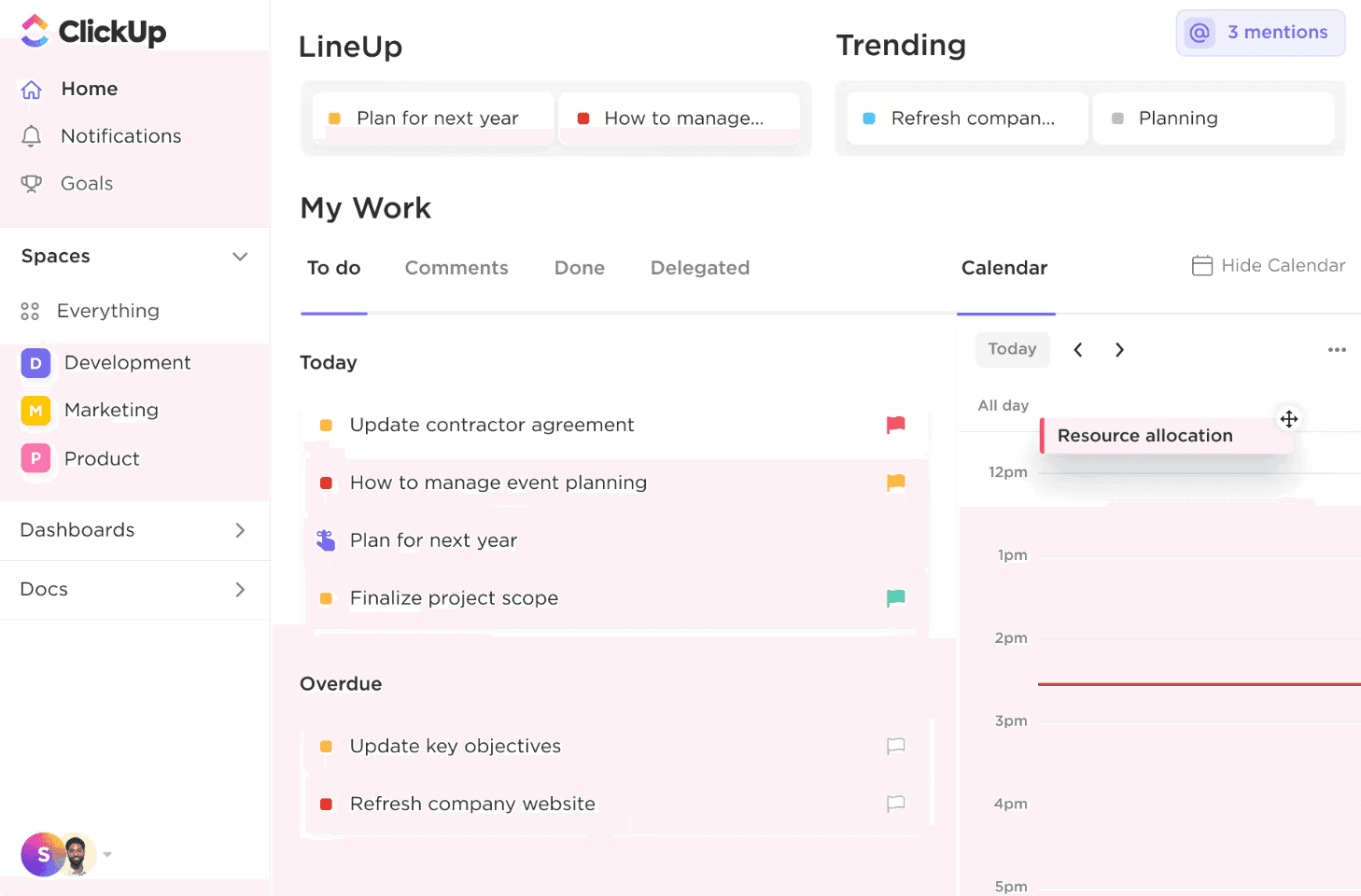
ClickUp is the definitive transition for teams that have outgrown Trello’s modular nature and seek a unified digital headquarters. It transcends simple task management by consolidating project tracking, documentation, real-time dashboards, and strategic planning into a single, cohesive workspace. While Trello handles boards, ClickUp architecturally maps your entire business operation.
Why ClickUp becomes attractive
Comprehensive "All-in-One" Architecture: ClickUp’s core strength lies in its ability to eliminate tool fragmentation. By integrating tasks, docs, goal tracking, and team collaboration into one environment, it ensures that every piece of information exists in context, reducing the "toggle tax" between disconnected apps.
Extreme Flexibility in Data Visualization: Beyond the standard Kanban board, ClickUp offers an unparalleled range of perspectives, including List, Timeline, Gantt, Mind Map, and Workload views. This allows every department—from engineering to marketing—to visualize the same data in the format that best optimizes their specific workflow.
Deep Feature Customization and Automation: It appeals to organizations that demand granular control. With custom statuses, advanced task types, and sophisticated automation recipes, ClickUp can be meticulously tailored to mirror complex business processes that a simple board-based tool cannot support.
Scalable Operational Infrastructure: As teams expand, their needs shift from simple task capture to operational mastery. ClickUp provides the necessary infrastructure for this growth, offering robust permissioning, resource management, and hierarchical organization that evolves alongside the company.
Where ClickUp differs from Trello
Compared to Trello’s "pick-up-and-play" simplicity, ClickUp functions as a highly configurable operating system. This breadth offers immense power and centralization, acting as a "Single Source of Truth" for complex organizations. However, this power comes with a trade-off: it requires a more intentional setup and a dedicated learning period, making it a better fit for teams committed to a robust, long-term workflow rather than a lightweight, ad-hoc board.
Notion: For Unifying Institutional Knowledge and Actionable Workflows
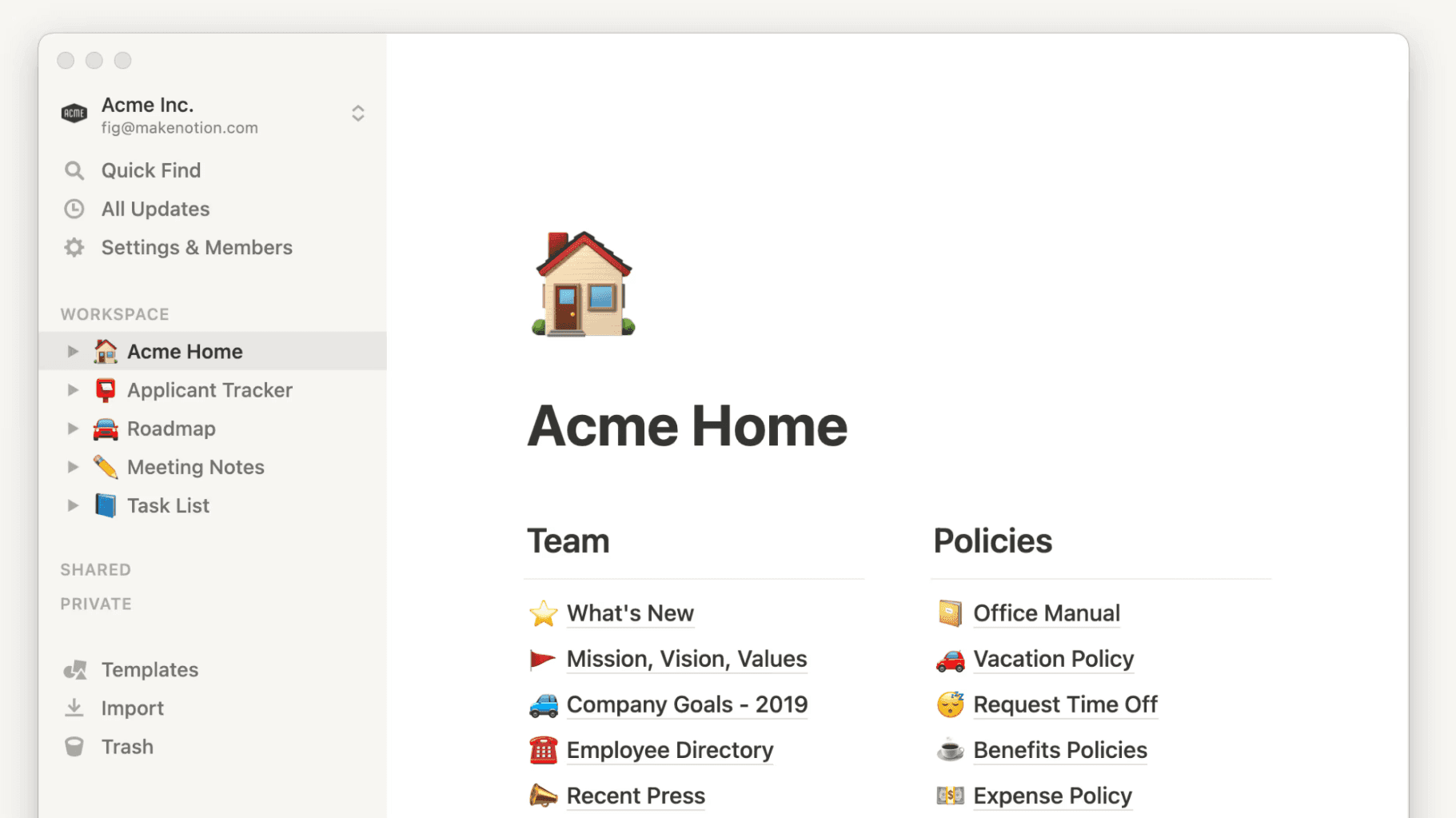
Notion serves as the premier transition for teams where the primary friction isn't task tracking itself, but the fragmentation of information. It effectively bridges the gap between static documentation and active project management. While Trello isolated tasks into boards, Notion embeds them within the full context of meeting notes, research, and team wikis.
Why teams switch to Notion
Deep Contextual Integration: Tasks in Notion do not exist in a vacuum; they live alongside the research, strategy, and documentation that define them. This ensures that every team member has immediate access to the "why" behind every "what," drastically reducing miscommunication.
Modular Building-Block Architecture: Beyond rigid lists and cards, Notion allows teams to engineer their own bespoke workflows. Utilizing advanced databases, linked relations, and custom properties, organizations can build sophisticated operational hubs that adapt to their unique business logic.
Optimization for Asynchronous Excellence: Notion is the definitive tool for distributed teams where documentation is the lifeblood of collaboration. It prioritizes long-form clarity and searchable knowledge over ephemeral task updates, making it ideal for deep-work cultures.
Unified Operational Ecosystem: It empowers teams to create interconnected planning systems. A single database can power a high-level roadmap, a granular task list, and a public-facing help center simultaneously, ensuring a "Single Source of Truth" across the entire organization.
Where Notion differs from Trello
Compared to Trello’s "out-of-the-box" simplicity, Notion functions as a highly flexible canvas. This versatility offers immense power for teams that value documentation and context as much as execution. However, it is inherently less "opinionated" than a dedicated task manager; while Trello forces a specific flow, Notion requires an intentional architectural setup to prevent the workspace from becoming unstructured.
Miro: For Synchronous Collaborative Planning and Visual Alignment
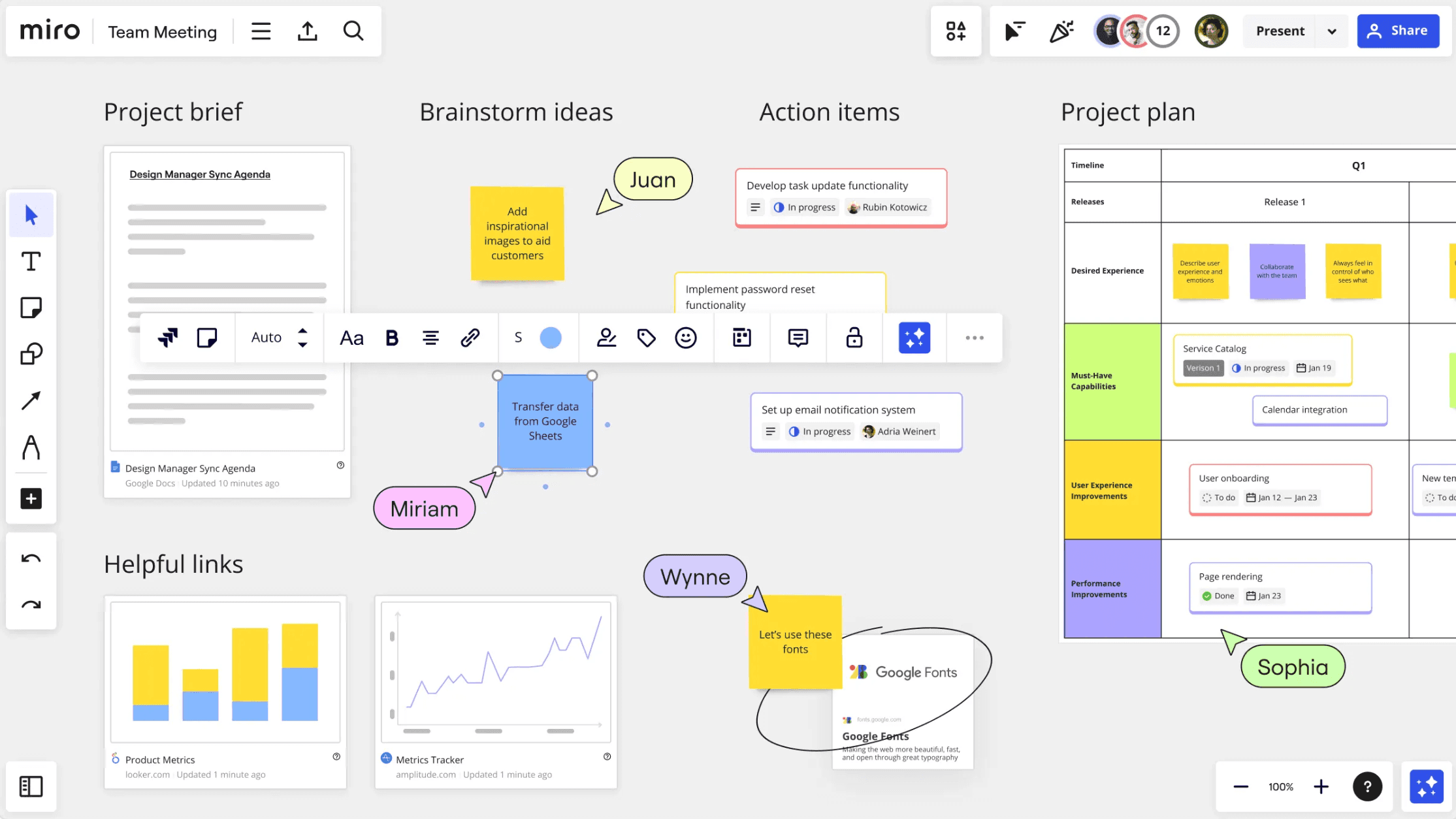
Miro emerges as the strategic alternative when a team’s bottleneck isn't managing task status, but achieving visual alignment before work is even defined. It provides a limitless digital stage for the "pre-task" phase of a project. While Trello excels at tracking what is already known, Miro is where teams discover what needs to be done.
Why Miro fits different planning stages
Unrivaled Real-Time Exploration: Miro is engineered for synchronous co-creation. It allows global teams to brainstorm, cluster complex ideas, and iterate on plans in a shared visual space, mimicking the high-energy environment of a physical war room.
Strategic Hub for High-Cognition Sessions: It is the essential environment for Product, Design, and Strategy teams during the high-stakes phases of a project. From sprint planning to service blueprinting, Miro facilitates the complex workshops that transform ambiguity into a structured roadmap.
Expansive Visual Flexibility: Unlike the constrained structure of a card board, Miro supports an infinite variety of frameworks. Teams can blend diagrams, wireframes, embedded documents, and free-form annotations to map out multi-dimensional project logic that a standard task manager simply cannot express.
Mastery over Ambiguous Workflows: Miro thrives in the discovery phase. Teams often utilize its canvas to deconstruct massive problems and align on a vision long before the work is mature enough to be broken down into individual, trackable tickets.
Where Miro differs from Trello
Compared to the execution-focused nature of Trello, Miro functions as a boundless exploratory environment. It is unparalleled for collaborative synthesis and high-level architectural planning. However, it is not intended to replace the tactical simplicity of a task board; Miro is the "engine of alignment," while Trello remains the "engine of status," making Miro strongest when the goal is clarity rather than mere tracking.
Comparison table
Tool | Positioning | Collaboration style | Structure & organization | AI capability depth | Planning & execution | Best fit |
|---|---|---|---|---|---|---|
Xmind | Structured-thinking platform | Real-time co-editing plus async planning refinement | Strong visual structure with maps, analytical frameworks, and clearer idea relationships | Strong for expanding and refining thinking, not just organizing tasks | High, with tasks and Gantt connected to ideation | Teams needing clarity before and during execution |
Asana | Team project coordination platform | Cross-functional work management with strong ownership tracking | More structured than boards, with clearer accountability and project flow | Moderate, supporting productivity more than deep ideation | High, especially for team coordination and delivery | Teams managing multi-owner projects |
ClickUp | All-in-one work platform | Flexible team collaboration across tasks, docs, and views | Broad and configurable, with many workflow layers | Moderate to strong depending on workspace usage | High, with significant breadth across operations | Teams replacing several tools with one system |
Notion | Connected workspace for docs and projects | Async-friendly collaboration around context and work | Flexible, document-centric organization rather than strict task-first structure | Moderate, often useful around writing and knowledge workflows | Moderate to high, especially where context matters | Teams combining knowledge, planning, and execution |
Miro | Collaborative innovation workspace | Canvas-first visual teamwork | Flexible and exploratory, strong before task tracking begins | Strong for collaboration workflows like clustering and summarization | Moderate, best for planning sessions and alignment | Product, design, and strategy teams |
Conclusion
Trello is still one of the best lightweight task managers for teams that want visual execution without much setup. That simplicity is exactly why it remains popular.
But when the work starts earlier than a task board can comfortably handle, or when teams need stronger planning depth, alternatives can be a better fit. For most teams, Xmind is the strongest place to start because it helps shape ideas clearly before they ever become cards, deadlines, or execution lists.