7 EdrawMind alternatives: From feature overload to strategic clarity

hannah

Why thinkers are moving beyond EdrawMind
EdrawMind is a Swiss Army knife: it offers AI, Gantt charts, and endless templates in one package. However, many users eventually find that "doing everything" can sometimes get in the way of "thinking clearly." The shift toward alternatives usually happens when:
Feature noise stifles focus: A cluttered interface can interrupt the flow of a deep brainstorming session.
Aesthetics impact communication: When maps are used for high-stakes presentations, professional polish matters more than template variety.
Specialization beats breadth: Teams often realize they need a tool that excels at one specific methodology (like logic mapping or technical diagramming) rather than a general-purpose jack-of-all-trades.
Xmind: When structure should feel cleaner and more professional
Xmind is the premier choice for those who find EdrawMind’s broad coverage distracting. It is designed for users who prioritize a polished, distraction-free environment where the tool disappears, leaving only the thought process behind.
Why Xmind stands out
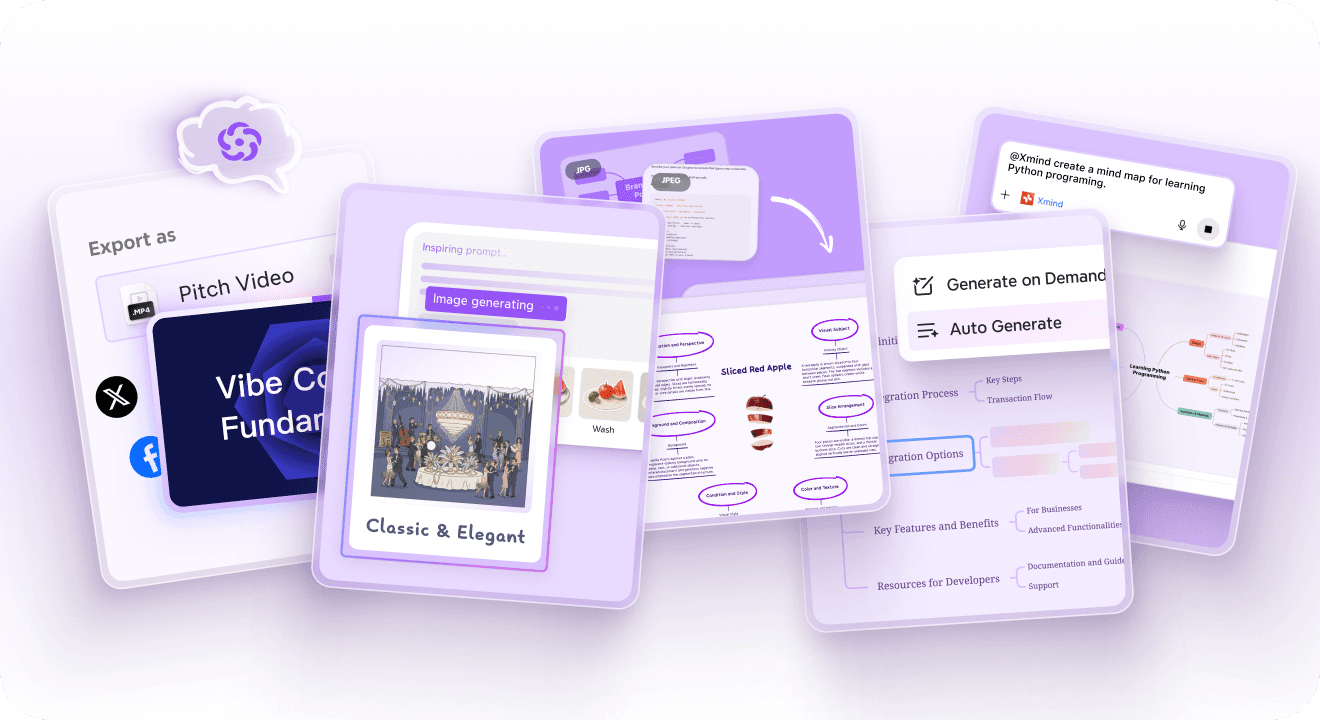
AI as a Cognitive Partner: Unlike generic AI implementations, Xmind AI is deeply integrated into the mapping flow. it doesn’t just "write text"; it suggests logical branches and helps brainstorm new dimensions of a problem, acting as a catalyst for human creativity.
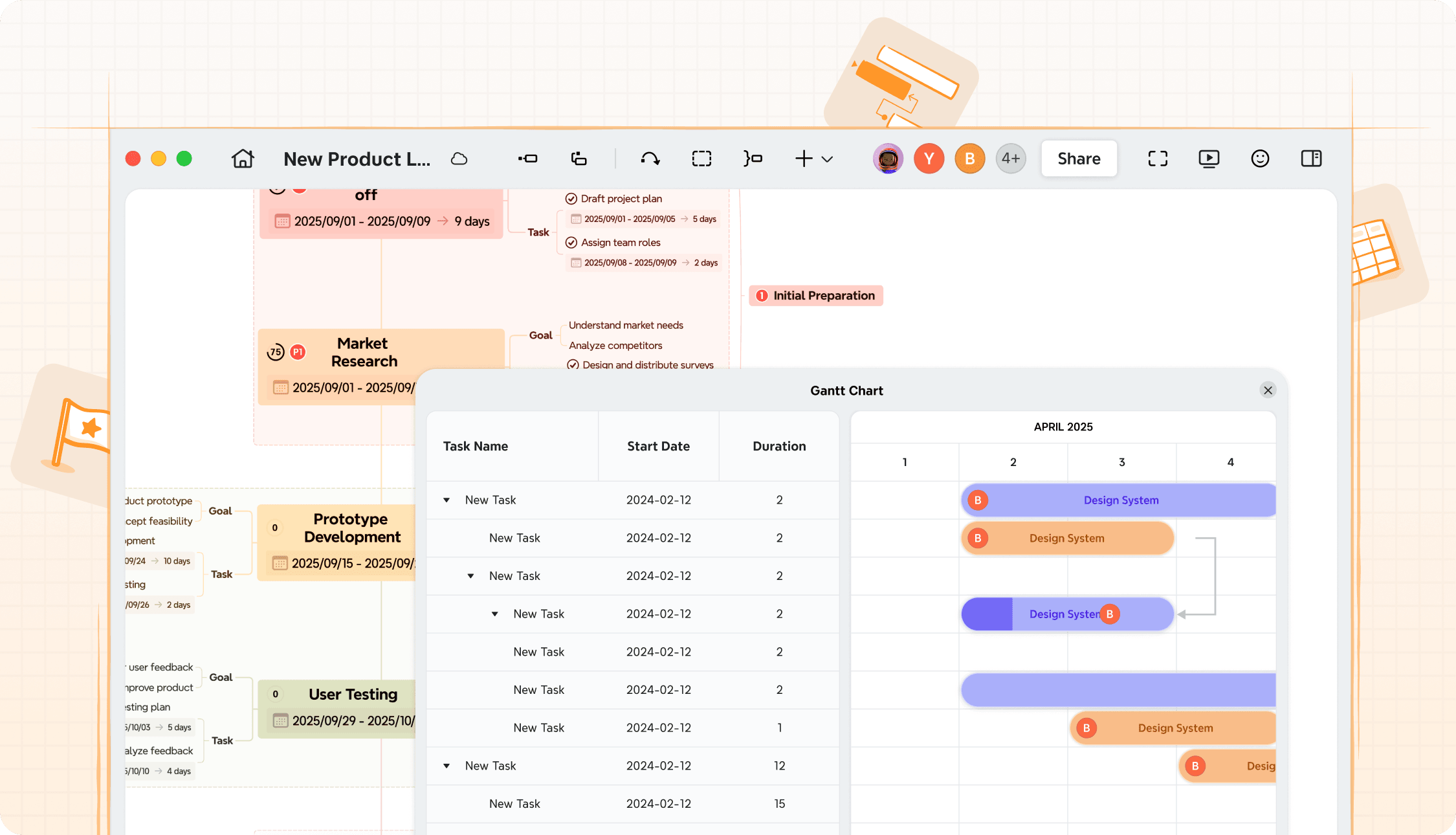
Seamless Integration of Planning: Xmind’s Gantt chart and task tracking aren't "extra layers" tacked on top; they are an evolution of the map. You can transition from a brainstorm to a project timeline with zero friction, maintaining the logical connection between the "why" and the "when."
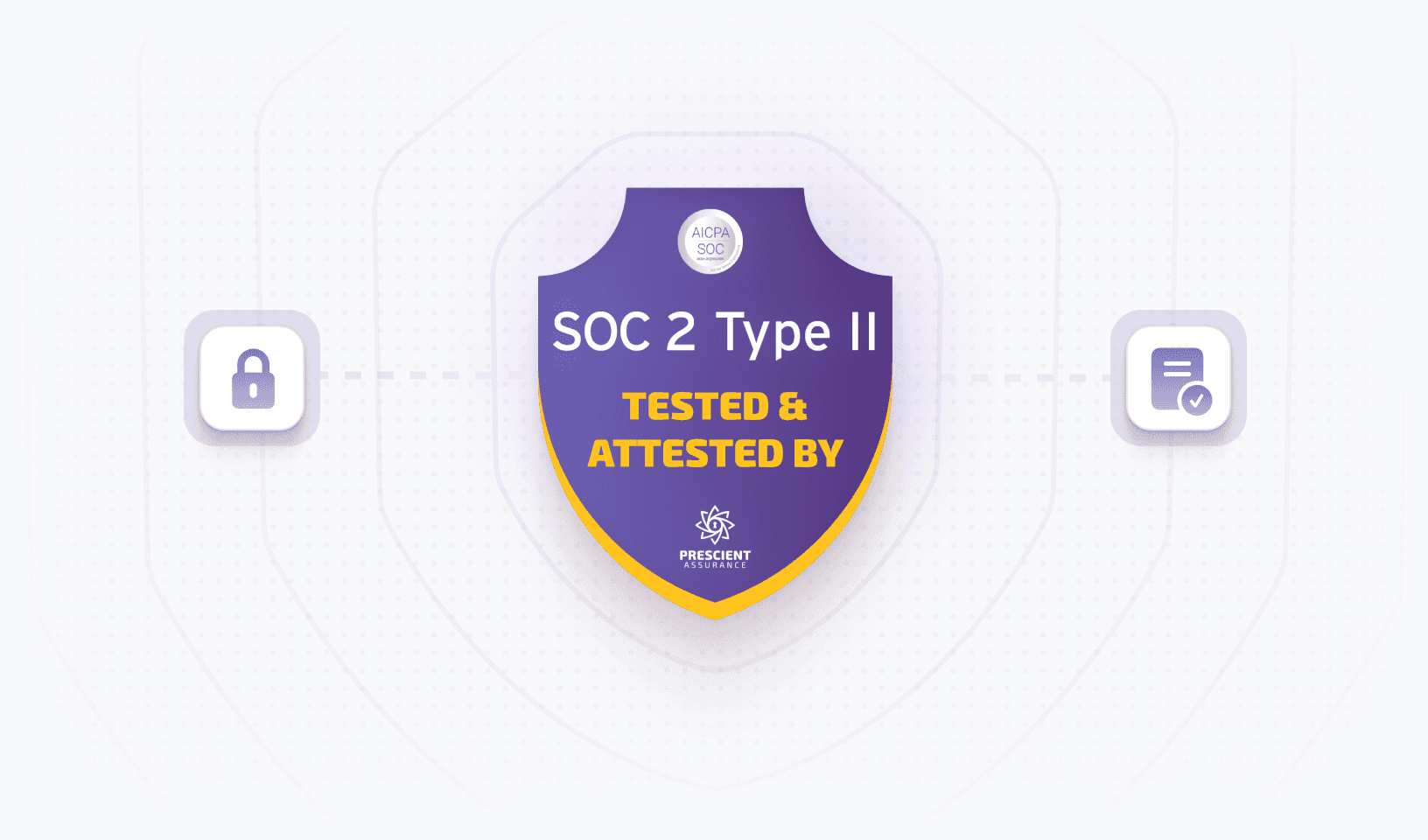
Enterprise-Grade Security: For organizations with high compliance needs, Xmind offers a level of trust that general tools often lack, featuring SOC 2 Type II certification and robust workspace controls to protect sensitive intellectual property.
Best-fit Use Cases
Executive Strategic Planning: Perfect for high-level leaders who need to distill complex corporate goals into a single, cohesive vision map that can be shared with stakeholders at a glance.
Advanced Product Roadmapping: Product managers can use the Matrix and Fishbone structures to analyze feature dependencies and market requirements, ensuring the logic is bulletproof before development begins.
Creative Campaign Architecture: Marketing teams can utilize the "Zen Mode" to brainstorm campaign themes without UI clutter, then instantly switch to a Timeline view to coordinate launch phases.
Academic & Scientific Synthesis: Ideal for researchers who need to cluster vast amounts of data into structured hierarchies, turning "information overload" into a clear, navigable knowledge base.
Where it differs from EdrawMind
EdrawMind focuses on being a versatile "all-in-one" utility. Xmind focuses on being a "thinking-first" platform. It trades raw feature count for workflow polish, superior performance, and a higher standard of visual communication.
MindManager: When planning requires enterprise operational depth
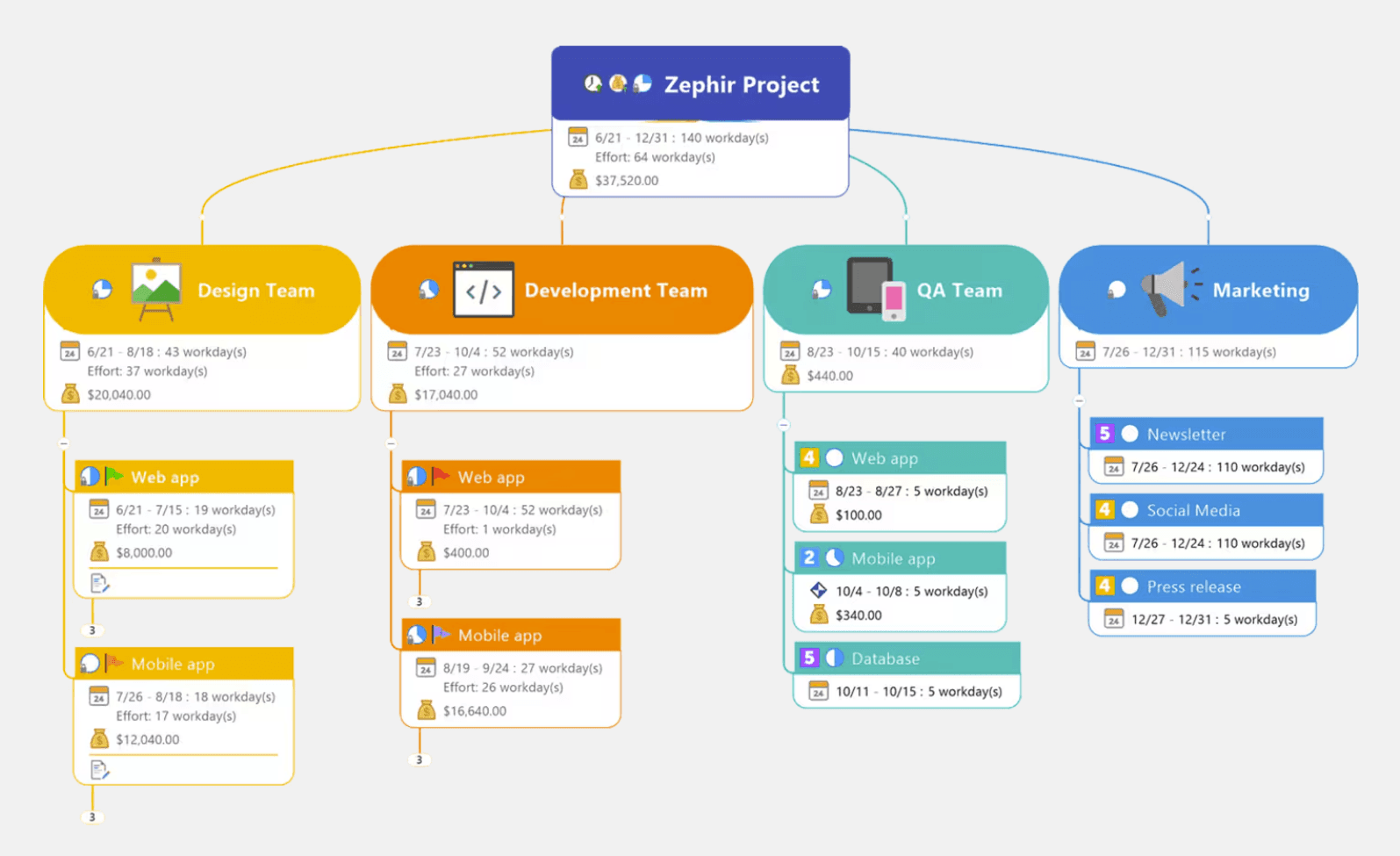
MindManager is the heavy hitter in the world of visual thinking, specifically built for business environments where a map is just the starting point for a massive, data-driven execution plan.
Why it gets considered
Data-Rich Mapping: Unlike simpler tools, MindManager allows you to attach complex data to nodes—including budgets, resources, and calculated formulas—making it a living dashboard for project health.
Enterprise Interoperability: It features deep integrations with Microsoft 365, SharePoint, and Jira, allowing data to flow seamlessly between your visual maps and your corporate tech stack.
Structured Execution Context: It handles planning-heavy workflows with ease, supporting detailed task effort tracking and "roll-up" calculations that provide managers with high-level visibility into progress.
The Strategic Trade-off: Power vs. Agility
MindManager is significantly more operationally heavy than EdrawMind. This is its greatest strength for corporate project managers, but it can be a deterrent for those who prefer a light, fast-moving brainstorming experience. It is the tool you choose when the map needs to survive the entire project delivery lifecycle.
Mindomo: When collaborative flexibility is the priority
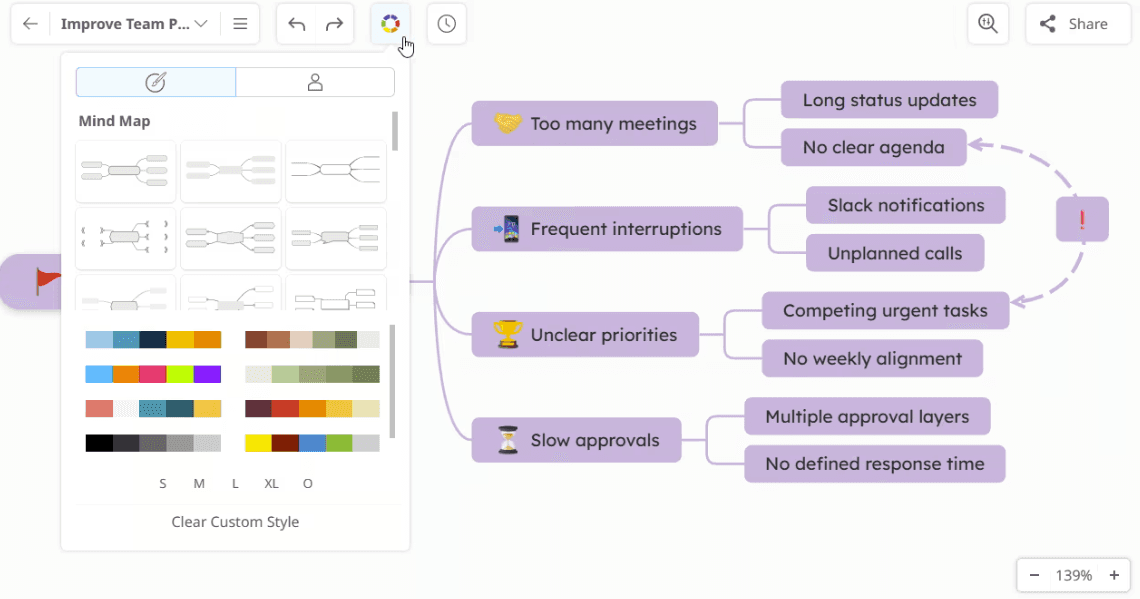
Mindomo is a versatile alternative that balances mind mapping, concept mapping, and task management. It occupies the middle ground between a simple mapper and a full-scale planning tool.
Why it belongs here
Multi-Format Support: Mindomo excels at switching between different diagramming mentalities—from fluid mind maps for brainstorming to rigid concept maps for structured education or outlines for writing.
Hybrid Collaboration: It offers a robust sync/offline mode, making it an excellent choice for teams that work across different environments or for students who need to access their maps without a constant internet connection.
Integrated AI Ideation: Its AI tools are designed to jumpstart the early stages of a project, helping users overcome "blank page syndrome" by generating initial nodes and sub-themes based on a single prompt.
The Strategic Trade-off: Breadth vs. User Experience
Mindomo shares some of EdrawMind’s "broad feature" DNA. It is a suitable alternative when you still want the flexibility to do many things in one tool but prefer Mindomo’s specific interface and its slightly more education-friendly feature set.
MindNode: When elegance is the key to personal focus
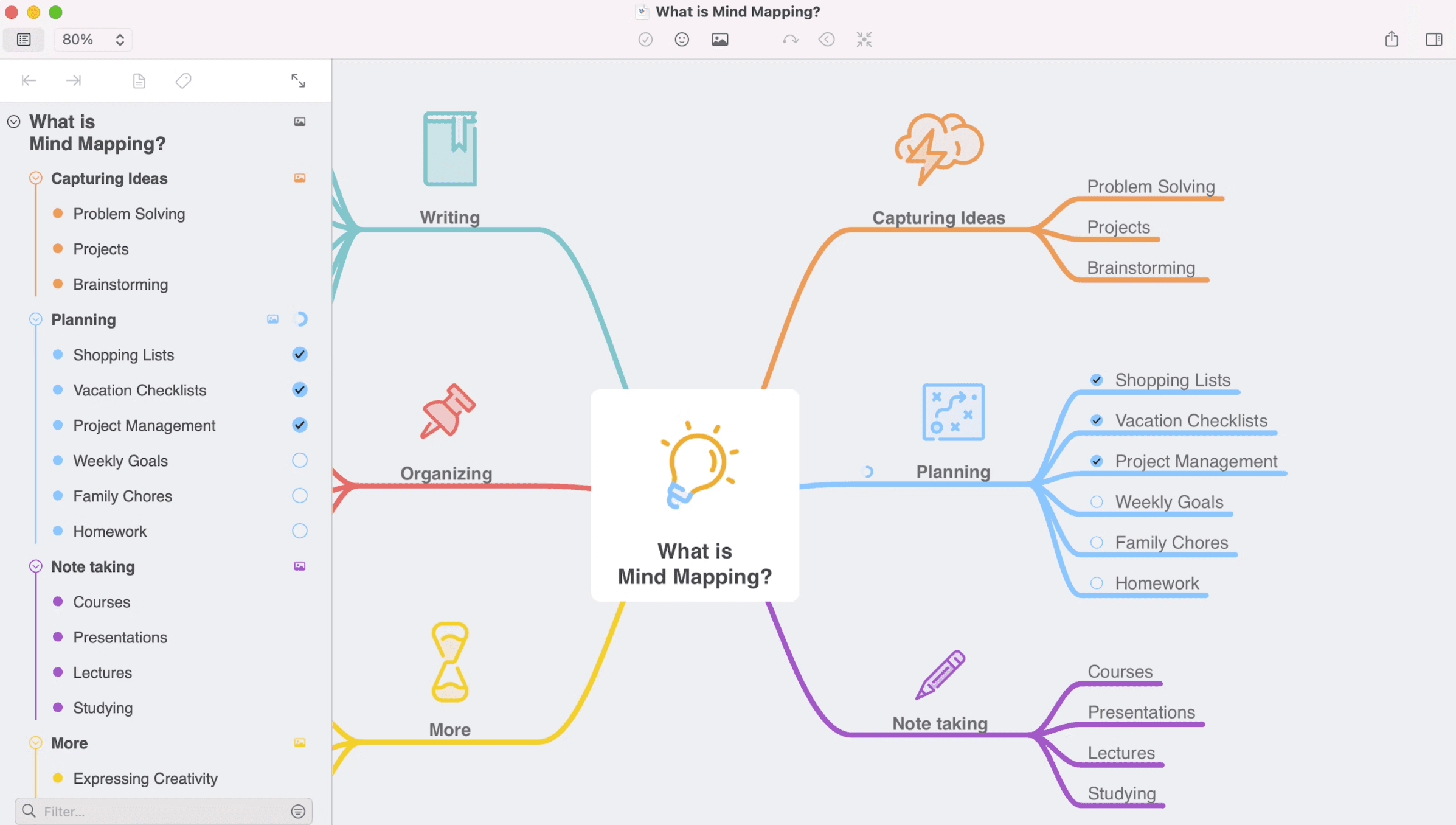
For Apple enthusiasts, MindNode is the gold standard of "minimalist mapping." It ignores the enterprise feature-arms-race in favor of a calm, beautiful interface that encourages personal thought.
Why people switch to it
Apple-Native Fluidity: Designed specifically for macOS and iOS, MindNode feels like a natural extension of the OS. It is fast, intuitive, and supports Apple-specific features like iCloud sync and Handoff.
The "Calm" Workflow: By removing feature noise, MindNode allows the user to stay in a "flow state." The interface is almost invisible, letting your thoughts take center stage.
Visual Tags and Outlining: It bridges the gap between structured lists and visual maps perfectly, allowing you to categorize thoughts with tags and toggle between views without losing your place.
The Strategic Trade-off: Simplicity vs. Industrial Power
MindNode is far less "capable" than EdrawMind in terms of raw feature count (no Gantt charts or complex business matrices). It is a choice for those who believe that for personal brainstorming and note-taking, less is almost always more.
Lucidchart: When the goal is technical documentation
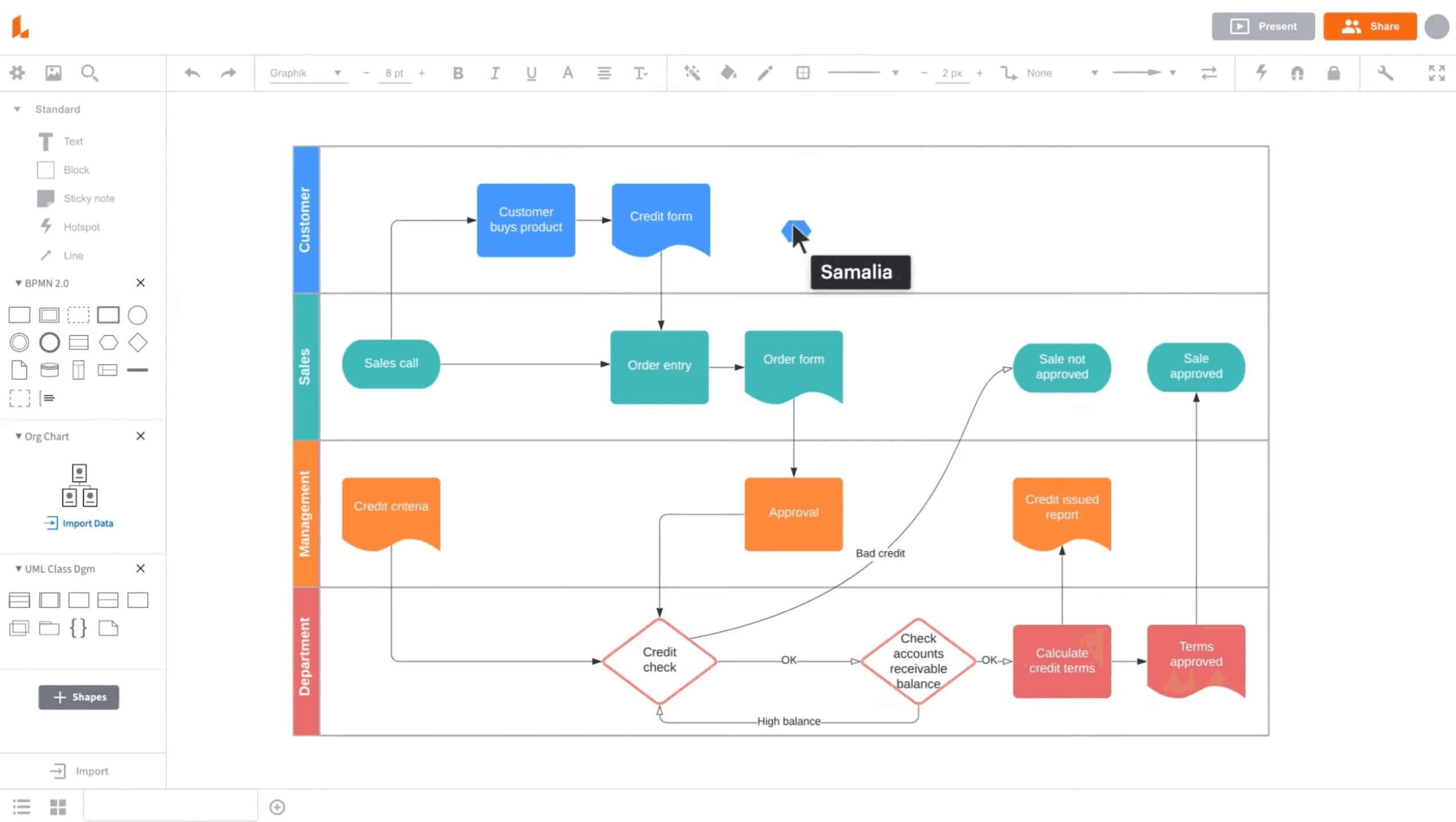
If your "visual thinking" needs to result in a formal process map or a technical architecture diagram, Lucidchart is the professional standard that EdrawMind’s diagramming features can’t quite match.
Why it is worth considering
Diagram-First Engineering: Lucidchart is built on a "drag-and-drop" canvas designed for formal shapes, swimlanes, and technical symbols. It is the go-to for mapping out AWS architectures or complex business processes.
Structural Constraints: Unlike freeform mind maps, Lucidchart uses smart lines and grids to ensure your diagrams follow professional standards, making them easier to include in official documentation and audits.
Collaborative Whiteboarding: Through its integration with Lucidspark, it allows teams to move from messy brainstorming to polished, permanent process documentation in a single ecosystem.
The Strategic Trade-off: Formal Diagrams vs. Fluid Thinking
Lucidchart is more specialized than EdrawMind. It is much stronger for "explaining how things work" than for "figuring out what to think." Choose it if your final output needs to be a rigorous, formal document for a technical audience.
Miro: When participation matters more than structure
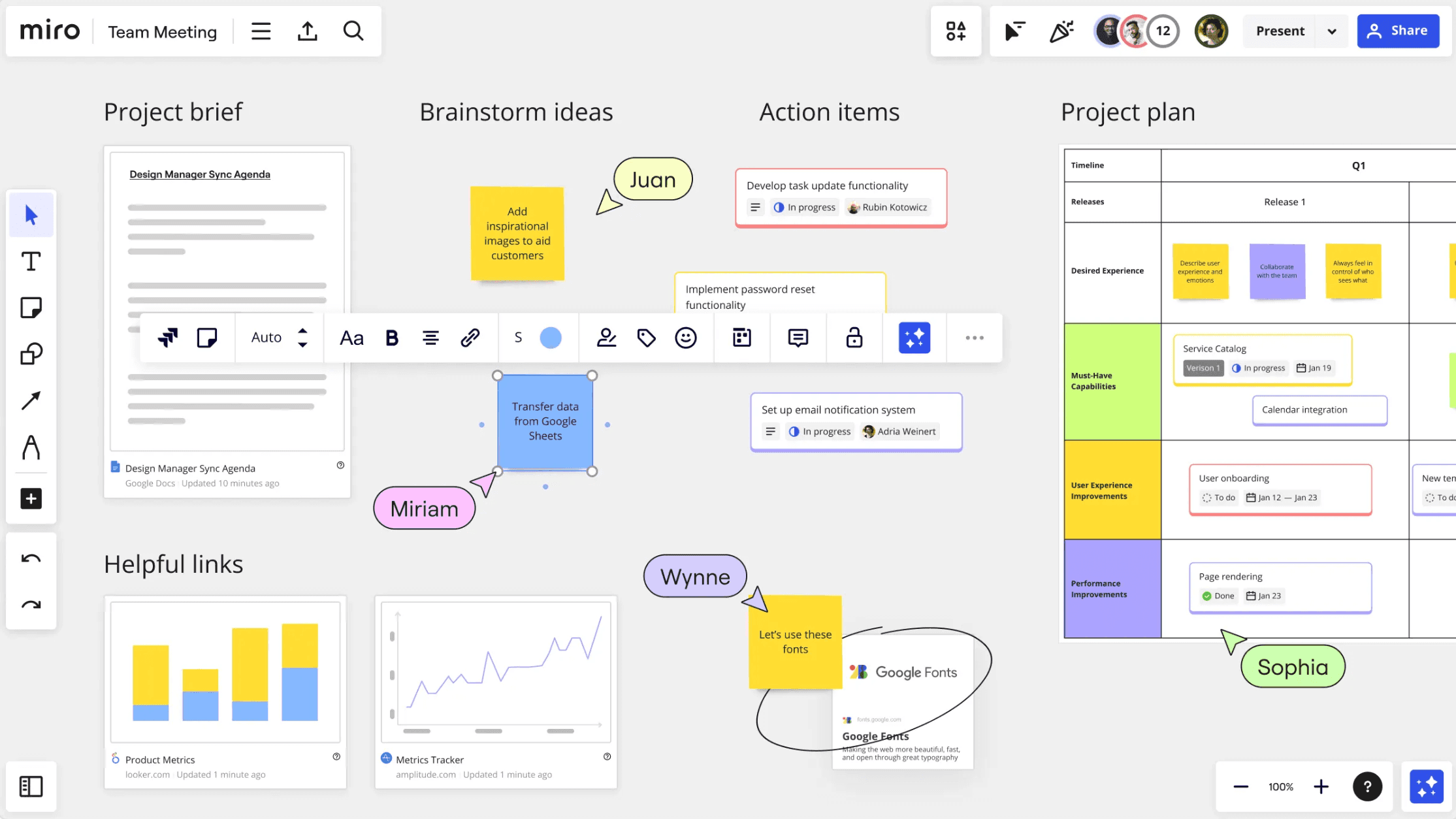
Miro has transformed the "brainstorming" space by providing an infinite whiteboard that prioritizes real-time team interaction over rigid map discipline.
Why it enters the shortlist
Workshop-Ready Canvas: Miro is the ultimate tool for live collaboration. Its "infinite canvas" allows teams to cluster sticky notes, vote on ideas, and draw freehand, making it feel like a physical war room.
Visual Democracy: It is excellent for "bottom-up" planning where every team member’s input is captured through digital sticky notes and emojis, fostering a sense of shared ownership.
AI-Driven Synthesis: Miro’s AI is particularly good at taking a chaotic board of 200 sticky notes and instantly organizing them into themes or summarizing a two-hour workshop into actionable next steps.
The Strategic Trade-off: Freedom vs. Map Logic
Miro offers total freedom, which can be a double-edged sword. It lacks the "automatic re-structuring" logic of a true mind mapper like Xmind or EdrawMind. It is best for teams where the act of collaborating is more important than the discipline of the map structure.
SmartDraw: When you need every diagram type imaginable
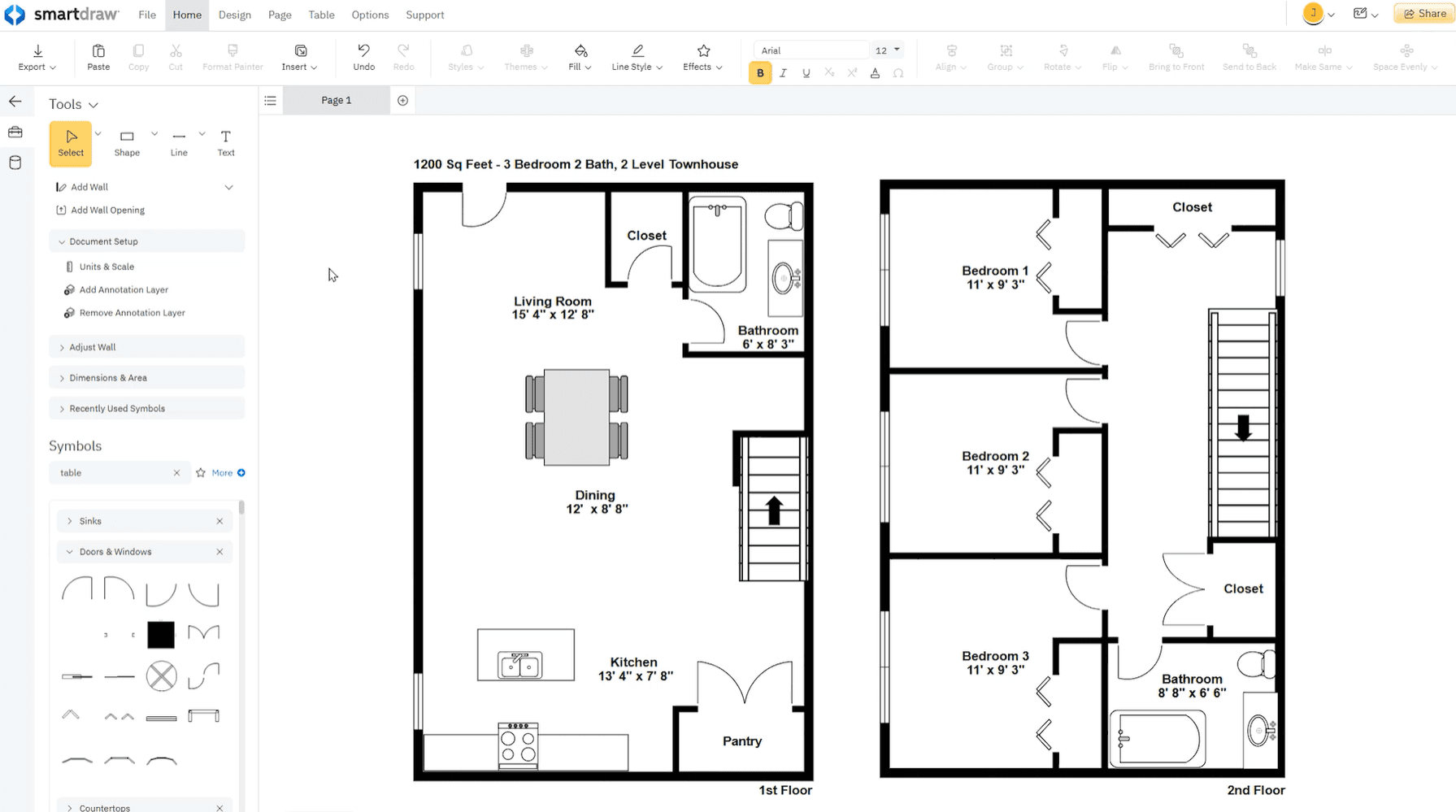
SmartDraw is the choice for teams that need to generate a vast variety of business visuals—from floor plans and org charts to network diagrams—quickly and with "snap-to" precision.
Why it is relevant
Automation for Formal Output: SmartDraw uses "intelligent formatting" to keep your diagrams perfectly aligned as you add or move shapes, ensuring that even non-designers can produce professional-quality charts.
The Ultimate Template Library: While EdrawMind has many templates, SmartDraw’s library is more focused on "professional standards," covering niche technical and business formats that few other tools support.
Data Integration: It allows you to import data to automatically generate visuals like org charts, making it a powerful tool for HR and operations teams who need to visualize live organizational data.
The Strategic Trade-off: Template Variety vs. Planning Depth
SmartDraw is stronger for "generating an output" than for "mapping out a plan." It is a production tool for people who need finished, high-quality diagrams in a dozen different formats, rather than a dedicated environment for deep, exploratory thinking.
Comparison table
Tool | Positioning | Collaboration style | Structure & organization | AI capability depth | Planning & execution | Best fit |
|---|---|---|---|---|---|---|
Xmind | Structured-thinking platform | Real-time co-editing with a more focused workflow | Strong visual structure with cleaner map clarity and less feature sprawl | Strong for brainstorming, branch expansion, and structured refinement | High, with planning tightly connected to the map | Clearer thinking and polished execution flow |
MindManager | Business planning and operational mapping | Structured collaboration in planning-heavy environments | High structure depth for maps, processes, and delivery workflows | Limited compared with AI-centered idea tools | High, especially for operational execution and business planning | Planning depth and management rigor |
Mindomo | Broad mapping and planning platform | Real-time collaboration plus offline flexibility | Strong across maps, concept maps, and outlines | Moderate to strong for map generation and ideation | High for people wanting broad planning support | Flexible all-purpose mapping |
MindNode | Apple-native mind mapping app | Lighter collaboration with strong personal planning feel | Clean and elegant map + outline structure | Moderate, with emphasis on product polish | Moderate, strongest for individual and light-team planning | Elegant Apple-first mind mapping |
Lucidchart | Diagram and process visualization platform | Structured collaborative diagram editing | Strong for formal process and technical visuals | Moderate, centered on diagram acceleration | Moderate, best when outputs are documentation-ready | Formal diagrams and process communication |
Miro | Collaborative innovation workspace | Canvas-first planning and teamwork | Flexible, workshop-oriented, less opinionated by default | Strong for collaboration-heavy board workflows | Moderate, strongest in planning and alignment sessions | Broad visual collaboration |
SmartDraw | Business and technical diagramming tool | More output-focused than collaboration-first | Strong template-driven structure across many diagram types | Limited compared with AI-heavy mapping tools | Moderate, especially where finished diagrams matter most | Broad diagram output |
Conclusion
EdrawMind is capable and flexible, especially when one tool needs to cover many kinds of mapping and planning tasks. That range is useful, and for some workflows it is exactly the right tradeoff.
But when the need is clearer visual structure, a more focused product feel, or a more specialized workflow, alternatives can be a better fit. Xmind is often the strongest place to start because it keeps visual thinking powerful while making the path from idea to outcome feel cleaner and more deliberate.