The top 6 Visio alternatives to consider in 2026

hannah

Looking for a Visio alternative that feels more modern in 2026?
While Visio is still widely used, many teams now find it slow, complex, and misaligned with how they actually work today.
Modern alternatives focus on clarity, speed, and flexibility—offering new ways to structure ideas and build diagrams without heavy setup.
In this article, we explore six Visio alternatives and the different approaches they represent.
Why people look for Visio alternatives
For many teams, Visio eventually becomes more of a constraint than a support tool. While it has long been a standard for diagramming, the way people work—and think—has changed.
A major pain point is complexity. Visio is built for formal diagrams and process documentation, which can make it difficult to use during early-stage thinking. Exploring ideas, reorganizing structure, or iterating quickly often requires more effort than expected.
There’s also the issue of rigid workflows. Visio encourages users to define diagrams upfront, leaving little room for ideas to evolve naturally. As projects change, restructuring diagrams can feel slow and disruptive rather than fluid.
Performance and accessibility add to the frustration. Larger diagrams may impact responsiveness, and teams working across different devices or platforms can run into limitations tied to ecosystem dependencies.
Because of these challenges, many people start looking for alternatives that feel lighter, more flexible, and better aligned with how ideas actually take shape. Among the many alternatives available, some focus on collaboration, others on formal diagrams. Xmind takes a more holistic approach—supporting how ideas are explored, structured, and developed from start to finish.
Alternative 1: Xmind—a leading Visio alternative from ideas to execution
Xmind stands out as a visual thinking alternative to Visio, designed for people who need to make sense of ideas and carry them through to structured planning and action. Instead of starting with shapes and rules, Xmind starts with how ideas naturally form—making it easier to explore, organize, and refine thoughts as they evolve.
With a clean, intuitive interface and flexible structures, Xmind offers a modern approach to mind mapping that supports both individual thinking and collaborative planning.
Core features that make Xmind a thinking-first Visio alternative
Flexible visual structures that adapt to how ideas evolve
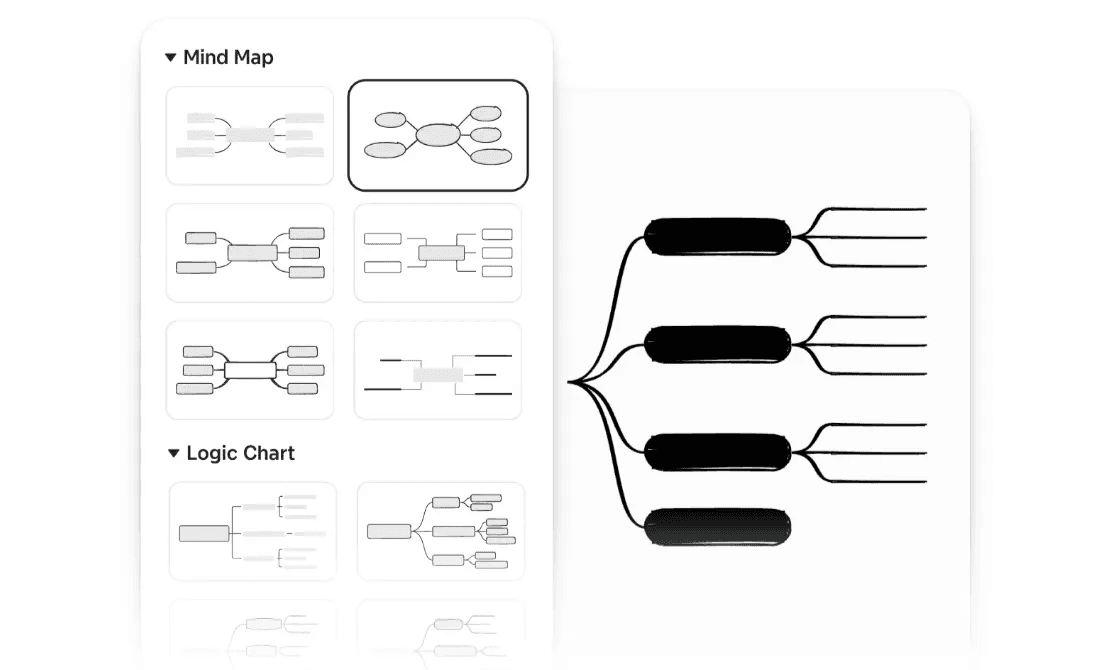
Xmind supports a wide range of thinking structures—including Mind Maps, Logic Charts, Org Charts, Fishbone, Timelines, Tree Tables, etc. Instead of locking ideas into a single diagram type, it allows the same content to move between structures as understanding deepens. This makes it easier to approach problems from different angles without recreating work or losing context.
Collaborative thinking that stays structured
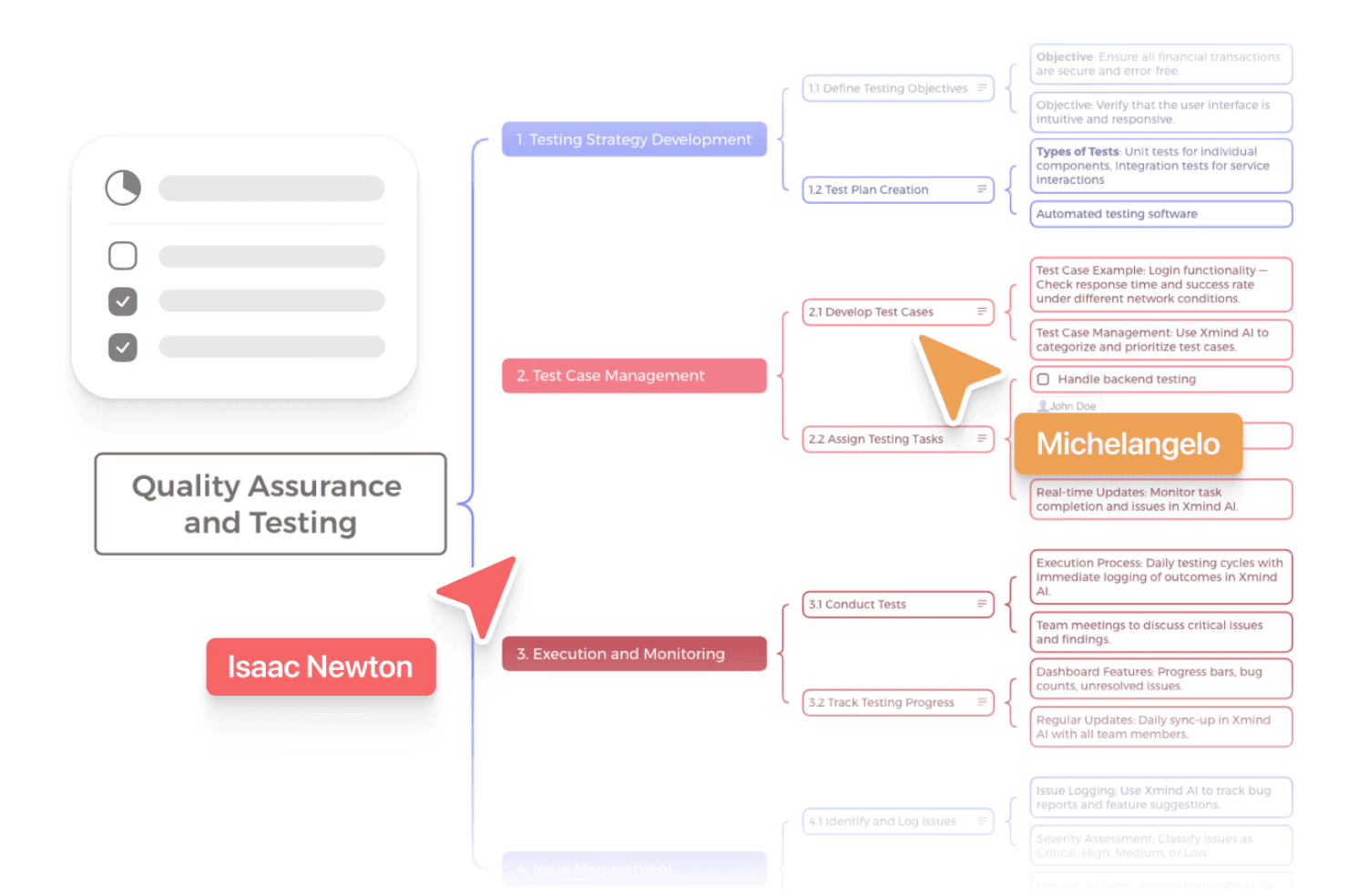
Xmind supports real-time collaboration without sacrificing structure. Multiple contributors can work on the same map, add ideas, comments, and see changes update instantly. Unlike free-form whiteboards, shared maps remain organized as they grow, making it easier for teams to think together, align on structure, and keep ideas clear even after multiple rounds of collaboration.
A smooth path from exploration to organization and planning
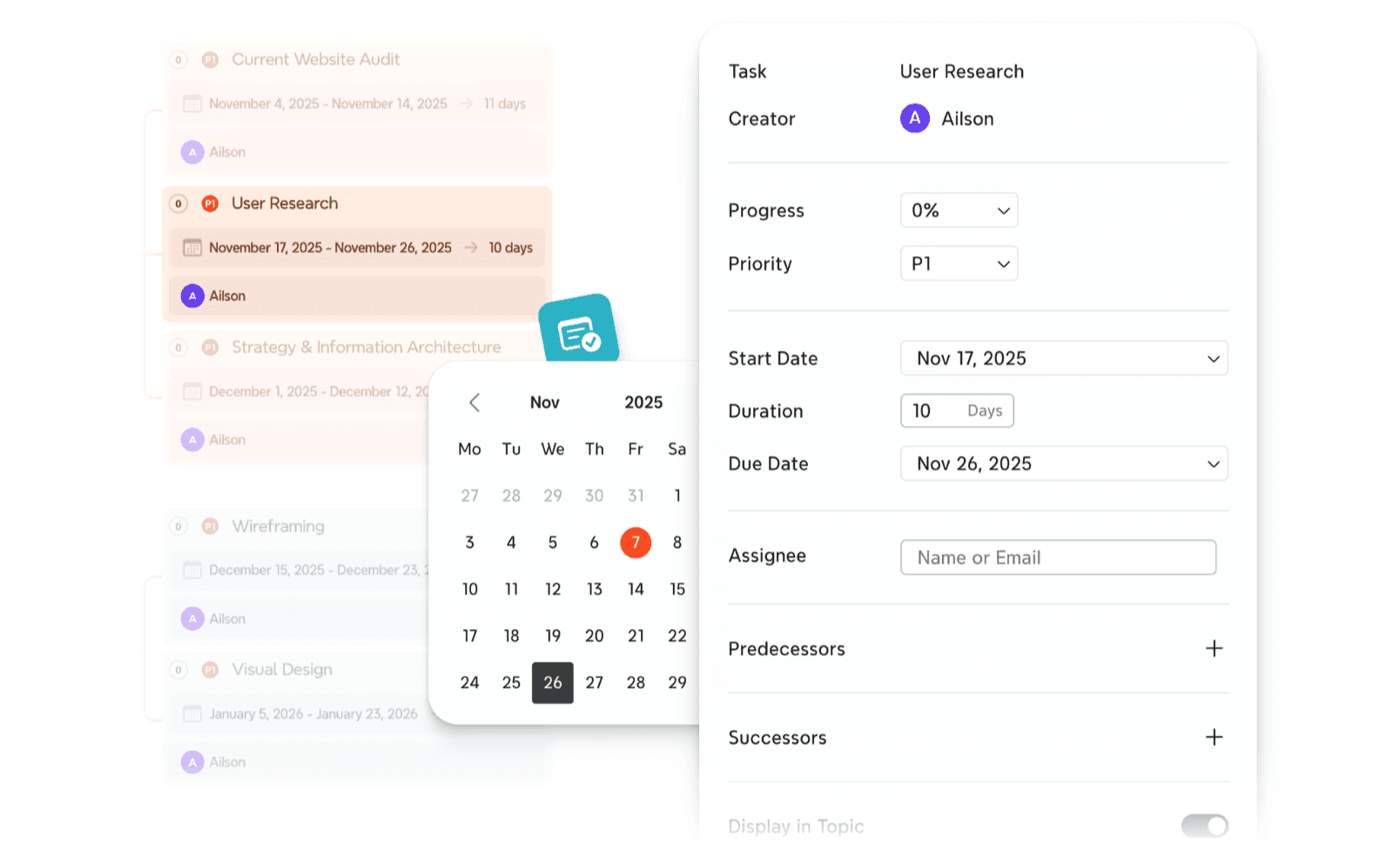
As ideas become clearer, Xmind helps turn them into structured plans rather than leaving them as static diagrams. Users can organize content with Markers, Labels, Boundaries, and Relationships, then connect ideas to Task and To-do. This makes it easier to translate thinking into actionable project structures—supporting use cases like project breakdowns, roadmap planning, and progress tracking, without switching tools or rebuilding work.
Practical AI support for brainstorming and idea refinement
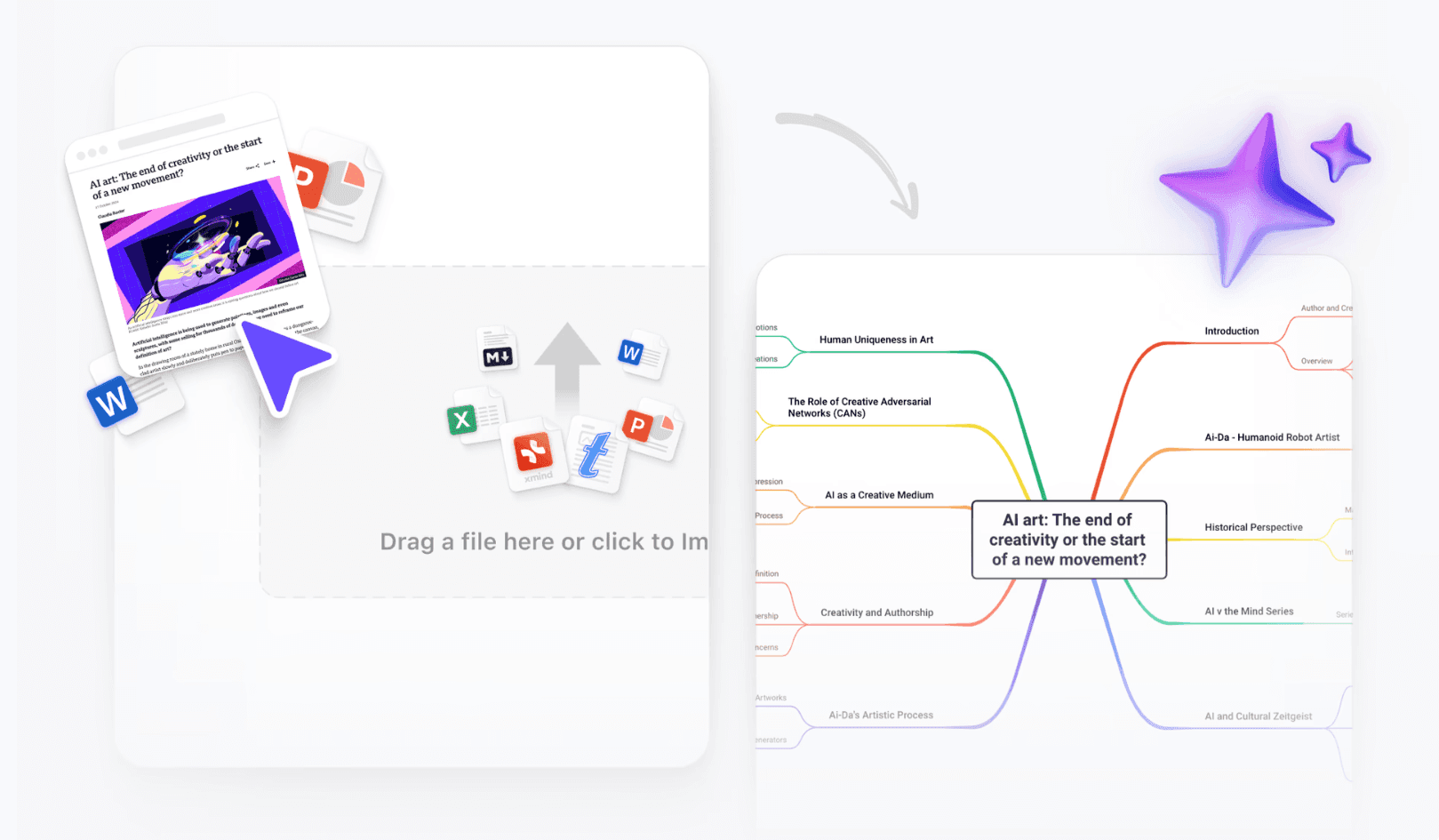
Xmind integrates AI into the thinking process in a focused, practical way, with features designed to assist rather than take over. With Create with AI, users can turn text, markdown, or prompts into structured mind maps in seconds, providing a clear starting point for exploration. Grow Ideas helps develop ideas by adding related branches when concepts need more depth, while Reorganize improves clarity by restructuring crowded or unbalanced maps. These AI features work directly within the map, supporting iteration, clarification, and refinement—without overriding the user’s intent or adding unnecessary complexity to the workflow.
When Xmind is the better choice
Early-stage thinking needs room to evolve
Xmind is especially effective when ideas are still incomplete and changing. Instead of forcing you to define structure upfront, it allows you to capture rough thoughts, rearrange them freely, and gradually refine meaning as patterns emerge. This makes it well suited for brainstorming, problem framing, and early planning—stages where flexibility matters more than polished diagrams.
The goal is understanding, not just documentation
In many cases, the primary challenge isn’t drawing a correct diagram, but making sense of complex information. Xmind is designed for moments when clarity, explanation, and shared understanding matter more than formal process documentation. It helps turn abstract ideas into readable structures that are easy to explain, review, and discuss with others.
Thinking and planning need to stay connected
Xmind supports workflows where exploration and organization happen side by side. Ideas don’t have to live separately from planning—they can evolve into structured frameworks and connect naturally to tasks and timelines. This makes it easier to move from “figuring things out” to “deciding what to do next” without switching tools or rebuilding content.
Speed and flexibility outweigh diagram precision
For everyday thinking work, speed often matters more than strict diagram rules. Xmind prioritizes fast iteration, easy restructuring, and visual clarity, even as maps grow larger. It’s a good fit for people who want to work through ideas quickly, adjust direction often, and keep information readable—without getting slowed down by formatting or layout constraints.
Why Xmind is a better Visio alternative
It works with the way ideas naturally take shape. Xmind is built for thinking in motion. Ideas can emerge, change, and reorganize without forcing early decisions or rigid structure, making it easier to work through complexity before committing to documentation.
It keeps the focus on clarity, not the tool itself. By reducing friction around structure and layout, Xmind helps users stay focused on understanding and communication. Reorganizing content feels natural, allowing clarity to develop without interrupting flow.
It bridges thinking and action without extra steps. Xmind supports a smooth transition from exploration to planning. Ideas can evolve into organized frameworks and connect to next steps without switching tools or rebuilding work.
To better understand these differences in practice, you can explore a detailed comparison of Xmind and Visio and see which approach fits your workflow best.
Ready to experience a more flexible alternative to Visio? Try Xmind to see how your ideas move from thinking to action.
Alternative 2: Miro—a collaborative whiteboard alternative to Visio
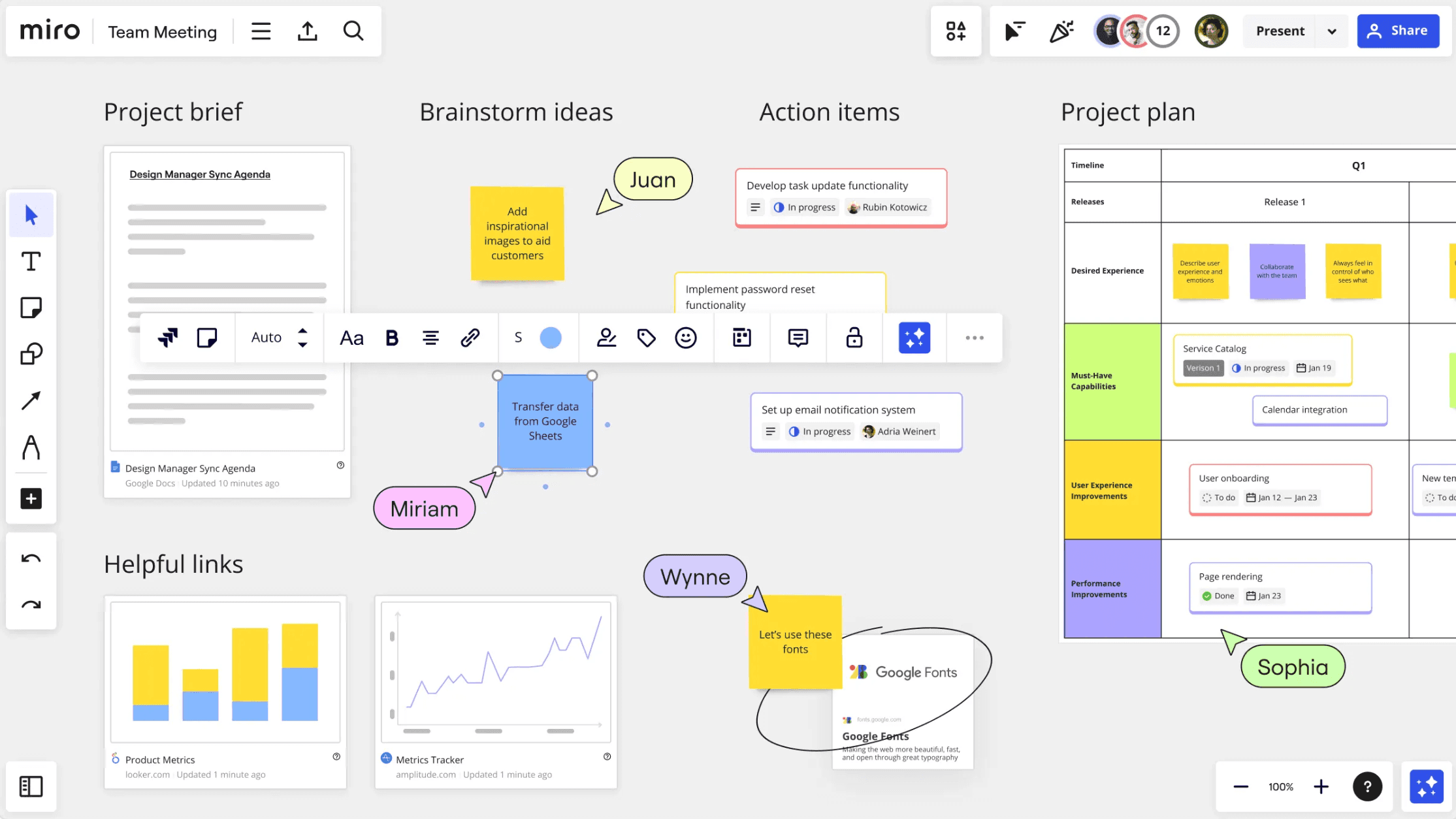
Miro is often chosen as a Visio alternative by teams that prioritize collaboration over structured diagramming. Built around an infinite whiteboard, it’s designed for group brainstorming, workshops, and visual discussions—especially in remote or hybrid environments.
Rather than guiding users toward a specific structure, Miro emphasizes freedom and co-creation, making it feel closer to a shared workspace than a traditional diagramming tool.
What Miro is best known for
Miro’s core strength lies in how easily teams can work together in real time. Its open canvas allows participants to add sticky notes, shapes, sketches, and comments simultaneously, making it well suited for live collaboration.
Common use cases include design sprints, retrospectives, user journey mapping, and early-stage ideation sessions. Miro also offers a large library of templates to help teams get started quickly, especially in facilitated workshops or structured meetings.
When Miro makes sense as a Visio alternative
Miro is a strong choice when collaboration is the main objective rather than long-term structure. It works particularly well for teams that:
Run frequent workshops or brainstorming sessions
Need everyone in the room—or on the call—to contribute visually
Prefer freeform exploration over predefined hierarchy
Treat diagrams as conversation tools rather than lasting artifacts
In these scenarios, Miro’s flexibility and real-time interaction can feel more natural than traditional diagramming software.
Where Miro may feel less effective
Miro’s biggest strength—its open, whiteboard-style canvas—can also become a drawback over time. As boards grow larger, maintaining clear hierarchy often relies on manual organization, which can make complex work harder to revisit or refine later.
Because content isn’t built around a strong underlying structure, it’s easy for boards to become visually dense or cluttered, especially after multiple collaborative sessions. This can reduce clarity for anyone revisiting the board without prior context.
Miro is also less suited for work that requires consistent structure across multiple diagrams or long-term iteration. For logic-heavy thinking or projects that evolve over weeks or months, a whiteboard-first approach may feel less controlled than tools designed specifically for structured visual thinking.
Alternative 3: Lucidchart—a diagram-focused Visio alternative for structured workflows
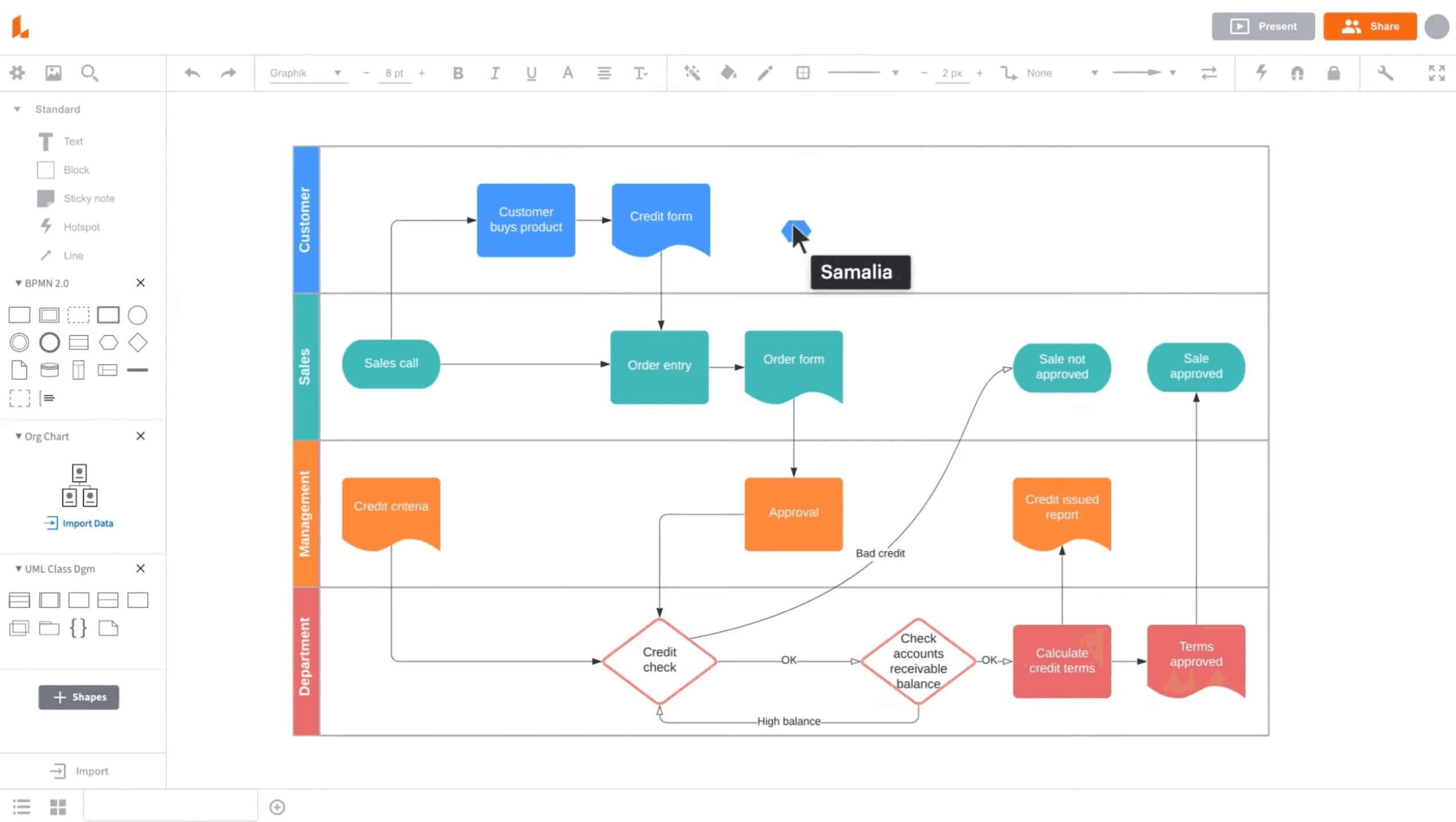
Lucidchart is often considered one of the closest replacements for Visio, especially for users who rely heavily on formal diagrams. It’s built for creating flowcharts, system diagrams, and technical visuals, with a strong emphasis on structure, standards, and consistency.
Compared to whiteboard-style tools, Lucidchart feels more controlled and diagram-centric, making it familiar to teams coming directly from Visio.
Where Lucidchart fits best
Lucidchart works well in environments where diagrams are part of formal workflows rather than exploratory thinking. It’s commonly used for:
Process mapping and workflow documentation
System architecture and technical diagrams
Organizational charts and standardized visuals
Diagrams that need to be shared, reviewed, and reused
For teams that already think in terms of boxes, connectors, and predefined shapes, Lucidchart provides a smoother transition away from Visio.
What stands out in day-to-day use
One of Lucidchart’s strengths is its structured approach. Shape libraries, alignment tools, and diagram rules help keep visuals consistent and readable, even across larger teams. Collaboration features make it possible for multiple users to edit and comment on diagrams, which is useful for review-heavy workflows.
Because it’s browser-based, Lucidchart also fits well into cloud-first environments where diagrams need to be accessed and updated without installing desktop software.
Where Lucidchart may feel restrictive
Lucidchart’s diagram-first design works well for formal visuals, but it can feel rigid during exploratory thinking. Users are often expected to decide on structure early, which makes iteration slower when ideas are still forming.
Reorganizing diagrams—especially large or complex ones—can require more manual adjustment than tools built around flexible hierarchy. This can interrupt flow and shift focus away from thinking toward layout management.
For users who want to explore ideas visually, test different structures, or work through ambiguity, Lucidchart’s emphasis on precision and standardization may feel heavier than necessary.
Alternative 4: MindMeister—an online mind mapping alternative to Visio
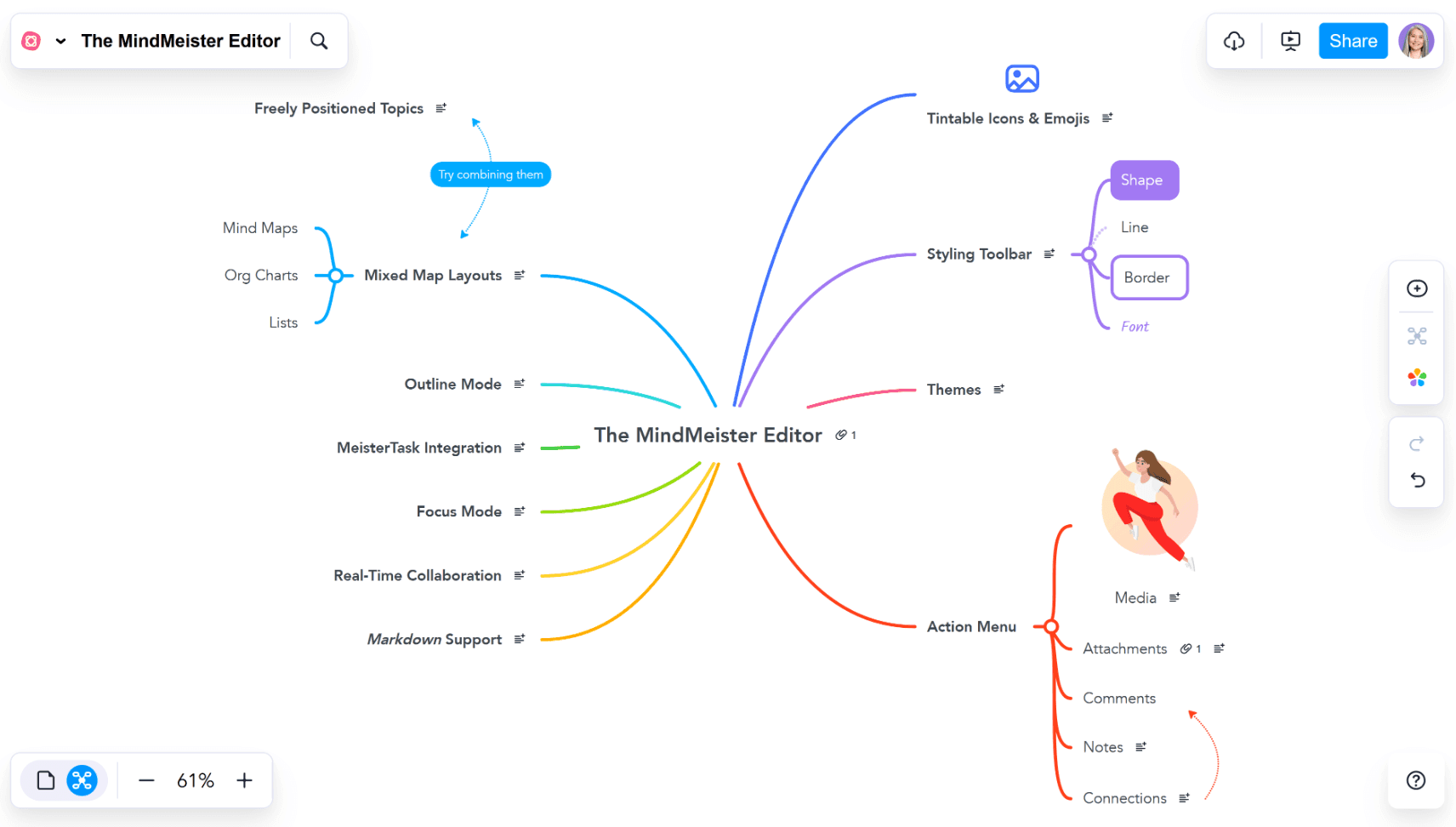
MindMeister is a browser-based mind mapping tool often considered by users who want a lighter, online-focused alternative to Visio. It centers on quick idea capture and simple visual organization, making it approachable for users new to mind mapping.
Compared to more comprehensive visual thinking tools, MindMeister emphasizes ease of access and collaboration over depth and structural flexibility.
How MindMeister approaches mind mapping
MindMeister focuses on simplicity. Users can create and edit mind maps directly in the browser, share them with others, and collaborate in real time. The interface is straightforward, which makes it easy to get started without much setup or learning.
This simplicity works well for quick brainstorming sessions or lightweight idea organization, especially in collaborative settings.
Situations where MindMeister works well
MindMeister is often a good fit when the goal is speed and accessibility:
Creating simple mind maps without installing software
Collaborating quickly with teammates online
Capturing ideas during meetings or workshops
Working on short-lived or lightweight maps
Where MindMeister may feel limited
MindMeister prioritizes simplicity and accessibility, which makes it easy to start but limiting as complexity grows. Deeper hierarchy management, advanced layouts, and long-term refinement are more constrained compared to tools built for sustained visual thinking.
While it supports collaboration, managing large or evolving maps can become challenging, especially when multiple contributors are involved. As ideas expand, maintaining clarity often requires additional effort.
For users who need to move beyond basic mind mapping into planning, comparison, or multi-structure thinking, MindMeister may feel too lightweight over time.
Alternative 5: ClickUp—a project management tool with diagramming features
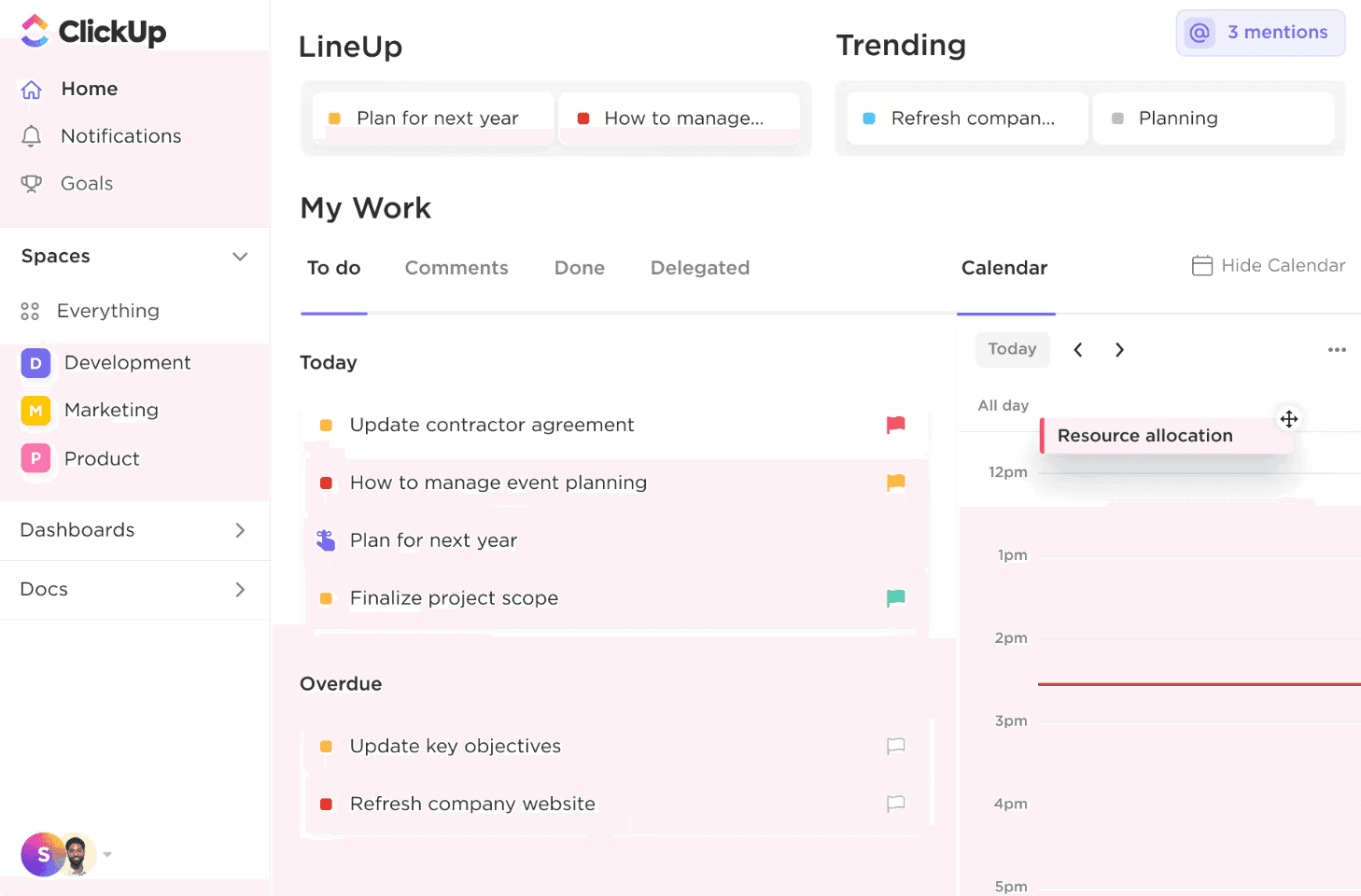
ClickUp is not a traditional diagramming tool, but it’s sometimes considered a Visio alternative by teams looking to consolidate planning and execution in one place. Its diagramming and mind map features are designed to support project workflows rather than standalone visual thinking.
The platform is best understood as a task-first tool with visual elements layered on top.
How ClickUp uses diagrams
In ClickUp, mind maps and diagrams are closely tied to tasks and projects. They’re often used to visualize workflows, dependencies, or planning structures that connect directly to execution.
This tight integration can be useful for teams that want diagrams to immediately translate into tasks and action items.
When ClickUp makes sense as an alternative
ClickUp is a practical choice when:
Project tracking and task execution are the main priority
Diagrams are used primarily for planning work, not exploration
Teams want everything—tasks, docs, visuals—in one platform
Visual structure supports execution rather than ideation
Where ClickUp may fall short for thinking work
ClickUp’s diagramming features are tightly tied to its task and project management system. While this is useful for execution-focused workflows, it can limit flexibility during early-stage thinking.
Because diagrams are secondary to tasks, exploring ideas without committing them to action can feel constrained. Users may find themselves adapting their thinking to fit the system rather than working freely through ideas.
For work that involves brainstorming, restructuring, or open-ended exploration, ClickUp’s execution-first design can feel restrictive compared to tools built specifically for visual thinking.
Alternative 6: Notion—a document-based alternative for organizing ideas
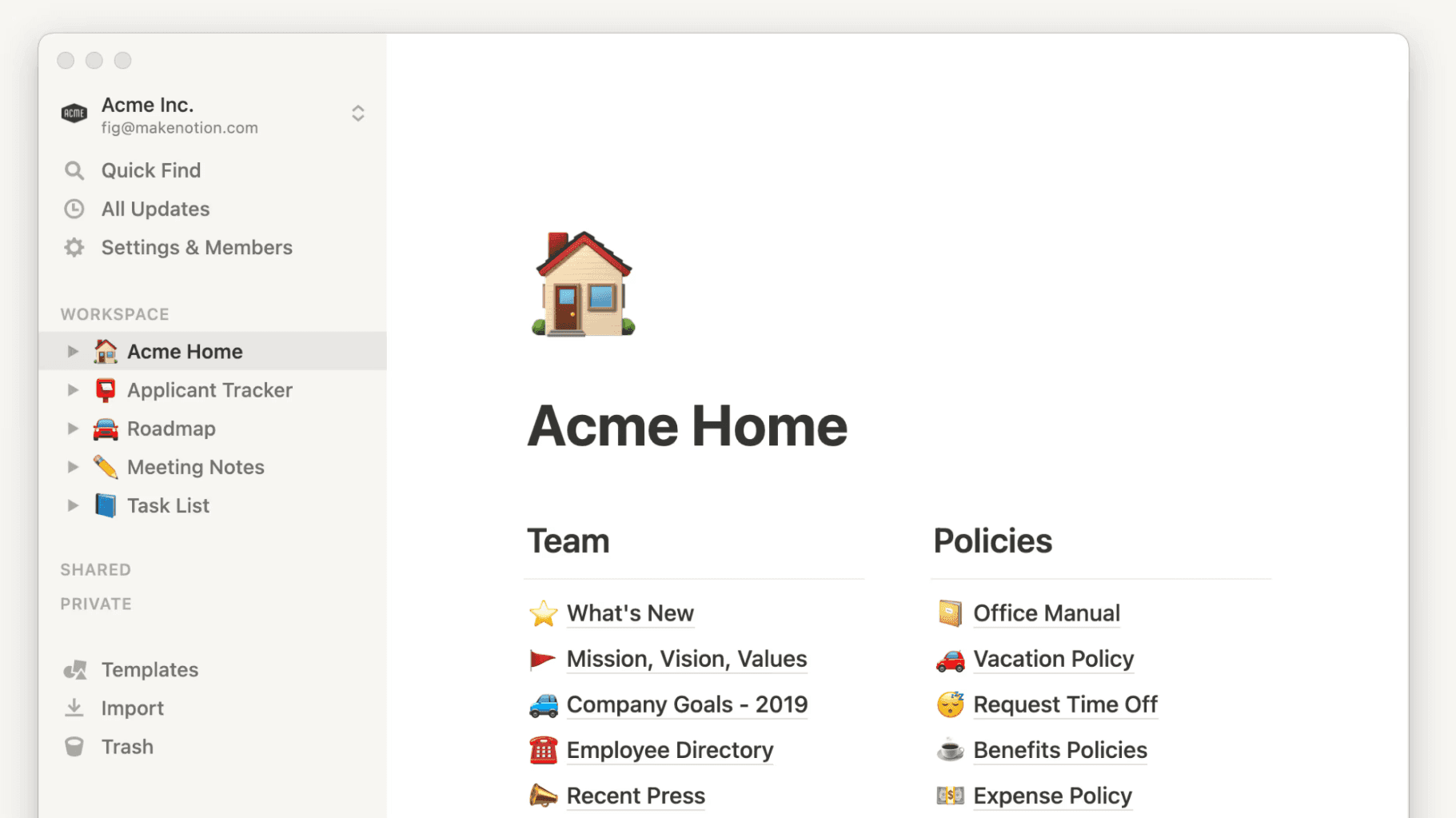
Notion is often compared to Visio not because of diagramming features, but because teams use it to organize information, plan work, and document processes. It takes a text-first, database-driven approach to structure.
Rather than visual diagrams, Notion relies on pages, blocks, and relationships between content.
How Notion handles structure
Notion excels at organizing information through documents, tables, and linked databases. Users can create detailed knowledge bases, project plans, and documentation systems that scale across teams.
This approach works well for information that benefits from text, references, and long-term maintenance.
When Notion works as a Visio alternative
Notion is often chosen when:
Information needs to be documented and shared long term
Text and data matter more than visual structure
Teams want a single workspace for notes, plans, and docs
Diagrams are secondary or created externally
Where Notion may feel insufficient
Notion excels at organizing information through text and databases, but it lacks native visual thinking capabilities. Exploring relationships spatially or restructuring ideas visually often requires workarounds or external tools.
For complex or abstract topics, a text-first approach can make it harder to see patterns, connections, or hierarchy at a glance. Visual thinkers may find that understanding emerges more slowly compared to using diagram-based tools.
While Notion works well for documentation and long-term knowledge management, it’s less effective for rapid ideation, brainstorming, or visual problem-solving.
Comparison table
Capability / focus | Xmind | Miro | Lucidchart | MindMeister | ClickUp | Notion |
|---|---|---|---|---|---|---|
Core purpose | Visual thinking and structured ideas | Collaborative whiteboarding | Formal diagrams and workflows | Online mind mapping | Project execution and tasks | Documentation and knowledge |
Native mind mapping | ✓ | ✗ | ✗ | ✓ | ✗ | ✗ |
Multiple visual structures | ✓ | ✗ | ✓ | ✗ | ✗ | ✗ |
Easy restructuring of ideas | ✓ | ✗ | ✗ | ✓ | ✗ | ✗ |
Long-term structure refinement | ✓ | ✗ | ✓ | ✗ | ✓ | ✓ |
Real-time collaboration | ✓ | ✓ | ✓ | ✓ | ✓ | ✓ |
Planning and task connection | ✓ | ✗ | ✗ | ✗ | ✓ | ✓ |
Best for deep thinking | ✓ | ✗ | ✗ | ✓ | ✗ | ✗ |
Convenient for cross-platform application | ✓ | ✓ | ✓ | ✓ | ✓ | ✓ |
Conclusion
Choosing a Visio alternative comes down to how you prefer to think and organize information. If your work involves exploring ideas, building structure gradually, and turning complexity into clarity, Xmind offers a more natural approach than traditional diagramming tools.
Ready to get started? Try Xmind for free.