Grid maker

How to make a grid in 3 simple steps?
One click to create

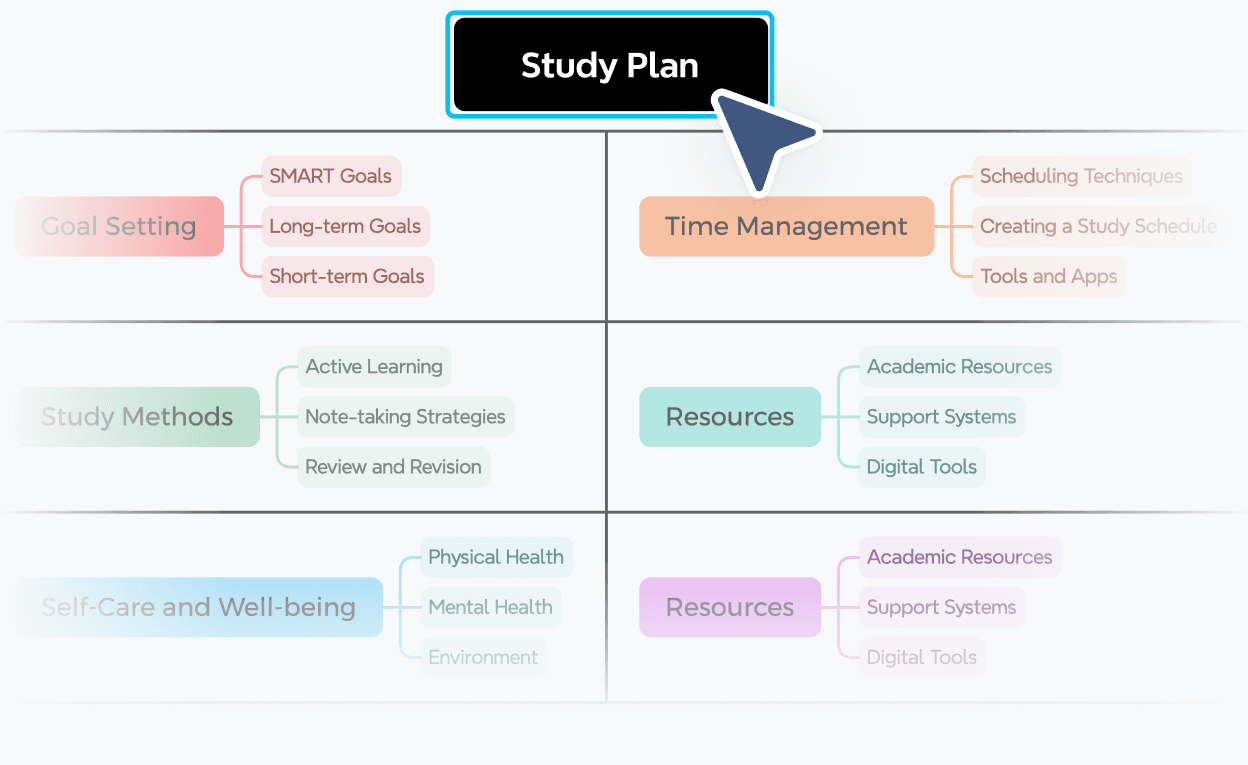
Set up your grid by entering the criteria, categories, or time slots you want to track across rows and columns.

Step 1

Grid maker displaying a Study Plan with rows for Goal Setting, Study Methods, and Care organized across columns

One click to create

Set up your grid by entering the criteria, categories, or time slots you want to track across rows and columns.

Step 1

Grid maker displaying a Study Plan with rows for Goal Setting, Study Methods, and Care organized across columns

Choose a structure that fits

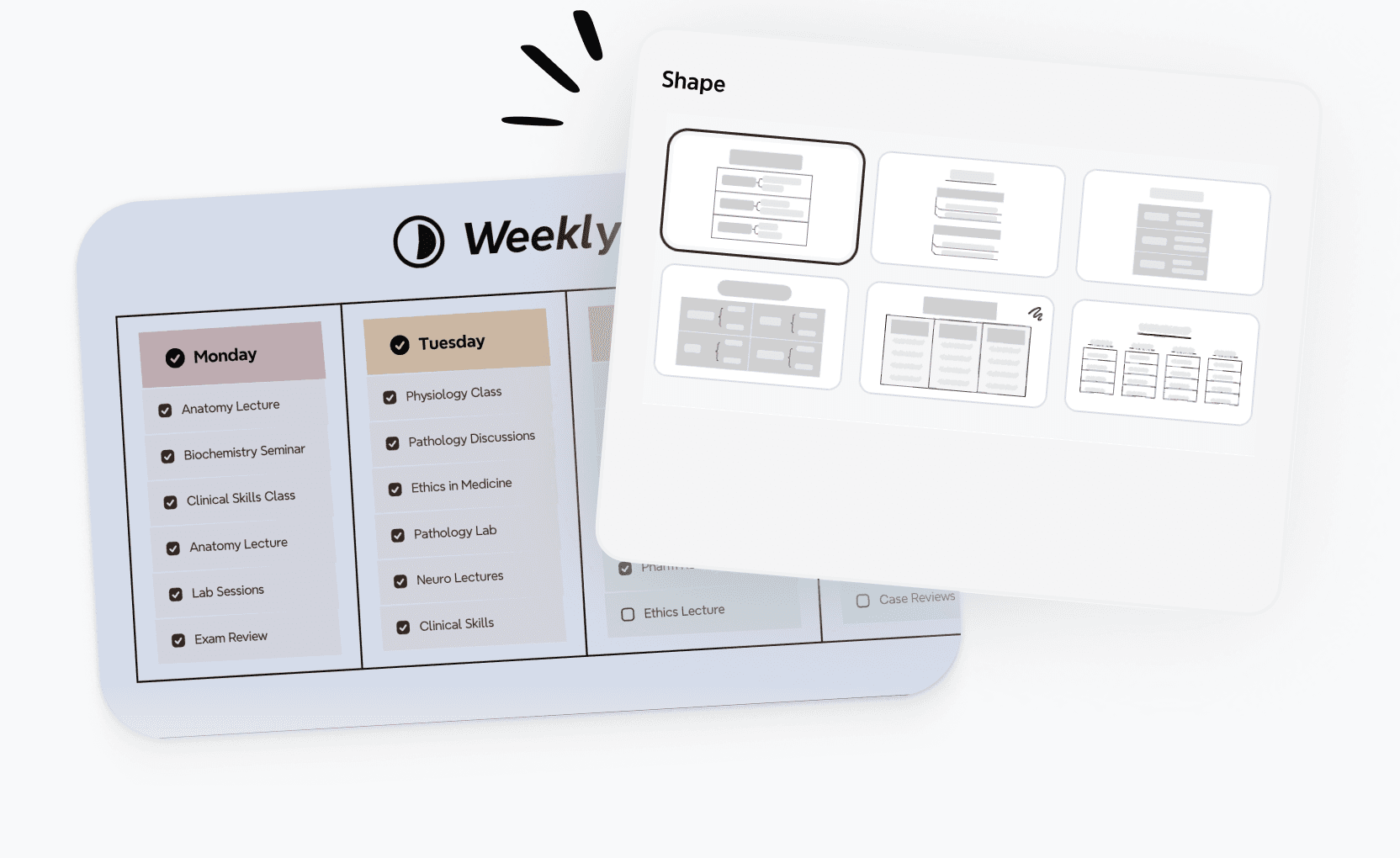
Pick a layout that matches your use case, whether it's a schedule or planning grid, and start filling in content right away.

Step 2

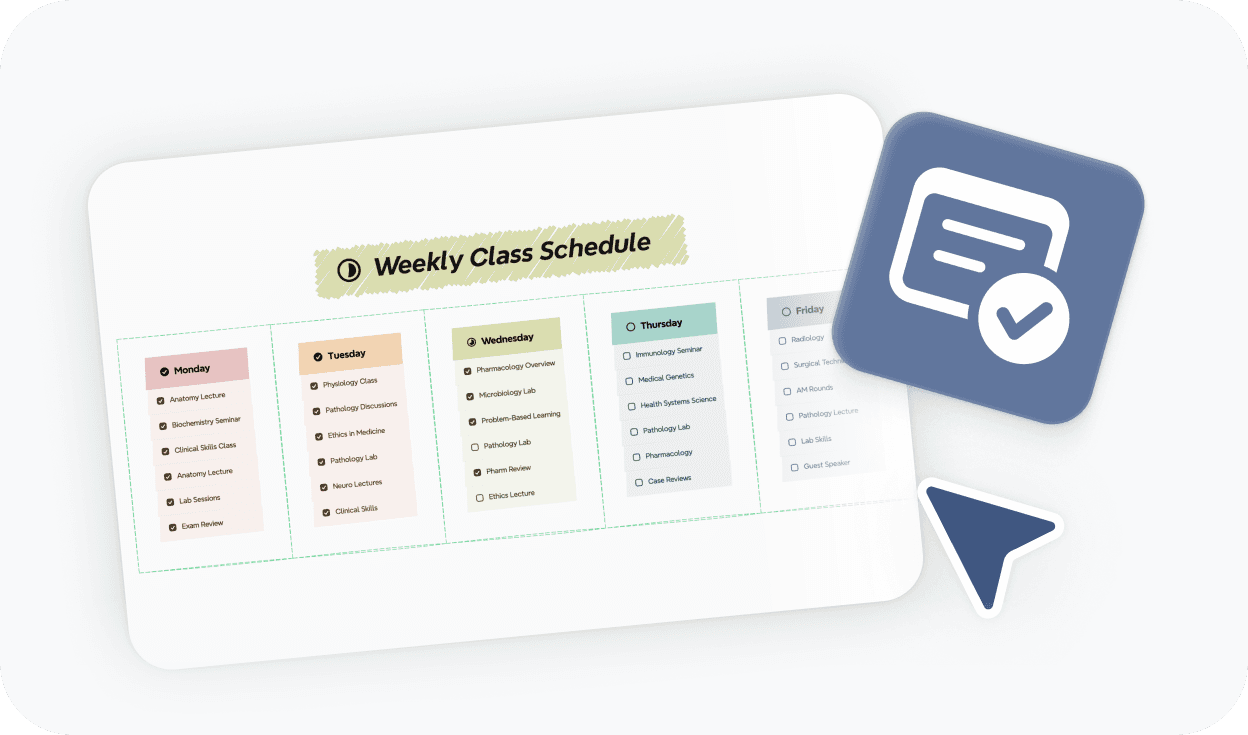
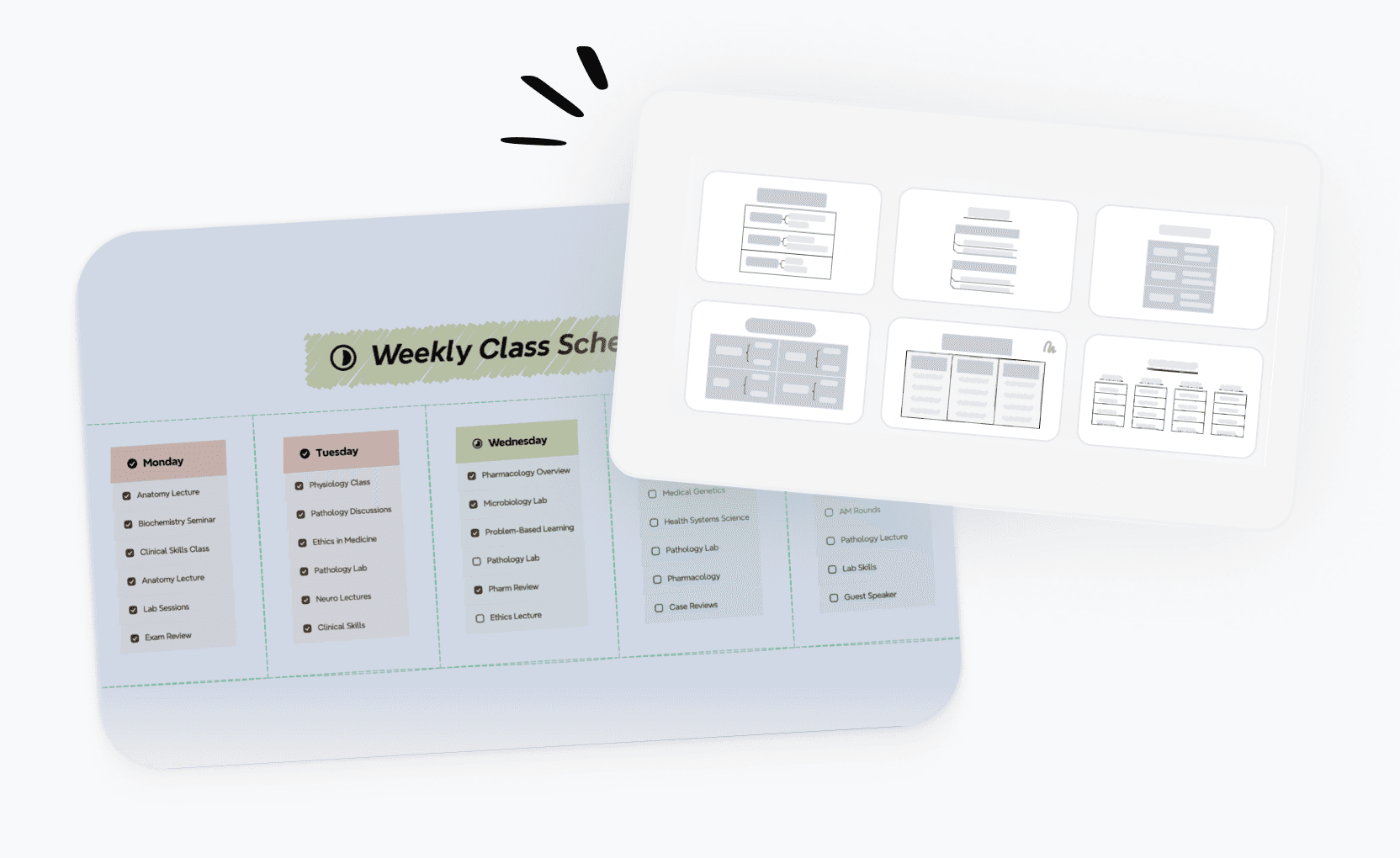
Choosing a layout in an online grid maker with a weekly schedule template and shape selection panel

Choose a structure that fits

Pick a layout that matches your use case, whether it's a schedule or planning grid, and start filling in content right away.

Step 2

Choosing a layout in an online grid maker with a weekly schedule template and shape selection panel

Choose a structure that fits

Pick a layout that matches your use case, whether it's a schedule or planning grid, and start filling in content right away.

Step 2

Online mind map maker showing structured branches as ideas expand

Refine and share your grid

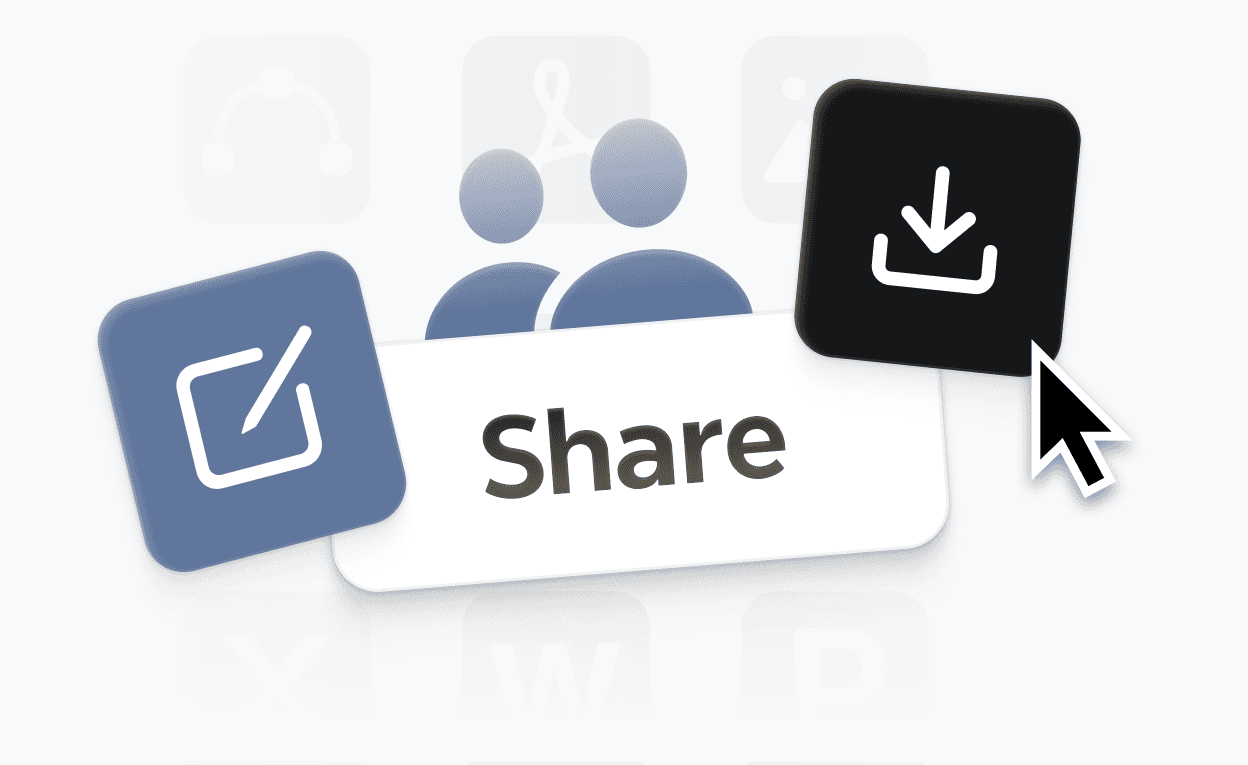
Adjust structure, apply styles to highlight key info, then save, share, or export your grid when it's ready.

Step 3

Share and export options for a finished grid, with save and download controls ready to use

Refine and share your grid

Adjust structure, apply styles to highlight key info, then save, share, or export your grid when it's ready.

Step 3

Share and export options for a finished grid, with save and download controls ready to use

Grid maker templates for every need

Build grids faster with ready-to-use templates for planning, comparing, scheduling, and tracking. Pick any template and customize it in seconds.
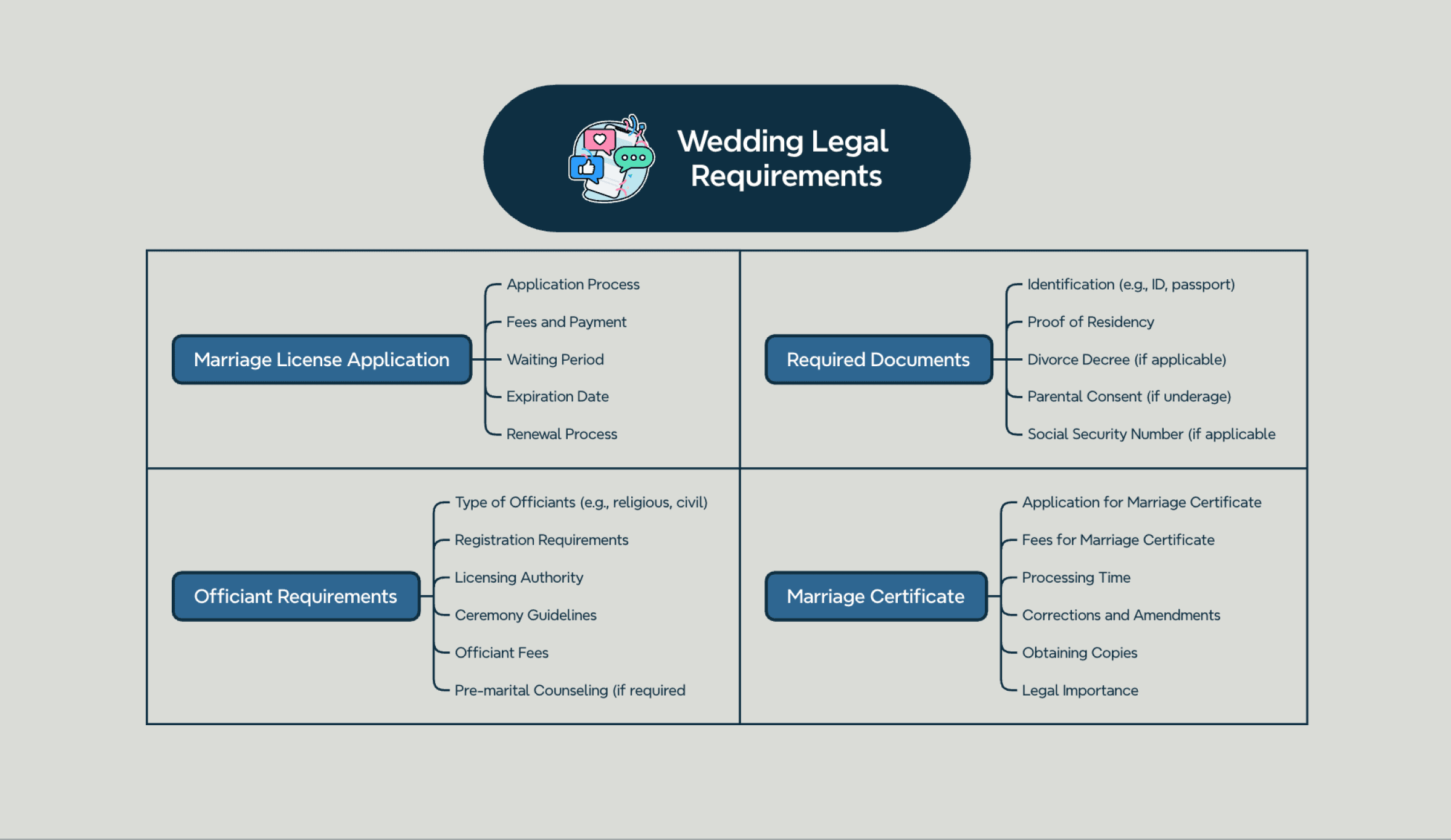
Wedding planning grid template mapping legal requirements, key tasks, and important dates in a checklist layout

Wedding planning template

Map out legal requirements, key tasks, and important dates across a clear checklist grid so nothing gets missed before the big day.

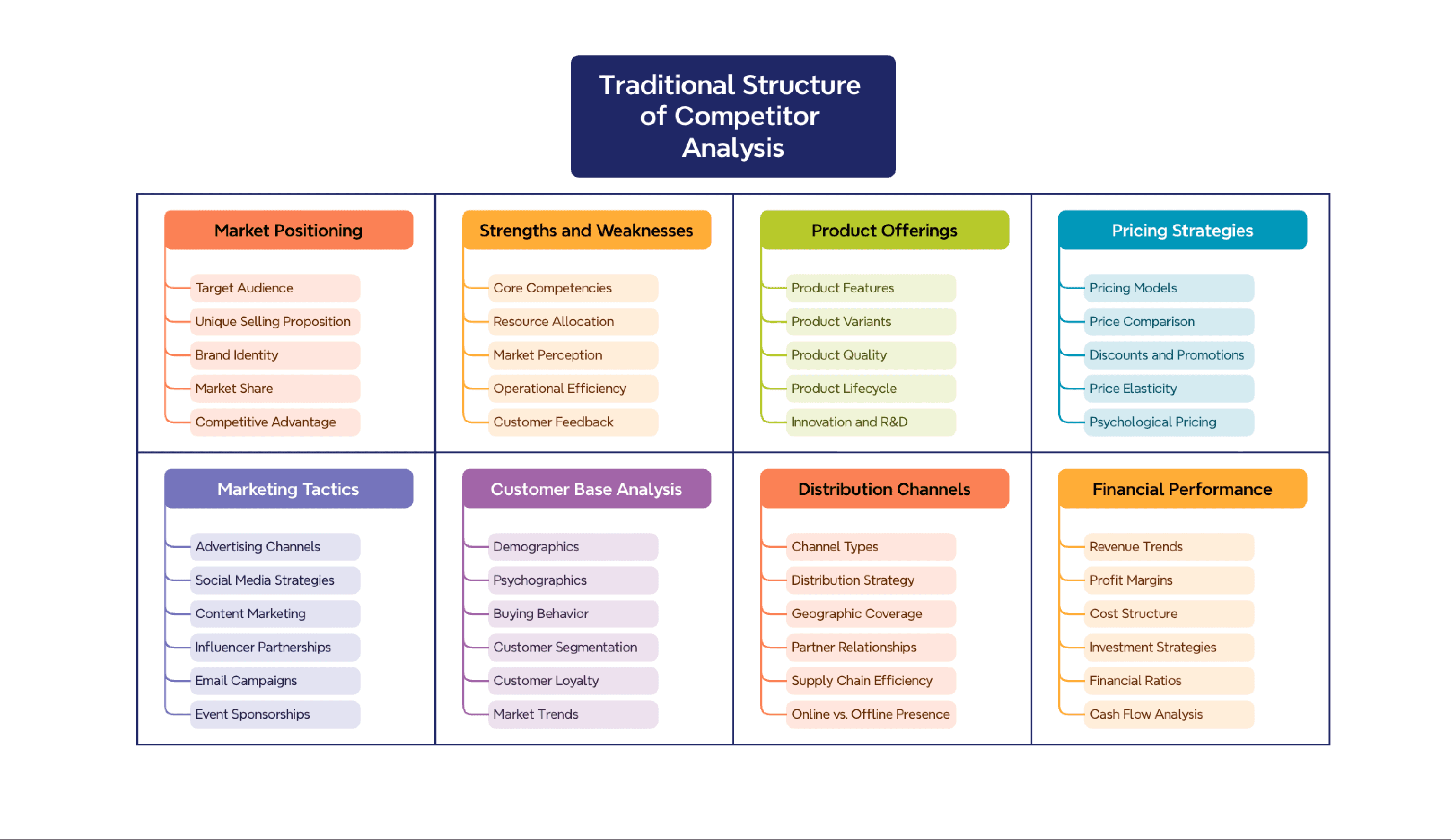
Competitor analysis grid template comparing market positioning, product offerings, and pricing across multiple columns

Competitor analysis template

Compare market positioning, product offerings, and pricing strategies across competitors in one structured grid for clearer competitive insight.

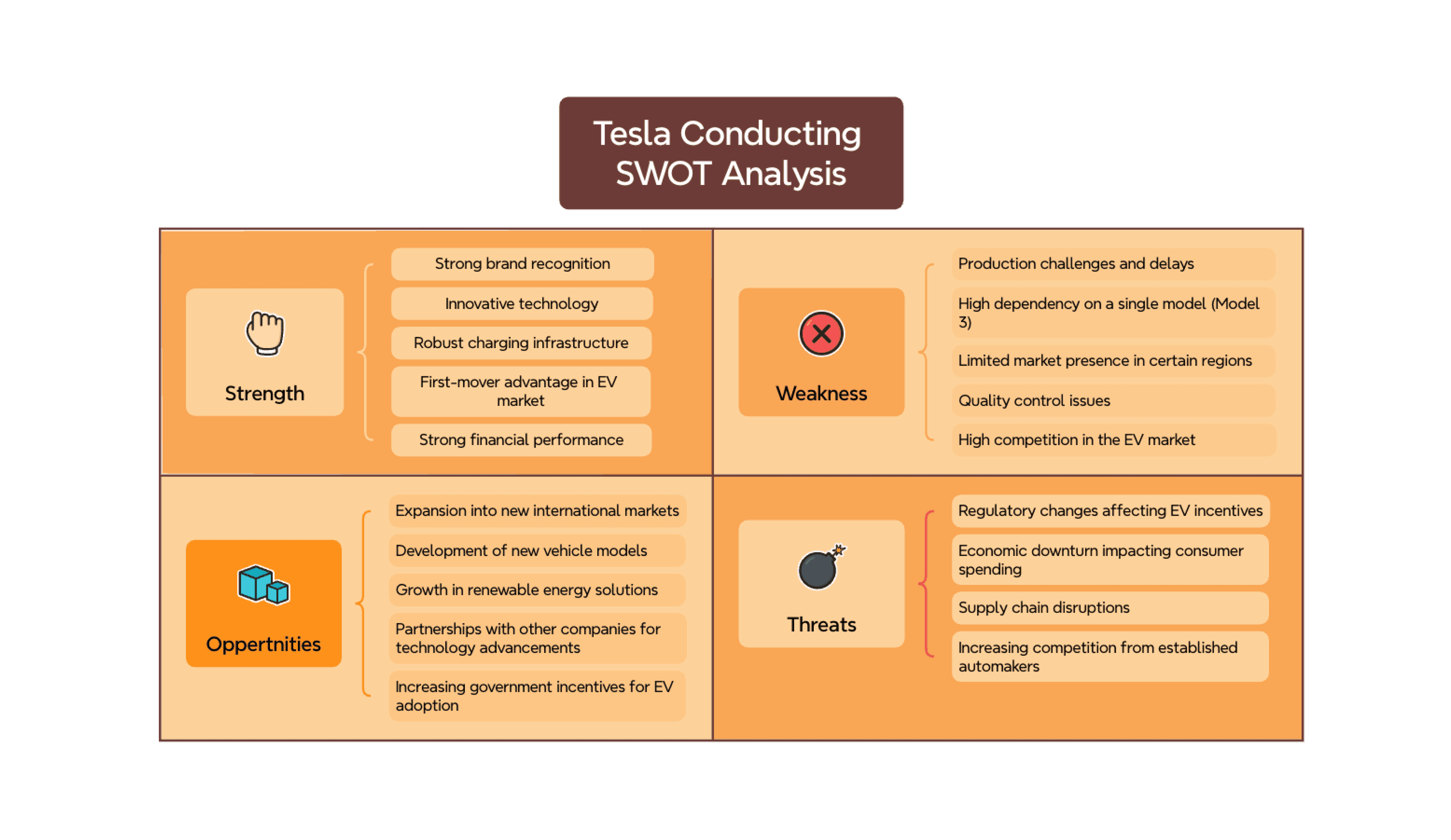
SWOT analysis laid out in a color-coded grid template with strengths, weaknesses, opportunities, and threats

SWOT analysis template

Lay out strengths, weaknesses, opportunities, and threats side by side in a clean grid for faster strategic review and decision-making.

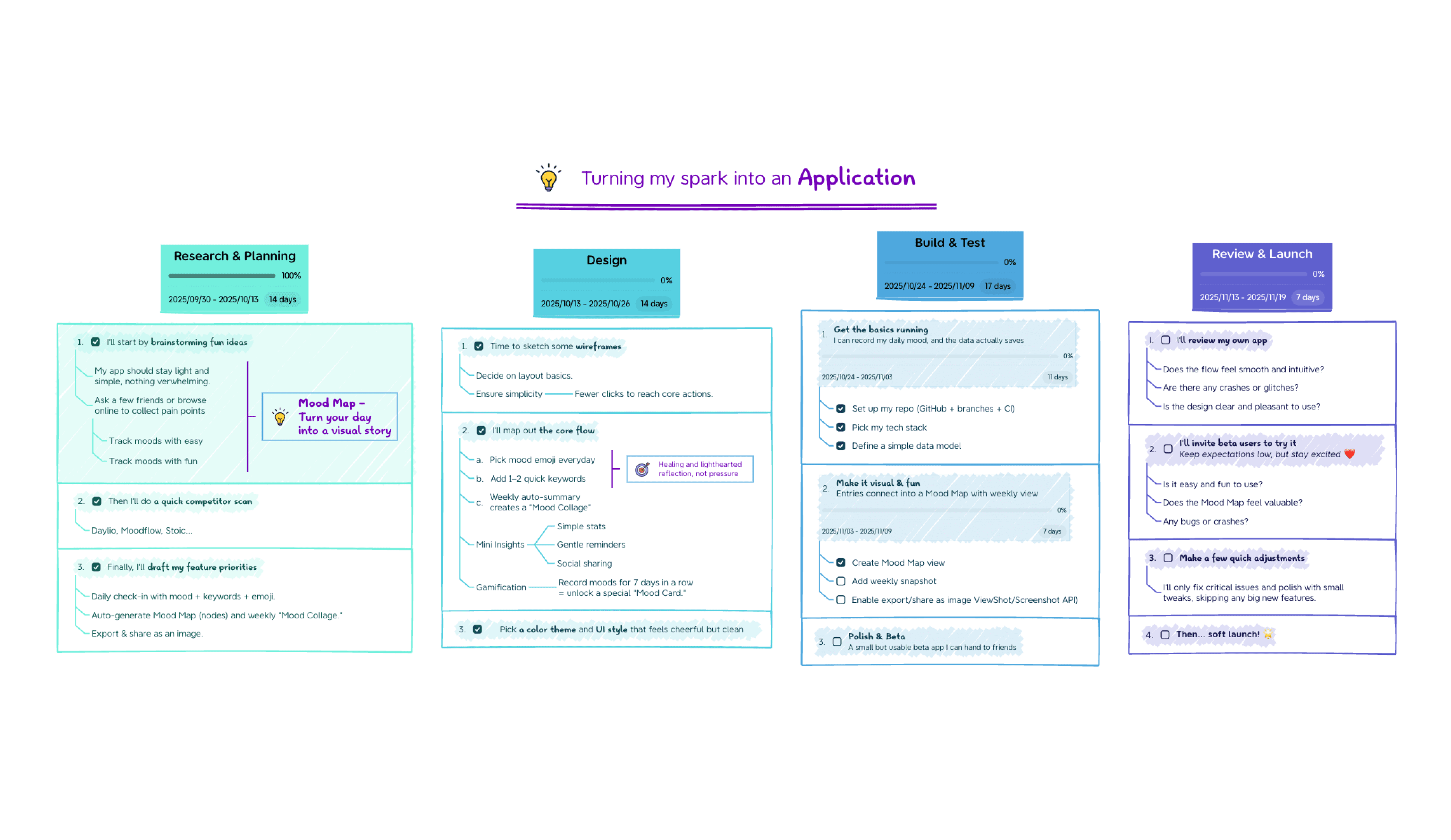
Brainstorming grid template organizing ideas across research, design, development, and launch phases

Brainstorming template

Capture ideas by phase—research, design, development, and launch—and organize them in a grid to turn a spark into a structured action plan.

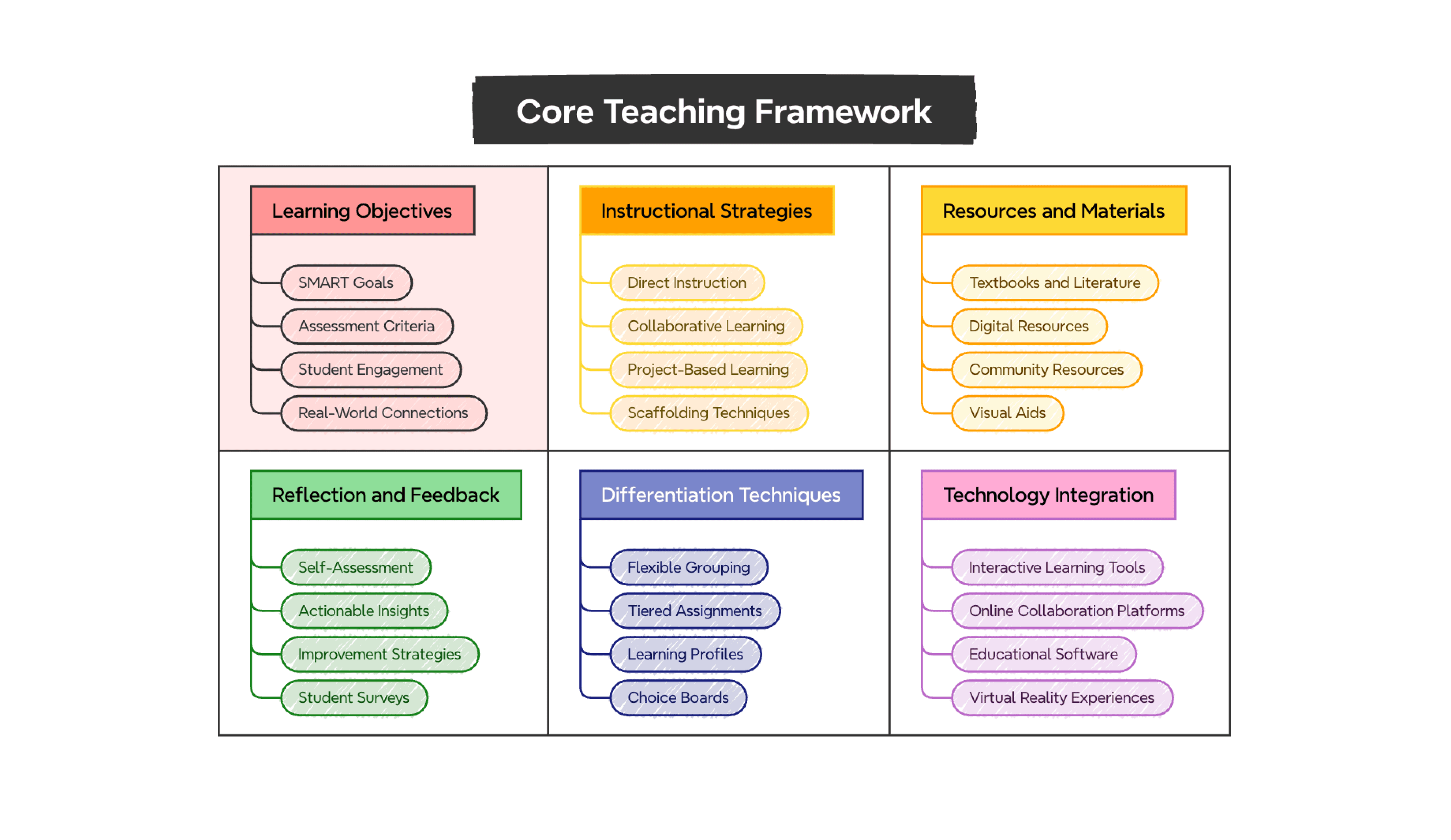
Teaching framework grid template covering learning objectives, instructional strategies, and technology integration

Teaching framework template

Organize learning objectives, instructional strategies, and technology integration in a structured grid to strengthen your lesson planning.

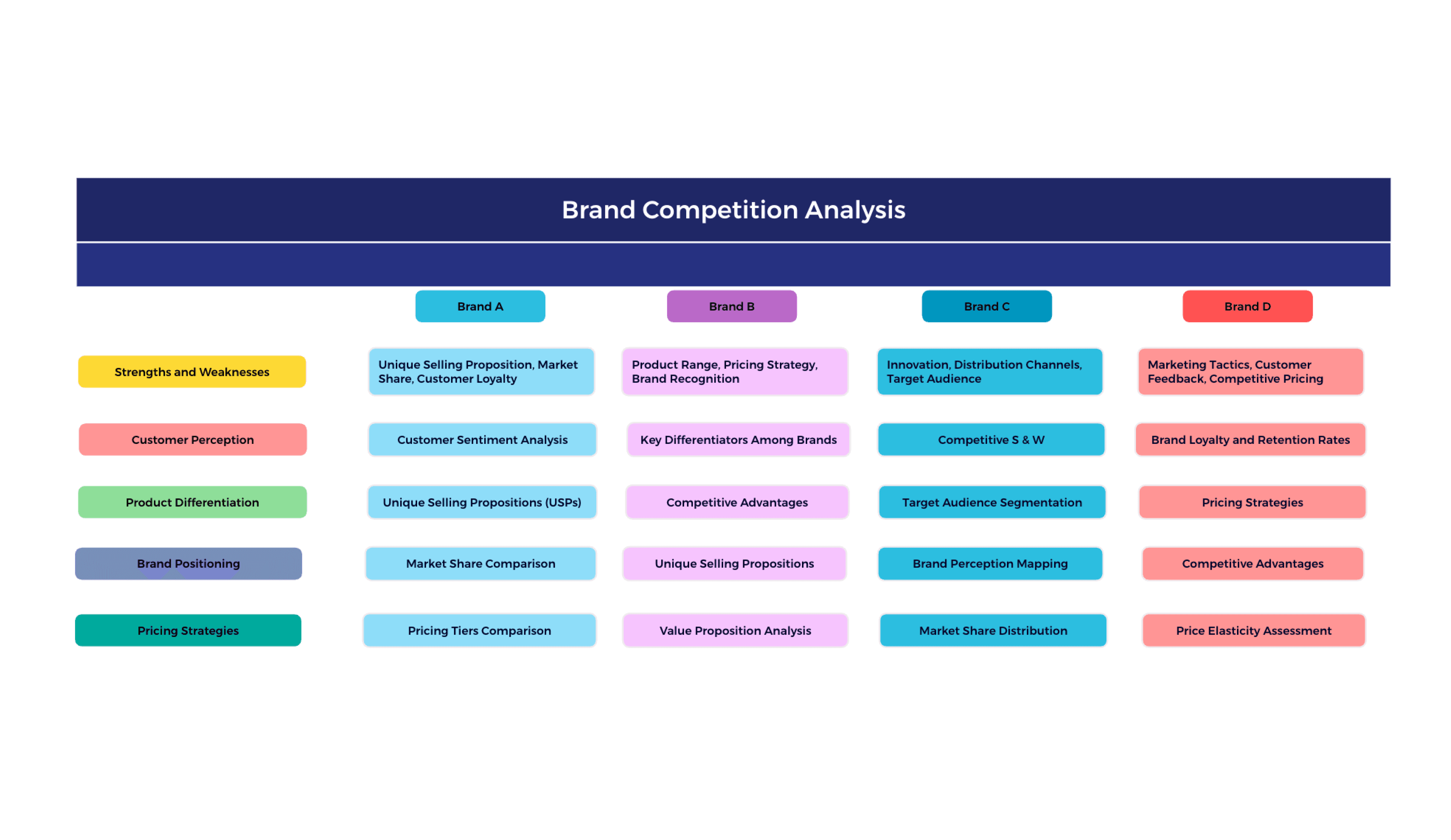
Brand competition analysis in a competitive grid template comparing four brands across pricing, positioning, and differentiation

Competitive grid template

Evaluate brand strengths, weaknesses, and strategic positioning across key market dimensions to spot differentiation opportunities at a glance.

Wedding planning grid template mapping legal requirements, key tasks, and important dates in a checklist layout

Wedding planning template

Map out legal requirements, key tasks, and important dates across a clear checklist grid so nothing gets missed before the big day.

Competitor analysis grid template comparing market positioning, product offerings, and pricing across multiple columns

Competitor analysis template

Compare market positioning, product offerings, and pricing strategies across competitors in one structured grid for clearer competitive insight.

SWOT analysis laid out in a color-coded grid template with strengths, weaknesses, opportunities, and threats

SWOT analysis template

Lay out strengths, weaknesses, opportunities, and threats side by side in a clean grid for faster strategic review and decision-making.

Brainstorming grid template organizing ideas across research, design, development, and launch phases

Brainstorming template

Capture ideas by phase—research, design, development, and launch—and organize them in a grid to turn a spark into a structured action plan.

Teaching framework grid template covering learning objectives, instructional strategies, and technology integration

Novel writing template

Organize learning objectives, instructional strategies, and technology integration in a structured grid to strengthen your lesson planning.

Brand competition analysis in a competitive grid template comparing four brands across pricing, positioning, and differentiation

Competitive grid template

Evaluate brand strengths, weaknesses, and strategic positioning across key market dimensions to spot differentiation opportunities at a glance.

Wedding planning grid template mapping legal requirements, key tasks, and important dates in a checklist layout

Wedding planning template

Map out legal requirements, key tasks, and important dates across a clear checklist grid so nothing gets missed before the big day.

Competitor analysis grid template comparing market positioning, product offerings, and pricing across multiple columns

Competitor analysis template

Compare market positioning, product offerings, and pricing strategies across competitors in one structured grid for clearer competitive insight.

SWOT analysis laid out in a color-coded grid template with strengths, weaknesses, opportunities, and threats

SWOT analysis template

Lay out strengths, weaknesses, opportunities, and threats side by side in a clean grid for faster strategic review and decision-making.

Brainstorming grid template organizing ideas across research, design, development, and launch phases

Brainstorming template

Capture ideas by phase—research, design, development, and launch—and organize them in a grid to turn a spark into a structured action plan.

Teaching framework grid template covering learning objectives, instructional strategies, and technology integration

Teaching framework template

Organize learning objectives, instructional strategies, and technology integration in a structured grid to strengthen your lesson planning.

Brand competition analysis in a competitive grid template comparing four brands across pricing, positioning, and differentiation

Competitive grid template

Evaluate brand strengths, weaknesses, and strategic positioning across key market dimensions to spot differentiation opportunities at a glance.

Wedding planning grid template mapping legal requirements, key tasks, and important dates in a checklist layout

Wedding planning template

Map out legal requirements, key tasks, and important dates across a clear checklist grid so nothing gets missed before the big day.

Competitor analysis grid template comparing market positioning, product offerings, and pricing across multiple columns

Competitor analysis template

Compare market positioning, product offerings, and pricing strategies across competitors in one structured grid for clearer competitive insight.

SWOT analysis laid out in a color-coded grid template with strengths, weaknesses, opportunities, and threats

SWOT analysis template

Lay out strengths, weaknesses, opportunities, and threats side by side in a clean grid for faster strategic review and decision-making.

Brainstorming grid template organizing ideas across research, design, development, and launch phases

Brainstorming template

Capture ideas by phase—research, design, development, and launch—and organize them in a grid to turn a spark into a structured action plan.

Teaching framework grid template covering learning objectives, instructional strategies, and technology integration

Teaching framework template

Organize learning objectives, instructional strategies, and technology integration in a structured grid to strengthen your lesson planning.

Brand competition analysis in a competitive grid template comparing four brands across pricing, positioning, and differentiation

Competitive grid template

Evaluate brand strengths, weaknesses, and strategic positioning across key market dimensions to spot differentiation opportunities at a glance.

Wedding planning grid template mapping legal requirements, key tasks, and important dates in a checklist layout

Wedding planning template

Map out legal requirements, key tasks, and important dates across a clear checklist grid so nothing gets missed before the big day.

Competitor analysis grid template comparing market positioning, product offerings, and pricing across multiple columns

Competitor analysis template

Compare market positioning, product offerings, and pricing strategies across competitors in one structured grid for clearer competitive insight.

SWOT analysis laid out in a color-coded grid template with strengths, weaknesses, opportunities, and threats

SWOT analysis template

Lay out strengths, weaknesses, opportunities, and threats side by side in a clean grid for faster strategic review and decision-making.

Brainstorming grid template organizing ideas across research, design, development, and launch phases

Brainstorming template

Capture ideas by phase—research, design, development, and launch—and organize them in a grid to turn a spark into a structured action plan.

Teaching framework grid template covering learning objectives, instructional strategies, and technology integration

Teaching framework template

Organize learning objectives, instructional strategies, and technology integration in a structured grid to strengthen your lesson planning.

Brand competition analysis in a competitive grid template comparing four brands across pricing, positioning, and differentiation

Competitive grid template

Evaluate brand strengths, weaknesses, and strategic positioning across key market dimensions to spot differentiation opportunities at a glance.

What is a grid?

A grid is a structured visual layout that organizes information in rows and columns, making it easy to compare options, plan activities, and track progress at a glance. Unlike a standard spreadsheet, a visual grid keeps your thinking clear and flexible—without the complexity of formulas or data formatting.
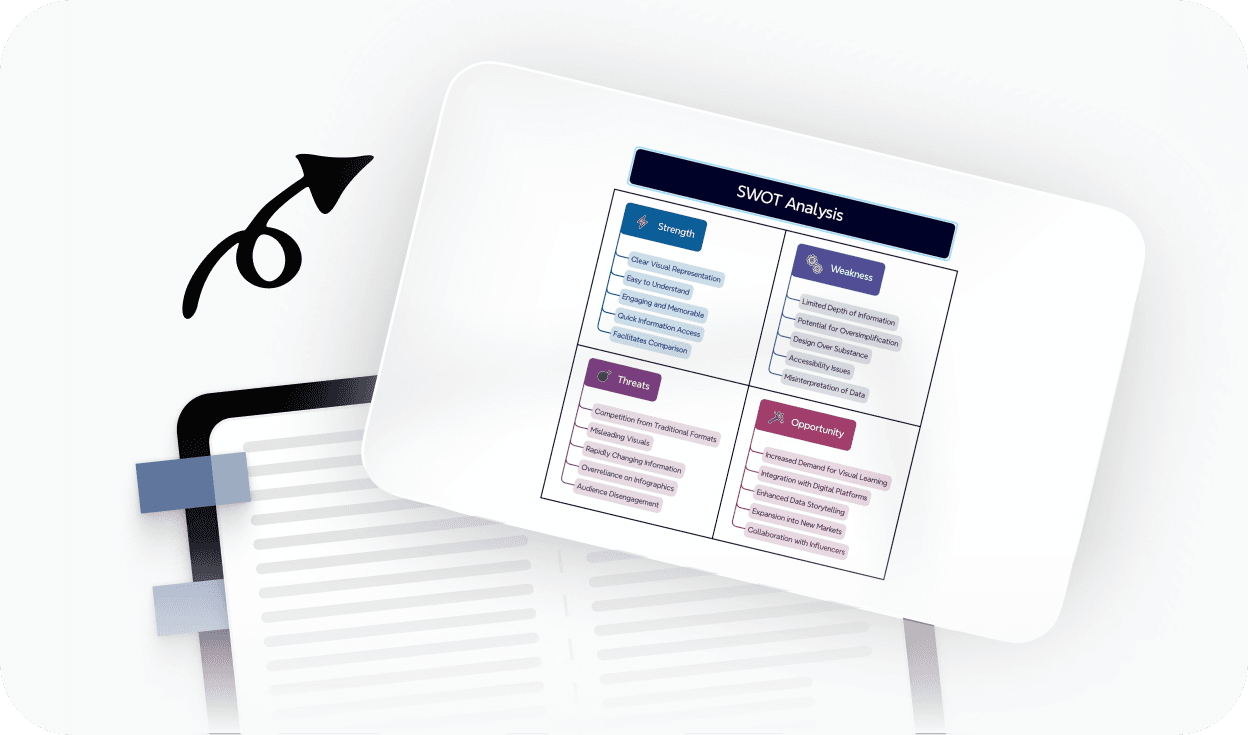
More than just a free online grid maker

AI suggestions icon

AI-powered suggestions

Get intelligent ideas for row and column labels, cell content, and grid structure to build faster.

Intuitive interface icon

Beautiful & Intuitive interface

Enjoy a clean, distraction-free grid-making experience that works in your browser—no setup needed.

Free features icon

Free to start, Powerful features

Access essential grid tools for free, with advanced customization and export options available.

Flexible structure icon

Flexible grid layouts

Adjust column widths, add or remove rows, and switch between grid styles to fit your exact use case.

Export and sharing icon

Easy sharing & export

Share your grid with a link or export to PDF, PNG, or Xmind format whenever you're ready.

Trusted by millions worldwide

App store icon

4.8/5

App Store rating of 4.8 out of 5 for Xmind

App Store

95 percent user satisfaction rate

95%

User satisfaction rate

Over 100 million users worldwide

100M+

Users worldwide

Content Strategist planning monthly content calendars with a grid maker

Rachel Kim

Content Strategist

LinkedIn logo

I plan every client's monthly content calendar in this grid maker. It's replaced three different tools I used to juggle—spreadsheet for dates, notes app for ideas, and a separate doc for status. Now it's all in one place and I can actually see the month at a glance without scrolling through rows of formulas.

Product Manager using a grid maker for sprint planning and feature tracking

Daniel Osei

Product Manager

LinkedIn logo

Our team uses this for sprint planning every two weeks. We map features against effort and timeline in a grid, review it in our planning call, then export it as a PDF for the stakeholder report. It takes about fifteen minutes now. Before this, building the same view in a spreadsheet took most of the morning.

High School Teacher building study timetable grids for classroom use

Priya Mehta

High School Teacher

𝕏/twitter logo

Quick to set up, easy to share with students. The study timetable grid I built took less than five minutes and my students actually use it.

Freelance UX Designer creating feature comparison grids for client discovery work

Tomás Herrera

Freelance UX Designer

LinkedIn logo

I use it mainly for feature comparison grids during discovery work. When you're presenting three or four product directions to a client, having a clean visual grid that shows what each option does—and doesn't do—makes the conversation so much cleaner. I've tried doing this in Figma, in Google Sheets, even in Notion tables. The problem is always the same: they look fine on my screen and messy on everyone else's. This exports clean every time, which matters when you're in a client meeting and screensharing.

Operations Coordinator using a grid maker for weekly team shift scheduling

Yuki Tanaka

Operations Coordinator

LinkedIn logo

I needed a simple weekly schedule for team shift planning. This was the easiest tool I've found—no account needed just to get started.

Project Manager tracking multiple client timelines and deliverables with a grid maker

Claire Dubois

Project Manager

𝕏/twitter logo

I work across multiple clients and timelines, and keeping everything organized has always been the hard part. I've been using this grid maker for about three months now for project tracking — one grid per client, rows for deliverables, columns for weeks. What I didn't expect is how much clearer my thinking gets when I'm forced to put something in a cell rather than write a paragraph in a document. It limits the noise. The grid either has content in it or it doesn't, and that makes it obvious at a glance what's behind schedule and what's on track. I've recommended it to two colleagues who were struggling with the same problem of having everything scattered across tools.

Content Strategist planning monthly content calendars with a grid maker

Rachel Kim

Content Strategist

LinkedIn logo

I plan every client's monthly content calendar in this grid maker. It's replaced three different tools I used to juggle—spreadsheet for dates, notes app for ideas, and a separate doc for status. Now it's all in one place and I can actually see the month at a glance without scrolling through rows of formulas.

Product Manager using a grid maker for sprint planning and feature tracking

Daniel Osei

Product Manager

LinkedIn logo

Our team uses this for sprint planning every two weeks. We map features against effort and timeline in a grid, review it in our planning call, then export it as a PDF for the stakeholder report. It takes about fifteen minutes now. Before this, building the same view in a spreadsheet took most of the morning.

High School Teacher building study timetable grids for classroom use

Priya Mehta

High School Teacher

𝕏/twitter logo

Quick to set up, easy to share with students. The study timetable grid I built took less than five minutes and my students actually use it.

Freelance UX Designer creating feature comparison grids for client discovery work

Tomás Herrera

Freelance UX Designer

LinkedIn logo

I use it mainly for feature comparison grids during discovery work. When you're presenting three or four product directions to a client, having a clean visual grid that shows what each option does—and doesn't do—makes the conversation so much cleaner. I've tried doing this in Figma, in Google Sheets, even in Notion tables. The problem is always the same: they look fine on my screen and messy on everyone else's. This exports clean every time, which matters when you're in a client meeting and screensharing.

Operations Coordinator using a grid maker for weekly team shift scheduling

Yuki Tanaka

Operations Coordinator

LinkedIn logo

I needed a simple weekly schedule for team shift planning. This was the easiest tool I've found—no account needed just to get started.

Project Manager tracking multiple client timelines and deliverables with a grid maker

Claire Dubois

Project Manager

𝕏/twitter logo

I work across multiple clients and timelines, and keeping everything organized has always been the hard part. I've been using this grid maker for about three months now for project tracking — one grid per client, rows for deliverables, columns for weeks. What I didn't expect is how much clearer my thinking gets when I'm forced to put something in a cell rather than write a paragraph in a document. It limits the noise. The grid either has content in it or it doesn't, and that makes it obvious at a glance what's behind schedule and what's on track. I've recommended it to two colleagues who were struggling with the same problem of having everything scattered across tools.

Frequently asked questions

Frequently Asked Questions

Is this grid maker free to use?

Yes. You can start using this grid maker for free and create grids directly in your browser—no account or download required. Free access includes the core grid-building tools you need for planning, comparing, and organizing.

Do I need to sign up to create a grid?

No. You can create a grid and export it as a PDF, PNG, or Xmind file without signing up. An account is only required if you want to save your work online, access it across devices later, or generate a shareable link.

How do I make a grid online?

To make a grid, start by defining your rows and columns—these are the categories, criteria, or time slots you want to organize. Then fill in each cell with content, data, or tasks. Once your grid is ready, adjust the layout, apply a style, and export or share it directly from the editor.

Can I export and share my grid?

Yes. You can export your grid to PDF, PNG, or Xmind format without signing up. If you want to generate a shareable link or save your grid online to access it later, you'll need a free Xmind account.

What is the best free grid maker online?

The best free online grid maker depends on what you're building. If you need a tool that works instantly in your browser—without downloads or account setup—and lets you create clean, visual grids for planning, comparing, or scheduling, Xmind's grid maker is a strong choice. It supports flexible layouts, easy export, and AI-powered suggestions to help you build faster.

Is this grid maker suitable for beginners?

Yes. This grid maker is designed to be beginner-friendly. You can start from a blank canvas or use one of the ready-made templates to get set up in seconds. No design experience or technical knowledge is needed.

What can I use a grid maker for?

A grid maker is useful for a wide range of tasks: weekly and monthly planning, content calendars, feature comparison charts, photo grid layouts, study timetables, project tracking, and decision-making. Any time you need to organize information across rows and columns in a clear visual format, a grid is the right tool.

How is a grid different from a spreadsheet?

A grid and a spreadsheet both organize data in rows and columns, but they serve different purposes. Spreadsheets are built for data calculation and formula-based analysis. A visual grid maker is built for clarity and communication—it's faster to set up, easier to read at a glance, and better suited for planning, comparing, and presenting information without the complexity of formulas.


Xmind logo

Ready to organize your ideas in a clear, visual grid?

Start building with Xmind's free online grid maker today. No downloads, no complicated setups.

Xmind logo

Ready to organize your ideas in a clear, visual grid?

Start building with Xmind's free online grid maker today. No downloads, no complicated setups.