How to cancel auto-renewal for your Xmind subscription?
Xmind subscriptions renew automatically, but you may turn off auto-renewal at any time. Please select the purchase channel below and follow the corresponding steps.
Note: If you don’t see a Cancel option, it means your subscription has already been cancelled.
Xmind Premium / Business (Xmind Website)
Sign in to your account at https://app.xmind.com/
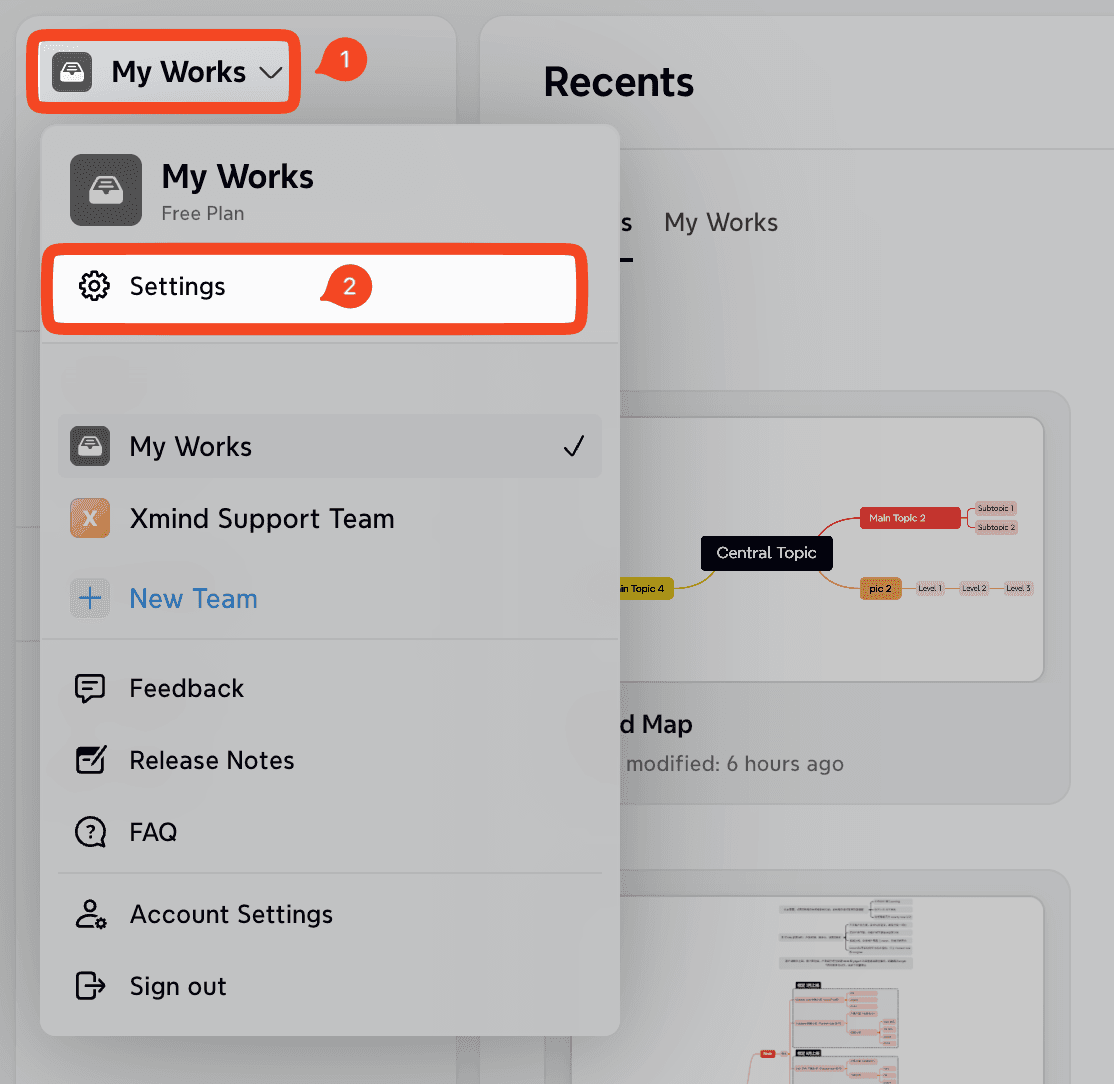
Go to My Works (or your Team Space for Business).
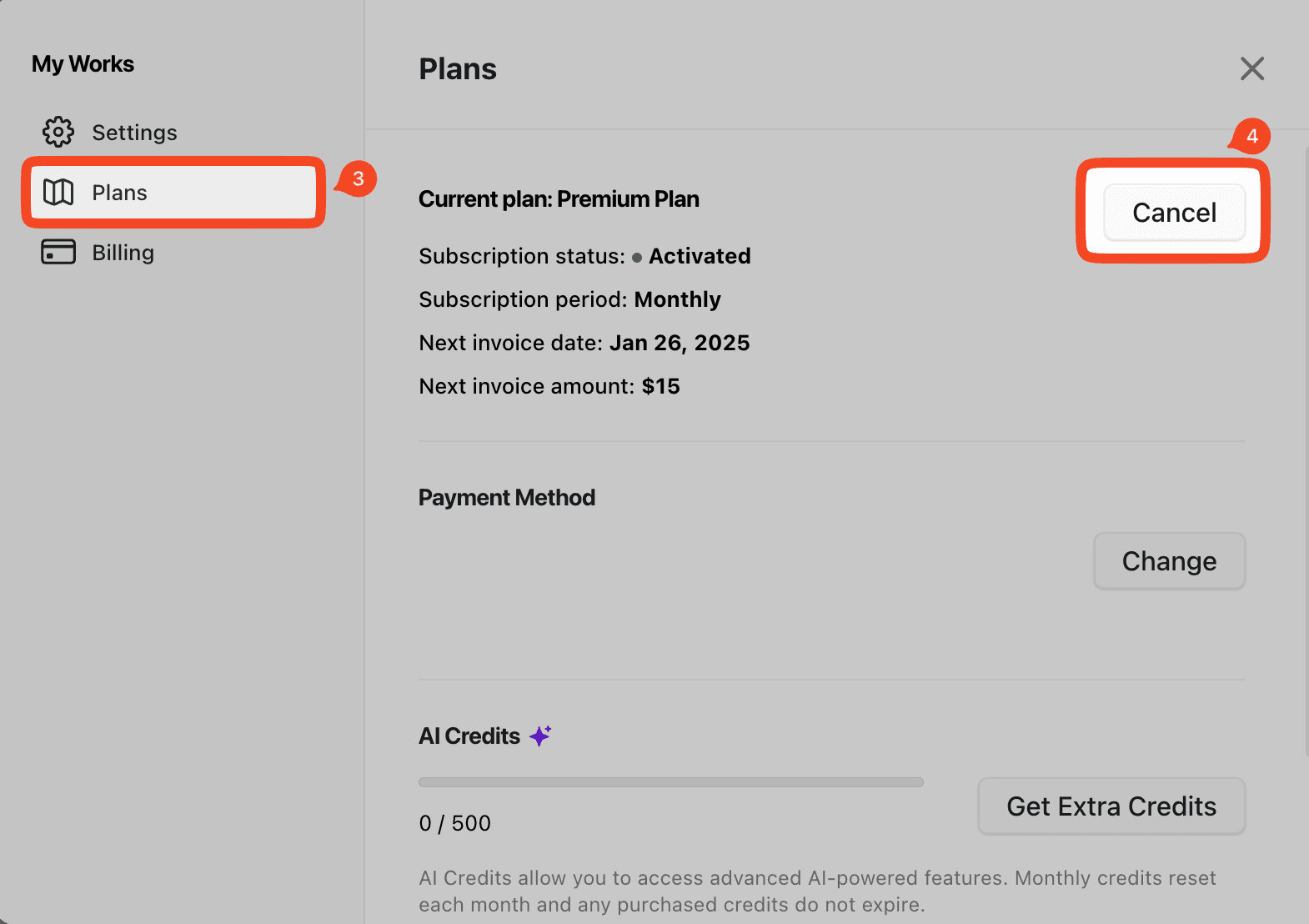
Click Settings → Plans.
On the Plans page, locate the Cancel button and click it to turn off auto-renewal.
Xmind Pro (Xmind Website)
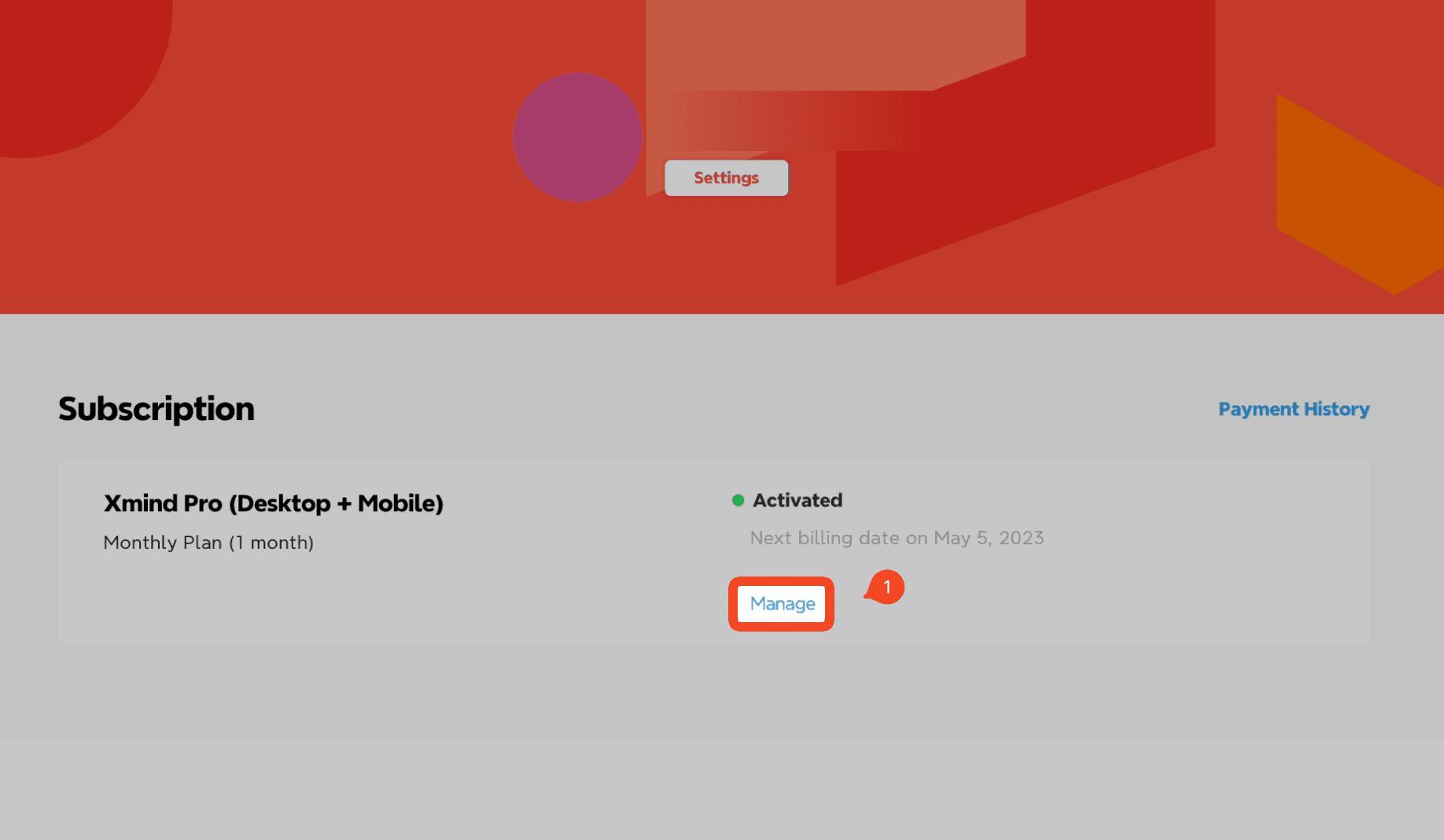
Sign in to your account at: https://xmind.app/account
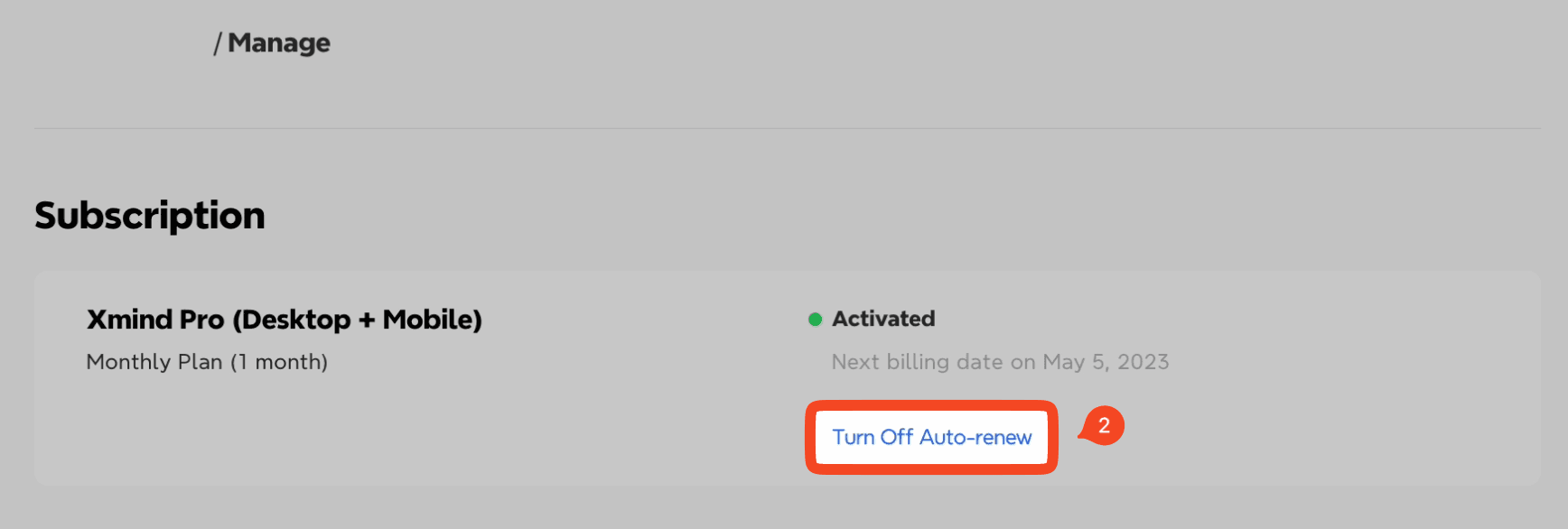
Go to Subscription → Manage.
Click Turn Off Auto-Renew.
Apple App Store Purchases (iOS/macOS)
Open Settings on your iPhone/iPad/Mac.
Tap your Apple ID → Subscriptions.
Select your Xmind subscription.
Tap Cancel Subscription.
Google Play Purchases (Android)
Open the Google Play Store on your Android device.
Go to Subscriptions.
Select your Xmind subscription and tap Cancel Subscription.
If you have any questions, please contact us at support@xmind.com.

