How to create a Saving Folder of Xmind Files on Xmind for Android?
The following content applies specifically to the Android version.
Please note that the Recents page only displays files you have recently opened or edited. It does not represent the actual file storage location and does not support folder creation.
If you want to create a new folder, please go to Local File or My Works → All Maps.
How to Create a Folder
Open Xmind for Android.
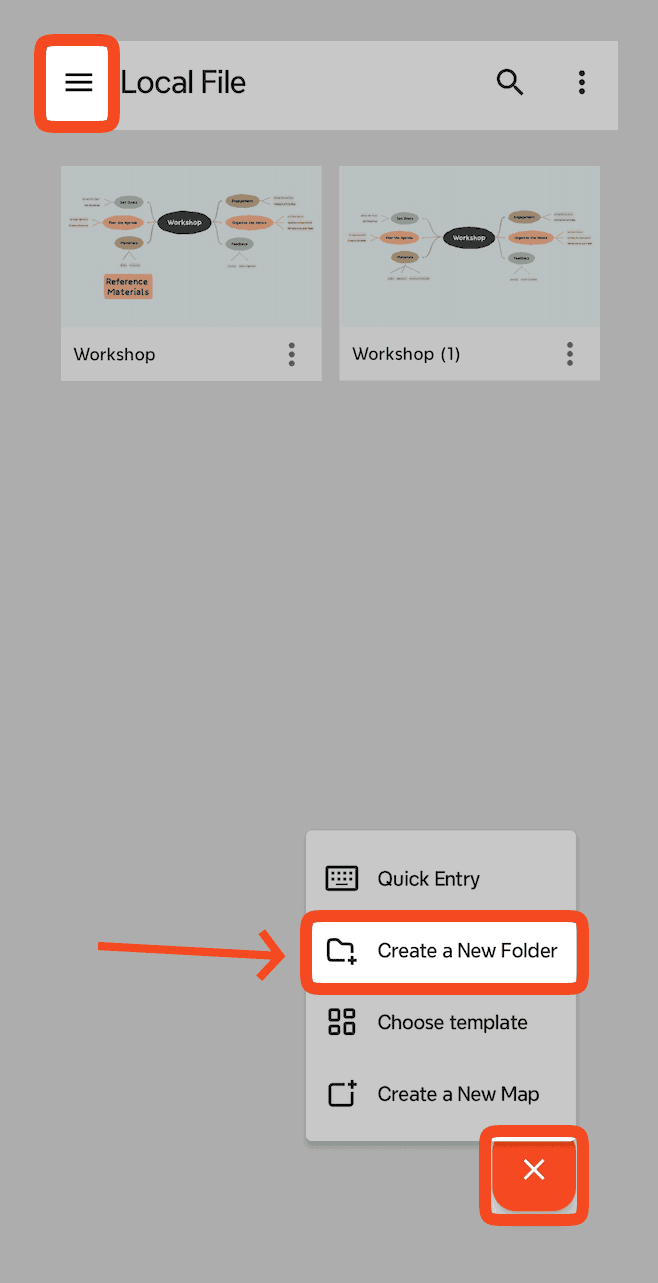
Tap [≡] → Local File or My Works → All Maps.
Tap [+] button → Create a New Folder.
How to Move a File to a New Folder
Locate the file you want to move.
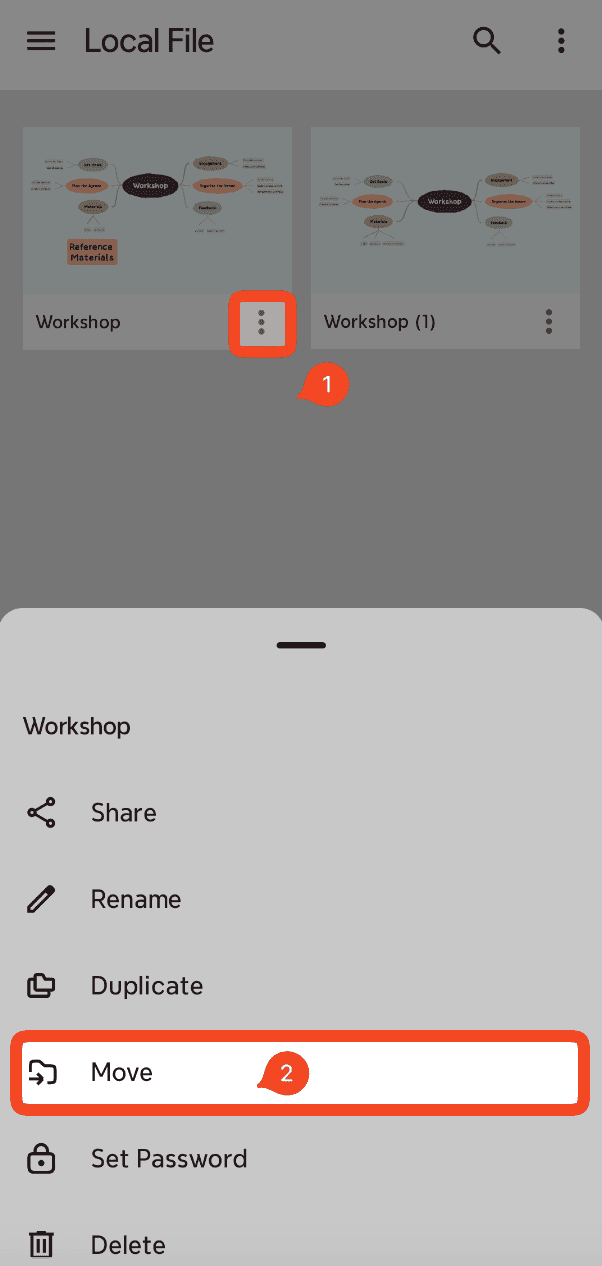
Tap [⋮] next to the file name → Move to.
Select the target folder or create a new one.
Tap Move to complete the action.