How to manage my Xmind account?
You can update your account information—including your name, email address, newsletter preferences, billing details, password, and profile photo—through your Account Settings.
Update Your Account Information
Sign in to your account at xmind.app/account.
Click Settings.
Make the desired changes to your account details.
If you are unable to update or verify your email address, or if you have any questions, please contact us with the following information at support@xmind.com:
Use your registered email address to contact us.
If the registered email is invalid, please provide a screenshot of your Account page or the receipt of your subscription for verification if this is a subscribed account.
Change Your Account Password
Sign in to your account at xmind.app/account.
Click Settings.
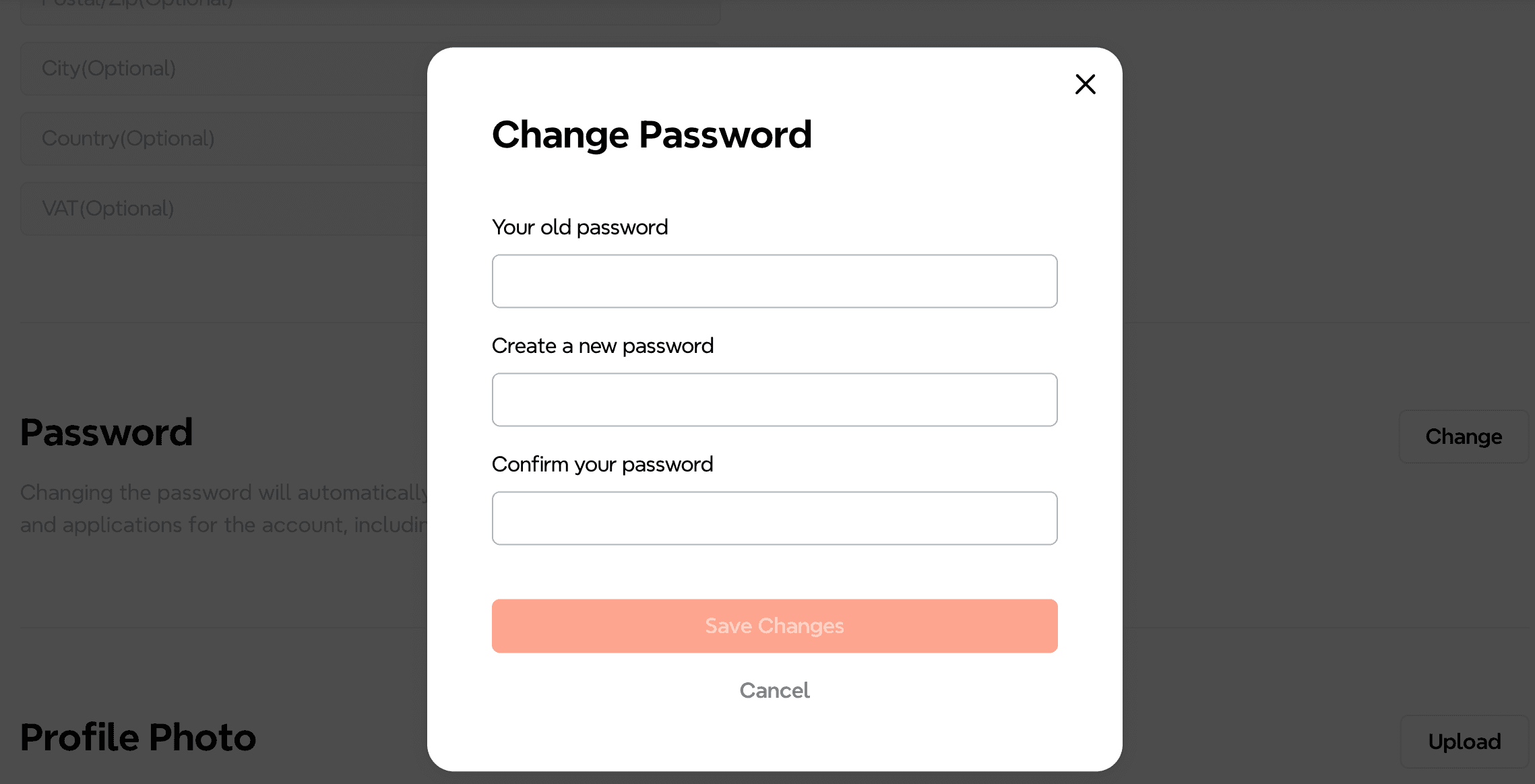
Under Password, click Change and follow the on-screen instructions to update your password.
Reset Your Account Password
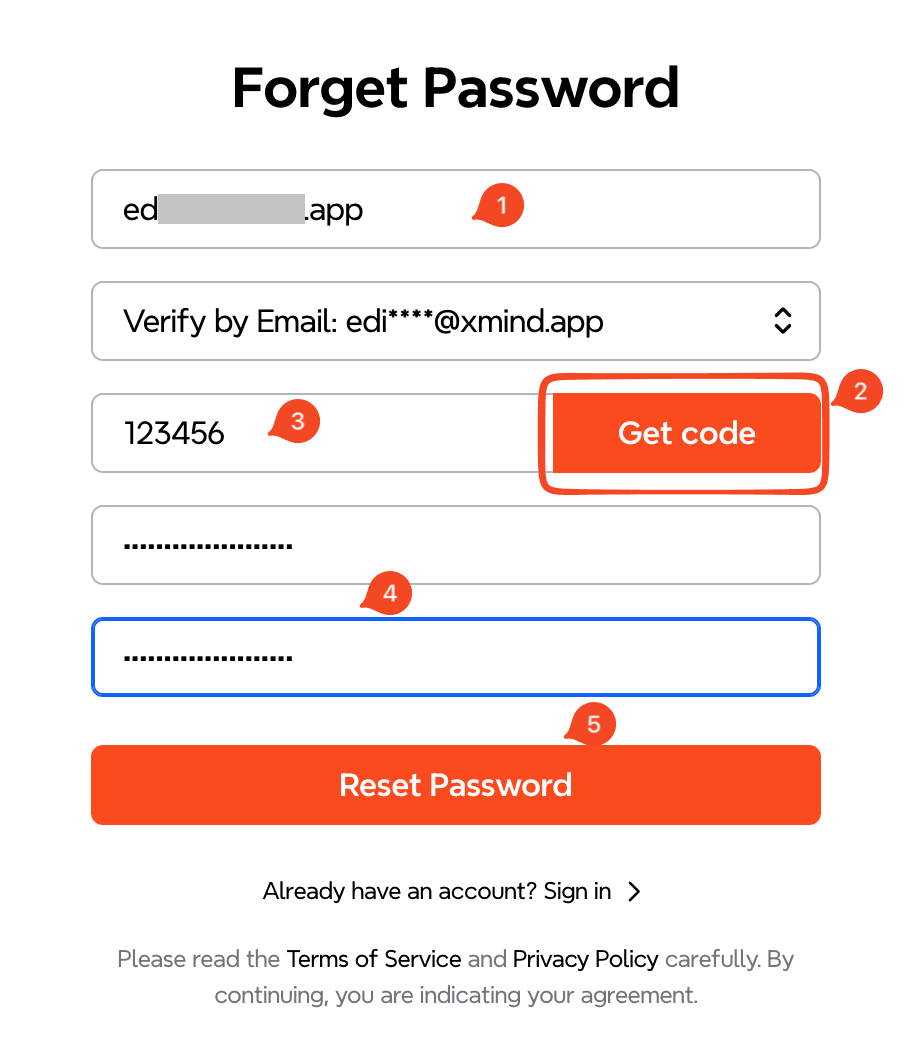
If you forgot your password, please follow the steps below to reset it:
Go to the Xmind sign-in page.
Click Forgot Password?
Enter your registered email address and click Get Code.
Enter the verification code sent to your email.
Enter your new password twice, then click Reset Password to complete the process.
Delete Your Account
If you wish to delete your Xmind account:
Sign in to your account at xmind.app/account.
Click Settings.
Locate Delete Account.
Click Delete Anyway to confirm.
* Please note: Deleting your account is permanent and irreversible. All associated data will be permanently removed and cannot be recovered.


