How to update the credit card information for my subscription?
The steps to update your payment method depend on the subscription type and where it was purchased.
For Xmind Pro
Sign in to your account at xmind.app/account.
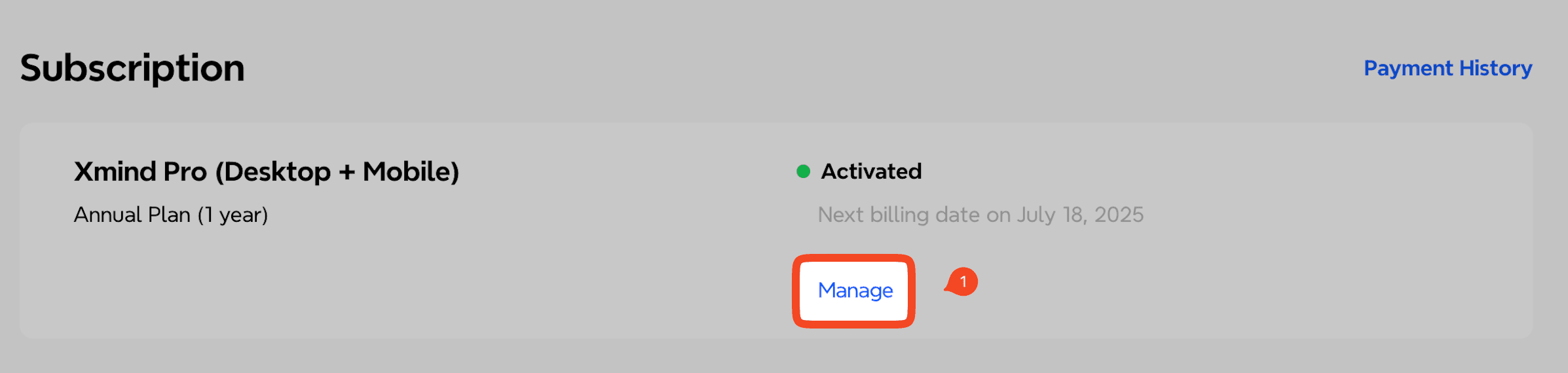
Go to the Subscription section and click Manage.
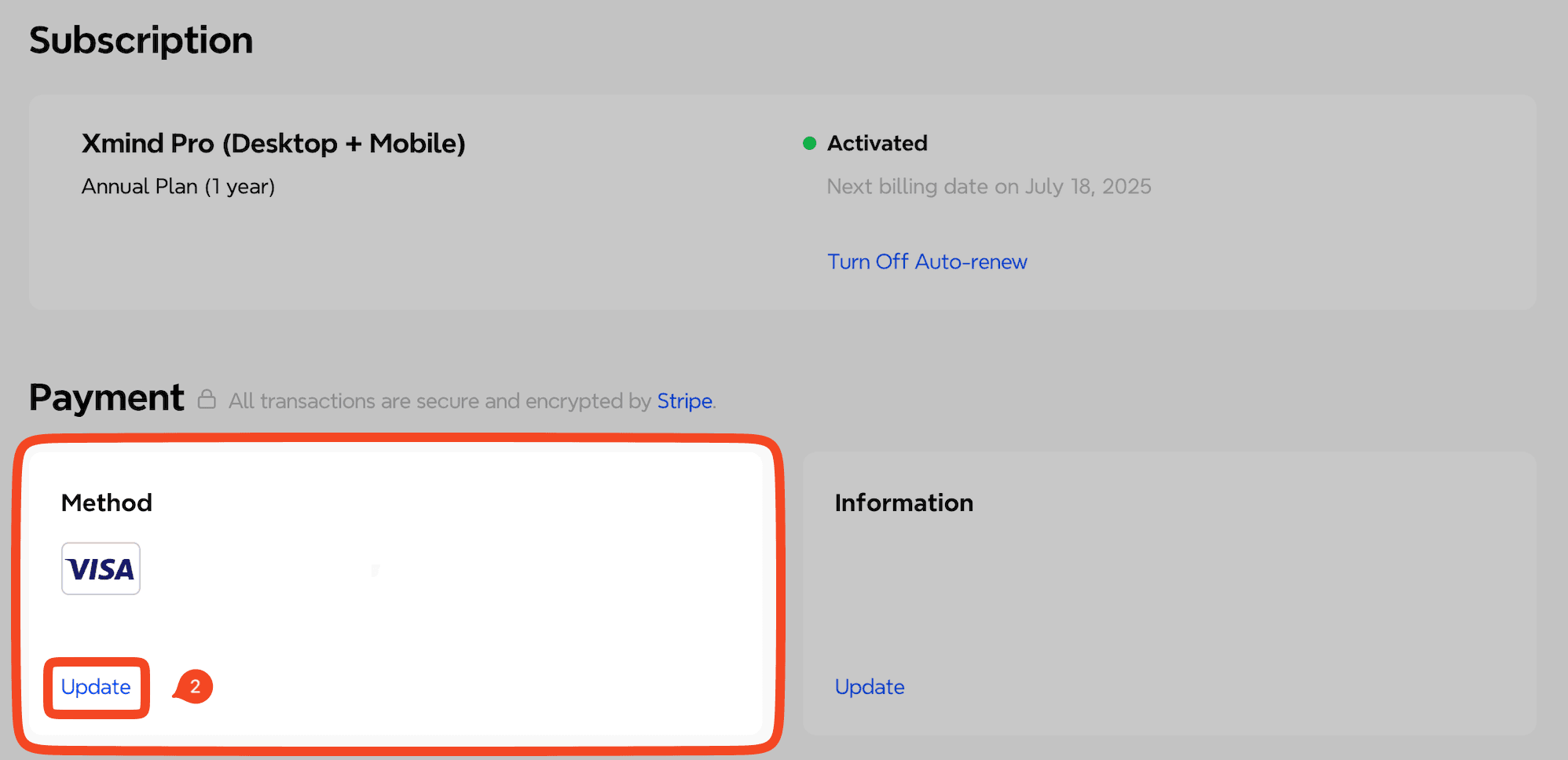
Select Update, enter your new credit card details, and click Update Credit Card to confirm.
For Xmind Premium
Sign in to your account at app.xmind.com.
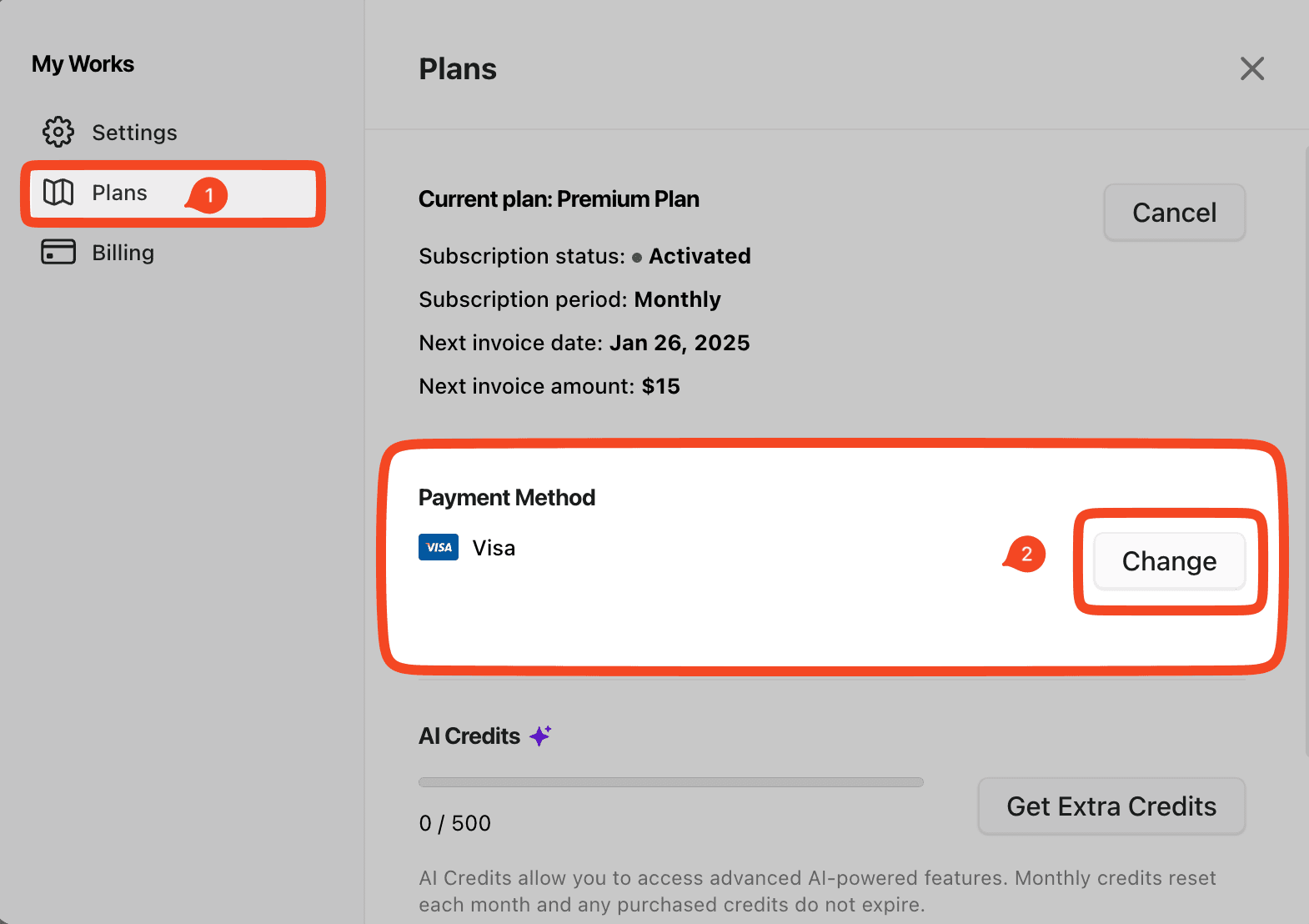
Navigate to My Works → Settings → Plans.
Click Change under Payment Method and follow the prompts to update your card information.
If you need assistance or encounter any issues during the update process, please contact us at support@xmind.com.

