How to use my subscription redeem code?
You can redeem your Xmind subscription code on both desktop and mobile apps, or directly through your Xmind account online.
Please follow the steps below based on your plan.
Redeem Xmind Premium
Sign in to your account at app.xmind.com.
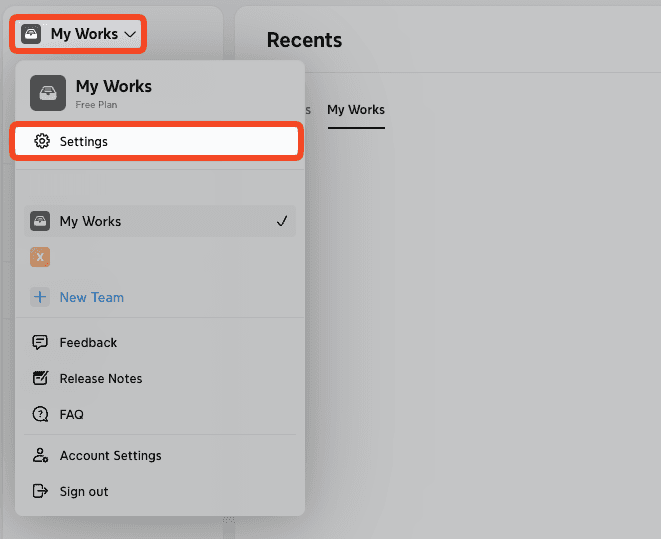
Go to My Works from the sidebar.
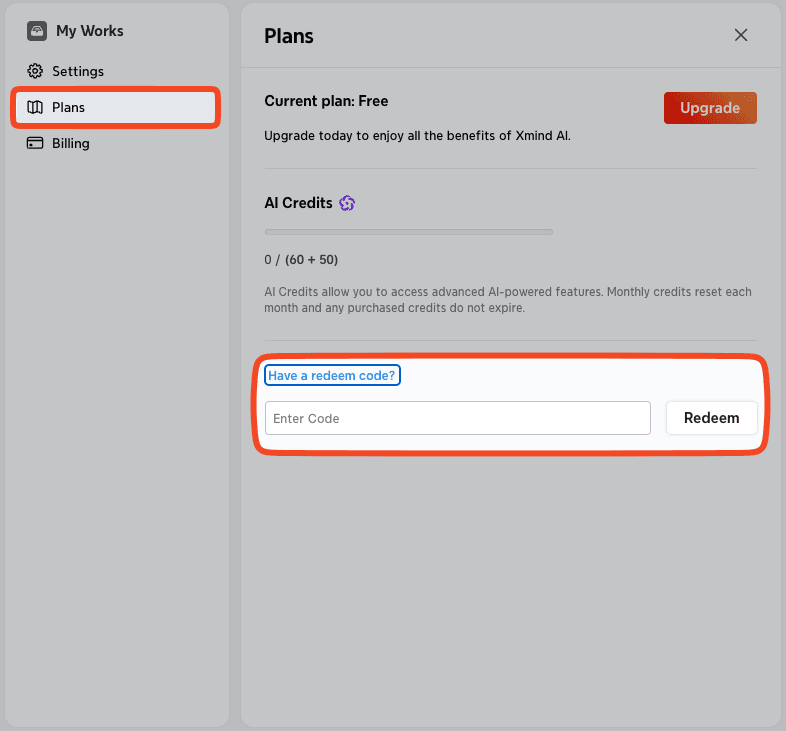
Click Settings → Plans → Have a redeem code?
Enter your redeem code and click Redeem.
Redeem Xmind Business
Sign in to your account at app.xmind.com.
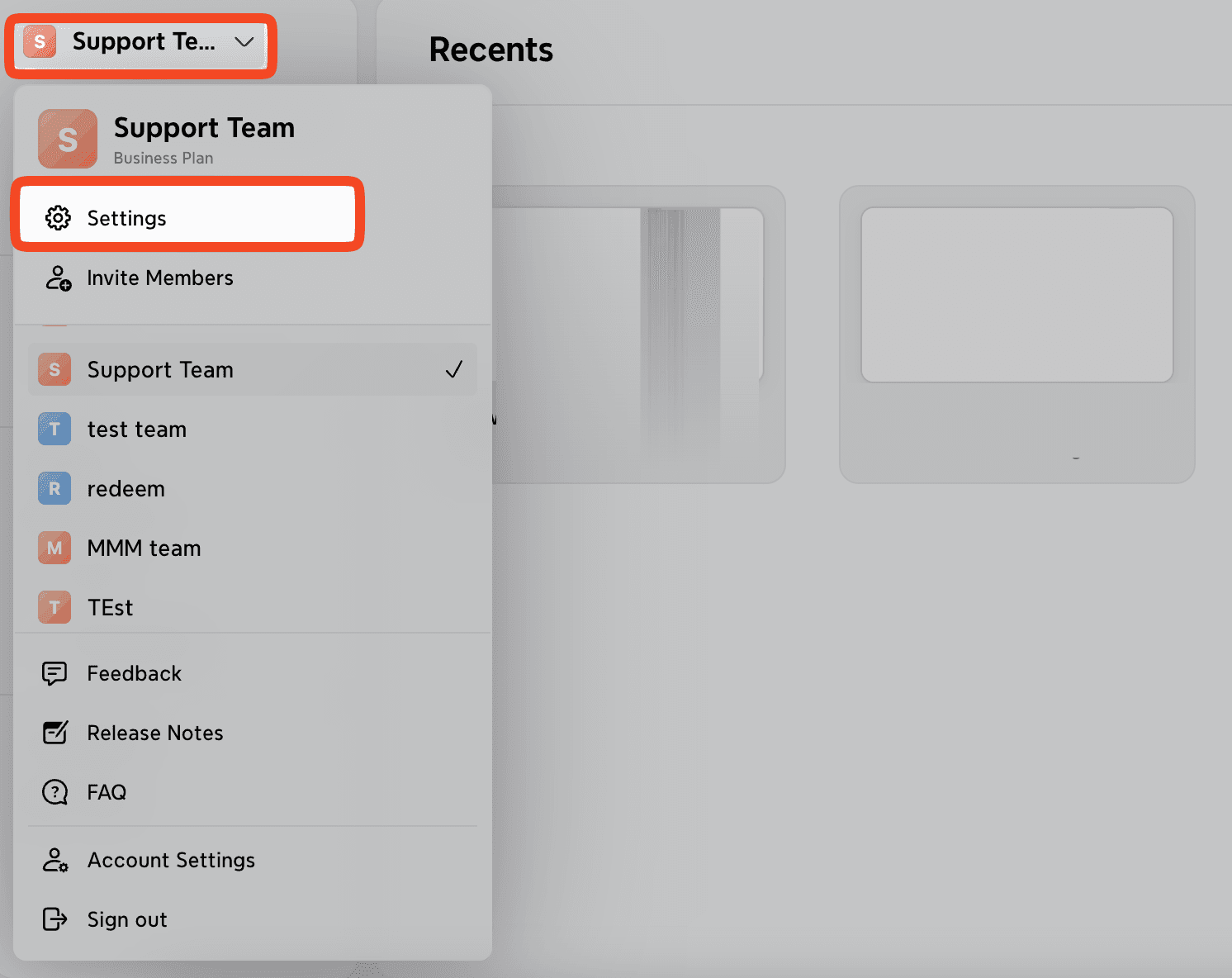
Go to your team space from the sidebar.
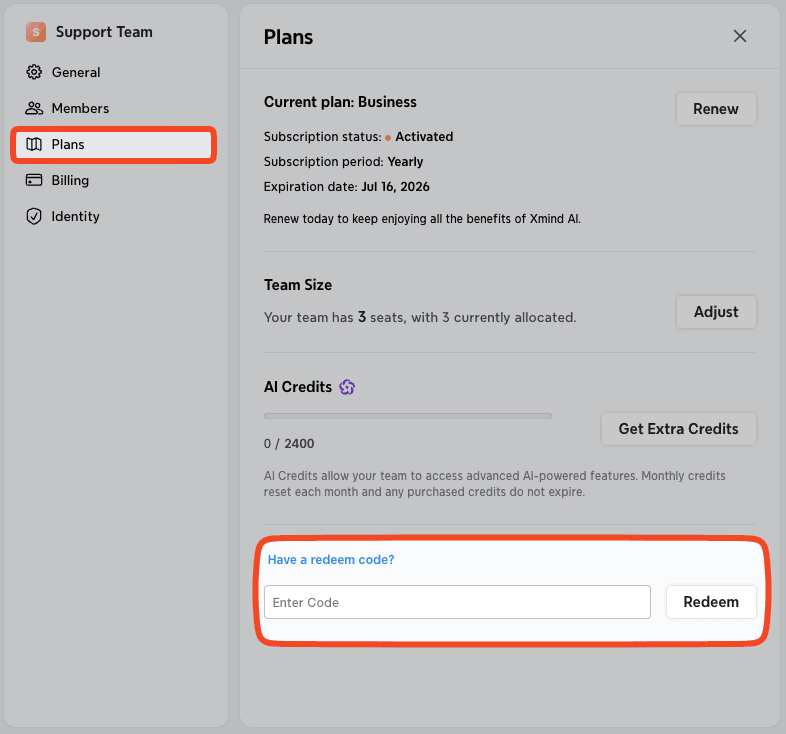
Click Settings → Plans → Have a redeem code?
Enter your redeem code and click Redeem.
Redeem Xmind Pro
On Desktop
Open Xmind.
Go to Help → Redeem Gift Card.
Sign in to your Xmind account if prompted.
Enter your redeem code and click Continue to activate your subscription.
On Android
Open the Xmind app.
Navigate to Settings → Redeem Gift Card.
Sign in if required, then enter your redeem code.
Tap Continue to activate your subscription.
On Web
You may also redeem your code online.
Visit the redemption page.
Enter your redeem code and click Continue.
Sign up/Sign into your Xmind account.
Click Redeem to activate the subscription.

