
Xmind ChatGPT Plugin
Turn your ChatGPT conversations into editable mind maps with Xmind. Bring existing maps into the chat to explore ideas and make changes together.


How to use Xmind ChatGPT Plugin in 3 simple steps?


What you can do with Xmind ChatGPT Plugin

Create maps
Turn conversations, notes, and plans into structured, editable mind maps.

Find recent maps
Find recent mind maps in your Xmind workspace and pick up where you left off.

Read maps
Ask ChatGPT to summarize an existing mind map and use it as context for your next steps.

Edit maps
Add branches, update topics, reorganize ideas, expand content, or improve wording through chat.

Open in Xmind
Open your maps in Xmind to refine the layout, keep editing, and share your work.

Conversation map


Planning map
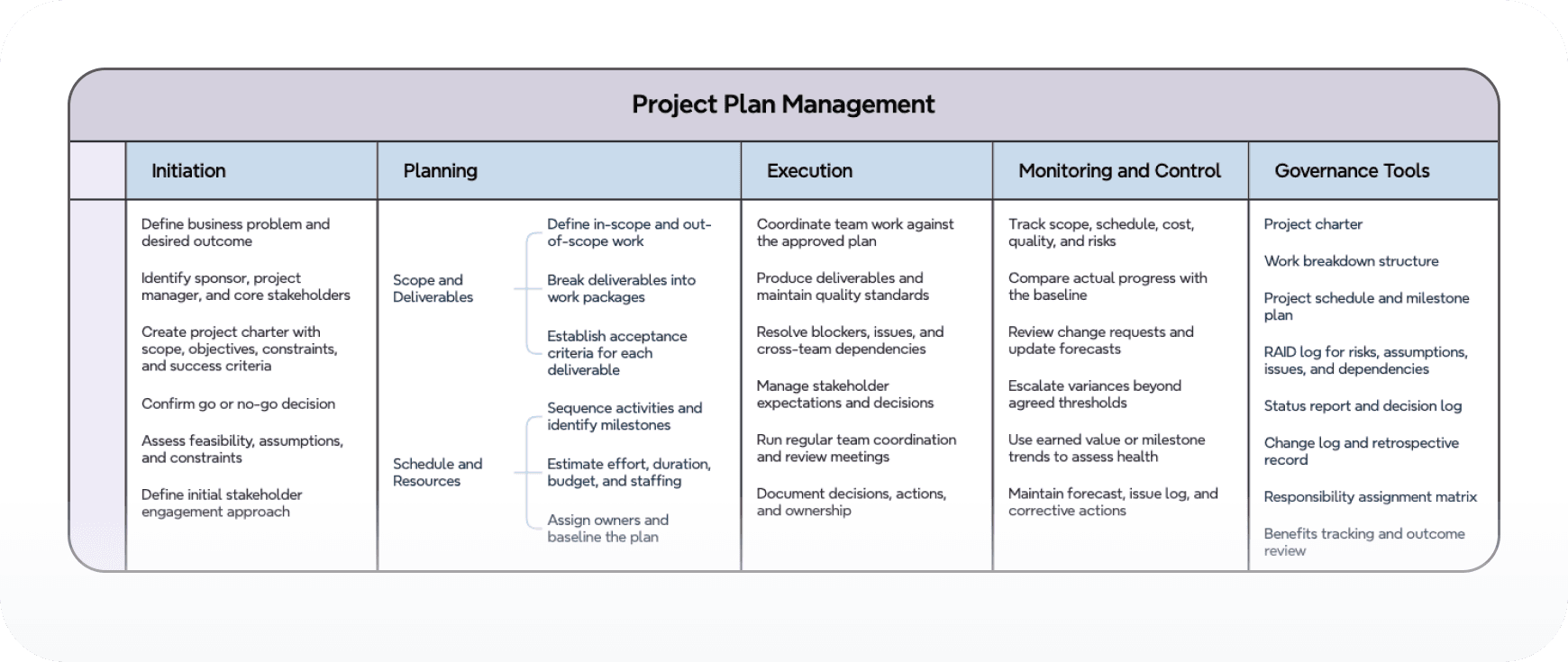
Trusted by millions worldwide

4.8/5

App Store

95%
User satisfaction rate

100M+
Users worldwide










What is Xmind ChatGPT Plugin?
It is the Xmind plugin inside ChatGPT for creating, finding, reading, and editing Xmind maps from conversations.
How do I activate it?
Type @xmind in a conversation, or choose Xmind from the ChatGPT plugins menu.
Where are maps saved?
Generated maps are saved to your connected Xmind workspace and can be opened in Xmind.
Can it read existing maps?
Yes. You can ask ChatGPT to list recent maps, read a selected map, and summarize or expand it.
Can it edit maps?
Yes. Describe the edits you want, such as adding branches, revising topics, or reorganizing structure.
How is it different from MCP?
The ChatGPT App is the simplest path inside ChatGPT. MCP is a broader server connection for MCP-compatible clients.




