
Build presentations from your mind map
From brainstorming to the big moment, Xmind keeps your thinking and your presentation in the same place. No blank slides, no switching tools, no starting over.
From brainstorming to the big moment, Xmind keeps your thinking and your presentation in the same place. No blank slides, no switching tools, no starting over.




Why traditional presentations feel overwhelming
Why traditional presentations feel overwhelming

Blank slide paralysis
You open a blank slide and spend the first hour just figuring out what to say and in what order.
Blank slide paralysis
You open a blank slide and spend the first hour just figuring out what to say and in what order.
Blank slide paralysis
You open a blank slide and spend the first hour just figuring out what to say and in what order.

Format over content
Fonts, layouts, alignment—by the time slides look right, you've run out of time for what actually matters.
Format over content
Fonts, layouts, alignment—by the time slides look right, you've run out of time for what actually matters.
Format over content
Fonts, layouts, alignment—by the time slides look right, you've run out of time for what actually matters.

Too many tools
You brainstorm in one app, design in another, and present in a third. Every switch breaks your focus.
Too many tools
You brainstorm in one app, design in another, and present in a third. Every switch breaks your focus.
Too many tools
You brainstorm in one app, design in another, and present in a third. Every switch breaks your focus.
Every step from mind map to presentation, all in one click
Step 1: Start from what you already have
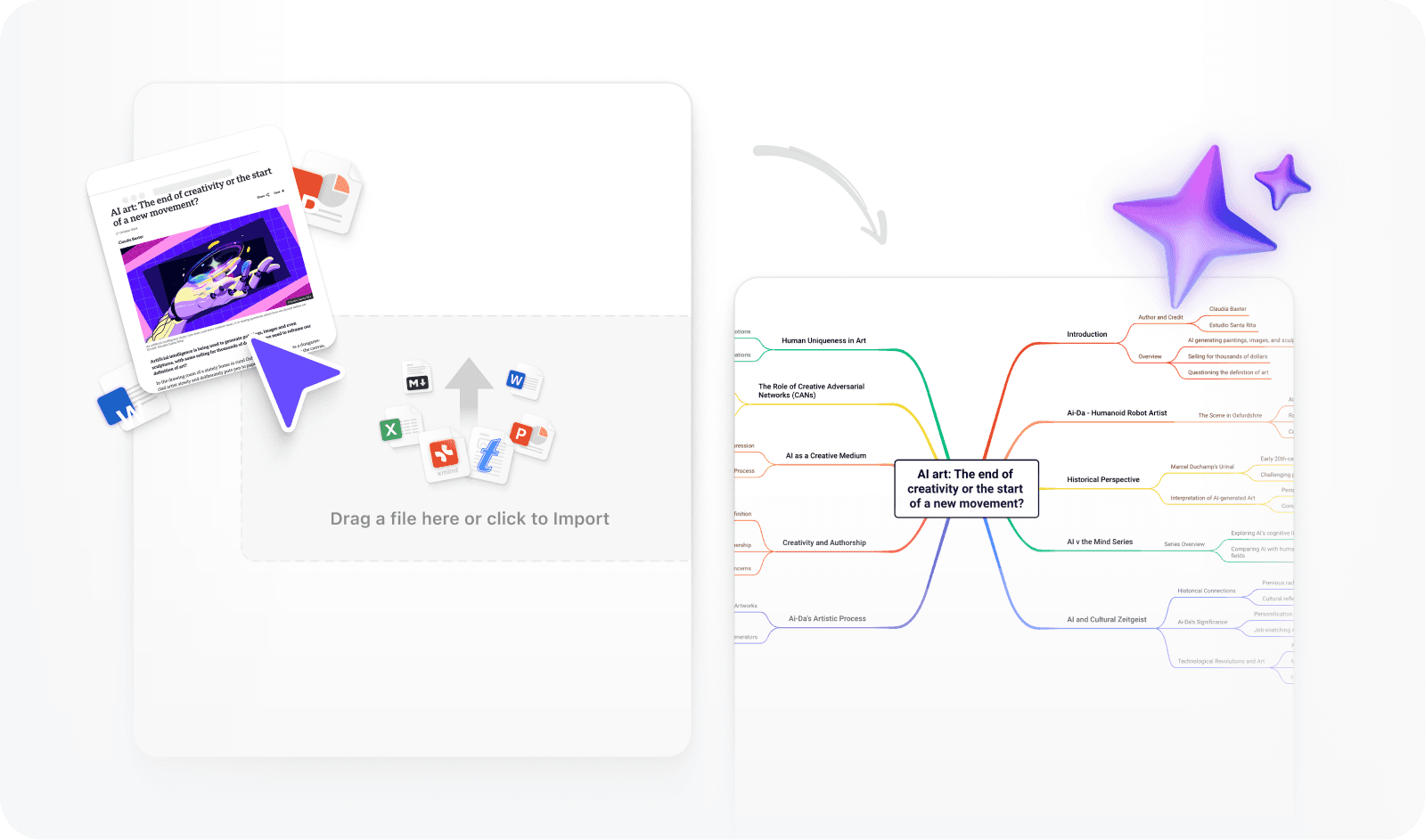
Upload a Word doc, Markdown file, or OPML, or type a prompt and let Xmind AI build a mind map for you. Your content is organized and ready before you touch a single slide.
Step 1: Start from what you already have
Upload a Word doc, Markdown file, or OPML, or type a prompt and let Xmind AI build a mind map for you. Your content is organized and ready before you touch a single slide.
Step 1: Start from what you already have
Upload a Word doc, Markdown file, or OPML, or type a prompt and let Xmind AI build a mind map for you. Your content is organized and ready before you touch a single slide.
Step 2: Pick a structure that fits your content
Not every presentation thinks the same way. Switch between, org chart, timeline, fishbone, and more to find the structure that best fits your content. Xmind adapts to how your ideas naturally connect.

Step 2: Pick a structure that fits your content
Not every presentation thinks the same way. Switch between, org chart, timeline, fishbone, and more to find the structure that best fits your content. Xmind adapts to how your ideas naturally connect.
Step 2: Pick a structure that fits your content
Not every presentation thinks the same way. Switch between, org chart, timeline, fishbone, and more to find the structure that best fits your content. Xmind adapts to how your ideas naturally connect.
Step 3: Edit together, present as one team
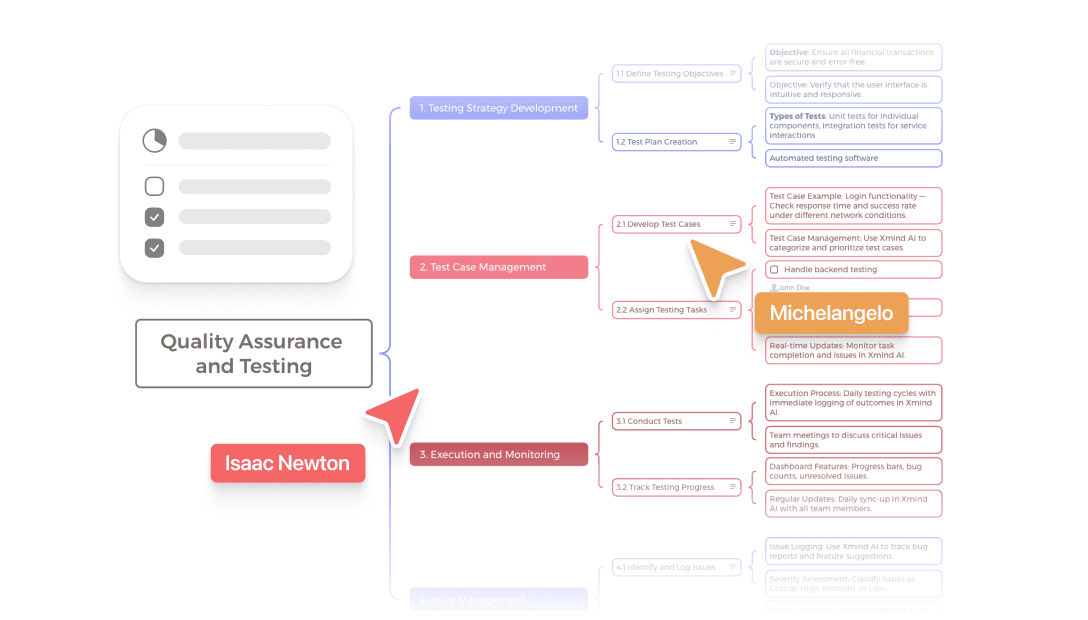
Invite your team to edit the mind map together before anything becomes a slide. Everyone can contribute, comment, and align on the content in one shared space, so your final presentation reflects the full picture.
Step 3: Edit together, present as one team
Invite your team to edit the mind map together before anything becomes a slide. Everyone can contribute, comment, and align on the content in one shared space, so your final presentation reflects the full picture.
Step 3: Edit together, present as one team
Invite your team to edit the mind map together before anything becomes a slide. Everyone can contribute, comment, and align on the content in one shared space, so your final presentation reflects the full picture.
Step 4: Choose a theme, skip the design
Once your content is set, choose from a range of Pitch Mode themes. Fonts, colors, and layout are applied across every slide automatically. Your deck looks polished without any manual design work.

Step 4: Choose a theme, skip the design
Once your content is set, choose from a range of Pitch Mode themes. Fonts, colors, and layout are applied across every slide automatically. Your deck looks polished without any manual design work.
Step 4: Choose a theme, skip the design
Once your content is set, choose from a range of Pitch Mode themes. Fonts, colors, and layout are applied across every slide automatically. Your deck looks polished without any manual design work.
Step 5: No slides to build, just present
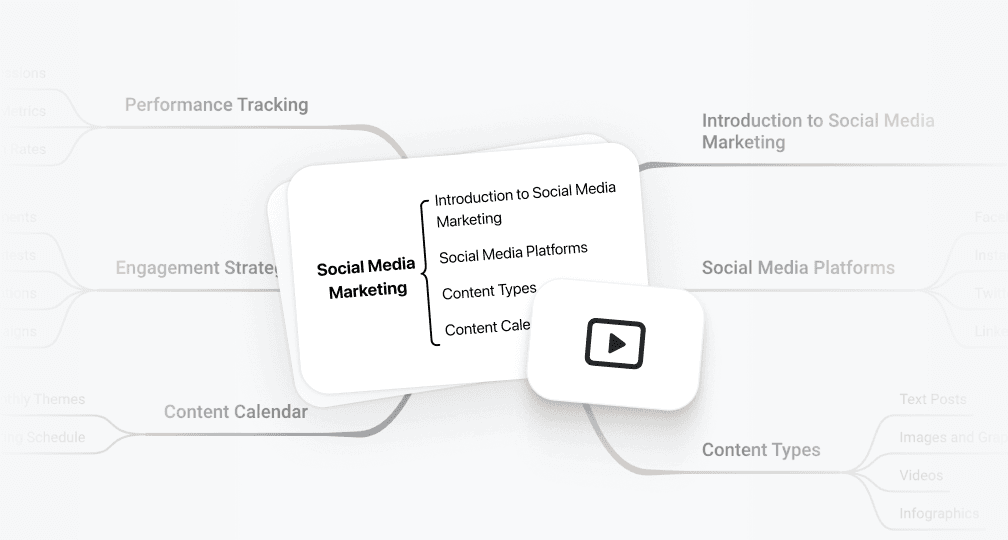
Launch Pitch Mode directly from your mind map for a clean, full-screen presentation experience. No exporting, no switching apps, just your content on screen, ready to deliver.
Step 5: No slides to build, just present
Launch Pitch Mode directly from your mind map for a clean, full-screen presentation experience. No exporting, no switching apps, just your content on screen, ready to deliver.
Step 5: No slides to build, just present
Launch Pitch Mode directly from your mind map for a clean, full-screen presentation experience. No exporting, no switching apps, just your content on screen, ready to deliver.
Step 6: Keep it, export it, or share it your way
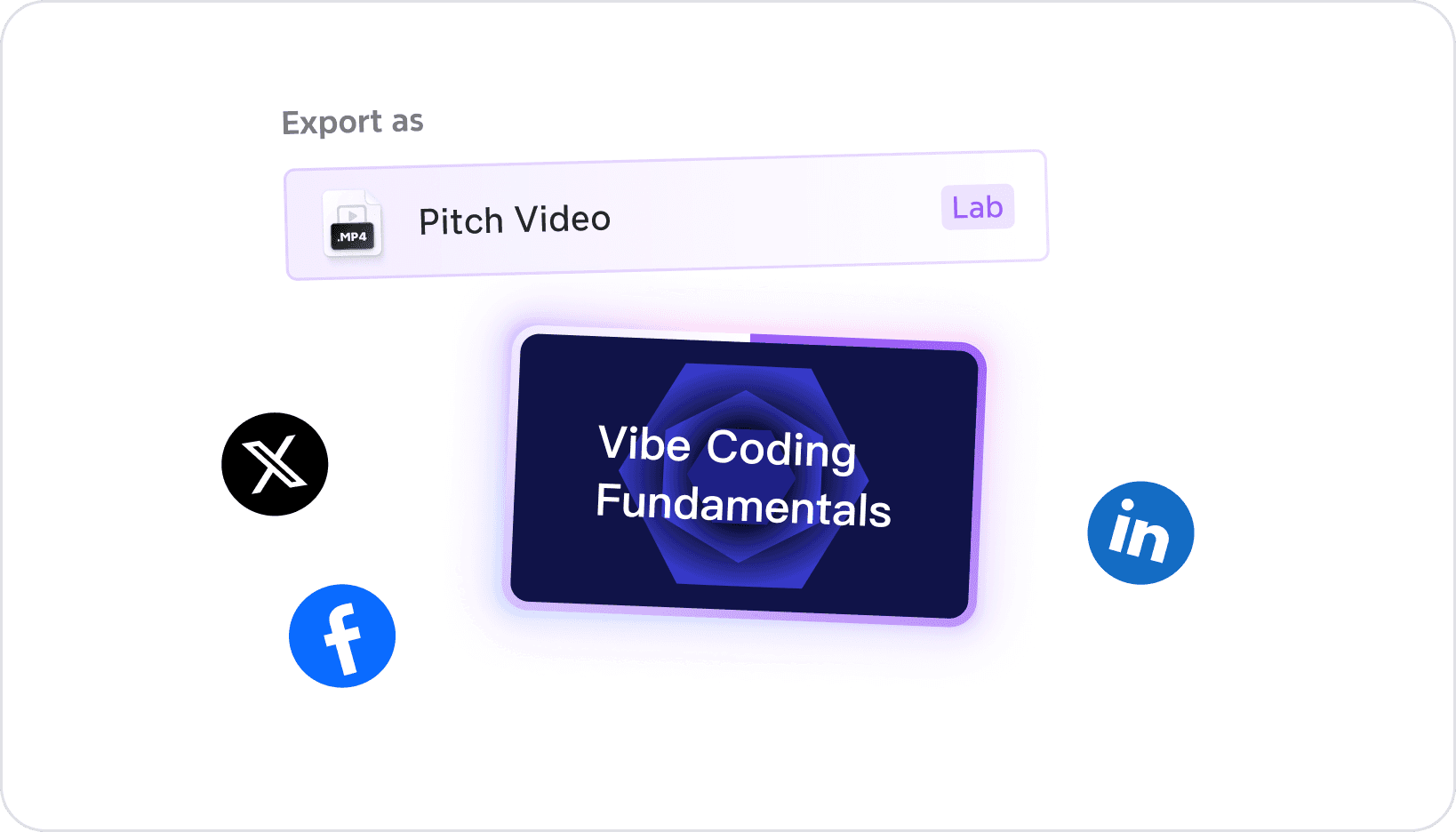
Export your deck to .pptx or PDF, or turn your mind map into a pitch video with one click. Choose your theme, aspect ratio, and duration, then share it anywhere your audience needs it.
Step 6: Keep it, export it, or share it your way
Export your deck to .pptx or PDF, or turn your mind map into a pitch video with one click. Choose your theme, aspect ratio, and duration, then share it anywhere your audience needs it.
Step 6: Keep it, export it, or share it your way
Export your deck to .pptx or PDF, or turn your mind map into a pitch video with one click. Choose your theme, aspect ratio, and duration, then share it anywhere your audience needs it.
Who uses Xmind for presentations?

For business
Quickly create high-impact, client-ready decks with less manual effort.
For business
Quickly create high-impact, client-ready decks with less manual effort.
For business
Quickly create high-impact, client-ready decks with less manual effort.

For educators
Turn lessons into visual journeys that are easier to follow and remember.
For educators
Turn lessons into visual journeys that are easier to follow and remember.
For educators
Turn lessons into visual journeys that are easier to follow and remember.

For students
Build strong arguments and creative storylines using visual logic and smart slide generation.
For students
Build strong arguments and creative storylines using visual logic and smart slide generation.
For students
Build strong arguments and creative storylines using visual logic and smart slide generation.
Hear from our Xmind family


Matt Przegietka
Lead Product Designer

“
Xmind - mind mapping is my way to go whenorganizing thoughts, planning design, and features.I like the focus approach of this tool. While in other apps,mind mapping is just another feature, in Xmind,it's the only one polished to perfection.
”

Alex Gilev@alexgilev1
Designer

“
If you want to get a holistic product view when working with complex systems especially when starting a new project with lots of moving parts… 2 words: Mind-map (e.g xMind)
”

لوسیفر | Lucifer
Product Designer
“
آقا نرم افزار xmind که باهاش از محتوای کتابام مایند مپ میساختم، یه mcp server برای ایده ای که داشتم ساخته :))) فیچر های دیگه ای هم داره که واقعا جالبه
”

Integer Man u/Integer_Man
Reddit Review

“
So, the thread title sort of sounds like a promo / commercial for them, but that said - yes. I use them. I used them last night to create some visuals for an upcoming presentation and often use them to organize thoughts and knowledge on concepts. I've tried a number of things, but XMind is my favorite due to the usability factors in being able to quickly add sibling and child nodes. The other bells and whistles are nice, but for me it's all about the usability.
”

Rahul Parwal
Test Specialist
“
8+ Years of Experimentation with Notetaking tools :)My Result: Xmind is the most powerful mind-mapping & note-taking tool for testers.It can supercharge your productivity & creativity to the next level ❤
”

小山深夜時間 softnotes.sam
Youtuber

“
如何系統化整理散落四處的知識? Xmind 是唯一正解。By 剛 on board 需要光速學會新東西的 me(本人用肉身實驗過,Google Doc、手寫筆記什麼都沒用,拜託大家現在立馬就用心智圖把學習到的所有 input 整理起來。)
”

곽용호
Novelist
“
내가 이 편리한걸 이제알앗다니.... xmind(그중에서도 논리어쩌고선택)인데 플롯 짤때좋아요 사용법은 실패없는웹소설작법서(윤재)에 잘나와있음 플롯짜는데 xmind를쓰고싶고,잘모르겠다<<디엠으로오십시오
”

Kate Brand katebrandwriter
New Writer
“
Currently using Xmind mind mapping tool to keep track of ideas, world building and potential scenes etc.
”
Matt Przegietka
Lead Product Designer
“
Xmind - mind mapping is my way to go whenorganizing thoughts, planning design, and features.I like the focus approach of this tool. While in other apps,mind mapping is just another feature, in Xmind,it's the only one polished to perfection.
”
Alex Gilev@alexgilev1
Designer
“
If you want to get a holistic product view when working with complex systems especially when starting a new project with lots of moving parts… 2 words: Mind-map (e.g xMind)
”
لوسیفر | Lucifer
Product Designer
“
آقا نرم افزار xmind که باهاش از محتوای کتابام مایند مپ میساختم، یه mcp server برای ایده ای که داشتم ساخته :))) فیچر های دیگه ای هم داره که واقعا جالبه
”
Integer Man u/Integer_Man
Reddit Review
“
So, the thread title sort of sounds like a promo / commercial for them, but that said - yes. I use them. I used them last night to create some visuals for an upcoming presentation and often use them to organize thoughts and knowledge on concepts. I've tried a number of things, but XMind is my favorite due to the usability factors in being able to quickly add sibling and child nodes. The other bells and whistles are nice, but for me it's all about the usability.
”
Rahul Parwal
Test Specialist
“
8+ Years of Experimentation with Notetaking tools :)My Result: Xmind is the most powerful mind-mapping & note-taking tool for testers.It can supercharge your productivity & creativity to the next level ❤
”
小山深夜時間 softnotes.sam
Youtuber
“
如何系統化整理散落四處的知識? Xmind 是唯一正解。By 剛 on board 需要光速學會新東西的 me(本人用肉身實驗過,Google Doc、手寫筆記什麼都沒用,拜託大家現在立馬就用心智圖把學習到的所有 input 整理起來。)
”
곽용호
Novelist
“
내가 이 편리한걸 이제알앗다니.... xmind(그중에서도 논리어쩌고선택)인데 플롯 짤때좋아요 사용법은 실패없는웹소설작법서(윤재)에 잘나와있음 플롯짜는데 xmind를쓰고싶고,잘모르겠다<<디엠으로오십시오
”
Kate Brand katebrandwriter
New Writer
“
Currently using Xmind mind mapping tool to keep track of ideas, world building and potential scenes etc.
”
More resources to enhance presentations






Frequently asked questions
How do I convert a mind map to a PowerPoint presentation?
With Xmind, converting a mind map to PowerPoint takes one click. Once your mind map is ready, use the AI presentation generator to turn it into a structured deck, then export directly to .pptx. The layout, hierarchy, and design are all preserved so your slides are ready to present or edit in PowerPoint right away.
What is Pitch Mode and how does it work?
Pitch Mode is Xmind's built-in presentation experience. It turns your mind map or AI-generated slides into a full-screen, distraction-free presentation without leaving the app. No exporting, no switching tools, just open Pitch Mode and you're ready to present.
Can I use Xmind as an AI PowerPoint generator?
Yes. Xmind's AI presentation generator takes your mind map as input and produces a complete, well-structured PowerPoint-ready deck. It handles slide structure, content flow, and visual formatting automatically, so you spend less time building slides and more time preparing what to say.
How accurate is the AI-generated presentation content?
Xmind generates content based on the topics and structure you define in your mind map, so the output stays on topic and relevant. We recommend reviewing the slides before presenting—the AI gives you a strong, well-organized first draft that you can refine to make it your own.
Do I need design experience to create a professional presentation with Xmind?
No design experience needed. Xmind's themes and AI formatting handle fonts, spacing, and visual layout automatically. Whether you're making a business pitch, a classroom lecture, or a research presentation, your slides will look professional without any manual design work.
Is Xmind a good alternative to PowerPoint for presentations?
Xmind takes a different approach—instead of starting with slides, you start with your ideas. The mind map to presentation workflow helps you think through your content first, then generate polished slides automatically. If you want a faster, more structured way to build presentations, Xmind is worth trying alongside or instead of PowerPoint.
Frequently asked questions
How do I convert a mind map to a PowerPoint presentation?
With Xmind, converting a mind map to PowerPoint takes one click. Once your mind map is ready, use the AI presentation generator to turn it into a structured deck, then export directly to .pptx. The layout, hierarchy, and design are all preserved so your slides are ready to present or edit in PowerPoint right away.
What is Pitch Mode and how does it work?
Pitch Mode is Xmind's built-in presentation experience. It turns your mind map or AI-generated slides into a full-screen, distraction-free presentation without leaving the app. No exporting, no switching tools, just open Pitch Mode and you're ready to present.
Can I use Xmind as an AI PowerPoint generator?
Yes. Xmind's AI presentation generator takes your mind map as input and produces a complete, well-structured PowerPoint-ready deck. It handles slide structure, content flow, and visual formatting automatically, so you spend less time building slides and more time preparing what to say.
How accurate is the AI-generated presentation content?
Xmind generates content based on the topics and structure you define in your mind map, so the output stays on topic and relevant. We recommend reviewing the slides before presenting—the AI gives you a strong, well-organized first draft that you can refine to make it your own.
Do I need design experience to create a professional presentation with Xmind?
No design experience needed. Xmind's themes and AI formatting handle fonts, spacing, and visual layout automatically. Whether you're making a business pitch, a classroom lecture, or a research presentation, your slides will look professional without any manual design work.
Is Xmind a good alternative to PowerPoint for presentations?
Xmind takes a different approach—instead of starting with slides, you start with your ideas. The mind map to presentation workflow helps you think through your content first, then generate polished slides automatically. If you want a faster, more structured way to build presentations, Xmind is worth trying alongside or instead of PowerPoint.

Ready to make your presentations stunning?
Transform the way you present - from scattered ideas to structured, stunning slides in minutes. Xmind AI helps you work faster, think clearer, and present with confidence.


Ready to make your presentations stunning?
Transform the way you present - from scattered ideas to structured, stunning slides in minutes. Xmind AI helps you work faster, think clearer, and present with confidence.

