Abstract pattern in shades of white, featuring subtle gradients and textures throughout the surface.
A white abstract pattern with subtle texture, featuring blurred areas that create a soft visual effect.
A minimalist abstract design featuring soft gradient colors transitioning from light to dark.
Abstract gradient image with soft color transitions in shades of white and grey, creating a subtle, calm background effect.

Make each second count more

Time management is more than a daily routineโ€”itโ€™s how you make space for what truly matters. With Xmind, you get a visual way to organize your priorities, set boundaries, and stay in control of your schedule. No more mental clutter. Just clarity, on your terms.


Time management is more than a daily routineโ€”itโ€™s how you make space for what truly matters. With Xmind, you get a visual way to organize your priorities, set boundaries, and stay in control of your schedule. No more mental clutter. Just clarity, on your terms.

Power up time management strategies

Tasks make more sense when you can see how they fit together. With Xmind, you can break work into clear branches, use colors to group related tasks, and add icons to mark what needs attentionโ€”so your plan feels structured, not scattered.
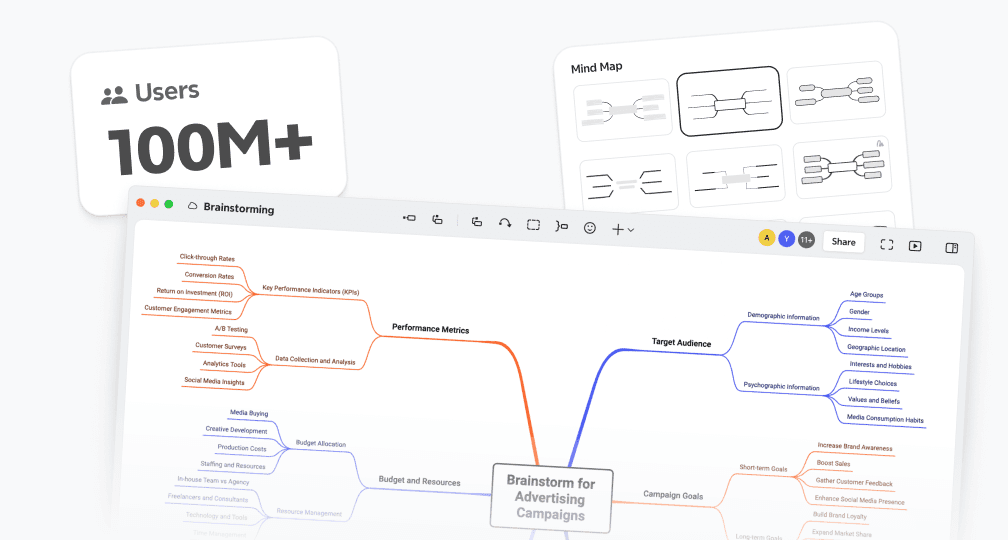
Classic mind map structure layout in Xmind with central idea and branches

Power up time management strategies

Tasks make more sense when you can see how they fit together. With Xmind, you can break work into clear branches, use colors to group related tasks, and add icons to mark what needs attentionโ€”so your plan feels structured, not scattered.

Classic mind map structure layout in Xmind with central idea and branches

Power up time management strategies

Tasks make more sense when you can see how they fit together. With Xmind, you can break work into clear branches, use colors to group related tasks, and add icons to mark what needs attentionโ€”so your plan feels structured, not scattered.

Classic mind map structure layout in Xmind with central idea and branches

Power up time management strategies

Tasks make more sense when you can see how they fit together. With Xmind, you can break work into clear branches, use colors to group related tasks, and add icons to mark what needs attentionโ€”so your plan feels structured, not scattered.

Classic mind map structure layout in Xmind with central idea and branches

Power up time management strategies

Tasks make more sense when you can see how they fit together. With Xmind, you can break work into clear branches, use colors to group related tasks, and add icons to mark what needs attentionโ€”so your plan feels structured, not scattered.

Classic mind map structure layout in Xmind with central idea and branches

Prioritize without the overwhelm

Some tasks are urgent, some arenโ€™t. Some feel important, but arenโ€™t moving anything forward. With Xmind, you can sort things clearly using branches, labels, and iconsโ€”so you stop wasting time guessing whatโ€™s next.

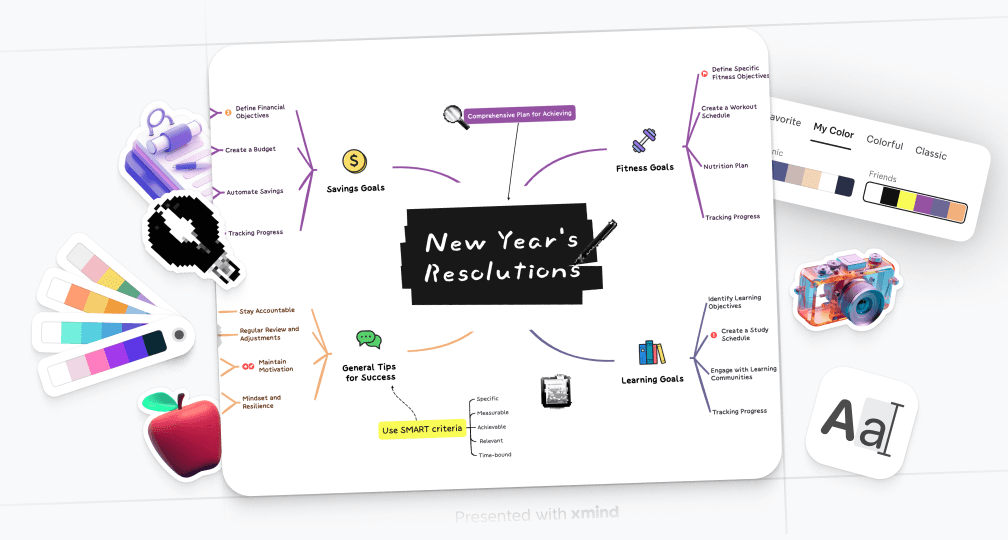
Visual elements in Xmind including color coding, stickers, illustrations, and formatting tools

Prioritize without the overwhelm

Some tasks are urgent, some arenโ€™t. Some feel important, but arenโ€™t moving anything forward. With Xmind, you can sort things clearly using branches, labels, and iconsโ€”so you stop wasting time guessing whatโ€™s next.

Visual elements in Xmind including color coding, stickers, illustrations, and formatting tools

Prioritize without the overwhelm

Some tasks are urgent, some arenโ€™t. Some feel important, but arenโ€™t moving anything forward. With Xmind, you can sort things clearly using branches, labels, and iconsโ€”so you stop wasting time guessing whatโ€™s next.

Visual elements in Xmind including color coding, stickers, illustrations, and formatting tools

Prioritize without the overwhelm

Some tasks are urgent, some arenโ€™t. Some feel important, but arenโ€™t moving anything forward. With Xmind, you can sort things clearly using branches, labels, and iconsโ€”so you stop wasting time guessing whatโ€™s next.

Visual elements in Xmind including color coding, stickers, illustrations, and formatting tools

Prioritize without the overwhelm

Some tasks are urgent, some arenโ€™t. Some feel important, but arenโ€™t moving anything forward. With Xmind, you can sort things clearly using branches, labels, and iconsโ€”so you stop wasting time guessing whatโ€™s next.

Visual elements in Xmind including color coding, stickers, illustrations, and formatting tools

Stay organized with Eisenhower matrix

Urgency and importance arenโ€™t the sameโ€”and the Eisenhower Matrix helps you see that at a glance. Xmind lets you apply this simple framework visually so you can delegate, defer, or drop tasks without second-guessing your decision.

Matrix-style structure view in Xmind for data comparison and planning

Stay organized with Eisenhower matrix

Urgency and importance arenโ€™t the sameโ€”and the Eisenhower Matrix helps you see that at a glance. Xmind lets you apply this simple framework visually so you can delegate, defer, or drop tasks without second-guessing your decision.

Matrix-style structure view in Xmind for data comparison and planning

Stay organized with Eisenhower matrix

Urgency and importance arenโ€™t the sameโ€”and the Eisenhower Matrix helps you see that at a glance. Xmind lets you apply this simple framework visually so you can delegate, defer, or drop tasks without second-guessing your decision.

Matrix-style structure view in Xmind for data comparison and planning

Stay organized with Eisenhower matrix

Urgency and importance arenโ€™t the sameโ€”and the Eisenhower Matrix helps you see that at a glance. Xmind lets you apply this simple framework visually so you can delegate, defer, or drop tasks without second-guessing your decision.

Matrix-style structure view in Xmind for data comparison and planning

Stay organized with Eisenhower matrix

Urgency and importance arenโ€™t the sameโ€”and the Eisenhower Matrix helps you see that at a glance. Xmind lets you apply this simple framework visually so you can delegate, defer, or drop tasks without second-guessing your decision.

Matrix-style structure view in Xmind for data comparison and planning

Generate to-dos with AI

Got a messy list of tasks? Xmindโ€™s AI to-do list feature helps you organize them in seconds. It groups similar actions, flags priorities, and cuts through the noiseโ€”so youโ€™re not stuck sorting when you could be executing.

Auto-generated to-do list in Xmind using AI based on the topic

Generate to-dos with AI

Got a messy list of tasks? Xmindโ€™s AI to-do list feature helps you organize them in seconds. It groups similar actions, flags priorities, and cuts through the noiseโ€”so youโ€™re not stuck sorting when you could be executing.

Auto-generated to-do list in Xmind using AI based on the topic

Generate to-dos with AI

Got a messy list of tasks? Xmindโ€™s AI to-do list feature helps you organize them in seconds. It groups similar actions, flags priorities, and cuts through the noiseโ€”so youโ€™re not stuck sorting when you could be executing.

Auto-generated to-do list in Xmind using AI based on the topic

Generate to-dos with AI

Got a messy list of tasks? Xmindโ€™s AI to-do list feature helps you organize them in seconds. It groups similar actions, flags priorities, and cuts through the noiseโ€”so youโ€™re not stuck sorting when you could be executing.

Auto-generated to-do list in Xmind using AI based on the topic

Generate to-dos with AI

Got a messy list of tasks? Xmindโ€™s AI to-do list feature helps you organize them in seconds. It groups similar actions, flags priorities, and cuts through the noiseโ€”so youโ€™re not stuck sorting when you could be executing.

Auto-generated to-do list in Xmind using AI based on the topic

How to manage time with Xmind

Sign in to Xmind

Create an Xmind account and sign in via desktop or web to access your workspace.

Step 1

Logging into their Xmind account to start creating mind maps

Sign in to Xmind

Create an Xmind account and sign in via desktop or web to access your workspace.

Step 1

Logging into their Xmind account to start creating mind maps

Sign in to Xmind

Create an Xmind account and sign in via desktop or web to access your workspace.

Step 1

Logging into their Xmind account to start creating mind maps

Sign in to Xmind

Create an Xmind account and sign in via desktop or web to access your workspace.

Step 1

Logging into their Xmind account to start creating mind maps

Sign in to Xmind

Create an Xmind account and sign in via desktop or web to access your workspace.

Step 1

Logging into their Xmind account to start creating mind maps

Choose a template or start fresh

Start by creating a blank map or using a time management template. Expand your team's ideas with AI.

Step 2
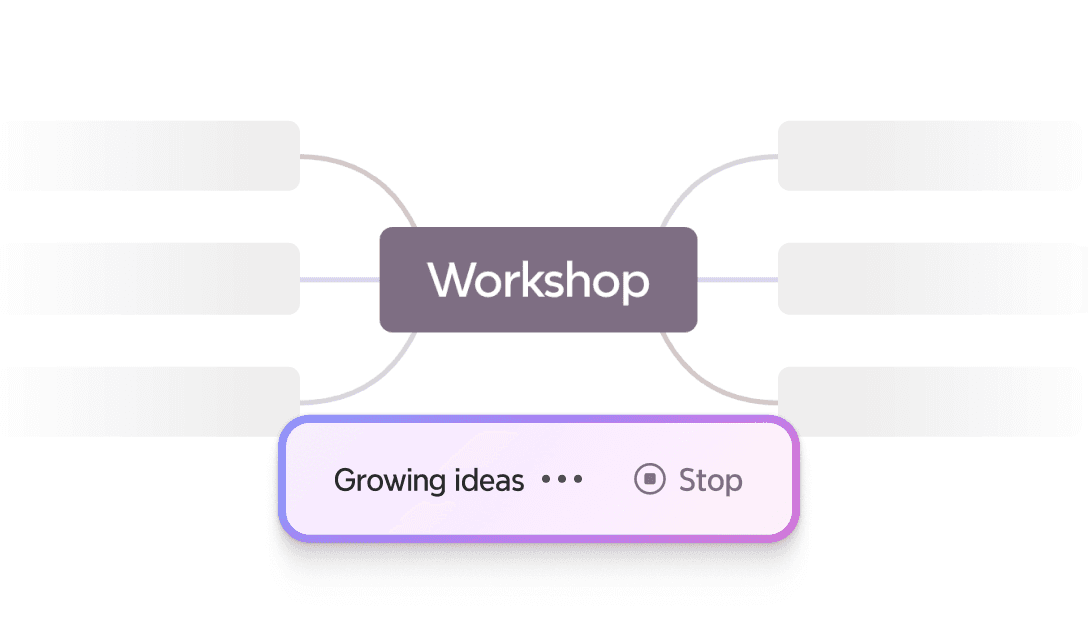
Grow Ideas with AI:Go beyond Auto mapping, explore the upgraded On Demand mode to map ideas at your pace.

Choose a template or start fresh

Start by creating a blank map or using a time management template. Expand your team's ideas with AI.

Step 2

Grow Ideas with AI:Go beyond Auto mapping, explore the upgraded On Demand mode to map ideas at your pace.

Choose a template or start fresh

Start by creating a blank map or using a time management template. Expand your team's ideas with AI.

Step 2

Grow Ideas with AI:Go beyond Auto mapping, explore the upgraded On Demand mode to map ideas at your pace.

Choose a template or start fresh

Start by creating a blank map or using a time management template. Expand your team's ideas with AI.

Step 2

Grow Ideas with AI:Go beyond Auto mapping, explore the upgraded On Demand mode to map ideas at your pace.

Choose a template or start fresh

Start by creating a blank map or using a time management template. Expand your team's ideas with AI.

Step 2

Grow Ideas with AI:Go beyond Auto mapping, explore the upgraded On Demand mode to map ideas at your pace.

Prioritize your tasks

Make your plan visual and scannable. Add tags, use colors, and adjust layout to prioritize your tasks.

Step 3
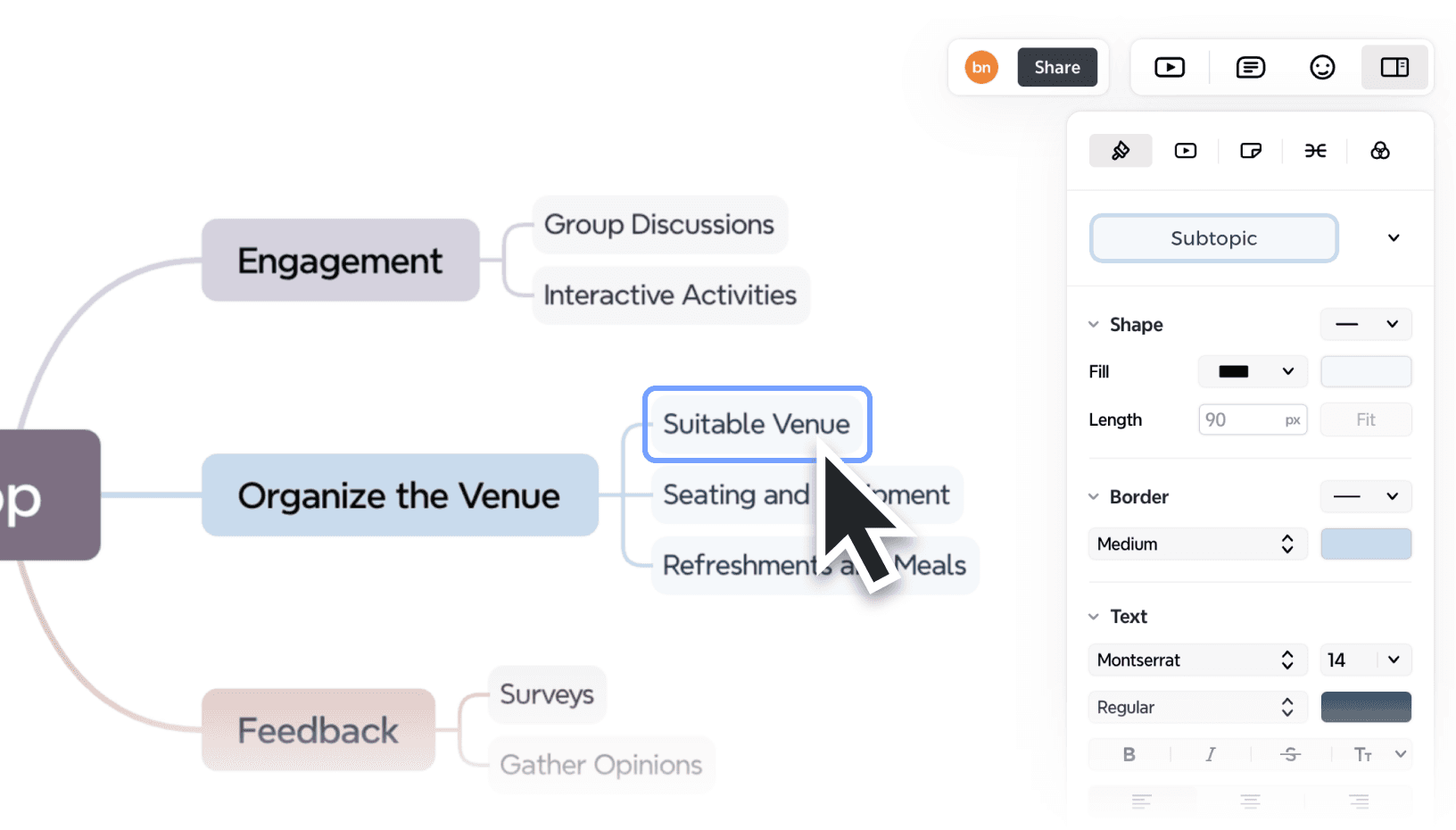
Customizing and beautifying a mind map in Xmind with styles and visuals

Prioritize your tasks

Make your plan visual and scannable. Add tags, use colors, and adjust layout to prioritize your tasks.

Step 3

Customizing and beautifying a mind map in Xmind with styles and visuals

Prioritize your tasks

Make your plan visual and scannable. Add tags, use colors, and adjust layout to prioritize your tasks.

Step 3

Customizing and beautifying a mind map in Xmind with styles and visuals

Prioritize your tasks

Make your plan visual and scannable. Add tags, use colors, and adjust layout to prioritize your tasks.

Step 3

Customizing and beautifying a mind map in Xmind with styles and visuals

Prioritize your tasks

Make your plan visual and scannable. Add tags, use colors, and adjust layout to prioritize your tasks.

Step 3

Customizing and beautifying a mind map in Xmind with styles and visuals

Share to keep your team updated

Share your files with your teammates. Edit, comment, and build the map together in real time.

Step 4
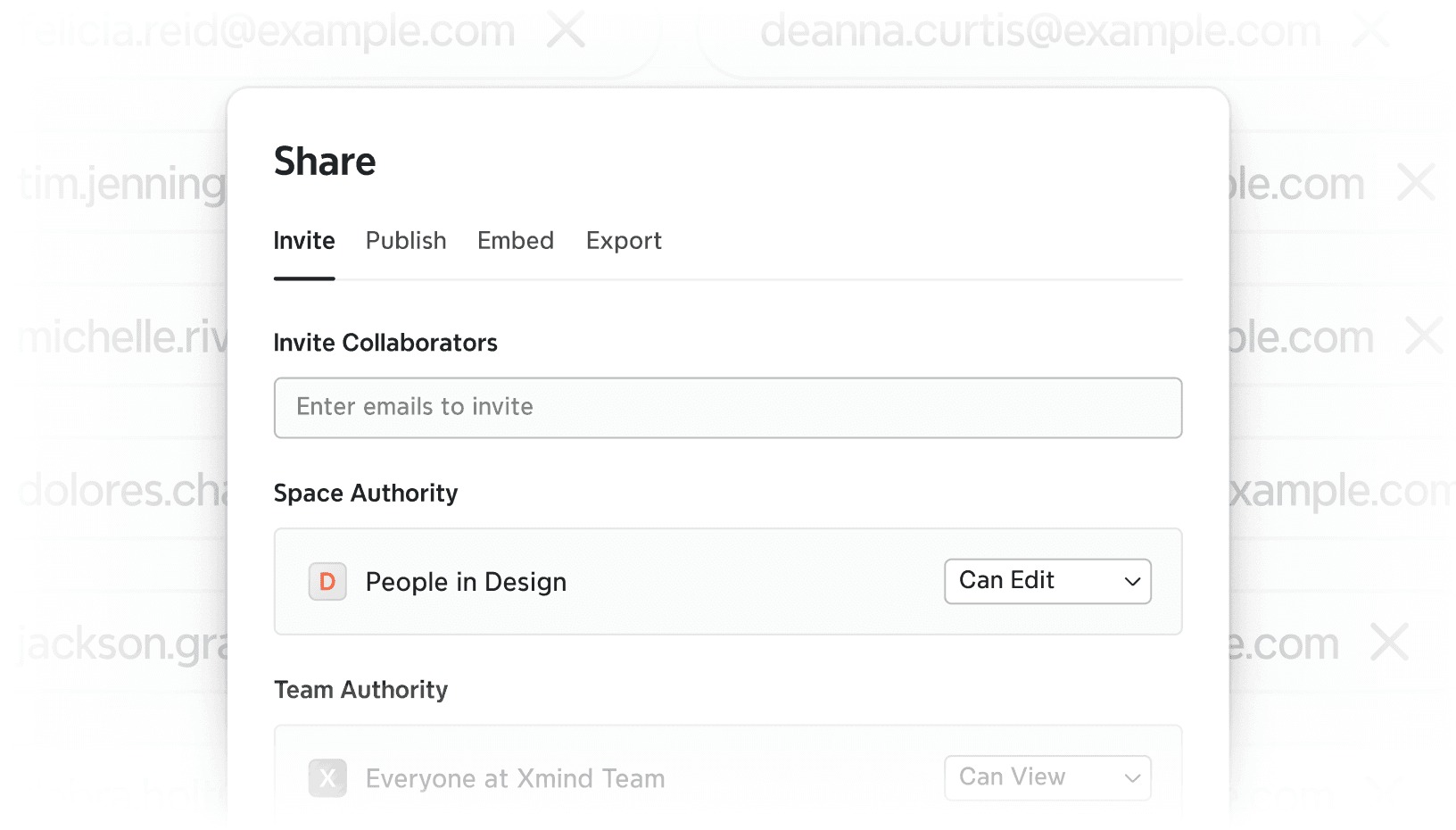
Sharing Xmind files and writing content collaboratively

Share to keep your team updated

Share your files with your teammates. Edit, comment, and build the map together in real time.

Step 4

Sharing Xmind files and writing content collaboratively

Share to keep your team updated

Share your files with your teammates. Edit, comment, and build the map together in real time.

Step 4

Sharing Xmind files and writing content collaboratively

Share to keep your team updated

Share your files with your teammates. Edit, comment, and build the map together in real time.

Step 4

Sharing Xmind files and writing content collaboratively

Share to keep your team updated

Share your files with your teammates. Edit, comment, and build the map together in real time.

Step 4

Sharing Xmind files and writing content collaboratively

Export and move into action

Export your map as PDF, PNG, or PowerPoint to use across tools and meetings.

Step 5

Exporting Xmind mind maps into multiple formats including PDF, PNG, and more

Export and move into action

Export your map as PDF, PNG, or PowerPoint to use across tools and meetings.

Step 5

Exporting Xmind mind maps into multiple formats including PDF, PNG, and more

Export and move into action

Export your map as PDF, PNG, or PowerPoint to use across tools and meetings.

Step 5

Exporting Xmind mind maps into multiple formats including PDF, PNG, and more

Export and move into action

Export your map as PDF, PNG, or PowerPoint to use across tools and meetings.

Step 5

Exporting Xmind mind maps into multiple formats including PDF, PNG, and more

Export and move into action

Export your map as PDF, PNG, or PowerPoint to use across tools and meetings.

Step 5

Exporting Xmind mind maps into multiple formats including PDF, PNG, and more

Who uses Xmind for time management

Freelancers

Quickly create high-impact, client-ready decks with less manual effort.

Freelancers

Quickly create high-impact, client-ready decks with less manual effort.

Freelancers

Quickly create high-impact, client-ready decks with less manual effort.

Freelancers

Quickly create high-impact, client-ready decks with less manual effort.

Freelancers

Quickly create high-impact, client-ready decks with less manual effort.

Project managers

Turn chaotic ideas into structured business strategies and investor pitches.

Project managers

Turn chaotic ideas into structured business strategies and investor pitches.

Project managers

Turn chaotic ideas into structured business strategies and investor pitches.

Project managers

Turn chaotic ideas into structured business strategies and investor pitches.

Project managers

Turn chaotic ideas into structured business strategies and investor pitches.

ADHD people

Build strong arguments and creative storylines using visual logic and smart slide generation.

ADHD people

Build strong arguments and creative storylines using visual logic and smart slide generation.

ADHD people

Build strong arguments and creative storylines using visual logic and smart slide generation.

ADHD people

Build strong arguments and creative storylines using visual logic and smart slide generation.

ADHD people

Build strong arguments and creative storylines using visual logic and smart slide generation.

More time management skills and tips

Frequently asked questions

What makes Xmind useful for time management?

Xmind gives you more than a place to list tasks - it gives you a way to understand and manage your time visually. With mind maps, you can break down big goals, group related tasks, and rearrange your priorities as needed. It supports structure without being rigid, helping you build better routines and stick to them.

How does AI improve planning and productivity?

AI in Xmind helps reduce planning time by turning scattered notes into a usable structure. It can auto-generate task groupings, suggest titles, and summarize your planning sessions. Instead of staring at a blank page, you get a strong starting point that you can shape based on your needs.

What is the best AI tool for time management?

It depends on how you think and work - but if you prefer visual planning over linear lists, Xmind is one of the most flexible and intuitive tools available. Its AI to-do list feature is designed to simplify your planning process without removing your control. Itโ€™s best for people who want to balance automation with creativity.

What is a common mistake people make in time management?

A common time management mistake is failing to prioritize tasks effectively. This can lead to spending too much time on less important activities while neglecting crucial responsibilities. Other frequent errors include procrastination, inability to manage distractions, underestimating task duration, and saying โ€œyesโ€ too often to requests.

Frequently asked questions

What makes Xmind useful for time management?

Xmind gives you more than a place to list tasks - it gives you a way to understand and manage your time visually. With mind maps, you can break down big goals, group related tasks, and rearrange your priorities as needed. It supports structure without being rigid, helping you build better routines and stick to them.

How does AI improve planning and productivity?

AI in Xmind helps reduce planning time by turning scattered notes into a usable structure. It can auto-generate task groupings, suggest titles, and summarize your planning sessions. Instead of staring at a blank page, you get a strong starting point that you can shape based on your needs.

What is the best AI tool for time management?

It depends on how you think and work - but if you prefer visual planning over linear lists, Xmind is one of the most flexible and intuitive tools available. Its AI to-do list feature is designed to simplify your planning process without removing your control. Itโ€™s best for people who want to balance automation with creativity.

What is a common mistake people make in time management?

A common time management mistake is failing to prioritize tasks effectively. This can lead to spending too much time on less important activities while neglecting crucial responsibilities. Other frequent errors include procrastination, inability to manage distractions, underestimating task duration, and saying โ€œyesโ€ too often to requests.

Frequently asked questions

What makes Xmind useful for time management?

Xmind gives you more than a place to list tasks - it gives you a way to understand and manage your time visually. With mind maps, you can break down big goals, group related tasks, and rearrange your priorities as needed. It supports structure without being rigid, helping you build better routines and stick to them.

How does AI improve planning and productivity?

AI in Xmind helps reduce planning time by turning scattered notes into a usable structure. It can auto-generate task groupings, suggest titles, and summarize your planning sessions. Instead of staring at a blank page, you get a strong starting point that you can shape based on your needs.

What is the best AI tool for time management?

It depends on how you think and work - but if you prefer visual planning over linear lists, Xmind is one of the most flexible and intuitive tools available. Its AI to-do list feature is designed to simplify your planning process without removing your control. Itโ€™s best for people who want to balance automation with creativity.

What is a common mistake people make in time management?

A common time management mistake is failing to prioritize tasks effectively. This can lead to spending too much time on less important activities while neglecting crucial responsibilities. Other frequent errors include procrastination, inability to manage distractions, underestimating task duration, and saying โ€œyesโ€ too often to requests.

Frequently asked questions

What makes Xmind useful for time management?

Xmind gives you more than a place to list tasks - it gives you a way to understand and manage your time visually. With mind maps, you can break down big goals, group related tasks, and rearrange your priorities as needed. It supports structure without being rigid, helping you build better routines and stick to them.

How does AI improve planning and productivity?

AI in Xmind helps reduce planning time by turning scattered notes into a usable structure. It can auto-generate task groupings, suggest titles, and summarize your planning sessions. Instead of staring at a blank page, you get a strong starting point that you can shape based on your needs.

What is the best AI tool for time management?

It depends on how you think and work - but if you prefer visual planning over linear lists, Xmind is one of the most flexible and intuitive tools available. Its AI to-do list feature is designed to simplify your planning process without removing your control. Itโ€™s best for people who want to balance automation with creativity.

What is a common mistake people make in time management?

A common time management mistake is failing to prioritize tasks effectively. This can lead to spending too much time on less important activities while neglecting crucial responsibilities. Other frequent errors include procrastination, inability to manage distractions, underestimating task duration, and saying โ€œyesโ€ too often to requests.

Xmind logo

Ready to take back your time?

Time doesnโ€™t manage itself. But with the right map, it becomes much easier to manage. Xmind helps you stay on track, build flexible routines, and make time for the things that move you forward.


Xmind logo

Ready to take back your time?

Time doesnโ€™t manage itself. But with the right map, it becomes much easier to manage. Xmind helps you stay on track, build flexible routines, and make time for the things that move you forward.


Xmind logo

Ready to take back your time?

Time doesnโ€™t manage itself. But with the right map, it becomes much easier to manage. Xmind helps you stay on track, build flexible routines, and make time for the things that move you forward.

Xmind logo

Ready to take back your time?

Time doesnโ€™t manage itself. But with the right map, it becomes much easier to manage. Xmind helps you stay on track, build flexible routines, and make time for the things that move you forward.

Xmind logo

Ready to take back your time?

Time doesnโ€™t manage itself. But with the right map, it becomes much easier to manage. Xmind helps you stay on track, build flexible routines, and make time for the things that move you forward.