How to recover version history for online files?
The following guidance applies to online files saved in My Works or Team Space.
Mind maps stored in Xmind’s cloud—such as those saved in My Works or Team Space—support version history recovery.
Free and Pro Plans: Version history can be restored within 3 days.
Premium and Business Plans: Version history can be restored within 30 days.
How to Restore a Previous Version
Sign in to your Xmind account at app.xmind.com.
Open the mind map you want to restore.
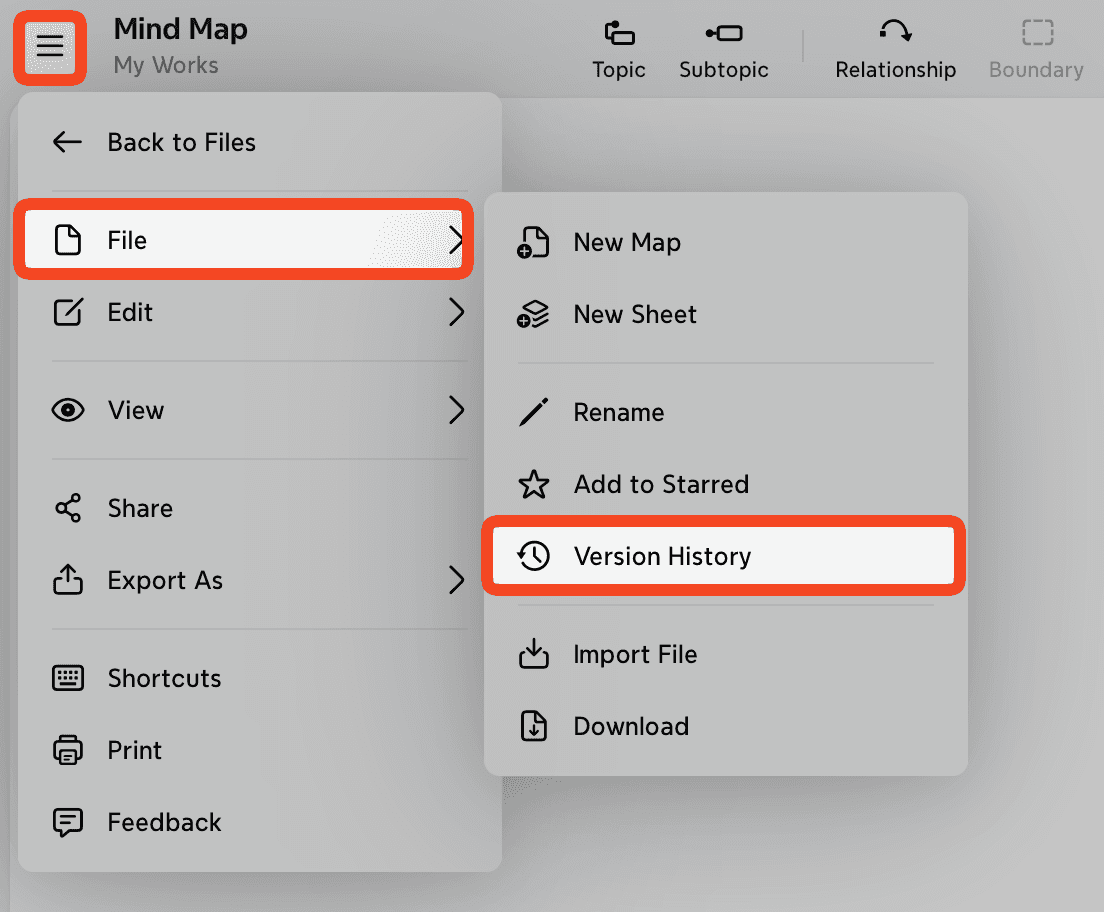
Click 「≡」→ File → Version History.
Locate the version you want to recover and click Restore.