Explore 5 MindManager alternatives for teams that want clearer planning workflows

hannah
MindManager is one of the most capable visual planning tools on the market. It combines mind maps, timelines, Gantt charts, concept maps, Kanban views, business integrations, and rich planning metadata in one product. For many organizations, that depth is exactly the appeal.
At the same time, not every team wants that much operational weight inside its visual workflow. Some want a more focused structure system, some want a simpler collaboration experience, and others want a tool better aligned with brainstorming, documentation, or whiteboard-led teamwork. That is usually when alternatives start to become interesting.
Why people need MindManager alternatives
MindManager is broad and powerful, but it is not always the lightest or simplest fit. Teams usually explore alternatives when they need one of the following:
A clearer structure-first experience: Some teams want maps and diagrams that stay readable without as much planning overhead.
Less complexity in day-to-day work: Powerful planning metadata is useful, but not every workflow needs enterprise-style depth.
A tool optimized for a different center of gravity: Some teams care more about ideation, some about diagrams, and some about workshops.
Better fit for specific users: Solo thinkers, mixed-device teams, and creative groups often want a different balance between flexibility and operational control.
Alternative 1: Xmind, for teams that want clearer planning with less friction
Xmind keeps visual thinking powerful while making structure, planning, and idea development feel more direct. By stripping away the administrative "weight" often associated with enterprise mapping tools, Xmind allows teams to stay in the creative flow without sacrificing the organization required for professional delivery.
Why Xmind is a strong alternative
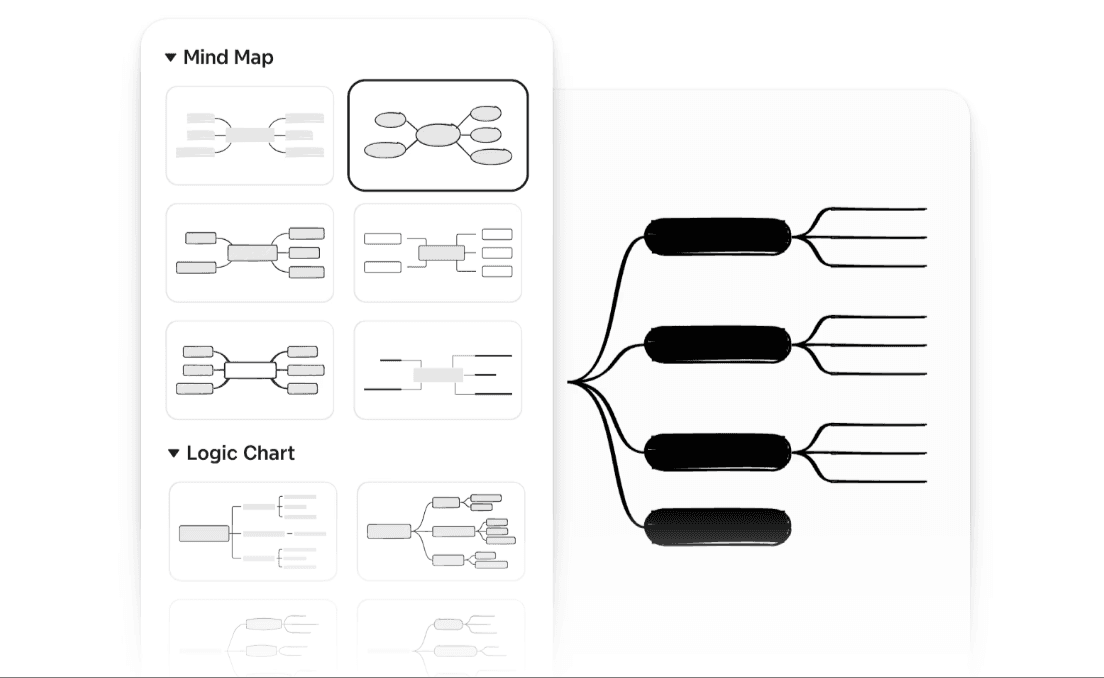
More focused structure system: Xmind provides a refined selection of core structures, including Mind Maps, Timelines, Fishbone Diagrams, Matrices, and Logic Charts. These templates are designed to cover a wide range of thinking needs—from root-cause analysis to product roadmapping—without making every map feel overloaded or visually cluttered.
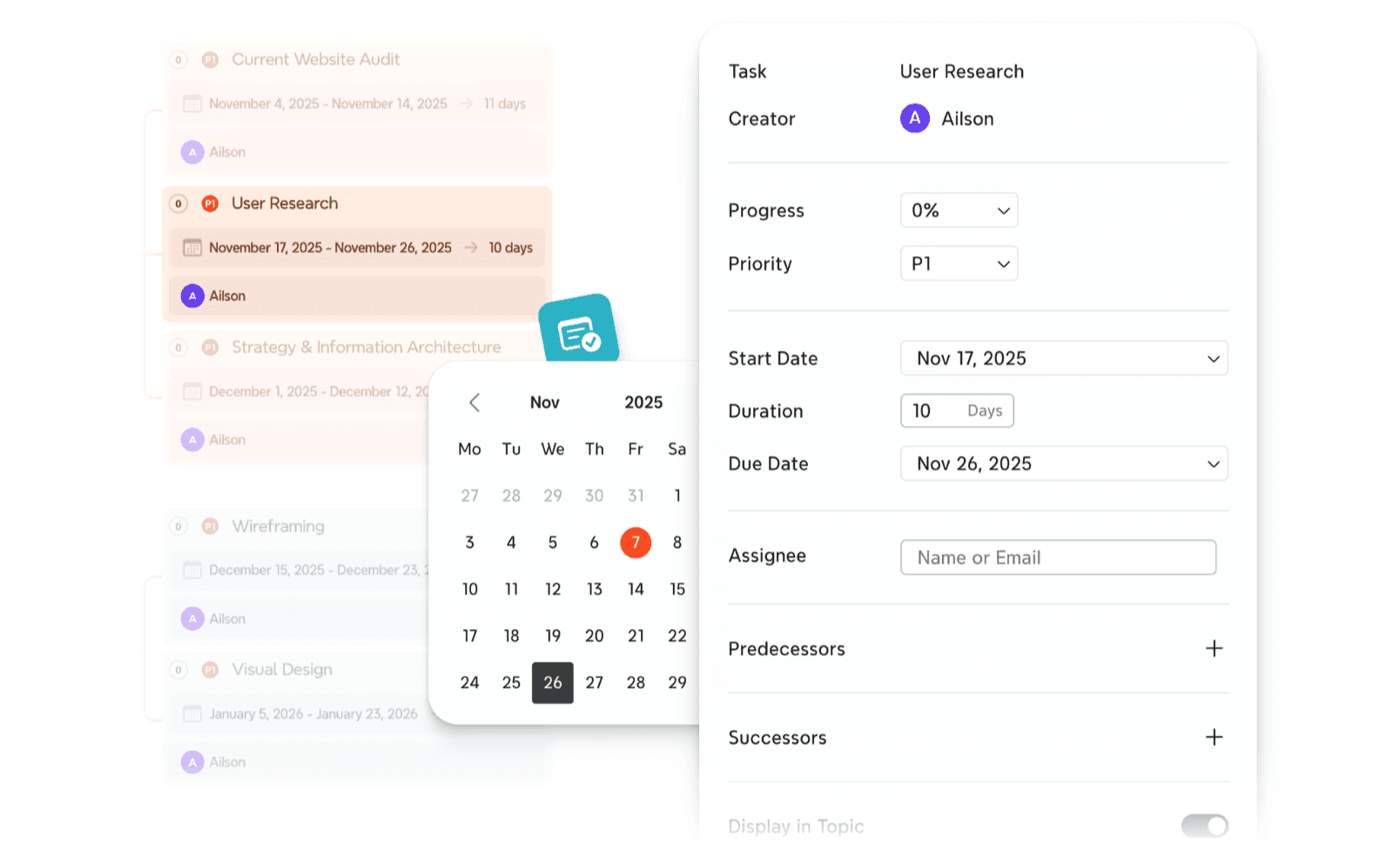
Smoother idea-to-plan transition: Tasks and Gantt charts stay closely tied to the visual map, creating a single, synchronized workspace. This ensures that planning feels like a continuous extension of your brainstorming session rather than a separate, secondary layer filled with exhausting operational detail. You can assign deadlines and track progress without losing the "big picture" context.
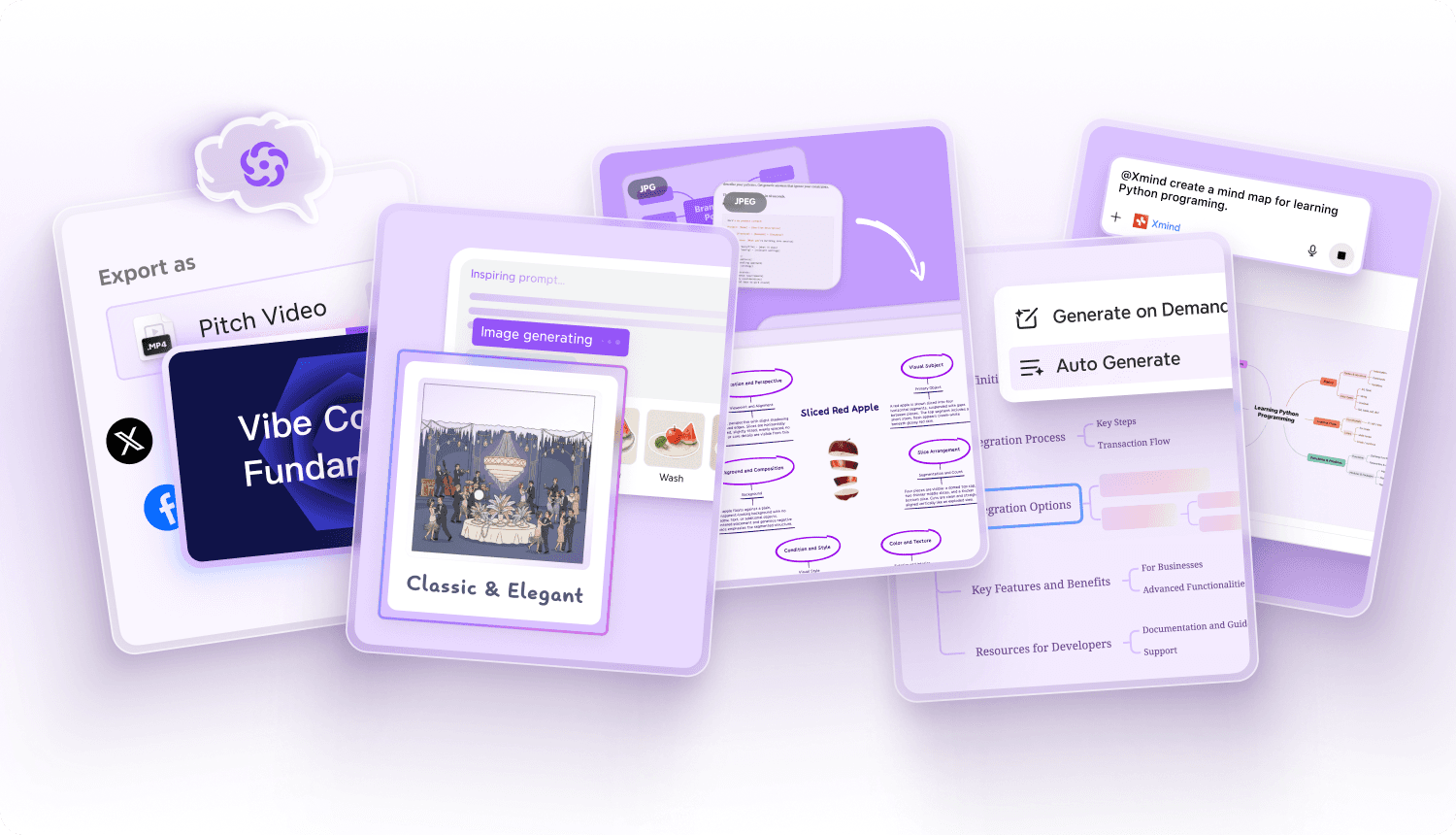
AI that supports the thinking process: Xmind AI acts as a sophisticated cognitive partner throughout the mapping journey. Instead of just helping you start faster, it assists in expanding branches, summarizing complex nodes, and sharpening the logical direction of your project as ideas develop, ensuring your map grows in quality, not just size.
Where Xmind differs from MindManager
MindManager is stronger when a team requires data-heavy planning, complex Microsoft Office integrations, and rigid project control overlays. Xmind is the better choice when the team wants clarity first and execution flow second. It provides a more modern, lightweight experience that achieves professional results without forcing users to manage the heavy business-process weight and dense menus found in MindManager.
Best fit
Xmind is especially strong for:
Teams that want structure without clutter: Groups that need professional organization without a steep learning curve.
Projects that move from ideation to delivery: Workflows that start with a spark of an idea and need to evolve quickly into an actionable, trackable plan.
Users who care about readability as much as planning depth: Professionals who need their visual assets to be as beautiful and easy to read as they are functional.
Alternative 2: Mindomo, for users who want broad mapping flexibility
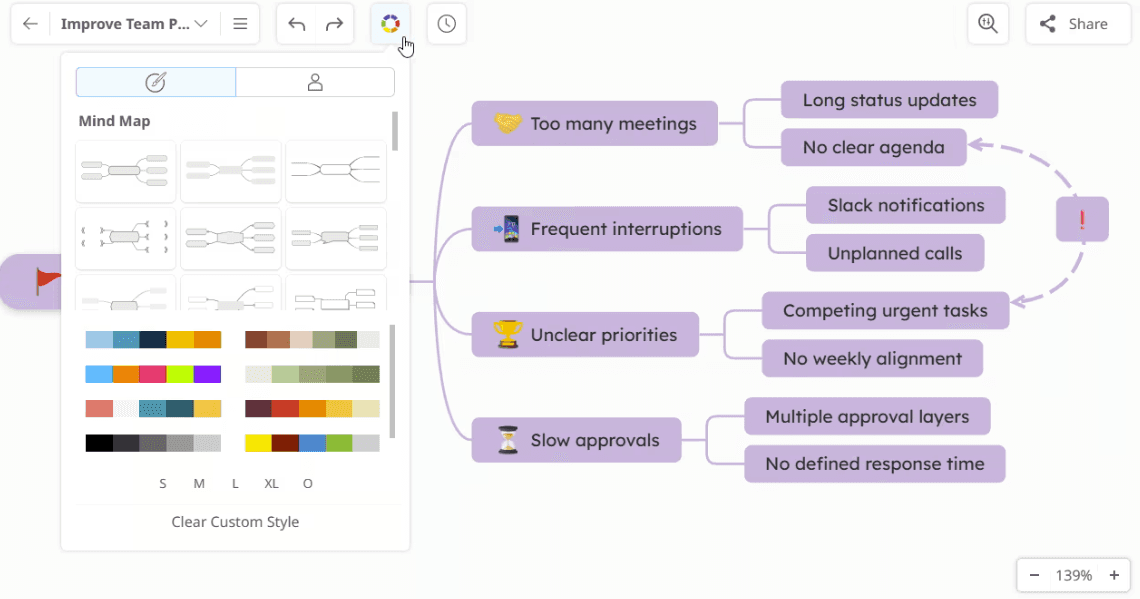
Mindomo is a natural alternative for teams that still want a lot of format flexibility but prefer a different balance between collaboration, planning, and visual organization. It occupies a unique middle ground, offering more sophisticated project features than basic mappers while maintaining a more approachable, user-friendly interface than traditional enterprise software.
Why Mindomo makes sense here
Broad visual format support: Mindomo excels by offering native support for mind maps, concept maps, outlines, and Gantt-oriented workflows. This versatility makes it useful across many different types of projects, allowing users to switch perspectives based on whether they are brainstorming a new concept or scheduling a complex timeline.
Real-time collaboration plus offline use: It bridges the gap between modern web-based co-editing and traditional desktop reliability. Teams can work together live in a browser, while individual users can keep their workflows flexible across various devices and offline contexts without losing data integrity.
AI-supported ideation: The platform includes integrated AI features designed for faster map generation and intelligent branch expansion. This helps early-stage work move much faster, as the AI can help overcome creative blocks by suggesting related topics and structural nodes based on a simple prompt.
More flexible than lightweight mappers: While many tools sacrifice depth for simplicity, Mindomo sits much closer to MindManager in terms of overall breadth. It provides the "heavy lifting" capabilities—like task management and multimedia integration—that simpler tools often lack.
Where it differs from MindManager
MindManager is more explicitly business- and operations-focused, prioritizing deep data integration and complex project control. Mindomo feels broader and more adaptable, particularly in educational, collaborative, and general-purpose mapping scenarios. It puts less emphasis on rigid enterprise-style planning rigor, opting instead for a more fluid and accessible user experience.
What to consider
Mindomo is a strong option if your team still wants high-level flexibility and a rich feature set, but finds the operational framing of MindManager too dense. However, if your team’s primary need is a strictly project-control-oriented environment with advanced business-process logic, MindManager may still feel like the stronger fit for those specific, high-stakes requirements.
Alternative 3: Lucidchart, for process clarity and formal documentation
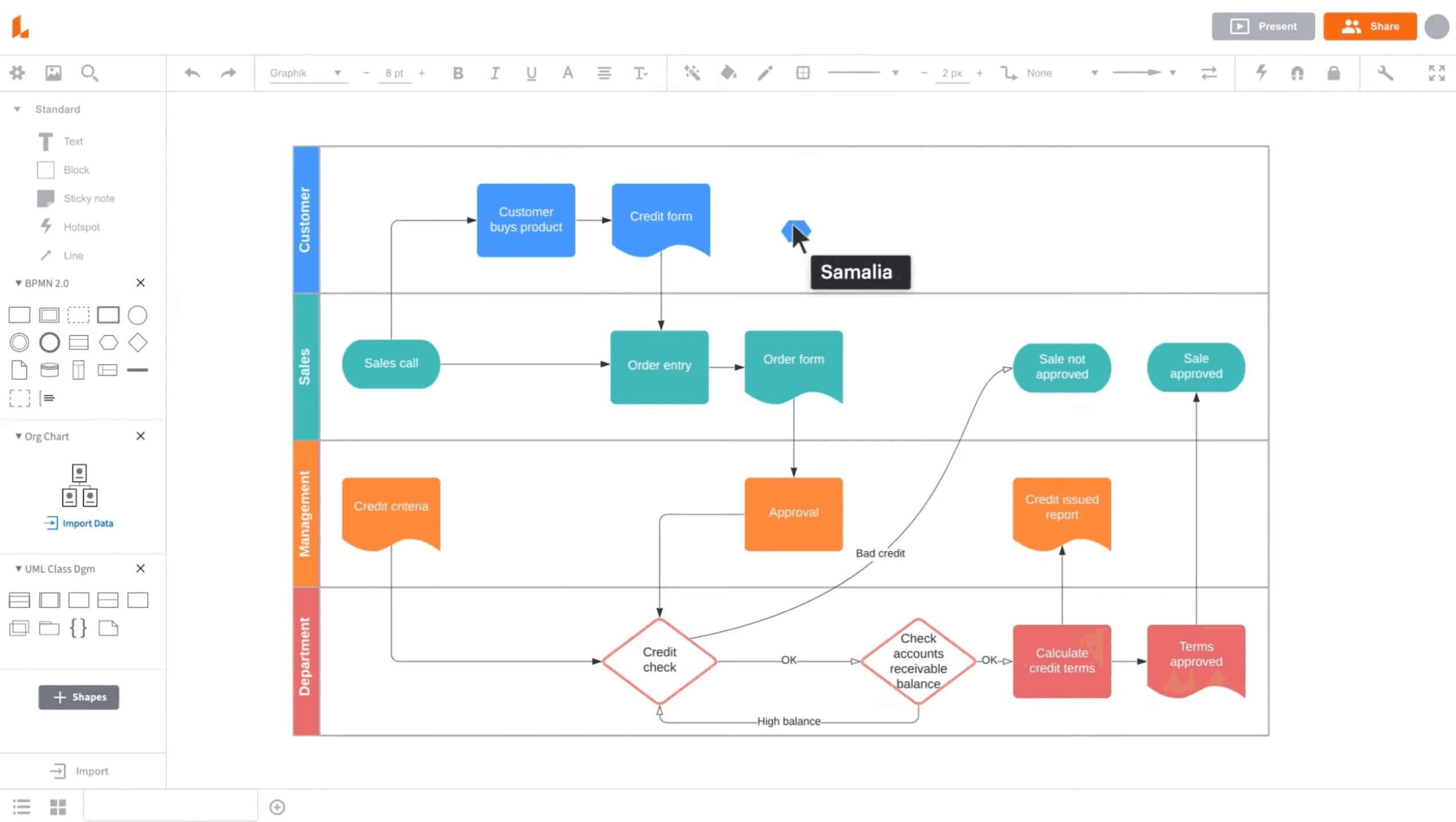
Lucidchart is a better alternative when the team’s real need is not broader planning metadata, but cleaner process communication and formal diagram outputs. It transitions the focus from "mapping thoughts" to "documenting systems," providing a professional canvas for teams that need to standardize their workflows and technical architectures.
Why teams switch in this direction
Diagram-first precision: Lucidchart excels at creating high-fidelity flowcharts, org charts, system diagrams, and process maps. Its specialized shape libraries and smart connectors ensure that complex relationships remain clear and mathematically aligned.
Better for documentation artifacts: The platform is designed for professional handoffs. Its outputs are often easier to use in stakeholder reviews, operations manuals, and technical communication, ensuring that the visual remains a "source of truth" long after the initial design.
Structured collaboration: It offers a highly disciplined environment for real-time teamwork. Teams can co-edit diagrams simultaneously without sacrificing visual logic, as the tool enforces alignment and standardized notations across the board.
Useful for formal communication: Lucidchart is often the preferred choice when process clarity and cross-departmental transparency matter more than map-centered execution planning or personal brainstorming.
Where it differs from MindManager
MindManager is stronger for ongoing, data-heavy operational planning within a map-rich workflow where tasks and resources are constantly shifting. Lucidchart is significantly stronger when diagrams are meant to communicate permanent systems, rigid relationships, and formal process logic to a broader audience.
Alternative 4: SmartDraw, for teams that need many business diagram types
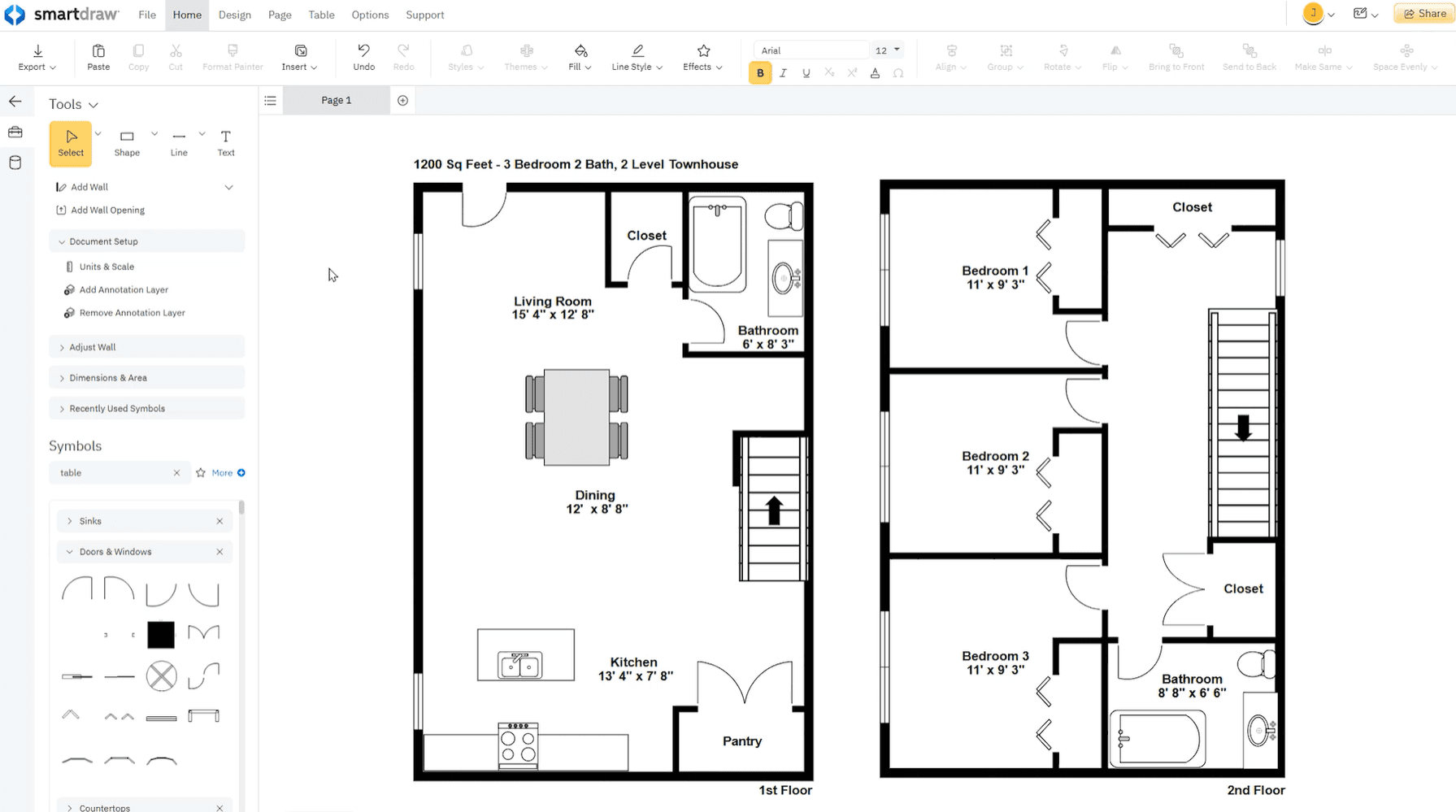
SmartDraw is a relevant alternative when the priority is broad diagram coverage, especially for business, technical, and architectural visuals. It serves as a powerful "all-in-one" diagramming engine for organizations that need to produce everything from a simple mind map to a complex technical blueprint within a single application.
Why SmartDraw enters the shortlist
Wide diagram coverage: It supports an industry-leading range of formats, including flowcharts, floor plans, org charts, engineering visuals, and project schedules. This makes it a versatile tool for facilities management, engineering teams, and HR departments alike.
Business-friendly output style: Teams often choose SmartDraw when the ultimate goal is a formal, polished diagram rather than an evolving, map-centered thinking space. Its automated formatting ensures that even non-designers can produce professional-grade visuals.
Easier for diagram-first use cases: It can be much more direct than a planning-heavy map tool when the final output is the primary objective. The "intelligent" formatting allows users to add or remove shapes while the rest of the diagram automatically adjusts to maintain symmetry.
Strong template-driven workflow: It is perfect for users who want to move quickly from a template to a finished diagram. With thousands of pre-built templates and symbols, it significantly reduces the time required to build complex technical or business visuals from scratch.
Where it differs from MindManager
MindManager is deeply centered on visual planning and project-oriented maps that evolve with a team's task list. SmartDraw is better when the team needs access to a massive variety of business diagrams but is less focused on map-native execution continuity or the long-term management of project metadata.
Alternative 5: MindNode, for Apple-native focus and personal clarity
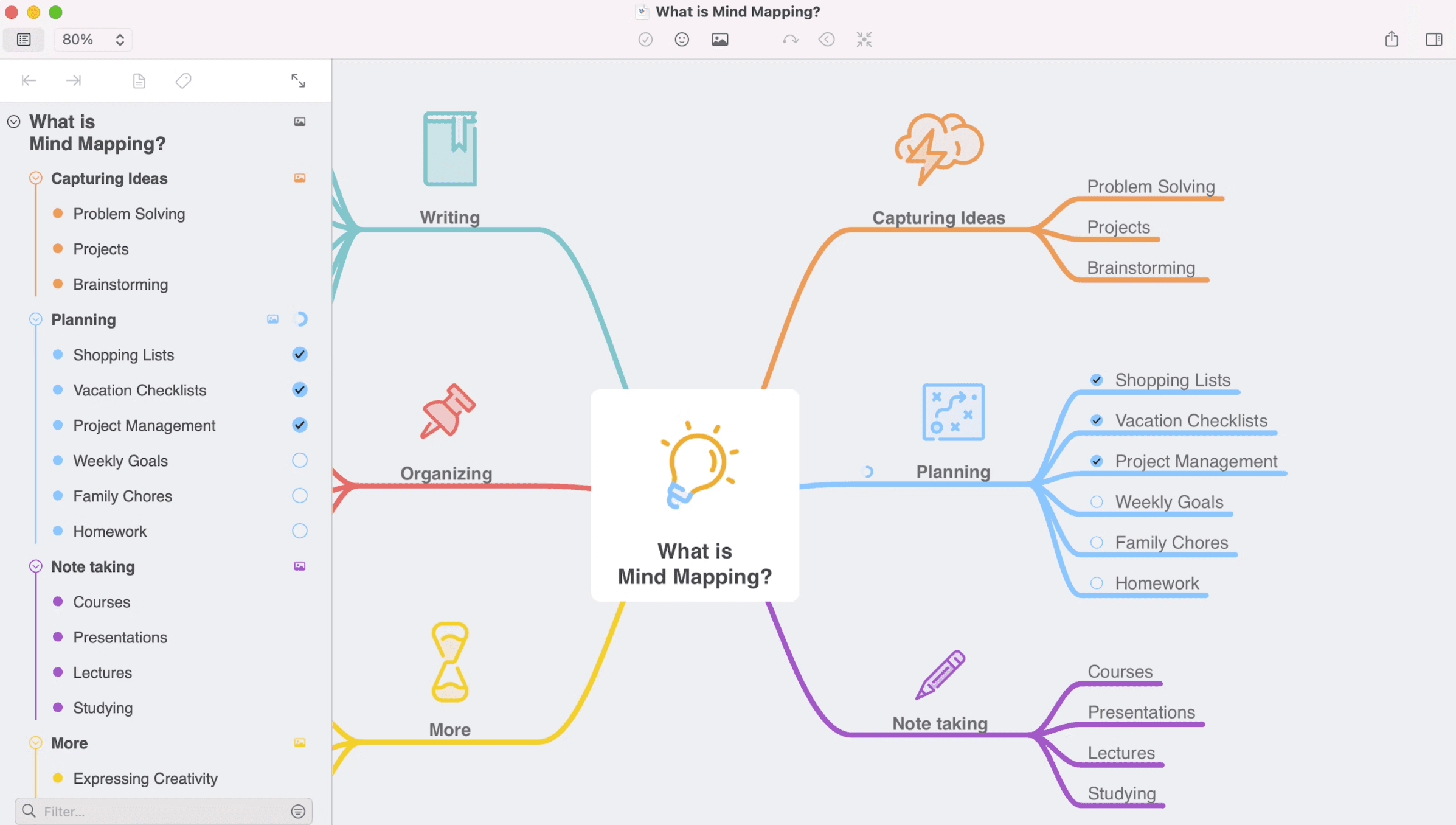
MindNode is a useful alternative when the team does not need enterprise planning depth, but values a polished, focused mind mapping experience. It is designed to remove technical distractions, providing a minimalist yet powerful environment where a single thought can effortlessly branch into a beautifully organized map.
Why some users move to MindNode
Elegant Apple-first experience: It feels highly polished and native on Mac, iPhone, and iPad. By leveraging the specific strengths of the Apple ecosystem—such as iCloud sync, Handoff, and Apple Pencil support—it provides a seamless transition between devices that feels like a natural extension of the hardware.
Clean visual + outline combination: It is exceptionally strong for solo thinking, note organization, and personal planning. The dual-pane approach allows users to toggle between a vibrant spatial map and a structured linear outline, ensuring that every idea is captured in the format that best suits the current stage of thought.
Lower workflow overhead: It is significantly easier to use when teams or individuals want clarity without operational heaviness. There are no dense menus or complex project management overlays, making the "time-to-thought" much faster than in more technical suites.
Better for focused thinking: It is especially appealing when the work is more personal, editorial, or exploratory. MindNode creates a "Zen-like" workspace that encourages deep concentration, making it a favorite for writers, researchers, and individual creators who prioritize aesthetic quality and mental flow.
Where it differs from MindManager
MindNode is intentionally less powerful for rigid project execution and data-heavy business planning. It lacks the deep metadata, resource tracking, and enterprise integrations found in larger suites. Instead, it is stronger when the primary priority is elegant, low-friction mind mapping rather than full operational structure or long-term project management.
Comparison table
Tool | Positioning | Collaboration style | Structure & organization | AI capability depth | Planning & execution | Best fit |
|---|---|---|---|---|---|---|
Xmind | Structured-thinking platform | Real-time co-editing with a cleaner, more focused workflow | Strong built-in structures that stay readable as work grows | Strong for idea generation, refinement, and map-based thinking support | High, with a smooth map-to-Gantt and task-planning flow | Teams that want clarity, planning, and less friction |
Mindomo | Flexible multi-format mapping platform | Collaborative and cross-context, with support for real-time and offline work | Broad support across maps, outlines, and concept-oriented views | Moderate to strong, especially for idea generation and map expansion | High, though less operations-centric than MindManager | Teams wanting flexibility without the same business-heavy framing |
Lucidchart | Diagram and process visualization platform | Structured collaborative diagram editing | Strong for formal diagrams, process maps, and technical visuals | Moderate, mainly useful for faster diagram creation and support | Moderate, best when outputs are documentation artifacts | Ops, engineering, and process-driven teams |
SmartDraw | Business and technical diagramming tool | More diagram-first than collaboration-first | Strong in template-based business and technical diagrams | Limited compared with newer AI-centric visual tools | Moderate, especially where formal diagram output matters most | Teams needing many diagram types more than map-based planning |
MindNode | Apple-native mind mapping app | Lighter collaboration with strong personal clarity | Clean and focused map + outline organization | Moderate, but less central than overall product elegance | Moderate, best for lighter planning and individual workflows | Apple-first users who want simplicity and polish |
Conclusion
MindManager remains a strong choice for teams that need visual planning tied to operational detail, business structure, and execution control. Its depth is a real advantage in planning-heavy environments.
But not every team wants that level of complexity in everyday work. If the goal is clearer structure, smoother collaboration, or a more focused path from ideas to action, an alternative can be a better fit. For most teams, Xmind keeps planning powerful while making the workflow easier to follow and maintain.