Top 6 MindMeister alternatives for clearer visual thinking in 2026

hannah

MindMeister is a popular choice for online mind mapping because it feels simple, visual, and easy to use with a team. But once your work moves beyond quick brainstorming, you may start looking for something with more structure, more planning depth, or a better fit for how your ideas actually develop.
This guide looks at six MindMeister alternatives, starting with Xmind, and highlights where each one fits best.
Why users start looking for MindMeister alternatives
MindMeister is good at keeping mind mapping approachable. That is exactly why many people adopt it first. The question usually comes later, when a simple online map is no longer enough to support the whole workflow.
Some users begin exploring alternatives because they need:
More than one visual structure: A standard mind map works well at the start, but more complex topics sometimes need timelines, matrices, fishbone diagrams, or other layouts.
Better planning support: Brainstorming is only the first step, and some teams want tasks, timelines, or project views to stay connected to their original ideas.
Stronger clarity for complex subjects: As maps grow, users may want more control over hierarchy, organization, and readability.
A tool that fits a specific way of working: Some teams care more about enterprise planning, some about Apple-native design, and others about open-source or whiteboard-style collaboration.
Xmind—for turning ideas into clearer plans
Xmind is one of the strongest alternatives if you want to keep the speed of mind mapping but need more depth after the first brainstorm. MindMeister is best known for straightforward collaborative mapping in the browser. Xmind goes further by giving you more ways to structure ideas, refine them visually, and move them toward execution.
What gives Xmind more room to grow
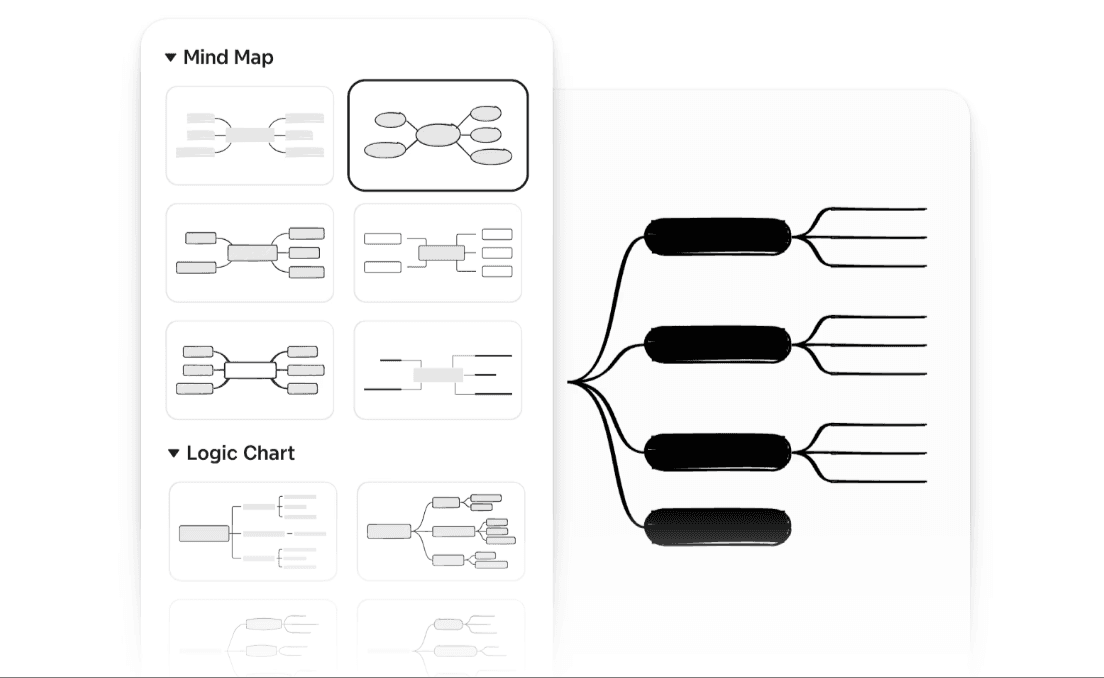
Multiple built-in structures: Xmind supports Mind Maps, Timeline, Fishbone, Matrix, Logic Chart, and mixed structures, so you can reshape ideas as your understanding changes.
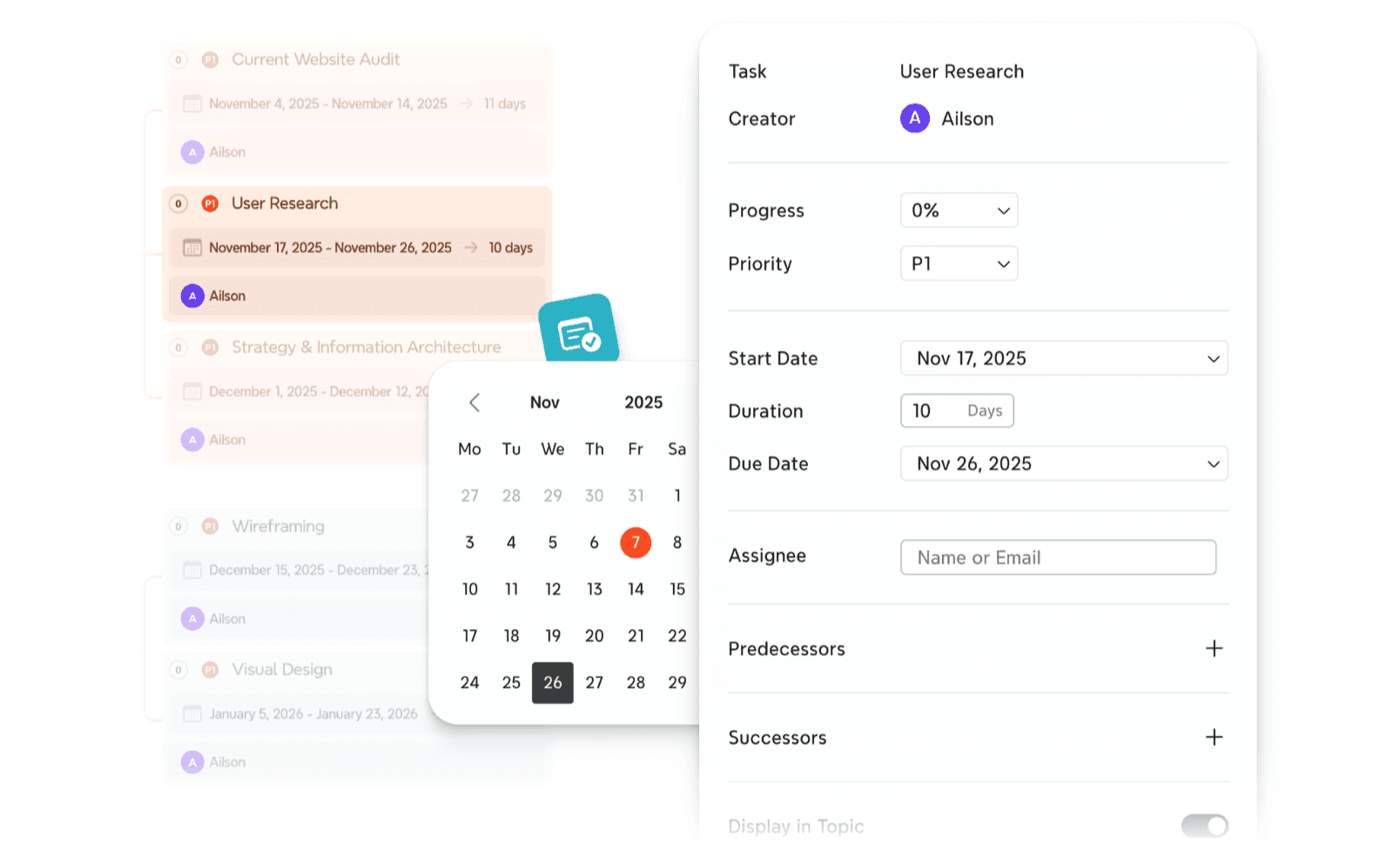
Planning inside the same workspace: Tasks, markers, priorities, and Gantt view help you carry ideas forward instead of stopping at brainstorming.
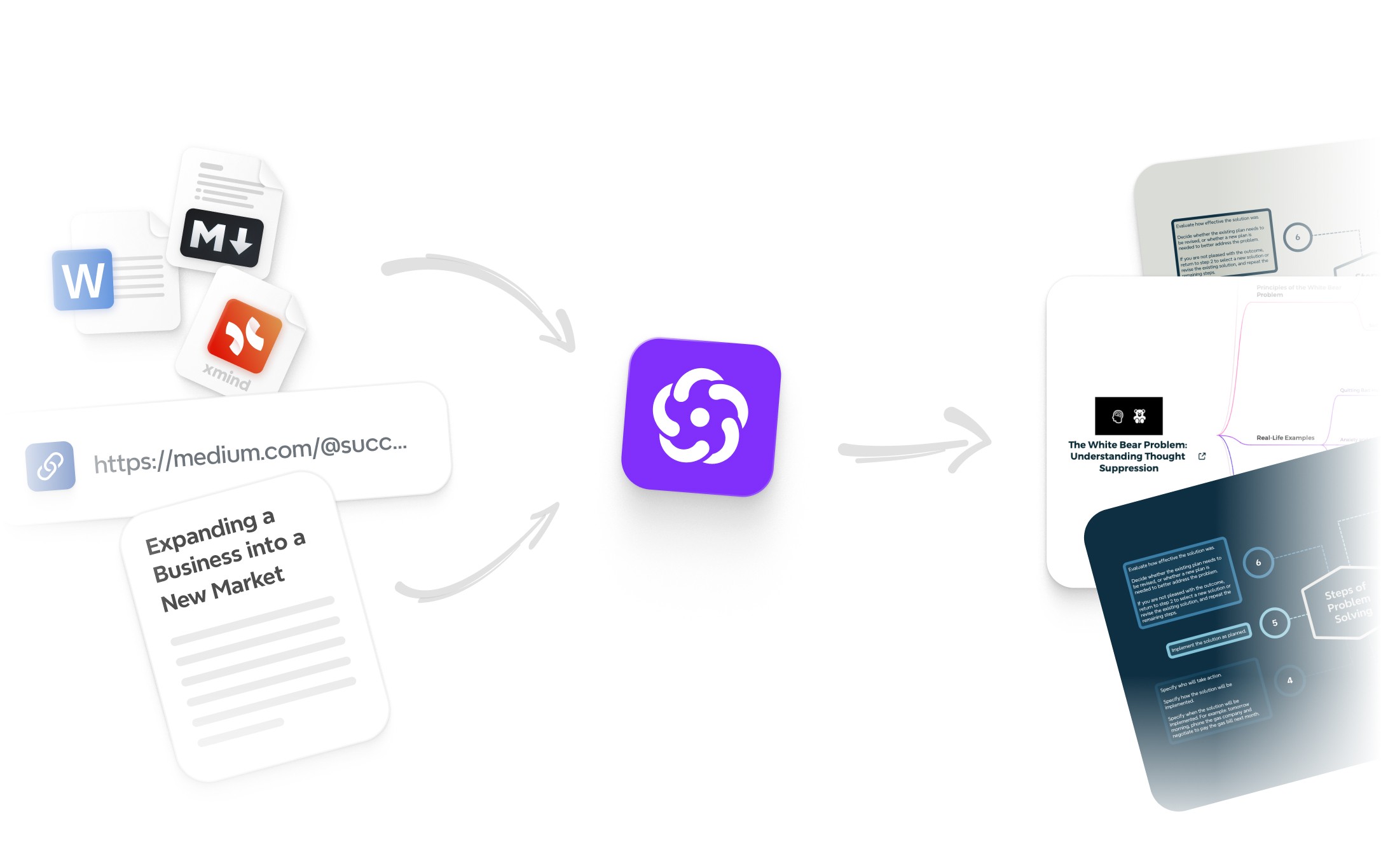
AI for idea development: Xmind AI can turn prompts into maps, expand branches, and reorganize rough thinking into clearer structure.
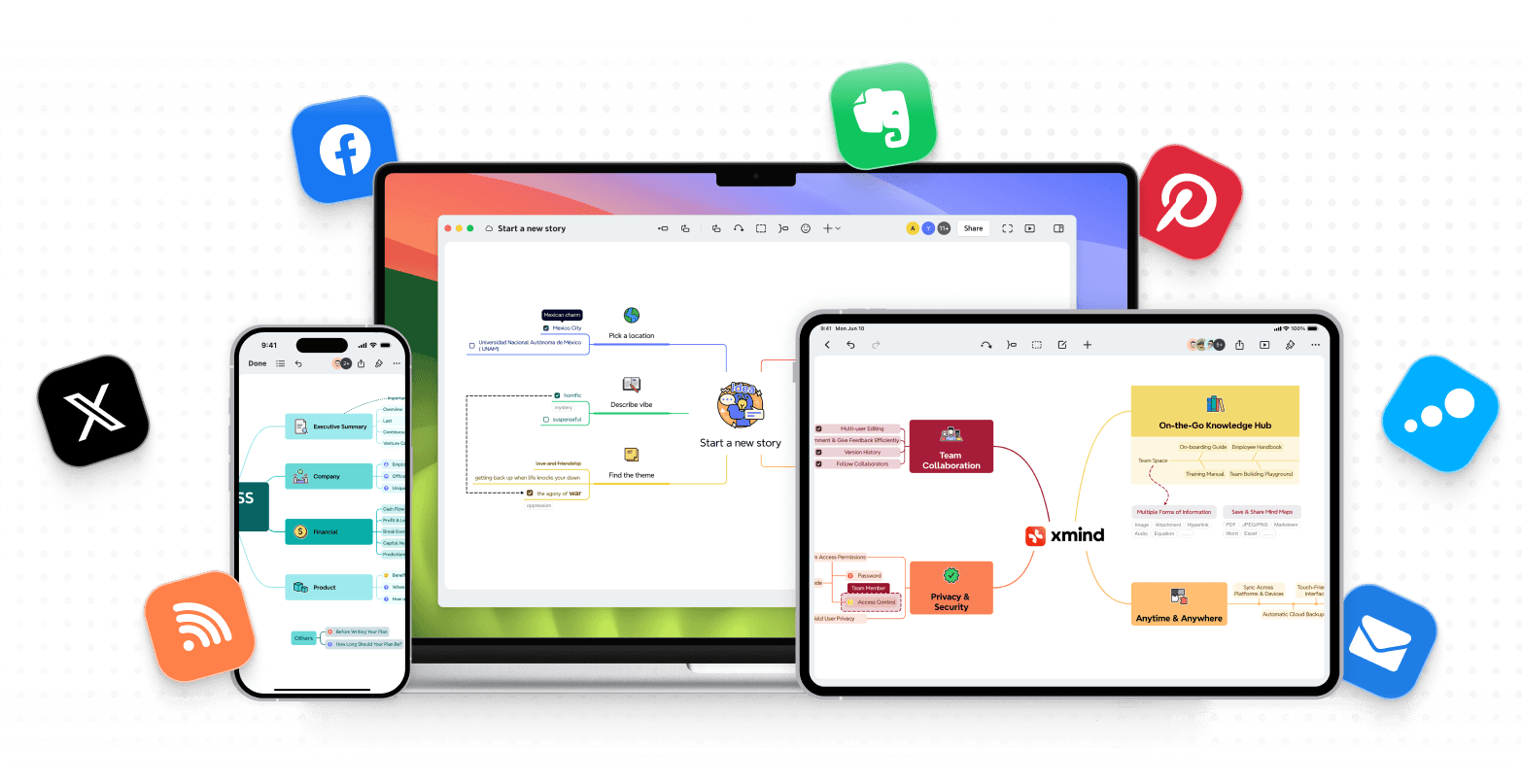
Offline and cross-platform access: Desktop, web, and mobile apps make it easier to keep working across devices, including offline moments.
Why it feels different from MindMeister
MindMeister is built to make online mind mapping simple and collaborative. Xmind is more flexible when the work becomes more layered. You are not limited to one main way of organizing thought, and you do not need to move into a separate tool as soon as planning becomes part of the process.
That makes Xmind especially compelling for users who want:
More structure without giving up visual thinking
Better support for complex topics and long-form planning
A stronger bridge from idea capture to execution
Where Xmind stands out most
Xmind is a particularly good fit for people who start with brainstorming but do not end there. If your work involves analysis, planning, prioritization, or turning rough ideas into something actionable, it gives you more headroom than a simpler browser-first mind mapping tool.
You can read Xmind vs MindMeister to explore more information.
MindManager—for business mapping and operational planning
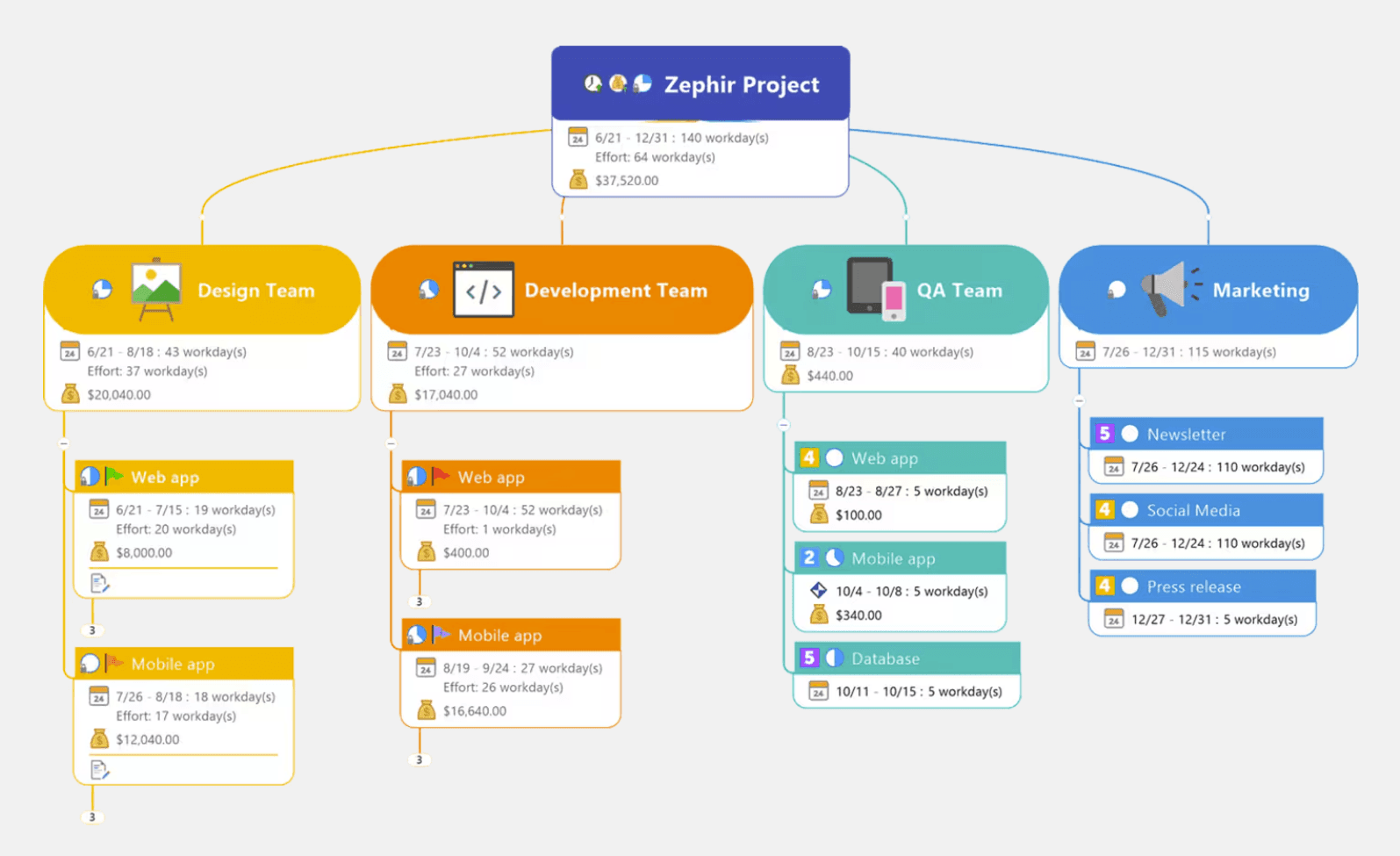
MindManager is a strong choice for users who want mind maps to connect directly to business execution. Compared with MindMeister, it is much more planning-oriented and designed for teams working across projects, processes, and structured business information.
What MindManager brings to the table
Dynamic views: MindManager supports map view, outline view, Gantt chart view, schedule view, tag view, and more, which helps teams see the same work from different angles.
Task and data handling: It can turn brainstorms into operational plans by attaching task info, resources, tags, and timelines to map content.
Cross-platform co-editing: Teams can collaborate in real time across Windows, Mac, Chromebook, web, and Microsoft Teams environments.
Enterprise-friendly integrations: MindManager connects with Microsoft tools and other business systems, making it easier to use in formal planning workflows.
Why teams choose it over simpler tools
MindMeister is easier to pick up for lightweight brainstorming. MindManager becomes more attractive when maps are not just for thinking, but for managing work. It is better suited to environments where planning, accountability, and visibility need to stay tightly connected.
This often makes it appealing for:
Operations and project teams
Consultants and managers
Organizations with more formal planning processes
Users who need more than classic mind mapping
Where it may feel less lightweight
The tradeoff is that MindManager is heavier. It offers more structure and business depth, but it also asks more from the user. If your main goal is quick, low-friction brainstorming in the browser, MindMeister may still feel simpler. If your real need is planning discipline, MindManager offers much more.
MindNode—for Apple-first personal planning
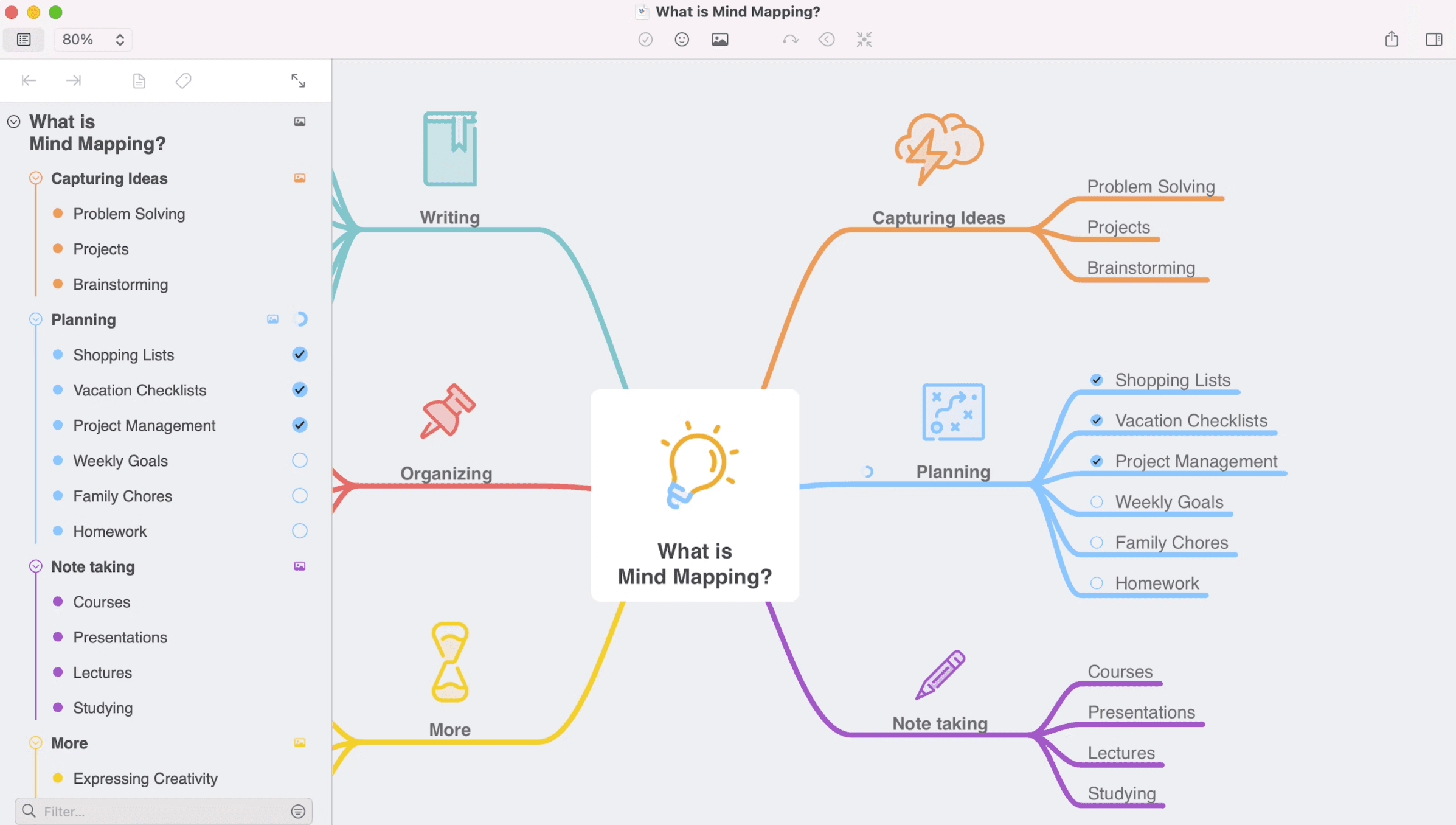
MindNode is a compelling alternative if your workflow lives mostly on Apple devices and you want a more polished, personal thinking environment. It does not try to be an enterprise planning platform, and it is less collaboration-centered than MindMeister. Its strength is giving individual users a calm, elegant space to think.
Why Apple users often gravitate to MindNode
Deep Apple ecosystem support: MindNode runs across macOS, iPhone, iPad, Apple Watch, and even Apple Vision Pro, which makes it feel native rather than adapted.
Outline alongside map view: You can switch between visual and linear views, which helps when ideas need both freeform exploration and structured review.
Focus Mode and visual tags: These features help reduce distraction and make complex maps easier to navigate.
Task support with Apple integration: Tasks can connect with Apple Reminders, making personal follow-through more seamless.
How it compares with MindMeister
MindMeister is stronger if you prioritize real-time collaboration and browser-based teamwork. MindNode is stronger if your work is more individual and you care about design, focus, and personal productivity. It feels less like a shared workshop tool and more like a private thinking studio.
Best fit for this kind of workflow
MindNode is especially well suited to:
Solo professionals and creators
Students and researchers
Apple-native users who value beautiful product design
People who want to move between maps and outlines without friction
If your core need is team collaboration, MindMeister still has a clearer edge. If your core need is personal clarity, MindNode often feels more refined.
Mindomo—for users who want a broader visual toolkit
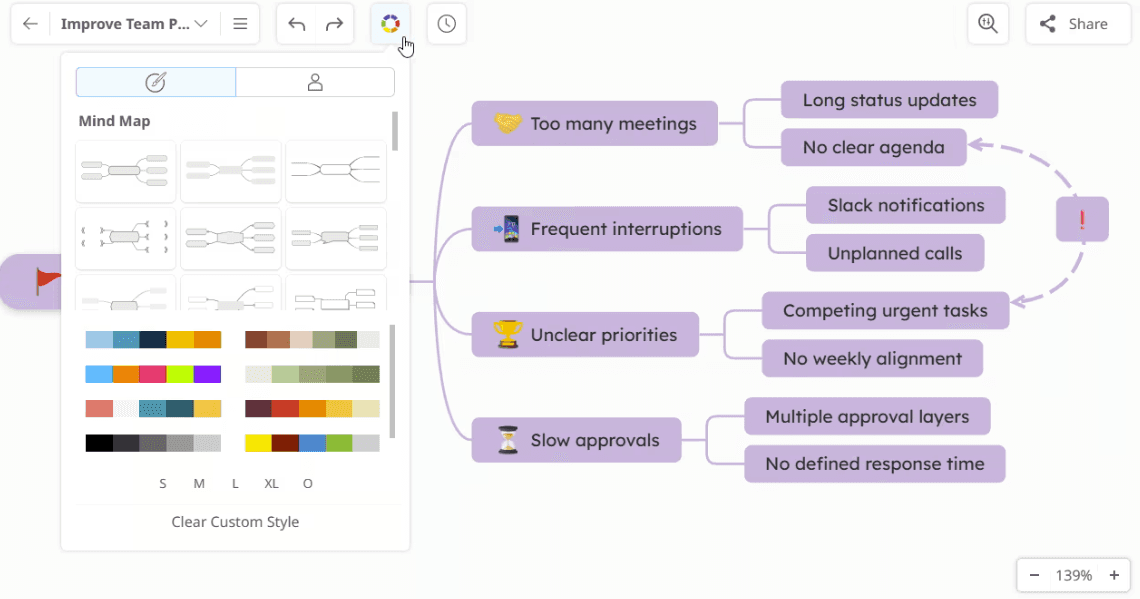
Mindomo is one of the more feature-rich alternatives in this category. It keeps mind mapping at the center, but expands into concept maps, outlines, Gantt charts, real-time collaboration, offline editing, and AI support. For users who find MindMeister a little too narrow, Mindomo offers noticeably more range.
What makes Mindomo more versatile
Multiple diagram formats: Mind maps, concept maps, outlines, and Gantt charts give users more ways to work with the same information.
AI brainstorming tools: Mindomo can generate diagrams from prompts, helping users get started faster when ideas are still rough.
Offline and cross-platform editing: Users can keep working without a constant connection and sync changes later.
Task and project support: Deadlines, progress tracking, and task filtering make it easier to use the tool beyond ideation.
Why some users see it as an upgrade
MindMeister is excellent when simple collaborative mapping is enough. Mindomo appeals to users who want more formats, more planning functionality, and more flexibility without switching into a completely different type of tool.
It is often a better fit for:
Teachers and students
Teams blending brainstorming with project planning
Users who want one tool for maps, outlines, and timelines
People who want both collaboration and offline flexibility
What to keep in mind
Mindomo’s broader scope also means it can feel less lightweight than MindMeister. If your team mainly wants a clean browser-based mapping tool for quick workshops, MindMeister may still feel easier. If your workflow is growing in complexity, Mindomo gives you more room.
Miro—for workshop-style collaboration and open-ended ideation
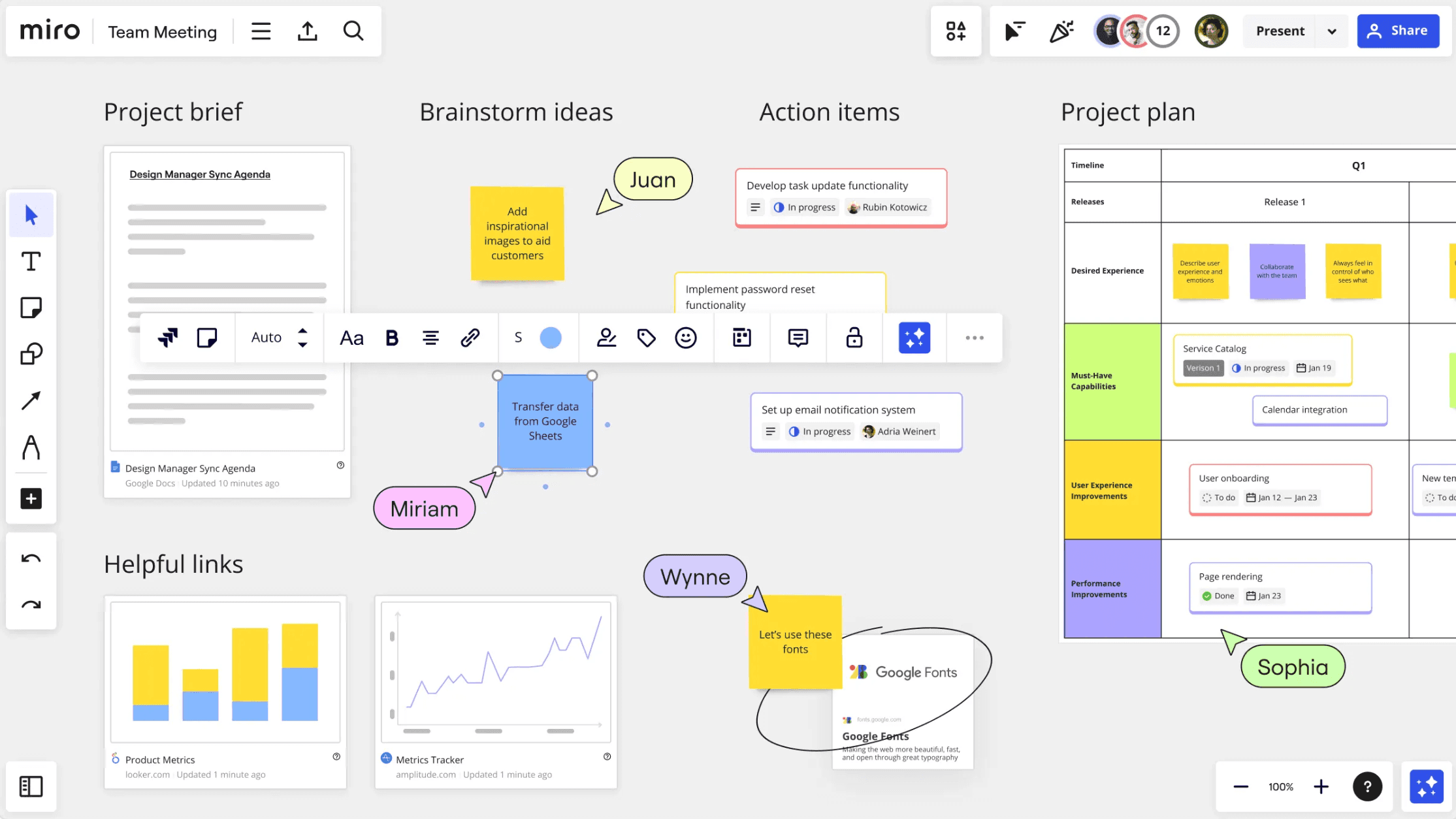
Miro is a very different kind of alternative. It is not primarily a mind mapping tool, but a collaborative whiteboard platform. Teams often choose it when they are moving away from classic branch-based maps and toward more flexible visual collaboration.
Where Miro shines most
Infinite canvas collaboration: Miro gives teams a shared space where many people can add ideas, notes, diagrams, and comments at the same time.
Workshop-friendly features: Templates, facilitation tools, and real-time editing make it especially useful for meetings, retrospectives, and design sessions.
Flexible visual exploration: Instead of following a fixed hierarchy, users can cluster ideas, move pieces around freely, and work in a more open format.
Team-oriented workflow support: Miro is designed to keep distributed teams aligned during live, collaborative sessions.
Why teams switch from MindMeister to Miro
MindMeister gives users a built-in structure from the beginning. Miro gives users freedom first. That makes it attractive for teams that care less about formal hierarchy and more about group participation, facilitation, and dynamic sessions.
Miro is often a good fit for:
Remote workshops
Product and design teams
Cross-functional brainstorming
Teams that treat visual boards as live collaboration spaces
Where the difference really shows
That freedom can also become a drawback when ideas need to stay structured over time. MindMeister is often easier to revisit as a logical map. Miro is better when the process stays exploratory for longer. If your work depends on clarity, hierarchy, and easier long-term readability, Miro may feel more open than necessary.
Lucidchart—for diagramming and process visualization
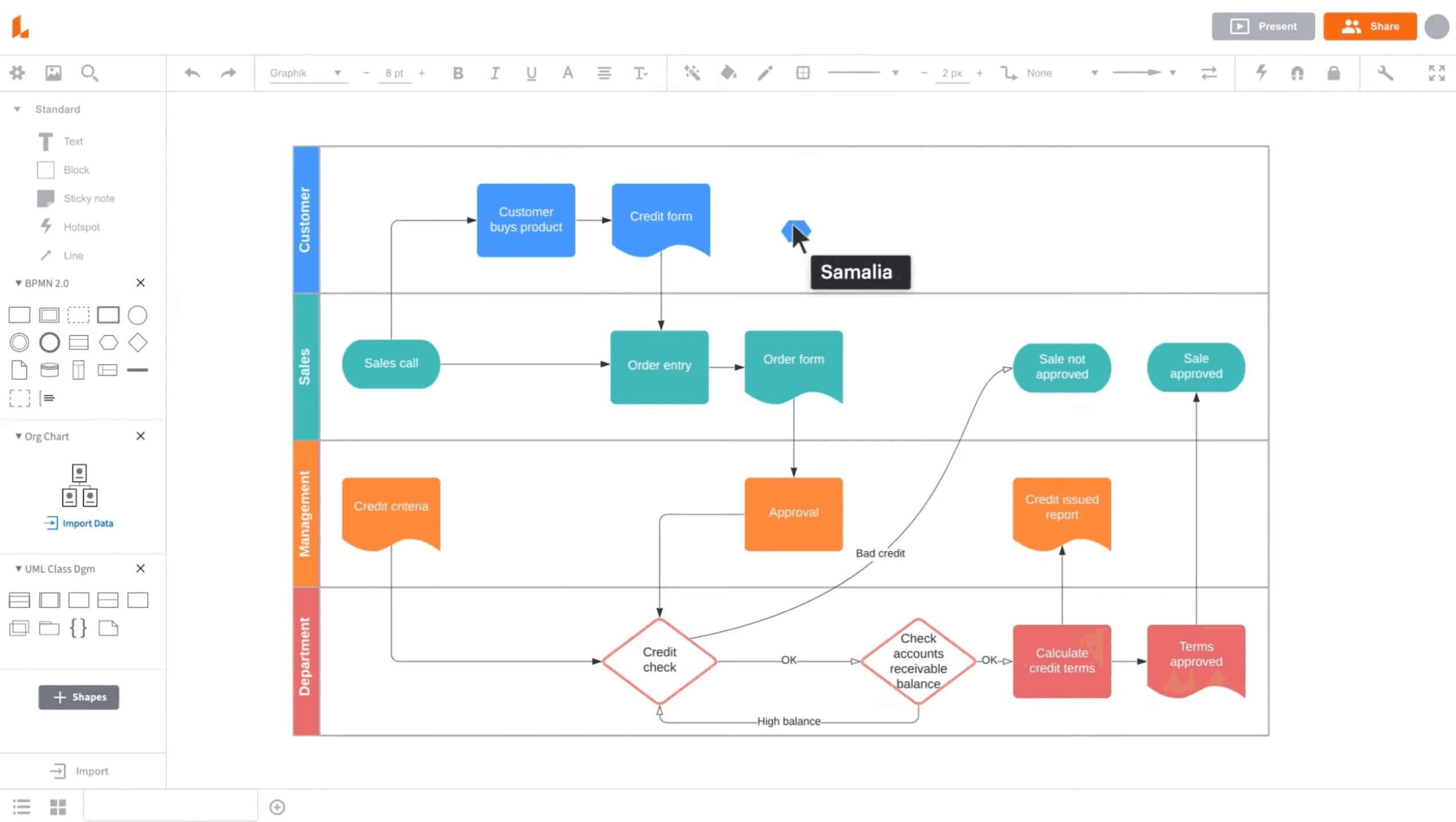
Lucidchart is a strong option for users who are moving beyond mind maps into flowcharts, process documentation, and technical diagrams. It is not a one-to-one replacement for MindMeister, but it becomes highly relevant when the need shifts from brainstorming toward formal visualization.
What makes Lucidchart a useful alternative
Diagram-first workflow: Lucidchart is built for flowcharts, org charts, UML, process maps, and technical diagrams rather than simple branch-based thinking.
Structured documentation support: It works well when visual content needs to communicate systems, relationships, and processes clearly.
Collaboration features: Teams can edit, comment, and share diagrams in a way that supports documentation and alignment work.
Professional presentation: It is often chosen when visuals need to look more formal and presentation-ready.
Best suited to these use cases
Lucidchart is often a better fit for:
Operations and process teams
IT and engineering documentation
Users building formal diagrams
Teams that need more than mind mapping
How it compares with MindMeister
MindMeister is stronger for fast idea capture and collaborative brainstorming. Lucidchart is stronger for formal diagrams and process visualization. If your team is asking for flowcharts, systems diagrams, or org structures more often than classic mind maps, Lucidchart may be the better direction.
Comparison table
Best for | Core strength | Platform fit | |
|---|---|---|---|
Xmind | Structured thinking and planning | Clear visual thinking with deeper planning workflows | Web, desktop, mobile |
MindManager | Business planning and execution | Operational depth and project structure | Desktop, web, Teams |
MindNode | Apple-first personal thinking | Polished solo planning and focus | Apple ecosystem |
Mindomo | Flexible visual planning | Maps, outlines, and broader planning formats | Cross-platform |
Miro | Workshop collaboration | Open-canvas team ideation | Web-first |
Lucidchart | Diagramming and process visualization | Flowcharts and formal documentation | Web-first |
Conclusion
MindMeister remains a good option for simple, collaborative mind mapping. But if you need more structure, more planning depth, or a tool that can grow with your ideas, there are stronger alternatives depending on the direction you want to go.
For most users, Xmind is the most complete place to start. It keeps visual thinking approachable while giving you more ways to structure ideas, develop them, and carry them into action. If you are evaluating alternatives to MindMeister, Xmind is the first one worth trying.