Top 5 MindMup alternatives for teams that need more than lightweight online mapping

hannah

MindMup is popular because it removes friction. You can start quickly, map ideas fast, share them easily, and even turn maps into simple presentations or outlines. For individual thinkers, classrooms, and lightweight team use, that simplicity is part of the appeal.
The tradeoff appears when teams need more than quick online mapping. Once ideas need stronger structure, deeper planning, broader AI support, or more durable execution workflows, many users start looking for alternatives that go beyond capture-and-share.
Why people look for alternatives to MindMup
MindMup is intentionally lean. That makes it fast, but it also means some teams eventually want more capability around the map itself.
Common reasons include:
More structure options: Standard maps are useful, but some projects need analytical or planning-oriented structures.
Better planning continuity: Teams often want timelines, dependencies, and execution details connected to the ideas that created them.
Stronger AI workflows: Fast input is useful, but some users also want AI to help expand, organize, and develop ideas.
More durable team workflows: Sharing and presenting are helpful, but larger teams often need stronger planning depth and long-term maintainability.
A better fit for a specific work style: Some users want browser-first collaboration, some want business planning, and others want structured visual thinking.
Xmind, for teams that want structure after the first brainstorm
Xmind is the strongest all-around alternative if you like the speed of mind mapping but need more after the first draft. MindMup is very good at getting ideas onto the page quickly. Xmind adds the next layers: richer structure, stronger planning, and more support for turning a map into a working plan.
What makes Xmind more complete
While many tools focus on simple mapping, Xmind is engineered to be a full-lifecycle thinking system. It bridges the gap between raw inspiration and structured execution through four core pillars:
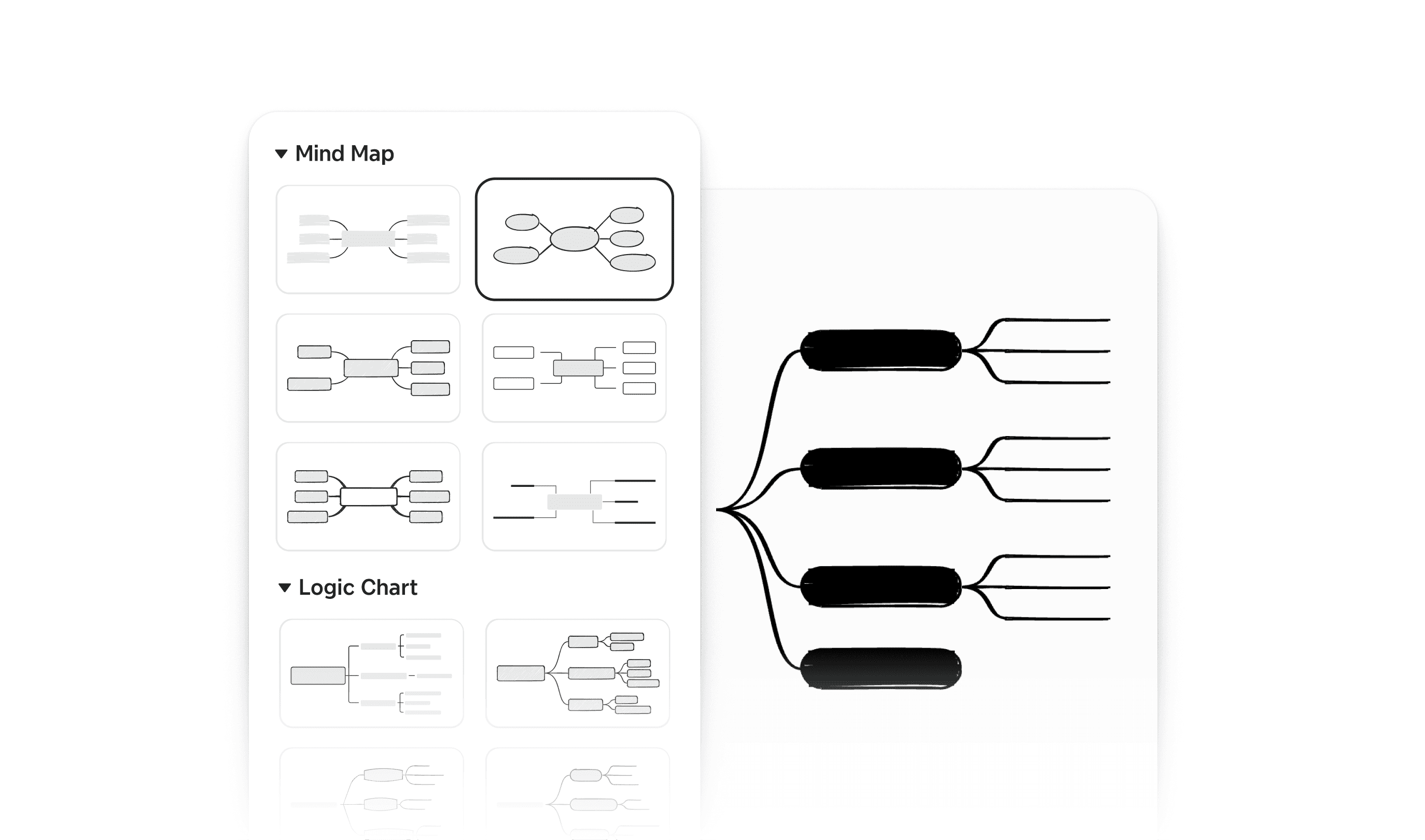
Multi-dimensional structural architecture: Xmind doesn’t force your thoughts into a single layout. It supports a diverse ecosystem of structures—including Mind Maps, Timelines, Fishbone Diagrams, Matrices, and Logic Charts. This allows a single topic to be reframed instantly: use a Matrix for competitive analysis, a Fishbone for root-cause discovery, and a Timeline for roadmap planning—all within the same workspace.
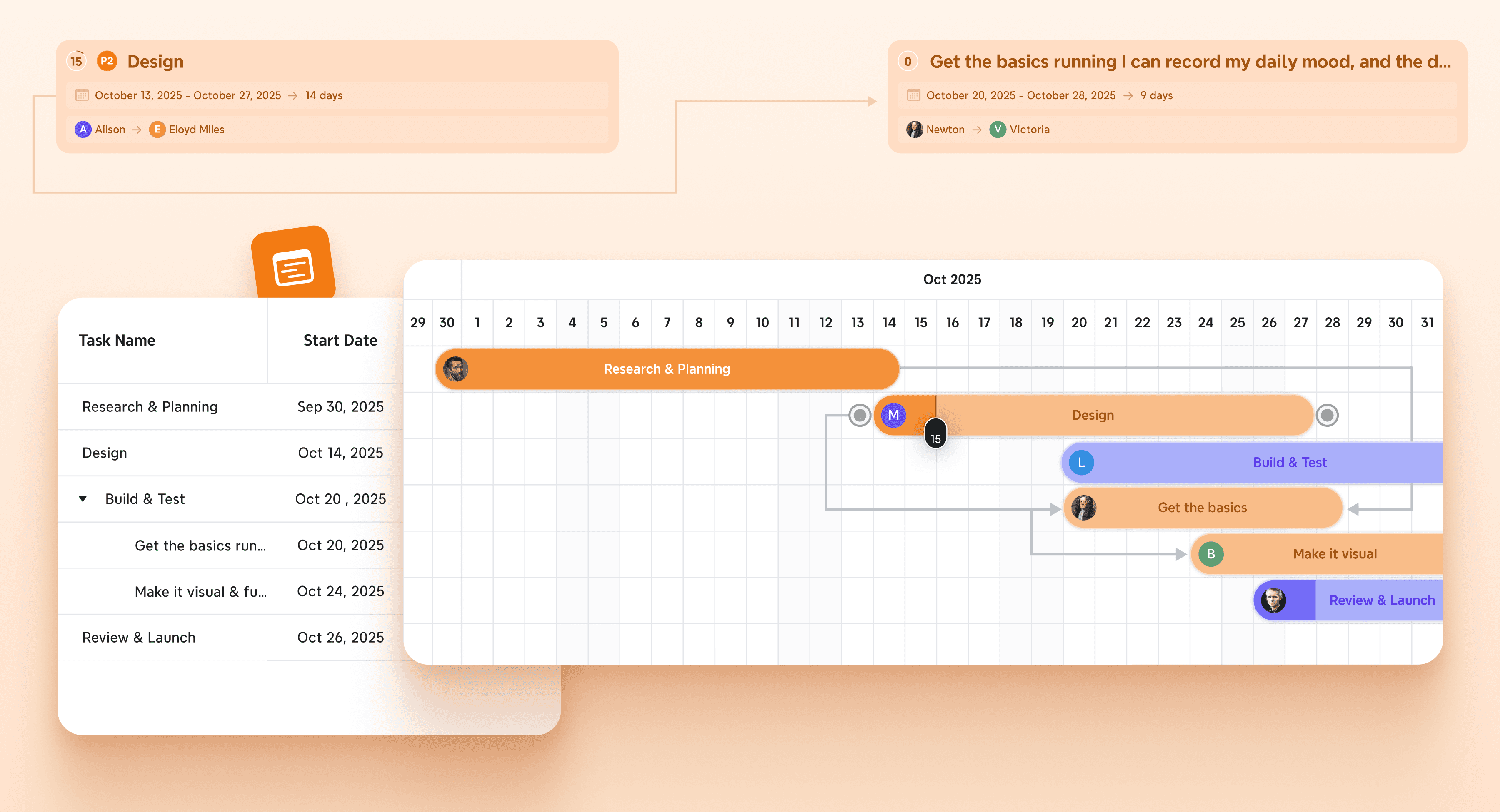
Native transition from ideation to action: Unlike tools that require manual data migration, Xmind builds planning directly into the map. With integrated Task Tracking, Priority Labeling, and a synchronized Gantt View, teams can convert brainstormed nodes into actionable milestones. This ensures that the strategic intent is never lost when moving from the "big picture" to daily execution.
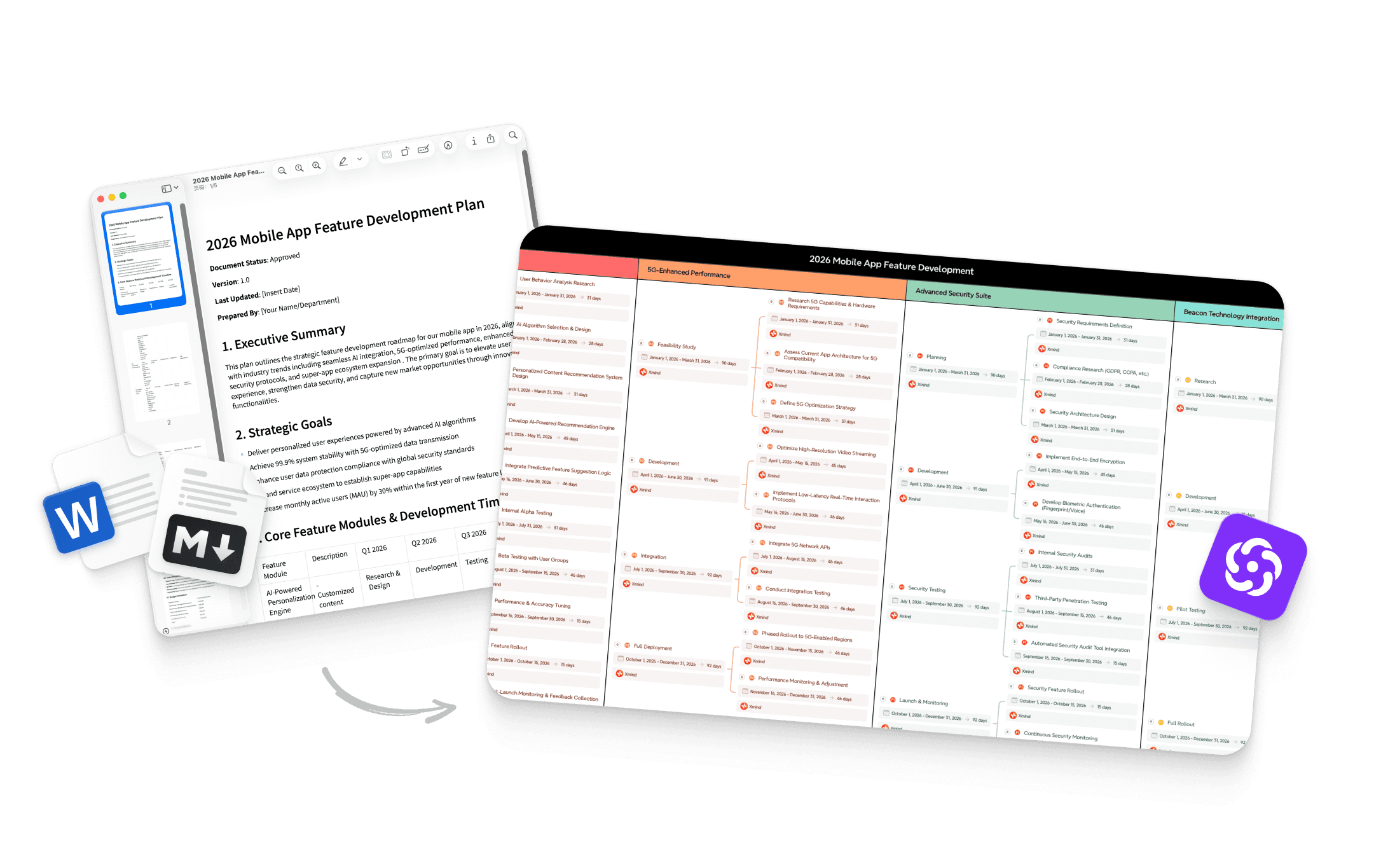
AI-powered cognitive enhancement: Xmind goes beyond simple digital ink. Xmind AI acts as a collaborative partner that can brainstorm new branches, summarize complex information, and reorganize cluttered thoughts into logical hierarchies. It is designed for users whose goal is not just to "capture" ideas, but to achieve clearer, more sophisticated outcomes.
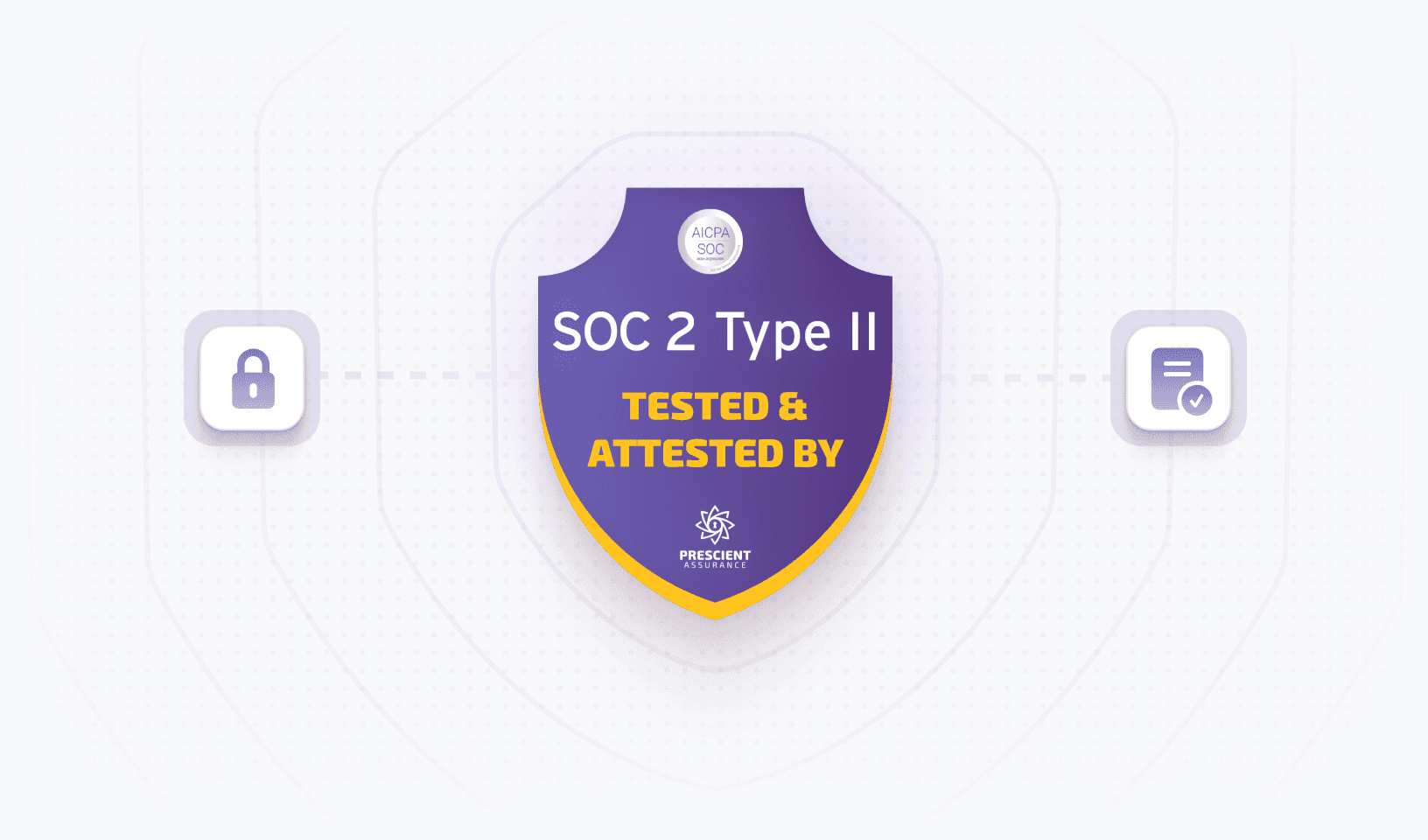
Enterprise-grade scalability and readability: Xmind is built for professional environments where data integrity is as important as visual clarity. Underpinned by Security you can trust, we prioritize your intellectual property with SOC 2 compliance and industry-standard AES-256 encryption. This ensures your strategic insights remain private and protected while maintaining high readability through a Focus-driven UI and ZEN Mode, keeping every detail sharp and professional even in massive, multi-layered maps.
Where Xmind goes further than MindMup
MindMup is an excellent choice for rapid, lightweight entry and basic browser-based sharing. However, Xmind becomes the preferred choice when the work demands longevity and structural depth.
Instead of treating a map as a temporary sketch, Xmind provides the infrastructure for it to become a living project document. By offering stronger data visualization, advanced formatting, and integrated task management, Xmind ensures that a brainstorm doesn't just end with a diagram—it evolves into a strategic roadmap.
Explore more about Xmind & MindMup
The Best Fit: Who is Xmind for?
Xmind is specifically architected for high-performance environments where visual clarity is a competitive advantage:
Growth-oriented Teams: Moving fluidly from the "messy" ideation phase into structured, milestone-driven delivery.
Strategic Analysts: Dealing with multi-layered, technical, or analytical topics that require sophisticated cross-referencing and data organization.
Innovation-led Organizations: Seeking a unified visual workflow that maintains a single "source of truth" from initial concept to final action.
Security-conscious Professionals: Looking for Security you can trust alongside powerful offline and cloud-synchronized editing capabilities.
MindMeister, for browser-first team mind mapping
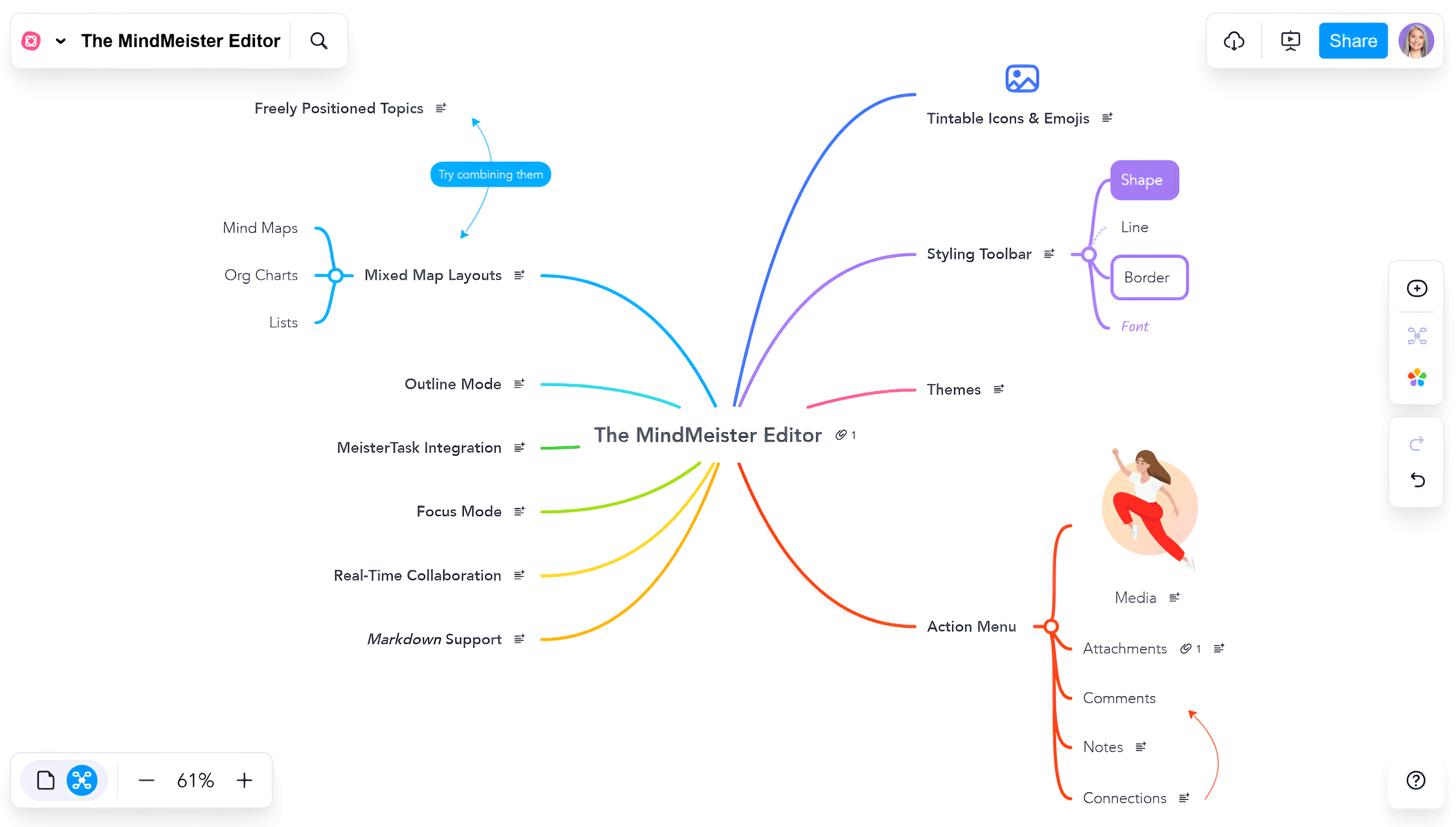
MindMeister is one of the closest alternatives if what you value most in MindMup is lightweight online collaboration. It stays close to the idea of simple, accessible web-based mapping, but is more collaboration-centered in its product positioning.
Why MindMeister appeals to MindMup users
MindMeister is one of the closest alternatives if what you value most in MindMup is lightweight online collaboration. It stays close to the idea of simple, accessible web-based mapping but is more collaboration-centered in its product positioning.
Browser-first collaboration: Teams can jump in quickly and co-edit maps without a heavy setup process, making it an ideal bridge for users who need more than basic sharing.
Real-time shared mapping: Built for live team brainstorming, every change is instantly visible to the entire group, fostering a "single source of truth" during group ideation.
Familiar visual model: Users who appreciate the classic MindMup workflows will find a familiar layout that is easy to adopt, offering a cleaner, team-centric environment.
Where it differs from MindMup
MindMup is intentionally lean, focusing on the absolute simplicity of quick capture and rapid sharing. MindMeister, while maintaining browser flexibility, introduces a more refined styling engine and organizational features.
Team-centric workspace: It functions more explicitly as a shared workspace than a personal note-taking tool, offering more polished visuals and administrative controls.
Collaborative synergy: While MindMup prioritizes the speed of an individual thought, MindMeister focuses on the synergy of a group working simultaneously on a single canvas.
What to keep in mind
If your real need is deeper execution planning, MindMeister may still feel closer to the brainstorming stage than to a full planning workflow.
It remains strongest when Security you can trust and immediate collaboration are the primary needs. It excels at keeping the group in sync during the ideation phase, but may lack the structural depth required for long-term project management and complex analytical delivery.
Mindomo, for users who want maps plus broader planning flexibility
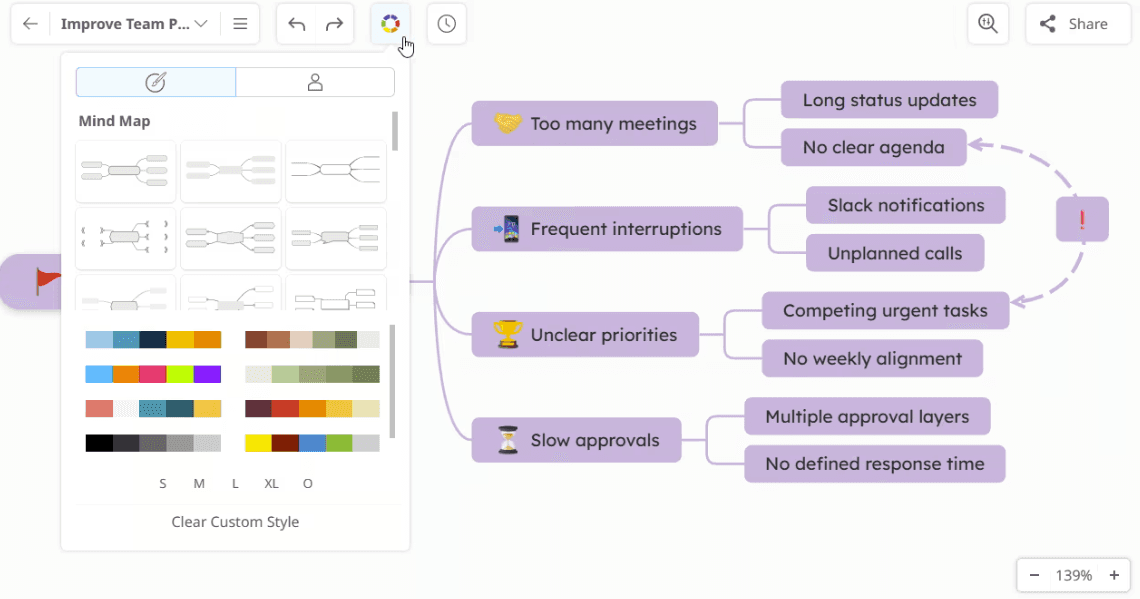
Mindomo is a strong alternative for people who want to stay in a map-centered workflow but expand beyond lightweight online mapping. It offers more visual formats, more planning flexibility, and a broader feature set than MindMup.
What gives Mindomo more breadth
Mindomo is designed for users who need a bridge between simple visualization and active information management. It expands on the basic mapping experience by offering more structural variety and integrated task features.
Versatile visual formats: It natively supports mind maps, concept maps, and Gantt charts, making it easier to adapt one idea to different kinds of analytical or chronological work.
Planning-friendly workflows: It is better suited than lighter tools for teams moving from ideation toward structured execution with built-in task assignment and progress tracking.
AI-assisted idea generation: Integrated AI support helps users move faster from a simple prompt to structured map content, accelerating the research and brainstorming phases.
Cross-context usefulness: Its flexible feature set makes it highly adaptable for diverse environments, including academic research, classroom teaching, and corporate planning.
Why some users choose it over MindMup
MindMup is prized for being fast and direct, which makes it excellent for rapid capture. Mindomo is more appealing when a team wants its maps to evolve over time rather than remaining as static sketches. It provides a more robust styling engine and deeper organizational layers that appeal to users who need their visual assets to serve as long-term documentation.
What the tradeoff looks like
That extra breadth naturally introduces more complexity. Users who love MindMup for its minimal friction may find Mindomo’s feature-rich interface less lightweight. However, for those who require Security you can trust alongside more sophisticated project capabilities, the tradeoff is usually seen as a worthwhile investment for a more powerful workspace.
MindManager, for business planning and execution depth
MindManager is a strong alternative when maps are part of a formal planning process rather than just a quick thinking tool. It is much more business-oriented than MindMup and is built for people who need structure around work, not just structure around ideas.
Why MindManager is useful in heavier workflows
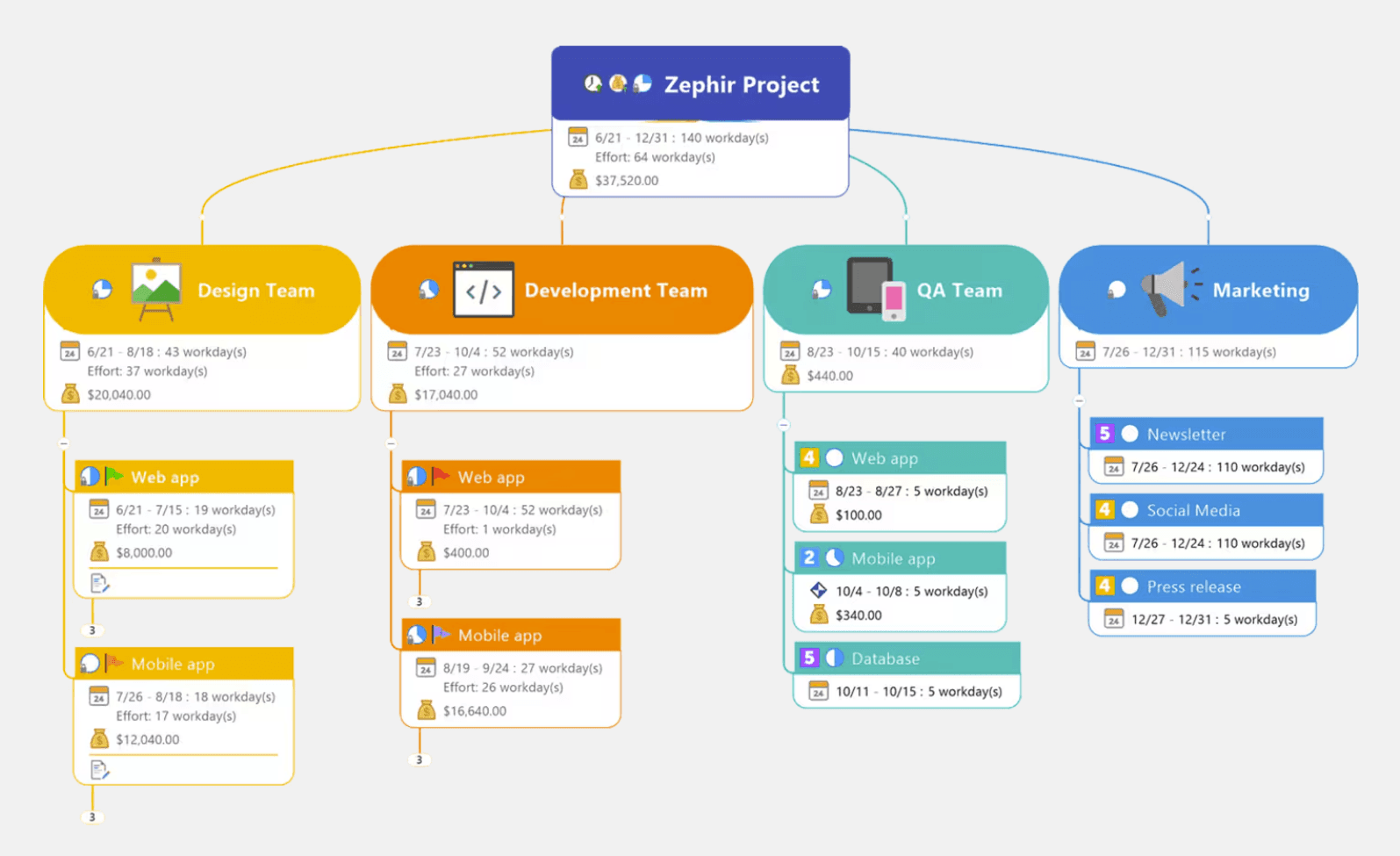
MindManager is built for environments where a map needs to function as a dynamic database. It moves beyond simple visualization to offer deep operational control.
Strong execution context: Maps connect directly to planning-oriented views and task-rich workflows, ensuring strategies lead to action.
Granular operational detail: Teams can manage dates, dependencies, priorities, and resources more explicitly than in lighter tools.
Durable planning artifacts: It is designed for maps that stay useful throughout the execution phase, evolving into live project dashboards.
Business-ready orientation: The product is focused on formal planning and delivery rather than quick, temporary browser capture.
How it compares with MindMup
MindMup is far lighter and faster for initial entry. MindManager is significantly deeper when work requires accountability and planning logic. While MindMup prioritizes the "speed of thought," MindManager focuses on the power of execution and long-term project management.
Understanding the limitations
The extra depth in MindManager comes with specific tradeoffs that may not suit every user:
Complexity and learning curve: The feature-rich interface is much less lightweight than MindMup and may require more time to master.
Higher resource investment: As an enterprise-grade solution, it can be "overkill" for teams who only need occasional brainstorming.
Setup friction: While it offers Security you can trust, it lacks the instant, "no-setup" nature of browser-first tools, making it feel more formal.
Miro, for teams that need broader visual collaboration
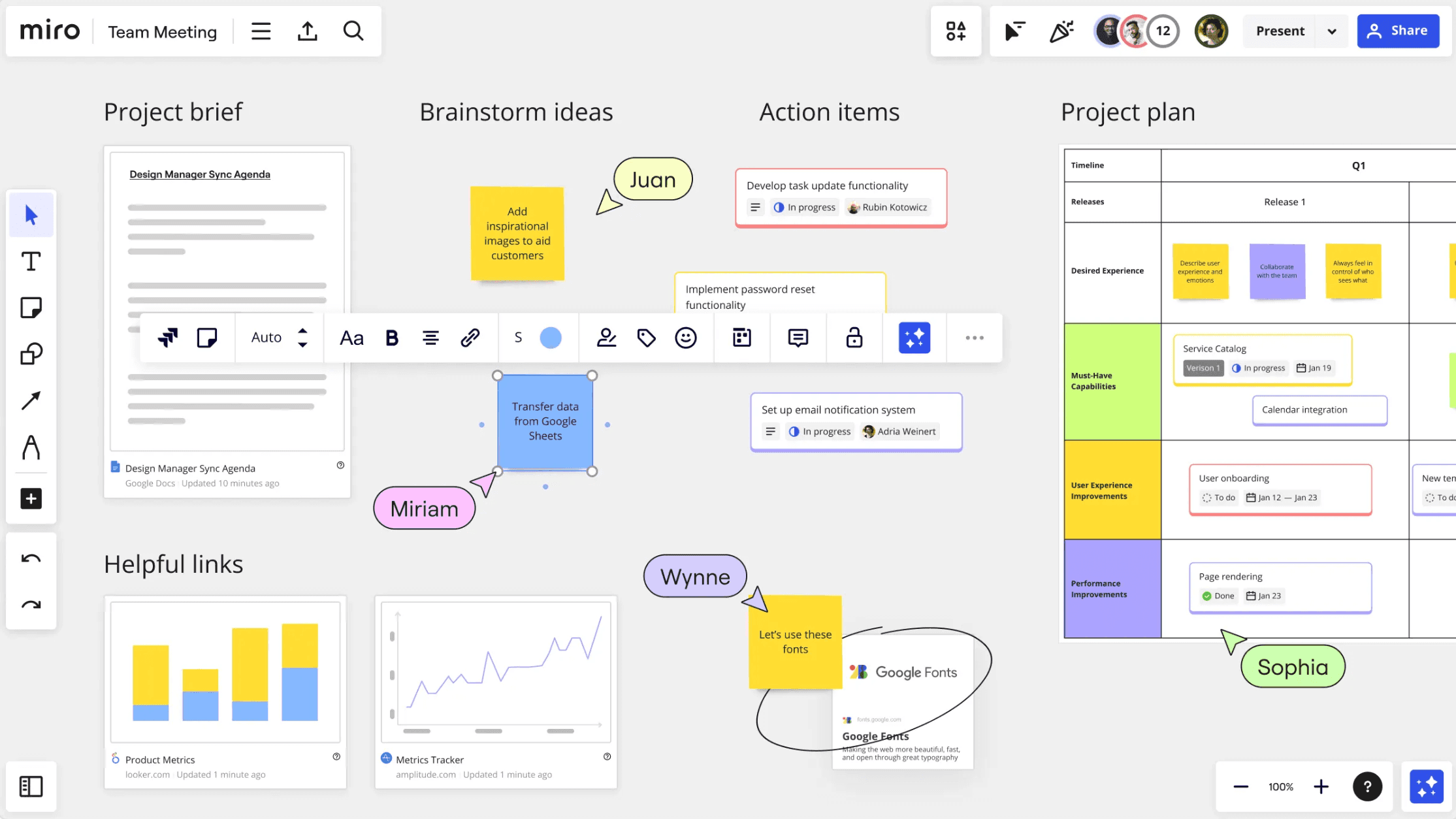
Miro is a useful alternative when teams are outgrowing simple mind mapping altogether and moving toward broader collaborative canvases. It is not a direct one-to-one replacement for MindMup, but it becomes relevant when the workflow expands into workshops, clustering, visual planning, and cross-functional collaboration.
Why Miro enters the conversation
Miro is designed for teams that need a "digital HQ" rather than just a diagramming tool. It transforms the mapping experience into a high-energy, multi-user visual workspace.
Larger collaboration surface: It supports expansive workshops, brainstorming sessions, and planning boards. This flexible space allows for many-to-many teamwork that goes beyond the limits of a traditional document.
AI-enhanced board workflows: Teams can leverage integrated AI for summarizing complex discussions, clustering sticky notes by theme, and rapidly generating mind map branches to speed up collaborative output.
Cross-functional versatility: It acts as a bridge between product, design, marketing, and strategy teams. By providing a shared working space, it ensures everyone stays aligned on the same visual context.
Stronger workshop facilitation: Unlike map-only tools, Miro is built for active facilitation, featuring timers, voting tools, and private mode to manage professional group sessions effectively.
Where it differs from Miro
MindMup is intentionally simpler, lighter, and strictly focused on hierarchical maps. Miro is significantly broader, prioritizing a free-form canvas over rigid branching logic.
While MindMup excels at the rapid capture of a single person's thoughts, Miro is better suited to teams that no longer want one single map as the center of their workflow. It allows users to mix mind maps with wireframes, kanban boards, and embedded documents, creating a more holistic project environment.
What to consider
If your team requires deep, automated structure, Miro may solve the collaboration problem more than the structural one. It is strongest when visual teamwork and real-time interaction matter more than strict map-based logic.
While it offers Security you can trust and massive scale, the infinite freedom of the canvas can sometimes lead to clutter. It is an ideal choice for "live" innovation, but users who need a tool to enforce a specific analytical hierarchy may find it less disciplined than a dedicated mapping engine.
MindMup alternatives at a glance
Tool | Positioning | Collaboration style | Structure & organization | AI capability depth | Planning & execution | Best fit |
|---|---|---|---|---|---|---|
Xmind | Structured thinking platform | Real-time co-editing plus async map refinement | Strong built-in structures beyond standard mind maps, with better support for complex and analytical thinking | Strong for map generation, branch expansion, and structured idea refinement | High, with task fields and native Gantt linking ideation to execution | Teams that want one visual workflow from thinking to delivery |
MindMeister | Browser-first collaborative mind mapping | Lightweight live co-editing centered on shared maps | Well suited to classic collaborative mapping, with less depth for analytical structures | Moderate, mainly valuable for ideation acceleration rather than deeper planning logic | Moderate, better for brainstorming than execution-heavy workflows | Teams that want simple web-based collaborative mind mapping |
Mindomo | Multi-format mapping and planning | Real-time collaboration in map-centered workflows | Strong across mind maps, concept maps, and outlines, with more breadth than lightweight tools | Moderate to strong, useful for generating and expanding early ideas | Moderate to high, with a better bridge from brainstorming to structured planning | Users who want map flexibility without moving to a full whiteboard tool |
MindManager | Business planning and operational mapping | Team collaboration with strong planning context | High structure depth, especially for work that must stay organized through delivery | AI is not the main reason to choose it; planning depth is the bigger differentiator | High, with strong support for project and operational planning workflows | Organizations needing rigor, accountability, and long-term planning control |
Miro | Collaborative innovation workspace | Canvas-first cross-functional teamwork | Flexible and broad, though less opinionated than map-first structure systems | Strong for board-level collaboration, summarization, and idea clustering | Moderate, especially when paired with broader team planning habits | Teams that need broader visual collaboration beyond classic mind maps |
Conclusion
MindMup remains a very good choice for fast, low-friction online mind mapping. If your work is mostly about quick capture, sharing, simple collaboration, and lightweight presentation, it still holds real value.
But when teams need more structure, deeper planning, or stronger long-term workflows, alternatives start to make more sense. For most teams, Xmind is the best place to start because it keeps visual thinking intuitive while adding richer structures, stronger AI support, and a clearer path from ideas to execution.