7 MindNode alternatives for teams moving from simple mapping to professional execution

hannah

MindNode is one of the most polished mind mapping apps in the Apple ecosystem. It is fast, clean, and excellent for personal clarity.
Teams usually start evaluating alternatives when they need broader platform coverage, stronger planning depth, or more collaboration structure across mixed environments.
Where MindNode can feel limited for growing teams
MindNode is strong for focused visual thinking, but not every organization works in an Apple-only, map-first flow. Teams often switch when they need deeper planning workflows that tie tasks, dependencies, and timeline views directly to their ideas. Moving beyond a simple brainstorm, professional project delivery requires the ability to turn maps into actionable roadmaps that keep teams aligned through every phase of execution.
Modern collaboration also demands a break from ecosystem silos, as many companies need smooth workflows across web, Windows, mobile, and desktop. Complex topics often require more than just a map and outline; they need structural variety like fishbone diagrams or matrices to organize information. For formal output, teams eventually require professional artifacts and workshop-ready canvases that translate abstract ideas into structured, documented results.
Alternative 1: Xmind for structured thinking plus execution continuity
Xmind is the most comprehensive alternative for teams that want to preserve the fluidity of visual thinking while integrating robust planning and delivery workflows. While many tools stop at the brainstorming phase, Xmind bridges the gap between a creative spark and a finalized project, providing a unified workspace where ideas are structured, refined, and tracked through to completion.
Versatile frameworks for complex problem solving
Xmind moves beyond the traditional radial map to provide a multi-framework environment. This versatility ensures that teams can select the most logical structure for the specific problem at hand, rather than forcing every idea into a single format.
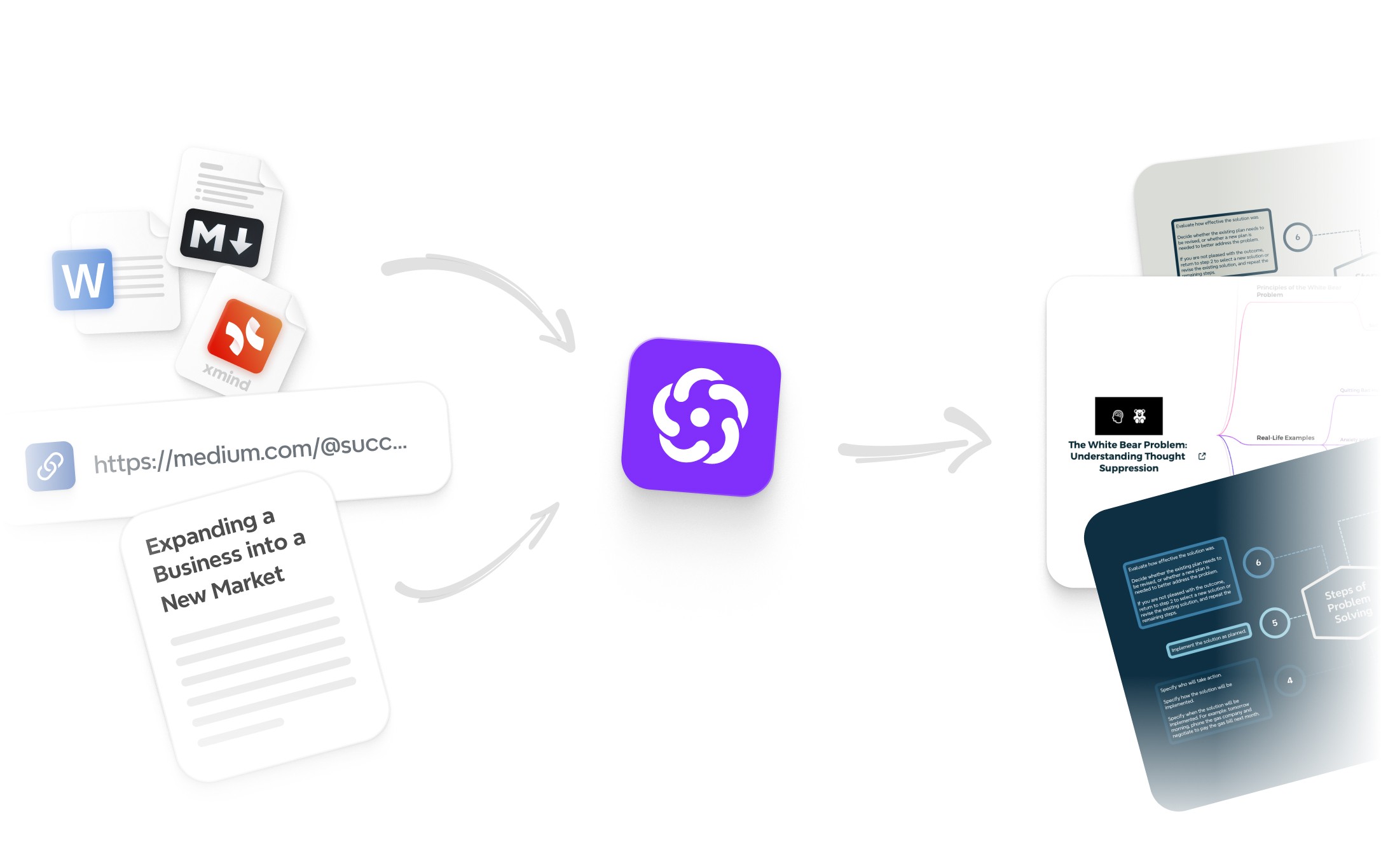
AI-powered productivity and refinement: Xmind’s integrated AI acts as a sophisticated force multiplier for your brain. Rather than just generating text, the AI helps teams expand deep branches from a single node, summarize complex information into digestible clusters, and instantly restructure chaotic brainstorms into clear, logical action paths.
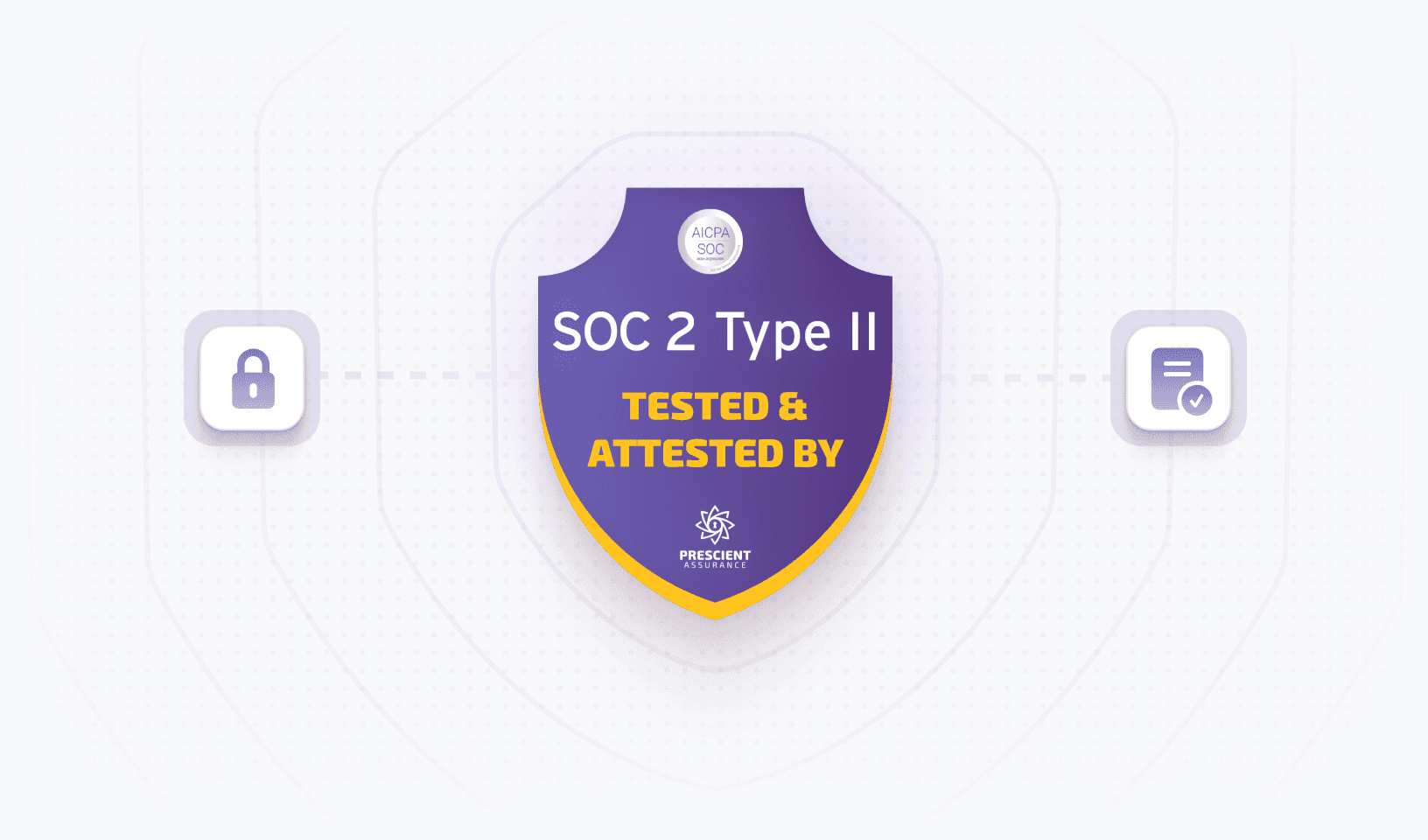
Enterprise-grade security and privacy: For organizations handling sensitive intellectual property, Xmind provides a secure environment that professional users trust. With robust file encryption, local-first storage options, and compliant data handling, teams can visualize their strategic roadmaps and confidential project details with total peace of mind.
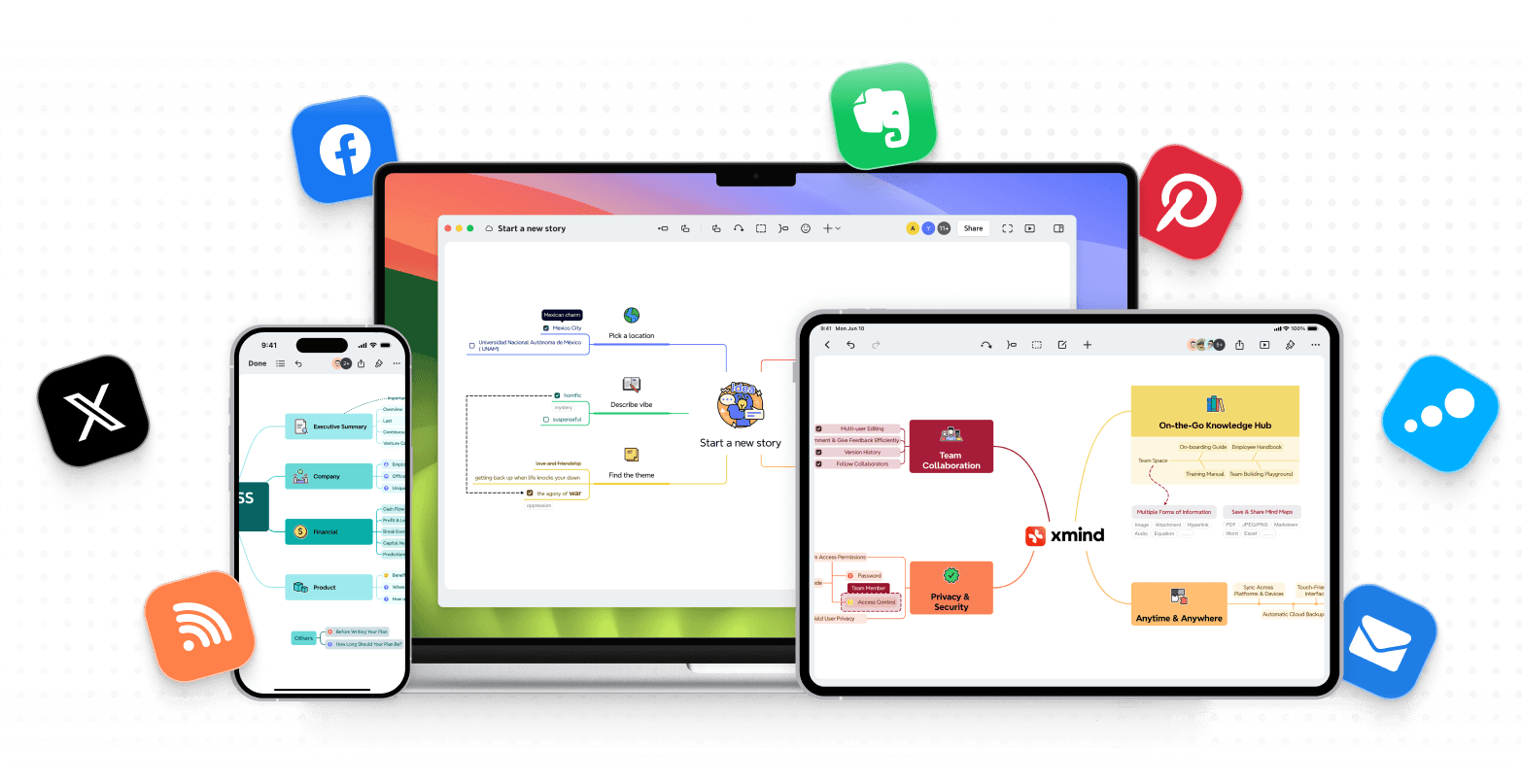
Total cross-platform freedom: Modern teams operate in mixed-device environments where creative, engineering, and operations departments must stay aligned. Xmind delivers a seamless, high-performance experience across Windows, macOS, Android, iOS, and Web, ensuring that your collective intelligence is accessible and editable on any device, anywhere.
Why Xmind excels at turning ideas into action
The true strength of Xmind lies in its ability to maintain "execution continuity." It eliminates the friction of switching between a brainstorming tool and a project management app by embedding task-level details directly into the visual map. By integrating Task (priorities, progress, and duration) with a native Gantt View, the platform ensures that every node in your brainstorm can immediately become a tracked line item in your project schedule. This connection ensures that the strategic intent of a session is never lost during the handoff to production.
Furthermore, Xmind’s AI-assisted refinement acts as a force multiplier for productivity. AI helps teams expand deep branches, summarize complex nodes, and restructure chaotic brainstorms into clear, logical action paths. This intelligence, combined with broad cross-platform compatibility across Windows, macOS, Android, and Web, allows mixed-device teams to standardize their workflow and collaborate without ecosystem barriers.
Optimizing your workflow: Best use cases
Xmind is specifically engineered for high-stakes environments where clarity and timeline control are non-negotiable. It is the ideal choice for:
Project Managers and Lead Strategists: Teams moving from the "what" (exploration) to the "how" (execution) who need to visualize dependencies and milestones.
Cross-functional Departments: Organizations where creative, engineering, and operations teams must collaborate across different operating systems without losing data integrity.
Technical Analysts: Professionals who require advanced frameworks like fishbone or logic charts to document complex systems and conduct deep-dive research.
Check out the Xmind vs. MindNode comparison for a deep dive into which tool truly fits your team’s growth and delivery needs.
Alternative 2: MindMeister for browser-first collaborative mapping
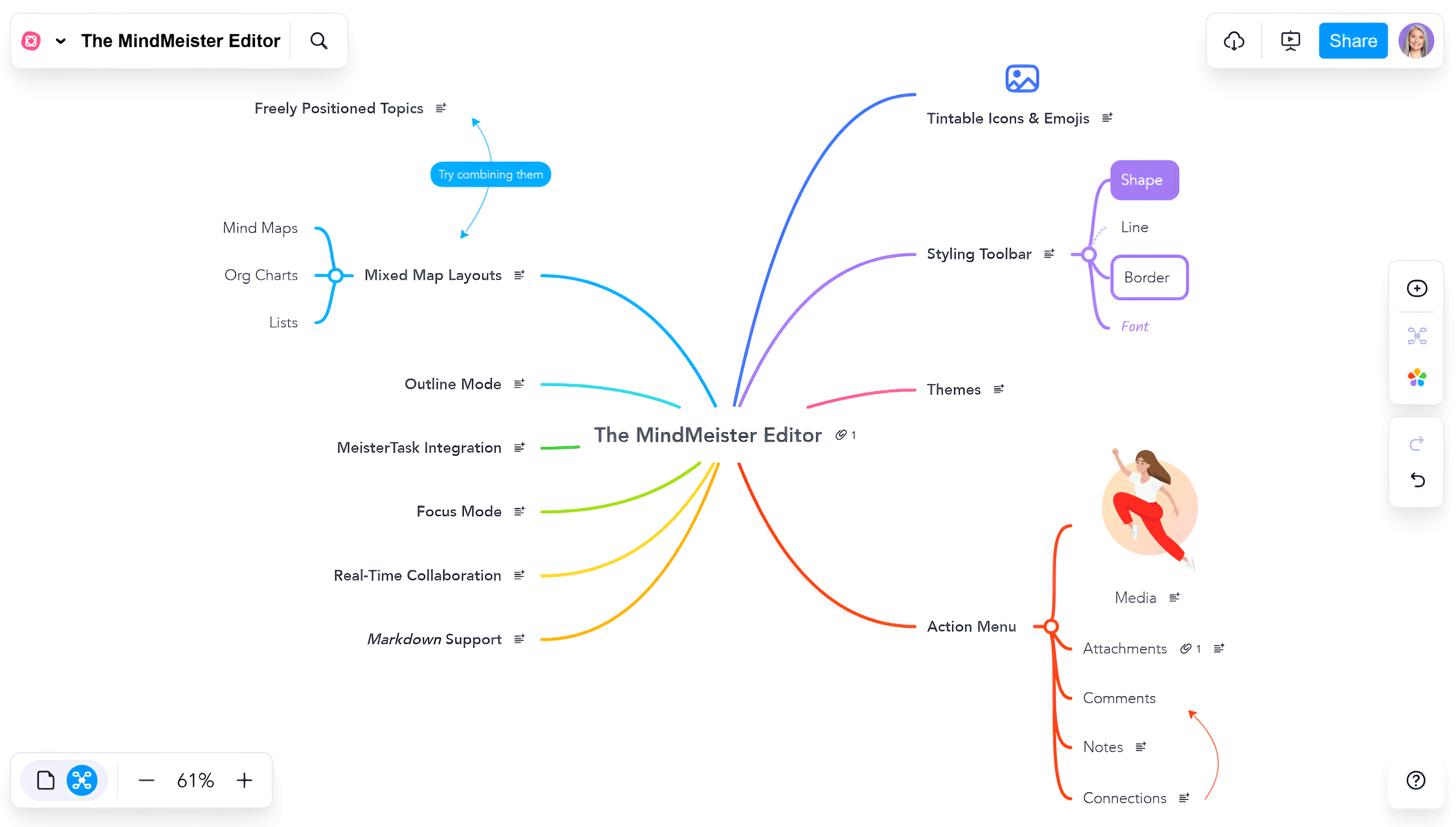
MindMeister remains the gold standard for teams that prioritize a lightweight, web-native environment over heavy desktop software. It excels in removing technical barriers, allowing distributed teams to transition from a blank canvas to a structured brainstorm in a matter of seconds.
Why teams choose it for rapid alignment
Zero-friction onboarding: Because it is 100% browser-based, you can invite external clients or cross-departmental partners to a map without worrying about OS versions or software installations.
Live co-editing at scale: It is purpose-built for high-energy brainstorming sessions, supporting real-time cursors and instant updates that ensure every participant stays on the same page during a meeting.
Seamless workflow transition: MindMeister integrates directly with MeisterTask, allowing teams to drag and drop nodes into an agile project board to keep the momentum going after the meeting ends.
The gap in execution depth
While MindMeister is a powerhouse for collaborative ideation, it lacks the professional planning rigor found in native desktop applications. Teams requiring complex project views, such as advanced Gantt charts, resource leveling, or deep offline functionality for travel, may find its "web-first" simplicity a limiting factor for long-term project management.
Alternative 3: MindManager for operational planning depth
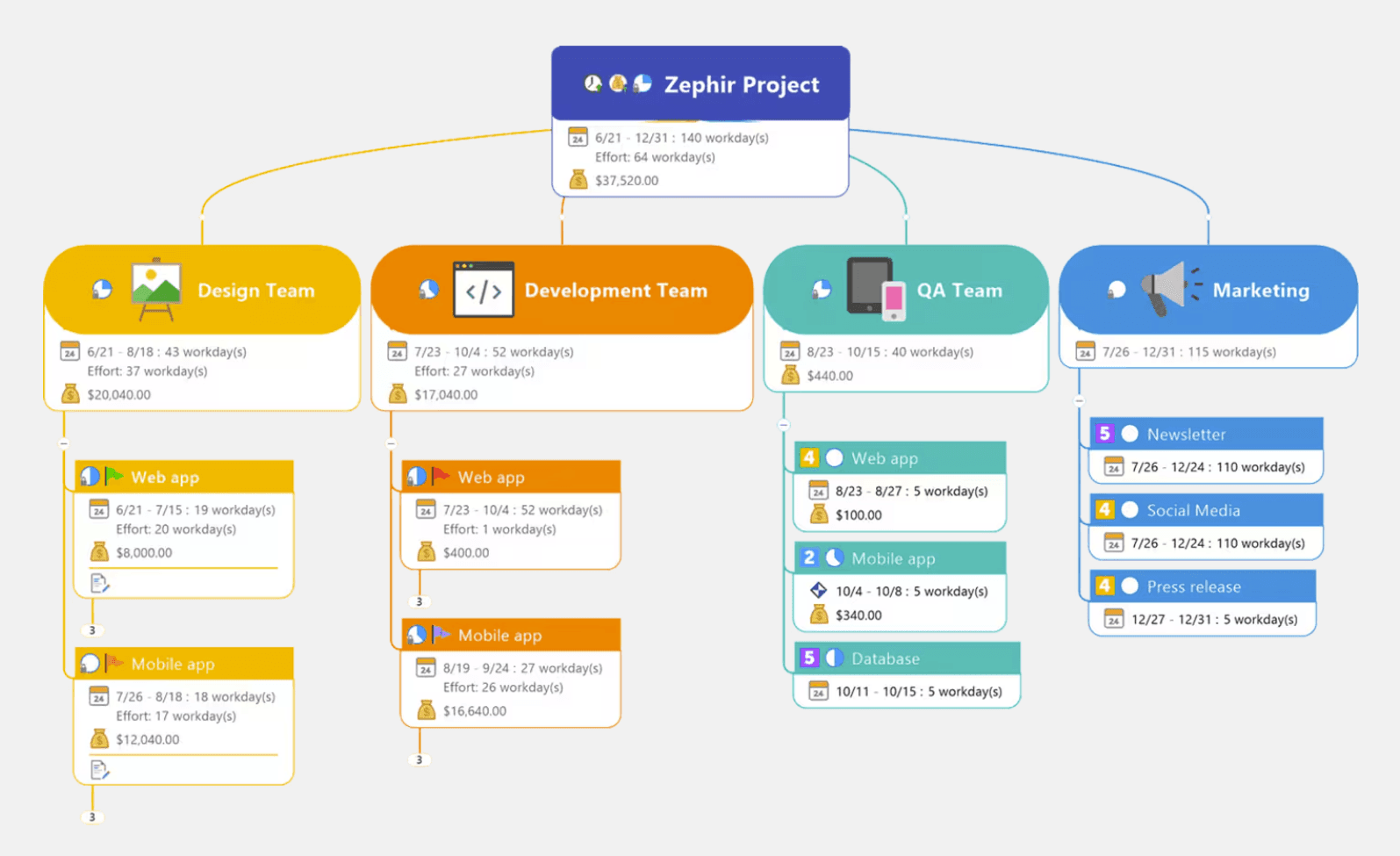
MindManager is engineered for organizations that treat mind mapping as a central hub for business data. It is less of a "sketchpad" and more of a visual database, designed for professionals who need to manage budgets, resources, and complex project interdependencies within a single map.
Why it stands out in professional environments
Data-driven visualization: Beyond simple text nodes, MindManager supports conditional formatting, formulas, and deep metadata, allowing you to track costs, risks, and resource loads directly on your map.
Enterprise-grade execution: It offers one of the most robust Gantt chart engines in the industry, enabling project managers to handle critical path analysis and milestones without exporting to a separate tool.
Corporate ecosystem integration: With deep hooks into Microsoft 365, SharePoint, and specialized business databases, it functions as a visual front-end for complex enterprise information.
Navigating the complexity curve
The sheer power of MindManager comes with a significantly steeper learning curve and a "heavier" interface compared to MindNode’s minimalism. It is a tool for power users where project rigor and data integrity are the priority, often requiring more setup time than a quick, intuitive brainstorm would allow.
Alternative 4: Mindomo for flexible mapping with broader planning tools
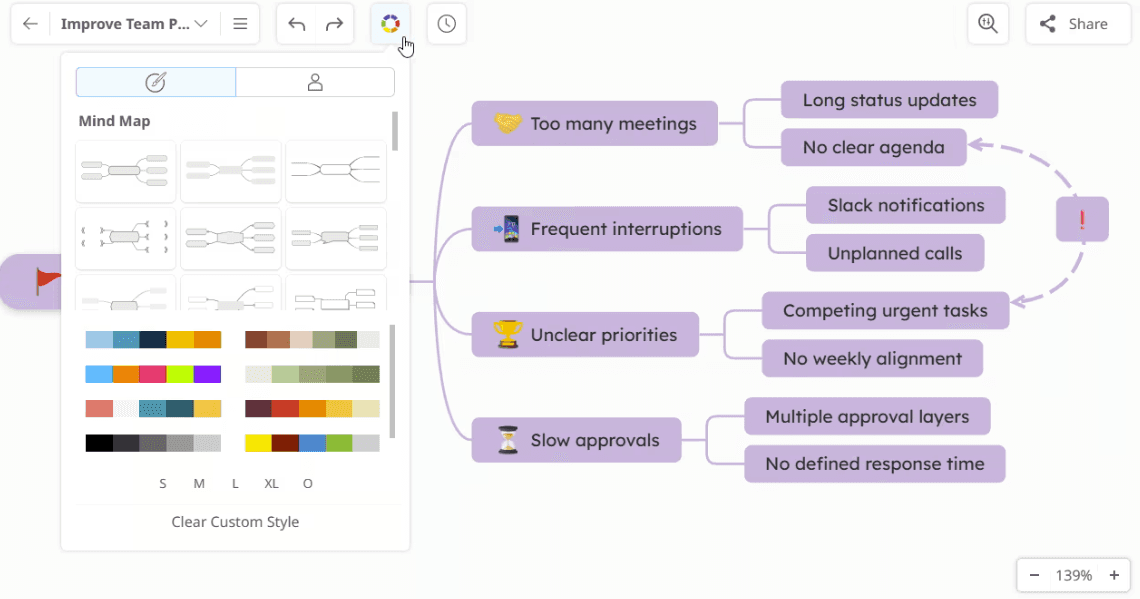
Mindomo serves as a sophisticated bridge for users who need a hybrid approach to visual thinking. It is particularly effective for those who switch between conceptual mapping and structured outlining, offering a versatile toolkit that adapts to different cognitive tasks.
Why teams consider Mindomo for structured growth
Multimodal framework support: Unlike tools that lock you into one layout, Mindomo allows you to pivot between mind maps, concept maps, and linear outlines, catering to different stages of the research or planning process.
AI-assisted content generation: Its integrated AI tools help accelerate the ideation phase by suggesting sub-topics, summarizing long branches, and providing structural templates that help users overcome creative blocks.
Smart collaboration features: It strikes a unique balance by maintaining a strict logical hierarchy while still allowing for real-time team comments and assignments, making it excellent for structured educational or research environments.
The aesthetic and refinement trade
While Mindomo is functionally rich, the overall user interface can feel less cohesive and visually "premium" than Apple-centric apps like MindNode. For users who value the tactile, aesthetic experience of mapping as much as the functionality, Mindomo’s utility-first design might feel slightly unpolished.
Alternative 5: Miro for whiteboard-heavy cross-functional teamwork
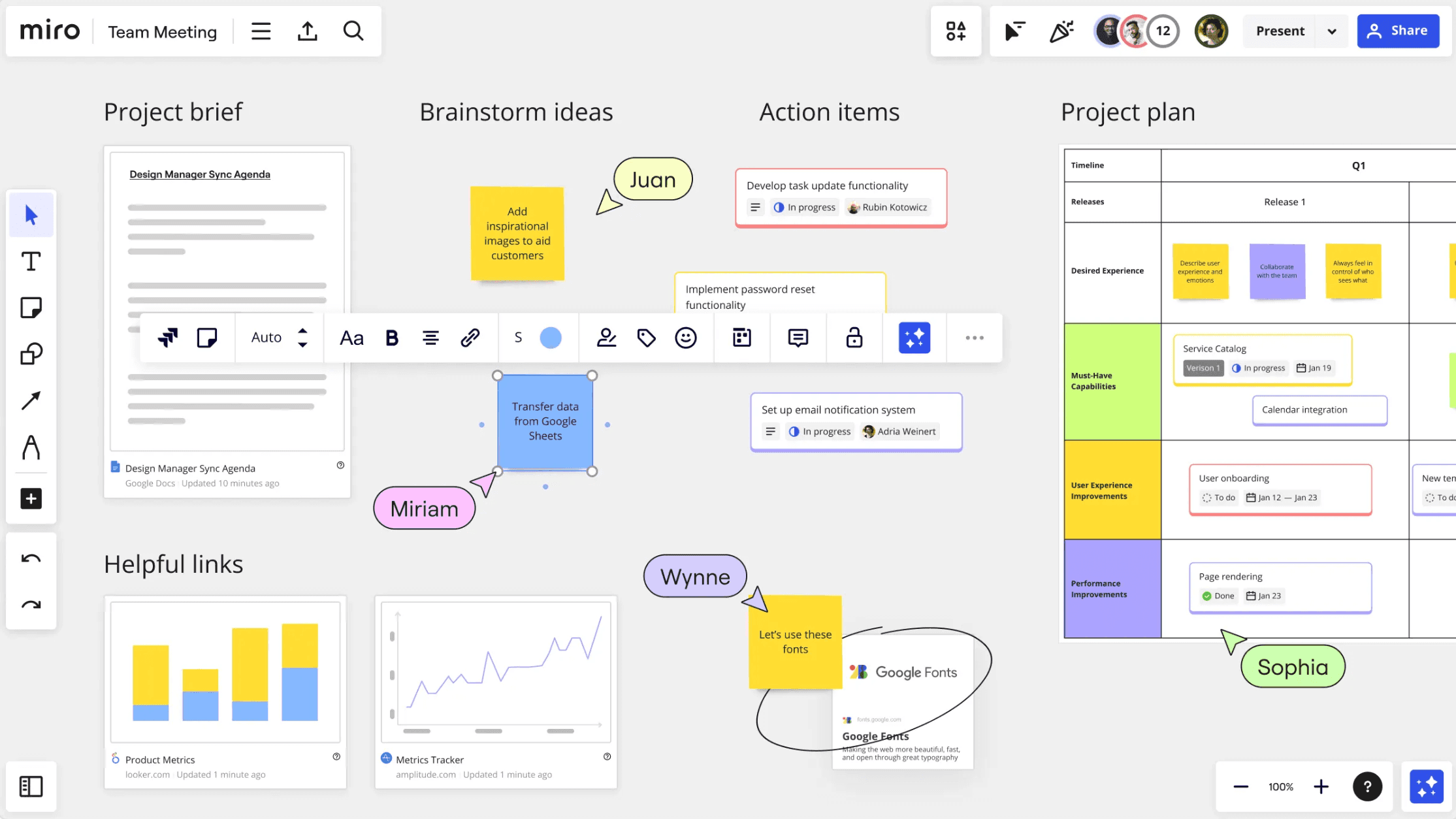
Miro is the industry leader for teams that have outgrown the "center-out" logic of mind mapping and need a massive, infinite canvas for collaborative exploration. It treats the mind map as just one building block in a much larger strategic ecosystem.
Where it performs best for hybrid teams
Infinite canvas flexibility: Miro allows teams to surround a central mind map with sticky-note clusters, embedded PDF documentation, wireframes, and even live video feeds, creating a holistic "war room" for a project.
Workshop-ready toolset: With built-in timers, voting plugins, and digital facilitation tools, it is the premier choice for large-scale creative workshops and product discovery phases involving dozens of stakeholders.
Advanced AI board automation: Miro Assist can automatically cluster similar ideas, summarize vast amounts of collaborative input, and generate visual frameworks, saving hours of manual cleanup after a session.
Limitations in long-term hierarchy
Because Miro is a freeform whiteboard, it lacks the inherent "auto-layout" rigor of a dedicated mind mapping tool. As a project grows, it can become difficult to maintain a clean, navigable hierarchy, often leading to a "messy board" syndrome where finding specific information requires significant manual zooming and panning.
Alternative 6: Lucidchart for process diagrams and formal communication
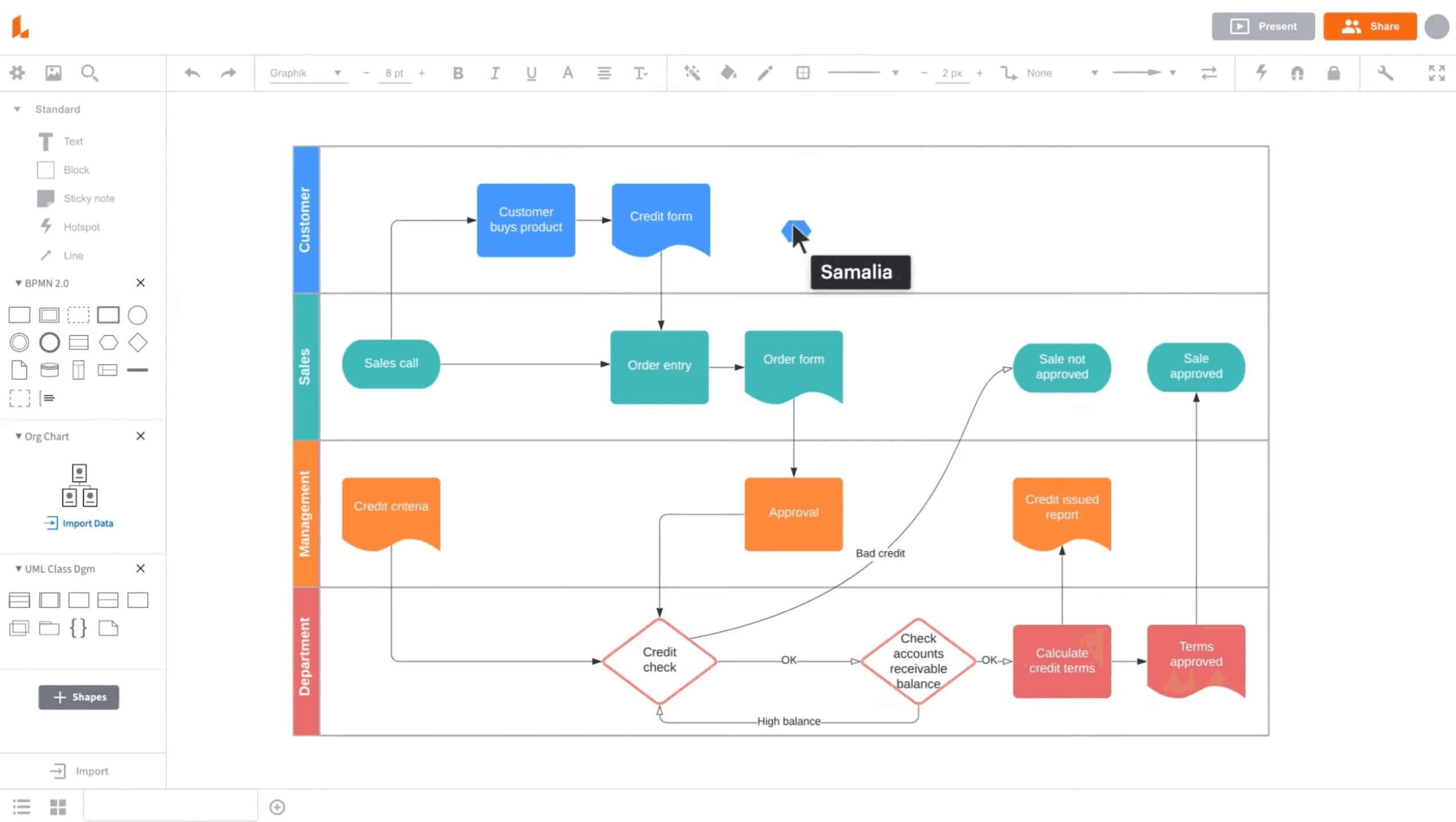
Lucidchart is the go-to solution for engineering and operations teams that require precise, documentation-ready visuals. It is built for "how things work" rather than just "what we are thinking," making it the standard for technical clarity.
Why it works for high-fidelity documentation
Diagram-first precision: It offers professional-grade libraries for flowcharts, BPMN 2.0, and network architecture, ensuring that every connection and arrow follows strict logical and technical standards.
Operational artifacts: Lucidchart is designed to produce formal outputs that can be embedded into company wikis or shared with legal and engineering teams as the "source of truth" for a process.
Logic-preserving collaboration: Even when multiple users are moving components around, the platform ensures that the underlying logical connections stay intact, preventing the diagram from breaking under pressure.
The friction in organic ideation
Lucidchart is a documentation tool at its core, which can make it feel a bit rigid for spontaneous, organic brainstorming. The interface is optimized for placing specific shapes and drawing exact lines, which lacks the fluid, "lightning-fast" node creation that makes MindNode so effective for raw ideation.
Alternative 7: Milanote for creative board-based organization
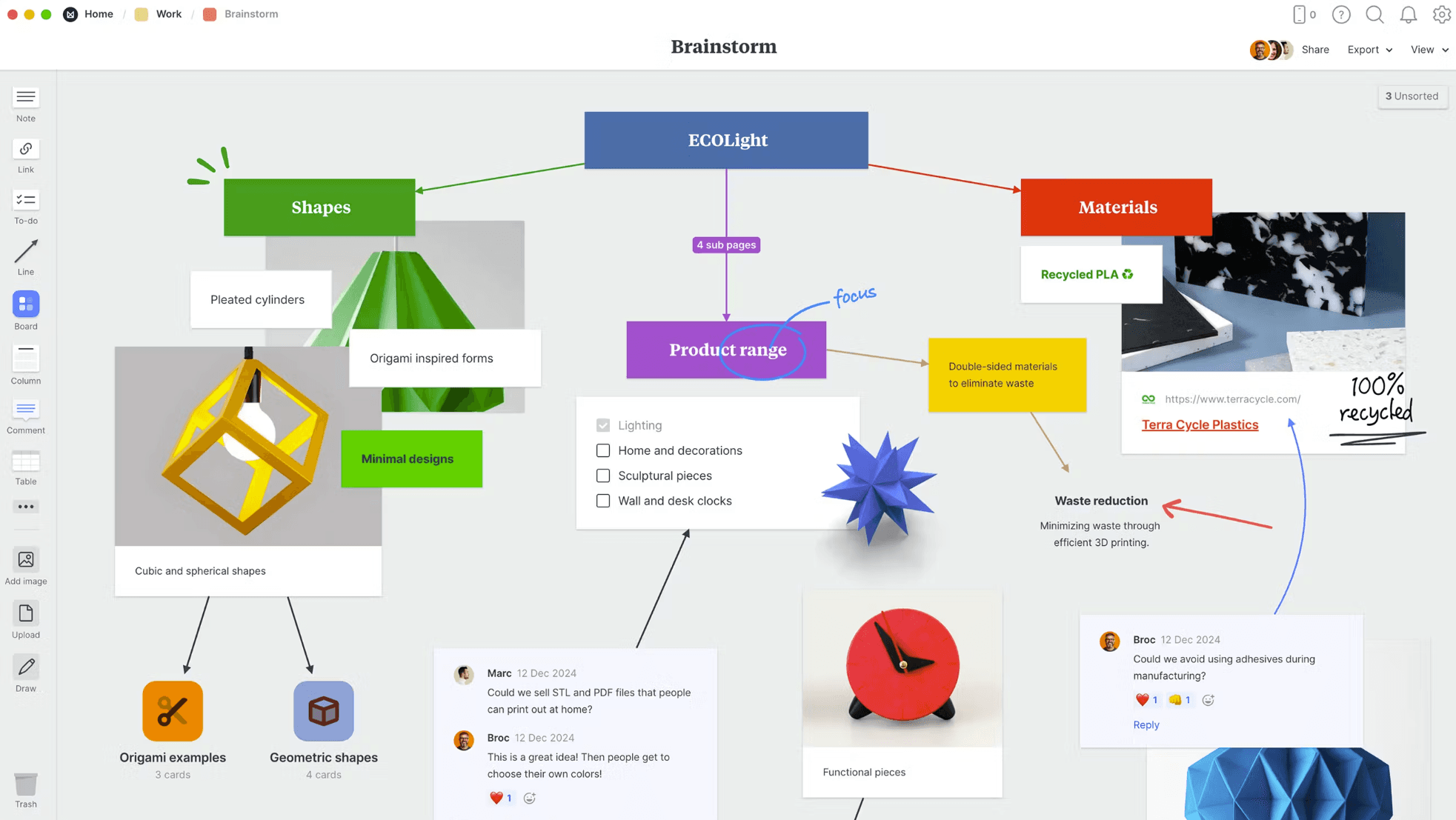
Milanote is a specialized sanctuary for creative professionals—designers, writers, and directors—who organize their world through visual boards and spatial relationships rather than branching tree logic.
Why creative teams choose it for storytelling
Fluid content curation: It is the ultimate digital moodboard, allowing you to drag and drop images, color swatches, web links, and videos alongside your notes to create a rich, visual context for a campaign.
Mixed-media planning architecture: The interface allows for a "cards-on-a-table" style of organization, making it easy to see connections between visual assets and text references that a traditional mind map would hide.
Intuitive, board-based navigation: It offers a lighter, more tactile collaboration experience that feels like a shared studio wall, making it a favorite for small creative agencies and editorial teams.
The lack of structured data logic
While Milanote is brilliant for curation, it is not designed for data-heavy project management or complex logical analysis. It lacks the automated restructuring, timeline-heavy Gantt views, and hierarchical depth needed to manage a rigorous technical roadmap or a multi-dependency engineering project.
MindNode alternatives comparison table
Collaboration style | Structure depth | AI capability depth | Planning & execution | Platform profile | |
|---|---|---|---|---|---|
Xmind | Real-time co-editing + async refinement | High, with multiple built-in frameworks | Strong for idea expansion and structured refinement | High, with native task flow and Gantt continuity | Broad cross-platform (web, desktop, mobile) |
MindMeister | Lightweight live co-editing | Moderate, optimized for straightforward mapping | Moderate, mainly ideation acceleration | Moderate, collaboration-first rather than execution-heavy | Web-centric collaboration |
MindManager | Team planning with management context | High, designed for execution structure | Moderate, less central than planning value | High, strong operational planning depth | Enterprise/mixed desktop environments |
Mindomo | Collaborative map-centered workflows | High, across maps and concept structures | Moderate to strong for idea support | Moderate to high, good planning bridge | Cross-platform mixed usage |
Miro | Canvas-first cross-functional teamwork | Moderate by default, highly flexible | Strong for board-level collaboration workflows | Moderate, often integrated with additional tools | Broad, web-forward team environment |
Lucidchart | Structured collaborative diagram editing | High for formal process/system communication | Moderate for diagram assistance | Moderate, best for documentation clarity | Web-first with enterprise adoption |
Milanote | Lightweight collaborative curation | Moderate, board-driven rather than logic-driven | Light, not core product center | Moderate for creative project flow | Creative teams across devices |
Conclusion
MindNode is still one of the best Apple-native tools for elegant mind mapping. If your workflow is mostly personal or Apple-first, it remains a strong choice.
But for individuals or teams needing stronger execution continuity, broader structure systems, or mixed-platform collaboration, alternatives can deliver a better long-term fit.
For most organizations balancing idea quality and delivery speed, Xmind is the strongest starting point. It keeps visual thinking intuitive while adding structure, planning depth, and clearer execution flow.