6 Mindomo alternatives worth exploring for clearer planning workflows

hannah

Mindomo is one of the more flexible tools in this category. It combines mind maps, concept maps, outlines, Gantt charts, AI-assisted brainstorming, real-time collaboration, and offline editing in one product. For many users, that breadth is exactly the point.
But flexibility is not always the same as focus. Teams usually start looking for alternatives when they want a cleaner structure system, a more refined planning workflow, a stronger fit for a specific work style, or a product that feels simpler in day-to-day use.
Why teams look for alternatives to Mindomo
Mindomo covers a lot of ground, which makes it useful across education, planning, brainstorming, and project work. That same breadth can also create friction when a team wants something more opinionated.
Common reasons include:
They want a clearer structure-first experience: Broad feature coverage is useful, but some teams prefer a more focused approach to visual thinking.
They want simpler execution flow: Planning, tasking, and map development can feel more effective when the workflow is tighter and less spread across formats.
They want a tool optimized for a specific use case: Some teams need whiteboard collaboration, others need business planning, and others need elegant personal mind mapping.
They want a more refined product feel: Flexibility is valuable, but some users care more about workflow polish, clarity, and ease of use.
1. Xmind, for teams that want clearer structure with less friction
Xmind is one of the strongest alternatives to Mindomo when the goal is not more breadth, but more focus. Both tools support AI, collaboration, multiple structures, and planning-oriented workflows, but the difference lies in how those features come together. Xmind prioritizes a streamlined experience that reduces cognitive load, making it easier to manage complex information without the distraction of feature sprawl.
Where Xmind feels more focused
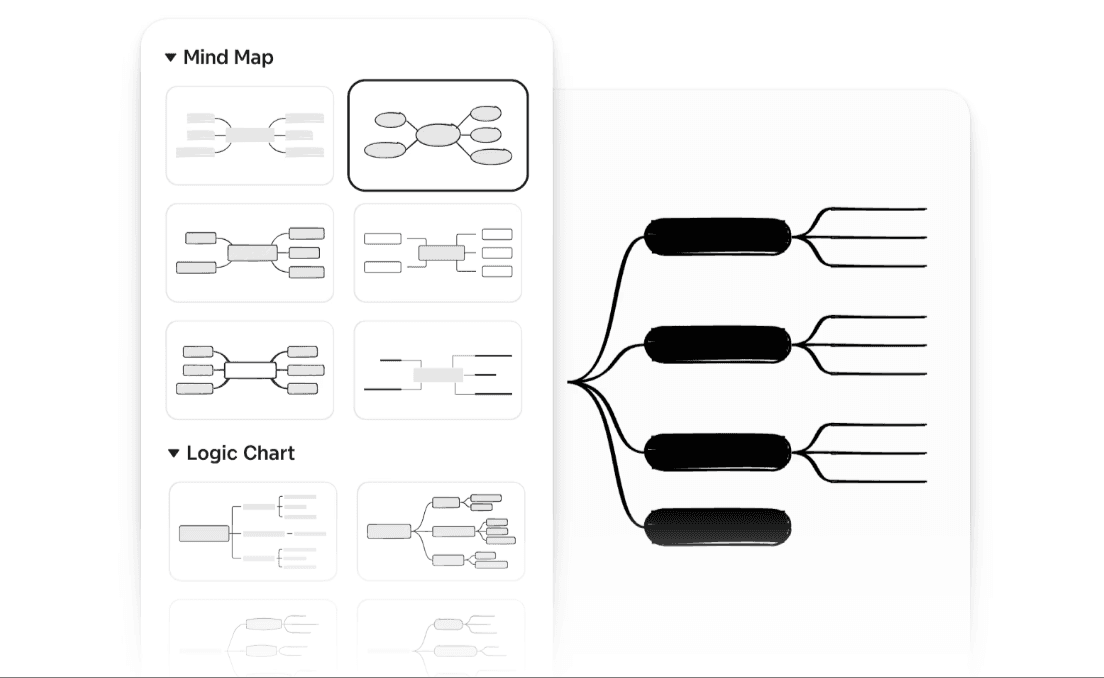
Structure-led thinking: Xmind makes its core structures—such as Logic Charts, Fishbone diagrams, and Matrices—feel cleaner and more intentional. This guided approach helps when ideas need structural clarity and professional alignment rather than maximum, open-ended flexibility.
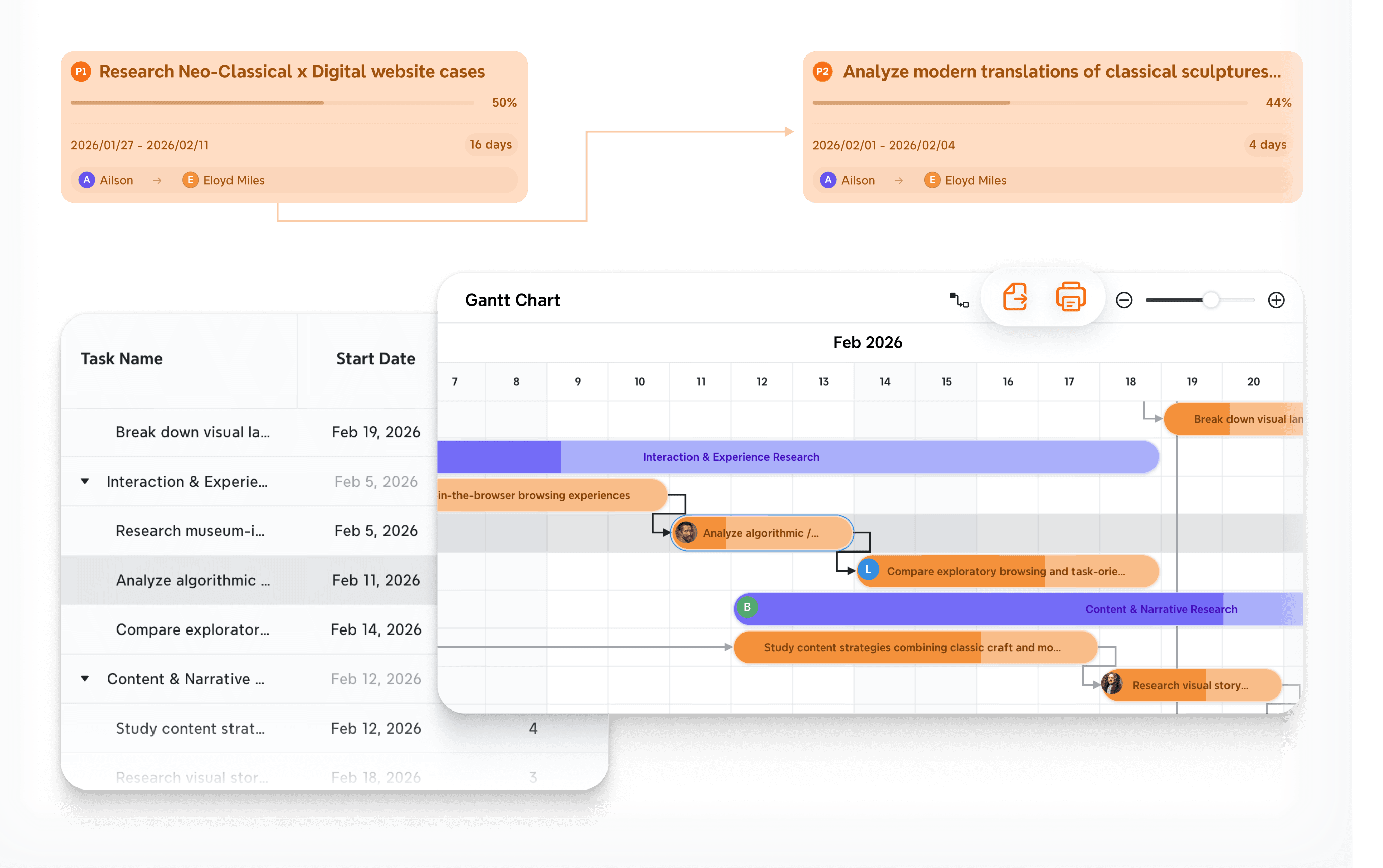
Smooth transition to planning: Tasks and Gantt views are tightly connected to the map, allowing for a seamless flow from a "messy" brainstorm into a structured roadmap. This integration makes it easier to move into execution without losing coherence or having to re-enter data in secondary tools.
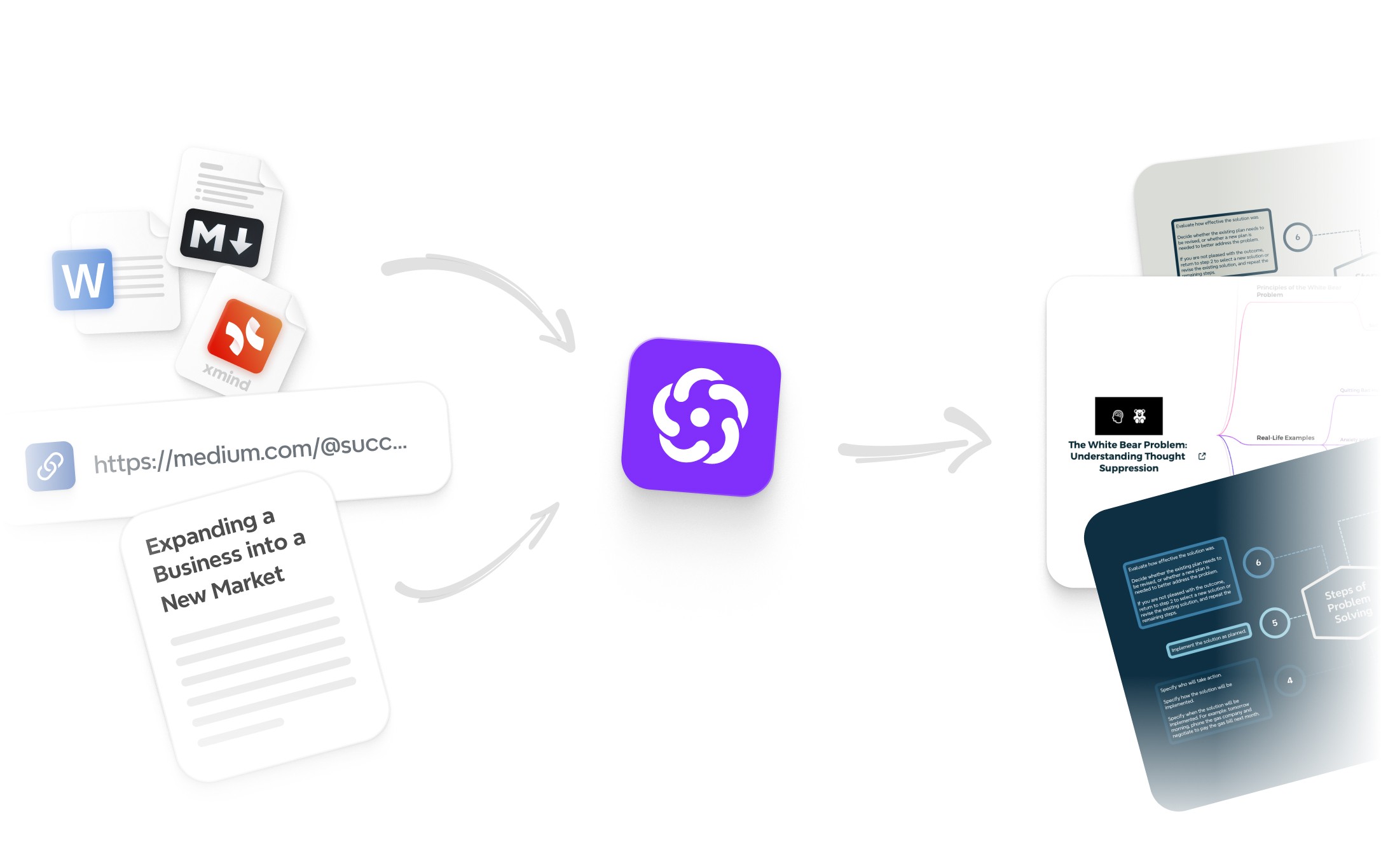
AI in the thinking flow: Instead of only helping you start faster with a simple prompt, Xmind AI is strong at branch expansion, logical restructuring, and sharpening the hierarchy of your thoughts. It acts as a cognitive partner that helps refine the logic of your map as it grows.
Better presentation feel: Many teams prefer Xmind when maps need to stay polished, readable, and presentation-ready over time. Its high-resolution vector engine and specialized Pitch Mode ensure that even massive, multi-layered maps remain sharp and professional during high-stakes reviews.

Why some Mindomo users switch to Xmind
Mindomo offers a vast array of formats and an exceptionally broad feature set covering everything from education to business. Xmind appeals when the team already knows what it needs: clear structure, consistent planning continuity, and a more refined, distraction-free experience for ongoing strategic work. It trades off Mindomo's all-purpose versatility for a more disciplined and high-performance mapping environment.
You can read Xmind vs Mindomo to discover more differences
Xmind is especially strong for
Teams that want structure without clutter: Groups that need to organize complex thoughts into a clean, manageable visual hierarchy.
Users who care about map clarity over feature sprawl: Individuals who prioritize a high-quality, readable canvas that doesn't overwhelm the user with menus.
Workflows that move from ideation into organized execution: Projects that start as a creative brainstorm but must quickly evolve into a milestone-driven project plan.
2. MindManager, for planning-heavy business teams
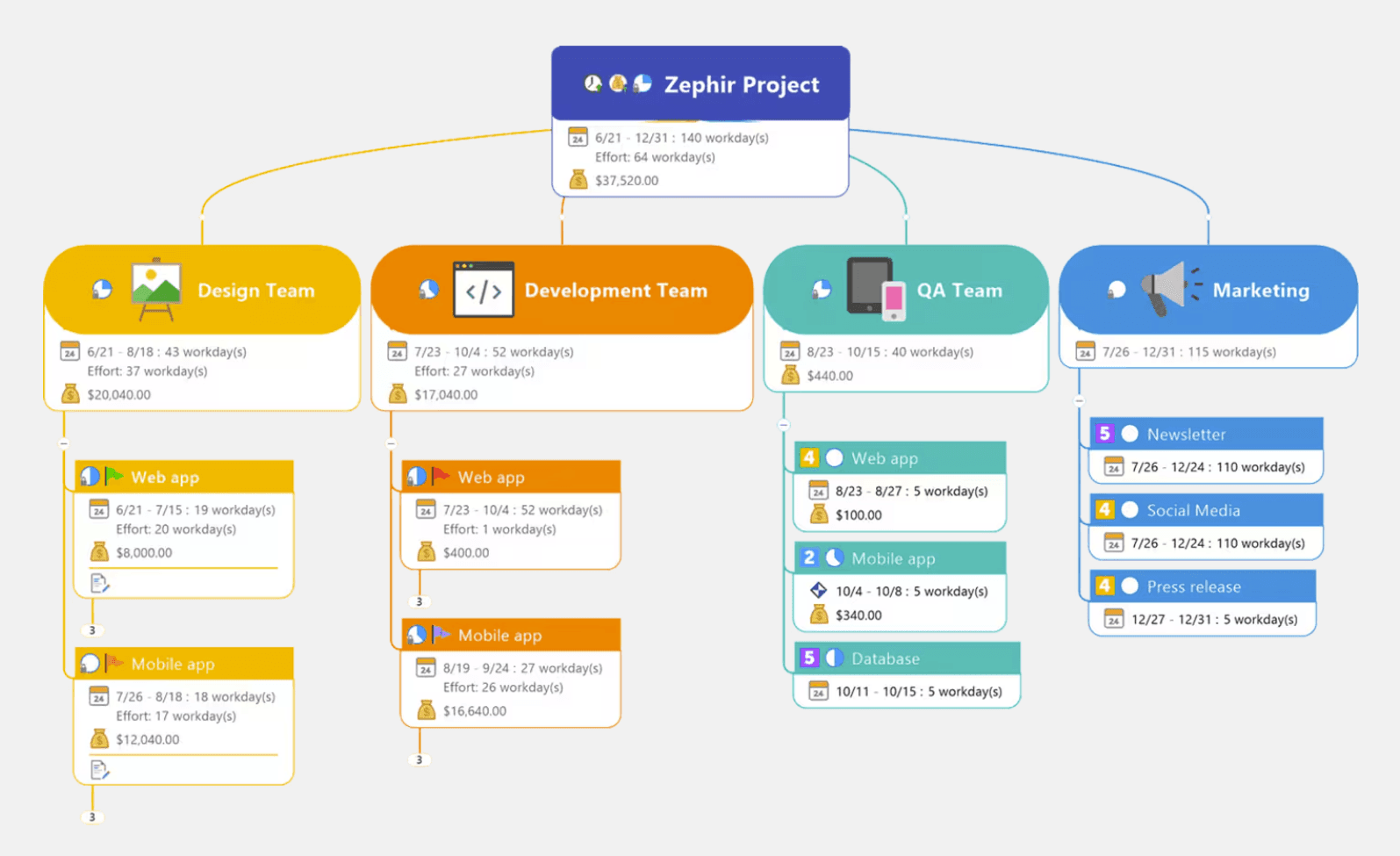
MindManager is a natural alternative for organizations that want visual thinking tied more directly to project control, operations, and structured business planning. It transforms the traditional mind map into a dynamic business dashboard, making it ideal for environments where a map must serve as a rigorous data-driven tool rather than just a creative sketch.
Why teams move from broad mapping tools to MindManager
Strong business planning context: MindManager is designed specifically for corporate environments where priorities, ownership, and delivery milestones matter as much as the visual map itself. It bridges the gap between high-level strategy and granular day-to-day operations.
Rich planning metadata: Unlike lighter tools, it supports deeply structured information around tasks, including start/end dates, effort, dependencies, and complex execution logic. This allows users to manage a project’s lifecycle within a single, interconnected visual file.
Better fit for formal project work: Teams often choose it when maps are an integral part of operational decision-making rather than just a tool for initial ideation. It offers the analytical depth required for risk assessment, budgeting, and resource allocation.
Durable artifacts: The outputs are built to last; these planning artifacts are meant to stay useful throughout the entire execution phase. Instead of being discarded after a brainstorm, they evolve into living project roadmaps that track real-time progress.
What to consider
Compared with Mindomo, MindManager usually feels heavier and more complex, but it is also more operationally disciplined. It trades the "all-purpose" flexibility of a general-use tool for the robustness of an enterprise project suite. If the team requires stronger administrative control and a more formal planning framework, that tradeoff in complexity is usually seen as a significant long-term benefit.
3. Miro, for whiteboard-first collaboration at scale
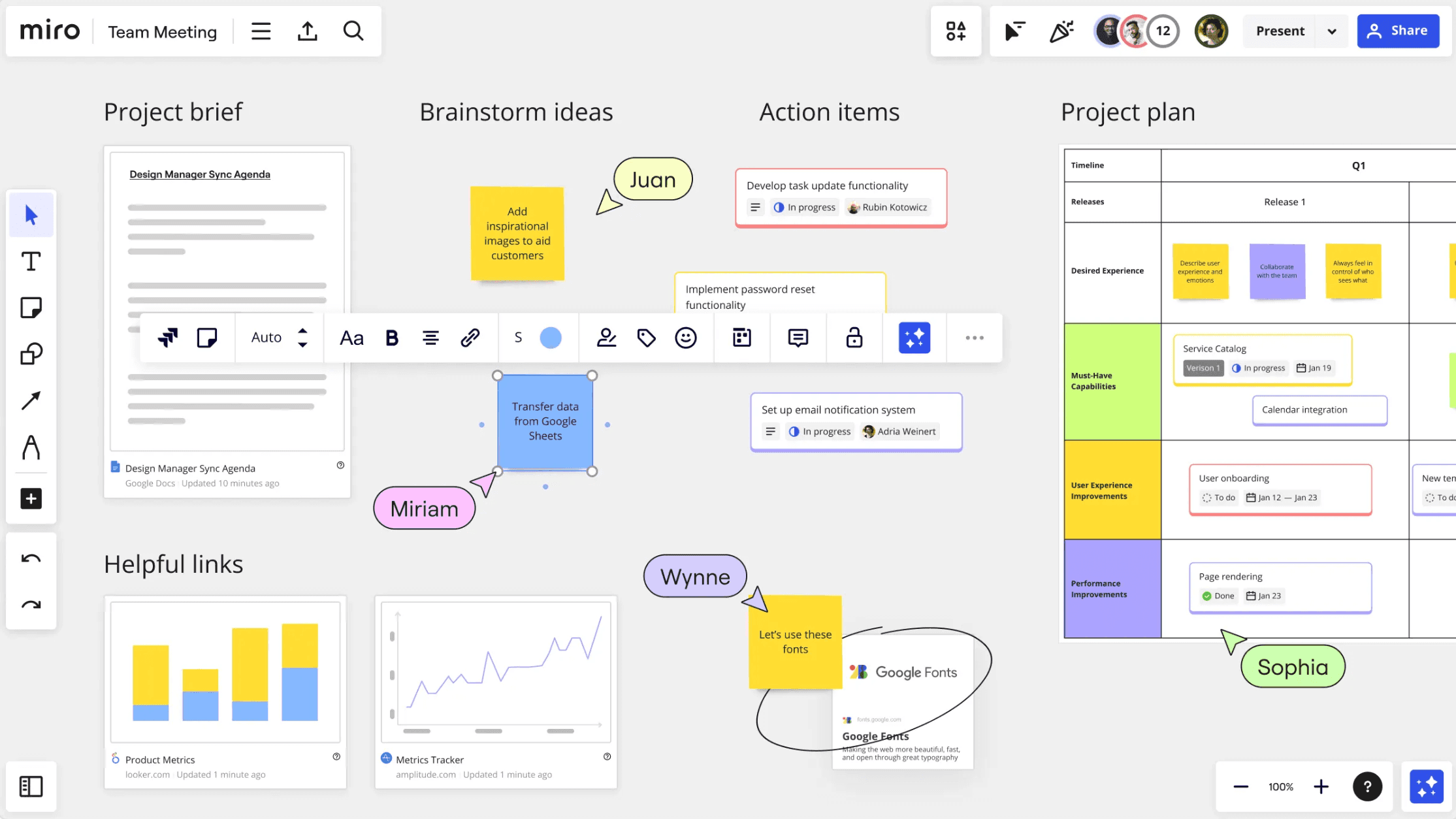
Miro becomes relevant when the team’s real need is not better map structure, but broader collaboration across product, design, strategy, and remote workshops. It functions as a digital headquarters where cross-functional teams can converge on a single, expansive canvas to turn abstract ideas into actionable visual workflows.
Why Miro is a different kind of alternative
Canvas-first teamwork: Miro excels when many people need to ideate together in real time. Its "infinite canvas" approach allows hundreds of users to interact simultaneously, making it far more dynamic than a traditional, single-file mind map.
Broad visual collaboration layer: Teams use it for everything from high-energy workshops and sprint planning sessions to asynchronous feedback loops. It acts as a bridge between different departments, hosting cross-functional discussions in one unified space.
AI support for board workflows: The platform includes integrated AI features that help cluster hundreds of sticky notes by theme, summarize long board discussions, and accelerate the generation of collaborative frameworks to save time during sessions.
Good for large collaborative surfaces: It is especially useful when a team needs to "think in spaces," allowing them to place mind maps alongside wireframes, Gantt charts, and embedded documents rather than being restricted to a single structured map.
How it differs from Mindomo
Mindomo stays much closer to the logic of structured visual mapping and hierarchical information. Miro is better when the real priority is flexible collaboration and free-form interaction rather than map-centered project planning. It is a powerful alternative for teams that want to expand their thinking beyond classic diagram logic and embrace a more open-ended, multi-format collaborative environment.
4. MindNode, for Apple-native clarity and personal productivity
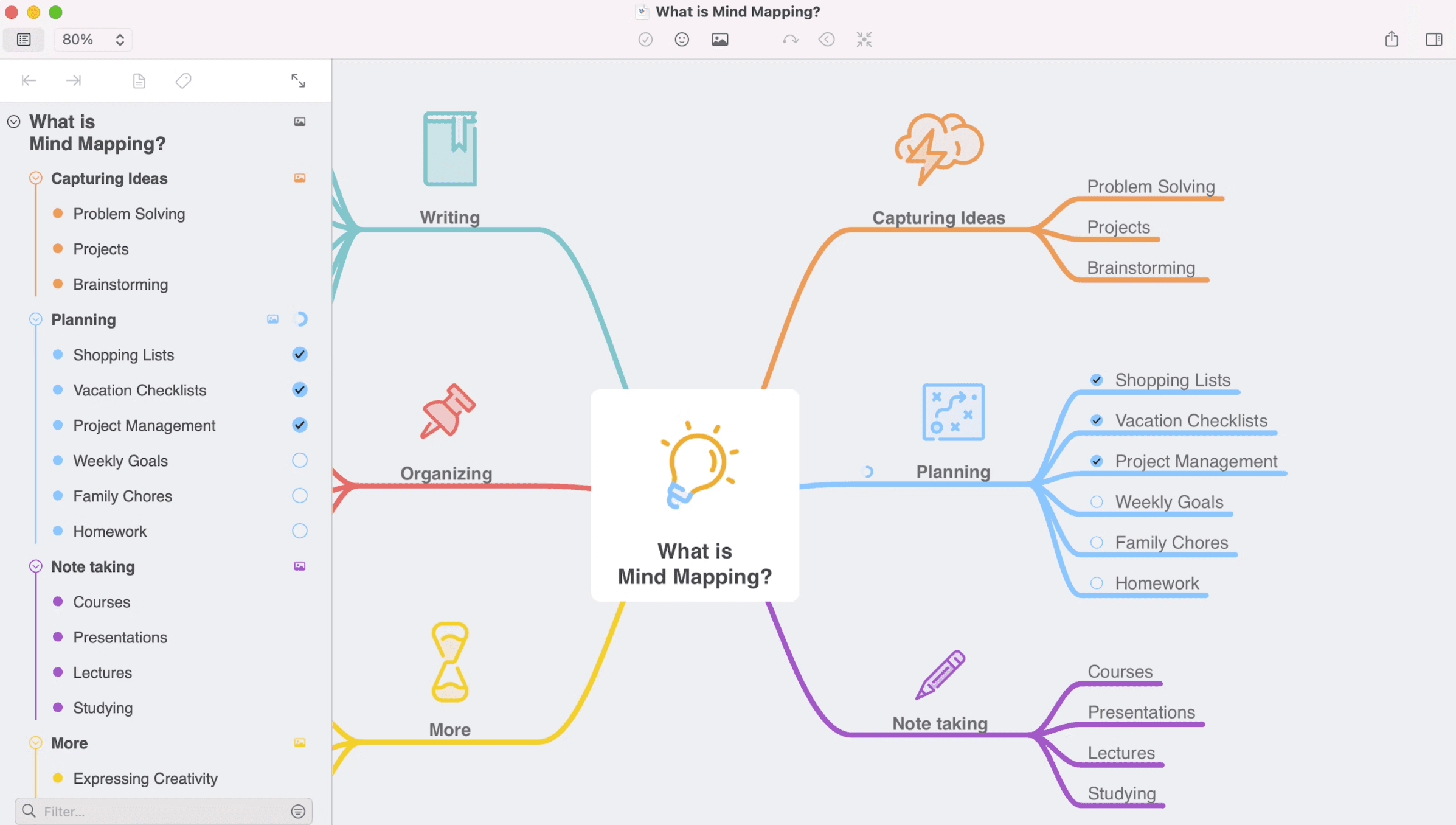
MindNode is a strong alternative for users who want a more elegant, focused experience and work mainly within the Apple ecosystem. It prioritizes the "delight" of the user interface, removing technical friction to let thoughts flow naturally from a single spark into a beautifully organized map.
Why MindNode attracts some Mindomo users
Clean product feel: MindNode is highly polished and remarkably easy to navigate, especially for personal workflows. Its "distraction-free" design language ensures that the interface stays out of the way, allowing your ideas to remain the central focus.
Strong Apple integration: It is built specifically for the Apple ecosystem, fitting naturally into Mac, iPhone, and iPad usage patterns. Features like iCloud synchronization, Handoff, and Apple Pencil support make it a seamless extension of your existing hardware.
Visual + outline harmony: The side-by-side map and outline combination is excellent for users who want clarity without too much complexity. It allows you to toggle between spatial brainstorming and linear list-making instantly, keeping your information synchronized and structured.
Better for focused solo thinking: While many tools chase enterprise team features, MindNode is often preferred by users who value personal planning quality. It excels at helping individuals capture, organize, and refine their own thoughts with professional aesthetic precision.
Tradeoff to keep in mind
Focused vs. Broad scope: MindNode is intentionally less broad than Mindomo in its planning and collaboration capabilities, choosing to omit heavy project management features.
Platform limitations: It is restricted to the Apple ecosystem, which may not suit teams requiring cross-platform support for Windows or Android users.
Elegance over complexity: It is best when your primary priority is elegance and personal focus, rather than multi-format team flexibility or complex, data-heavy project infrastructures.
5. Lucidchart, for formal diagrams and process communication
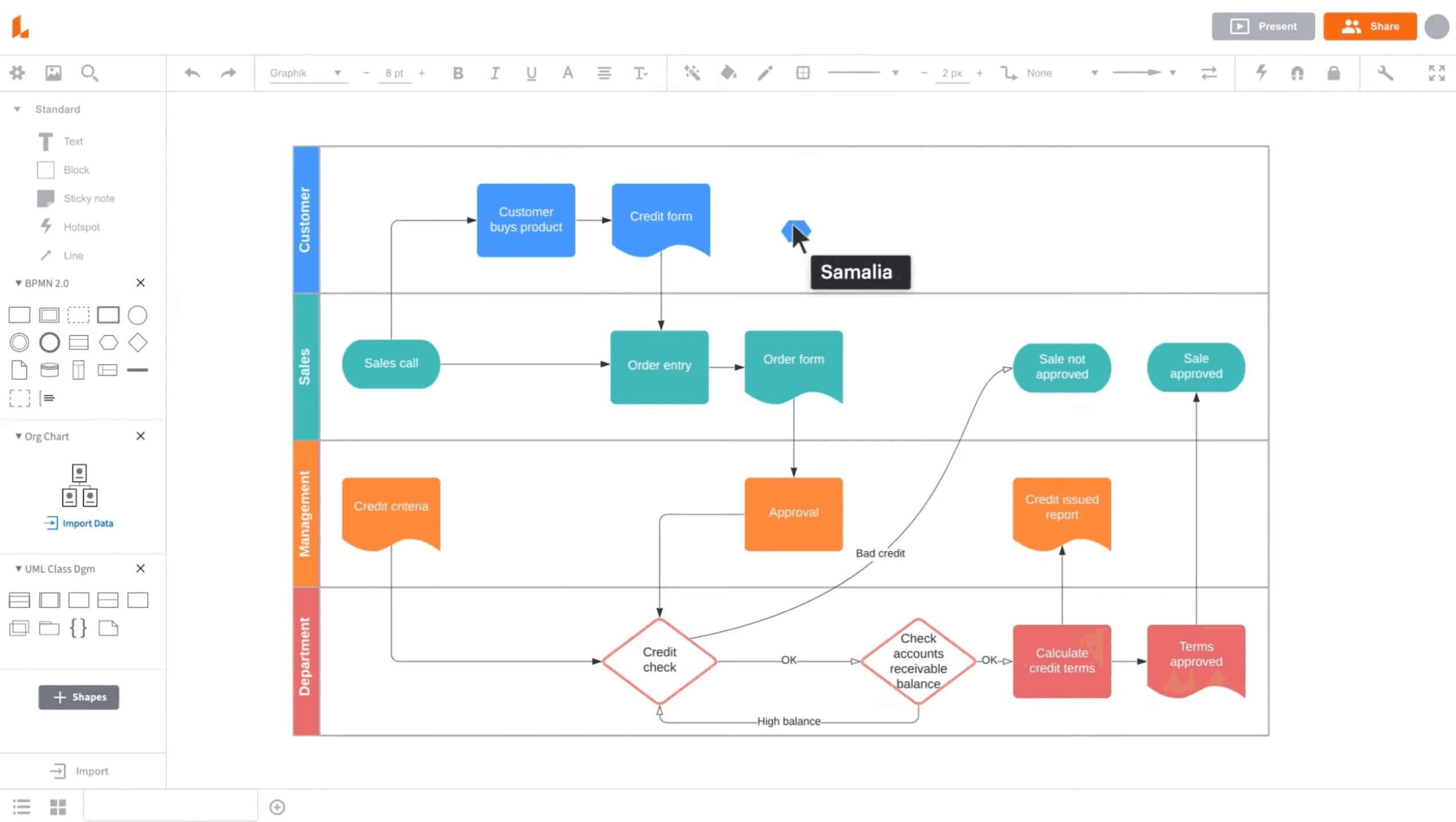
Lucidchart is a useful alternative when teams are moving away from flexible mapping and toward process diagrams, technical communication, and clearer documentation artifacts. It excels in environments where the primary goal is to standardize information and create a permanent, professional record of complex systems.
Why Lucidchart enters the shortlist
Diagram-first precision: While mapping tools focus on branching thoughts, Lucidchart is built for accuracy. It is exceptionally strong for creating flowcharts, process maps, org charts, and technical system diagrams that require specific notations.
Better fit for formal communication: Visuals created here often end up more documentation-ready and easier to hand off to stakeholders. The output is designed to be a "finalized" artifact that can be embedded in reports or compliance manuals.
Collaborative editing with structure: Teams can co-edit in real time while preserving formal diagram logic. The platform ensures that shapes, connectors, and layers remain aligned even when multiple users are modifying the layout simultaneously.
Focus on process clarity: It is particularly helpful when the need for process clarity and operational transparency matters more than the open-ended exploration of a mind map.
How it compares with Mindomo
Mindomo is inherently broader and more map-centered, favoring the evolution of ideas. Lucidchart is narrower in scope but often significantly stronger when the output needs to become a formal, static artifact rather than an evolving thinking space. It trades creative flexibility for the rigor required in technical and business documentation.
6. MindMeister, for lightweight collaborative mind mapping
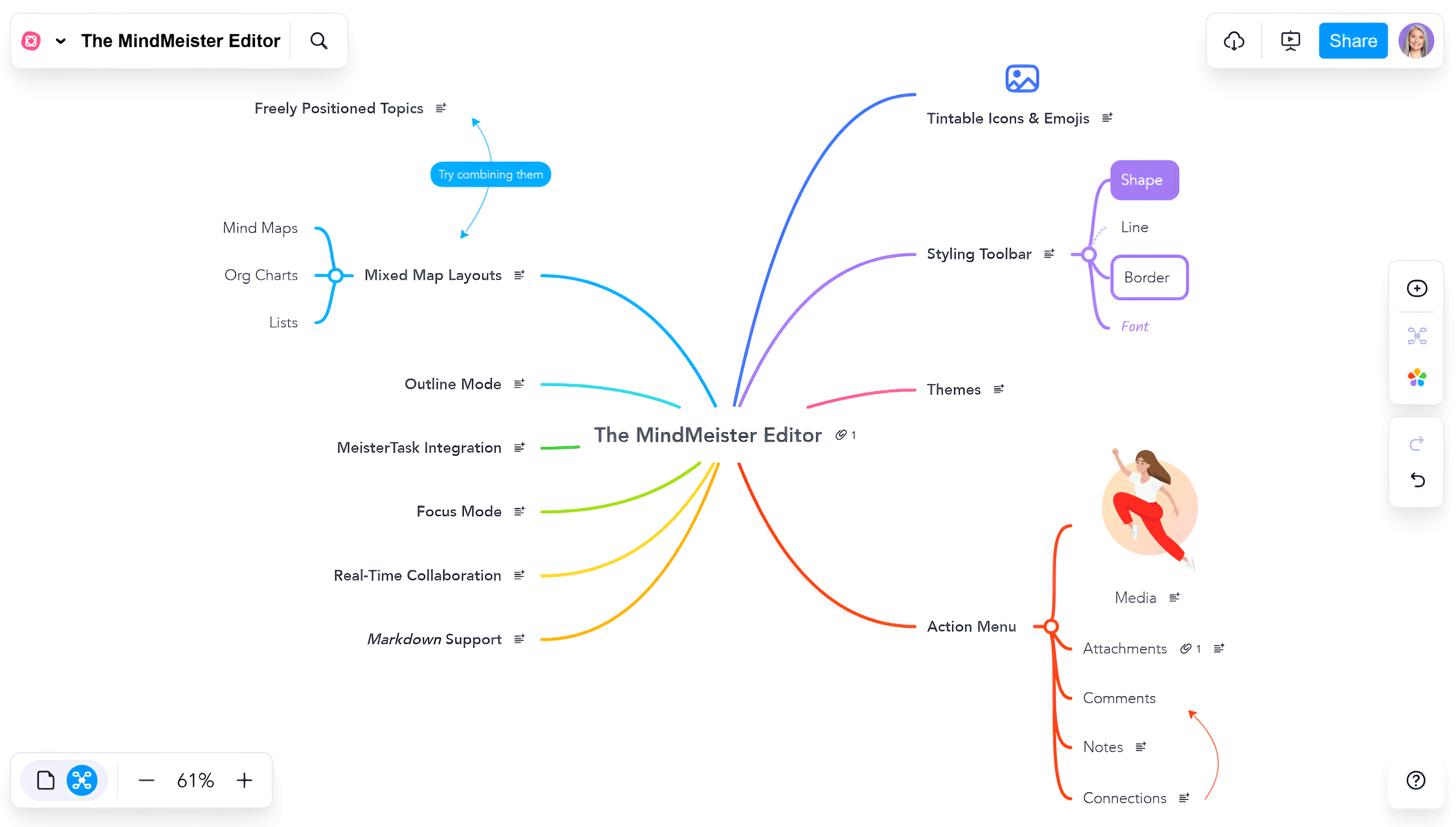
MindMeister is a good alternative for teams that want to simplify their workflow and stay close to browser-first collaborative mapping. It strips away the complexity of heavy project management suites to focus on the core experience of shared visual thinking.
Why some teams simplify in this direction
Easy team onboarding: Its browser-first access makes collaborative mapping incredibly straightforward. New members can join a session in seconds without downloading software or navigating a steep learning curve.
Clear core use case: MindMeister focuses intently on shared mind mapping without the massive feature breadth that can sometimes overwhelm users in more complex tools like Mindomo.
Good for brainstorming sessions: It is especially useful when the priority is quick group ideation. The interface is optimized for live interaction, allowing teams to capture the "speed of thought" during a meeting.
Lower complexity: Teams that feel Mindomo is doing "too much" often prefer this simpler approach. By focusing on a refined set of features, it reduces the administrative overhead of managing a team’s visual assets.
What it gives up
MindMeister is more focused and user-friendly than Mindomo, but it is also less capable when it comes to richer planning and broader multi-format workflows. It lacks the deep academic and task-heavy infrastructure of more robust tools, making it a best fit only when simplicity and immediate group synergy are the ultimate goals.
Comparison table
Tool | Positioning | Collaboration style | Structure & organization | AI capability depth | Planning & execution | Best fit |
|---|---|---|---|---|---|---|
Xmind | Structured-thinking platform | Real-time co-editing plus async refinement | Strong built-in structures with a more focused and polished map experience | Strong for map generation, branch expansion, and refinement inside the thinking flow | High, with task continuity and native Gantt tightly linked to maps | Teams that want clarity, structure, and smoother execution |
MindManager | Business planning and operational mapping | Team collaboration with execution context | High structure depth, especially for planning-heavy and business-oriented workflows | AI is less central than planning rigor and operational visibility | High, with strong support for planning artifacts that last beyond brainstorming | Organizations needing discipline, accountability, and durable planning outputs |
Miro | Collaborative innovation workspace | Canvas-first teamwork across many functions | Flexible and broad, with less opinionated structure by default | Strong for collaboration-heavy board work, summarization, and clustering | Moderate, often best when paired with broader team workflows | Teams prioritizing workshops and large-scale collaboration |
MindNode | Apple-native mind mapping app | Lighter collaboration with strong personal planning feel | Clean and elegant map-and-outline organization, with less breadth than Mindomo | Moderate, useful but not as central as the product experience itself | Moderate, best for focused personal or small-team planning | Apple-first users prioritizing elegance and simplicity |
Lucidchart | Diagram and process visualization platform | Structured collaborative diagram editing | Strong for formal diagrams and process communication, less map-centered overall | Moderate, mainly helpful for diagram creation and acceleration | Moderate, strongest when visuals need to become documentation artifacts | Ops, engineering, and process-driven teams |
MindMeister | Browser-first collaborative mind mapping | Lightweight real-time shared mapping | Streamlined for straightforward collaborative maps rather than broad diagram flexibility | Moderate, useful for ideation acceleration but lighter overall | Moderate, better for brainstorming than deeper execution flow | Teams that want simple collaborative mind mapping |
Conclusion
Mindomo remains a powerful choice for users who want one flexible tool for maps, outlines, collaboration, AI, and planning. Its breadth is one of its biggest strengths.
But not every team wants maximum breadth. When the goal is a clearer structure, a more refined workflow, or a tool better aligned with a specific work style, alternatives can be a better fit. For most teams balancing ideation and execution, Xmind is the strongest place to start because it delivers many of the same capabilities with a more focused path from idea to outcome.