The best 5 Mural alternatives to boost productivity in 2026

hannah

Mural is a strong tool for collaborative workshops and visual whiteboarding. However, as projects scale, teams often explore alternatives when they want clearer structure, stronger planning flow, or a tool better matched to their day-to-day execution style. In 2026, the demand has shifted from simple digital canvases to intelligent, structured workspaces that bridge the gap between ideas and results.
1. Xmind—The powerhouse for structured thinking
Xmind is the premier choice for teams that want to keep the value of visual thinking while eliminating whiteboard sprawl. It is the gold standard for turning a messy spark into a professional, actionable roadmap.
High-impact features for 2026
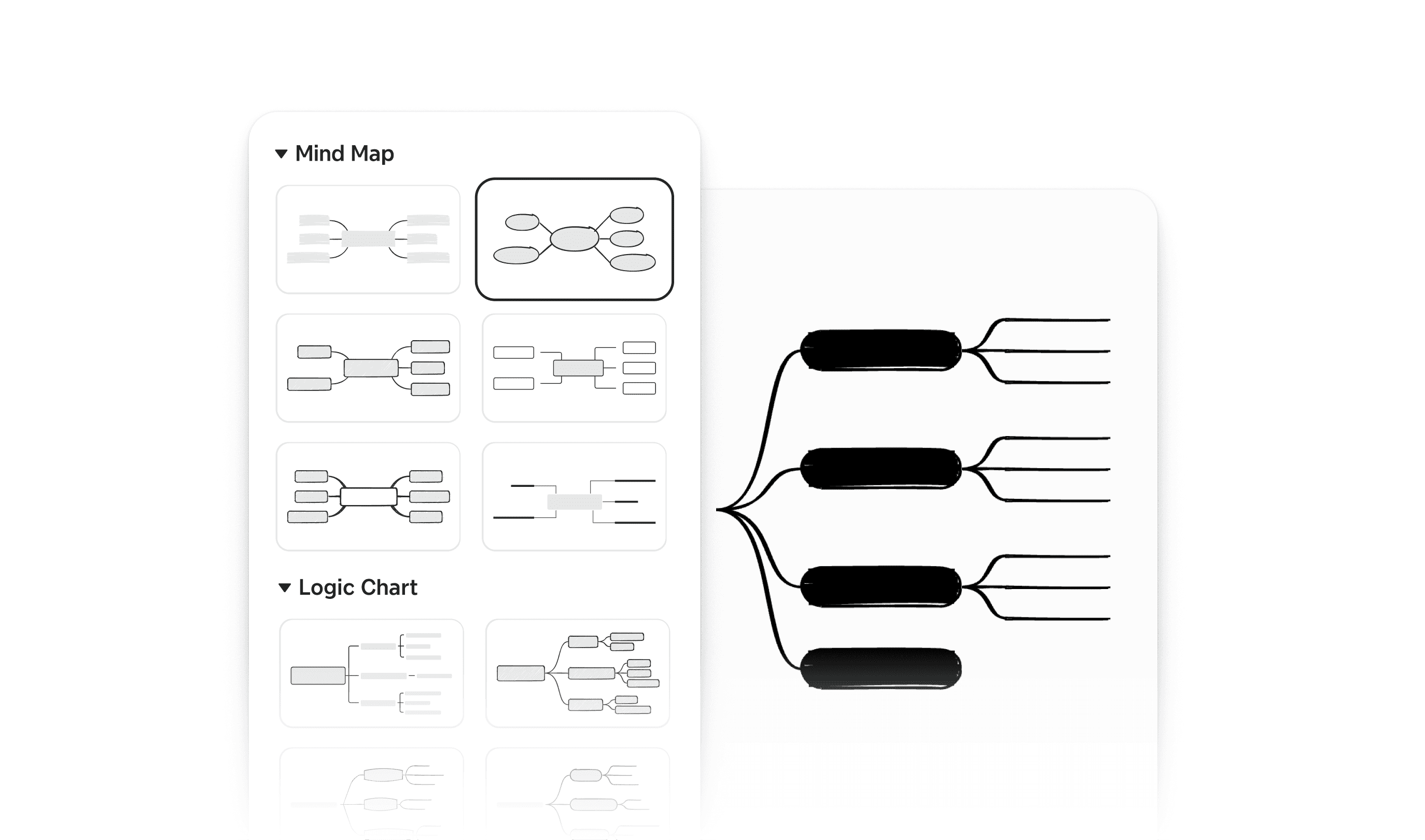
Versatile multi-structure system: Beyond basic maps, Xmind allows users to toggle a single idea between mind map, logic chart, brace map, fishbone, and matrix views. This ensures you can visualize hierarchy, cause-and-effect, or data comparisons without duplicating work.
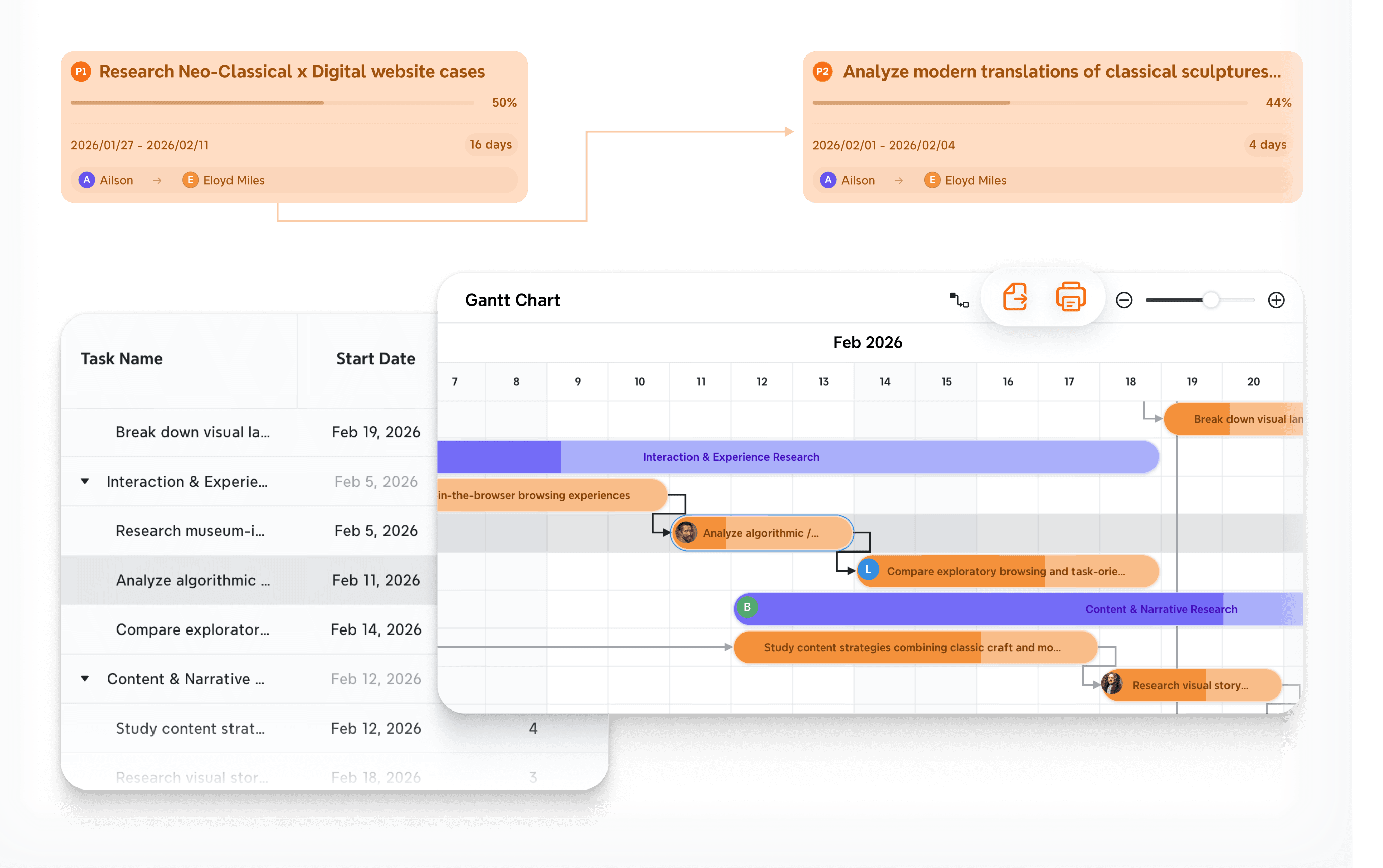
Seamless task and Gantt integration: Xmind treats your ideas as data, not just text. You can convert brainstorming nodes into a professional Gantt chart to manage timelines, milestones, and task ownership directly within the same workspace.
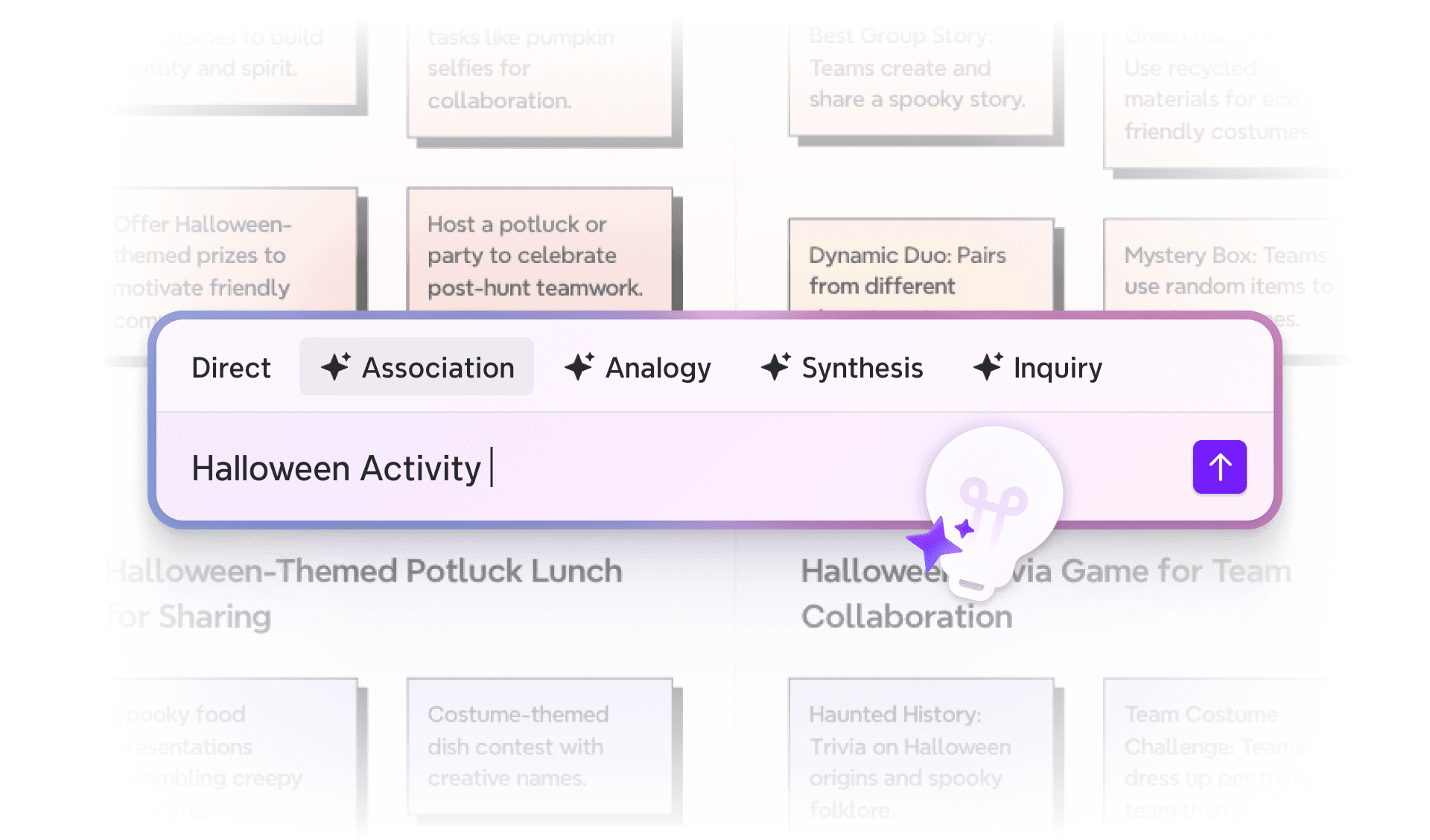
Xmind AI for strategic synthesis: Xmind AI analyzes messy nodes to identify logical gaps, summarize complex branches into executive highlights, and instantly turn creative maps into structured to-do lists.
Why Xmind excels
Xmind wins because it respects the entire lifecycle of an idea. It doesn't just let you "dump" thoughts; it provides the logical scaffolding to organize them into something meaningful. By turning fleeting meeting notes into a living project, it ensures that the momentum of a workshop isn't lost once the session ends. It bridges the gap between the chaotic "ah-ha" moment and the disciplined "how-to" phase.
Ideal scenarios
Teams transitioning from ideation to execution.
Users who require clearer logic and hierarchy than a flat canvas provides.
Projects that demand planning discipline and long-term readability.
Want to know more differences between Xmind and Mural? You can read Xmind vs Mural.
2. Miro—The leader in enterprise visual collaboration
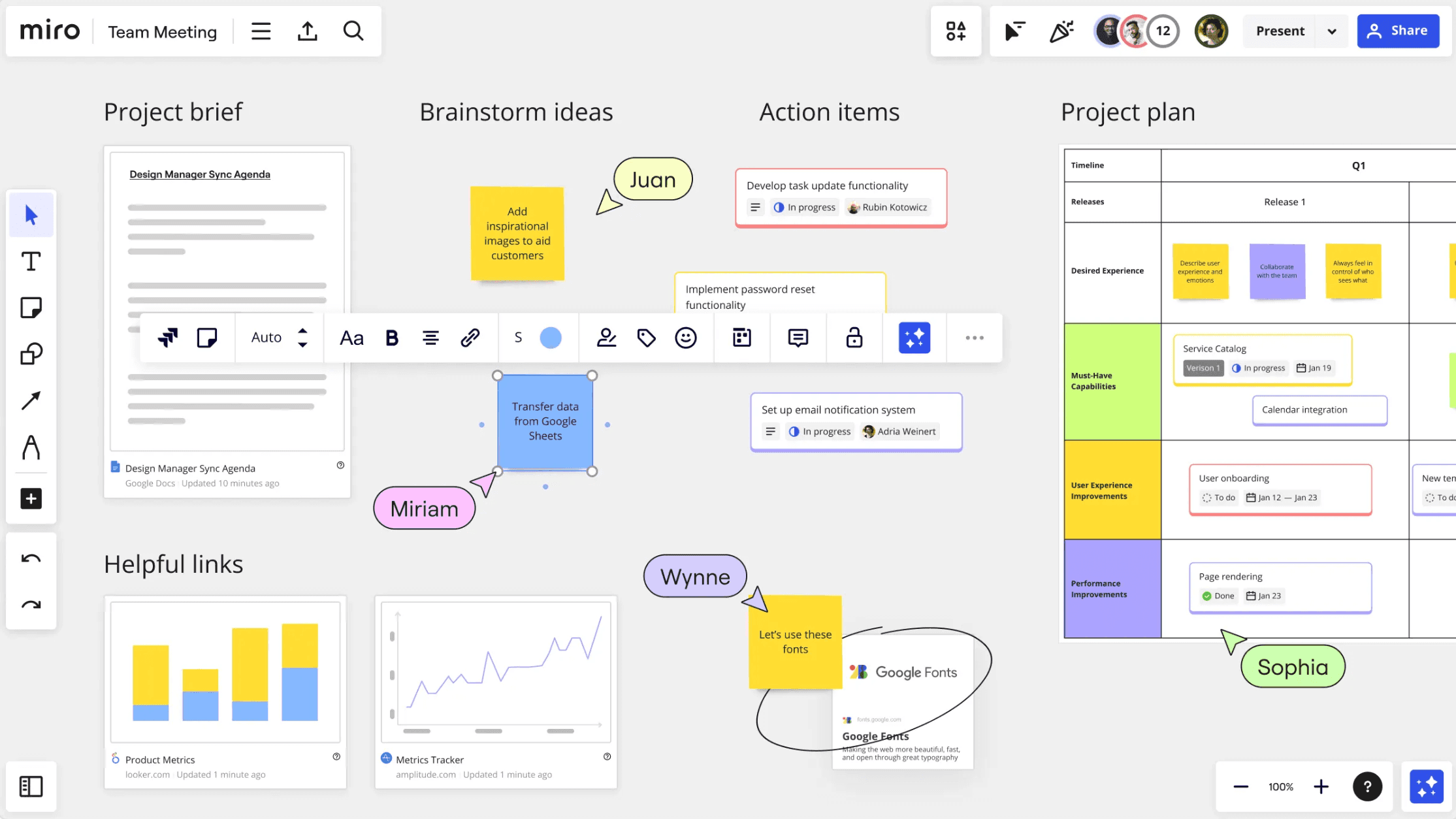
Miro is the most direct alternative if you wish to remain in a whiteboard-first model while upgrading your collaboration platform. It is built for massive, cross-functional teams that need a digital headquarters for shared creativity and persistent war rooms.
Core strengths
Infinite collaborative canvas: Miro supports thousands of concurrent users in massive virtual spaces with high performance and low latency. Its canvas can hold everything from user story maps to high-fidelity wireframes in one shared view.
Advanced facilitation suite: The platform includes sophisticated tools such as private mode to prevent groupthink, built-in voting systems, and smart timers that keep high-stakes workshops running smoothly and on schedule.
Vast integration ecosystem: Miro connects seamlessly with enterprise stacks including Jira, Azure DevOps, and Adobe Creative Cloud. This allows teams to pull live data directly onto the board, creating a centralized hub for all project-related assets.
Operational reality check
Miro is an infinite sandbox by design. While it offers immense space, it does not inherently solve the structure problem. If your team struggles with visual noise, messy layouts, and information overload, Miro might simply provide a larger board to get lost in. It requires heavy manual organization and strict board management to remain useful over long periods.
3. Lucidchart—The standard for technical documentation
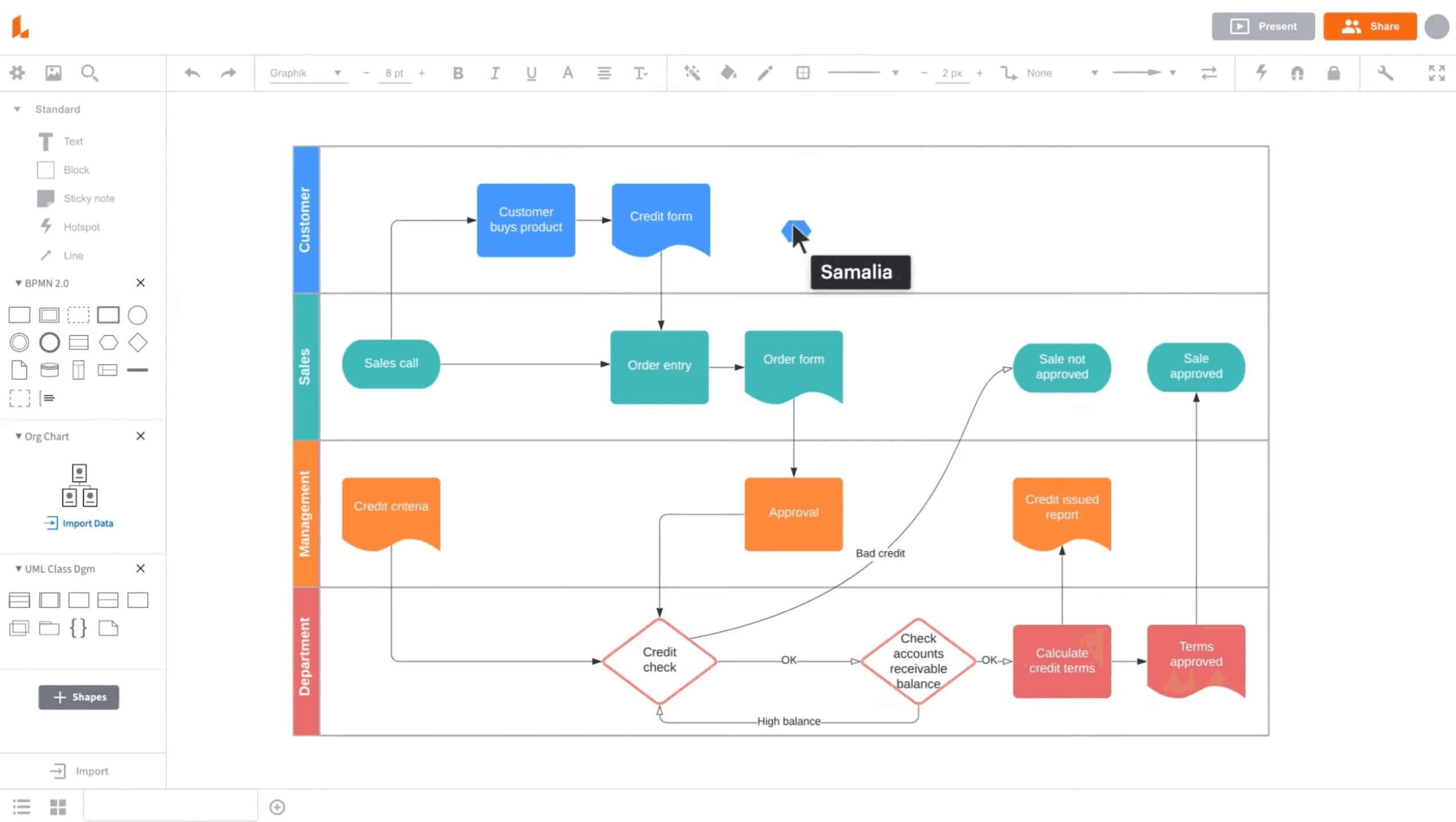
Lucidchart is the professional choice when the goal is not divergent brainstorming but rather the creation of precise, formal system blueprints, technical diagrams, and complex process maps.
Why teams choose Lucid
Diagram-first precision: Lucid offers specialized tools for flowcharts, ERDs, and cloud architecture mapping for platforms like AWS, Azure, and GCP. Its shape libraries are built for technical accuracy and industry-standard compliance.
Live data overlay: One of its standout features is the ability to link live data from Excel, Google Sheets, or Zapier directly to shapes. This turns static diagrams into dynamic, real-time dashboards that reflect actual system status or project health.
Enterprise governance and security: It provides robust administrative controls, SSO, and standardized templates that ensure visual consistency and data security across global organizations with thousands of employees.
Strategic trade-off
Lucidchart is a formal documentation tool. It lacks the playful, high-energy facilitation dynamics such as digital stickers, reactions, and freehand drawing that make Mural effective for creative ice-breaking and divergent thinking. It is built for the "documentation" phase rather than the "exploration" phase.
4. MindManager—The heavyweight for business planning
MindManager is designed for project managers, business analysts, and executives who need to connect visual thinking to deep operational metadata and complex project delivery.
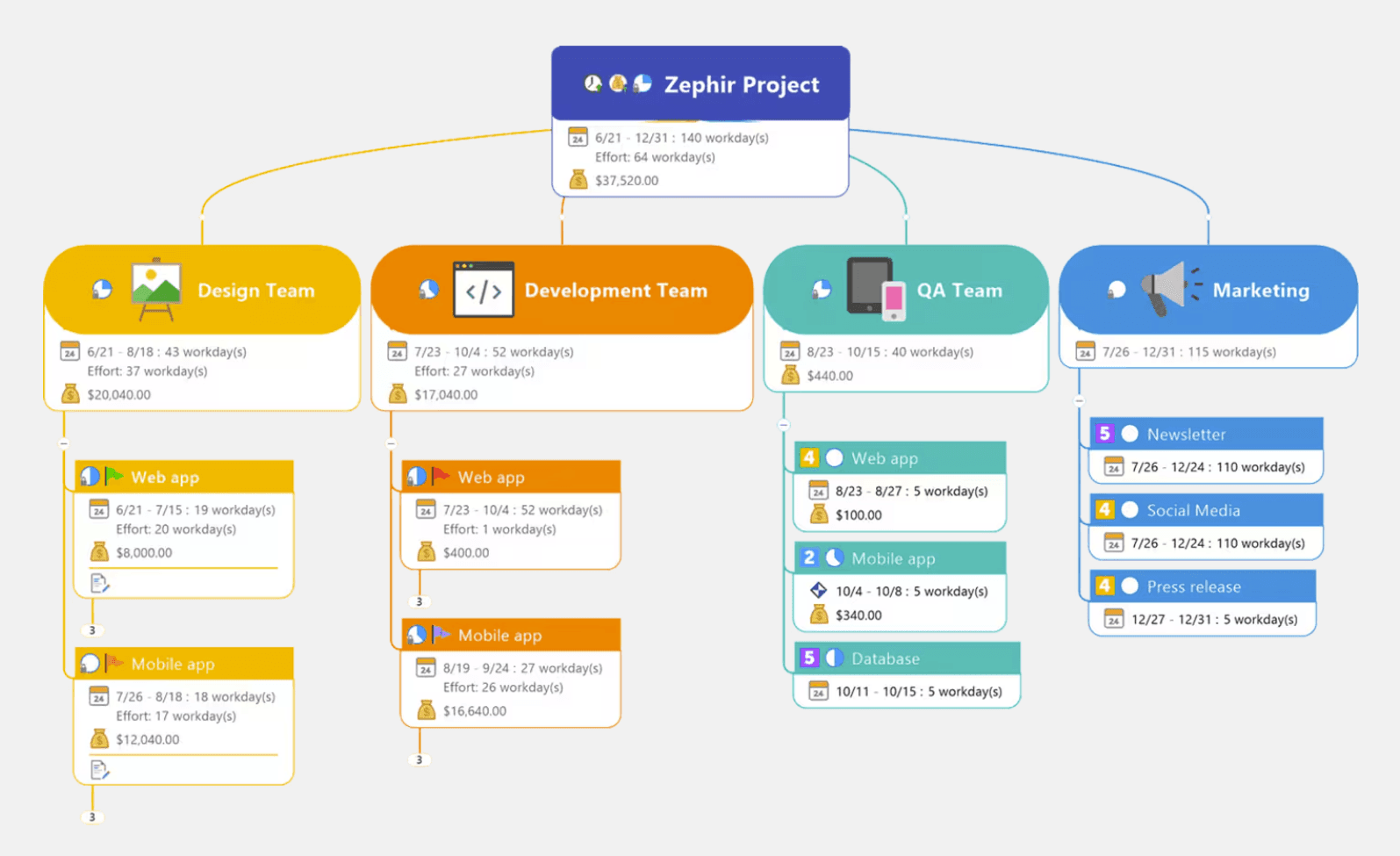
Business-class advantages
Extreme information density: Unlike lighter tools, MindManager supports adding detailed task context—including budgets, resource costs, effort hours, and priority tags—directly to individual nodes. This makes it a powerful tool for resource planning.
Multi-view portfolio management: The platform allows users to switch effortlessly between map views, Gantt schedules, and priority matrices. This versatility helps satisfy the varying information needs of different stakeholders in a single file.
Dynamic information mapping: It can pull in data from Microsoft Excel, Outlook, and SharePoint to keep project maps updated with external business information automatically, ensuring the plan always reflects the latest reality.
Complexity consideration
Because MindManager is so feature-dense, it carries a significantly steeper learning curve than most whiteboard tools. It is a sophisticated platform intended for operational discipline and rigorous project management rather than a lightweight tool for quick, casual brainstorming sessions.
5. Mindomo—The agile hybrid for collaborative mapping
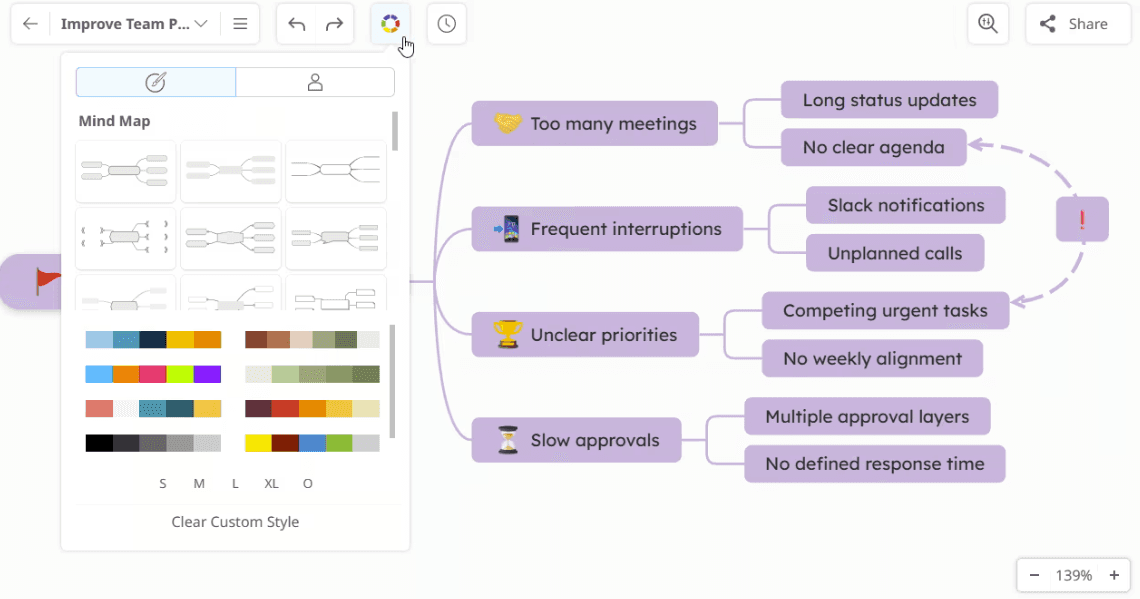
Mindomo occupies the middle ground of the visual thinking market, offering a more structured, map-based interface while retaining the collaborative spirit of a digital whiteboard.
Why it fits agile teams
Flexible visualization formats: Mindomo supports mind maps, concept maps, and outlines, allowing teams to toggle between creative divergent thinking and linear planning modes. This makes it ideal for teams that need to organize thoughts quickly without the complexity of enterprise software.
Integrated task tracking: The platform features a built-in task management system where nodes can be assigned as tasks with deadlines and progress bars. This helps small teams stay on track without needing a separate project management application.
Multi-device synergy: It is highly optimized for a seamless experience across browser, desktop, and mobile. This is a critical advantage for agile teams that need to sync their thinking while working on the move or in hybrid environments.
Competitive positioning
While Mindomo is highly versatile and user-friendly, it sits in the middle of the functional spectrum. It does not reach the professional logical depth and structural variety of Xmind, nor does it offer the massive enterprise scale and facilitation power found in Miro. It is a "jack-of-all-trades" for smaller squads.
Comparison table
Collaboration style | Structure & organization | AI capability depth | Planning & execution | Best fit | |
|---|---|---|---|---|---|
Xmind | Real-time co-editing plus async map refinement | Strong built-in structures (Mind Map, Timeline, Fishbone, Matrix, Logic Chart) keep complex ideas readable | Focused on idea development: branch expansion, map generation, and structured refinement | In-map task fields and native Gantt make ideation-to-execution more continuous | Teams that need both visual thinking and practical follow-through |
Miro | Highly interactive, workshop-friendly, whiteboard-first teamwork | Flexible canvas with templates; structure is configurable but less opinionated by default | Strong for whiteboard acceleration: summarization, clustering, and collaboration-oriented AI assist | Good for collaborative planning boards; execution tracking often relies on connected tools/workflows | Teams centered on workshops, cross-functional ideation, and facilitation |
Lucidchart | Collaborative diagram editing with clearer formal constraints | Strong for process maps, system diagrams, and structured documentation artifacts | AI supports diagram creation/acceleration, oriented toward visual modeling rather than brainstorming depth | Better for process clarity and documentation; less focused on map-native task planning | Ops, IT, and engineering-heavy teams needing formal visual communication |
MindManager | Team collaboration with heavier planning context | High structure depth with multi-view planning, metadata, and business-oriented mapping | AI is present in ecosystem direction, but product value is primarily in structured planning depth | Strong execution support through timeline/task-oriented workflows and management context | Organizations needing visual planning with operational control |
Mindomo | Real-time collaboration with map-centered workflow | Strong structure across mind maps, concept maps, outlines, and planning views | AI supports idea generation and expansion, with practical value in map-building speed | Good bridge from brainstorming to planning, including timeline-oriented use cases | Teams wanting more structure than whiteboards without heavy enterprise overhead |
Conclusion
Mural remains a capable choice for the initial messy stage of a workshop. However, if your team needs clearer structure, stronger planning flow, and a format that supports long-term execution, a transition to a structure-first tool is inevitable.
For most teams balancing ideation and action, Xmind is the most complete starting point. It preserves the creative value of collaboration while adding the structure, task continuity, and planning clarity required to turn any idea into a successful result.
Would you like me to proofread the final formatting or suggest meta tags for this post?