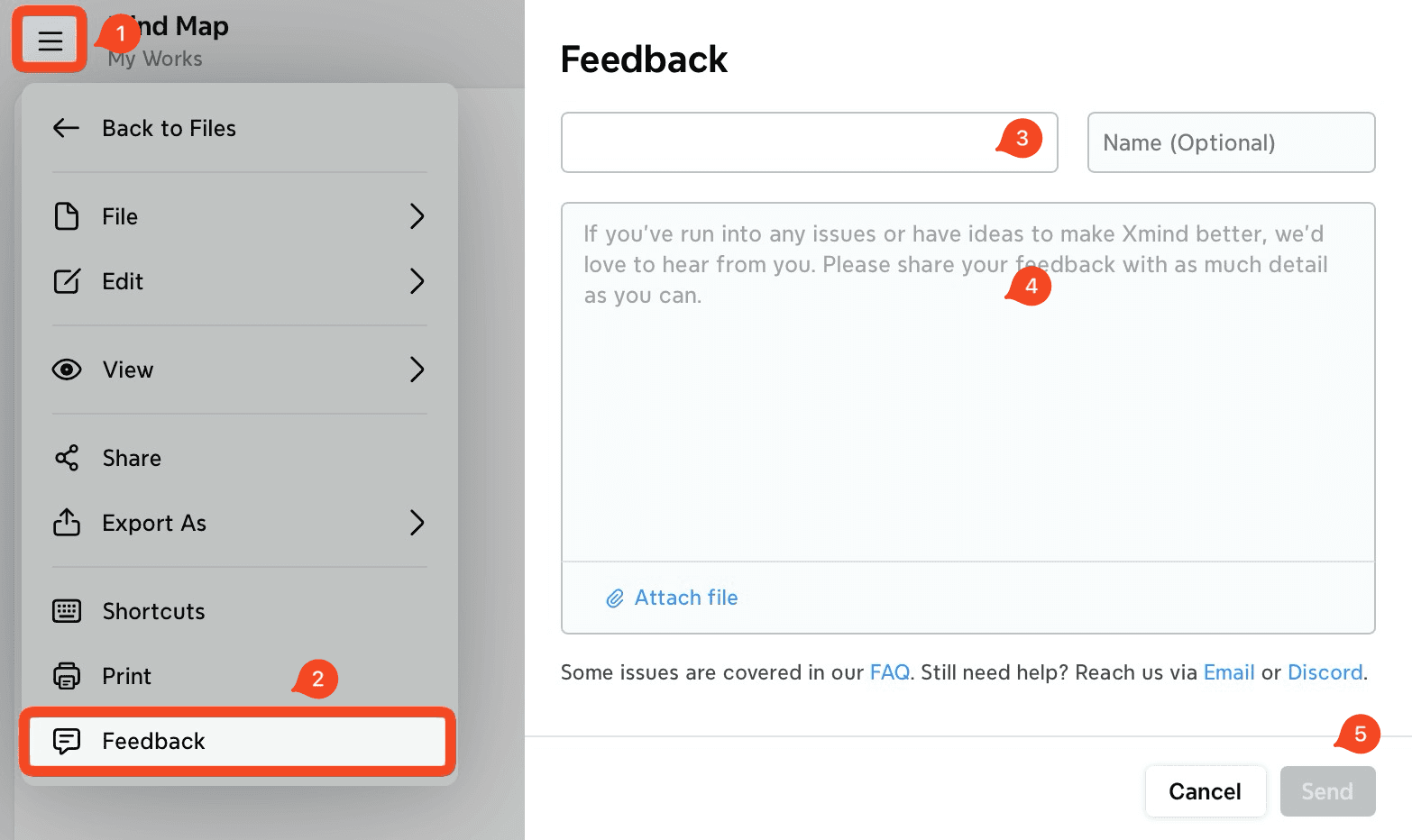
If you encounter an issue while using Xmind, please submit feedback directly from the application you are using. This allows us to receive diagnostic data and better understand the problem.
Open a mind map in Xmind for Web.
Go to 「≡」→ Feedback.
Enter your email address and describe the issue.
Click Send.
* After receiving your feedback, we will reply to your email within 2 business days.