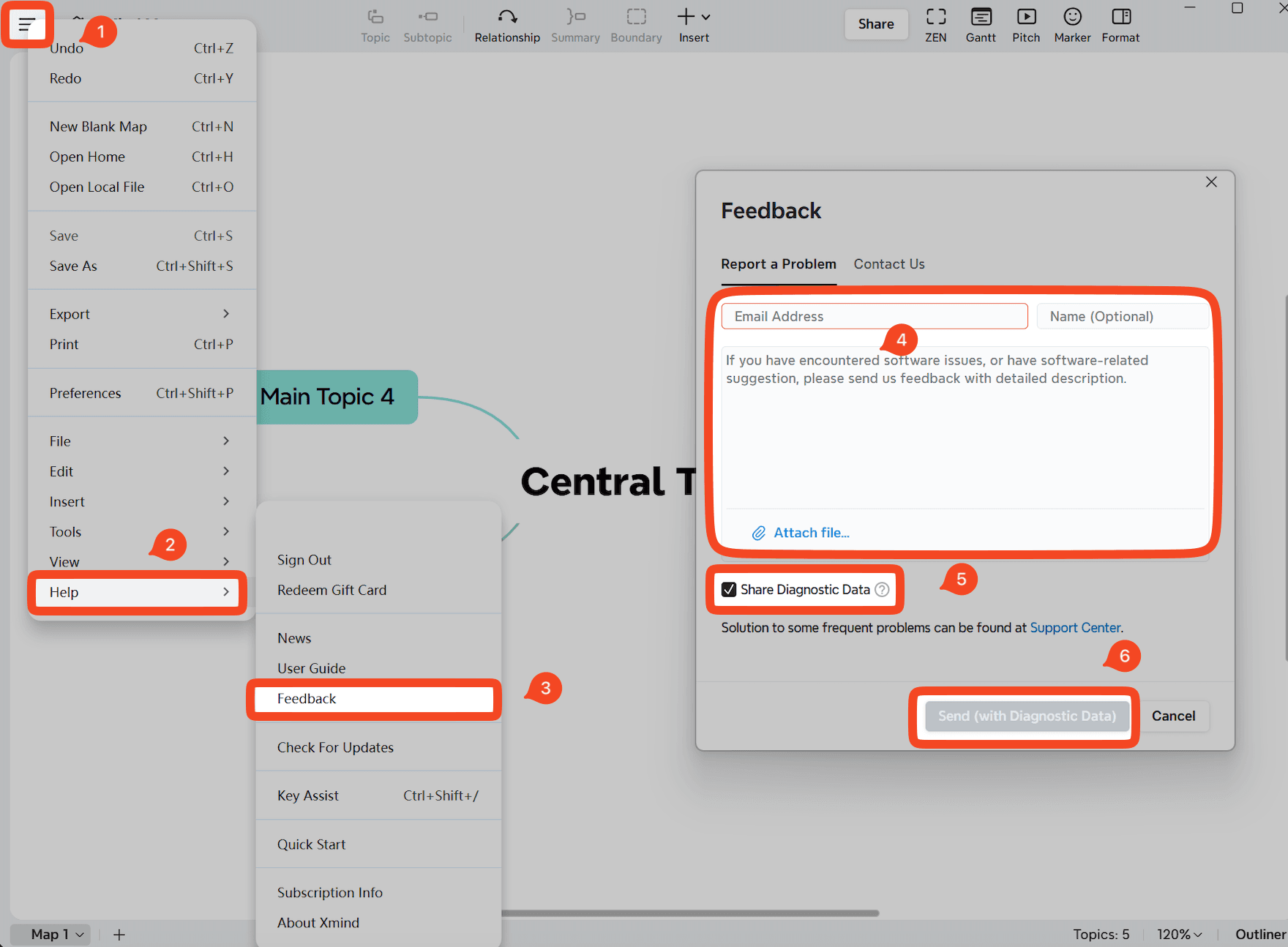
If you encounter an issue while using Xmind, please submit feedback directly from the application you are using. This allows us to receive diagnostic data and better understand the problem.
Launch Xmind for Windows.
Open or create a mind map.
Click 「≡」→ Help → Feedback.
Enter your email address and provide a detailed description of the issue.
Select Share Diagnostic Data so our team can review your logs.
Click Send.
* After receiving your feedback, we will reply to your email within 2 business days.