









Enriching a Topic

Markers help you add visual labels to topics in a mind map. You can use them to show priority, progress, task status, roles, tags, or any other information that needs to be recognized at a glance. Xmind provides built-in markers such as priority, task progress, flags, stars, arrows, symbols, and more. You can also create custom marker groups and add your own marker icons on Xmind for desktop.
View All
Add a splash of creativity to your mind maps with stickers and illustrations, bringing you closer to crafting visually appealing and enriched imagery. Xmind offers an impressive catalogue of nearly 500 distinctive stickers and illustrations, thoughtfully designed by professional artists. These artistic assets cater to diverse needs across various scenarios, be it business, education, or travel, thereby elevating your user experience.
View All
Within the Note, you're free to expound upon your ideas extensively. It supports the use of ordered or unordered lists for itemized explanation, and text can be emboldened, italicized, or underlined for emphasis.
View All
Xmind for desktop supports voice recording and inserting an Audio Note, and you can avoid missing any information in scenarios like classes, meetings, lectures, and more. Audio Note will be displayed as a subtopic, and the topic containing an Audio Note does not support inserting links.
View All
Xmind supports inserting links to related content in topics, including webpage links, topic links, local file and local folder.
View All
With Xmind’s To-Do feature, you can now plan ideas and get things done side-by-side in one easy-to-use view.
View All
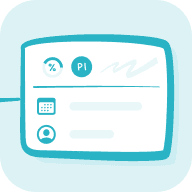
Task allows you to set priority, start and due date, and track progress for your tasks. It helps you turn ideas into actionable steps and stay on track with your plans.
View All
With the Xmind 2026 Annual Release, the task system has been redesigned to make it easier to manage actions visually. The previous Task and Planned Task features are now integrated into two clear systems: To-Do and Task. This change does not remove or downgrade any features. It’s designed to clarify how different types of work — from quick notes to full projects — can be better organized in Xmind.
View All
After planning your tasks in Xmind, you can export them and keep working seamlessly in the tools you’re already familiar with. Whether it’s Notion or Google Calendar, Export Task helps you stay aligned with your workflow—without duplicating effort.
View All
The Numbering in Xmind feature allows you to add serial numbers to various nodes in the mind map, showcasing the hierarchy, order, or importance of information. With systematic numbering, you can effectively organize and manage complex information, enhancing the readability and practicality of the mind map.
View All
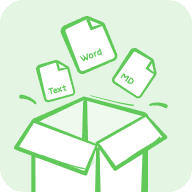
Attachments enable you to insert another mind map or a variety of file formats. Once inserted, the attachment becomes a new topic that can be previewed by simply clicking on it.
View All
Xmind supports inserting mathematical and chemical equations with LaTex, not only facilitating students and learners, but also making the process of knowledge sorting simple and efficient.
View All
Floating Toolbar is a shortcut toolbar that appears near selected content on the canvas, helping you add, edit, and format your mind map without moving away from where you are working.
View All
Add Topic Button is a quick way to create new topics from the canvas. When you select a single topic, one or two + buttons appear near it so you can add a subtopic or sibling topic with one click.
View All