When research gets complicated, thesis project planning keeps the work connected

Hannah
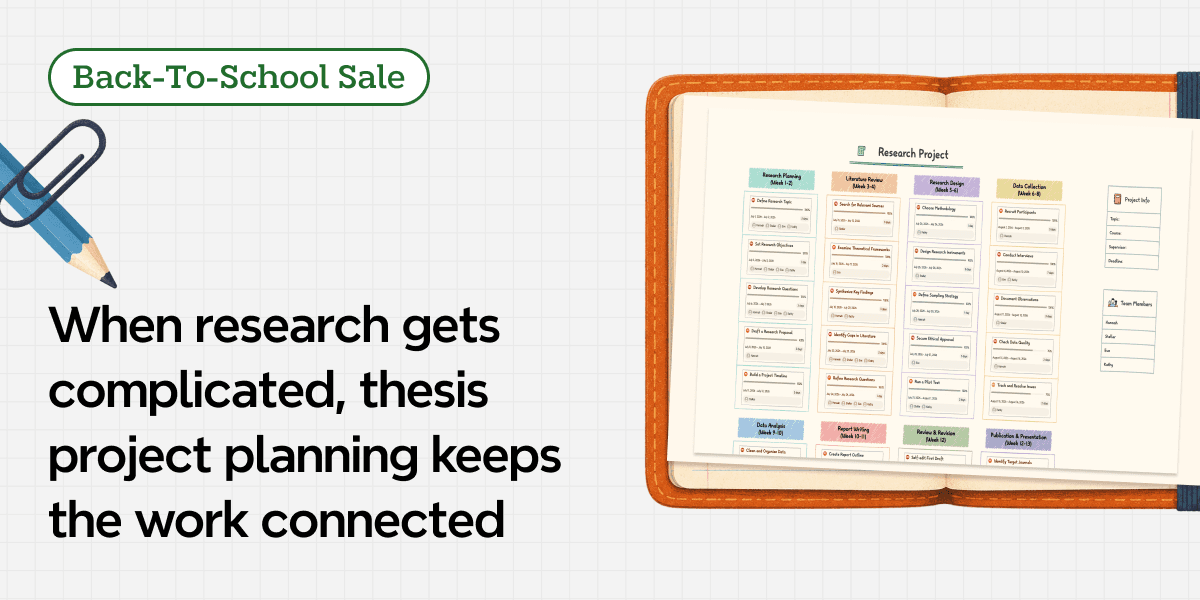
Thesis project planning works best when the argument and the work plan stay connected. In Xmind, you can map research questions, evidence, chapters, contributors, deadlines, and dependencies in one shared space, so the intellectual structure does not drift away from the schedule used to deliver it.
That matters whether you are writing alone with an adviser or coordinating a group project. Both situations involve work that changes as understanding grows. A source alters the argument. A delayed interview moves the analysis. A teammate finishes a draft that creates three new questions for someone else.
Open a research map in Xmind and give the question, evidence, people, and timeline one place to meet before the project becomes difficult to steer.
One academic project can split into two kinds of confusion
The first kind is intellectual. Notes accumulate, promising sources multiply, and the central claim becomes difficult to distinguish from supporting points. A chapter outline may look complete until you notice that one argument has no evidence and another set of findings has nowhere to go.
The second kind is operational. Tasks appear in messages, meeting notes, personal calendars, and comments on separate documents. Everyone is busy, but no one can immediately see which unfinished task is blocking the next stage.
These problems reinforce each other. When the research structure is unclear, work is hard to divide. When responsibilities and timing are unclear, the team has less space to think carefully about the research.
A useful thesis or project map needs to hold both layers. It should show what the work means and what must happen to complete it.
👉 Start with this free research project template, then shape it around your own question.
Build the research logic before filling the calendar
A deadline can tell you when a chapter is due. It cannot tell you whether the chapter has a defensible purpose. Start by making the research structure visible, then convert the right parts into scheduled work.
Anchor the map in a question and contribution
Place the main research question, design challenge, or project objective at the center. Add a short branch for the expected contribution: What should this project explain, demonstrate, compare, design, or change?
The wording can evolve, but it should be specific enough to test the branches around it. When a new source, method, or task appears, ask how it helps answer the question or deliver the contribution. If the connection is weak, move it to a parking branch until its role becomes clearer.
For a group assignment, add the shared deliverable and evaluation requirements near the center too. This keeps the team from optimizing separate pieces that do not assemble into one coherent result.
Separate claims, evidence, methods, and open questions
Give the argument visible layers. A claim branch can hold its supporting evidence, counterpoints, interpretation, and remaining gaps. A method branch can show data sources, collection steps, analysis choices, and constraints. A chapter or deliverable branch can connect those ideas to the form the final work will take.
Use labels consistently so the map does not blur confirmed material with possibilities. For example, distinguish “source,” “finding,” “draft claim,” “needs verification,” and “decision.” The goal is not to classify every sentence. It is to make the status of important material visible when you return after a week away or another contributor enters the branch.
Turn deliverables into work packages
Once the logic holds together, break each deliverable into work that can be completed and reviewed. “Write literature review” is still too large to guide a week. It may need source selection, thematic grouping, gap analysis, outline approval, first draft, and revision.
For a group project, define work packages around meaningful outputs rather than vague roles. “Research person” can hide an endless responsibility. “Compare three policy cases and add verified evidence to the second argument” gives the owner a finish line and shows where the work belongs in the map.
Give everyone the same version of the project
A group loses time when the plan exists in one person's file and updates live in a chat. Xmind's Sharing & Collaborating workflow lets invited collaborators work from a shared map with view or edit permissions. Real-time collaboration availability depends on the current plan, so check the latest plan details before setting up the workspace.
Decide on a few simple map rules before everyone begins editing:
Keep the agreed research question and deliverables near the center.
Give each major branch a clear purpose and owner.
Add new material where it supports the project instead of creating an unconnected pile.
Record unresolved decisions visibly rather than settling them in a private message.
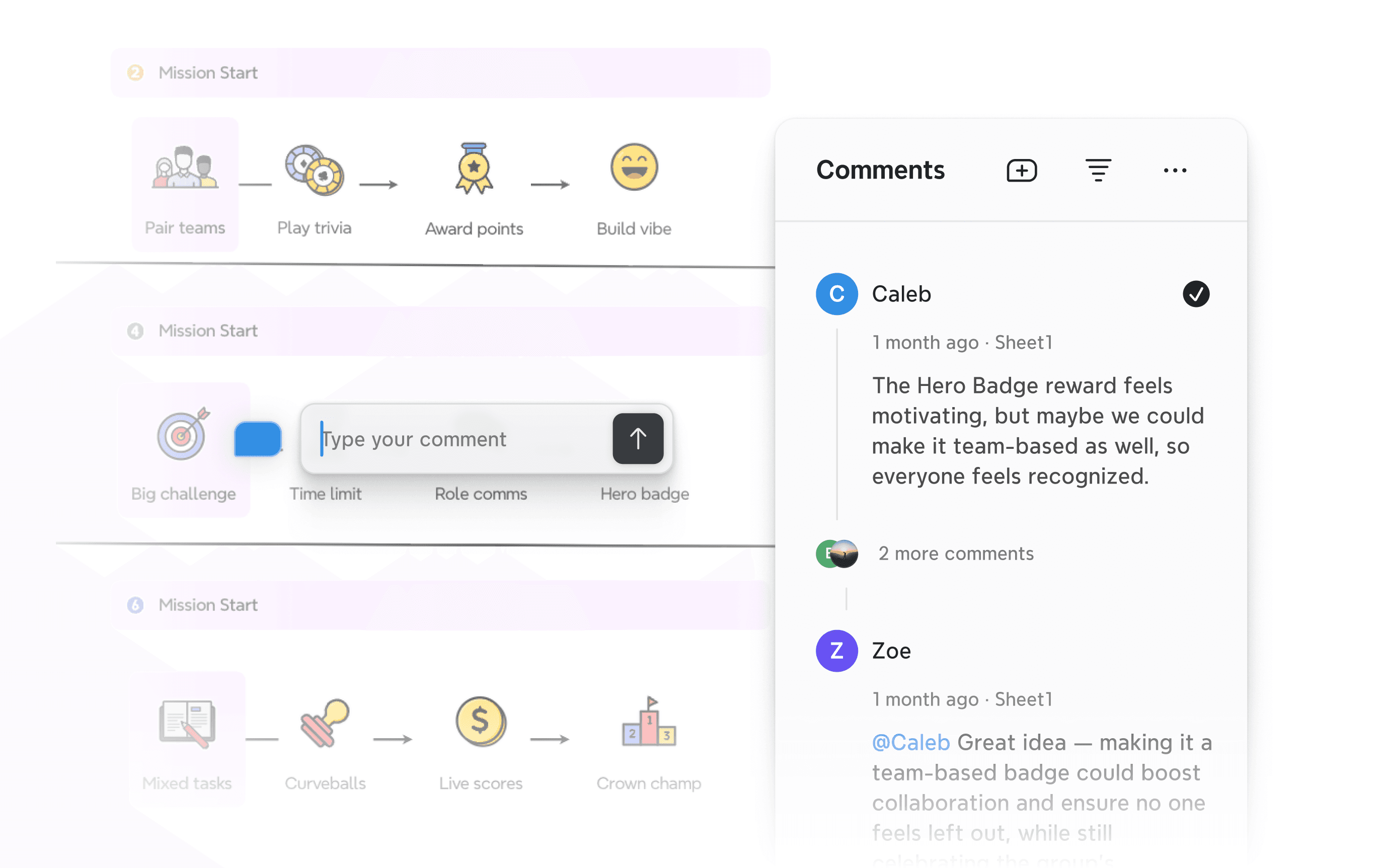
Comment keeps discussion attached to the relevant topic or area of the map. A teammate can question a source beneath the claim it supports, mention the person who needs to respond, and resolve the thread when the issue is settled. Feedback stays close to the decision instead of becoming another message the group must search for later.
Use comments for discussion and Tasks for commitments. That distinction keeps the map from treating every question as assigned work or every deadline as casual feedback.
Make ownership and handoffs visible with Task
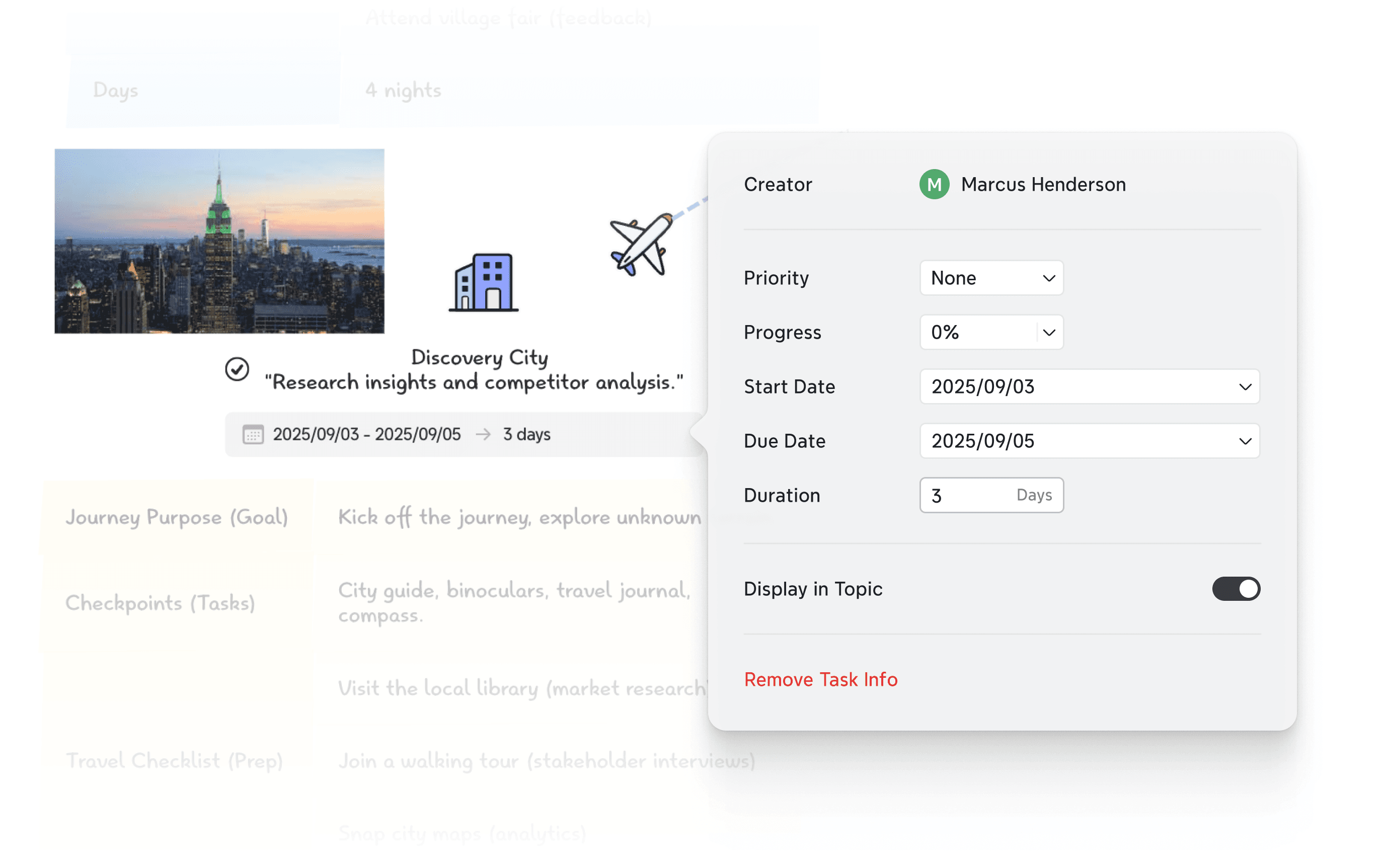
When a branch becomes actionable, Xmind's Task feature can hold an assignee, priority, duration, start and due dates, dependencies, and progress. Apply it to work that needs coordination or tracking, such as completing a source review, cleaning a dataset, approving an outline, drafting a section, or rehearsing the final presentation.
The important detail is the handoff. Data collection may need to finish before analysis can begin. The argument outline may need adviser approval before three contributors draft separate sections. Visualizing those relationships prevents a later task from appearing available when it is actually waiting on earlier work.
Avoid assigning every small branch. A task called “think about conclusion” does little for accountability. A task called “draft conclusion around the approved findings and send it for review” makes the expected output and next handoff clearer.
For a solo thesis, assignees matter less, but dependencies still matter. Ethical approval, participant recruitment, data collection, analysis, drafting, and supervisor review often move at different speeds. A visible chain helps you decide what can advance while another stage is waiting.
Let the Gantt Chart expose pressure before the deadline does
A research map shows how ideas and work relate. A timeline shows when those relationships create pressure. Xmind's Gantt Chart uses the Tasks in a map to display duration, progress, dates, and dependencies in a timeline view. Changes remain synchronized between the map and the Gantt view.
Open the Gantt Chart after the first realistic task breakdown, not before. Then look for three signals:
Long chains: Several dependent tasks leave little room for delay.
Workload collisions: One person owns multiple demanding outputs during the same period.
Late feedback: Review or approval arrives too close to the final submission for meaningful revision.
Adjust duration and sequence while the consequences are still manageable. If fieldwork moves, the timeline can show which analysis, writing, and review stages are affected. The purpose is not to make the original plan look accurate. It is to make change visible soon enough to respond.
Use the map to run a shorter, sharper project check-in
A weekly meeting does not need a separate status presentation. Open the shared map and move through the branches that changed. Start with the research question or deliverable, inspect unresolved comments, check the nearest dependent Tasks, and use the Gantt view only where timing needs discussion.
Three prompts are usually enough to keep the review useful:
What changed in the research or argument?
What is blocked, uncertain, or waiting for review?
What must be completed before the next check-in?
Update the map during the conversation. When the meeting ends, the agreed plan should already reflect the decisions made, so no one has to translate a second set of notes into the project later.
Conclusion
A thesis or group project rarely follows its first outline perfectly. Strong planning gives the work a structure that can absorb new evidence, revised arguments, delayed tasks, and changing responsibilities without losing the central purpose.
Build your thesis or group project map in Xmind, connect every major task to the research it serves, and keep the next decision visible to everyone involved.
Keep the research connected and the team moving
Map the argument, evidence, responsibilities, and timeline so every contributor can see what comes next.



