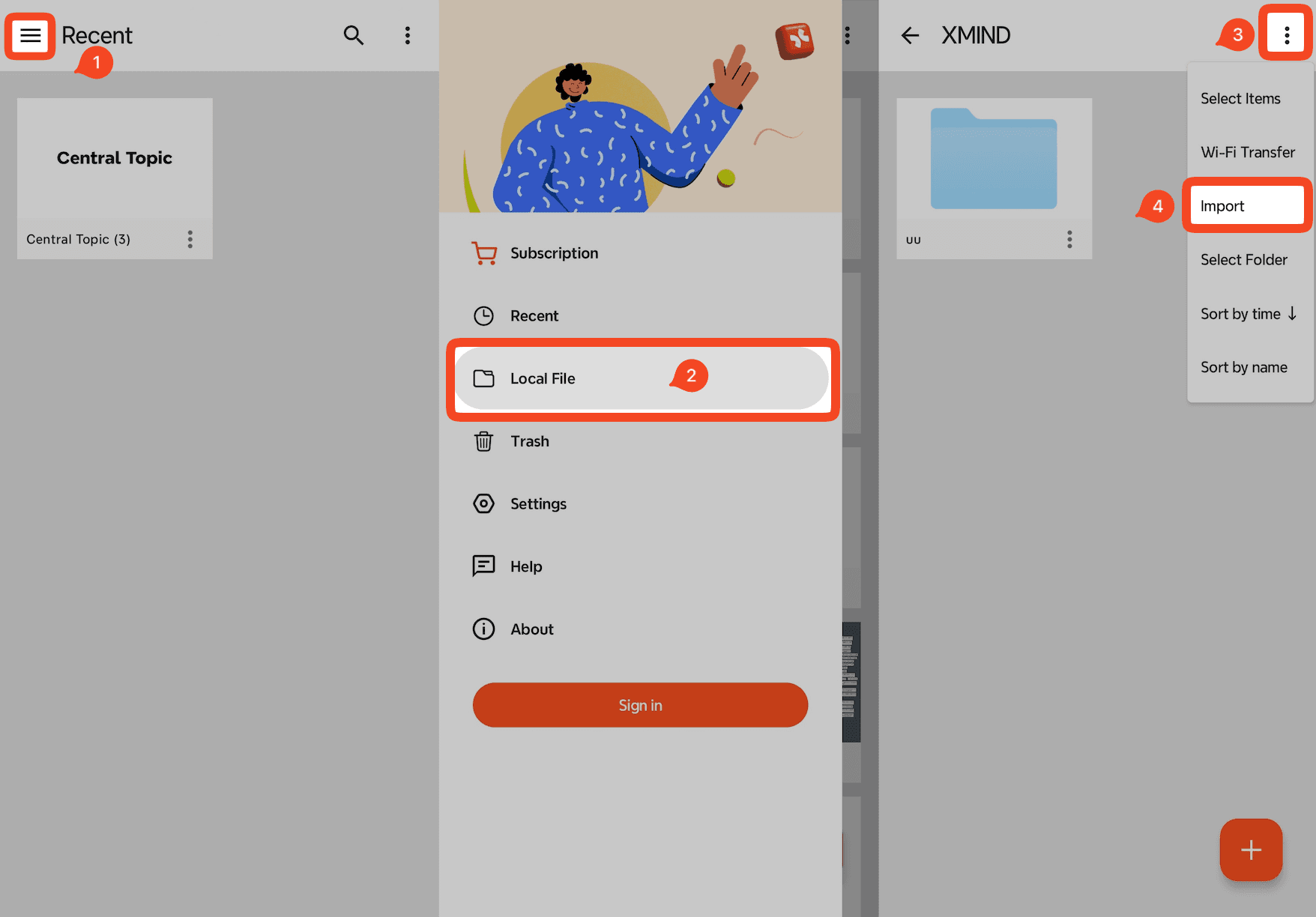
Xmind supports importing Markdown (.md) files and converting them into mind maps.
How to Import a Markdown File
Launch Xmind for Android.
On the Home page, tap 「≡」→ Local File.
Select the .md file you want to import.
Tap Import to convert the Markdown file into a mind map.