Xmind supports importing Markdown (.md) files and converting them into mind maps.
How to Import a Markdown File
Method 1: Import Directly from Files
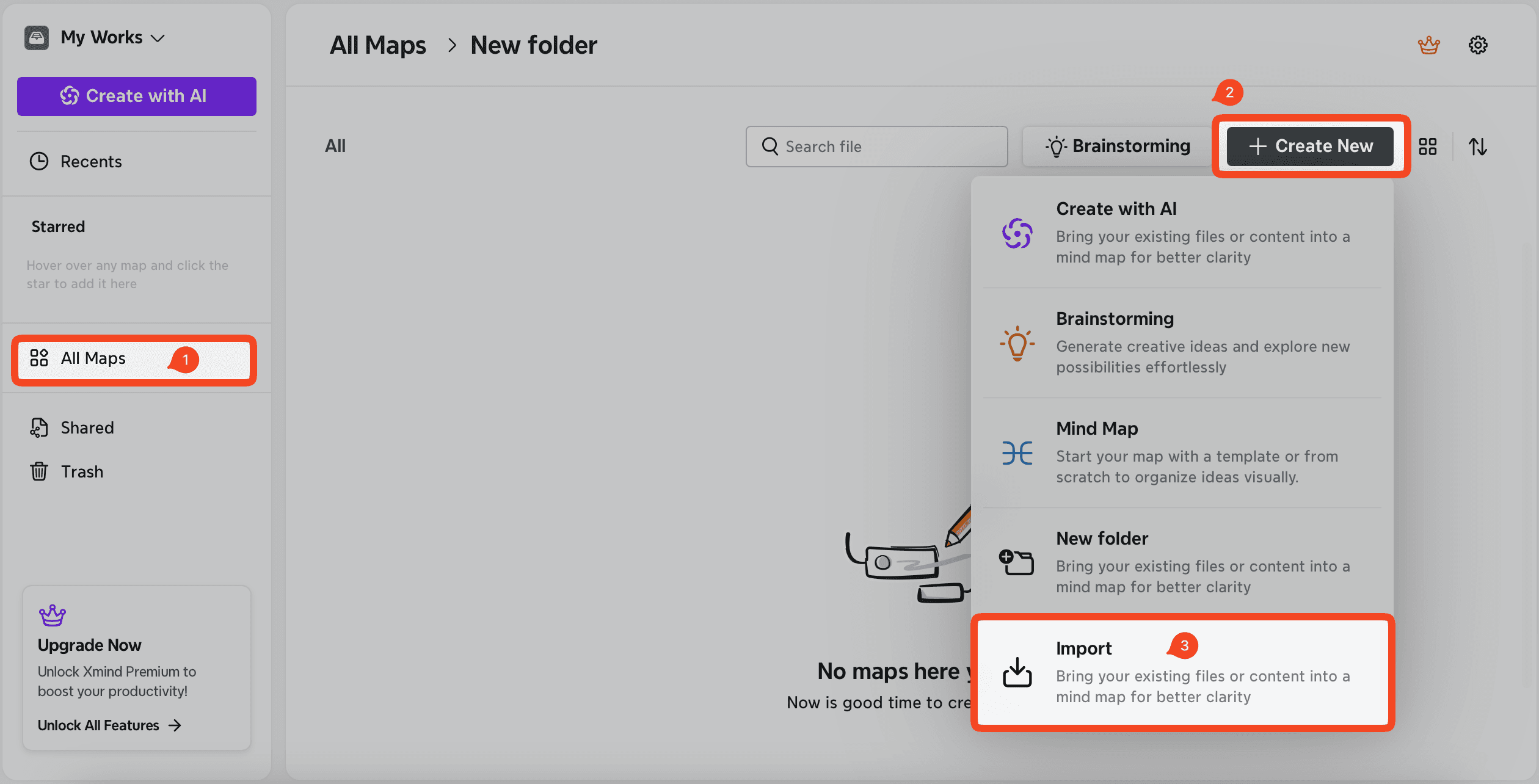
Sign in to your Xmind account at app.xmind.com.
Navigate to All Maps → + Create New → Import.
Select Upload Files and drag your .md file into the window to import it.
Alternatively, choose Paste Text and paste Markdown text directly to convert it into a mind map.
Method 2: Import a Markdown File via AI Lab
Note: Importing via AI Lab requires AI credits.
Sign in to your account at app.xmind.com.
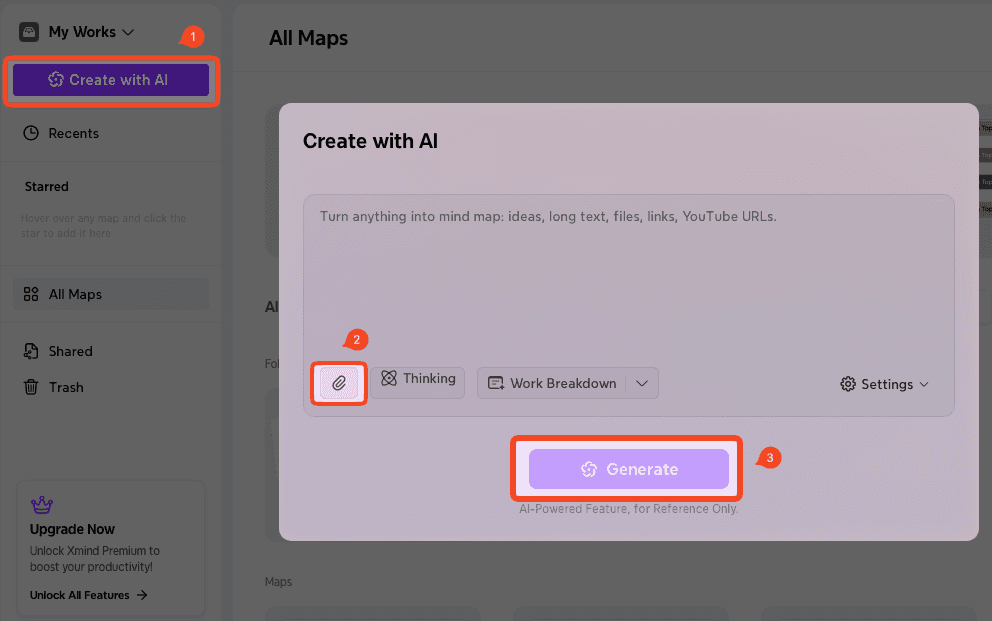
Click Create with AI.
Click the attachment icon to upload your .md file, then enter your prompt.
Click Generate to create a mind map using AI.