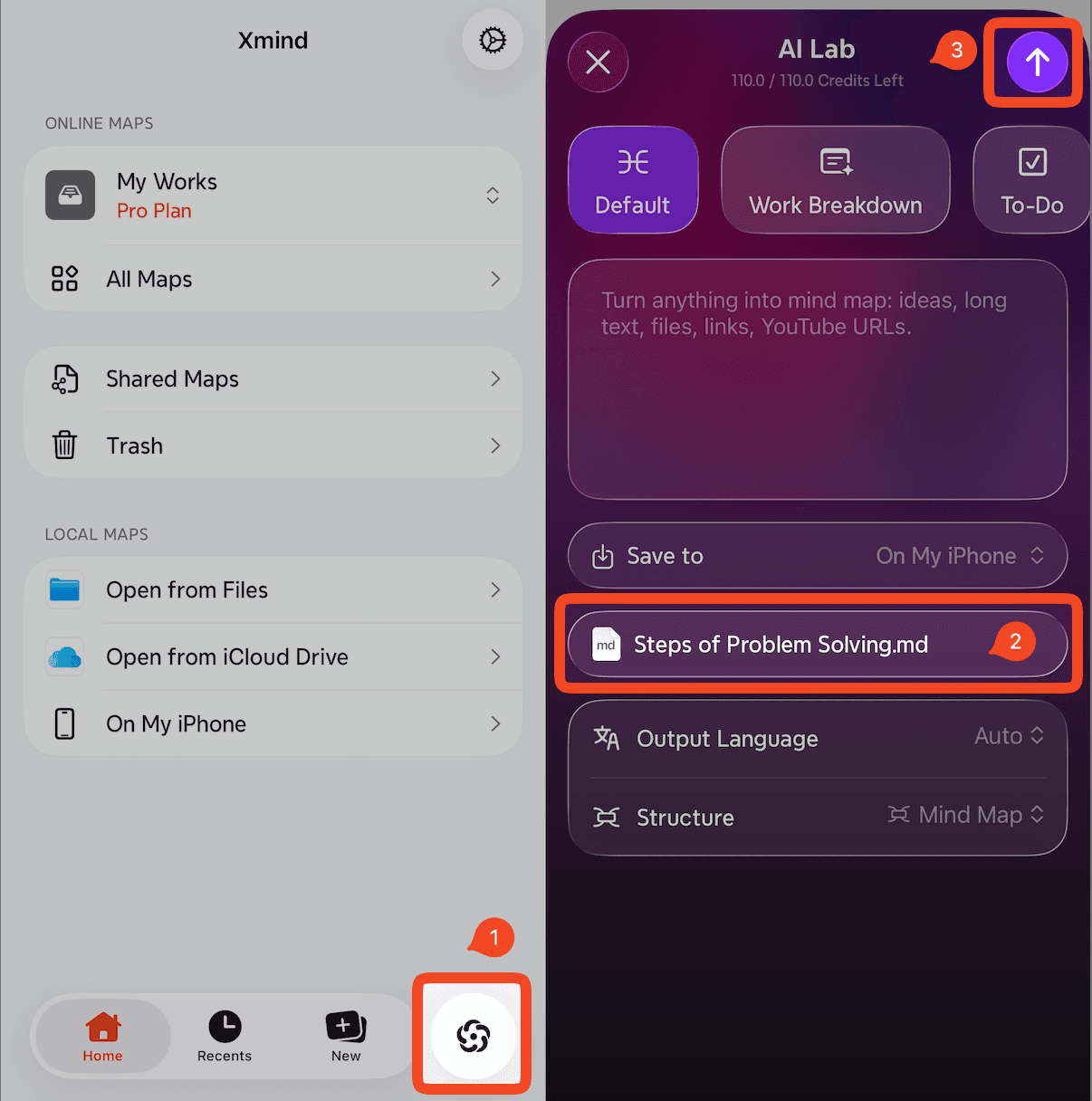
Xmind supports importing Markdown (.md) files and converting them into mind maps.
How to Import a Markdown File
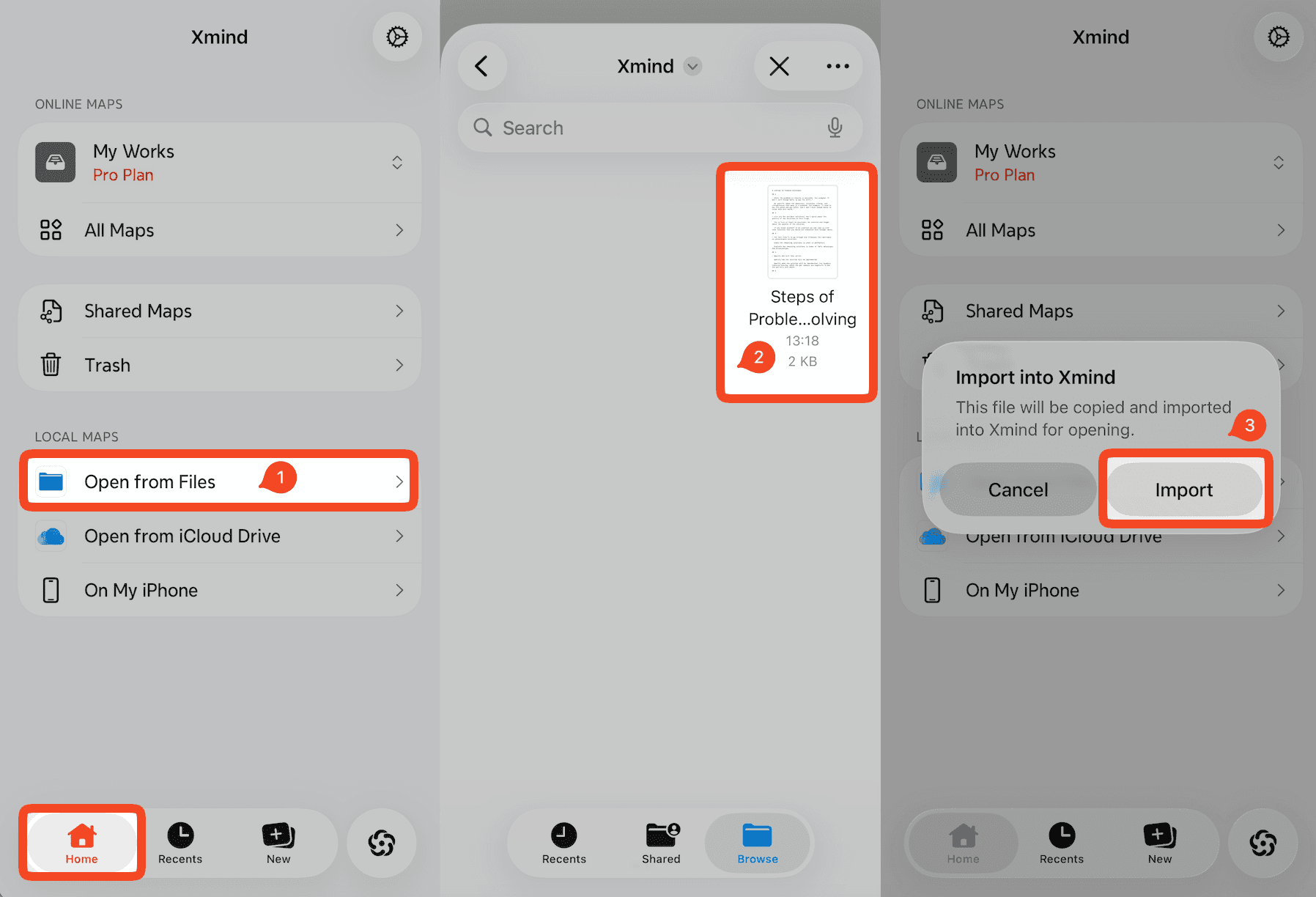
Method 1: Import Directly from Files
Launch Xmind for iOS.
On the Home page, tap Open from Files.
Select the .md file you want to import.
Tap Import to convert the Markdown file into a mind map.
Method 2: Import a Markdown File via AI Lab
Note: Importing via AI Lab requires AI credits.
Launch Xmind for iOS.
Tap the AI icon to open AI Lab.
Under the Attachments section, tap Choose and select your .md file.
Enter your prompt, choose the output language and structure, and let AI generate the mind map for you.