If you see the message “Not a valid Xmind file” when opening a file in Xmind for Android, this indicates that the file may be corrupted.
In this case, please contact us directly through the app so we can assist you.
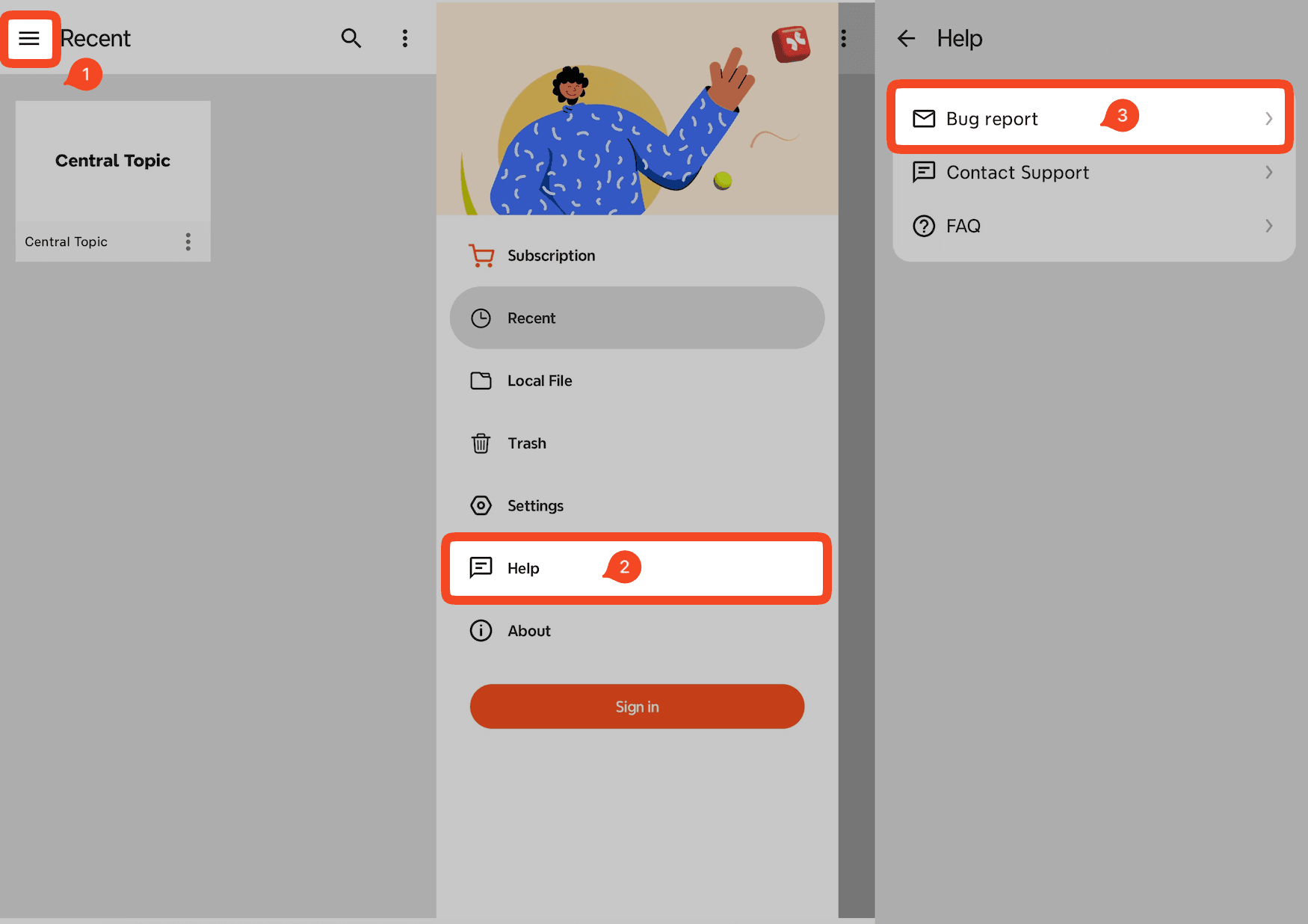
How to Send Us a Report from Xmind for Android
On the main page, tap the menu icon.
Go to Help → Bug Report.
Select your preferred Mail app to send the report.
Provide a brief description of the issue and attach the corrupted file.
Send the email to our support team.
You may also choose to email us directly at android-xmind@xmind.com and attach the corrupted file.
Important Notes
Please keep the attached log files (.txt) when sending the report—they help us identify the cause of the issue.
If the corrupted file shows a size of 0 KB, it cannot be recovered.

