Plan your whole semester in one map you can actually keep up with

Hannah
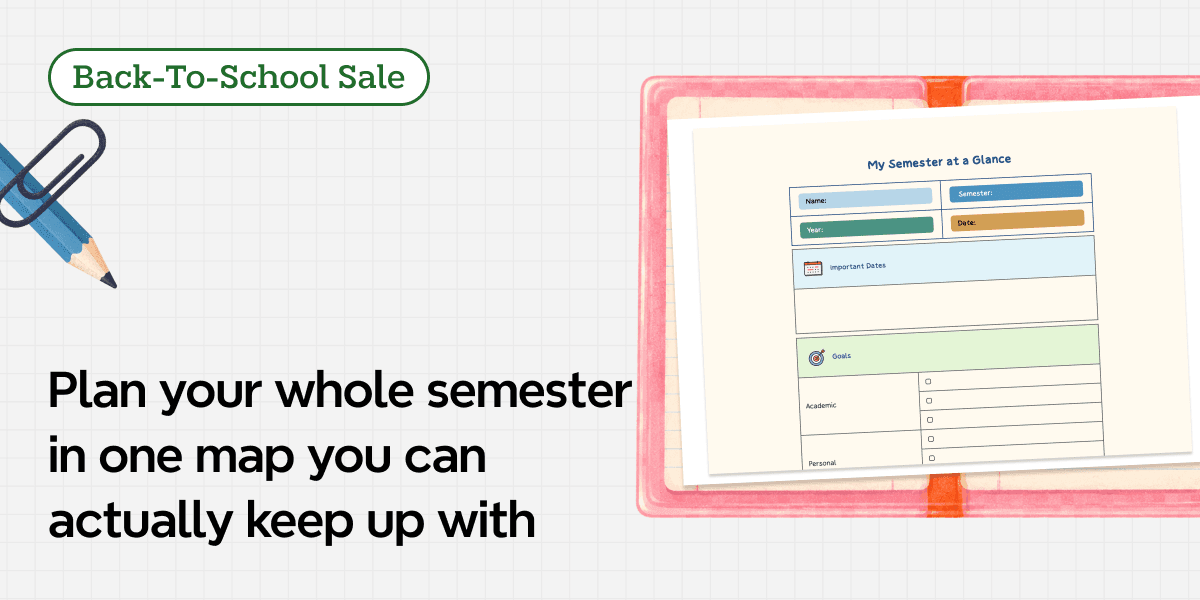
A useful semester plan lets you open one map and see the essay due Friday, the lab starting next week, and the exam waiting three chapters ahead. With Xmind, those moving pieces can live in one flexible visual plan, so today's work stays connected to the larger term.
Start with your own course list in Xmind and turn the semester ahead into a plan you can see, adjust, and act on.
Why semester planning gets harder once classes begin
Semester planning is hard because the information you need is scattered across sources that never line up. One syllabus lists weekly readings. Another hides the midterm and final project on different pages. A learning platform adds quizzes after classes begin. Work shifts and personal commitments wait in another calendar. Each piece looks manageable alone. The collision is harder to see.
That fragmentation creates two common planning problems. Distant milestones stay quiet until three of them land in the same week. Large assignments remain foggy because "write the paper" or "prepare for the exam" says nothing about the smaller actions required along the way.
A semester map solves a different problem from a daily checklist. It shows the relationships between courses, milestones, and supporting work. When the whole term is visible, you can decide what deserves attention before urgency makes the decision for you.
Build one semester map before choosing daily tasks
Open a blank map and resist the urge to copy every syllabus line by line. Start with the information least likely to change, then add detail only where it improves a decision. The result should feel like a control panel for the semester, not a decorated archive.
Start with courses, dates, and nonnegotiable commitments
Place the semester at the center of the map and let each course claim a main branch. Under those branches, add the exams, papers, presentations, labs, and project deadlines that will shape your workload. Give work shifts, travel, or recurring activities their own branch too. They use the same hours your courses are competing for.
The first version does not need every reading or classroom task. Its job is to reveal the shape of the term. A week that looked ordinary on the calendar may suddenly show a lab report, a group presentation, and a midterm sharing the same few days. That is where earlier preparation earns its place.
If the map becomes crowded, group information by month, course phase, or assessment period. The best structure is the one that makes workload patterns easy to notice, not the one that follows a preset layout.
Separate milestones from the actions that support them
A milestone names the finish line: submit a research paper, complete a group presentation, or sit a final exam. An action gives you somewhere to step next: choose a question, find three sources, draft an outline, rehearse one section, or review one topic set.
Keep both levels in the map. The milestone provides direction, while the actions make progress possible. For a research paper, for example, the branch might move from topic approval to source collection, argument development, drafting, revision, and submission. The order can follow the assignment, the calendar, or the way you naturally think through the work.
Turn a semester plan into work you can actually complete
Once the academic structure is visible, turn only the right branches into commitments. Not every topic needs a deadline or checkbox. Use stronger planning controls for work that depends on time, sequence, or several stages, and lighter controls for actions you can finish in one sitting.
Use Task for deadlines and multi-step academic work
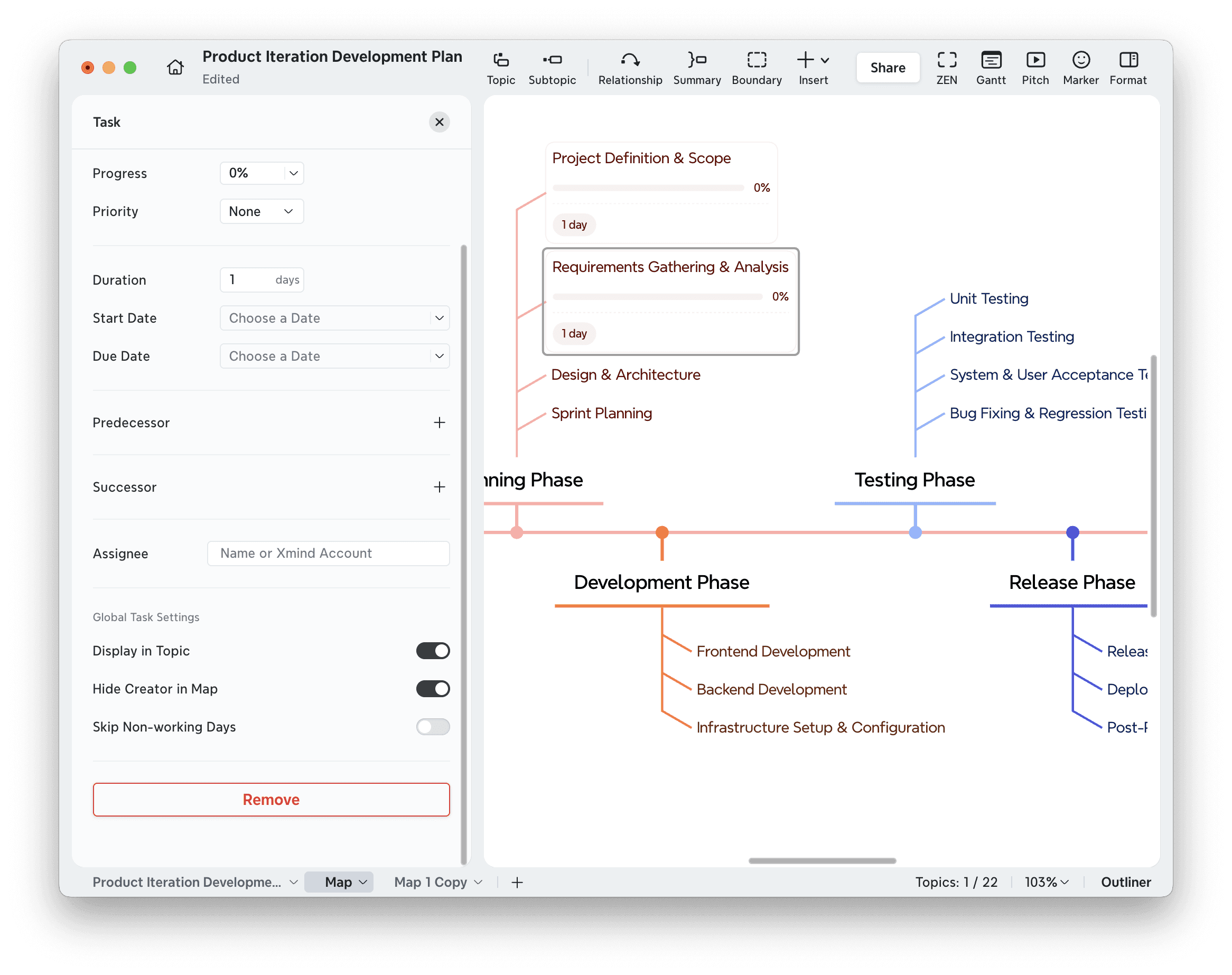
Xmind's Task feature can add dates, progress, and dependencies to a topic. Use it for major assignments, group projects, and exam-preparation plans where timing and sequence matter. Task is currently a Premium feature, so check the current plan details before building your workflow around it.
A final presentation, for example, cannot move straight from "research" to "rehearse." The group needs to agree on the story before the slides settle, and the slides need to settle before a useful rehearsal can begin. Placing those stages on one branch makes the handoffs visible before they cause a last-minute scramble.
Avoid assigning dates to every small idea during the first planning session. Start with fixed academic milestones and the steps that would create a real problem if delayed. Add more detail only when it helps you choose or coordinate the next action.
Use To-Do for short, lightweight next actions
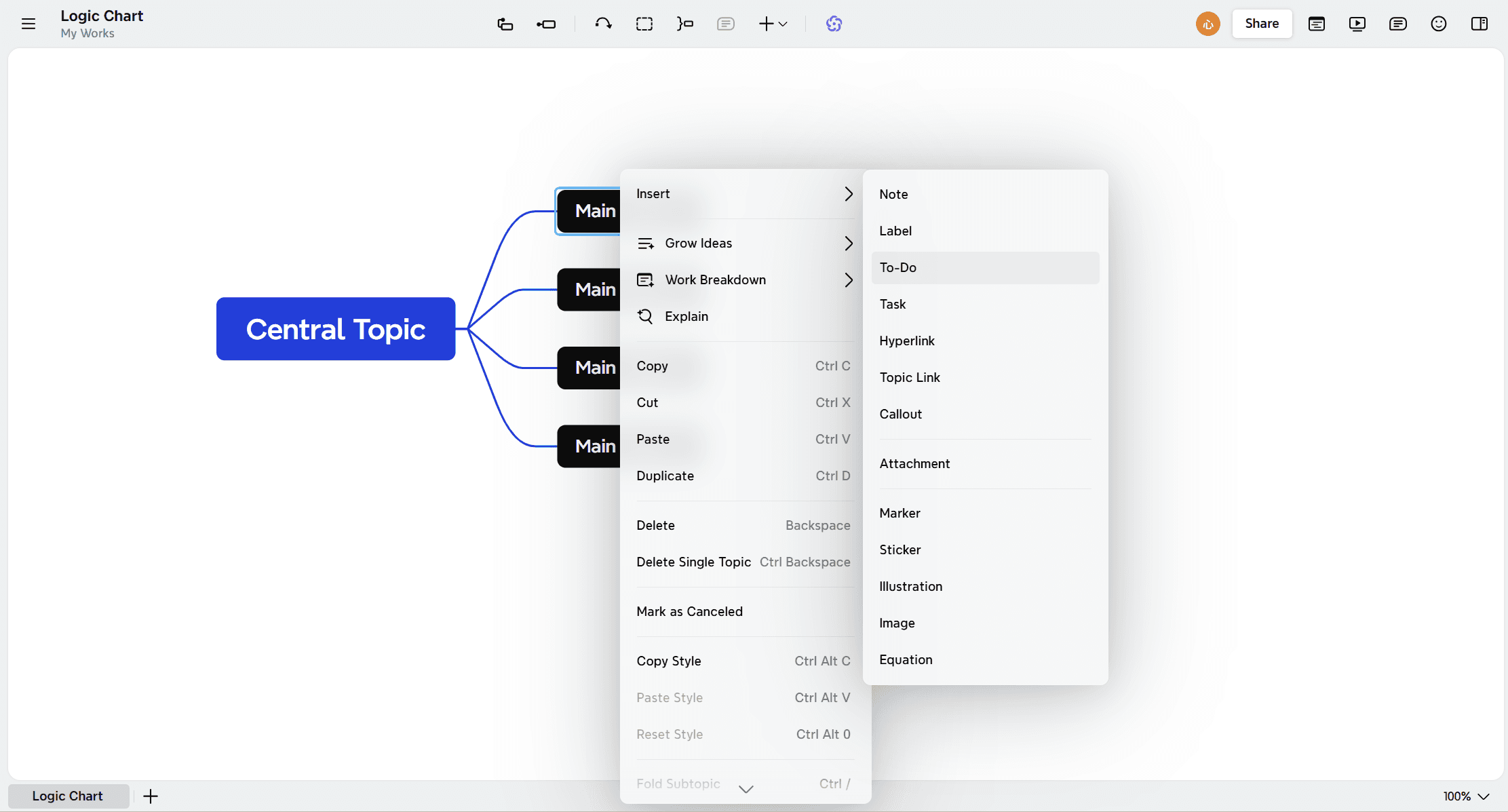
To-Do keeps simpler personal actions lightweight with checkboxes and visual progress, without the deadline and dependency controls used by Task. It is currently a Pro feature.
That lighter approach works well for downloading a reading, sending one question to a professor, reviewing yesterday's lecture, or confirming a meeting time with a classmate. The distinction can stay simple: use Task when the work stretches across time. Use To-Do when you mainly need to see and complete the next action.
This distinction prevents the semester map from becoming overly administrative. The map should clarify the work, not make maintaining the plan feel like another course.
Break down large assignments before they become urgent
A blank branch labeled "final paper" can feel less like a plan than a warning. When you know the deliverable but cannot yet see the path toward it, AI Work Breakdown can turn a project description into an initial plan with subtasks, priorities, and timelines.
For semester planning, use it on a large assignment that needs more structure. Give it the course, the due date, known milestones, and how much time you have each week. The more context your prompt includes, the closer the result comes to a usable plan. The breakdown can become Task branches directly, though any dates or priorities your prompt did not mention will need a quick manual pass.
Treat the result as a draft, not as an academic authority. Check every date against the syllabus, remove steps that do not match the assignment, and adjust the workload to your actual pace. AI is most helpful here when it reduces blank-page friction while you keep control of the plan.
Review the semester map at three useful moments
A semester planner only stays helpful when it moves with the term. You do not need to polish it every day. Open it at a few decision points, make the changes that matter, and get back to the work.
At the beginning of the semester: Capture courses, fixed milestones, and known workload clusters.
At the start of each week: Choose the actions that move the nearest important milestones forward.
After a schedule change or major submission: Update dates, progress, and priorities, then check what the change affects elsewhere.
During a weekly review, do not begin with the longest list. Scan the nearest outcomes and ask which assignment will become painful next week if it receives no attention now. Then choose a small number of actions that protect future time. The map stays connected to decisions instead of becoming a place where old plans gather dust.
Progress also provides useful feedback. If several branches repeatedly fall behind, the answer may not be to add more tasks. The plan may need smaller steps, fewer simultaneous goals, or more realistic time estimates.
Conclusion
Good semester planning does not eliminate surprises. It stops each surprise from shaking the entire term. When a deadline moves, a group project grows, or one course suddenly demands more attention, a connected map shows what else may need to change.
Build your semester plan in Xmind, return to it when the week changes, and let the map carry the big picture so you do not have to hold the entire term in your head.
Turn a crowded semester into a clear plan
Map every course, milestone, and next step so the semester feels manageable from the first week onward.