















使用者

指南

A simple character with a round head and orange body holding an open book, focusing on reading.
user-guide
user-guide
Gray downward arrow icon.

開始使用

Gray downward arrow icon.

Xmind 基礎

Gray downward arrow icon.

豐富主題

Gray downward arrow icon.

思維導圖造型

Gray downward arrow icon.

套用全局格式

Gray downward arrow icon.

瀏覽和查看

Gray downward arrow icon.

檔案處理

Gray downward arrow icon.

分享與協作

Gray downward arrow icon.

管理您的團隊

Gray downward arrow icon.

使用 Xmind AI 的心智圖

Gray downward arrow icon.

探索高級功能

Gray downward arrow icon.

您可能會問的問題

宣傳視頻

Pitch Video 讓您將心智圖轉換為結構化影片——非常適合用於演示、創意提案或社交分享。

在思維導圖中啟動 Pitch Video

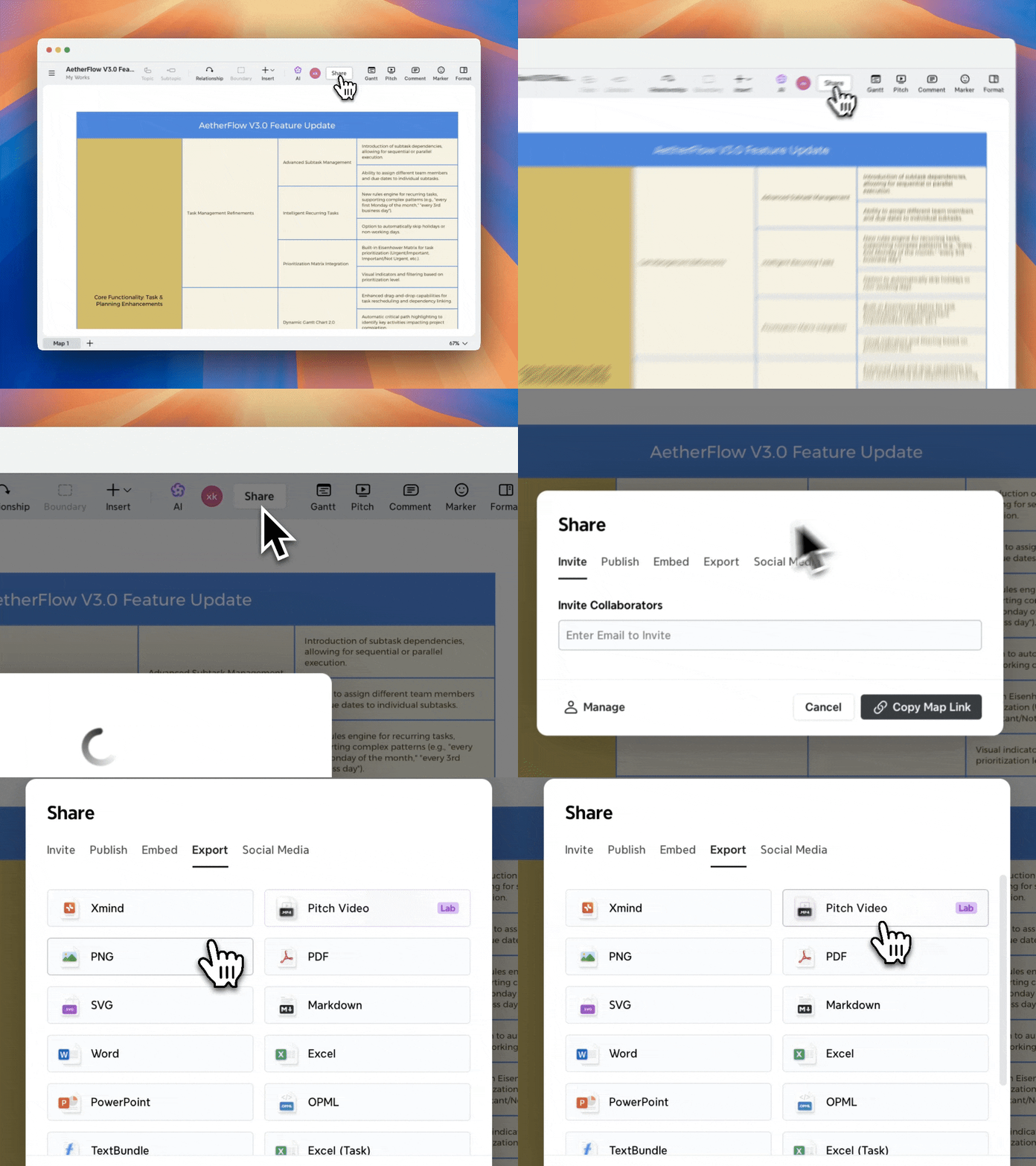
在網頁上

1️⃣ 打開一個思維導圖。

2️⃣ 前往 分享 > 匯出

3️⃣ 選擇 Pitch Video

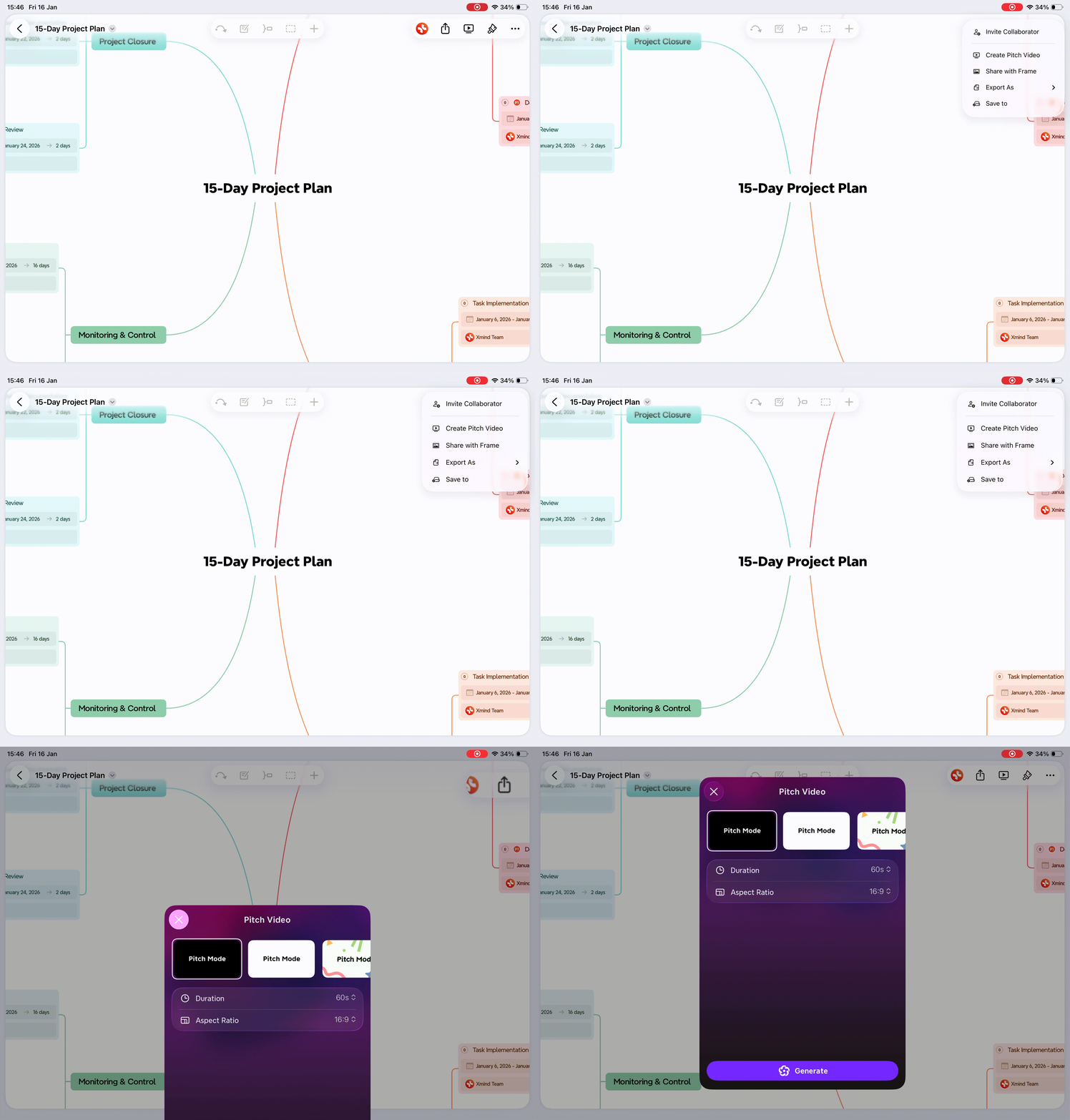
在 iOS 上

從思維導圖創建 Pitch Video:

1️⃣ 打開一個思維導圖。

2️⃣ 點擊 分享

3️⃣ 選擇 創建 Pitch Video

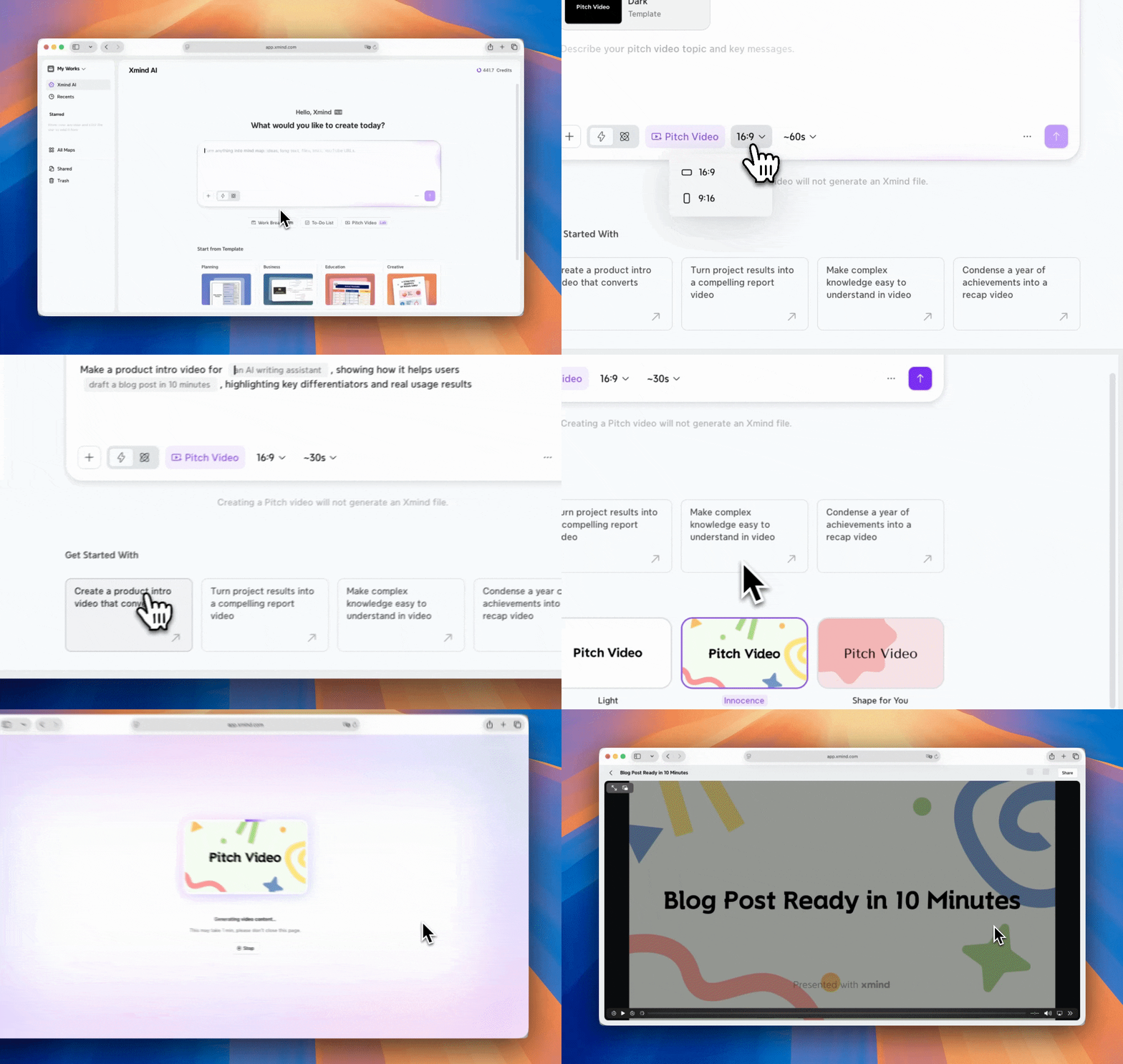
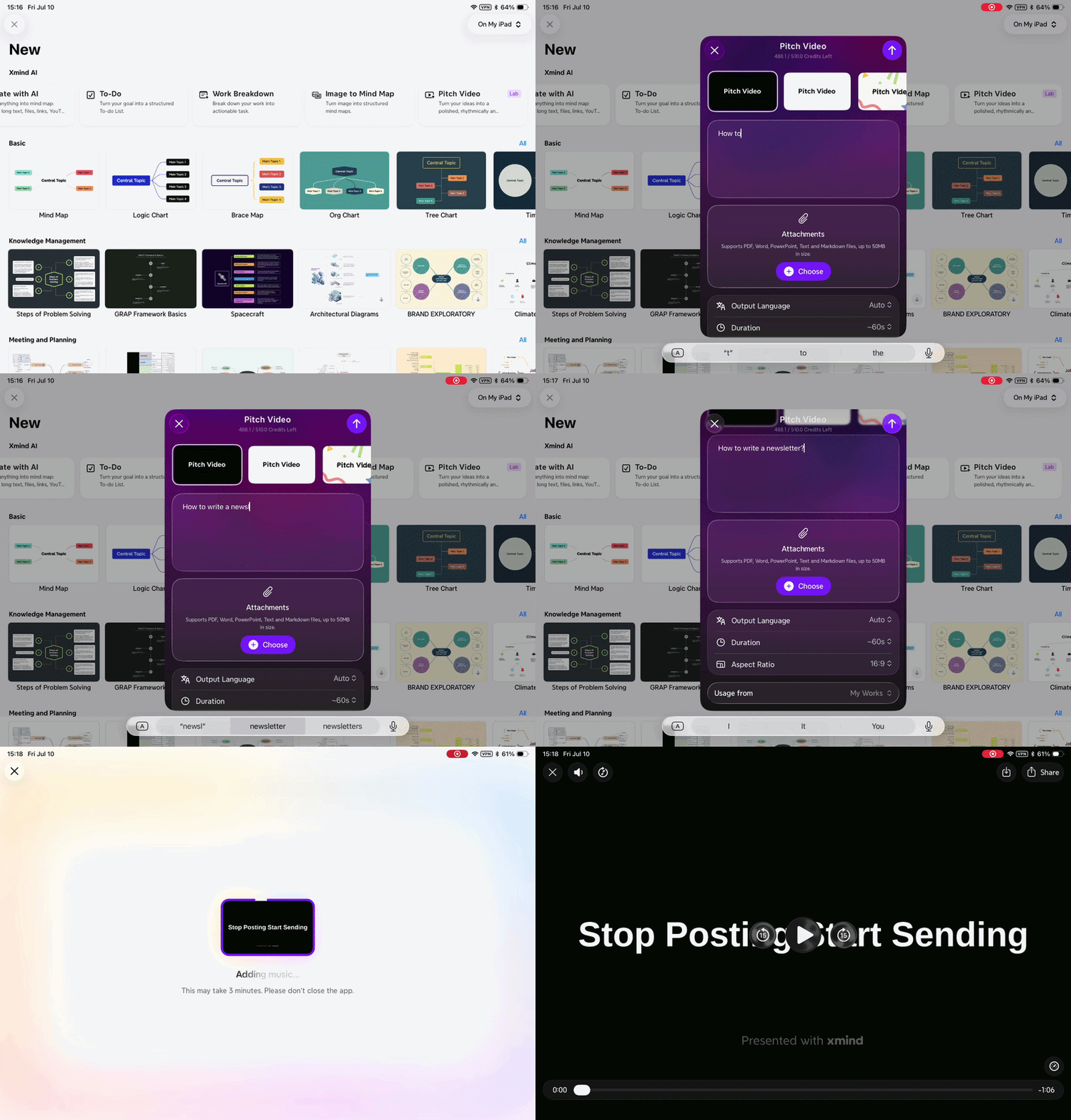
在 AI Lab 中創建 Pitch Video:

1️⃣ 前往 Xmind AI > Pitch Video

2️⃣ 輸入您的想法,並可選擇性上傳附件。

3️⃣ 配置視頻設置,包括主題、語言、持續時間和縱橫比。

4️⃣ 點擊生成開始創建 Pitch Video。

5️⃣ 其他步驟同網頁版。

配置視頻設置

在 Pitch Video 面板中,選擇視頻的外觀和感覺。

您可以選擇:

  • 主題 – 整體視覺風格

  • 縱橫比 – 適用於不同平台或屏幕

  • 持續時間 – 視頻的長度

完成後,點擊 繼續以開始生成視頻。

自訂並分享視頻

當視頻準備就緒時,您可以:

  • 更改 背景音樂

  • 下載視頻

  • 在社交媒體上分享視頻


使用者

指南

user-guide