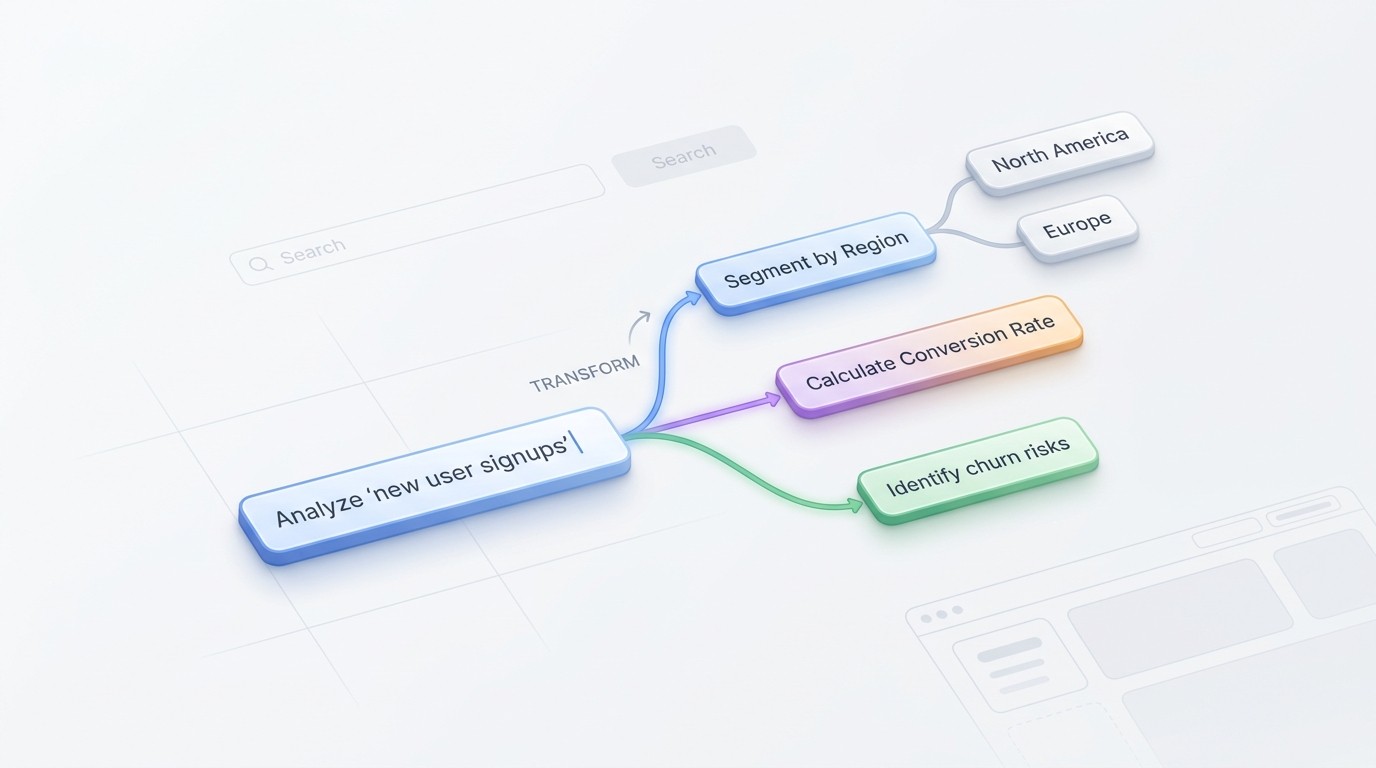
Empty space with subtle gradients, creating a light and soft visual ambiance.

AI logic chart generator

Turn text, PDFs, and URLs into clear logic charts. Visualize complex reasoning and workflows instantly.

How to generate your logic chart

Provide your input

Describe your topic or upload files like PDF, Word, or images to get started.

Step 1

Provide your input

Describe your topic or upload files like PDF, Word, or images to get started.

Step 1

Provide your input

Describe your topic or upload files like PDF, Word, or images to get started.

Step 1

Generate the chart

The AI analyzes your content to create a structured logic chart with clear branches.

Step 2

Generate the chart

The AI analyzes your content to create a structured logic chart with clear branches.

Step 2

Generate the chart

The AI analyzes your content to create a structured logic chart with clear branches.

Step 2

Refine and export

Fine-tune the structure and export your diagram for your notes or presentations.

Step 3

Refine and export

Fine-tune the structure and export your diagram for your notes or presentations.

Step 3

Refine and export

Fine-tune the structure and export your diagram for your notes or presentations.

Step 3

Hear from our Xmind family

4.8 ratings

4.8/5

App Store

95% user satisfaction rate

95%

User satisfaction rate

100M+ user worldwide

100M+

Users worldwide

Elena Rossi

UX Designer

Finally found a way to map out user flows without spending hours dragging boxes. The AI logic chart generator handles the layout while I focus on the actual journey. Huge time saver for my wireframing phase.

Sarah Jenkins

Senior Product Manager

We’ve integrated this tool into our discovery phase. Converting product requirements into clear, automated logic diagrams has significantly improved the hand-off process between our stakeholders and the engineering team. It keeps everyone on the same page without the usual documentation overhead.

Marcus Chen

Computer Science Student

I used this to visualize a complex sorting algorithm for my finals. Being able to generate a logic chart from my rough notes saved me so much time. It’s way better than trying to draw everything out by hand in a basic editor.

Elena Rossi

UX Designer

Finally found a way to map out user flows without spending hours dragging boxes. The AI logic chart tool handles the heavy lifting so I can focus on the actual experience design. Total game changer for my weekly sprints.

Marcus Chen

Computer Science Student

I used this to visualize a complex sorting algorithm for my finals. It turned my messy pseudocode into a clean, logical diagram instantly. Honestly, it made the logic much easier to explain during my presentation than my hand-drawn sketches ever could.

Elena Rossi

Senior Product Manager

Mapping out user journeys used to take me hours of manual dragging and dropping. Now, I just input the logic and the tool generates a clean, professional chart instantly. It has significantly improved our sprint planning efficiency.

Elena Rossi

UX Designer

Finally found a way to map out user flows without spending hours dragging boxes. The AI logic chart generator handles the layout while I focus on the actual journey. Huge time saver for my wireframing phase.

Sarah Jenkins

Senior Product Manager

We’ve integrated this tool into our discovery phase. Converting product requirements into clear, automated logic diagrams has significantly improved the hand-off process between our stakeholders and the engineering team. It keeps everyone on the same page without the usual documentation overhead.

Marcus Chen

Computer Science Student

I used this to visualize a complex sorting algorithm for my finals. Being able to generate a logic chart from my rough notes saved me so much time. It’s way better than trying to draw everything out by hand in a basic editor.

Elena Rossi

UX Designer

Finally found a way to map out user flows without spending hours dragging boxes. The AI logic chart tool handles the heavy lifting so I can focus on the actual experience design. Total game changer for my weekly sprints.

Marcus Chen

Computer Science Student

I used this to visualize a complex sorting algorithm for my finals. It turned my messy pseudocode into a clean, logical diagram instantly. Honestly, it made the logic much easier to explain during my presentation than my hand-drawn sketches ever could.

Elena Rossi

Senior Product Manager

Mapping out user journeys used to take me hours of manual dragging and dropping. Now, I just input the logic and the tool generates a clean, professional chart instantly. It has significantly improved our sprint planning efficiency.

Elena Rossi

UX Designer

Finally found a way to map out user flows without spending hours dragging boxes. The AI logic chart generator handles the layout while I focus on the actual journey. Huge time saver for my wireframing phase.

Sarah Jenkins

Senior Product Manager

We’ve integrated this tool into our discovery phase. Converting product requirements into clear, automated logic diagrams has significantly improved the hand-off process between our stakeholders and the engineering team. It keeps everyone on the same page without the usual documentation overhead.

Marcus Chen

Computer Science Student

I used this to visualize a complex sorting algorithm for my finals. Being able to generate a logic chart from my rough notes saved me so much time. It’s way better than trying to draw everything out by hand in a basic editor.

Elena Rossi

UX Designer

Finally found a way to map out user flows without spending hours dragging boxes. The AI logic chart tool handles the heavy lifting so I can focus on the actual experience design. Total game changer for my weekly sprints.

Marcus Chen

Computer Science Student

I used this to visualize a complex sorting algorithm for my finals. It turned my messy pseudocode into a clean, logical diagram instantly. Honestly, it made the logic much easier to explain during my presentation than my hand-drawn sketches ever could.

Elena Rossi

Senior Product Manager

Mapping out user journeys used to take me hours of manual dragging and dropping. Now, I just input the logic and the tool generates a clean, professional chart instantly. It has significantly improved our sprint planning efficiency.

Elena Rossi

UX Designer

Finally found a way to map out user flows without spending hours dragging boxes. The AI logic chart generator handles the layout while I focus on the actual journey. Huge time saver for my wireframing phase.

Sarah Jenkins

Senior Product Manager

We’ve integrated this tool into our discovery phase. Converting product requirements into clear, automated logic diagrams has significantly improved the hand-off process between our stakeholders and the engineering team. It keeps everyone on the same page without the usual documentation overhead.

Marcus Chen

Computer Science Student

I used this to visualize a complex sorting algorithm for my finals. Being able to generate a logic chart from my rough notes saved me so much time. It’s way better than trying to draw everything out by hand in a basic editor.

Elena Rossi

UX Designer

Finally found a way to map out user flows without spending hours dragging boxes. The AI logic chart tool handles the heavy lifting so I can focus on the actual experience design. Total game changer for my weekly sprints.

Marcus Chen

Computer Science Student

I used this to visualize a complex sorting algorithm for my finals. It turned my messy pseudocode into a clean, logical diagram instantly. Honestly, it made the logic much easier to explain during my presentation than my hand-drawn sketches ever could.

Elena Rossi

Senior Product Manager

Mapping out user journeys used to take me hours of manual dragging and dropping. Now, I just input the logic and the tool generates a clean, professional chart instantly. It has significantly improved our sprint planning efficiency.

Why use our logic chart generator

Instant visualization

Create complex logic trees from simple prompts or long documents in seconds.

Instant visualization

Create complex logic trees from simple prompts or long documents in seconds.

Instant visualization

Create complex logic trees from simple prompts or long documents in seconds.

Multi-format support

Upload PDFs, Word docs, or website URLs to map out arguments and processes automatically.

Multi-format support

Upload PDFs, Word docs, or website URLs to map out arguments and processes automatically.

Logical clarity

Fine-tune the structure and export your diagram for your notes or presentations.

Logical clarity

Fine-tune the structure and export your diagram for your notes or presentations.

Seamless workflow

Refine your generated charts with custom styles and export them for your presentations.

Seamless workflow

Refine your generated charts with custom styles and export them for your presentations.

Seamless workflow

Refine your generated charts with custom styles and export them for your presentations.

When to use logic charts

Analyze long documents

Turn long research papers or PDF reports into easy-to-read logical maps.

Analyze long documents

Turn long research papers or PDF reports into easy-to-read logical maps.

Analyze long documents

Turn long research papers or PDF reports into easy-to-read logical maps.

Map complex processes

Map out logical sequences and decision trees for software or business operations.

Map complex processes

Map out logical sequences and decision trees for software or business operations.

Map complex processes

Map out logical sequences and decision trees for software or business operations.

Visualize web content

Paste a website URL to instantly visualize the information structure of any page.

Visualize web content

Paste a website URL to instantly visualize the information structure of any page.

Visualize web content

Paste a website URL to instantly visualize the information structure of any page.

Frequently asked questions

Frequently Asked Questions

How does an AI logic chart generator work?

The AI logic chart generator parses your input, identifies key concepts and relationships, and organizes them into a hierarchical or flow-based visual structure. The AI analyzes text patterns or image data to determine the logical connections within your content.

What file types are supported for input?

You can import various formats including plain text prompts, long documents, Markdown files, PDFs, Word documents, OPML files, images, and direct website URLs. The tool converts these diverse sources into a structured visual format.

Can I edit the chart after it is generated?

Yes, once the logic chart is generated, most tools provide a workspace where you can rearrange nodes, modify text, adjust colors, and refine the logical flow before finalizing your project.

How can I export the finished logic chart?

Yes, you can export your completed diagrams to common formats such as PDF, PNG, JPEG, SVG, or Markdown, making it easy to include your work in reports or presentations.

Are there limitations to the chart generation?

This AI tool is designed to identify core logical structures. While it handles complex content well, you may need to manually adjust the final layout if your input source contains highly ambiguous information or exceptionally dense technical data.

What is the best use for this AI logic chart generator?

The tool is optimized for creating logical structures from unstructured content. It is most effective for summarizing meeting notes, mapping out project workflows, or organizing complex academic papers into a clear, visual logic chart.


Xmind logo

Start building better logic today

Transform your documents into clear logic charts and continue editing them in Xmind.

Xmind logo

Start building better logic today

Transform your documents into clear logic charts and continue editing them in Xmind.