
Website summarizer
Paste a URL to transform long articles and blog posts into a clear, structured mind map.
How to summarize a website in three steps
Paste the website URL
Copy and paste the URL of the article or webpage you want to summarize into the input field.
Step 1

Paste the website URL
Copy and paste the URL of the article or webpage you want to summarize into the input field.
Step 1
Paste the website URL
Copy and paste the URL of the article or webpage you want to summarize into the input field.
Step 1
Generate the mind map
Our tool analyzes the content and automatically builds a visual mind map of the main points.
Step 2
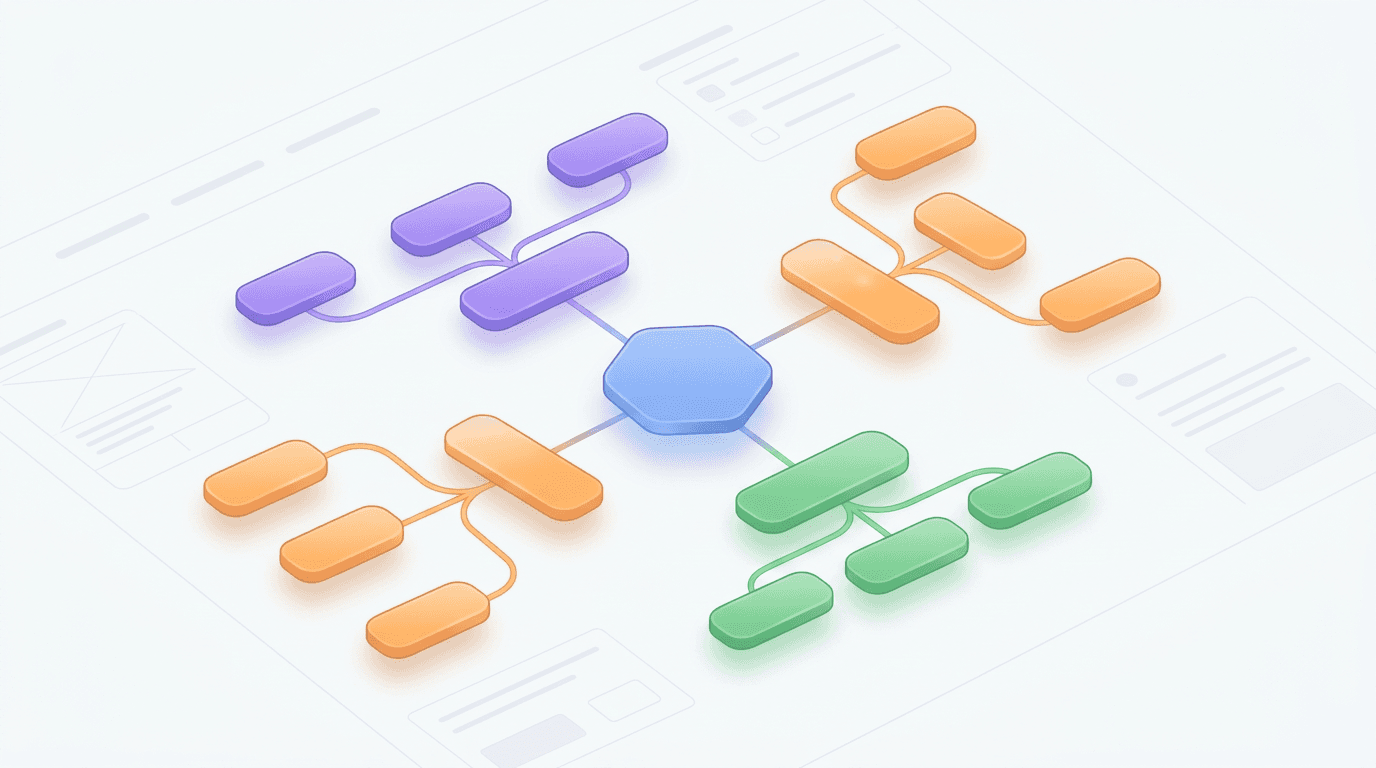
Generate the mind map
Our tool analyzes the content and automatically builds a visual mind map of the main points.
Step 2
Generate the mind map
Our tool analyzes the content and automatically builds a visual mind map of the main points.
Step 2
Refine and export
Review your summary, then download it to keep editing or share it with your team.
Step 3

Refine and export
Review your summary, then download it to keep editing or share it with your team.
Step 3
Refine and export
Review your summary, then download it to keep editing or share it with your team.
Step 3
Hear from our Xmind family

4.8/5

App Store

95%
User satisfaction rate

100M+
Users worldwide


David Miller
Full Stack Developer

“
I often come across long documentation or technical blogs while debugging. Being able to extract the core ideas quickly helps me decide if a page is worth a deep dive or if I should keep looking. It has definitely improved my workflow.
”

Marcus Thorne
Senior Product Manager

“
Keeping up with industry news and long competitor reports is much easier now. I can get the gist of a 3,000-word article during my morning coffee. It helps me stay informed without the usual information overload that comes with my role.
”

Sanae Tanaka
Content Strategist

“
Finally found a way to breeze through my daily reading list. The summaries are accurate and capture the nuance of the original pages perfectly. Great for quick research sessions!
”

Chloe Lefebvre
Marketing Consultant
“
The ability to get a concise breakdown of any webpage has changed how I prep for client meetings. I can digest multiple sources of information in a fraction of the time it used to take. Highly recommended for busy professionals.
”

Elena Rossi
Graduate Researcher

“
I used to spend hours scanning long-form academic articles just to see if they were relevant. This tool condenses the main points in seconds, which has seriously sped up my literature review process. It's a massive time-saver for anyone dealing with heavy reading loads.
”

Sofia Rodriguez
UX Designer
“
I love how this simplifies complex articles into digestible bullet points. It’s perfect for when I need to understand a new trend or technology quickly without getting bogged down in fluff. Simple, fast, and very effective.
”

Arjun Mehta
Startup Founder
“
When you're running a company, you don't have time to read every interesting link your team sends. This tool gives me the high-level overview I need to stay in the loop and make quick decisions based on the latest web content.
”

Liam O'Connor
Journalism Student
“
Writing reports requires checking dozens of sources. This tool helps me filter through the noise by highlighting the essential facts from every site I visit. It makes the initial research phase much less daunting and way more organized.
”

Ingrid Bergman
Data Analyst
“
I deal with a lot of white papers and market reports. Having a tool that can summarize the key findings directly from the browser tab is incredibly helpful. It allows me to synthesize information much faster than reading everything word-for-word.
”
David Miller
Full Stack Developer
“
I often come across long documentation or technical blogs while debugging. Being able to extract the core ideas quickly helps me decide if a page is worth a deep dive or if I should keep looking. It has definitely improved my workflow.
”
Marcus Thorne
Senior Product Manager
“
Keeping up with industry news and long competitor reports is much easier now. I can get the gist of a 3,000-word article during my morning coffee. It helps me stay informed without the usual information overload that comes with my role.
”
Sanae Tanaka
Content Strategist
“
Finally found a way to breeze through my daily reading list. The summaries are accurate and capture the nuance of the original pages perfectly. Great for quick research sessions!
”
Chloe Lefebvre
Marketing Consultant
“
The ability to get a concise breakdown of any webpage has changed how I prep for client meetings. I can digest multiple sources of information in a fraction of the time it used to take. Highly recommended for busy professionals.
”
Elena Rossi
Graduate Researcher
“
I used to spend hours scanning long-form academic articles just to see if they were relevant. This tool condenses the main points in seconds, which has seriously sped up my literature review process. It's a massive time-saver for anyone dealing with heavy reading loads.
”
Sofia Rodriguez
UX Designer
“
I love how this simplifies complex articles into digestible bullet points. It’s perfect for when I need to understand a new trend or technology quickly without getting bogged down in fluff. Simple, fast, and very effective.
”
Arjun Mehta
Startup Founder
“
When you're running a company, you don't have time to read every interesting link your team sends. This tool gives me the high-level overview I need to stay in the loop and make quick decisions based on the latest web content.
”
Liam O'Connor
Journalism Student
“
Writing reports requires checking dozens of sources. This tool helps me filter through the noise by highlighting the essential facts from every site I visit. It makes the initial research phase much less daunting and way more organized.
”
Ingrid Bergman
Data Analyst
“
I deal with a lot of white papers and market reports. Having a tool that can summarize the key findings directly from the browser tab is incredibly helpful. It allows me to synthesize information much faster than reading everything word-for-word.
”
David Miller
Full Stack Developer
“
I often come across long documentation or technical blogs while debugging. Being able to extract the core ideas quickly helps me decide if a page is worth a deep dive or if I should keep looking. It has definitely improved my workflow.
”
Marcus Thorne
Senior Product Manager
“
Keeping up with industry news and long competitor reports is much easier now. I can get the gist of a 3,000-word article during my morning coffee. It helps me stay informed without the usual information overload that comes with my role.
”
Sanae Tanaka
Content Strategist
“
Finally found a way to breeze through my daily reading list. The summaries are accurate and capture the nuance of the original pages perfectly. Great for quick research sessions!
”
Chloe Lefebvre
Marketing Consultant
“
The ability to get a concise breakdown of any webpage has changed how I prep for client meetings. I can digest multiple sources of information in a fraction of the time it used to take. Highly recommended for busy professionals.
”
Elena Rossi
Graduate Researcher
“
I used to spend hours scanning long-form academic articles just to see if they were relevant. This tool condenses the main points in seconds, which has seriously sped up my literature review process. It's a massive time-saver for anyone dealing with heavy reading loads.
”
Sofia Rodriguez
UX Designer
“
I love how this simplifies complex articles into digestible bullet points. It’s perfect for when I need to understand a new trend or technology quickly without getting bogged down in fluff. Simple, fast, and very effective.
”
Arjun Mehta
Startup Founder
“
When you're running a company, you don't have time to read every interesting link your team sends. This tool gives me the high-level overview I need to stay in the loop and make quick decisions based on the latest web content.
”
Liam O'Connor
Journalism Student
“
Writing reports requires checking dozens of sources. This tool helps me filter through the noise by highlighting the essential facts from every site I visit. It makes the initial research phase much less daunting and way more organized.
”
Ingrid Bergman
Data Analyst
“
I deal with a lot of white papers and market reports. Having a tool that can summarize the key findings directly from the browser tab is incredibly helpful. It allows me to synthesize information much faster than reading everything word-for-word.
”
David Miller
Full Stack Developer
“
I often come across long documentation or technical blogs while debugging. Being able to extract the core ideas quickly helps me decide if a page is worth a deep dive or if I should keep looking. It has definitely improved my workflow.
”
Marcus Thorne
Senior Product Manager
“
Keeping up with industry news and long competitor reports is much easier now. I can get the gist of a 3,000-word article during my morning coffee. It helps me stay informed without the usual information overload that comes with my role.
”
Sanae Tanaka
Content Strategist
“
Finally found a way to breeze through my daily reading list. The summaries are accurate and capture the nuance of the original pages perfectly. Great for quick research sessions!
”
Chloe Lefebvre
Marketing Consultant
“
The ability to get a concise breakdown of any webpage has changed how I prep for client meetings. I can digest multiple sources of information in a fraction of the time it used to take. Highly recommended for busy professionals.
”
Elena Rossi
Graduate Researcher
“
I used to spend hours scanning long-form academic articles just to see if they were relevant. This tool condenses the main points in seconds, which has seriously sped up my literature review process. It's a massive time-saver for anyone dealing with heavy reading loads.
”
Sofia Rodriguez
UX Designer
“
I love how this simplifies complex articles into digestible bullet points. It’s perfect for when I need to understand a new trend or technology quickly without getting bogged down in fluff. Simple, fast, and very effective.
”
Arjun Mehta
Startup Founder
“
When you're running a company, you don't have time to read every interesting link your team sends. This tool gives me the high-level overview I need to stay in the loop and make quick decisions based on the latest web content.
”
Liam O'Connor
Journalism Student
“
Writing reports requires checking dozens of sources. This tool helps me filter through the noise by highlighting the essential facts from every site I visit. It makes the initial research phase much less daunting and way more organized.
”
Ingrid Bergman
Data Analyst
“
I deal with a lot of white papers and market reports. Having a tool that can summarize the key findings directly from the browser tab is incredibly helpful. It allows me to synthesize information much faster than reading everything word-for-word.
”
Why use our website summarizer
Save hours of reading
Sift through thousands of words in seconds and get a structured summary of any webpage instantly.

Save hours of reading
Sift through thousands of words in seconds and get a structured summary of any webpage instantly.
Save hours of reading
Sift through thousands of words in seconds and get a structured summary of any webpage instantly.
Visual hierarchy
View complex articles as visual maps to see how different ideas and sections connect to each other.

Visual hierarchy
View complex articles as visual maps to see how different ideas and sections connect to each other.
Better knowledge retention
Review your summary, then download it to keep editing or share it with your team.

Better knowledge retention
Review your summary, then download it to keep editing or share it with your team.
Instant content drafting
Transform a URL into a starting point for your own projects, reports, or study notes with one click.
Instant content drafting
Transform a URL into a starting point for your own projects, reports, or study notes with one click.
Instant content drafting
Transform a URL into a starting point for your own projects, reports, or study notes with one click.
Ways to use the website summarizer
Academic research
Quickly map out the key arguments and data points from long-form educational articles or papers.

Academic research
Quickly map out the key arguments and data points from long-form educational articles or papers.
Academic research
Quickly map out the key arguments and data points from long-form educational articles or papers.
Content curation
Turn industry news and long blog posts into visual snapshots to keep up with trends efficiently.

Content curation
Turn industry news and long blog posts into visual snapshots to keep up with trends efficiently.
Content curation
Turn industry news and long blog posts into visual snapshots to keep up with trends efficiently.
Business intelligence
Convert competitor pages or market reports into structured diagrams for better team presentations.

Business intelligence
Convert competitor pages or market reports into structured diagrams for better team presentations.
Business intelligence
Convert competitor pages or market reports into structured diagrams for better team presentations.
Explore other free online tools
22,23,24,29,25

Image to Mind Map
Image to Mind Map
11

Website Summarizer
Website Summarizer
17

PDF to Mind Map
PDF to Mind Map
15

Text to Mind Map
Text to Mind Map
22

Notes Summarizer
Notes Summarizer
23

Book Summarizer
Book Summarizer
24

AI Article Summarizer
AI Article Summarizer
25

Document Summarizer
Document Summarizer
26

AI Mind Map Generator
AI Mind Map Generator
29

AI Fishbone Generator
AI Fishbone Generator
31

AI Brace Map Generator
AI Brace Map Generator
30

AI Business Plan Generator
AI Business Plan Generator
34

AI Matrix Generator
AI Matrix Generator
35

AI Logic Chart Generator
AI Logic Chart Generator
33

AI Plan Generator
AI Plan Generator
36

AI SWOT Analysis Generator
AI SWOT Analysis Generator
37

AI SMART Goal Generator
AI SMART Goal Generator
38

AI Org Chart Generator
AI Org Chart Generator
40

AI Timeline Generator
AI Timeline Generator
41

AI Family Tree Generator
AI Family Tree Generator
42

AI Tree Chart Generator
AI Tree Chart Generator
45

AI Tree Table Generator
AI Tree Table Generator
46

AI Decision Tree Generator
AI Decision Tree Generator
52

AI Notes Generator
AI Notes Generator
53

AI Study Guide Maker
AI Study Guide Maker
55

AI Concept Map Generator
AI Concept Map Generator
56

Wedding Seating Plan Maker
Wedding Seating Plan Maker
57

Alignment Chart Generator
Alignment Chart Generator
58

Hierarchy Chart Maker
Hierarchy Chart Maker
59

Tournament Chart Generator
Tournament Chart Generator
60

3x3 Maker
3x3 Maker
61

Checklist Maker
Checklist Maker
62

Online List Maker
Online List Maker
63
Frequently asked questions
Frequently Asked Questions
How does the website summarizer work?
The tool retrieves the content from the provided URL, analyzes the text, and organizes the primary information into a structured mind map format.
What kind of inputs are supported?
Currently, the tool accepts a valid website URL as input. It then processes the text found at that address to generate a summary.
How do I summarize a website into a mind map?
The tool automatically organizes the key points of the page into a visual mind map, making it easier to digest complex information quickly.
Can I edit or export the mind map results?
Yes, you can modify the generated map after it is created. You can also export the final file in common formats to use in other applications.
Are there limitations to website summarization?
Effectiveness depends on the structure of the target page. Pages with clear headings and well-organized content generally produce the most accurate summaries. Pages with dynamic content or limited text may yield less detailed results.
Does it work on password-protected websites?
Yes, the tool is designed to work with most publicly accessible web pages. It cannot access pages behind login screens or those that require a private subscription to view.

Summarize your first website today
Paste a URL above to create your first map. Continue refining and styling your summary in Xmind.


Summarize your first website today
Paste a URL above to create your first map. Continue refining and styling your summary in Xmind.

