Empty space with subtle gradients, creating a light and soft visual ambiance.

AI tournament chart generator

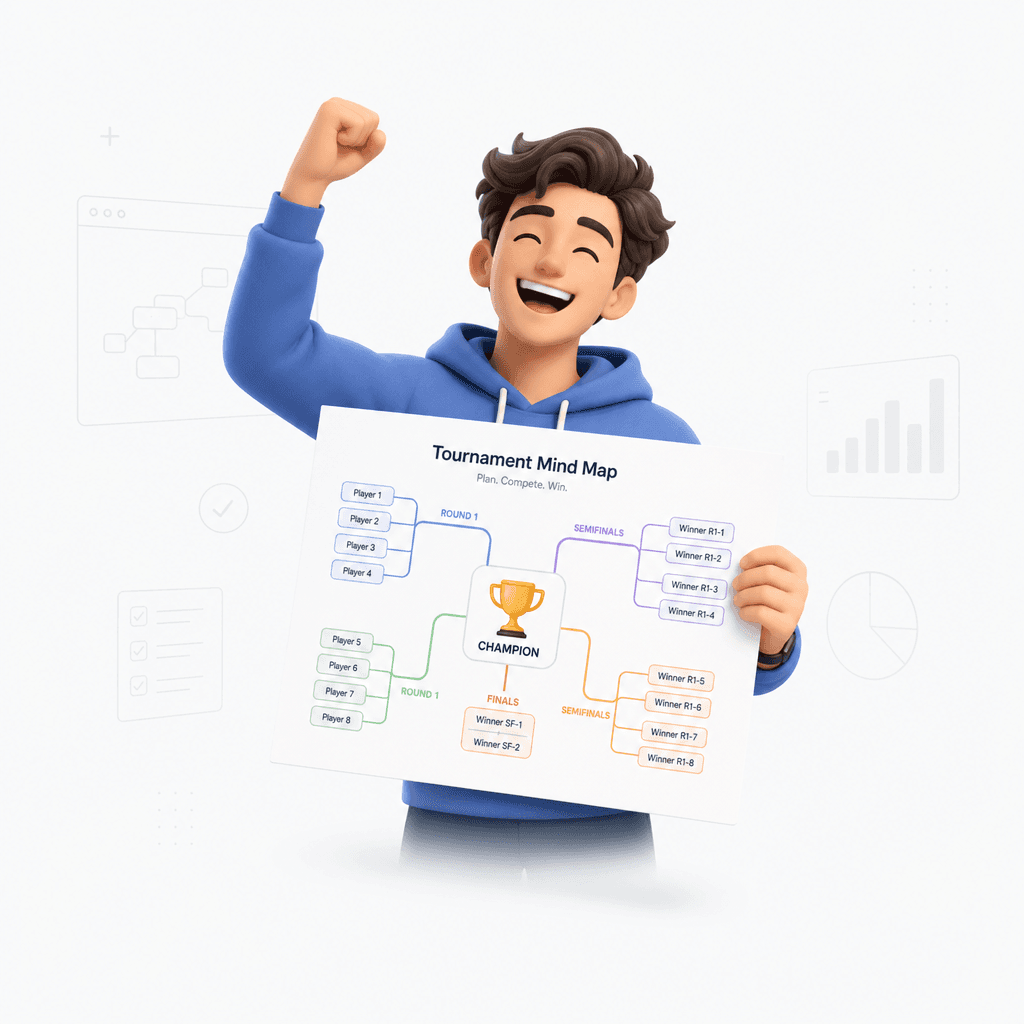
Turn prompts, PDFs, and website URLs into visual tournament brackets and mind maps in seconds.

How to generate your tournament chart

Provide your event data

Upload your participant list, paste a website URL, or type a simple prompt for your event.

Step 1

Provide your event data

Upload your participant list, paste a website URL, or type a simple prompt for your event.

Step 1

Provide your event data

Upload your participant list, paste a website URL, or type a simple prompt for your event.

Step 1

Generate the mind map

Our AI processes your input to create a structured tournament mind map with clear seedings.

Step 2

Generate the mind map

Our AI processes your input to create a structured tournament mind map with clear seedings.

Step 2

Generate the mind map

Our AI processes your input to create a structured tournament mind map with clear seedings.

Step 2

Refine and export

Review your bracket, customize the layout, and export your final chart for the competition.

Step 3

Refine and export

Review your bracket, customize the layout, and export your final chart for the competition.

Step 3

Refine and export

Review your bracket, customize the layout, and export your final chart for the competition.

Step 3

Hear from our Xmind family

4.8 ratings

4.8/5

App Store

95% user satisfaction rate

95%

User satisfaction rate

100M+ user worldwide

100M+

Users worldwide

Noah Bennett

University Student

I put together a tournament chart for our dorm ping-pong night, and it was way faster than doing it by hand. People could follow the rounds easily, which reduced a lot of back-and-forth.

Aisha Khan

Freelance Writer

I was organizing a reader voting contest and wanted something less clunky than a spreadsheet. The bracket generator made it easy to keep track of entries and share progress updates.

Marcus Reed

Startup Founder

We used it for a company esports event, and it cut down the usual coordination mess. I could update the matchups on the fly, which made the whole thing feel more organized.

Lena Fischer

UX Designer

I needed a simple tournament chart for a workshop activity, and it was refreshingly easy to edit. The visual structure helped participants understand the flow without me explaining it twice.

Jordan Patel

Marketing Specialist

We ran a client-facing design contest, and this made the bracket setup look polished without extra effort. It was easier than using a presentation deck, and the shareable format helped a lot.

Sofia Alvarez

Graduate Student

I used it for a campus research poster competition, and it made the schedule much easier to follow. I especially liked that I could adjust the rounds quickly when someone dropped out.

Ethan Brooks

Software Engineer

I was planning a small coding tournament for our team and didn’t want to manage the pairings manually. The workflow was straightforward, and the chart stayed readable even after a few changes.

Priya Nair

Content Strategist

For our company game night, I needed something simple that looked clean on a shared screen. It took minutes to build the brackets and kept people from asking who played next.

Daniel Ortiz

High School Teacher

I needed a quick way to organize our class debate rounds, and this handled the charting without a lot of setup. Students could see the matchups right away.

Maya Chen

Product Manager

I used it to set up our internal hackathon bracket, and it saved me from building the whole thing in Sheets. The layout was clear, and updates were easy to make.

Noah Bennett

University Student

I put together a tournament chart for our dorm ping-pong night, and it was way faster than doing it by hand. People could follow the rounds easily, which reduced a lot of back-and-forth.

Aisha Khan

Freelance Writer

I was organizing a reader voting contest and wanted something less clunky than a spreadsheet. The bracket generator made it easy to keep track of entries and share progress updates.

Marcus Reed

Startup Founder

We used it for a company esports event, and it cut down the usual coordination mess. I could update the matchups on the fly, which made the whole thing feel more organized.

Lena Fischer

UX Designer

I needed a simple tournament chart for a workshop activity, and it was refreshingly easy to edit. The visual structure helped participants understand the flow without me explaining it twice.

Jordan Patel

Marketing Specialist

We ran a client-facing design contest, and this made the bracket setup look polished without extra effort. It was easier than using a presentation deck, and the shareable format helped a lot.

Sofia Alvarez

Graduate Student

I used it for a campus research poster competition, and it made the schedule much easier to follow. I especially liked that I could adjust the rounds quickly when someone dropped out.

Ethan Brooks

Software Engineer

I was planning a small coding tournament for our team and didn’t want to manage the pairings manually. The workflow was straightforward, and the chart stayed readable even after a few changes.

Priya Nair

Content Strategist

For our company game night, I needed something simple that looked clean on a shared screen. It took minutes to build the brackets and kept people from asking who played next.

Daniel Ortiz

High School Teacher

I needed a quick way to organize our class debate rounds, and this handled the charting without a lot of setup. Students could see the matchups right away.

Maya Chen

Product Manager

I used it to set up our internal hackathon bracket, and it saved me from building the whole thing in Sheets. The layout was clear, and updates were easy to make.

Noah Bennett

University Student

I put together a tournament chart for our dorm ping-pong night, and it was way faster than doing it by hand. People could follow the rounds easily, which reduced a lot of back-and-forth.

Aisha Khan

Freelance Writer

I was organizing a reader voting contest and wanted something less clunky than a spreadsheet. The bracket generator made it easy to keep track of entries and share progress updates.

Marcus Reed

Startup Founder

We used it for a company esports event, and it cut down the usual coordination mess. I could update the matchups on the fly, which made the whole thing feel more organized.

Lena Fischer

UX Designer

I needed a simple tournament chart for a workshop activity, and it was refreshingly easy to edit. The visual structure helped participants understand the flow without me explaining it twice.

Jordan Patel

Marketing Specialist

We ran a client-facing design contest, and this made the bracket setup look polished without extra effort. It was easier than using a presentation deck, and the shareable format helped a lot.

Sofia Alvarez

Graduate Student

I used it for a campus research poster competition, and it made the schedule much easier to follow. I especially liked that I could adjust the rounds quickly when someone dropped out.

Ethan Brooks

Software Engineer

I was planning a small coding tournament for our team and didn’t want to manage the pairings manually. The workflow was straightforward, and the chart stayed readable even after a few changes.

Priya Nair

Content Strategist

For our company game night, I needed something simple that looked clean on a shared screen. It took minutes to build the brackets and kept people from asking who played next.

Daniel Ortiz

High School Teacher

I needed a quick way to organize our class debate rounds, and this handled the charting without a lot of setup. Students could see the matchups right away.

Maya Chen

Product Manager

I used it to set up our internal hackathon bracket, and it saved me from building the whole thing in Sheets. The layout was clear, and updates were easy to make.

Noah Bennett

University Student

I put together a tournament chart for our dorm ping-pong night, and it was way faster than doing it by hand. People could follow the rounds easily, which reduced a lot of back-and-forth.

Aisha Khan

Freelance Writer

I was organizing a reader voting contest and wanted something less clunky than a spreadsheet. The bracket generator made it easy to keep track of entries and share progress updates.

Marcus Reed

Startup Founder

We used it for a company esports event, and it cut down the usual coordination mess. I could update the matchups on the fly, which made the whole thing feel more organized.

Lena Fischer

UX Designer

I needed a simple tournament chart for a workshop activity, and it was refreshingly easy to edit. The visual structure helped participants understand the flow without me explaining it twice.

Jordan Patel

Marketing Specialist

We ran a client-facing design contest, and this made the bracket setup look polished without extra effort. It was easier than using a presentation deck, and the shareable format helped a lot.

Sofia Alvarez

Graduate Student

I used it for a campus research poster competition, and it made the schedule much easier to follow. I especially liked that I could adjust the rounds quickly when someone dropped out.

Ethan Brooks

Software Engineer

I was planning a small coding tournament for our team and didn’t want to manage the pairings manually. The workflow was straightforward, and the chart stayed readable even after a few changes.

Priya Nair

Content Strategist

For our company game night, I needed something simple that looked clean on a shared screen. It took minutes to build the brackets and kept people from asking who played next.

Daniel Ortiz

High School Teacher

I needed a quick way to organize our class debate rounds, and this handled the charting without a lot of setup. Students could see the matchups right away.

Maya Chen

Product Manager

I used it to set up our internal hackathon bracket, and it saved me from building the whole thing in Sheets. The layout was clear, and updates were easy to make.

Efficient tournament planning

Flexible input options

Organize tournaments instantly by uploading Word docs, PDFs, or pasting simple prompt text.

Flexible input options

Organize tournaments instantly by uploading Word docs, PDFs, or pasting simple prompt text.

Flexible input options

Organize tournaments instantly by uploading Word docs, PDFs, or pasting simple prompt text.

Visual bracket clarity

Convert complex participant lists and brackets into a clear, hierarchical mind map structure.

Visual bracket clarity

Convert complex participant lists and brackets into a clear, hierarchical mind map structure.

Automated data extraction

Review your bracket, customize the layout, and export your final chart for the competition.

Automated data extraction

Review your bracket, customize the layout, and export your final chart for the competition.

Smart editing and style

Refine your tournament chart with custom colors and styles to match your event's branding.

Smart editing and style

Refine your tournament chart with custom colors and styles to match your event's branding.

Smart editing and style

Refine your tournament chart with custom colors and styles to match your event's branding.

Ways to use the generator

Sports tournament planning

Transform a list of players in a Word or PDF file into a structured knockout bracket.

Sports tournament planning

Transform a list of players in a Word or PDF file into a structured knockout bracket.

Sports tournament planning

Transform a list of players in a Word or PDF file into a structured knockout bracket.

Online gaming leagues house league

Link to a registration website to automatically map out league standings and seedings.

Online gaming leagues house league

Link to a registration website to automatically map out league standings and seedings.

Online gaming leagues house league

Link to a registration website to automatically map out league standings and seedings.

Corporate team building events

Use simple prompts to design fair and balanced brackets for festive office competitions.

Corporate team building events

Use simple prompts to design fair and balanced brackets for festive office competitions.

Corporate team building events

Use simple prompts to design fair and balanced brackets for festive office competitions.

Explore other free online tools

Frequently asked questions

Frequently Asked Questions

How does this tournament chart generator work?

Upload your document or paste text. Our AI processes the information and automatically organizes it into a visual mind map structure for your tournament chart.

What file types does this tool support?

You can input data using simple prompts, Markdown, PDF, Word documents, images, website URLs, long text, or OPML files.

What kind of output can I expect?

The tool converts your input into a structured mind map format, providing a clear visual representation of your bracket or tournament flow.

Can I edit the generated tournament chart?

Yes, once the tournament chart generator creates your diagram, you can adjust the nodes, refine the layout, and export the file for use in other applications.

What are the limitations of this tool?

The tool is ideal for creating structured hierarchies and tournament brackets. It is best suited for scenarios where a branching flow or relational map is needed.

Is my data private when using this tool?

Yes, your data is used only to generate the requested mind map and is not stored or shared with external parties. We prioritize user privacy and data security.


Xmind logo

Create your tournament chart now

Transform your tournament data into a professional mind map. Refine your bracket with ease in Xmind.

Xmind logo

Create your tournament chart now

Transform your tournament data into a professional mind map. Refine your bracket with ease in Xmind.