















Markdown to Mind Map
Xmind supports converting Markdown files or Markdown text into mind maps, helping you quickly transform linear notes into a structured, visual diagram for better understanding and communication.

Import a Markdown file to Xmind
1️⃣ Open Xmind (desktop or web).
2️⃣ From the File menu, select Import > Markdown (.md).
3️⃣ Choose the Markdown file from your computer and confirm.
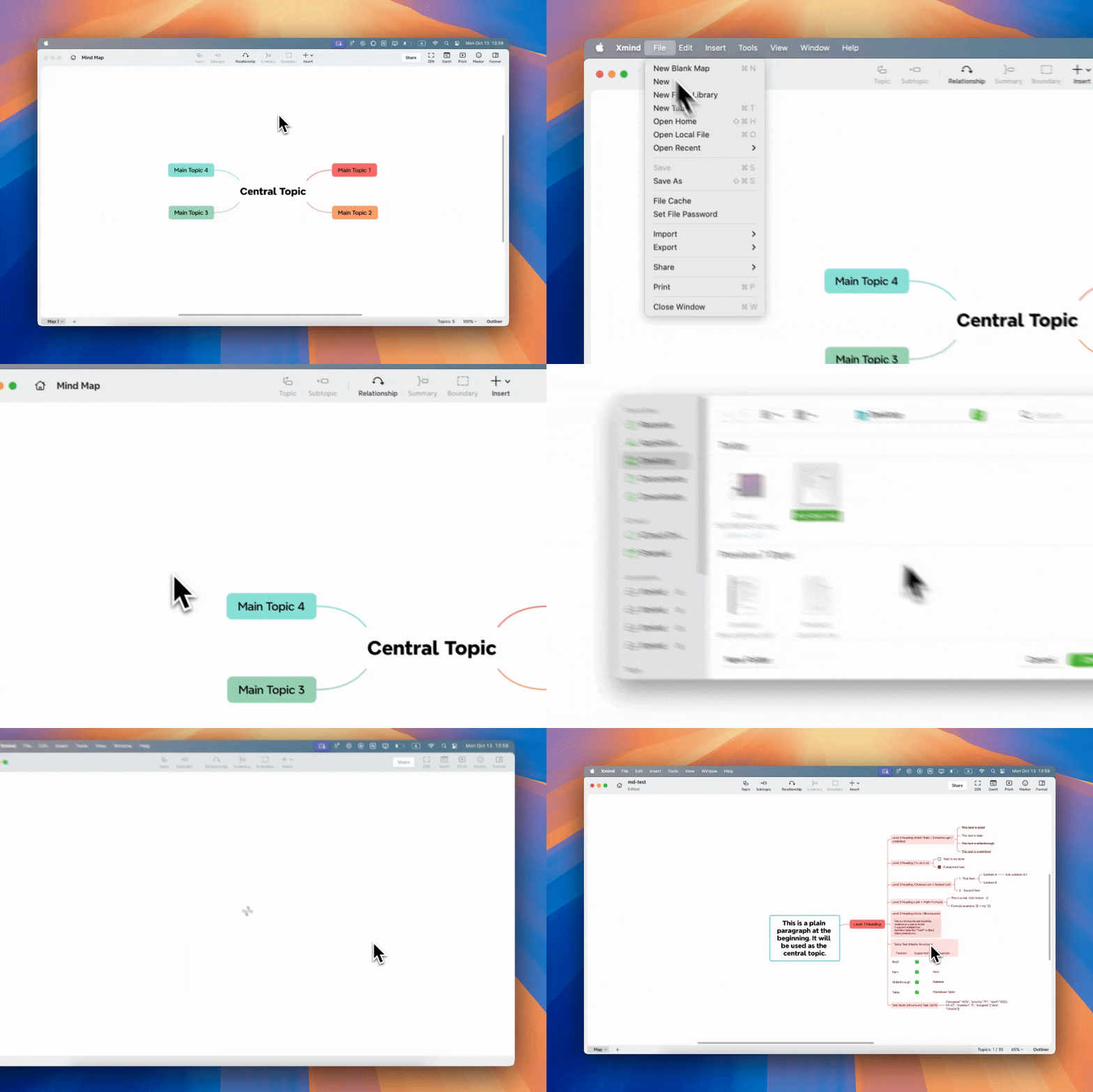
The file will be parsed into a mind map. The first line (or filename if the first line is non-text) automatically becomes the central topic.
Paste Markdown Content
1️⃣ Copy any Markdown text from your notes, documents, or other apps.
2️⃣ Paste it directly onto your mind map canvas in Xmind.
3️⃣ Xmind will automatically detect and parse the content:
-
If the content is valid Markdown → it will be converted into structured topics with the corresponding Markdown formatting.
-
If the content is plain text → it will be pasted as plain text.
Structure Mapping
| Markdown Element | In Xmind |
|---|---|
# ~ ###### |
Heading → Node level (max 6 levels) |
- / * / + / 1. (with indentation) |
List items → Subtopics (indentation defines parent-child relationship) |
Plain text |
Central topic / subtopic / note depending on position |
First line |
Used as central topic if text / heading / link |
Style Support

💡 If you prefer a quicker way, you can also use our Free Markdown to Mind Map Tool to convert your Markdown files online — no setup or app needed.